

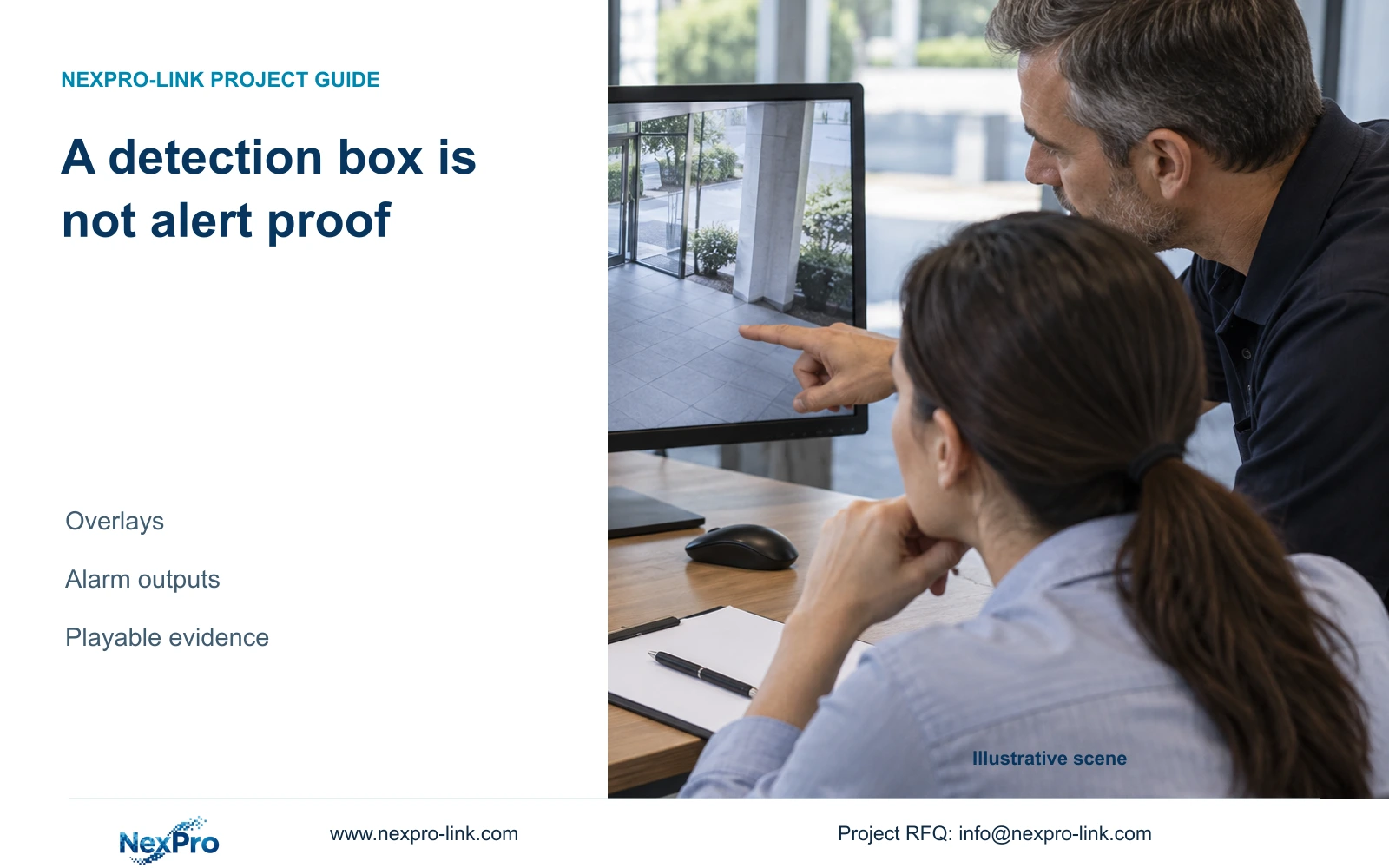
A recognition box or warning line helps check detection geometry. Prove the required alarm separately through a controlled event, notification check and playable recording.
Section 01
Establish what the visible overlay proves
A detection box or warning line does not prove that the NVR has received an alarm, sent a notification or recorded the incident. The supplied NVR4.0 manual treats recognition-frame and warning-line display as separate controls from detection enablement, direction, timing and actions. For a demonstration that shows a line but produces no alert, first identify the selected camera and the intended result. Check the camera rule, perform an authorized movement test, then inspect each required output. Keep the overlay visible when it helps check geometry, but accept the system only after the specified notification and footage can be retrieved.
Use the drawing to confirm where the rule sits in the image. A line across the wrong passage can look convincing while describing the wrong event. Record which channel is selected and whether the visible feature is a recognition frame or a warning line before changing any settings.
Section 02
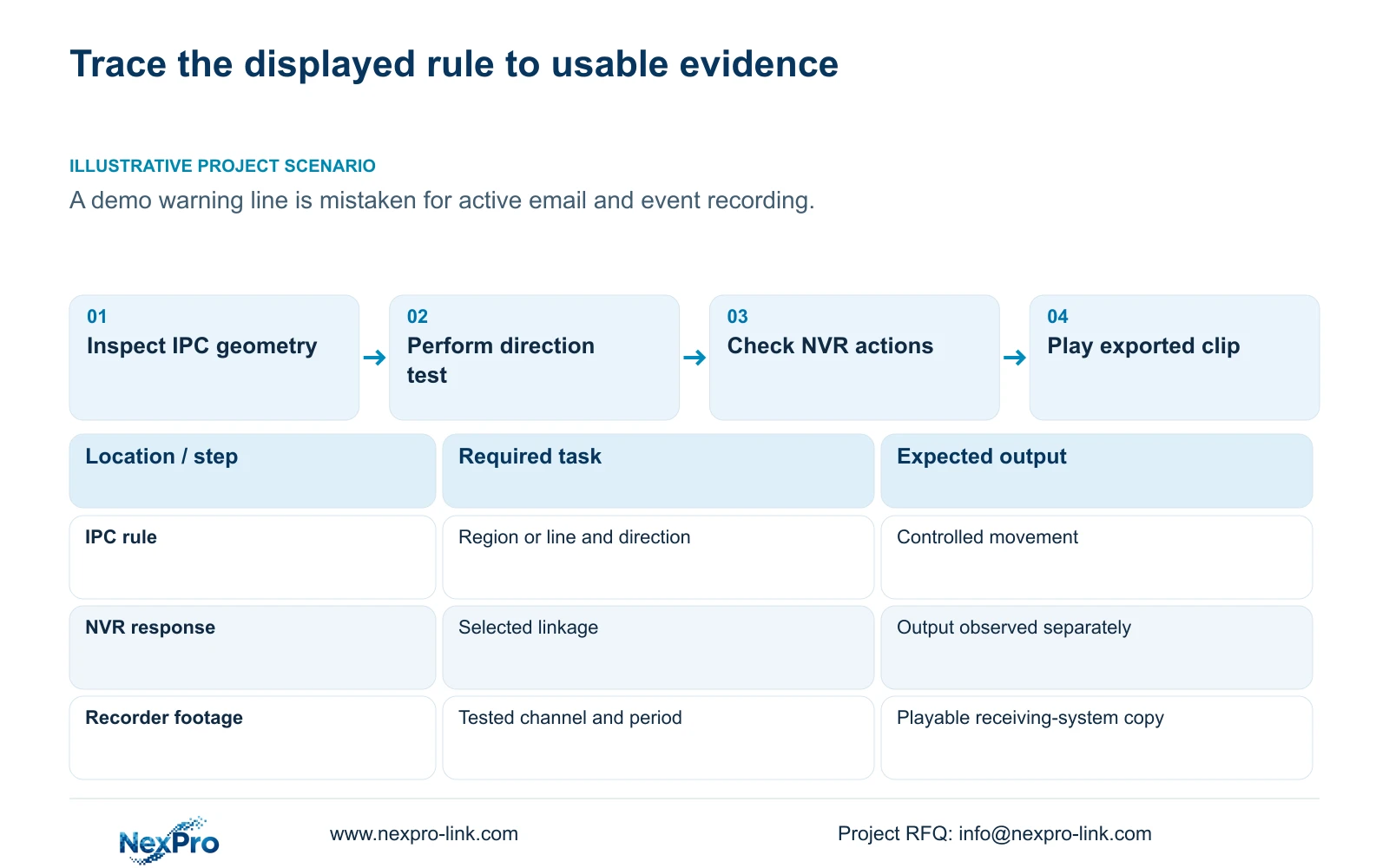
Check the camera rule before the recorder response
Section 4.12.15 describes enabling the function on the recorder and then opening Front-end Settings to configure the IPC region or line and related parameters. The camera produces the supported event; the recorder receives it and performs the selected response. An enabled NVR checkbox cannot supply an analysis function that the camera lacks.
Confirm that the actual camera, firmware and connection workflow support the required rule. Inspect its geometry, direction and sensitivity without borrowing settings from an unrelated channel. If the front-end control is unavailable, pause that configuration branch and establish support for the device combination. Working live video alone does not prove that the same connection exposes analytics configuration or transports the required event.
Section 03
Walk the intended route in both directions
Define the movement that should cause an alarm before testing. The manual distinguishes entry, exit and both directions for area intrusion, and one-way or two-way crossing for line crossing. A route that correctly produces no alarm in the permitted direction is useful evidence, provided the opposite movement produces the required response.
Arrange a controlled movement through the configured geometry and record its channel and time. Repeat in the other direction, keeping the route comparable. If neither movement produces a response, check enablement and the applicable operating period before changing sensitivity. If both movements trigger when only one should, inspect direction and geometry. Recheck the rule after camera movement, lens adjustment or a changed PTZ position.
Section 04
Follow each selected action to its own result
The manual lists popup, border flashing, buzzer, email, snapshot, preset call, recording and app push as distinct actions. Select only the outputs required for this test and identify where each will be checked. A popup demonstrates that response; it leaves the recording and recipient paths unresolved.
When one action works and another fails, preserve the successful result and inspect the failed action's configuration. Changing every linkage at once removes the evidence that separates event reception from output failure. Keep action duration separate from footage retention: the time a response remains active does not establish how long recordings remain available.
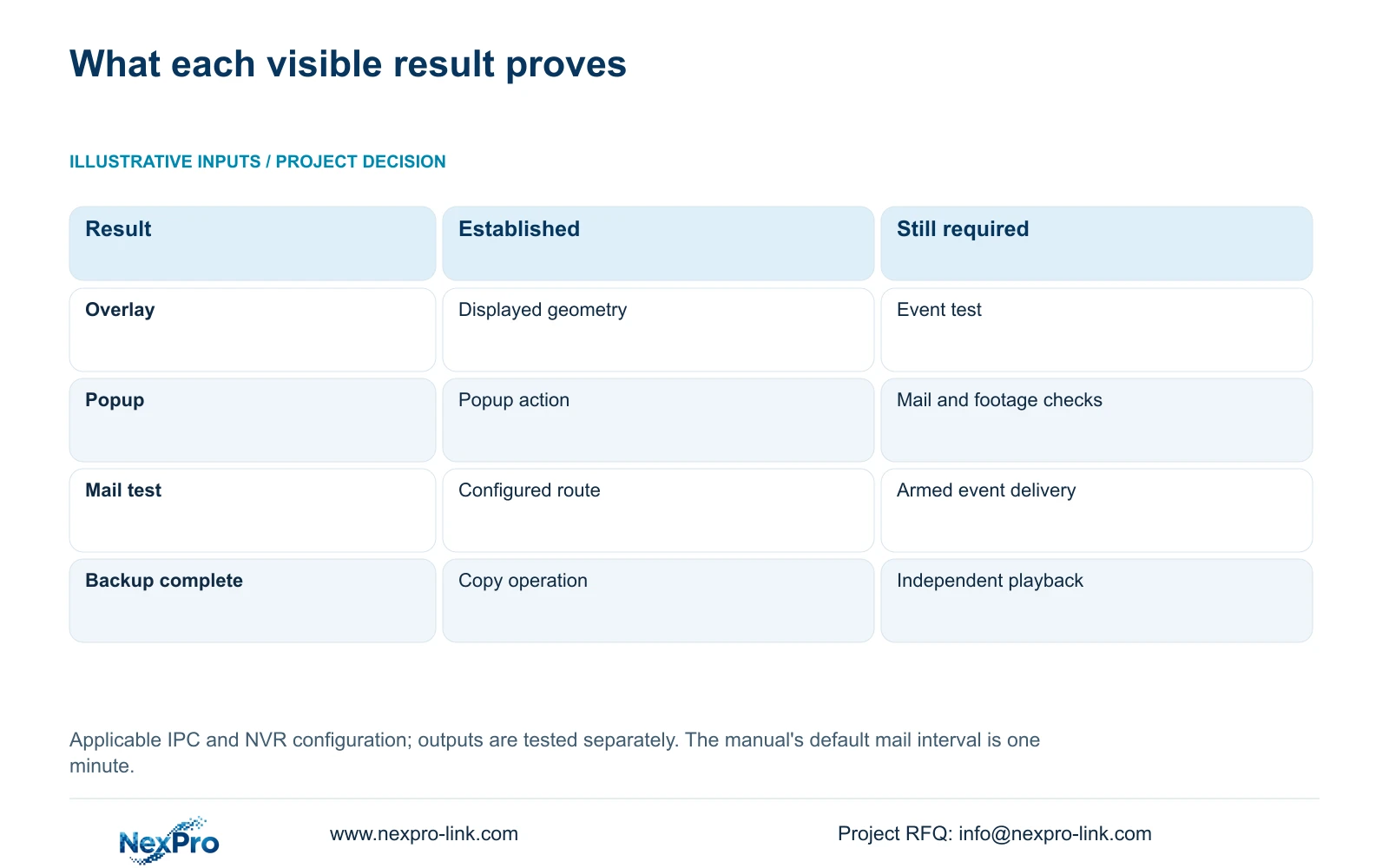
| Observation | What it establishes | Next action |
|---|---|---|
| Warning line visible | Displayed geometry is available | Check the rule and perform the direction test |
| Popup appears | The popup response occurred | Inspect the required recording and notification separately |
| Mail test succeeds | The configured mail route worked for that test | Trigger an armed event with email linkage |
| Clip copies successfully | The backup operation completed | Open the file on the receiving system |
Section 05
Separate mail connectivity from event delivery
A successful email test checks the configured sending and receiving route. An alarm message also depends on the channel event, arming period and email linkage. Inspect the intended recipient's result after the controlled event, rather than accepting the recorder's mail-test screen as evidence of alarm delivery.
Section 4.12.10 describes a one-minute default sending interval during which other emails are suppressed. Closely spaced test events therefore cannot be assumed to produce separate messages. Record the configured interval and event times when interpreting a missing email. If the mail test succeeds but event mail does not, investigate the event and linkage conditions first. An app push requirement needs its own recipient check; an email result cannot substitute for it.
Section 06
Retrieve and play the incident footage
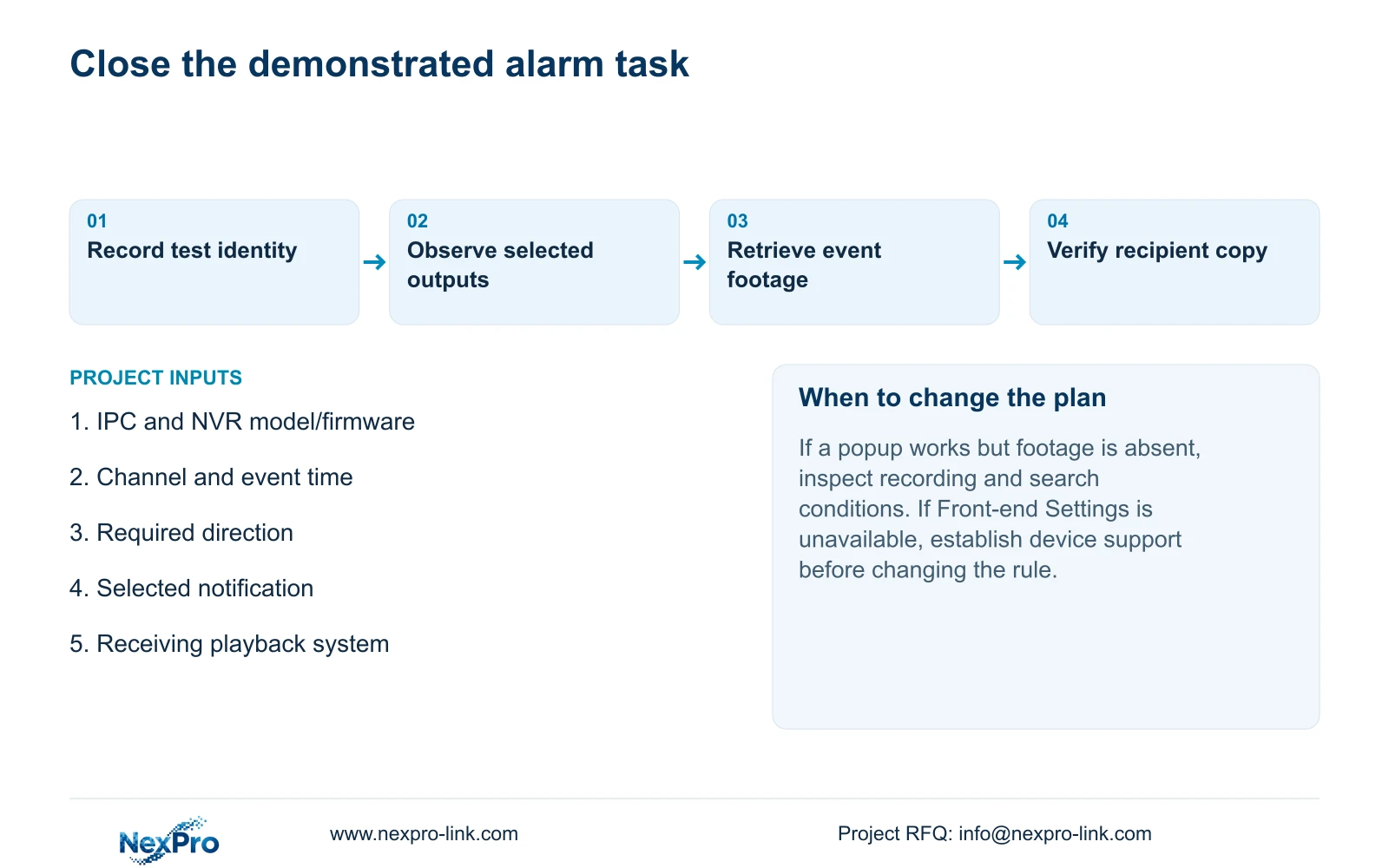
Search the tested channel and period on the recorder, then play the footage containing the movement. Confirm that the result belongs to the intended location and includes the required incident interval. If the popup occurred but footage cannot be found, keep those observations separate and inspect the recording requirement and search selection.
Export a sample and open it on the intended receiving system. Section 4.11.4 mentions players such as VLC, without guaranteeing every operating-system and codec combination. Check the actual channel, start and end, movement and any required audio. Record the viewing method that worked and preserve the original footage until the necessary copy is verified. Seetong PC local recordings are a different storage object from the recorder's disks.
Section 07
Apply the checks to a demonstration
Illustrative project scenario: A buyer sees a warning line in the demo and assumes an email and event recording are already active. The demonstrator first identifies the rule and intended direction, then performs the authorized movement. The buyer checks the selected alarm output, recipient message and playable incident clip. Any missing result remains an open acceptance item, even if the overlay looks correct.
This guide uses the private file NVR4.0 user manual CH_V2.4.doc, whose body identifies V2.2, sections 4.12.15, 4.12.11, 4.12.10 and 4.11.4. Section references take priority over page numbering. The test sequence is an engineering acceptance method, not a claimed built-in diagnostic or a report of completed field testing.
Section 09
Provide the missing output
Send NexPro-Link the recorder and camera model/firmware combination, tested channel and time, and the specific missing output at info@nexpro-link.com.
Engineering references
These sources support the general planning principles. Always use the selected product's current datasheet and applicable project standards for final design.


