

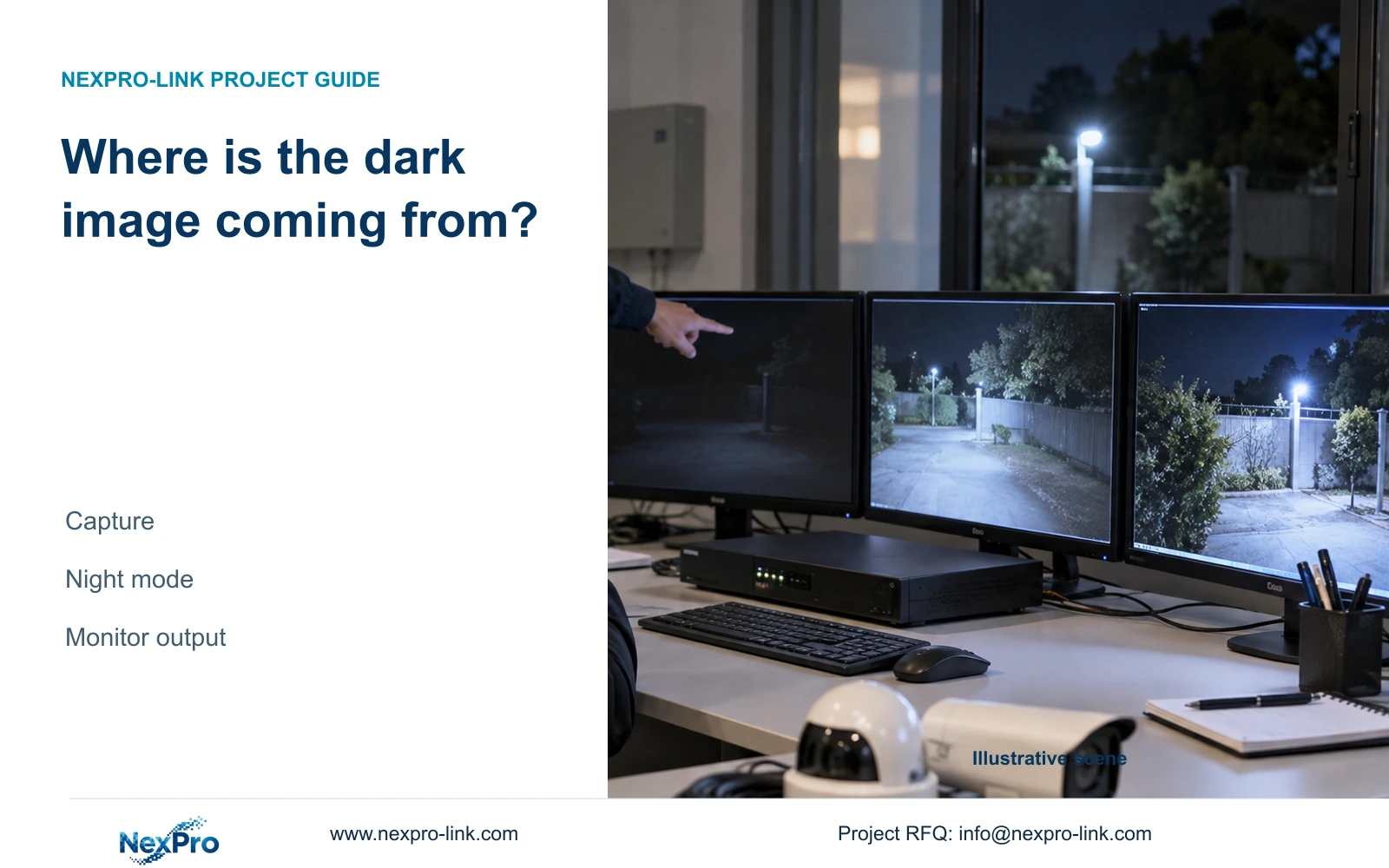
Use the same recorded segment to separate a dark monitor image from camera capture and night-mode problems, then verify which change improves usable footage.
Section 01
Compare the recorded image before changing capture
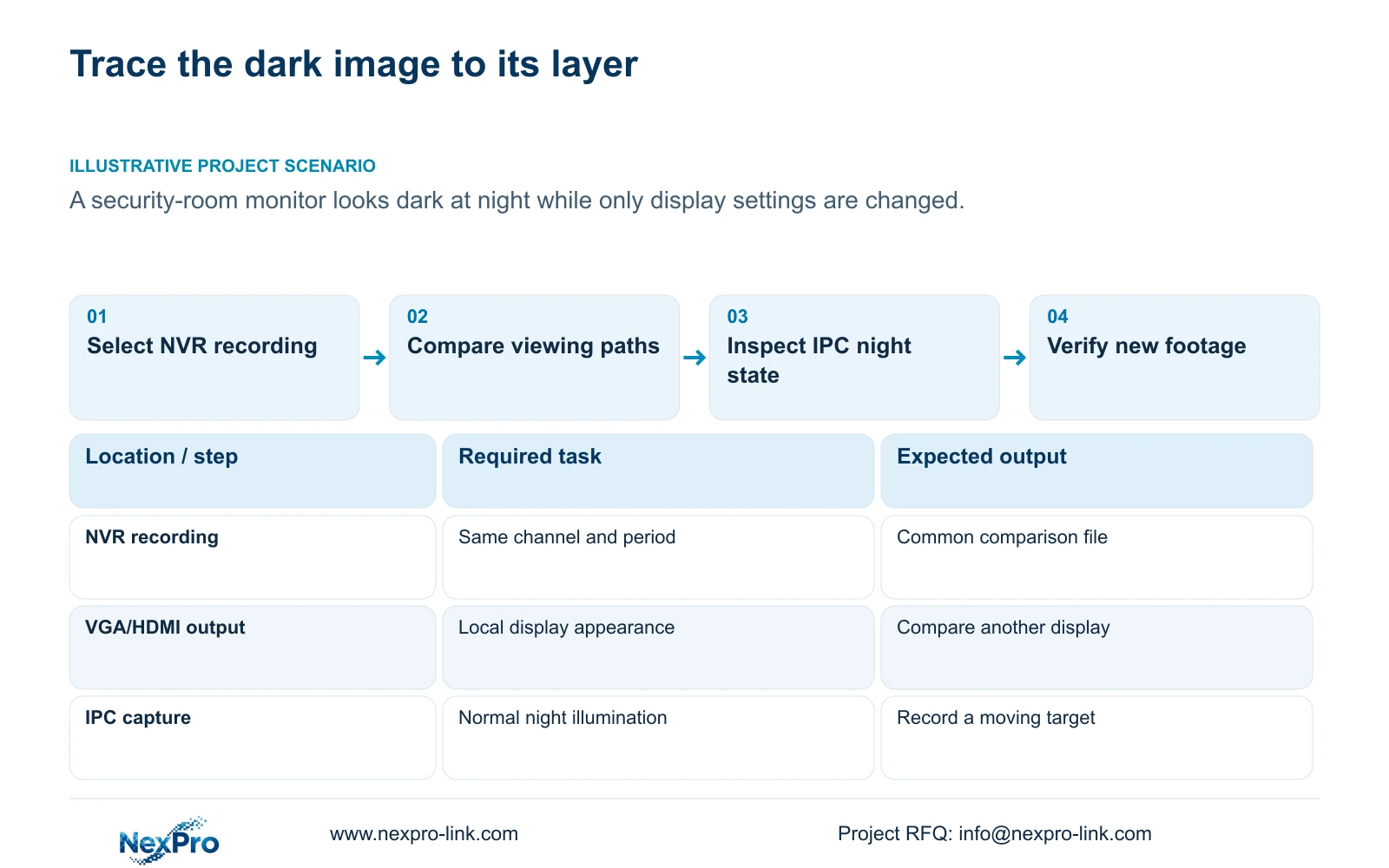
A dark security-room screen does not identify where image quality was lost. Start with an actual recorded segment from the affected channel and view that same file through another suitable playback and display path. If the required detail is visible there, investigate the local monitor and recorder output first. If it remains too dark, continue to the camera's capture settings and normal night state. Keep the channel, recording period and target fixed throughout the comparison. Raising display brightness can make viewing more comfortable, but it does not demonstrate that the camera has recorded more useful information.
The manual separates VGA/HDMI output adjustment from IPC video capture. Record the existing output setting before changing it, then compare the same moment on both viewing paths. A difference confined to the security-room display supports an output-side investigation. Similar darkness across paths directs attention upstream, although the comparison alone does not establish a specific camera fault.
Avoid changing every camera because one monitor looks dark. Where several channels share the complaint, inspect their recordings individually. A common display symptom and a camera-specific capture problem can coexist.
Section 02
Inspect the affected camera's capture controls
Once the output comparison points toward the source, identify the affected IPC and its supported capture controls. Section 4.4.3 lists brightness, saturation, sharpness, contrast, image flips, digital WDR, starlight and corridor modes. These controls address different aspects of the image; their presence in the manual is not a reason to enable them together.
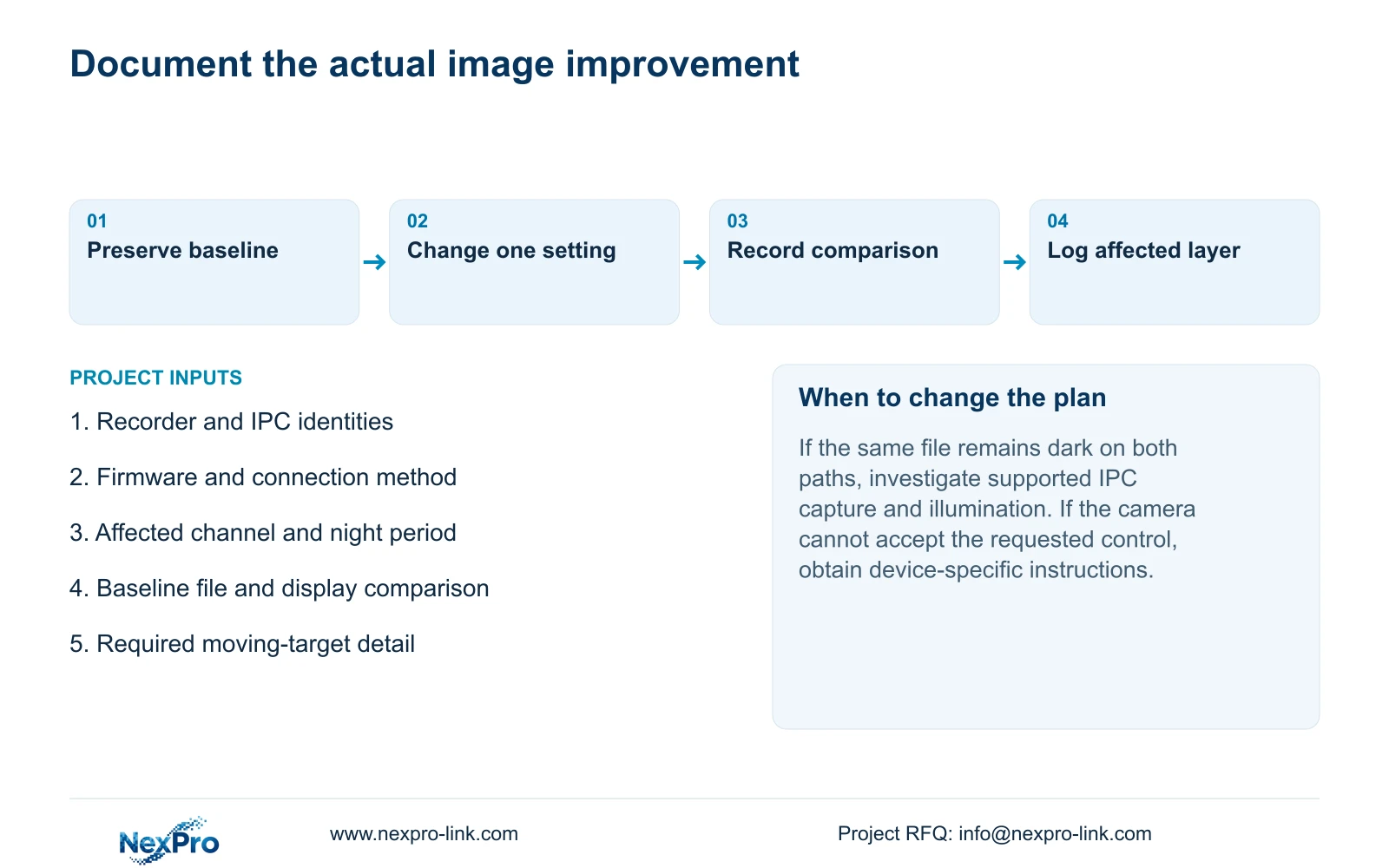
Preserve a baseline clip and the current settings. Change one relevant supported parameter, produce a new recording and compare the same observation task under similar lighting. Ask whether the required target becomes easier to review, rather than whether the whole image merely looks brighter. Include movement where the task involves visitors or vehicles.
If the adjustment produces no useful change, record that result before selecting another parameter. A setting that helps the night sample should also be checked against the daytime task before it becomes the operating baseline.
Section 03
Test normal night lighting separately from alarm actions
The manual describes ordinary lighting, IRCut and color-to-black switching controls separately from supported analytic light and sound actions. Establish the camera's normal state during the dark period: which illumination is active, whether the image is in color or black and white, and whether the transition corresponds to the reported symptom.
An alarm-triggered light may appear only during an event. Its operation cannot establish that normal night illumination is configured appropriately. Likewise, an absent event action does not prove that infrared hardware has failed. Test the steady night image first, then test any required event response through its own workflow.
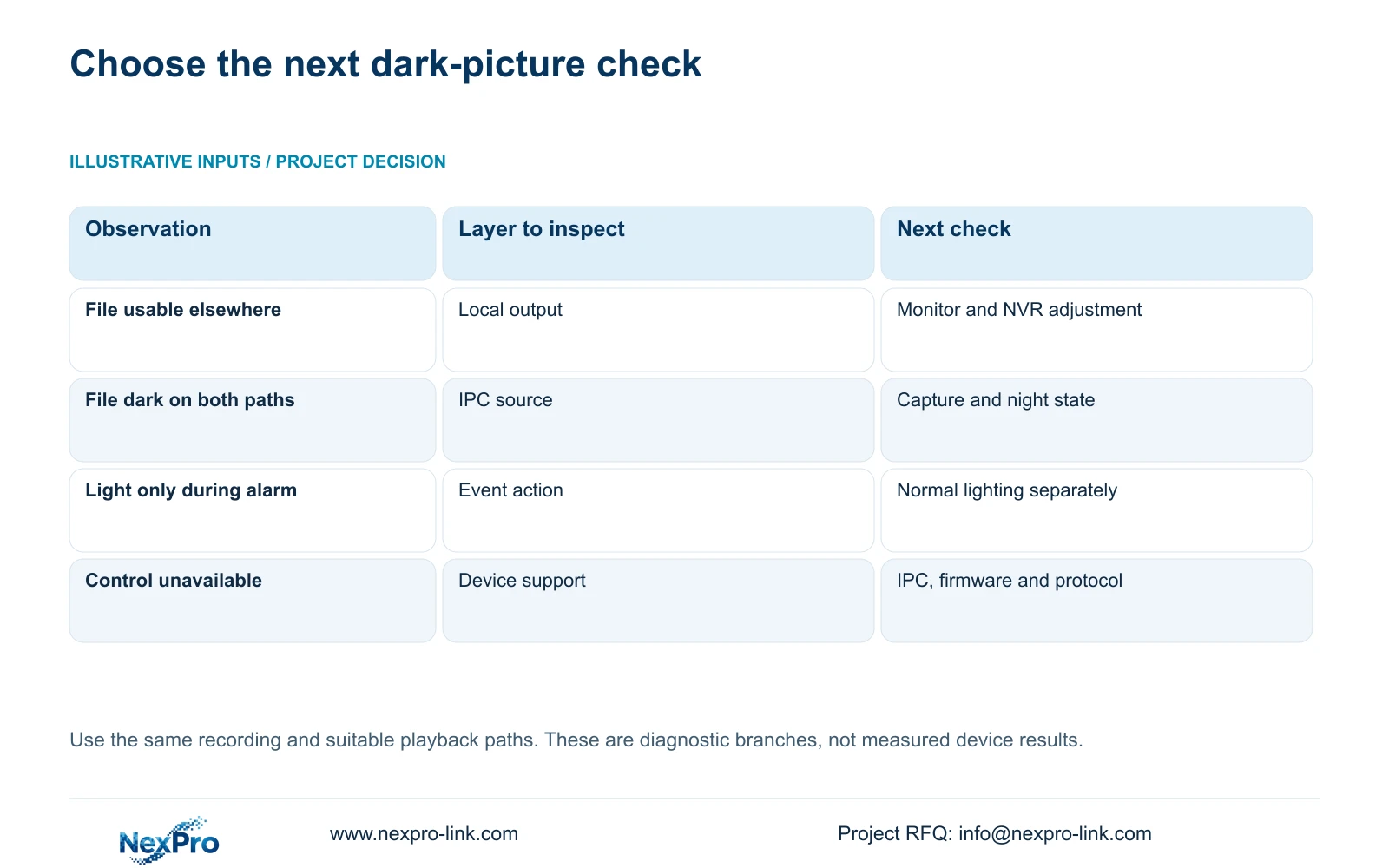
Use the following branches to choose the next check. They describe observations and decisions, not measured results from a particular installation.
| Observation | What it supports | Next action |
|---|---|---|
| The same file is usable on another display | A local viewing-path difference | Check monitor and NVR output settings |
| The file is dark on both paths | The complaint is present in recorded imagery | Inspect IPC capture and normal night state |
| A light appears only during an alarm | An event action is occurring | Test normal illumination independently |
| A capture control is unavailable | The requested operation needs a support check | Confirm IPC, firmware, protocol and permissions |
Section 04
Confirm that the camera accepts the requested setting
The recorder can perform only the operations exposed and accepted by the connected camera through the selected connection method. Check the IPC model, firmware, protocol, relevant account permissions and menu layer before interpreting an unavailable control as damage. Basic live video does not establish support for every image adjustment.
Test the change on the affected camera alone. If the control cannot be confirmed, retain the working configuration and obtain the applicable device instructions. ONVIF profile information can help frame an interoperability review, but it does not establish that this camera-recorder pair accepts a particular capture command. A shared NVR interface is not evidence of identical behavior across connected IPCs.
Section 05
Compare moving targets in usable exports
Retrieve clips that show the same relevant movement before and after the supported change. Confirm their channel and time range so that a brighter clip from another camera is not mistaken for an improvement. Keep the original footage until the comparison copies have been checked.
Open a sample export on the intended receiving system. Section 4.11.4 mentions players such as VLC, without guaranteeing every operating-system and codec combination. Verify actual playback and any required audio. If the file cannot be viewed there, resolve the playback path before using it to judge image quality. A completed copy indicator establishes neither a usable deliverable nor improved capture.
Section 06
Record which layer improved and what still fails
After the adjustment, recheck live view, correct time, newly generated recording, a relevant historical sample and export. Confirm that the intended operator can retrieve the footage. Where event lighting is part of the requirement, repeat that event test separately.
Describe the result precisely: local viewing improved, recorded target detail improved, or the symptom remained. Record the single changed parameter and any failed task. If source footage remains inadequate after supported checks, the next discussion should concern the actual camera and lighting requirement, not an unsupported promise that another recorder setting will solve it.
Section 07
Apply the checks to a security-room complaint
Illustrative project scenario: A security room reports dark images at night while the installer is adjusting only the monitor. Preserve a night recording and compare it on another suitable display. If that file is usable, complete the output-side correction and document its scope. If the file remains dark, inspect the affected IPC's capture settings and normal illumination. Any claimed improvement should be supported by a new recorded moving-target sample.
Section 08
Can a brighter monitor repair an existing dark recording?
No capture improvement is established by that adjustment. It changes the viewing result; assess the existing file on another suitable path to determine what useful information it contains.
Section 09
Does a working alarm light confirm usable night footage?
No. Check normal night imagery and recorded detail independently. Confirm the event's required recording or notification result through a separate test.
Section 10
Source and device scope
This guide uses the supplied NVR4.0 user manual CH_V2.4.doc, whose body identifies V2.2, especially sections 4.8, 4.4.3, 4.4.7, 4.4.8, 4.10, 4.11 and 4.12.15. Section references take priority over page numbers. The workflow concerns recorder-held footage, not Seetong PC local recordings.
Section 11
Request a dark-picture review
Send NexPro-Link the affected channel's recorder and IPC models, firmware, symptom period and same-file display comparison result at info@nexpro-link.com.
Engineering references
These sources support the general planning principles. Always use the selected product's current datasheet and applicable project standards for final design.


