

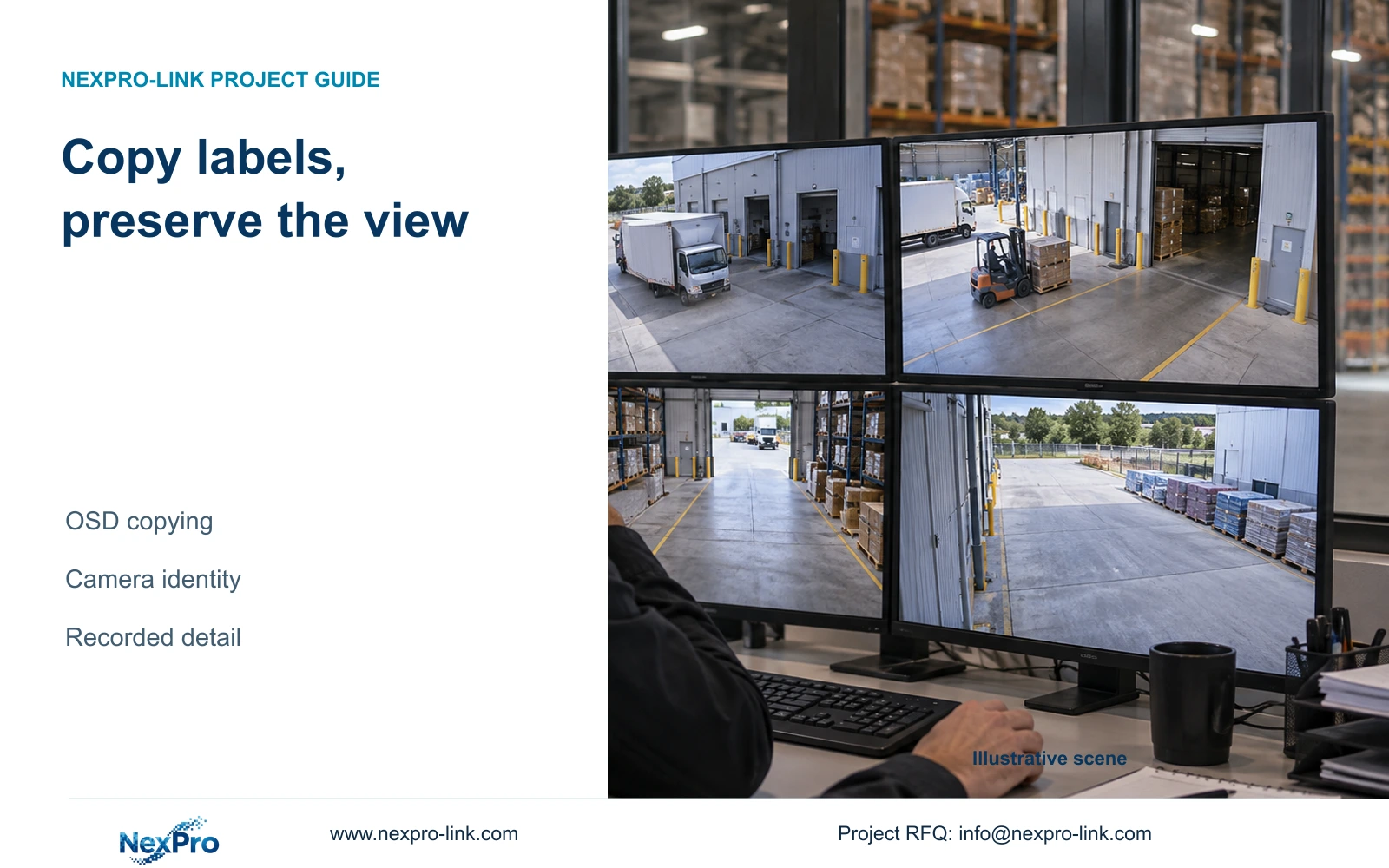
Standardize OSD fields while preserving each camera's identity and useful image area. Copy only to suitable targets, then check the recorded and exported result.
Section 01
Separate common label fields from camera-specific placement
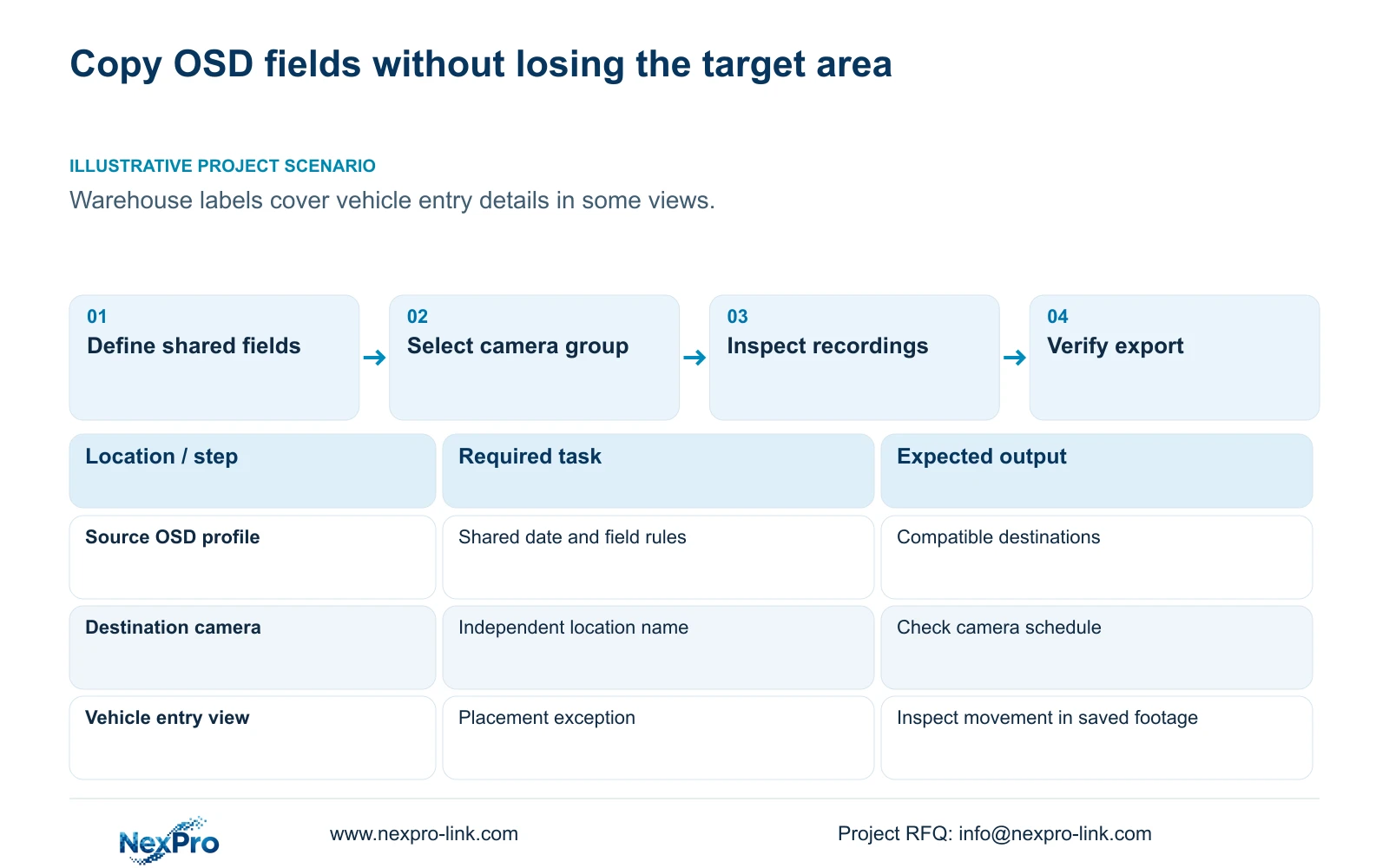
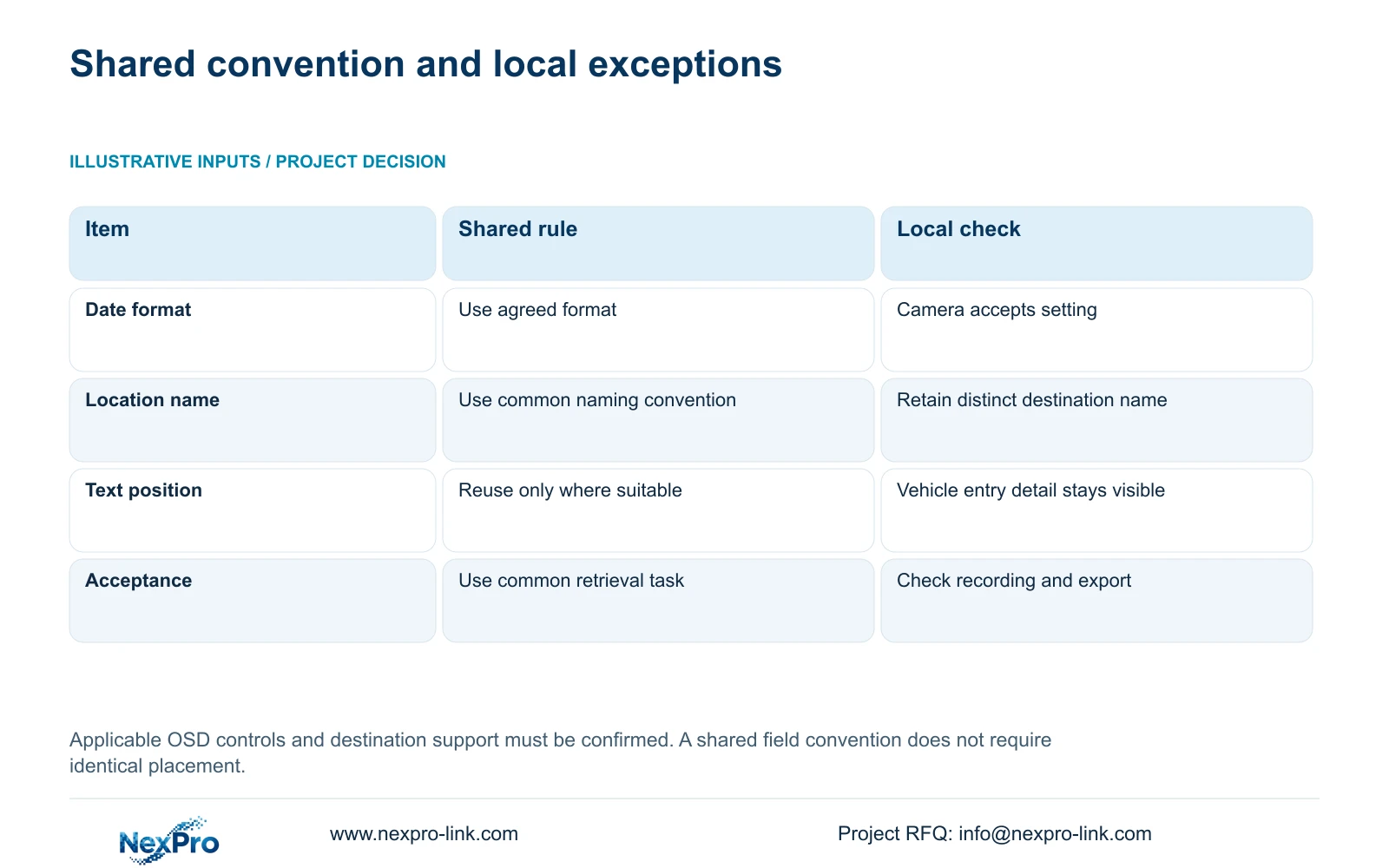
Copy OSD settings only after identifying which fields can be shared and which must remain specific to each camera. A common date format or naming convention can help operators, but identical text positions can cover different details in different views. Keep each location name tied to its camera-to-channel record, group compatible targets, and check the destination settings after copying. Verify the result in newly recorded footage and a sample export, because a clear live preview alone does not complete the task. If an overlay obscures the required detail, preserve the common field rule and adjust that camera's placement as a documented exception.
The manual lists OSD enablement, channel name, title and time positions, date formatting, weekday display, and optional resolution or bitrate information. Decide which of these the owner needs for ordinary retrieval. Extra information should have a purpose; it also occupies image area that the operator may need to inspect.
Section 02
Confirm which device owns the overlay
Distinguish camera OSD from recorder desktop labels and time. Identify the setting responsible for the text visible in the actual image. A monitor interface can look consistent even while the camera overlays differ, so describe the intended result at the image layer.
Check that the connected camera accepts the selected options. Sections 4.4.4 and 4.12.6 describe controls within the supplied manual's scope; they do not establish universal third-party camera behavior. If a field fails to apply, record the device and setting involved and use its applicable instructions. Do not broaden the copy operation to other channels while the source behavior remains unresolved.
Section 03
Choose compatible targets before using the copy control
Group destinations by the relevant task and supported options. A common camera model can simplify that review, but scene geometry still determines whether a shared text position is suitable. Record the source channel, selected destination list and intended fields before applying the profile.
Copy controls also appear in other workflows, including schedules, time and encoding settings. Keep this operation confined to the relevant OSD settings. The existence of a copy function does not decide whether a gate should share a corridor schedule or whether destination cameras support the same resolution. After saving, inspect the actual destination values and footage. A completion prompt shows that an operation finished; the required image result still needs checking.
| Field or condition | Copy decision | Verification |
|---|---|---|
| Common date format | Share where supported and required | Read the resulting overlay on each group |
| Location name | Keep each destination's identity distinct | Compare with the camera schedule |
| Text position over vehicle entry detail | Use a camera-specific exception | Inspect the relevant movement in footage |
| Destination does not accept the field | Stop expansion of that profile | Obtain applicable device instructions |
| Preview acceptable; export unverified | Keep acceptance open | Play the sample on the receiving system |
Section 04
Preserve the destination's location identity
Keep drawing location, physical camera identity, IP address, recorder channel and displayed name in separate fields. Standardizing the shape of a name does not mean repeating the source camera's location across the destination group. Compare the final name at every affected channel with the project schedule.
Record renaming and replacement separately. A corrected label changes the operator's description; a replacement changes the physical source. If an older incident is later retrieved, the assignment relevant to that period still matters. A tidy set of matching overlays would be misleading if several channels now claim the same location. Resolve duplicate or ambiguous names before the owner accepts the copied profile.
Section 05
Inspect the area the operator needs to see
Review the overlay against the actual observation task, including relevant movement and lighting. Text placed away from a parked vehicle may cover detail when that vehicle approaches the entrance. Evaluate the sequence, not only a convenient still frame.
If text obscures the target area, change its placement first and review the same task again. Camera capture controls are a separate issue. Section 4.4.3 lists brightness, saturation, sharpness, contrast, image flips, digital wide dynamic range, starlight and corridor modes. These differ from monitor-output adjustments, and their presence does not prove support on every camera. Where an image-control change is genuinely needed, change one item and compare relevant day and night samples separately from the OSD copy decision.
Section 06
Check newly recorded footage and a receiving-system export
Retrieve a new recording from each affected group and the cameras with placement exceptions. Confirm the location name and time text while the required action is visible. If the live result and saved result disagree, identify the recording source before making another broad copy.
Export a representative period and open it on the intended receiving system. Check channel identity, start and end coverage, actual playback and required audio. Section 4.11.4 mentions players such as VLC, but does not guarantee every platform and codec combination. Record the tested viewing method and retain the original footage until the required copy is verified. A finished backup progress indicator is insufficient for this acceptance check.
Section 07
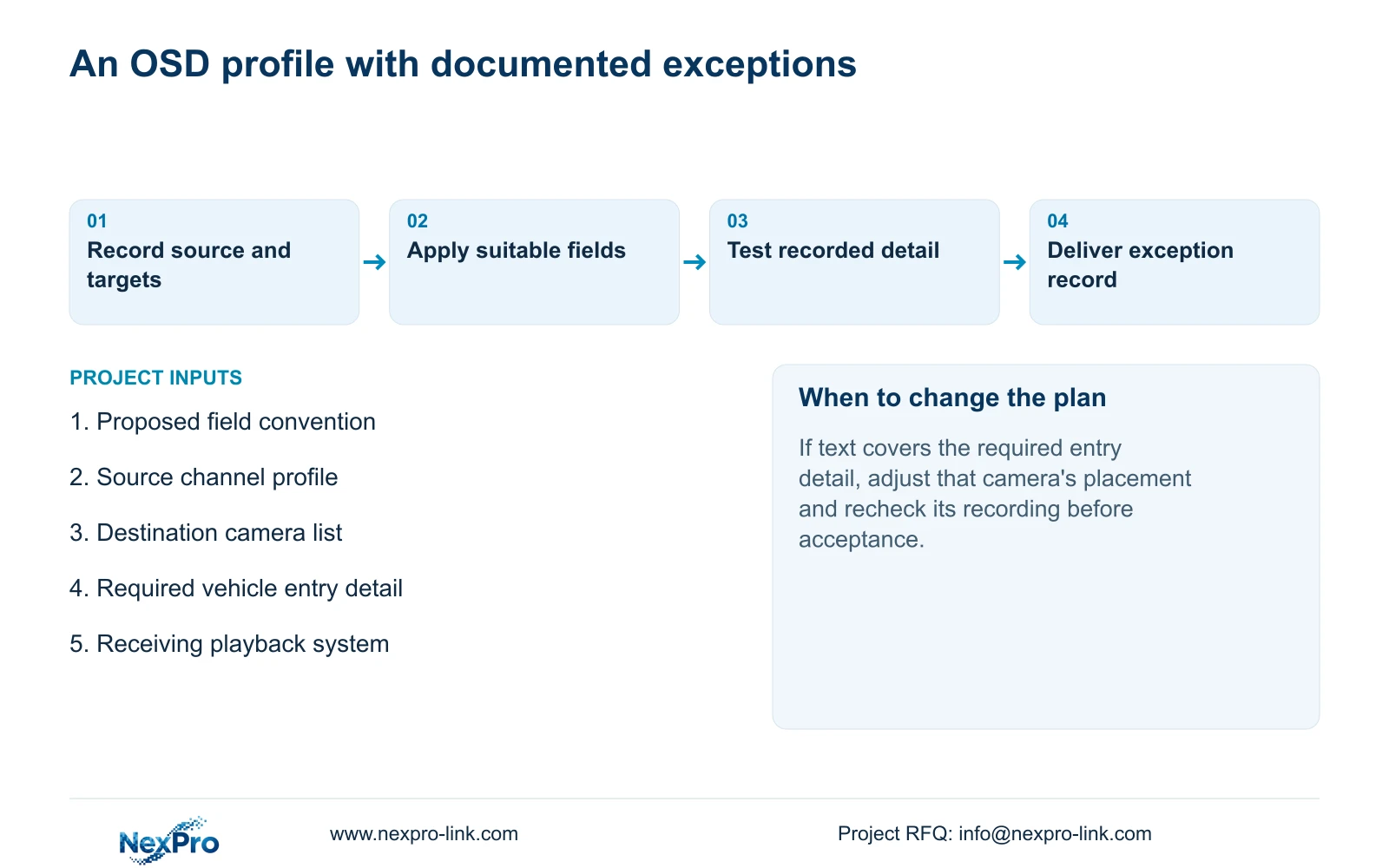
Deliver the shared rule with its placement exceptions
Illustrative project scenario: A warehouse wants identical channel labels, but the chosen text position covers vehicle entry details at some cameras. The engineer agrees a common field format, separates the affected entry views from the general group, and selects placements that leave the required action visible. Each camera retains its own location name.
The handover records the source profile, destination groups and exceptions, together with the applicable model and firmware. Keep configuration-backup location and maintenance responsibility accessible to the owner, with credentials transferred separately through a controlled route. Demonstrate retrieval and export using an exception camera so future maintenance does not erase the reason for its different placement. Project support can address these requirements within the agreed equipment and preparation scope.
Section 08
Should every warehouse camera use the same text position?
Only where the position leaves each required observation area usable. Share the label convention and retain placement exceptions for different views. Confirm those exceptions in recorded footage.
Section 09
Source scope and the next input
This guide uses NVR4.0 user manual CH_V2.4.doc, marked V2.2 in its body, sections 4.4.2 to 4.4.4, 4.3.1, 4.11.1, 4.11.4, 4.12.6 and 4.12.7. Handover guidance draws on sections 4.11, 4.12.3 and 4.12.17 to 4.12.19. Copy grouping and acceptance steps are engineering guidance within that device scope.
Send NexPro-Link the proposed OSD field rule and a redacted view showing the obscured target area at info@nexpro-link.com.
Engineering references
These sources support the general planning principles. Always use the selected product's current datasheet and applicable project standards for final design.


