


A bitrate setting, a traffic screenshot and a stored-volume measurement have different scopes. Use representative recording averages for retention and defined traffic paths for network checks.
Section 01
Identify what the displayed number measures
Use representative average recorded video bitrate for retention planning, and use defined traffic paths with relevant peaks or limits for network checks. A configured bitrate describes a profile; a momentary interface reading describes current activity; stored volume describes data retained over an interval. Those numbers cannot be substituted without matching their scope. Before approving disks from a screenshot, identify the stream, observation point, direction and operating period. Separate recording input from live viewing, playback and downloads. A calculation based on an assumed average remains a planning estimate until representative operation and the selected usable disk capacity have been checked.
The source is NVR4.0 user manual CH_V2.4.doc, with V2.2 in its body. Sections 4.4.5 and 4.3.3.3 cover rate settings and traffic; sections 4.4.4 and 4.12.6 cover overlays; section 5.1 provides storage guidance. The calculations below are independent decimal-unit demonstrations, not measured recorder performance.
Write CBR or VBR beside the entered bitrate, along with the camera and stream identity. Those are configuration fields, not evidence that every scene produces the same daily volume. Keep the configured profile available when interpreting measurements so an unexplained change is not mistaken for a new equipment requirement.
Section 02
Check whether the value belongs to an overlay or interface
The manual lists OSD enablement, channel names, title and time positions, date formatting, weekday display and optional resolution or bitrate information. An IPC overlay belongs to the camera-image path; the recorder desktop clock and interface traffic screen are different objects.
Record where the screenshot was taken and which stream was being viewed. An overlay can provide a useful clue, but it does not establish the average stored rate across a full operating cycle. Confirm that the selected camera accepts the documented overlay settings rather than assuming every third-party device behaves identically.
If overlay placement needs adjustment, preserve useful image areas and channel-specific exceptions. Moving a label is a presentation task. It does not change the scope of the number or turn it into a retention measurement.
| Data layer | What it establishes | Appropriate use |
|---|---|---|
| Configured bitrate and CBR/VBR | The selected stream-control profile | Document the baseline and proposed limits |
| Interface receive/transmit reading | Traffic at the observed interface and time | Investigate defined network paths |
| Stored volume over a known interval | Retained data within that interval's scope | Check a representative retention estimate |
| IPC bitrate overlay | A displayed clue for the selected image path | Correlate with the actual stream and measurements |
Section 03
Measure receive and transmit paths independently
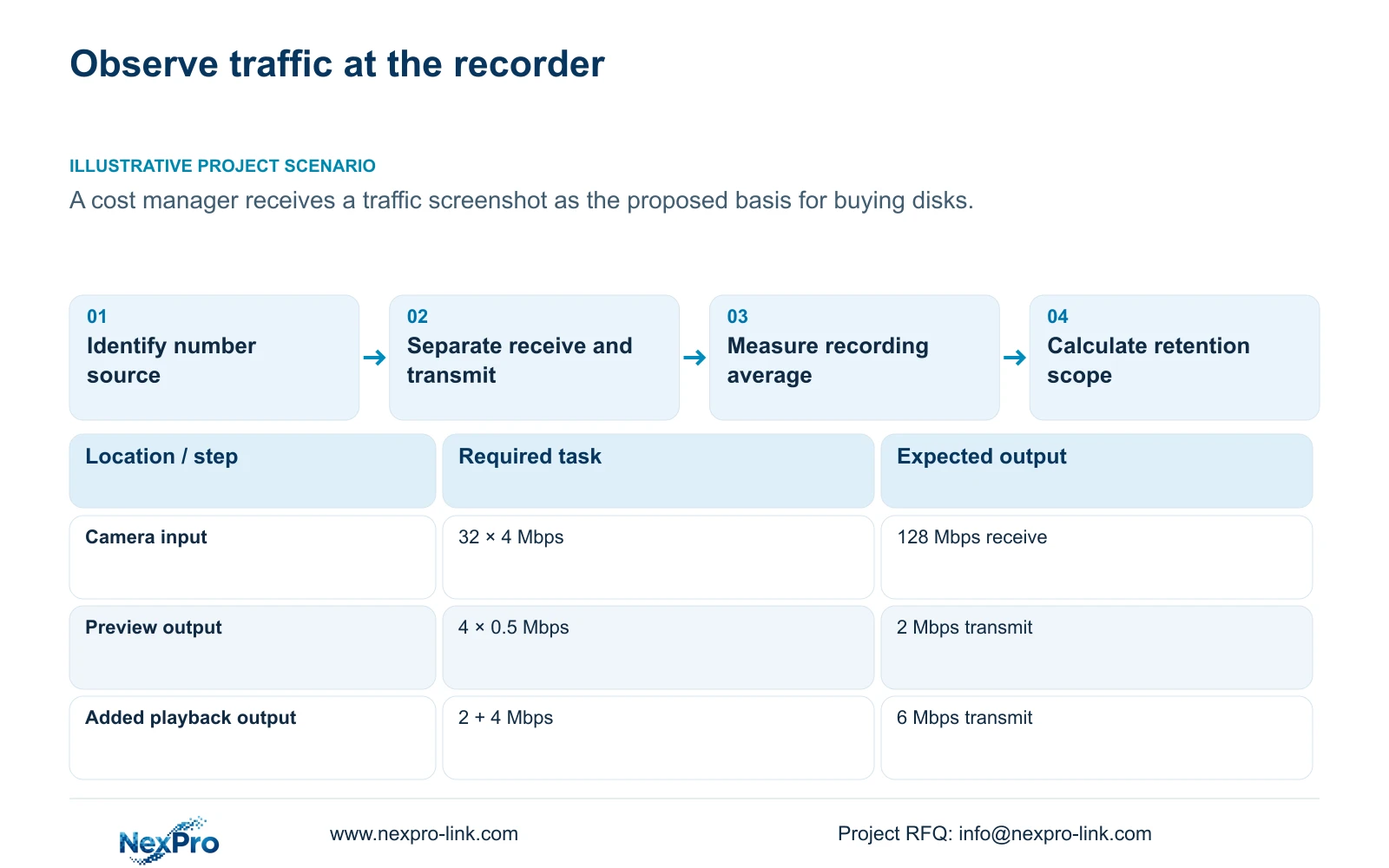
Section 4.3.3.3 presents interface send and receive information. Cameras supplying recording streams, remote live viewers, playback sessions and downloads create different paths. Their traffic need not be equal. Record representative operating intervals and identify which concurrent tasks were active.
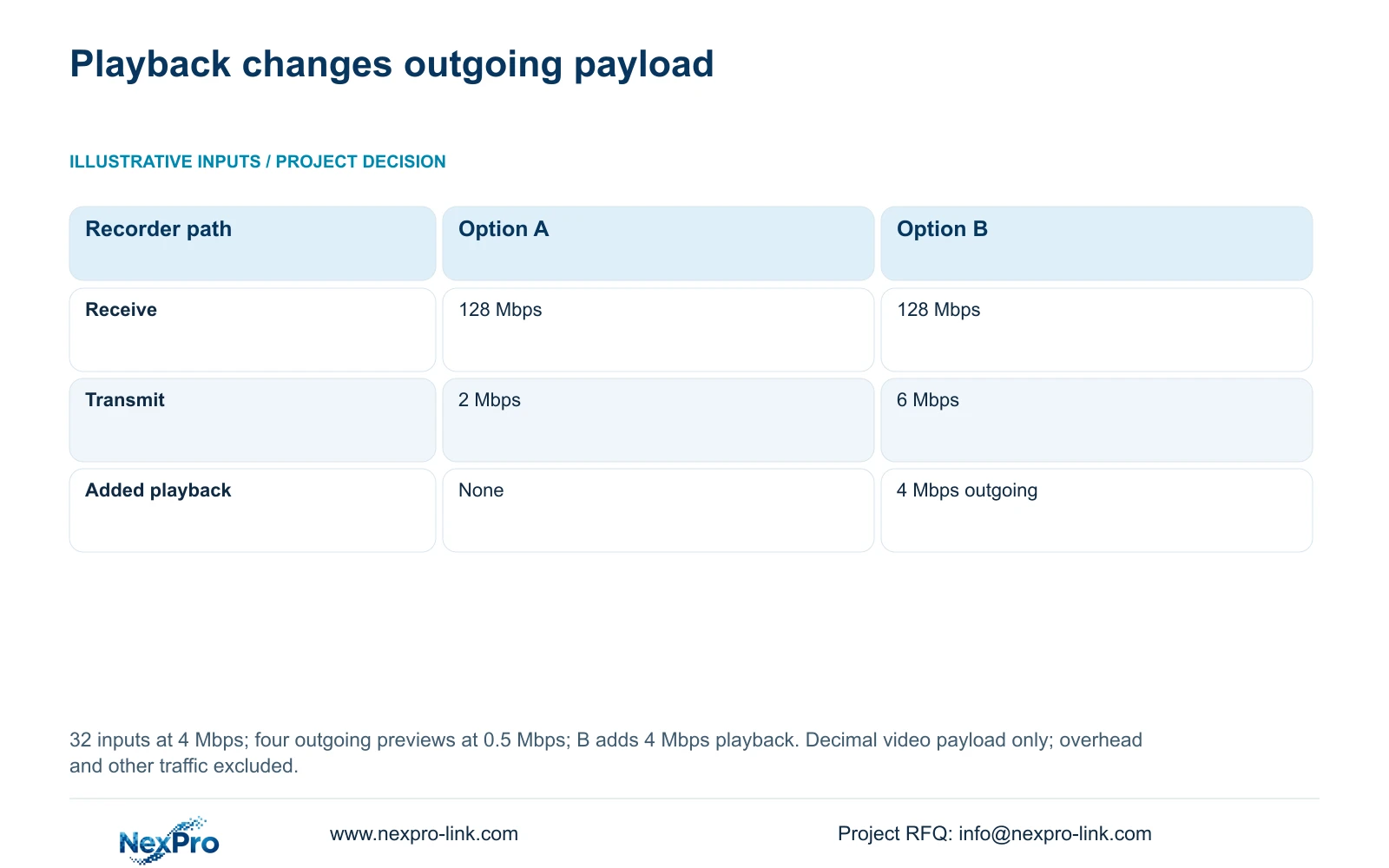
For the supplied illustration, 32 camera streams enter the recorder at 4 Mbps each. Option A sends four preview streams at 0.5 Mbps each. Option B keeps those previews and adds one outgoing playback stream at 4 Mbps. Only these specified video paths are included.
Receive payload in A = 32 × 4 Mbps = 128 Mbps. Receive payload in B is also 128 Mbps. Transmit payload in A = 4 × 0.5 Mbps = 2 Mbps. Transmit payload in B = 4 × 0.5 Mbps + 4 Mbps = 6 Mbps.
The added playback changes outgoing activity without adding cameras or changing the assumed recording input. An actual interface reading may include overhead and other streams. Define the observation point and units before comparing that reading with either the payload calculation or a recorder specification.
| Item | Option A | Option B |
|---|---|---|
| Recorder receive | 128 Mbps | 128 Mbps |
| Recorder transmit | 2 Mbps | 6 Mbps |
| Outgoing task | Four preview streams | Four previews plus one playback |
Section 04
Use the recording average for the disk calculation
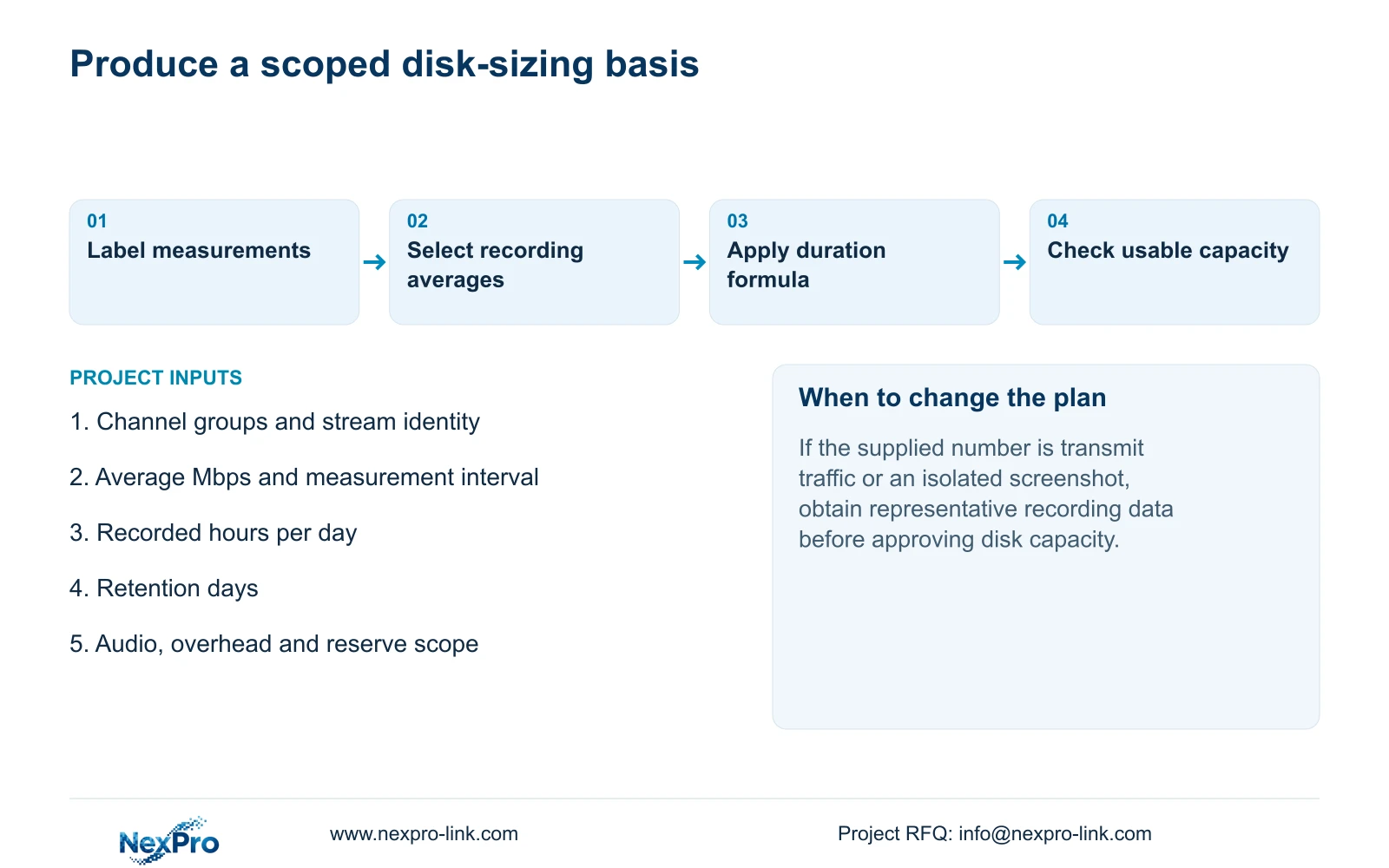
Collect each recording group's channel count, average video bitrate in Mbps, recorded hours per day and retention days. State whether the average is measured or assumed. Account separately for audio, storage overhead and reserved space, then check the selected configuration's usable capacity.
In decimal units, video TB = 0.00045 × Σ(channels × average Mbps × recorded hours per day × retention days). The coefficient follows from 1,000,000 bits per second × 3,600 seconds per hour ÷ 8 bits per byte ÷ 1,000,000,000,000 bytes per TB = 0.00045 TB per Mbps-hour.
Where groups have different schedules or retention periods, calculate their contributions with their own inputs. A single interface screenshot does not supply those missing recording durations. The outgoing playback rate in the illustration is also not an additional camera-recording input.
If the approved reserve fraction is r, required usable space for the included data = included data volume ÷ (1 - r). Simply adding r times the volume does not leave the same fraction of the resulting capacity unused. No reserve fraction is prescribed by this topic's example.
Section 05
Keep the manual approximation separate from exact conversion
Section 5.1 states the quick-reference relationship 1000 kbps → 10G/day/channel. Retain that source notation when citing the table. It is not an exact decimal conversion or a measured result.
Separately, 1000 kbps = 1 Mbps in decimal units. For a constant 1 Mbps recorded over 24 hours, payload = 1,000,000 bits/s × 86,400 s ÷ 8 bits/byte = 10,800,000,000 bytes = 10.8 GB. Equivalently, 1 Mbps × 86,400 ÷ 8 = 10,800 megabytes.
Use the labeled approximation for a quick reference and the explicit calculation for a defined payload estimate. Neither substitutes for a representative recording average, the actual schedule or the disk configuration's usable capacity. Avoid silently replacing the manual's 10G notation with 10.8 GB and attributing the revised value to the source.
Section 06
Separate the observed record from the purchasing assumption
Illustrative project scenario: A cost manager receives one traffic-screen screenshot and is asked to approve a disk purchase. The next useful action is to identify the screenshot's interface, direction and active tasks, then obtain representative recording averages and the approved recording schedule. The screenshot can document an observation while the disk decision remains conditional.
Keep observations, source limits and planning assumptions in separate fields. If a measured interface total differs from the stream sum, check whether both describe the same path and interval before declaring a fault. Record the smallest next measurement needed and any unresolved scope difference.
A procurement-ready capacity record identifies the inputs behind its arithmetic and the usable disk arrangement being considered. NexPro-Link's BOQ support can be used to discuss that equipment scope; a contact request should carry the calculation basis rather than an unlabeled screenshot.
Section 07
Can outgoing traffic determine camera retention?
No. Outgoing previews, playback and downloads have a different scope. Use the average video actually recorded, with its hours and retention period.
Section 08
Does CBR make a screenshot a daily measurement?
No. The setting documents rate control. Verify representative operation and the stored-data scope before making a daily capacity claim.
Section 09
Provide the recording calculation basis
Send NexPro-Link the channel-group averages, measurement conditions, daily recording hours and retention target at info@nexpro-link.com.
Engineering references
These sources support the general planning principles. Always use the selected product's current datasheet and applicable project standards for final design.


