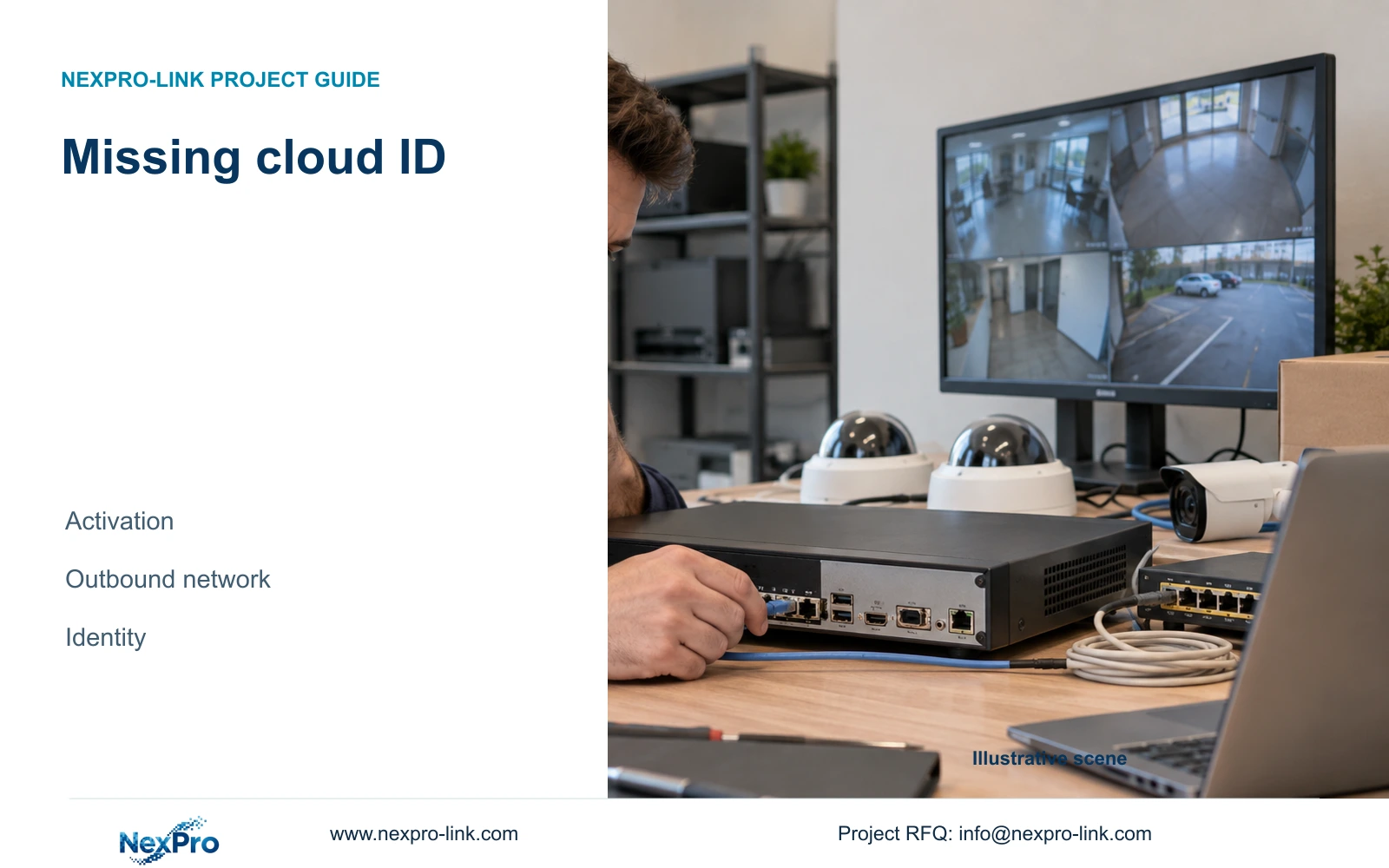
Investigate a missing cloud ID through the recorder's activation, outbound network and identity observations, without changing unrelated camera settings.
Section 01
Locate the missing identifier before changing settings
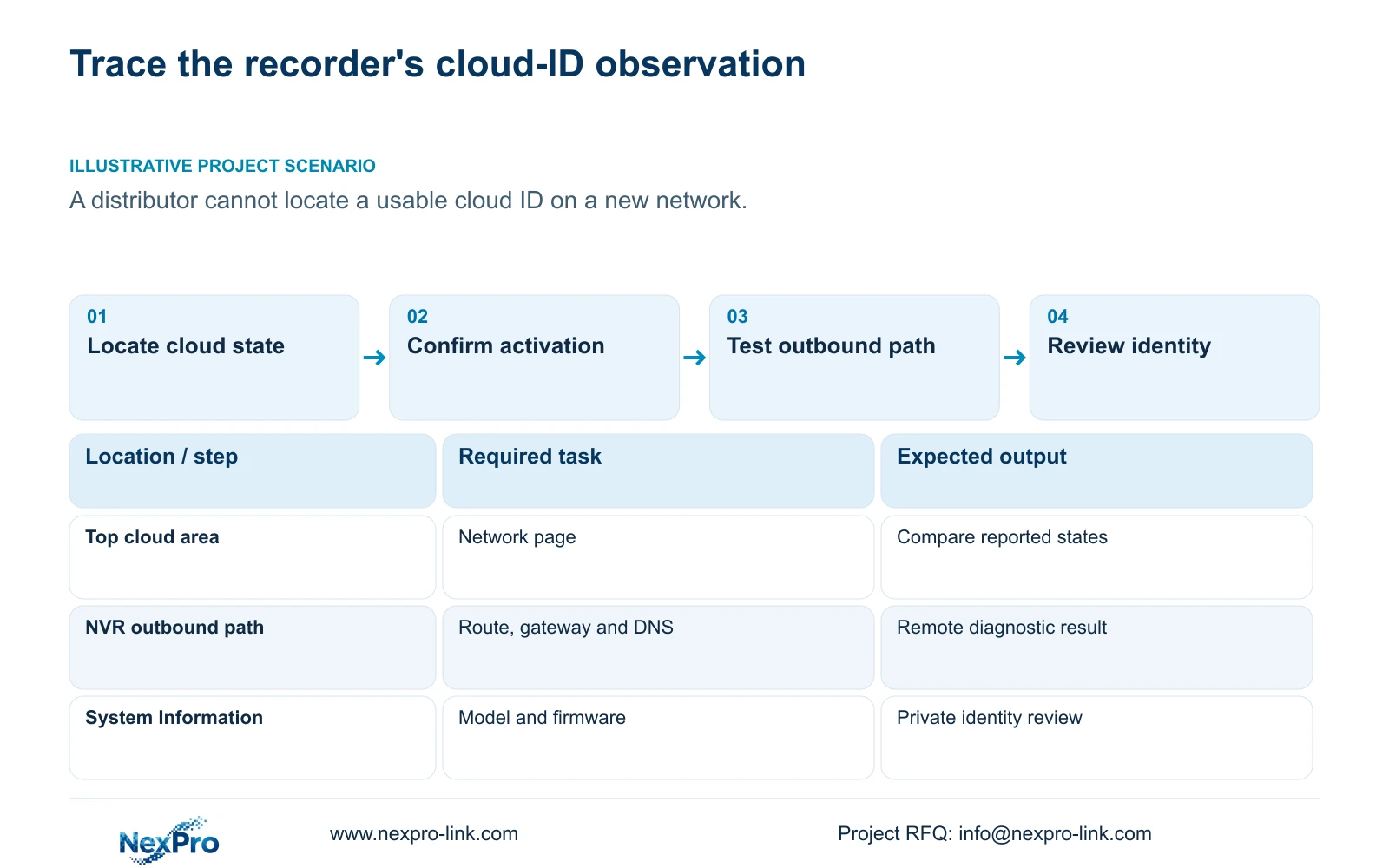
When a recorder does not show a usable cloud identifier, check the documented display locations, activation state, outbound network path and device identity. Local camera pictures cannot confirm those conditions. Start with the top cloud-status area, the network page and System Information, recording what each actually shows. Continue into the branch supported by those observations: incomplete activation, an unresolved route or DNS condition, or an identity anomaly requiring supplier review. Keep device identifiers private. Changing camera image settings or erasing the recorder does not follow from this symptom, and an error icon alone does not establish its cause.
This guide uses NVR4.0 user manual CH_V2.4.doc, with V2.2 in its body. The relevant locations are sections 2.4.3, 4.12.8 and troubleshooting question 5 in section 5.3. Section references take priority over page numbers, and the actual model and firmware determine whether the described screens apply.
Describe the observation precisely. An identifier that cannot be located, a cloud state reported as offline and an identity reported as invalid are different starting points. Record the screen and symptom time so the next person can reproduce the same check.
Section 02
Check whether activation was completed
Sections 4.1.1 and 4.12.8 describe the initial cloud activation workflow and its network conditions. For an unactivated recorder, the documented setup includes a cloud password using uppercase and lowercase letters with numbers. The manual rejects an empty or default password. Confirm the state of that task without including the password in the diagnostic record.
Successful local login is evidence about local access. It does not establish that the cloud-password setup has been completed. Likewise, camera connection credentials and a third-party cloud account remain separate objects unless the exact product workflow states otherwise.
If activation is incomplete, follow the applicable authorized setup process. If it is complete but the cloud state remains unresolved, preserve that result and continue to the network branch. Repeating unrelated password changes makes the record harder to interpret and can disturb working connections.
Section 03
Inspect the recorder's route, gateway and DNS
The camera-to-recorder path can differ from the recorder's internet path. A live local image therefore leaves the outbound connection untested. Under sections 4.3.3.2 and 4.12.8, check the selected default route, gateway and DNS alongside the reported cloud state.
On a new network, compare the recorder's current network configuration with the authorized site network plan. Record each difference before deciding whether a change is necessary. A route observation and a DNS observation should remain separate so a later successful test can be associated with the setting that changed.
Keep this diagnosis within the required access architecture. Blanket public port exposure or indiscriminate firewall changes are not a substitute for identifying the failing path. If an address change is proposed, obtain authority, preserve the relevant configuration and required data, and plan for interruption of dependent connections before making it.
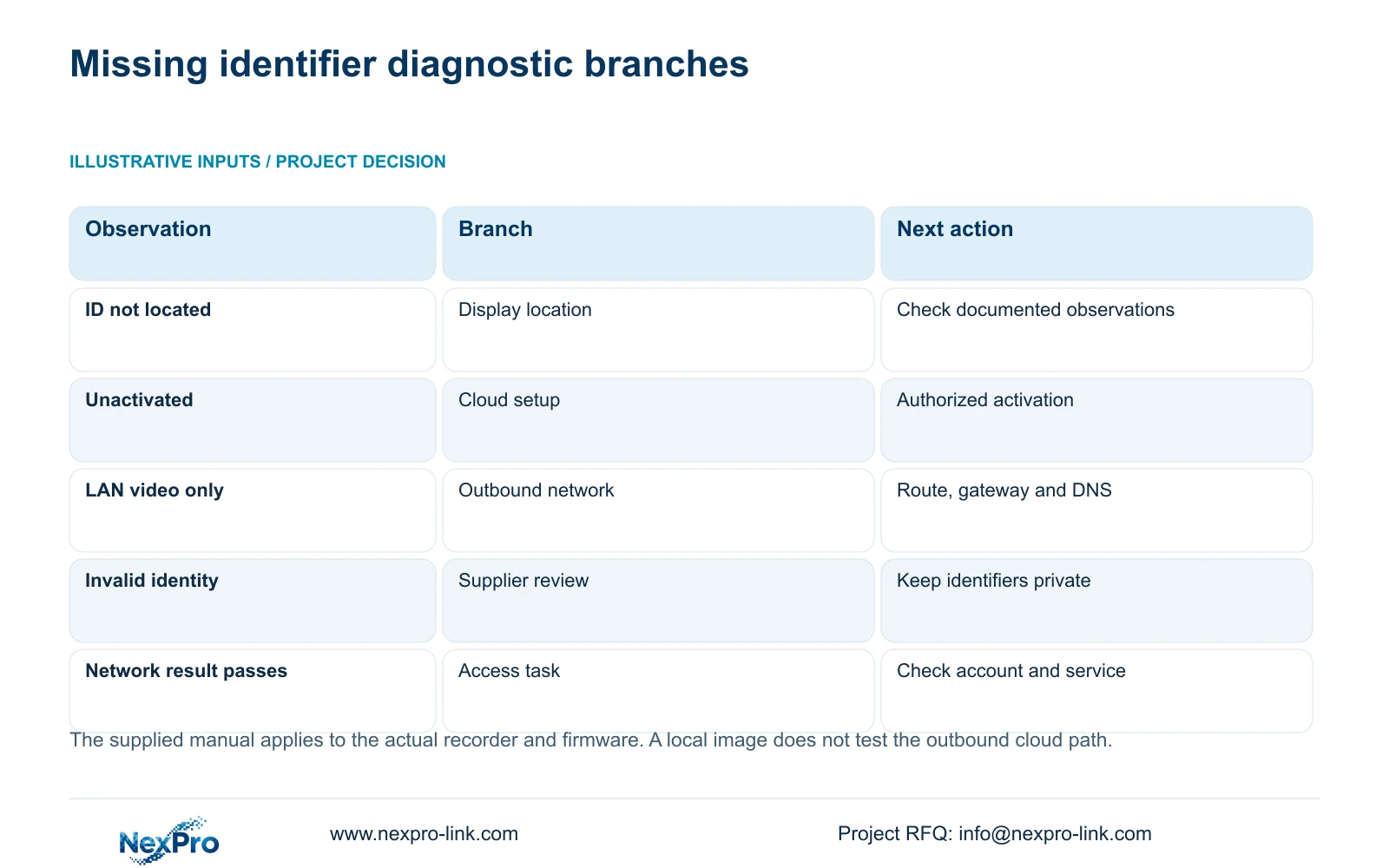
| Observed condition | Interpretation | Next check |
|---|---|---|
| Identifier not located | The correct display location remains uncertain | Compare cloud status, network page and basic information |
| Activation incomplete | Cloud setup is unfinished | Use the applicable authorized activation workflow |
| Local video works; cloud remains offline | Local traffic works, outbound cloud path is unresolved | Inspect default route, gateway and DNS |
| Device identity is reported invalid | Identity requires supplier investigation | Stop identity changes and arrange private review |
| Network diagnosis passes; access still fails | The tested network result does not prove account access | Review the exact account and service task |
Section 04
Capture the actual hardware and software identity
Section 4.12.19 describes basic system information. Collect the product model, hardware version, software version and software date or release information exactly as displayed. These values help the supplier select the relevant instructions and distinguish similar-looking units.
Keep serial numbers and cloud identifiers in an appropriate private service record. Public or broadly shared screenshots should conceal those values, QR codes and recognizable site content. A redacted image can show the symptom without exposing the device's access-related identity.
If the manual's identity anomaly branch applies, supplier support is the next action. Do not attempt serial-number alteration or an ownership bypass. A recent software date also does not prove that identity, activation or access is correct; it is one part of the equipment record.
Section 05
Run the diagnostic for the outbound task
The remote-network diagnostic in section 4.3.3.2 examines the recorder's remote-network situation. Its page provides results and suggestions, access to network settings and a network tool that can show packet loss. Record the displayed outcome and any relevant tool result with the test time.
Keep local recording, LAN viewing and remote access as separate test results. The remote-network diagnostic does not certify every client, cloud service or camera source. A useful result narrows the next action; it does not authorize a general claim that the entire system is compatible or fault-free.
After a supported network adjustment, repeat the same diagnostic and cloud-state observation. If the result remains unchanged, record that explicitly. Do not label a suspected network cause as confirmed simply because it was the first plausible explanation.
Section 06
Turn observations into a specific service question
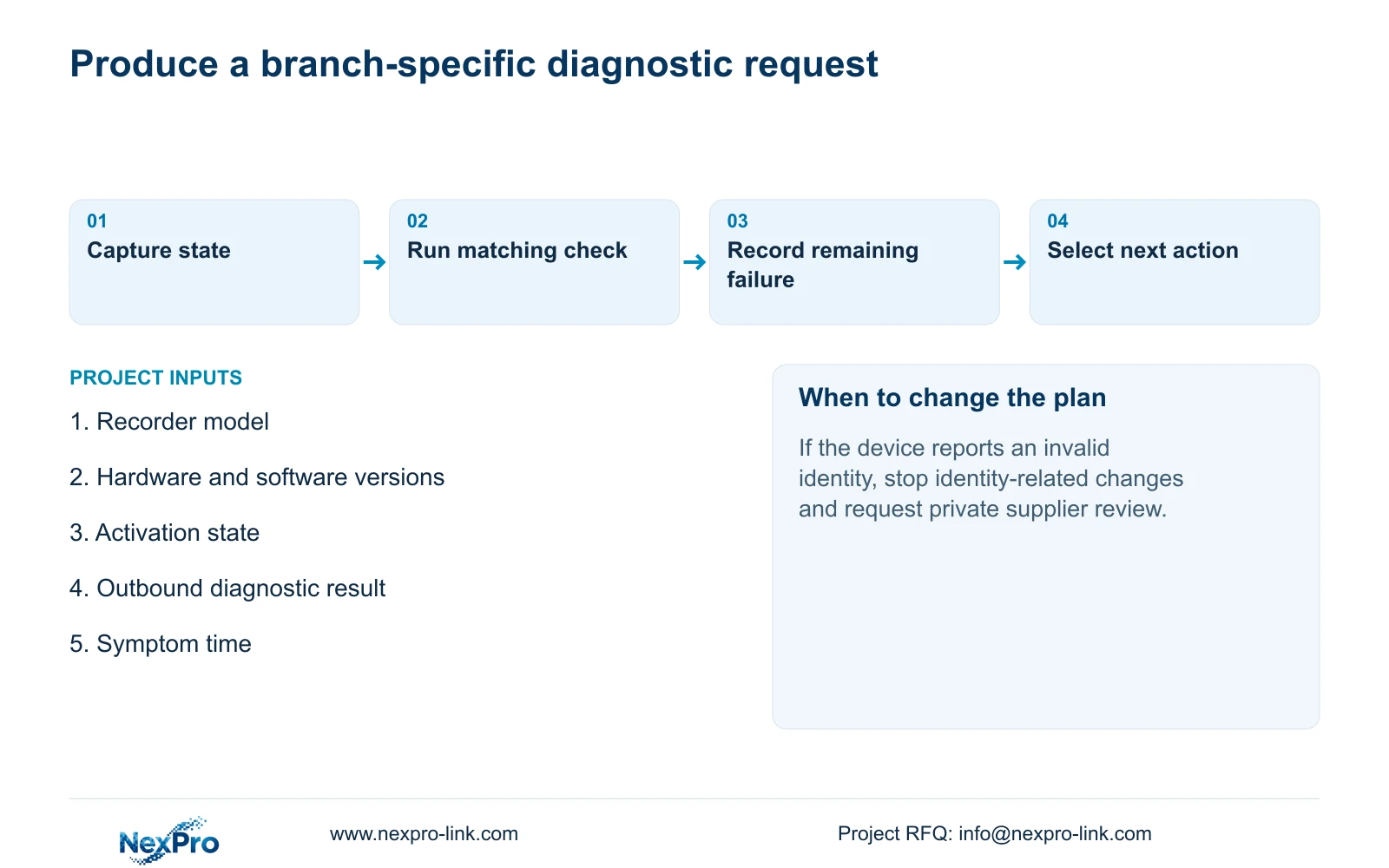
The support record should connect the symptom to a completed check and an open decision. For example, activation may be recorded as complete while the outbound diagnostic still reports an unresolved condition. The request then concerns that condition, rather than a generic statement that the recorder is broken.
Separate observations from proposed causes. Include the applicable manual branch, the smallest next test and the point at which supplier confirmation is required. An identity anomaly is a stopping condition for identity-related changes. A mismatch between the actual firmware and the supplied workflow calls for corresponding instructions.
The public NexPro-Link contact route supports an initial service enquiry. BOQ and tender support serves a different need if the investigation becomes a project configuration or replacement-scope discussion; neither page establishes a diagnosis or a repair guarantee.
Section 07
A distributor testing on a new network
Illustrative project scenario: A distributor tests a recorder on a new network and cannot locate a usable cloud ID. The distributor records the relevant display states, confirms activation, checks the authorized outbound settings and captures the remote diagnostic. If identity is reported invalid, the next step is private supplier review, with working local camera settings left unchanged.
Section 08
Does working LAN video rule out a network problem?
No. It demonstrates the tested local camera path. The recorder's default route, gateway, DNS and remote-network result still need their own checks.
Section 09
Provide the unresolved diagnostic result
Send NexPro-Link the recorder model and firmware with a redacted cloud-state or remote-diagnostic result at info@nexpro-link.com.
Engineering references
These sources support the general planning principles. Always use the selected product's current datasheet and applicable project standards for final design.