

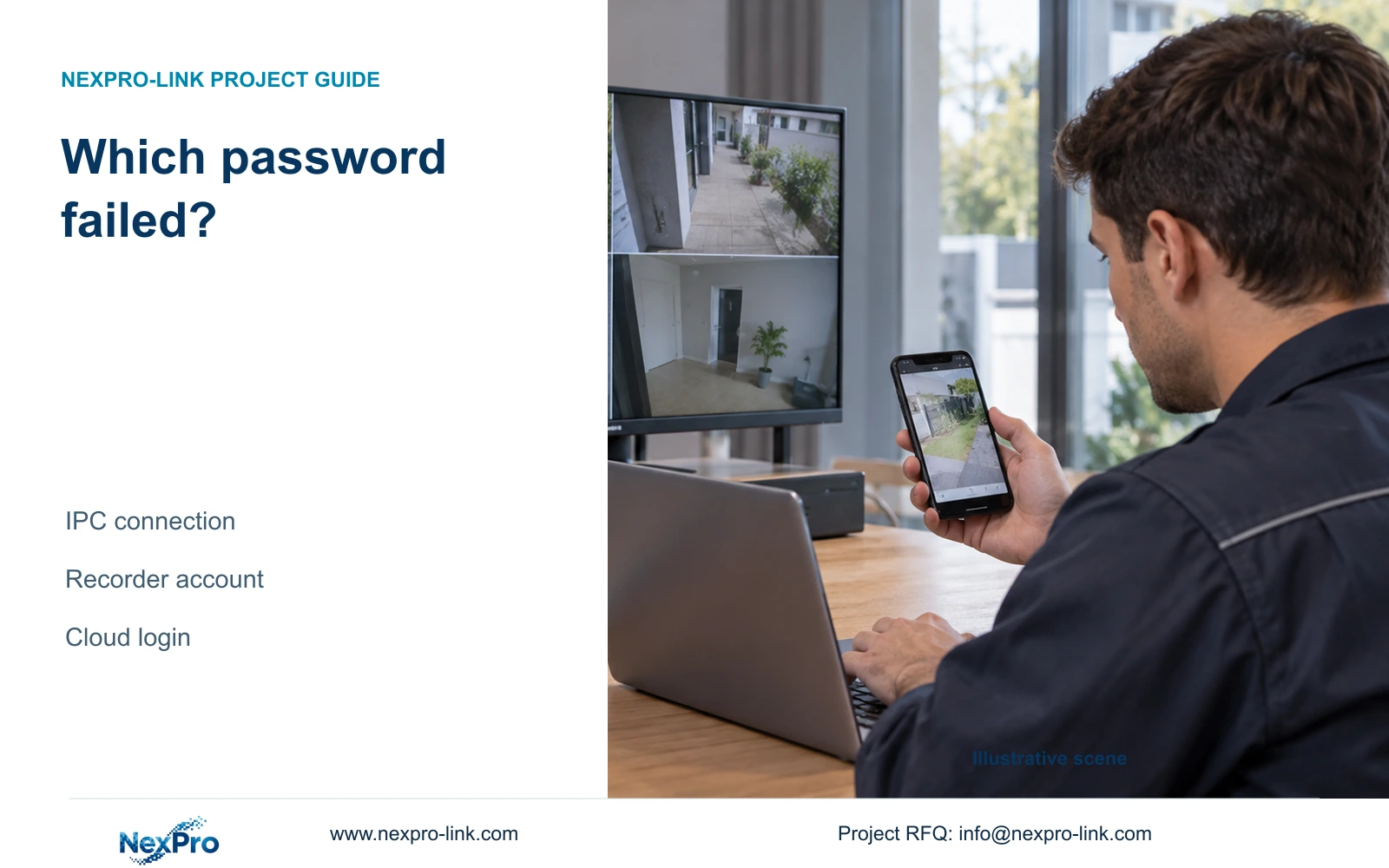
One offline channel after an IPC password change calls for a channel-level check. Separate camera authentication, recorder access and cloud account tasks.
Section 01
Match the password error to the failed connection
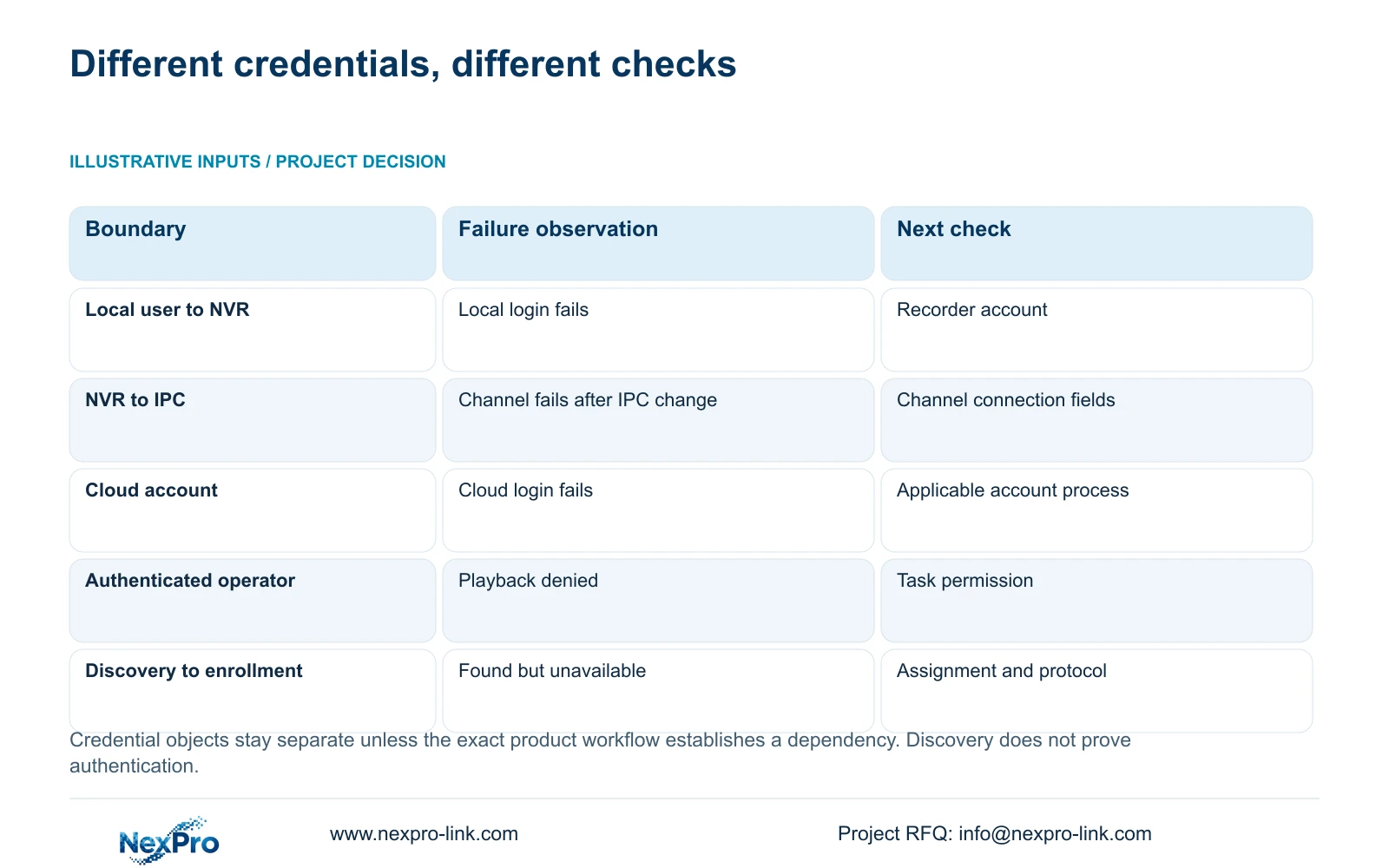
Identify where authentication failed before changing a password. A recorder login, an IPC channel connection and a cloud-account login concern different credential objects. If an installer changes an IPC password and one recorder channel goes offline while cloud login still works, check that channel's stored camera credentials first. Preserve the working account paths and update only the confirmed dependency. Then test live video, a newly recorded interval and any required events. A successful cloud login does not authenticate the camera, and a camera appearing in discovery does not prove its channel connection or recording task has recovered.
This guide follows NVR4.0 user manual CH_V2.4.doc, with V2.2 in its body. Sections 4.1, 4.3.1 and 4.12.3 describe the relevant account and connection objects. Confirm the actual model and firmware before applying its workflow; the manual's TS codes have no established mapping to NexPro-Link commercial SKUs.
Begin the fault record with the action that failed and the last authorized change. Include the affected channel and physical camera location. The phrase password error is insufficient without knowing whether it appeared during recorder login, camera connection or remote access.
Section 02
Draw the account boundaries around the recorder
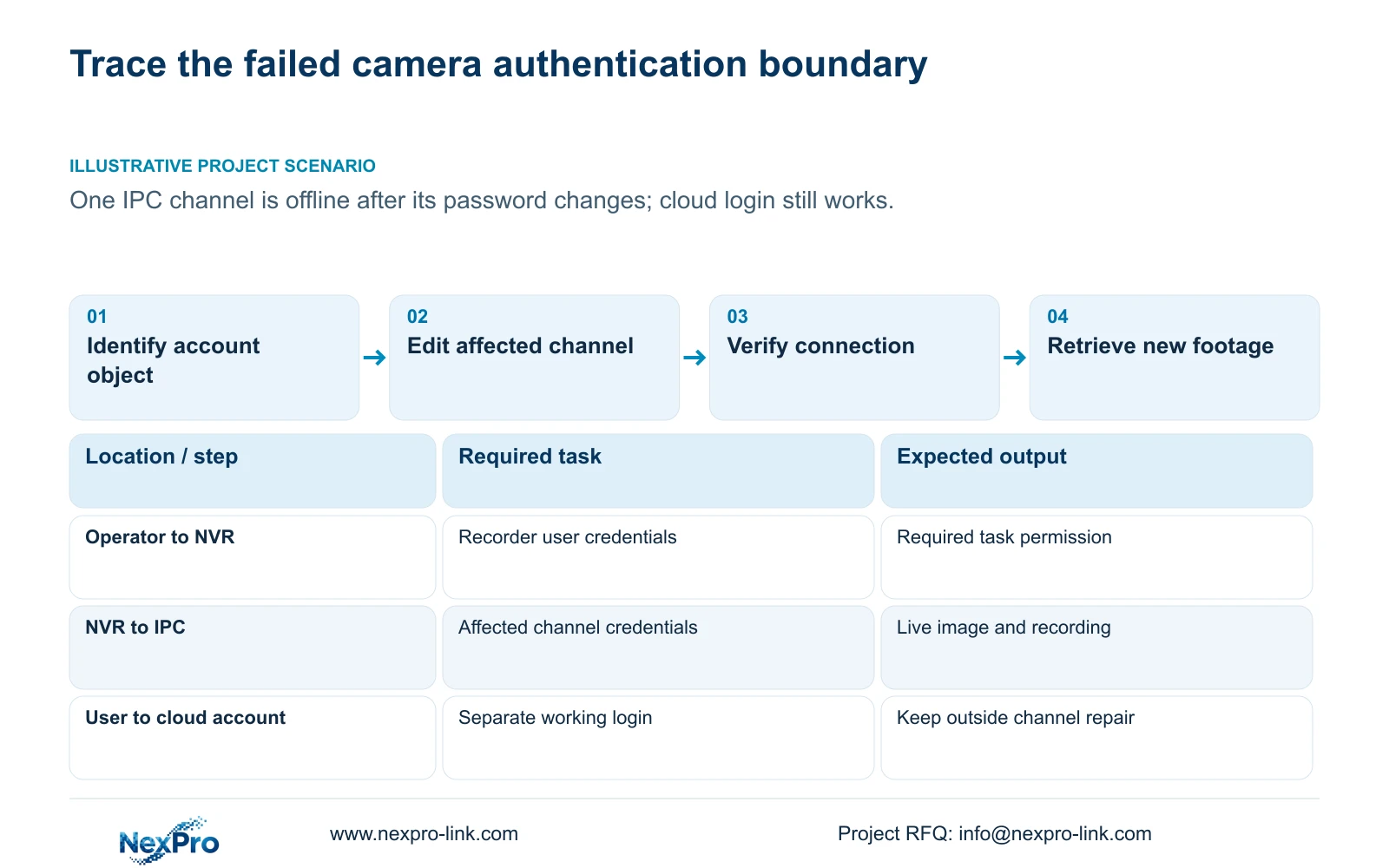
Map the operator's local recorder account separately from the relevant network-user path. Map the NVR-to-camera connection beside the affected IPC, and keep the third-party cloud account as another object. These relationships show which stored values may depend on a change.
A channel's connection username and password authenticate the camera. Editing those fields does not change every account in the system. Local recorder credentials govern local access, while remote operation depends on its relevant account and permissions.
Keep ownership and change status in a service record. Actual secret values belong in the authorized credential-transfer process. This allows a project manager to follow the repair without receiving camera passwords in a BOQ or an ordinary group email.
| Failed task | Credential or control to inspect | Keep separate |
|---|---|---|
| Login at the recorder | Local recorder account | Camera connection and cloud account |
| One IPC channel after its password changed | That channel's camera connection fields | Unchanged recorder and cloud logins |
| Cloud-account login | Relevant third-party account process | IPC connection password |
| Remote preview works; playback denied | Network playback permission | Camera authentication |
| Camera discovered; channel unavailable | Assignment, protocol and camera credentials | Discovery result alone |
Section 03
Update the affected channel's connection fields
Section 4.3.1 provides an edit-device workflow in video management, including protocol, username and password fields. Confirm the physical camera, assigned channel and authorized current credentials before editing. Preserve the location mapping so the restored image is associated with the correct camera.
After a confirmed IPC password change, synchronize that credential in the corresponding recorder connection. Leave unrelated channels and working user accounts unchanged. Resetting the whole NVR to repair one camera expands the work beyond the observed fault.
If maintenance also changed the camera address, verify the authorized current address and the connection entry separately. An IP change requires authority, preservation of the relevant configuration and data, and planning for dependent connection interruption. Record which values changed without publishing their secret contents.
Save the targeted update and observe the connection result. If the channel remains unavailable, record that outcome and continue with protocol, assignment and diagnostic checks. Do not treat the act of editing as evidence that authentication succeeded.
Section 04
Separate discovery from authentication and recording
The manual distinguishes the search list, added-device list and connection state. Recording is a further operating result. Its search scope includes the private protocol and same-subnet ONVIF devices, followed by separate add, edit and diagnostic operations.
A discovered camera has been found by the supported search mechanism. Check its channel assignment, selected protocol and credentials before judging the live image. Once video is available, test whether the recorder produces retrievable footage from that camera.
For an ONVIF device, appearance in discovery does not establish every event, audio or maintenance function. Evaluate the selected device's relevant functionality and profile scope, using the public ONVIF profiles reference for context. Avoid declaring universal interoperability from a search-list entry.
Record discovery, connection, live image and recording as separate outcomes. A pass in an earlier stage directs the next check forward; it does not replace the remaining tests.
Section 05
Leave working cloud activation outside the channel repair
Sections 4.1.1 and 4.12.8 describe the cloud activation workflow and network conditions. The documented initial cloud-password setup requires uppercase and lowercase letters with numbers and rejects an empty or default password. That scope does not make the cloud password interchangeable with an IPC password.
If cloud login still works after the camera password change, retain that observation. It supports keeping the cloud-account path outside the first repair step. It does not prove that the recorder-to-camera connection works or that recording resumed.
If cloud access has a separate failure, record a separate symptom and investigate its own activation, network and account branch. Combining both symptoms into a single universal password reset obscures which change affected which connection.
Section 06
Distinguish authentication from permission to perform a task
Successful login can leave a particular operation unavailable. Section 4.12.3 separates local and network permissions and distinguishes preview, playback, system settings and local backup. Inspect the relevant task permission when the account connects but cannot complete the requested action.
Test the intended operator with an allowed and a prohibited task on the actual access path. If the channel image is restored under an authorized administrative test but the daily user cannot retrieve footage, review that user's playback rights before changing camera credentials again.
Record the denied task precisely. The remote-upgrade description in the manual contains inconsistent wording, so it cannot establish actual upgrade permission behavior without model-specific confirmation.
Section 07
Verify recording and events after the targeted change
Check the current image and displayed time, then retrieve a newly produced recording from a defined interval. Verify a relevant older sample and export a selected clip for independent playback. Test the intended accounts and any events required by the project.
These are engineering regression checks built around sections 4.11 and 4.12.17 through 4.12.20. An online icon or restored picture does not prove the complete task. Required event tests must remain within the selected camera and recorder's established capabilities.
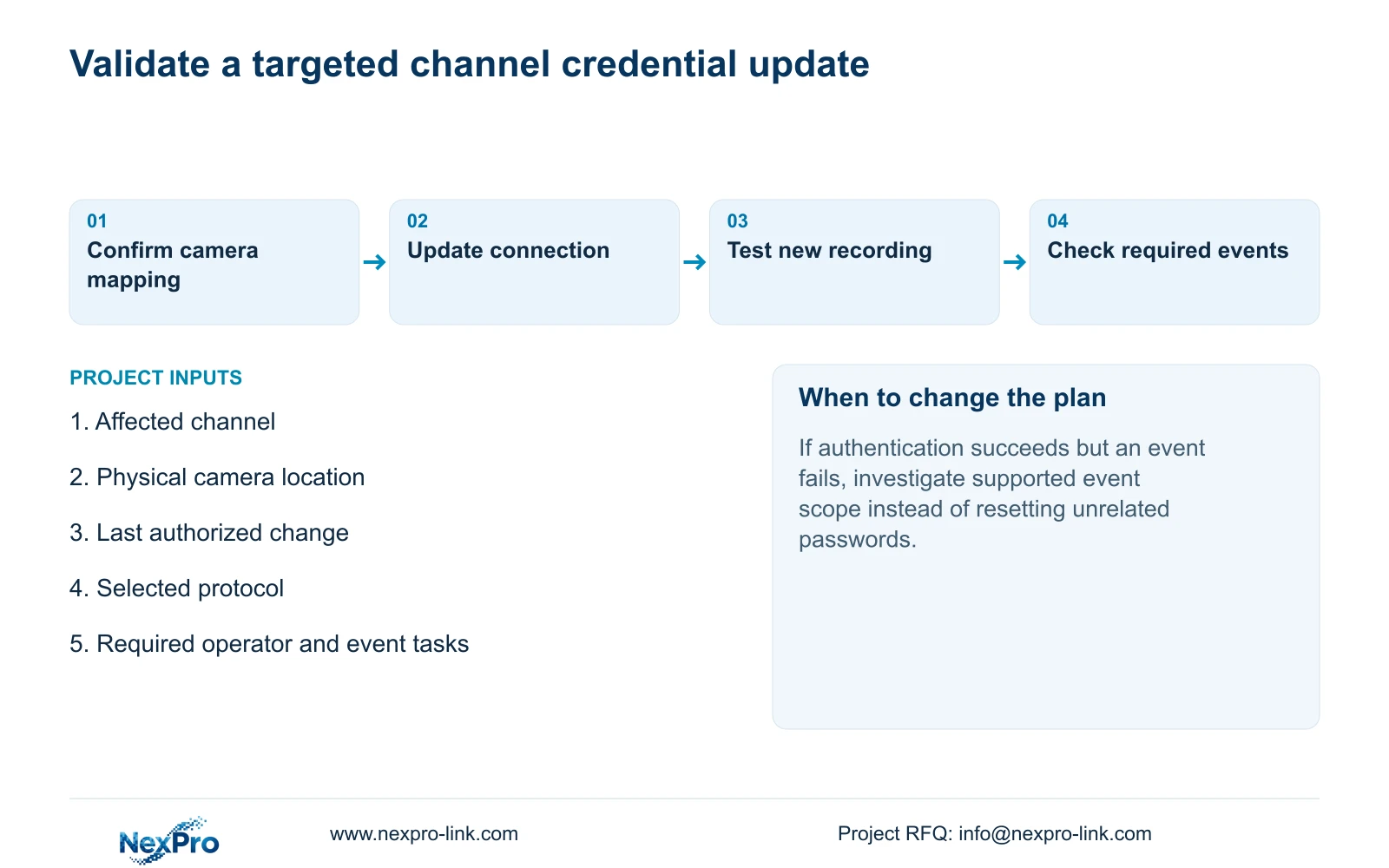
Record the changed variable and any failed result. If authentication works but an event remains unavailable, ask for the supported next action for that device combination. Do not assume every recorder has an automatic rollback mechanism or that further firmware changes are necessary.
Section 08
One offline channel after camera maintenance
Illustrative project scenario: An installer changes an IPC password and then discovers one recorder channel is offline while cloud login still works. The installer confirms the camera-to-channel mapping, updates the affected connection and tests retrieval and required events. Cloud login remains a separate working observation, and unresolved results remain open in the maintenance record.
Section 09
Does discovery prove that the new camera password is accepted?
No. Discovery and authentication are separate results. Verify the channel connection, then live video and recording.
Section 10
Provide the failed boundary
Send NexPro-Link the affected channel, last authorized credential change and redacted connection result at info@nexpro-link.com.
Engineering references
These sources support the general planning principles. Always use the selected product's current datasheet and applicable project standards for final design.


