

An installer's working cloud connection is not a complete ownership handover. Define account responsibility, approved access paths and supported transfer steps before accepting remote operation.
Section 01
Establish who controls each remote-access relationship
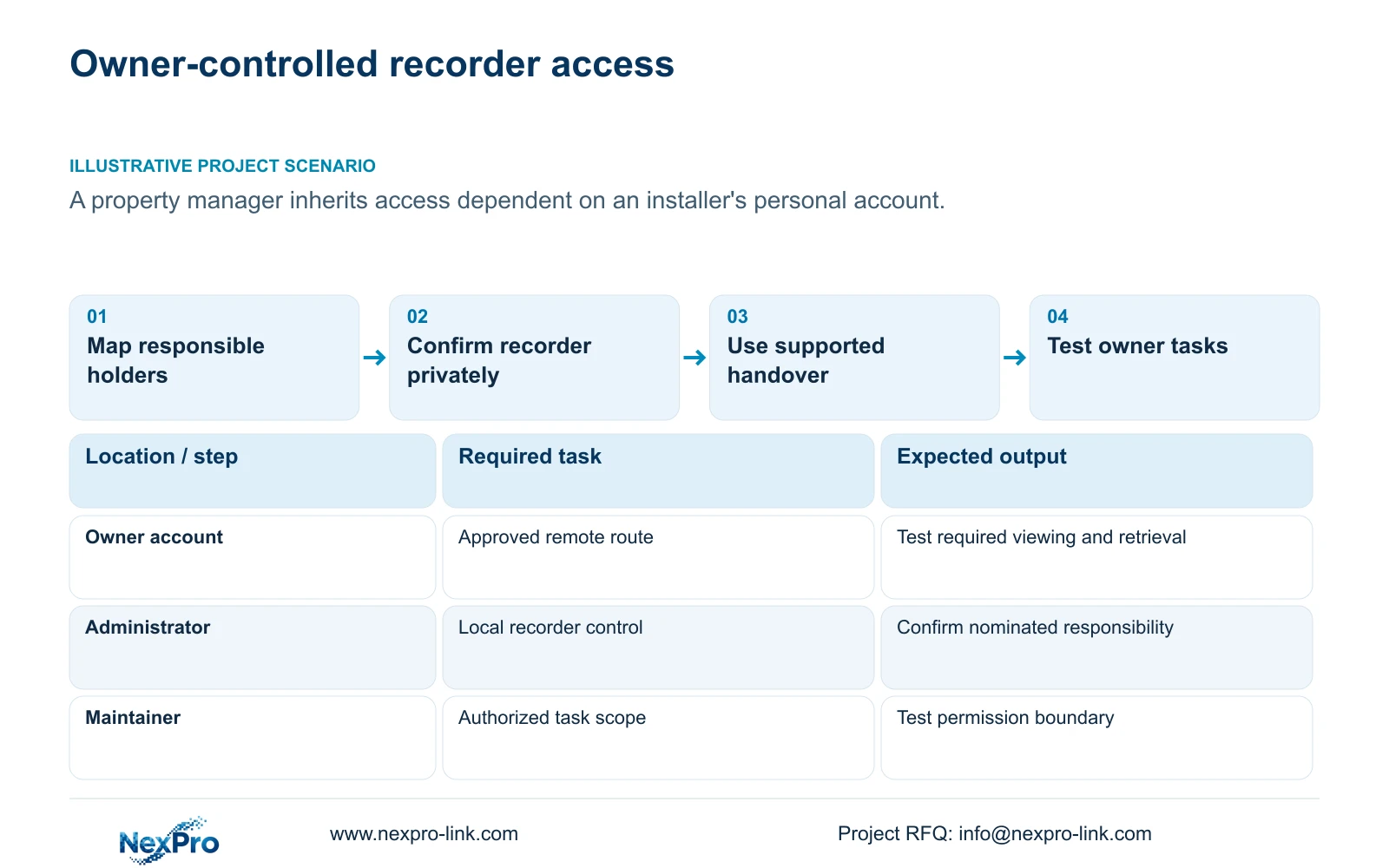
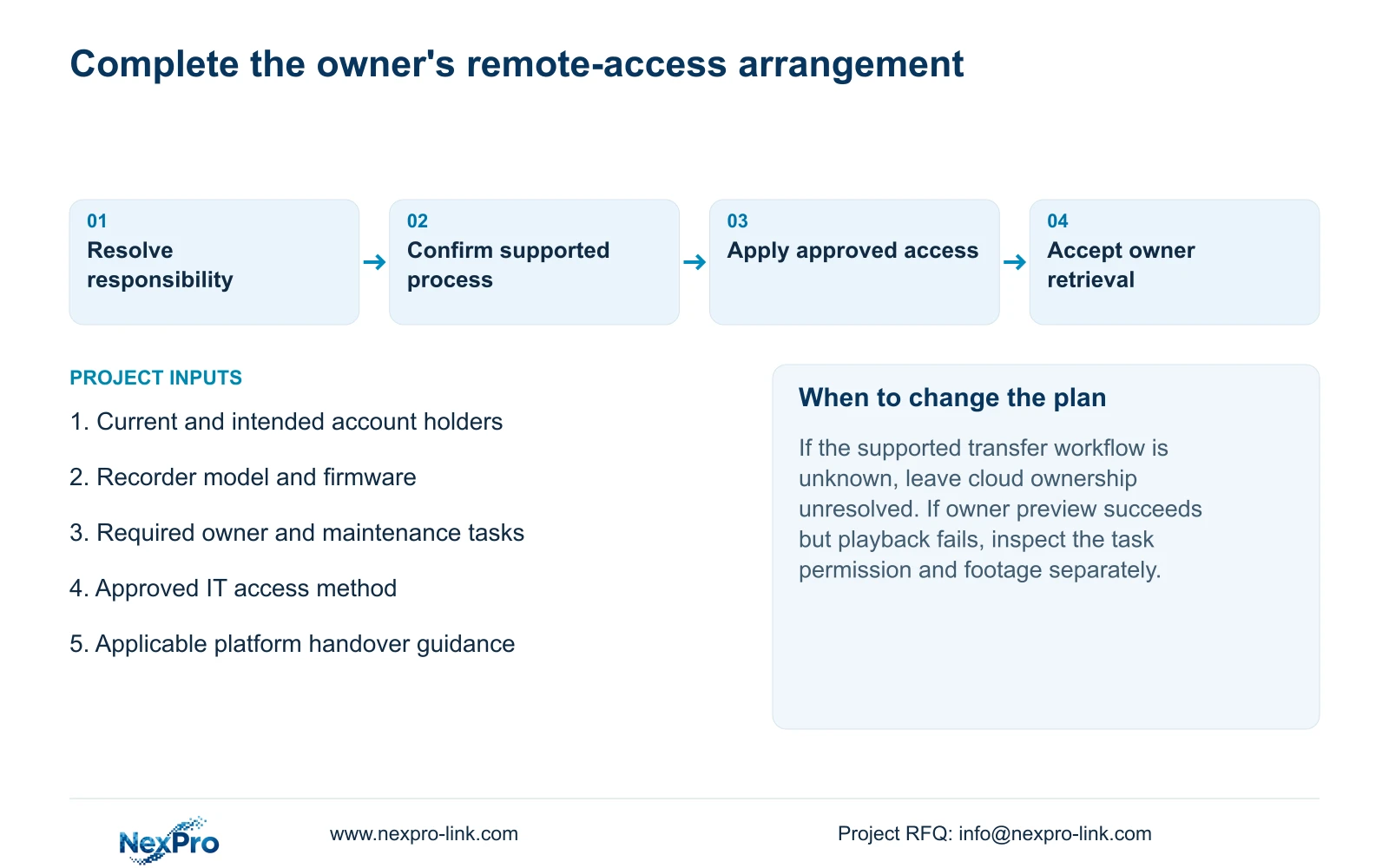
An NVR cloud-access handover is complete only when the owner has a supported, authorized access arrangement and knows who controls administration and maintenance. List the current account objects and their responsible holders, privately confirm the recorder's identity, and test the owner's required tasks on the approved remote path. Keep daily viewing rights separate from maintenance authority. If the existing arrangement depends on an installer's personal account, resolve that dependency through the actual supported device and platform workflow. Do not assume that a transfer button exists, that changing a local password transfers cloud ownership, or that an online status proves usable playback.
This guide follows the supplied NVR4.0 user manual CH_V2.4.doc, whose body identifies V2.2. Sections 4.1, 4.3.1, 4.12.3 and 4.12.8 describe relevant access objects. The ownership and acceptance records are engineering procedures, not claimed built-in account-transfer features.
Section 02
Record account responsibility without collecting public secrets
Separate local recorder users, network users, camera authentication credentials and the relevant third-party cloud account. For each relationship, record the current holder, intended responsible party and unresolved handover action. Keep passwords out of the equipment schedule and general project correspondence.
A channel's authentication settings connect the IPC to the recorder. They do not establish who owns the cloud account. Likewise, possession of local administrative access does not by itself establish control of an installer-managed remote arrangement. If the current holder is unknown, record that ownership gap and obtain authorized clarification before treating the remote-access handover as complete.
Section 03
Confirm the recorder privately before changing access
Use the top cloud-status area, network page and System Information as separate observations. Sections 2.4.3 and 4.12.8, together with question 5 in section 5.3, associate cloud operation with the documented network conditions, activation and valid device identity.
Confirm that the device being discussed is the actual installed recorder. Retain detailed identifiers in the controlled support record and conceal QR codes, cloud identifiers and recognizable site information in distributed captures. If the identity is invalid in the manner described by the manual, seek supplier assistance. An account handover procedure must not include identity alteration or a binding bypass.
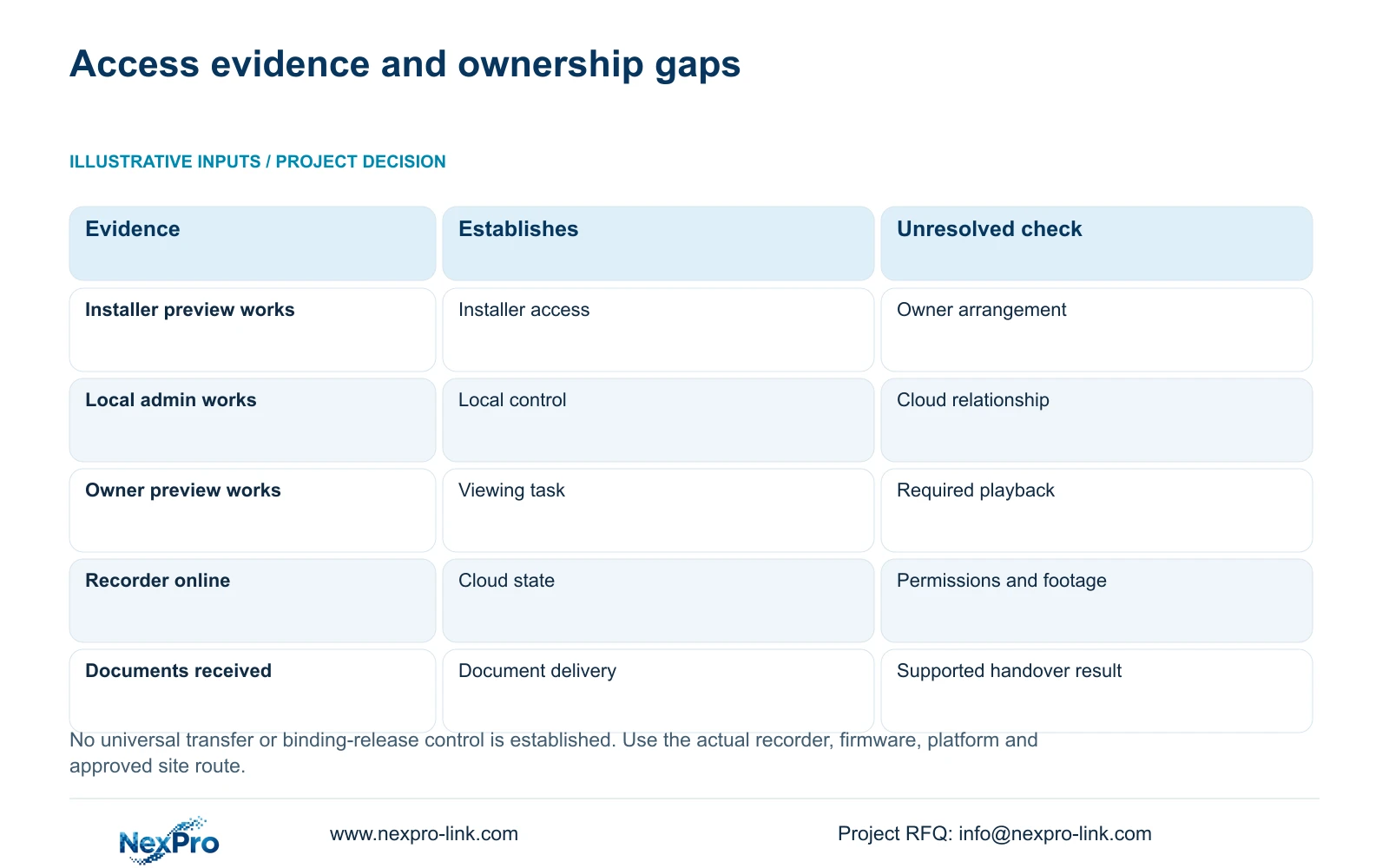
| Finding | Meaning | Next action |
|---|---|---|
| Only the installer can access remotely | The owner's access arrangement is unresolved | Confirm the supported handover workflow and responsible holders. |
| Local administration works | Local account access is available | Verify the separate cloud relationship and remote tasks. |
| Cloud state is unusable | A remote prerequisite remains unresolved | Separate activation, network and device-identity observations. |
| Owner preview works, playback fails | Required task acceptance is incomplete | Check network permissions and the requested footage. |
| A transfer control is undocumented | The procedure has not been established | Obtain applicable device and platform guidance before proceeding. |
Section 04
Give shift users and maintainers different task scopes
Section 4.12.3 separates local and network permissions for tasks including preview, playback, system settings and PTZ. Local backup also has its own permission. Specify what the property manager, shift operator and maintenance party each need to do, using the actual contract and operating responsibilities.
Test each intended account on its intended path. Include a permitted action and an action that should be denied, so the result establishes both usable access and its boundary. Local viewing cannot approve remote playback. Where maintenance includes remote upgrading, confirm the applicable behavior because the manual's permission description is inconsistent; the handover should not depend on interpreting that row as definitive.
Section 05
Define a controlled administrative takeover
The supplied manual states that admin cannot be disabled or deleted and retains all permissions. Nominate who will hold that responsibility after handover. Daily operation should use suitable separate users rather than requiring every viewer to know the administrator secret.
Record how the authorized outgoing and incoming responsible parties will complete the applicable administrative handover. If they cannot establish the supported process, keep the issue open with the supplier. Do not promise that renaming or deleting an account will satisfy an ownership requirement that the device does not support. Any approved credential change must include checks of the connections that depend on the changed object.
Section 06
Keep the remote route within the site's IT policy
Sections 4.3.3 and 4.12.8 describe recorder network settings, but those options do not authorize a change to the site's access policy. Ask IT to identify the approved remote method and responsibility for its operation before accepting the owner's access arrangement.
When remote access fails, separate the local path, remote route, name resolution, activation, authentication and service observations. Make any network change specific to an approved requirement. An unresolved handover is not a reason to expose recorder ports publicly or distribute unrestricted access details. If an IP change is actually required, obtain authority, preserve relevant configuration and data context, and plan for the affected connection interruption.
Section 07
Accept only the supported handover and verified owner tasks
Illustrative project scenario: A new property manager inherits a recorder previously monitored through an installer's personal account. The manager records the current responsibility split, privately confirms the installed unit, and coordinates the supported account and device workflow with the authorized holder and relevant support party.
The source does not establish a universal binding-release or ownership-transfer control. Use only the process applicable to the actual recorder, firmware and platform. If that process remains unknown, keep cloud ownership unresolved even when local recording works.
Acceptance should let the owner identify a channel, retrieve the required period, export it through the supported workflow and play the resulting file. Keep the version record, configuration-backup location and maintenance responsibilities together, while transferring secrets separately. Remote access and the storage location also remain separate: the handover does not establish cloud retention or an off-site archive.
NexPro-Link's BOQ and tender support provides a route for discussing equipment records and project responsibilities. Any supplier assistance, platform work or local implementation should have an explicit scope. Receiving a folder of documents and demonstrating owner-controlled access are separate completion results.
Section 08
Does changing the local password transfer cloud ownership?
The supplied source does not establish that relationship. Verify the local account and cloud-access arrangement separately, using the applicable supported handover workflow.
Section 09
Can the installer retain maintenance access after handover?
The owner can define an authorized maintenance responsibility, subject to the supported account controls and site policy. Document its permitted tasks and test the intended access boundary.
Section 10
Provide the unresolved ownership relationship
Send NexPro-Link a password-free current and intended account-responsibility map at info@nexpro-link.com to discuss the unresolved cloud-access handover scope.
Engineering references
These sources support the general planning principles. Always use the selected product's current datasheet and applicable project standards for final design.


