Choose CBR or VBR by comparing usable footage and measured demand. A smaller recording volume is useful only when busy-period detail and the retention requirement still pass.
Section 01
Compare rate control against the required footage
CBR aims to keep encoder output near a target rate; VBR allows demand to vary with scene complexity. For NVR recording, compare both against useful dispatch footage, representative storage demand and the available input path. When predictable traffic is important, qualify the supported rate-limited option without sacrificing busy-period detail. When variable demand is acceptable, qualify VBR peaks as well as its average. Neither label guarantees retention or image quality. If a smaller profile loses necessary detail, keep the qualified profile and reconsider capacity.
Describe the two trial configurations before changing anything. Record the channel group, codec, resolution, frame rate, bitrate fields and CBR or VBR selection. Keep scene and recording purpose comparable, and identify any other variable that changes. This makes a difference in stored data interpretable.
The private operating source is NVR4.0 user manual CH_V2.4.doc, with V2.2 in its body. Sections 4.4.5, 4.12.7 and 4.3.3.3 support encoding and traffic checks; sections 5.1, 5.2 and 4.11.4 support capacity and export review. The calculations below are independent planning examples.
Axis's Bitrate control for IP video white paper explains the general VBR and CBR trade-offs and shows why manufacturer terminology needs checking. This is a framework reference, not evidence that the supplied NVR or IPC uses Axis algorithms, padding, limits or controls. Confirm what the selected camera's mode and limit fields actually do before applying the decision rule.
| Constraint | Candidate to qualify | Required evidence |
|---|---|---|
| Predictable input demand is important | Supported rate-limited configuration | Busy-period recorded detail and actual rate behavior |
| Demand may vary with scene activity | Supported VBR configuration | Representative average, operating peaks and useful footage |
| Mode label or limit behavior is unclear | No defensible mode approval yet | Applicable camera/firmware documentation and a controlled trial |
Section 02
Keep the encoding path supported during the trial
The manual lists H.264, H.265 and H.265+, and ties available resolutions to IPC capability. Confirm the actual camera and recorder combination before using a mode in the comparison. For a third-party camera, establish that the selected connection exposes and accepts the requested settings.
Changing codec at the same time as rate control makes it harder to identify the cause of a result. Start with a supported profile and preserve an earlier sample. If a codec change is also necessary, record it as a separate trial and verify the intended client and export path.
A smart-codec label cannot supply an assumed saving. Record the accepted settings and observed output, including the conditions under which the footage was produced. A profile that works only in local live view remains incomplete for a buyer who needs exported incident footage.
Section 03
Turn average bitrate into recording volume
For a controlled trial, obtain stored-byte totals and recording duration through an applicable supported measurement method. Average stored-data Mbps = 8 × stored bytes ÷ (1,000,000 × recorded seconds). Combine intervals as total bytes divided by total seconds, not an unweighted average of quiet and busy snapshots. State whether the totals already include audio or container overhead so those items are not counted twice. Keep a network peak separate from this storage average; neither trial result is supplied by the arithmetic example below.
Collect the channel groups, average Mbps, recording hours per day and retention days. Add audio and storage overhead separately, then identify the reserve policy. Decimal video TB = 0.00045 × Σ(channels × average Mbps × hours per day × days). Required usable capacity with reserve fraction r is the applicable data requirement ÷ (1 - r), not simply that requirement plus r.
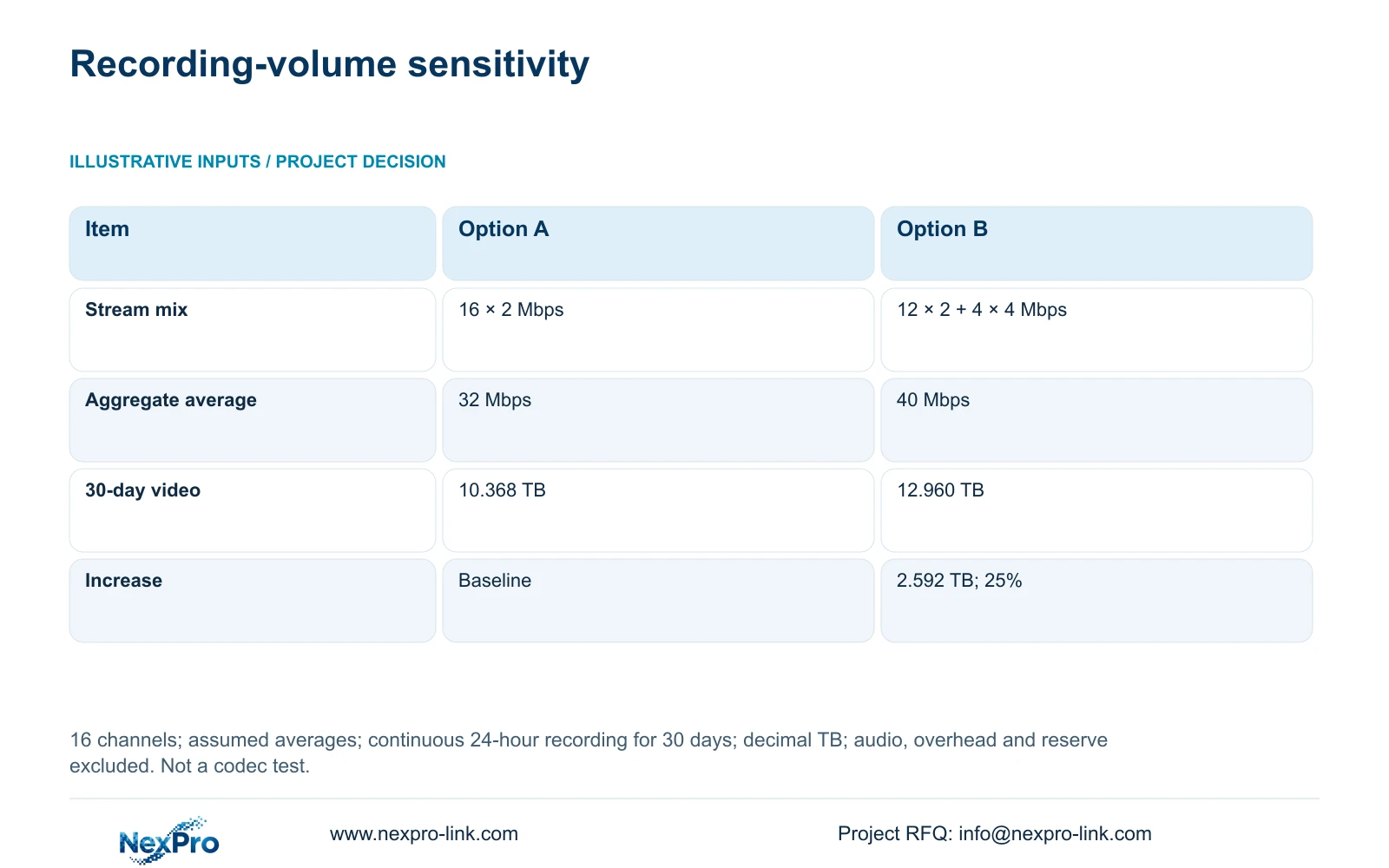
The supplied example compares Option A, 16 channels averaging 2 Mbps each, with Option B, 12 channels averaging 2 Mbps and four averaging 4 Mbps. Both record continuously for 24 hours per day over 30 days. These are assumed averages, not measured CBR-versus-VBR results or H.264-versus-H.265 savings.
Aggregate input = Σ(channels × average Mbps). Option A is 16 × 2 = 32 Mbps; Option B is 12 × 2 + 4 × 4 = 40 Mbps. Continuous daily decimal video TB = aggregate Mbps × 0.0108. Over 30 days, A is 32 × 0.0108 × 30 = 10.368 TB, and B is 40 × 0.0108 × 30 = 12.960 TB.
The increase is 12.960 - 10.368 = 2.592 TB, or 2.592 ÷ 10.368 × 100 = 25%. Only four channels changed. If those higher rates are needed for accepted detail, the additional demand belongs in disk and recorder planning; the smaller option does not win merely because its volume is lower.
| Item | Option A | Option B |
|---|---|---|
| Channel mix | 16 × 2 Mbps | 12 × 2 Mbps + 4 × 4 Mbps |
| Aggregate average | 32 Mbps | 40 Mbps |
| 30-day video volume | 10.368 TB | 12.960 TB |
| Increase over A | Baseline | 2.592 TB; 25% |
Section 04
Check busy-period input and concurrent outgoing traffic
Section 4.3.3.3 presents interface transmit and receive information. Camera recording input and outgoing viewing sessions follow different paths, so the totals need not match. Record a defined observation interval and identify which clients, playback sessions or downloads were active.
Average demand supports retention planning; the relevant peak or configured limit supports interface evaluation. Compare each figure with the same scope in the selected model's specification. A stream sum is video payload, while an interface measurement may include protocol overhead and other activity.
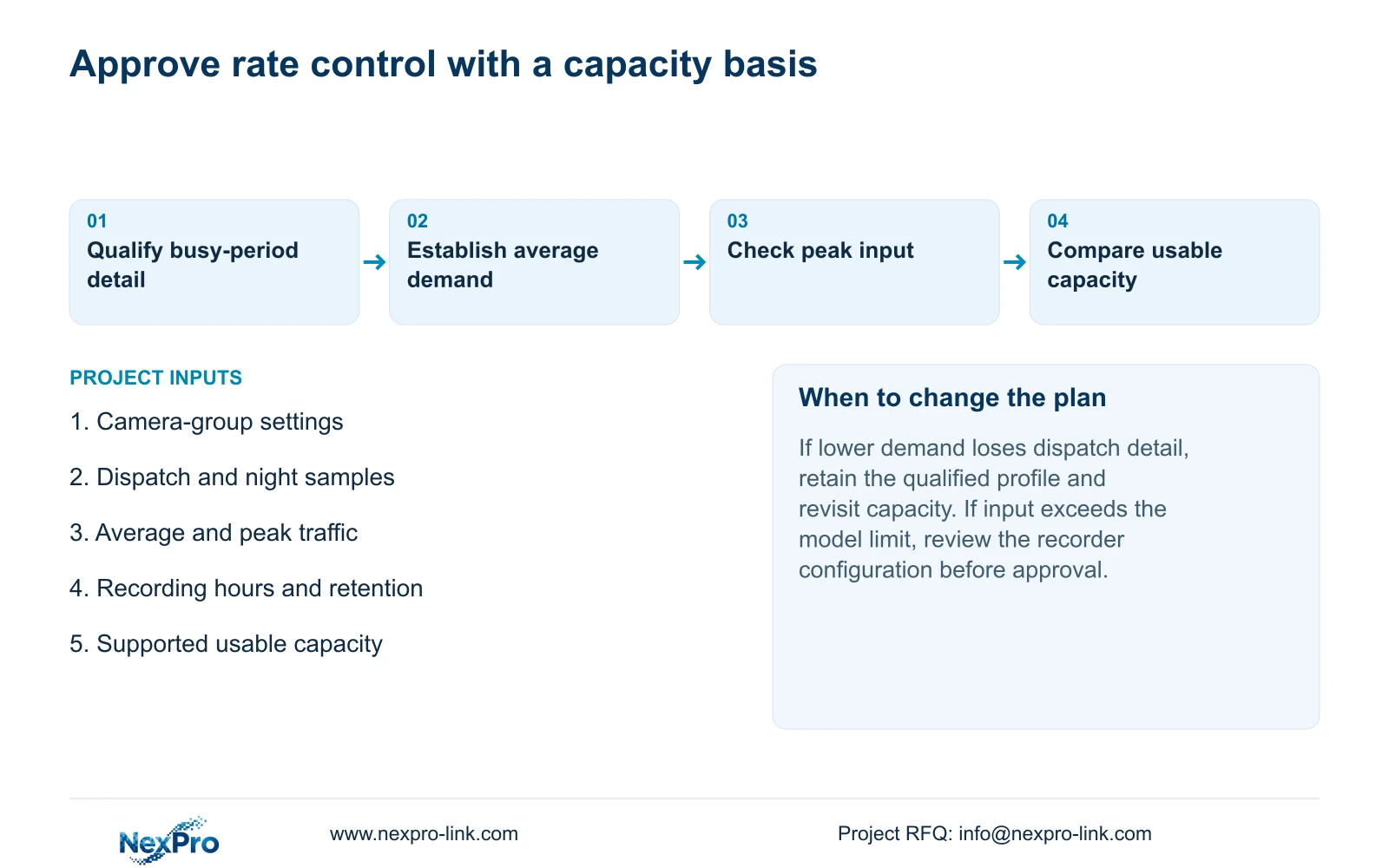
If a busy-period problem appears, retain the original profile and operating-state record before adjusting bitrate. Separate a recorder input constraint from a viewing or decoding problem. Reducing quality is acceptable only if the resulting footage still passes the owner's task.
Section 05
Inspect dispatch detail in a playable export
Use recordings that contain the movement the owner needs to reconstruct. Check whether the required visible information survives the profile during dispatch activity and relevant night conditions. Compare the same kind of event across trials rather than comparing a quiet still image with a busy sequence.
Export a sample and open it on the intended receiving system. Confirm channel and time coverage, playback and any required audio. The manual mentions players such as VLC without guaranteeing every platform and codec combination. Preserve the source footage until the required copy is verified.
If local playback passes but the export does not, investigate the receiving workflow before approving the profile. If both paths lose necessary detail, revise the profile and repeat the capacity calculation using the qualified result.
Section 06
Compare capacity changes on equal operating terms
Once both candidate profiles produce useful recordings, compare their actual equipment implications. Keep camera count, retention period, playback task, disks, accessories, software and site-service boundary consistent. A recorder-only quotation cannot represent an installed package.
Use a scope matrix when matched quotations are unavailable. It can show which option needs more usable capacity or a different recorder without inventing prices. NexPro-Link's BOQ and tender support provides a project discussion route for those requirements; it does not establish a predetermined winning brand.
| Result | Decision | Next action |
|---|---|---|
| Lower demand; required detail passes | Candidate for approval | Verify retention and export |
| Lower demand; dispatch detail fails | Profile unsuitable | Retain qualified detail and recalculate |
| Detail passes; input limit exceeded | System constraint unresolved | Review supported recorder configuration |
Section 07
Keep the warehouse retention target defensible
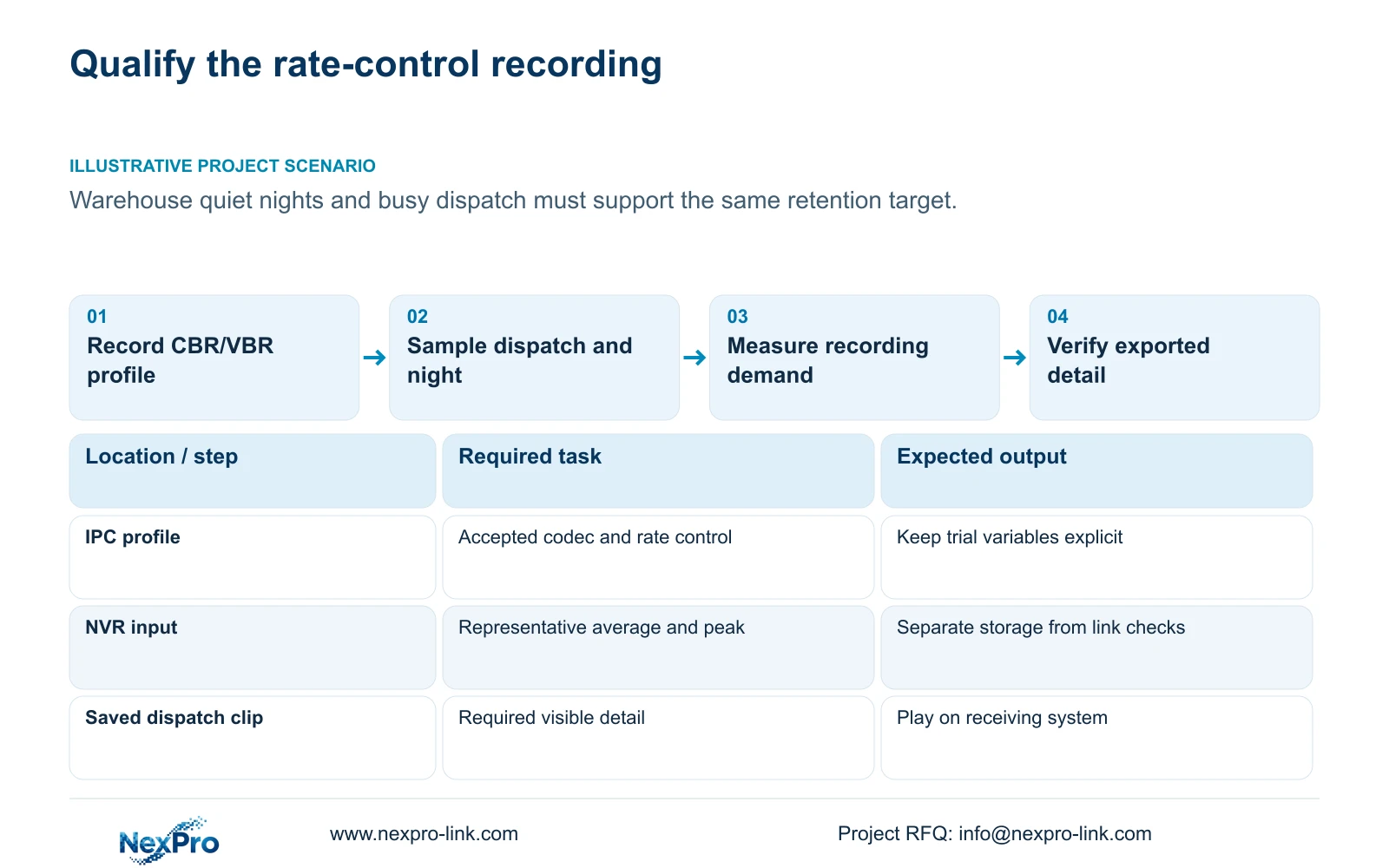
Illustrative project scenario: A warehouse alternates between quiet nights and busy dispatch periods, and the buyer wants a stable retention target. The proposed trial samples both conditions, qualifies dispatch detail, and records average and peak demand separately. The buyer then compares capacity options using the accepted profile. No measured saving or completed installation is implied.
Section 08
Does selecting CBR guarantee the calculated retention?
No. The calculation needs an appropriate average, recording schedule and supported usable capacity. Verify actual recordings and capacity allowances before treating a planning estimate as the operating target.
Section 09
Scope a qualified retention option
Send NexPro-Link your channel-group profile, representative average bitrate and required retention period at info@nexpro-link.com to discuss the corresponding recording and storage scope.
Engineering references
These sources support the general planning principles. Always use the selected product's current datasheet and applicable project standards for final design.