

A bitrate field's maximum is not a project-wide recommendation. Qualify each camera task, confirm accepted settings and check aggregate input and retention before copying a profile.
Section 01
Qualify a rate before applying the menu maximum
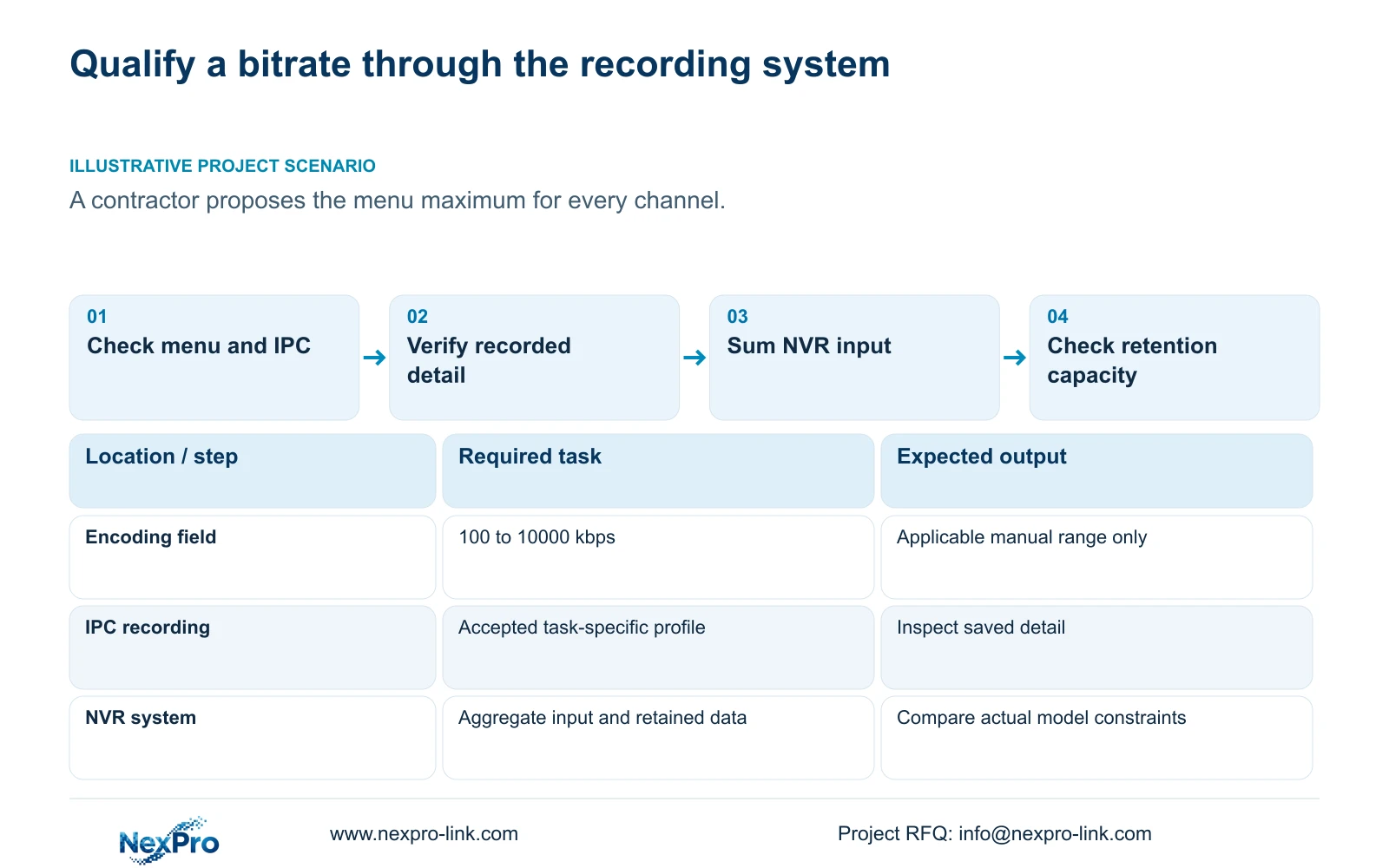
The supplied manual's bitrate field allows 100 to 10000 kbps, but that range does not prescribe a recording rate for every camera. A useful setting must pass separate checks: the menu permits it, the camera accepts the complete mode, the saved image serves its scene task, and the recorder system can carry and retain it. Start with a representative recording from the actual camera, then assess any proposed increase against aggregate input and usable storage. Applying the maximum to every channel skips those decisions. When only selected views need more detail, qualify a mixed profile and calculate its specific system impact before copying settings.
The source is the private NVR4.0 user manual CH_V2.4.doc, whose body states V2.2. Sections 4.4.5 and 4.12.7 describe encoding fields; this article retains their 100 to 10000 kbps scope. A different device or firmware needs its own applicable specification.
The menu also lists H.264, H.265 and H.265+. Available resolutions depend on IPC capability. Confirm the accepted codec, resolution and frame rate together with bitrate rather than treating the menu's endpoints as proof that every combination works.
| Check | Required observation | If unresolved |
|---|---|---|
| Menu permission | Value belongs to the applicable field range | Obtain model/firmware instructions |
| Camera acceptance | Complete profile is accepted and retained | Check IPC and connection scope |
| Scene usefulness | Recorded target detail passes | Revise the qualified profile |
| System capacity | Input, playback and retention fit | Review configuration or recorder |
Section 02
Choose the actual stream from the scene task
State what the owner needs to see in the recording, then inspect representative activity and lighting. A corridor overview and an important entrance may require different profiles. Keep that distinction in the camera schedule instead of setting a common maximum for convenience.
Record the original and proposed codec, resolution, fps, CBR or VBR choice and bitrate fields. Inspect saved footage after a controlled change. If the required detail is already present, a higher menu value needs an operational reason before it becomes the baseline.
Configured CBR or VBR does not establish actual daily volume. Use a representative average when planning storage and the relevant peak or limit when reviewing network demand. Section 4.3.3.3 provides transmit and receive observations; identify the operating interval and concurrent viewing activity so the measurement has a clear scope.
Section 03
Separate incoming bandwidth from local decoding
Section 5.3, question 7, associates insufficient channel resources with total incoming IPC bandwidth limits and suggests reducing the affected bitrate. Preserve the original channel count, stream mix and operating state before applying that branch.
Calculate aggregate incoming video demand and compare it with the actual model's input specification. Check single-stream support and the required local decoding or playback combination separately. A selectable grid does not prove full-resolution processing for all its windows.
For example, section 5.2 gives TS8116D7 local playback as 1×5MP OR 2×2MP. TS8232C4 has 1×4K OR 4×2MP OR 2×5MP. These are alternatives within the manual's scope, not additive capacities or mappings to NexPro-Link SKUs.
If lower bitrate restores a picture but removes required recorded detail, the task remains unresolved. Review a qualified stream mix or a suitable recorder. Do not use this bandwidth branch as a universal explanation for every black screen.
Section 04
Calculate the selected changes before promising retention
Use channel groups, actual or explicitly assumed average Mbps, recording hours per day and retention days. Decimal video TB = 0.00045 × Σ(channels × average Mbps × hours per day × days). Audio, storage overhead and reserve need separate treatment. With reserve fraction r, divide the applicable data requirement by (1 - r).
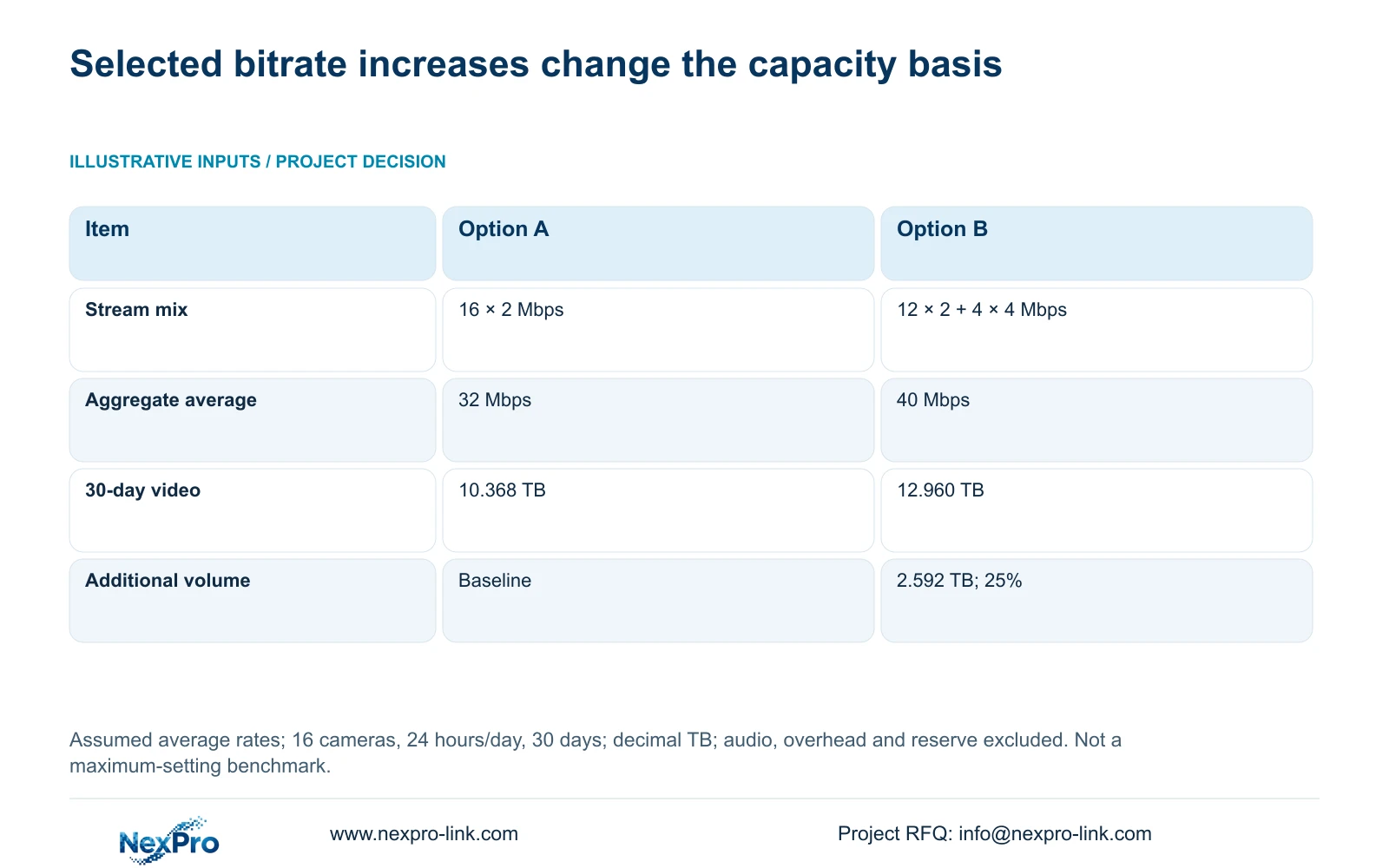
The supplied illustration uses 16 cameras recording continuously for 24 hours per day over 30 days. Option A assumes every camera averages 2 Mbps. Option B keeps 12 at 2 Mbps and changes four to an average of 4 Mbps. This is a bitrate sensitivity example, not a codec comparison or measured site result.
Aggregate Mbps = Σ(channels × average Mbps). A is 16 × 2 = 32 Mbps. B is 12 × 2 + 4 × 4 = 40 Mbps. For continuous recording, 30-day video TB = aggregate Mbps × 0.0108 × 30. A therefore needs 32 × 0.0108 × 30 = 10.368 TB of video volume; B needs 40 × 0.0108 × 30 = 12.960 TB.
The difference is 12.960 - 10.368 = 2.592 TB. The increase is 2.592 ÷ 10.368 × 100 = 25%, even though only four cameras changed. If those changes pass the scene task, update the capacity basis before retaining the original retention promise.
| Item | Option A | Option B |
|---|---|---|
| Channel mix | 16 × 2 Mbps | 12 × 2 Mbps + 4 × 4 Mbps |
| Aggregate average | 32 Mbps | 40 Mbps |
| 30-day video volume | 10.368 TB | 12.960 TB |
| Additional volume | Baseline | 2.592 TB; 25% |
Section 05
Copy within qualified camera groups
The copy functions described in sections 4.11.1, 4.4.2 and 4.12.6 through 4.12.7 do not decide whether destinations share the same capability or scene purpose. Group suitable cameras first and retain separate profiles for exceptions.
Record the source channel, selected destinations and approved values. After copying, inspect accepted settings and newly recorded footage from the relevant targets. A successful save message cannot establish that a destination accepts the intended resolution or that its image remains useful.
If a target differs from the group assumption, remove it from further copying and qualify it separately. This preserves a mixed project configuration without treating inconsistent numbers as an installation defect.
Section 06
Approve the mixed profile against complete recorder constraints
The final selection record should include channel modes, aggregate incoming bitrate, required playback alternatives, supported usable storage, interfaces, remote tasks and environment. Sections 5.1 and 5.2 provide the manual's capacity context; current commercial candidates need separate model evidence.
The supplied public NexPro-NVR4449-4K fields include 49 channels, 320 Mbps input and four SATA positions with a maximum of 18 TB per disk. These are bounded candidate fields, not proof of the required usable capacity, RAID arrangement or complete playback workload. No TS-to-commercial mapping is established.
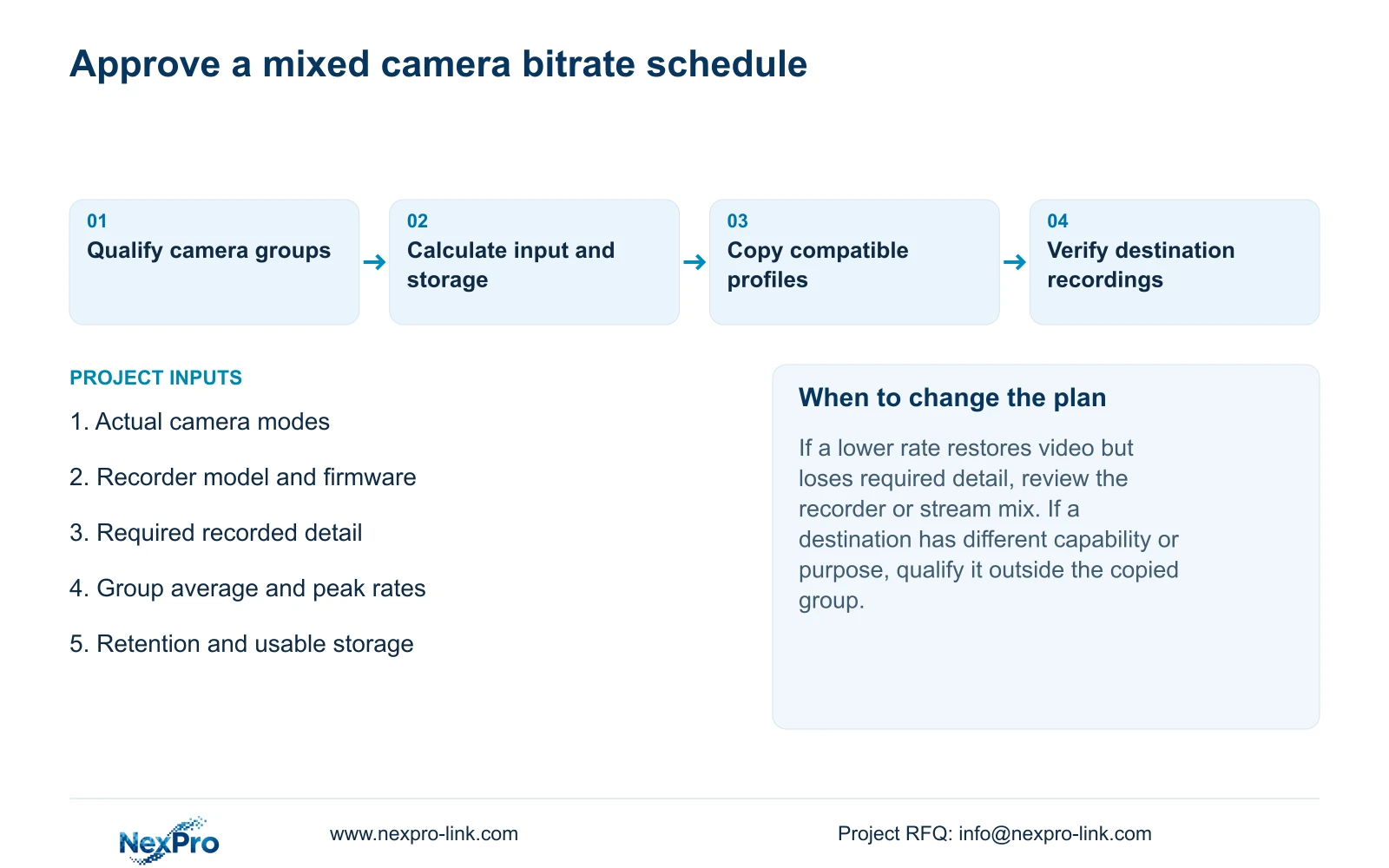
Use the qualified mixed profile as the BOQ input. Document which views need higher rates and which retain their accepted baseline, then identify any recorder or storage gap. Actual quotations can follow that scope without claiming a universal benefit from maximum settings.
Section 07
Replace a blanket maximum with a task-based schedule
Illustrative project scenario: A contractor plans to set every channel to the maximum shown in the recorder menu. The proposed review qualifies camera groups individually, retains suitable existing profiles and calculates only the necessary increases. The owner receives a mixed schedule with input and retention implications, not an unsupported claim that maximum bitrate is always best.
Section 08
Does an accepted maximum prove the complete system can handle it?
No. Camera acceptance is one check. Aggregate input, required playback, useful saved detail and usable capacity still need separate verification.
Section 09
Scope the mixed recording profile
Send NexPro-Link your camera-group stream schedule, recorder identity and required retention period at info@nexpro-link.com.
Engineering references
These sources support the general planning principles. Always use the selected product's current datasheet and applicable project standards for final design.


