

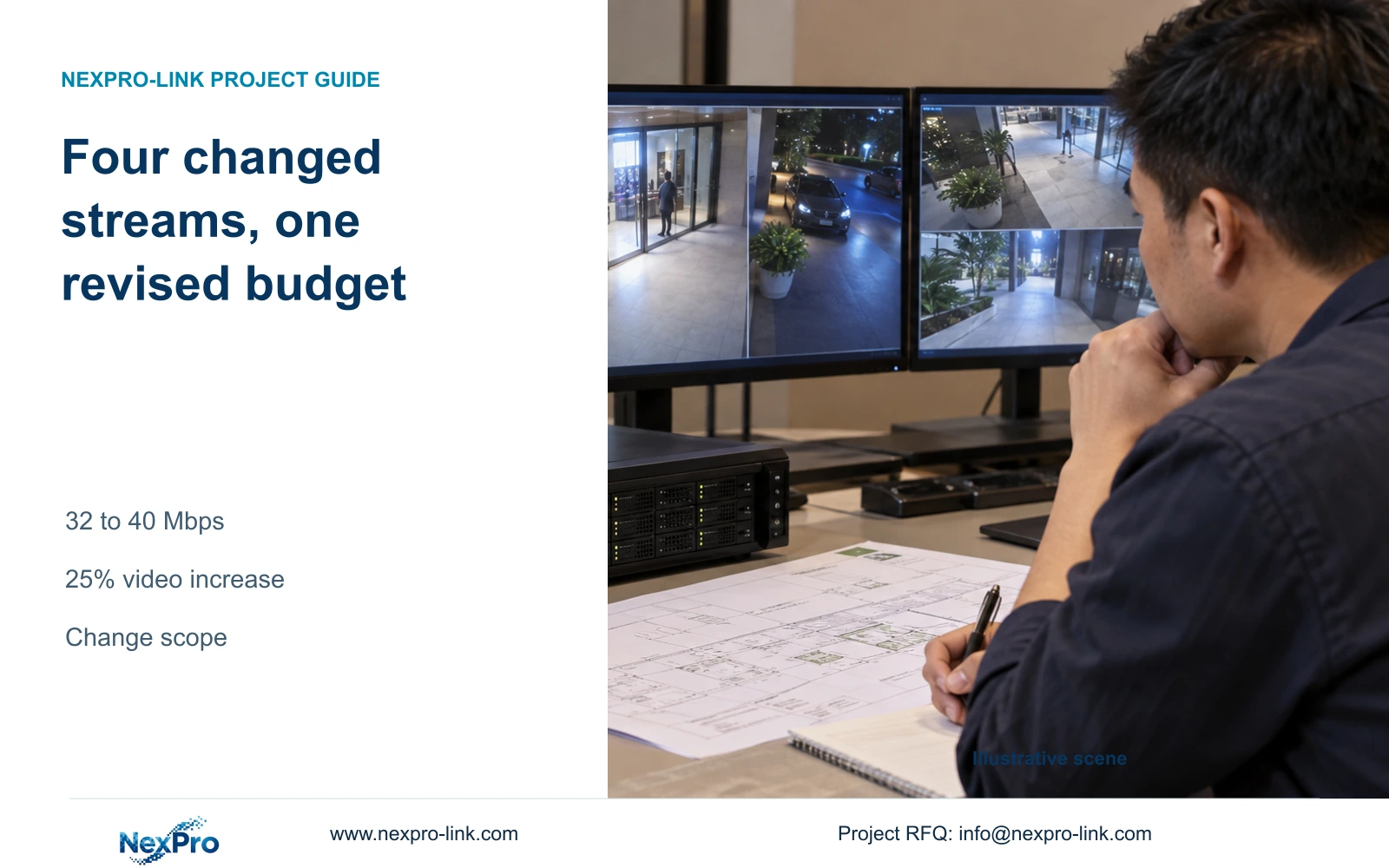
Changing four of sixteen streams from 2 Mbps to 4 Mbps raises this example's total video volume by 25%. Review the affected recording path and equipment constraints before revising the quotation.
Section 01
Calculate the change for the affected channels
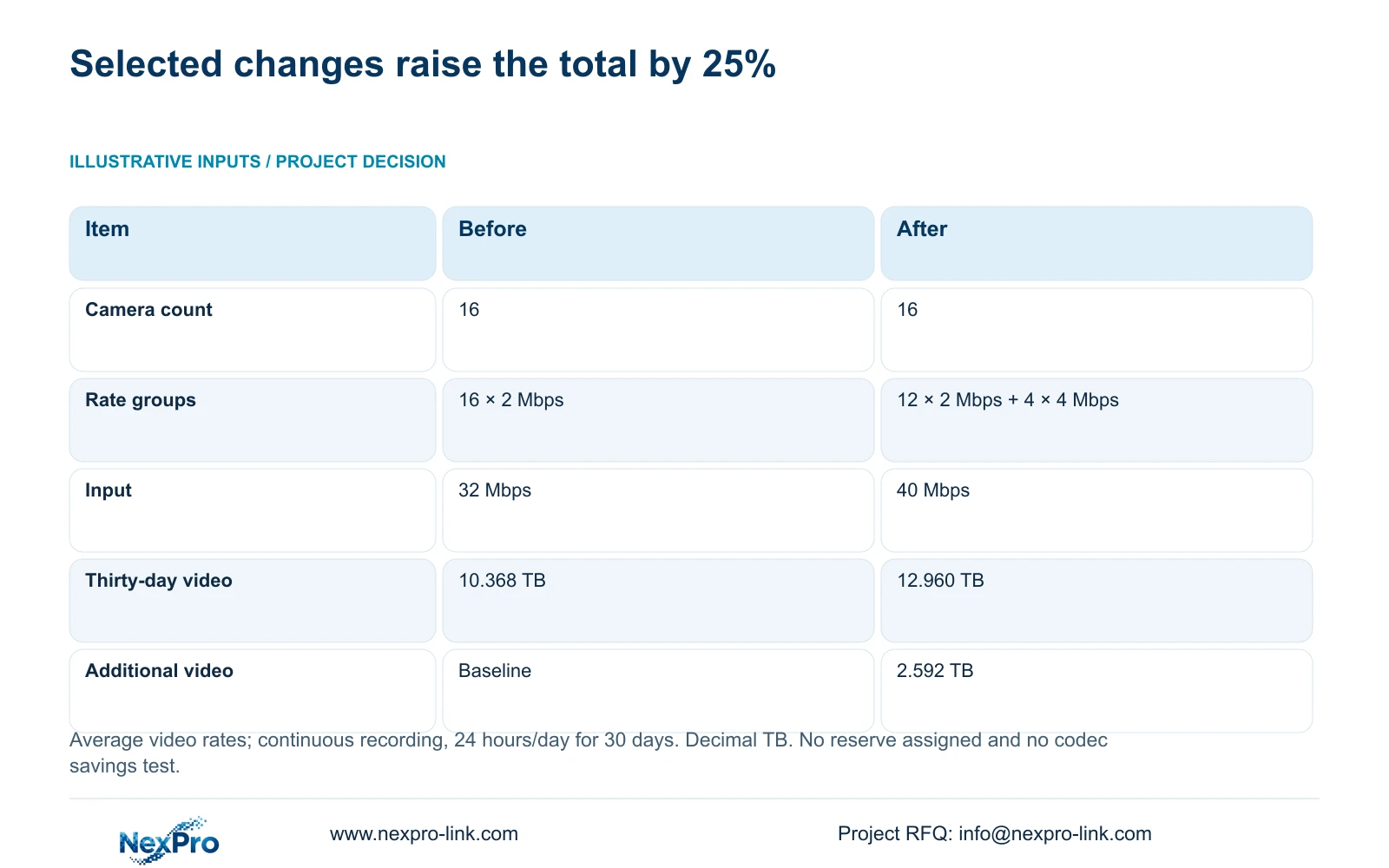
Increasing selected camera bitrates can raise recorder input and stored volume even when the camera count stays fixed. In this example, sixteen streams initially average 2 Mbps each. Keeping twelve at 2 Mbps and increasing four to 4 Mbps raises aggregate input from 32 Mbps to 40 Mbps. For continuous recording over thirty days, video grows from 10.368 to 12.960 decimal TB, an increase of 2.592 TB or 25%. Verify the accepted recorded image first, identify the stream actually changed, then check network and storage constraints. Quote only the configuration or equipment changes needed to preserve the agreed task.
List the changed channels by their project locations and recorder references. Record old and proposed settings beside each one, leaving unchanged channels visible. Applying a blanket multiplier to the whole camera schedule would misstate this revision and could produce an unnecessary equipment replacement.
Section 02
Confirm the recorded result and bitrate basis
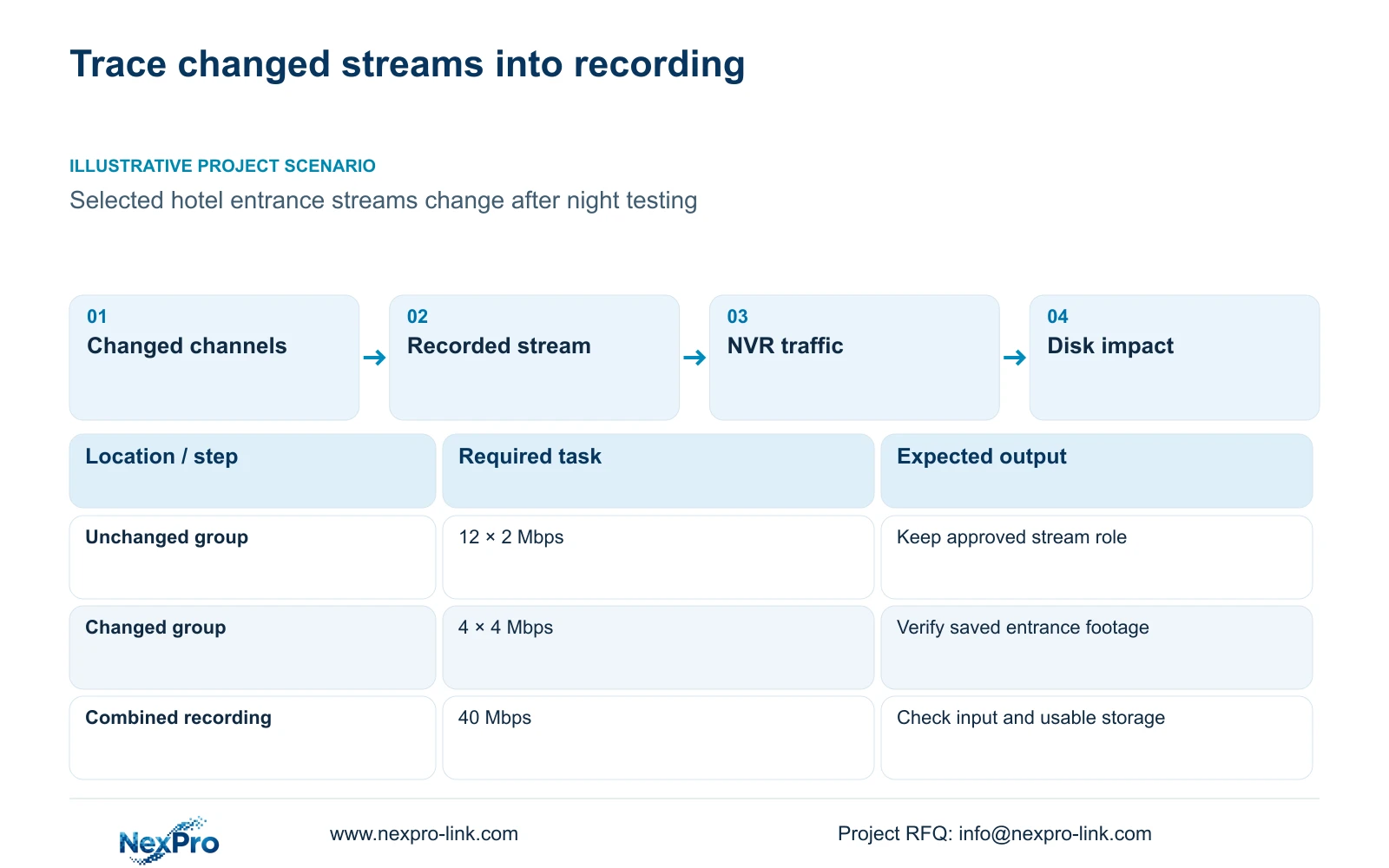
The supplied scenario begins after night testing, so the review should return to the entrance recording that prompted the change. Compare saved footage under the intended conditions. A better-looking live window alone does not establish that the recorder has stored the required result.
The manual provides CBR, VBR and bitrate fields. These entries describe configuration, while actual traffic and stored data describe operation. The example's average rates are assumptions, not measured night-test results. Gather representative observations at the accepted settings before turning the calculated total into a retention commitment.
Use a representative average for storage and a suitable peak or configured limit for the network evaluation. Keep lighting and motion conditions with the sample record. If the proposed change does not provide the required recorded detail, continue the image review before purchasing capacity for that setting.
Section 03
Separate source settings from viewing choices
For each affected channel, record the configuration object, the stream used for live viewing and the saved recording sample. Sections 4.4.5 and 4.12.7 expose main-stream and substream parameters, but a viewing choice and the recorder's recording source must be checked separately.
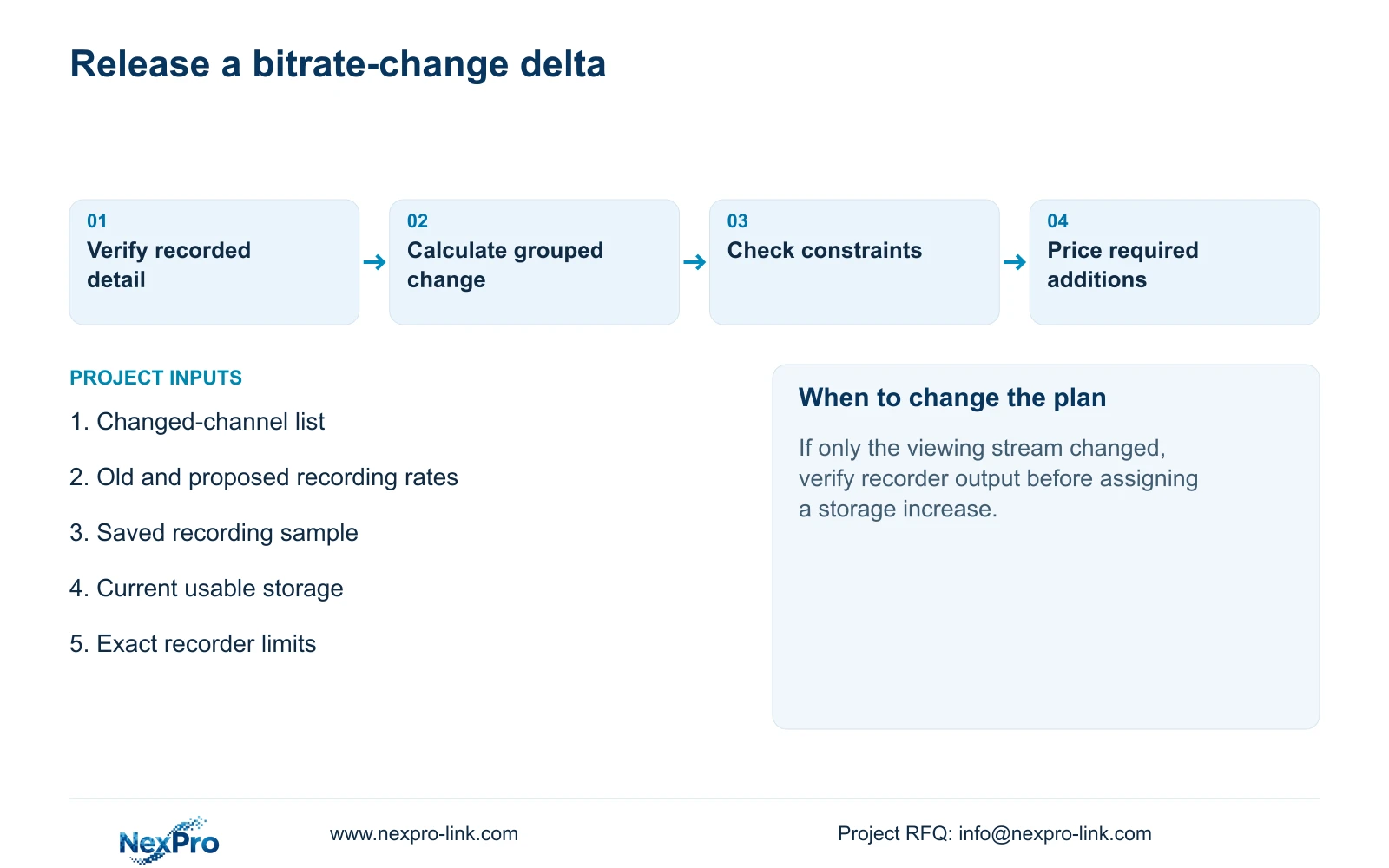
If only the operator's viewing layout or selected substream changed, verify the recording output before revising the disk budget. If the stream recorded by the NVR changed, carry its new average rate into the retention calculation. A retained lower-rate viewing path does not cancel the storage effect of a higher-rate recording source.
Seetong PC local recording has its own storage object and client tasks. A PC default cannot establish the NVR's universal recording behavior. Use an actual recorder sample to resolve the stream question for the selected device and firmware.
Section 04
Compare the input increase with interface observations
Total video input = Σ(group channel count × average Mbps). Option A = 16 × 2 Mbps = 32 Mbps. Option B = (12 × 2) + (4 × 4) Mbps = 24 + 16 Mbps = 40 Mbps. The increase is 40 − 32 = 8 Mbps.
The traffic view in section 4.3.3.3 presents receive and transmit activity separately. Camera recording input, remote viewing, playback and downloads follow different paths, so outgoing traffic need not equal the camera total. Compare defined operating intervals and record which other tasks were active.
The arithmetic describes video payload. Interface measurements may include protocol overhead and other traffic, and topology determines where each flow appears. If observed traffic differs from the estimate, first reconcile stream selection, timing and active sessions. Do not treat every discrepancy as a camera encoding fault.
Section 05
Carry the same change into the retention budget
Both options record continuously, 24 hours/day, for 30 days. Using decimal TB, video volume = total Mbps × 0.0108 × days. Option A = 32 × 0.0108 × 30 = 10.368 TB. Option B = 40 × 0.0108 × 30 = 12.960 TB.
Additional video = 12.960 − 10.368 = 2.592 TB. Percentage increase = 2.592 ÷ 10.368 × 100 = 25%. Only four streams changed. Their rates doubled, while the system-wide volume rose by one quarter.
These figures cover video payload only. Apply the project's existing allowance policy separately, and account for audio, overhead and the actual disk arrangement. No reserve percentage is assigned to this topic's example. It is also not an H.265 versus H.264 savings test or a prediction that a higher bitrate will always improve a particular scene.
| Item | Option A | Option B |
|---|---|---|
| Camera count | 16 | 16 |
| Average-rate groups | 16 × 2 Mbps | 12 × 2 Mbps + 4 × 4 Mbps |
| Aggregate video input | 32 Mbps | 40 Mbps |
| Thirty-day video volume | 10.368 decimal TB | 12.960 decimal TB |
| Additional video against A | Baseline | 2.592 TB, 25% |
Section 06
Retain equipment that still meets the revised task
Compare revised stream modes and aggregate input with the exact recorder's acceptance limits. Review links carrying the changed streams, then compare the new storage budget with supported usable capacity. Check playback separately if the accepted recorded mode also changed.
If all applicable resources remain sufficient, retain the hardware and update the approved configuration record. If storage is the constrained resource, investigate supported disks without assuming the recorder must change. If input or an accepted mode fails, a disk addition alone cannot resolve it.
Source scope: This guide uses the supplied private NVR4.0 user manual CH_V2.4.doc, whose body identifies V2.2, sections 4.4.5, 4.12.7, 4.3.3.3, 5.1 and 5.2. Sections take priority over page numbers. Model-specific limits require applicable device and firmware evidence.
| Finding | Meaning | Next action |
|---|---|---|
| Viewing choice changed, recording unchanged | Disk impact is not established | Inspect the saved recorder output |
| Recording increased within all limits | Hardware may remain suitable | Update configuration and retention budget |
| Supported usable capacity is insufficient | Original retention needs a storage revision | Qualify compatible disks or another arrangement |
Section 07
Price the approved change separately
Illustrative project scenario: A hotel changes selected entrance streams from a lower rate to a higher rate after night testing. The engineer identifies the affected recording sources and uses the stated groups to quantify input and storage changes. The buyer retains suitable equipment and separates any necessary capacity revision from the original package.
The quotation delta should identify changed settings, retained equipment and additional supplied items, with preparation or site work listed separately. Compare actual offers against the same accepted entrance footage and retention objective. NexPro-Link's BOQ and tender support can support that scoped change discussion; no price saving follows from the video arithmetic alone.
Section 08
Can the old retention promise remain unchanged?
Only after checking the revised recording demand against the actual usable allocation. An unchanged camera count does not preserve retention when recorded rates increase.
Section 09
Submit the changed-channel record
Send the affected channel list with old and proposed recording rates to info@nexpro-link.com for a focused equipment and storage revision review.
Engineering references
These sources support the general planning principles. Always use the selected product's current datasheet and applicable project standards for final design.


