

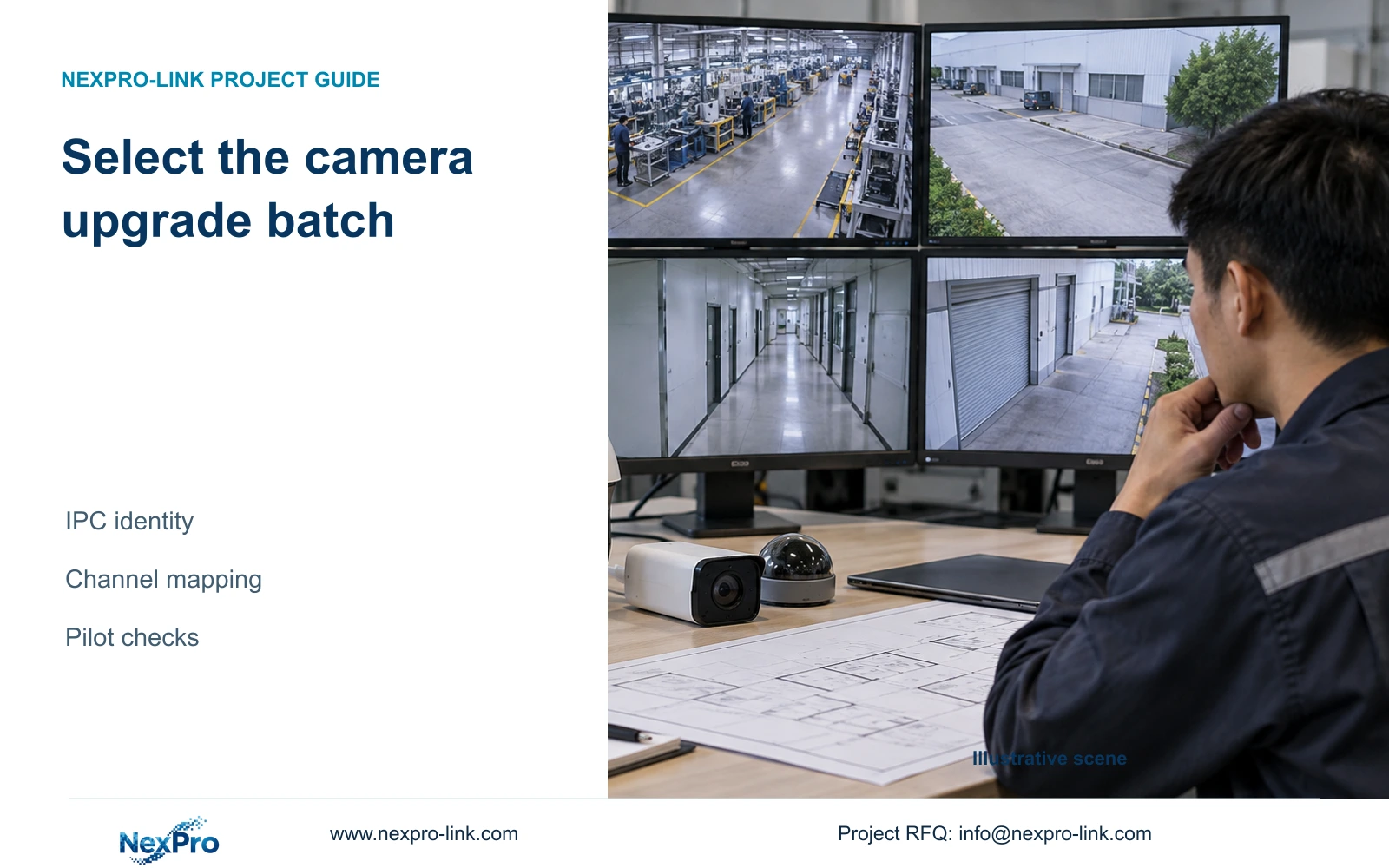
Build a camera upgrade target list from device identity and channel mapping, then verify a controlled subset before approving the remaining batch.
Section 01
Define the camera group before selecting the batch
Batch camera upgrading from an NVR should start with a target list grouped by actual camera model, relevant hardware revision and installed firmware. The supplied manual describes batch IPC upgrades and local or remote methods, but it does not establish one file for every connected camera. Match each group to a supported file and upgrade path, connect its devices to the correct recorder channels, and verify a controlled subset before expanding the operation. Basic video from a third-party camera does not prove that its firmware can be upgraded through the recorder. Record each device's result so an available picture is not mistaken for completed maintenance.
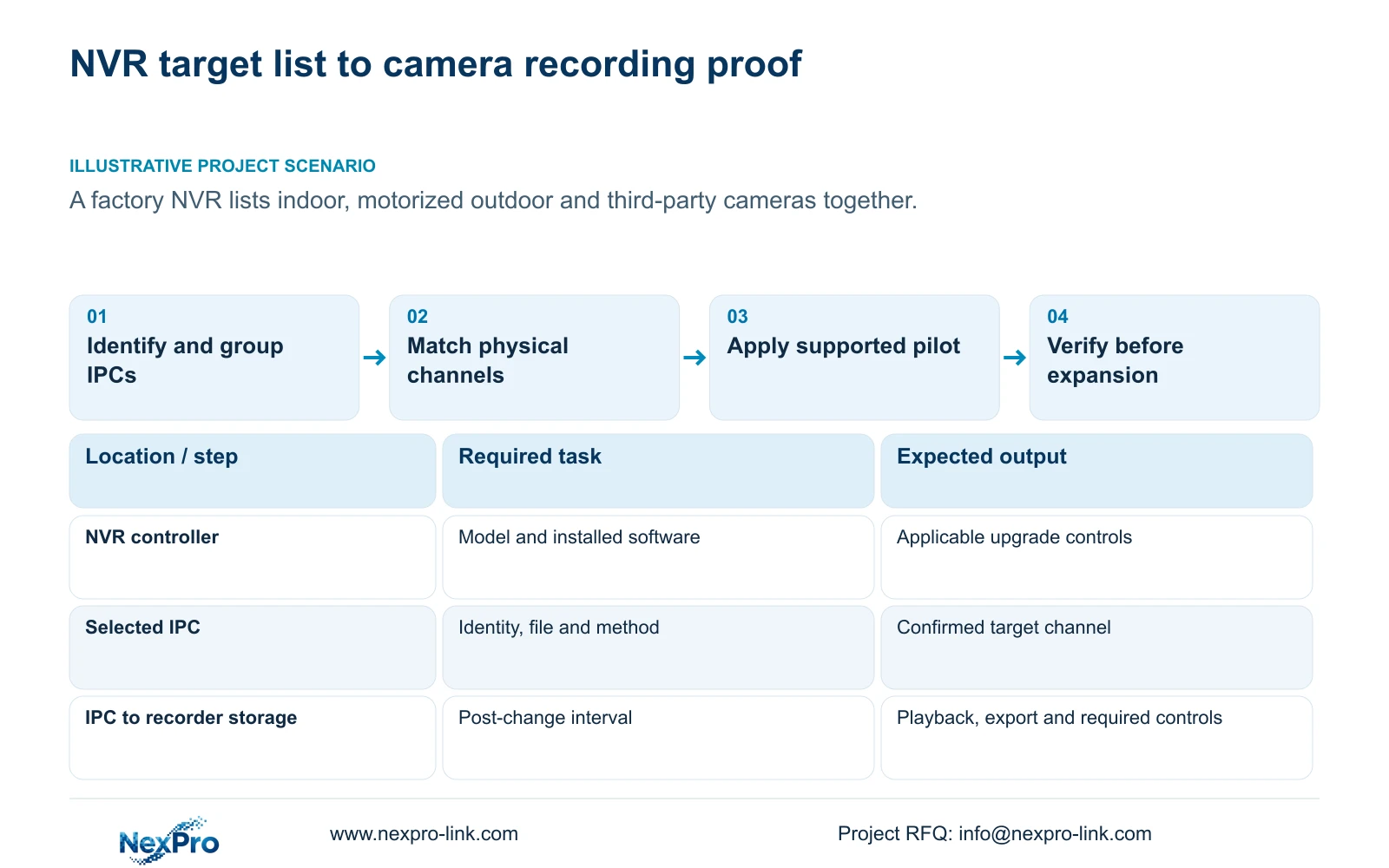
First identify the recorder that will perform the operation. System Information in section 4.12.19 provides its product model, hardware version, software version and release information. These values describe the upgrade controller; they do not identify the firmware required by every connected camera.
Collect the corresponding camera identities through applicable device information or supplier records. If hardware or software identity is uncertain, exclude that camera from the proposed group until confirmed. Indoor placement, outdoor placement and a similar appearance are useful site descriptions, but they do not establish firmware compatibility.
Section 02
Connect each selected device to its physical location
Keep drawing location, physical camera identity, IP address, recorder channel and displayed name in separate fields. Sections 4.3.1, 4.4.4 and 4.12.6 supply channel and OSD controls; maintaining the project mapping is an engineering responsibility.
Before selecting upgrade targets, compare the device list with that mapping and the current view. A familiar screen position or display alias can remain after a camera replacement or channel reordering. Verify which physical camera now occupies the channel rather than relying on the old label.
Record an alias change separately from a device replacement. If the identity and location disagree, reconcile the schedule before maintenance. This also gives the duty team a way to identify which areas may lose video during the approved camera interruption.
Section 03
Confirm the supported method for each group
Sections 4.3.2 and 4.4.9 describe upgrading added IPCs, including batch operations and local or remote methods. Select the method supported by the actual recorder, target camera and supplied file. The existence of both methods in the manual does not make them interchangeable for every device.
Keep camera maintenance separate from recorder maintenance. A camera restart affects its video path, while a recorder restart has a different operating scope. Identify the approved interruption, obtain authority, preserve required settings and footage, and arrange suitable power for the selected maintenance operation.
Retain the confirmed file reference beside the group definition. If the devices need different files or supported paths, keep them in separate groups. Do not infer a common firmware family from a single recorder list or use a successful selection action as proof of compatibility.
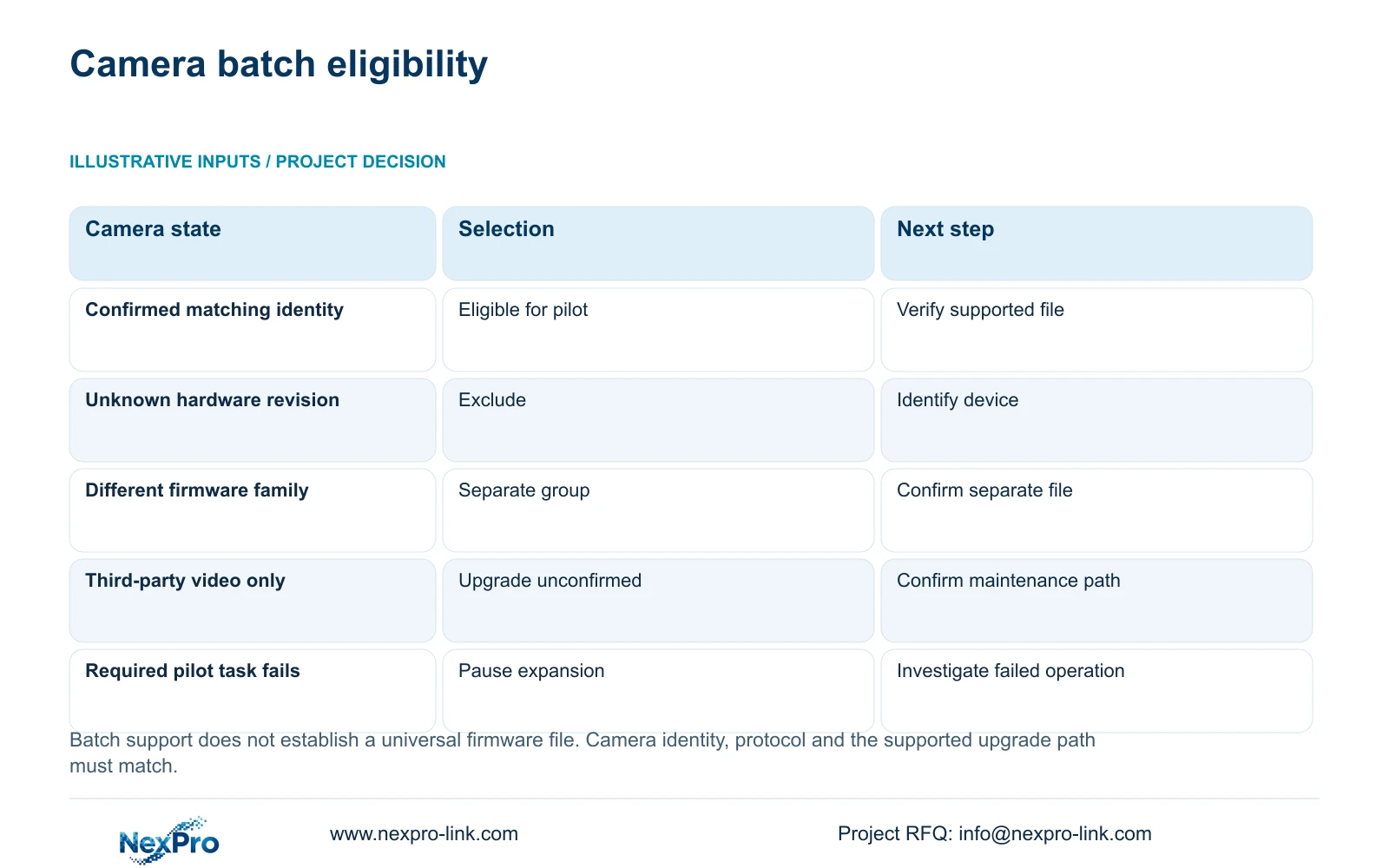
| Device condition | Batch decision | Next action |
|---|---|---|
| Identity and supported file match the defined group | Eligible for the controlled subset | Verify channel mapping and maintenance permission |
| Similar camera appearance, unknown revision | Exclude pending identification | Obtain actual hardware and firmware details |
| Different confirmed firmware family | Create a separate group | Confirm its own file and method |
| Third-party video works, upgrade support unconfirmed | Do not select for recorder-based upgrade | Confirm a supported device-specific path |
| Pilot returns video but required control fails | Pause expansion | Record the failed operation and investigate compatibility |
Section 04
Test maintenance compatibility separately from video access
The recorder can perform an operation only when the camera and selected protocol expose and accept it. The IPC controls in section 4.4 and the PTZ discussion in section 4.10 make device dependency important. An unavailable or ineffective control requires checking model, firmware, connection method, permissions and menu scope.
For a third-party camera, basic video is one observed function. Upgrade acceptance is another. ONVIF Profiles provide a public reference for defined feature scope, but the supplied material does not establish universal firmware-upgrade interoperability.
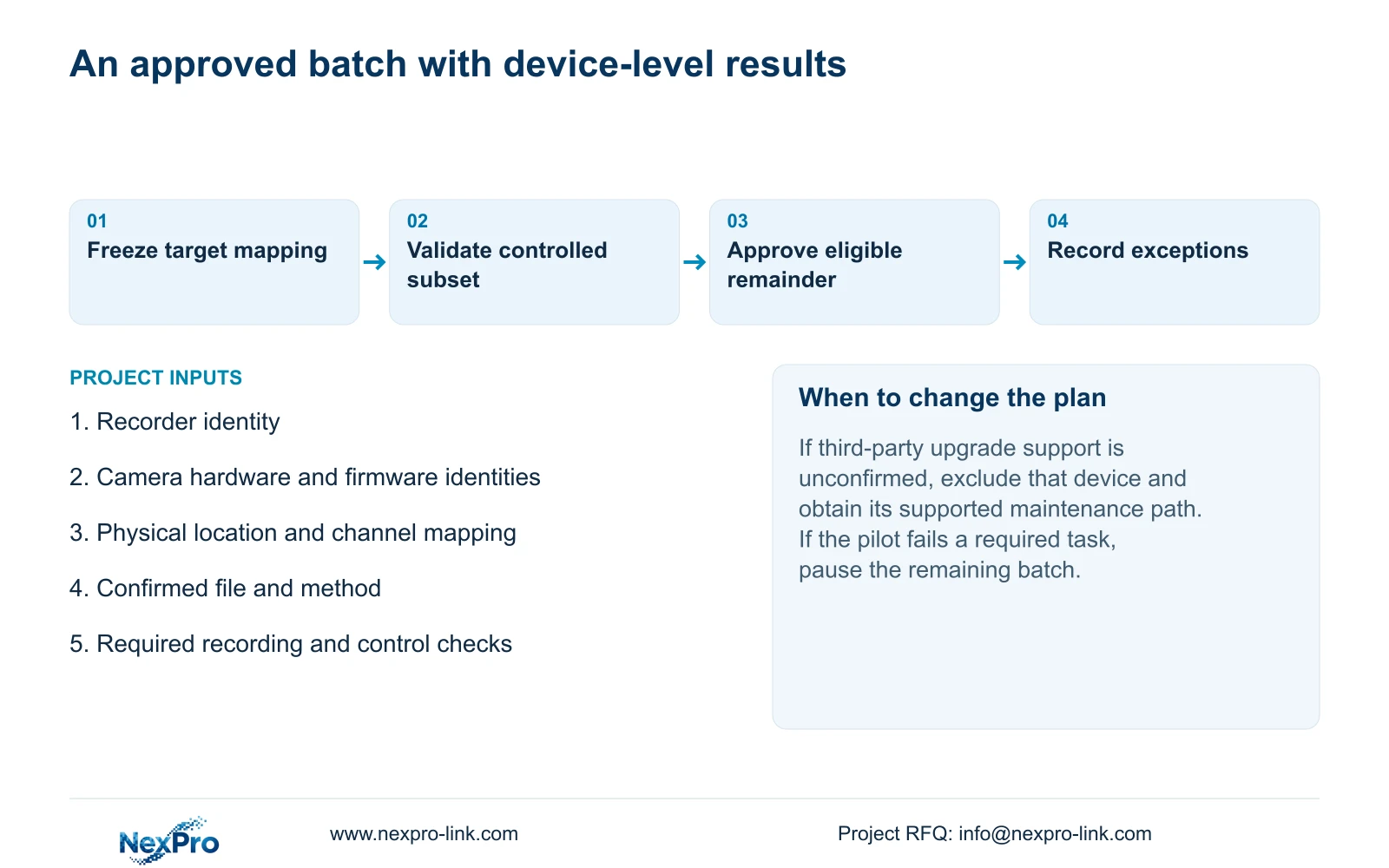
If the recorder's upgrade control is unavailable, preserve that observation and confirm the camera's supported maintenance method. Do not invent a third-party menu path or diagnose hardware failure solely from a grey control. Keep that camera outside the batch until the requested operation is supported.
Section 05
Use the pilot result to approve the next batch
Illustrative project scenario: A factory recorder contains indoor, motorized outdoor and third-party cameras in one list. The maintenance team groups them by confirmed identity and supported files, then selects a controlled subset from an eligible group. The mixed list remains a location inventory, not a single firmware target.
After the selected camera returns, confirm its recorded software identity and the same physical channel mapping. Check live view, time and newly produced recorder footage. Retrieve a defined post-change interval and verify a playable export. Test required camera-specific controls and events where they belong to the installation.
Include a relevant older recorder footage sample in the retrieval checks, while keeping the changed camera identity separate from the recorder's unchanged firmware. If a required function fails, pause expansion and preserve the failed result. Do not assume an automatic rollback or apply the same file to the remaining group while the cause is unresolved.
Section 06
Record outcomes per camera and hand over exceptions
For each target, retain the source identity, recorder channel, confirmed file reference, observed post-change identity and required task results. Distinguish completed, failed, deferred and untested devices. A batch-level message cannot replace the individual record when some cameras remain unresolved.
Give the duty team the affected locations, maintenance period and any remaining operating limitation. Keep configuration-backup locations and support responsibilities with the record. Credentials belong in a controlled transfer process, not in the general target list.
The operating source is the supplied private NVR4.0 user manual CH_V2.4.doc, with V2.2 in its body headers. Sections 4.3.2 and 4.4.9 establish the upgrade workflow; channel mapping and post-change checks are engineering procedures built around the manual. Actual device and firmware scope apply.
Section 07
Camera batch upgrade questions
Can I use one file because every camera appears under the same NVR? No. Confirm each group's model, revision, firmware and supported file.
Does ONVIF video confirm upgrade compatibility? No. Verify the maintenance operation separately for the actual devices and connection method.
Should a camera with an unknown revision join the pilot? Identify it first. A pilot should test a defined supported combination, not resolve missing identity by experimentation.
Section 08
Review the proposed camera group
Send NexPro-Link the proposed target list with camera identities, installed firmware and recorder channel mapping at info@nexpro-link.com.
Engineering references
These sources support the general planning principles. Always use the selected product's current datasheet and applicable project standards for final design.


