

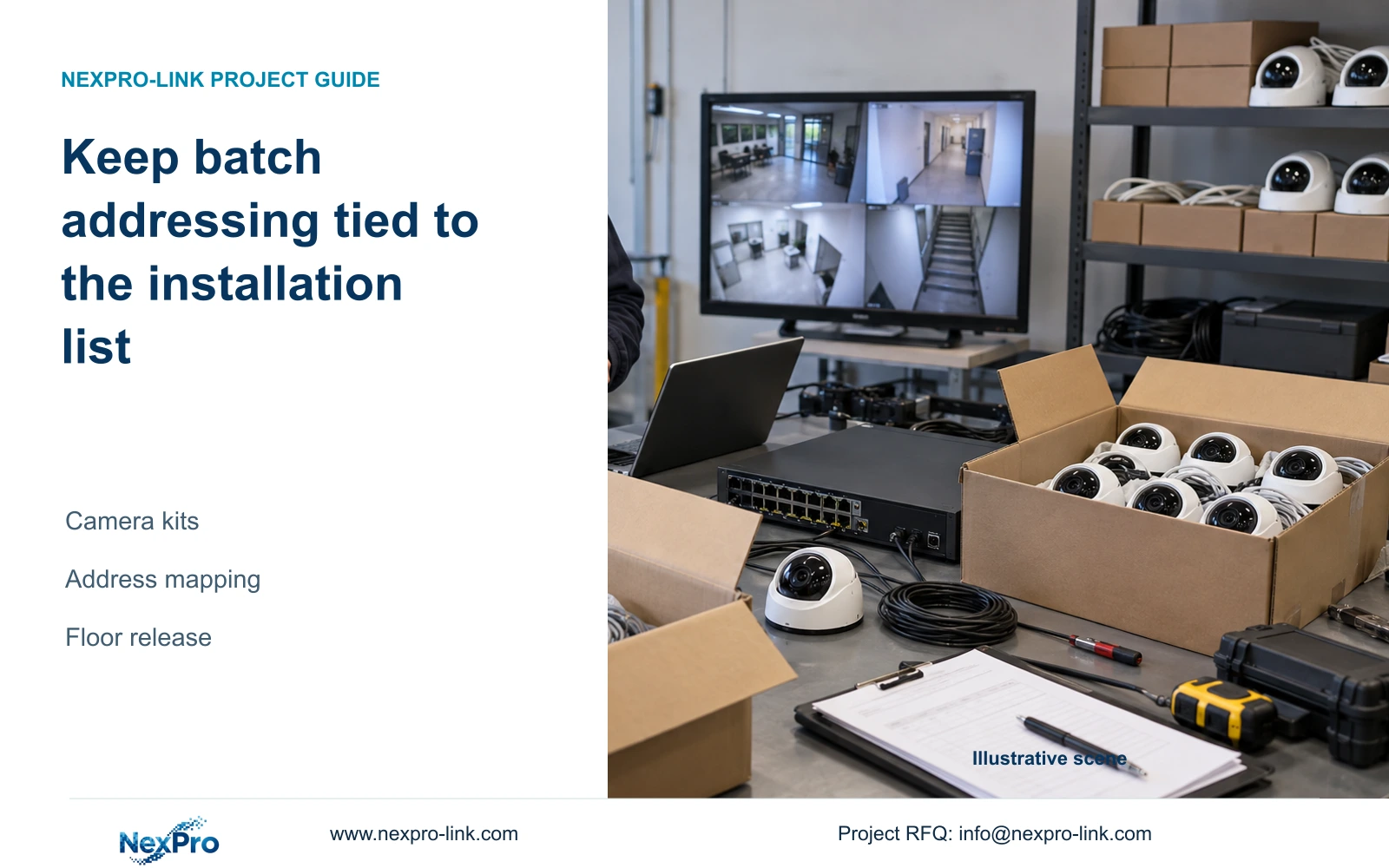
Keep camera identity, address allocation and recorder channel order separate while preparing floor kits, then release a mapped installation list with recording evidence.
Section 01
Allocate addresses without changing the installation identity
Prepare each camera against its physical identity and intended installation point before assigning or changing addresses. Obtain the approved network method and destination parameters, keep address allocation separate from recorder channel order, and verify each resulting connection. For floor kits, the carton list should retain the same camera-to-location relationship used by the recorder schedule. Check the actual discovery boundary and resolve conflicts before release. Finish with a known recording period, playback and a verified export on the intended configuration. A full search list or a populated preview screen does not establish that the installer will unpack the correct camera for each point.
This guide uses the supplied private NVR4.0 user manual CH_V2.4.doc, with V2.2 in its body. Sections 4.3.1, 4.4.4 and 4.12.6 support enrollment and naming; section 4.12.8 describes recorder network settings. The kit workflow is an engineering application, not proof of a universal batch-address tool.
Section 02
Identify the camera before assigning its destination
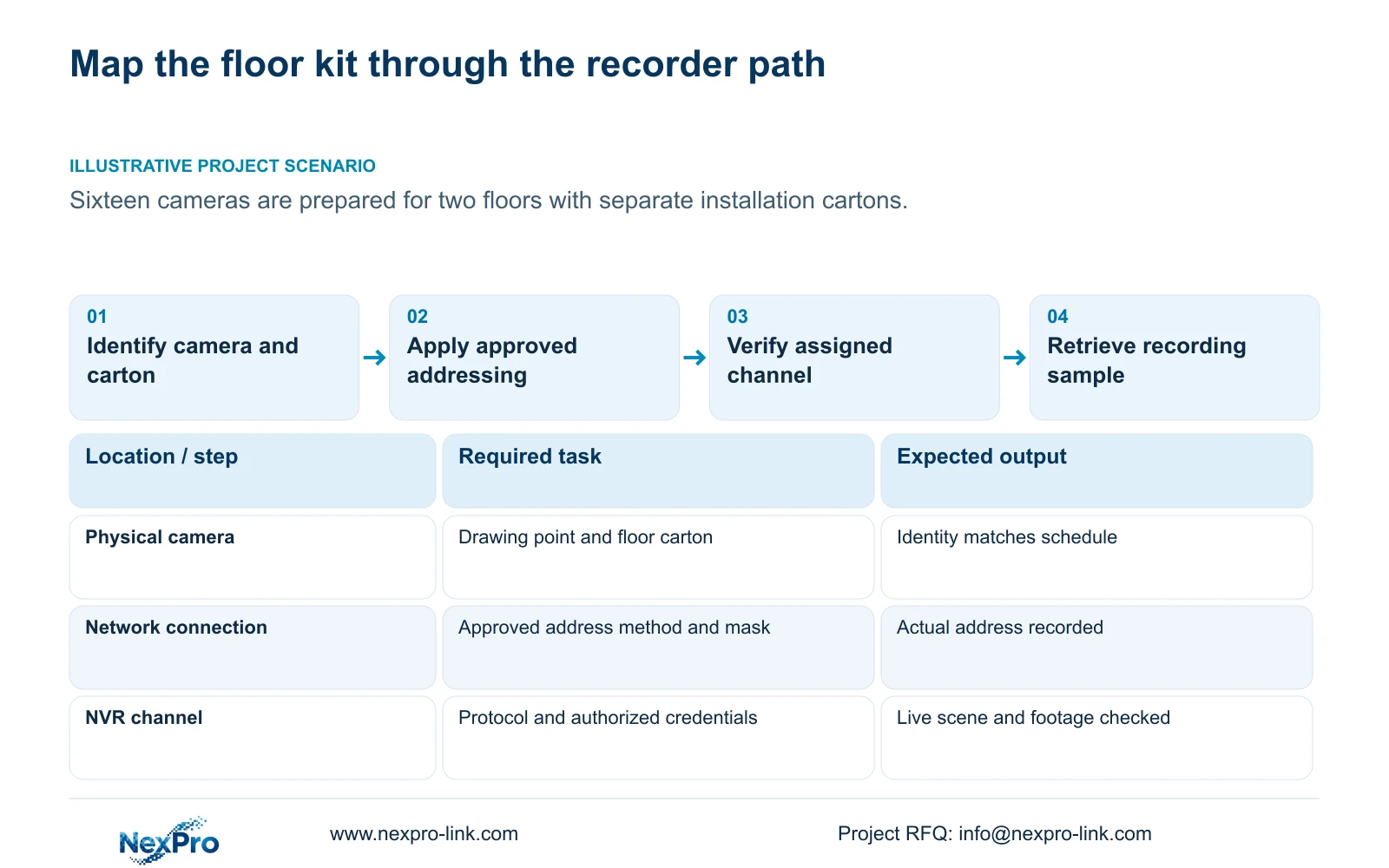
Keep drawing point, physical camera identity, current address, intended address, recorder channel and displayed name in separate schedule fields. Add the floor and carton assignment needed by the installation crew. Similar-looking cameras should remain distinguishable without depending on the order in which a search happens to list them.
Compare the physical kit contents with that schedule before configuration. If a camera belongs to a different point or carton, correct the identity record before assigning its destination values. Addressing the wrong unit successfully still produces the wrong installation package.
The recorder's channel-name and OSD controls help operators read the system, but they do not maintain the packing relationship automatically. Carry the approved mapping into the crew's installation list and record any substitution or reordering explicitly.
Section 03
Obtain the address method from the network owner
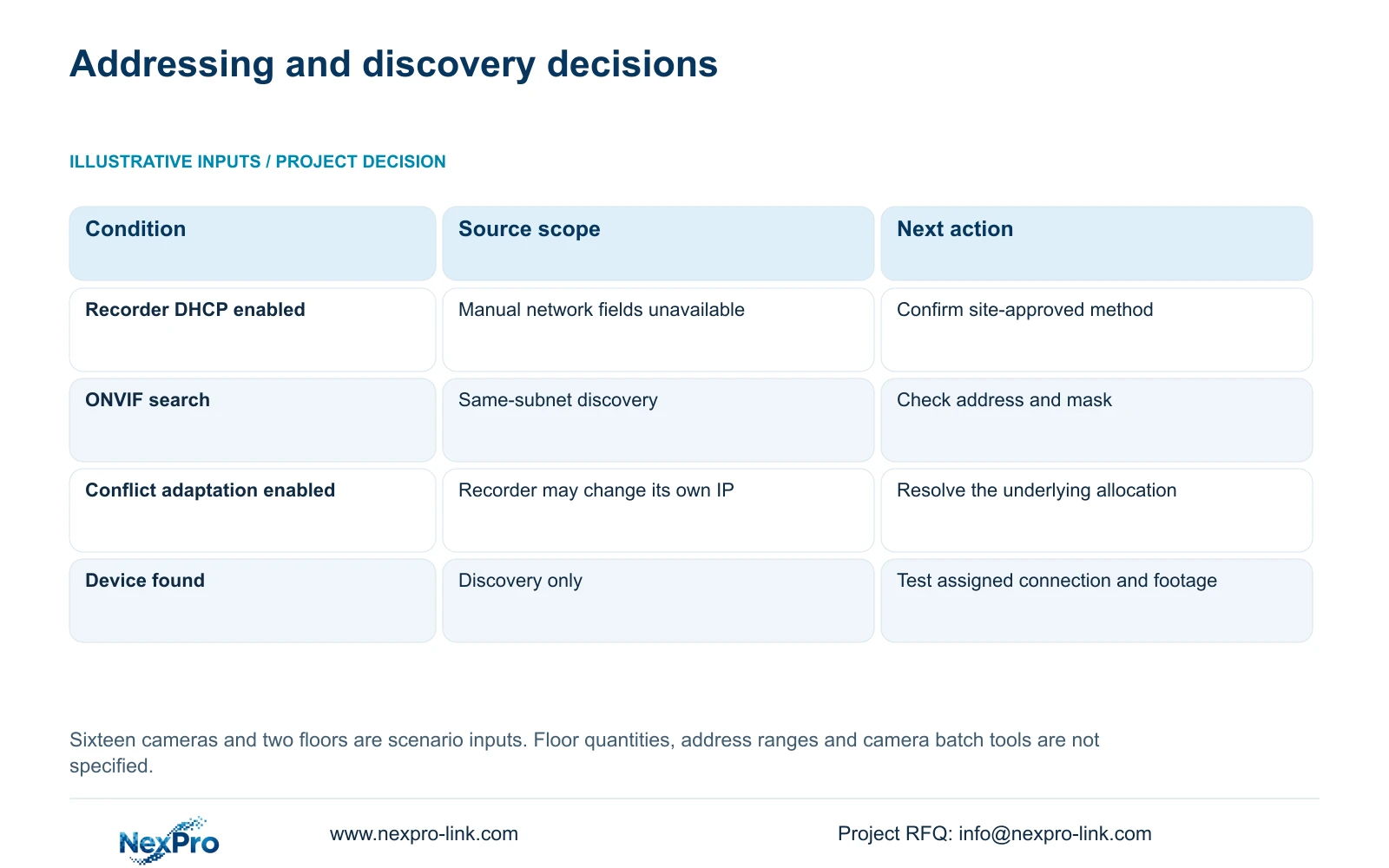
For recorder network configuration, section 4.12.8 states that enabling DHCP obtains parameters automatically and prevents manual editing of those fields. If manual configuration is required, obtain the approved address, mask, gateway and DNS information from the site network owner.
Keep recorder settings separate from camera address procedures. The supplied recorder network section does not establish that every camera accepts the same batch workflow. Use the applicable camera or supported configuration method for the selected devices, with the approved destination plan.
An address reservation can be part of the site's network-management policy; it is not an established built-in DHCP reservation server on this recorder. Identify who maintains reservations or static allocations so an installer does not unknowingly replace one method with another.
Address changes need authority and an interruption plan. Preserve required recordings and the existing connection record before changing a running configuration, then retest the relevant local and remote paths and update the schedule.
Section 04
Check masks and discovery scope before searching
Section 4.3.1 limits the documented ONVIF search to the same subnet. Two floors are installation groups, not evidence that they share a discovery domain. Compare the approved addressing and masks with the actual preparation network before interpreting missing devices.
The manual's section 5.3, question 6, gives a historical ONVIF 2.1 and above requirement. Preserve that source scope without using the version number as proof of current conformity or complete camera-recorder compatibility. The public ONVIF profile reference is supplementary to qualification of the actual pair.
If the final design uses routed networks or VLANs, identify the required routing and access with the IT team. Do not expect the documented search to discover every routed camera automatically, and do not alter the approved network merely to make a bench search look complete.
| Observed condition | Interpretation | Next action |
|---|---|---|
| Manual recorder network fields are unavailable | DHCP may be controlling the documented parameters | Confirm the approved method before changing it. |
| A floor camera is absent from ONVIF search | The documented search has a same-subnet boundary | Check approved address and mask, then coordinate routing if needed. |
| The recorder's actual address differs from the plan | Conflict adaptation may have changed the recorder address | Resolve allocation ownership and update the actual record. |
| Camera is found but its assigned channel fails | Discovery has passed; enrollment has not | Check identity, protocol and authorized credentials. |
Section 05
Resolve conflicts instead of accepting a moving recorder address
The IP-conflict adaptation setting in section 4.12.8 can change the recorder's own address after a conflict. When disabled, that automatic response is removed. Disabling it does not resolve the conflicting allocation.
If the recorder address moves during preparation, compare its actual address with the approved plan and investigate the conflict with the network owner. Keep recorder and camera address records separate. The setting does not establish that the recorder changes every camera or governs the entire subnet.
Before continuing kit checks, establish which current addresses belong to which physical devices. Otherwise, a later successful connection may be recorded against an outdated address, leaving the installer with a list that cannot reproduce the demonstrated setup.
Section 06
Verify each address against the intended channel
For every camera, compare the discovered identity with its mapped installation point and assigned recorder entry. Section 4.3.1 separates search, addition, editing and diagnostic operations. Check protocol and authorized credentials before judging live-video results.
Record discovery, authentication, live scene and recording as distinct observations. A found device can still occupy the wrong channel, fail authentication or supply a scene from the wrong installation group. Correct the specific mismatch before using that channel as a source for further configuration.
Where events or audio are required, qualify those operations separately. Basic ONVIF discovery and video do not prove all functions. Keep passwords out of carton labels and general installation schedules; transfer them through the approved private process.
Section 07
Release the mapped kit with a recording result
Inspect the selected disk and recording policy on the actual intended recorder configuration. Follow an identifiable channel through live view, a known recording period, playback and export, then verify the exported sample on another viewing path. This is an acceptance workflow built around sections 4.3, 4.11 and 4.12.21.
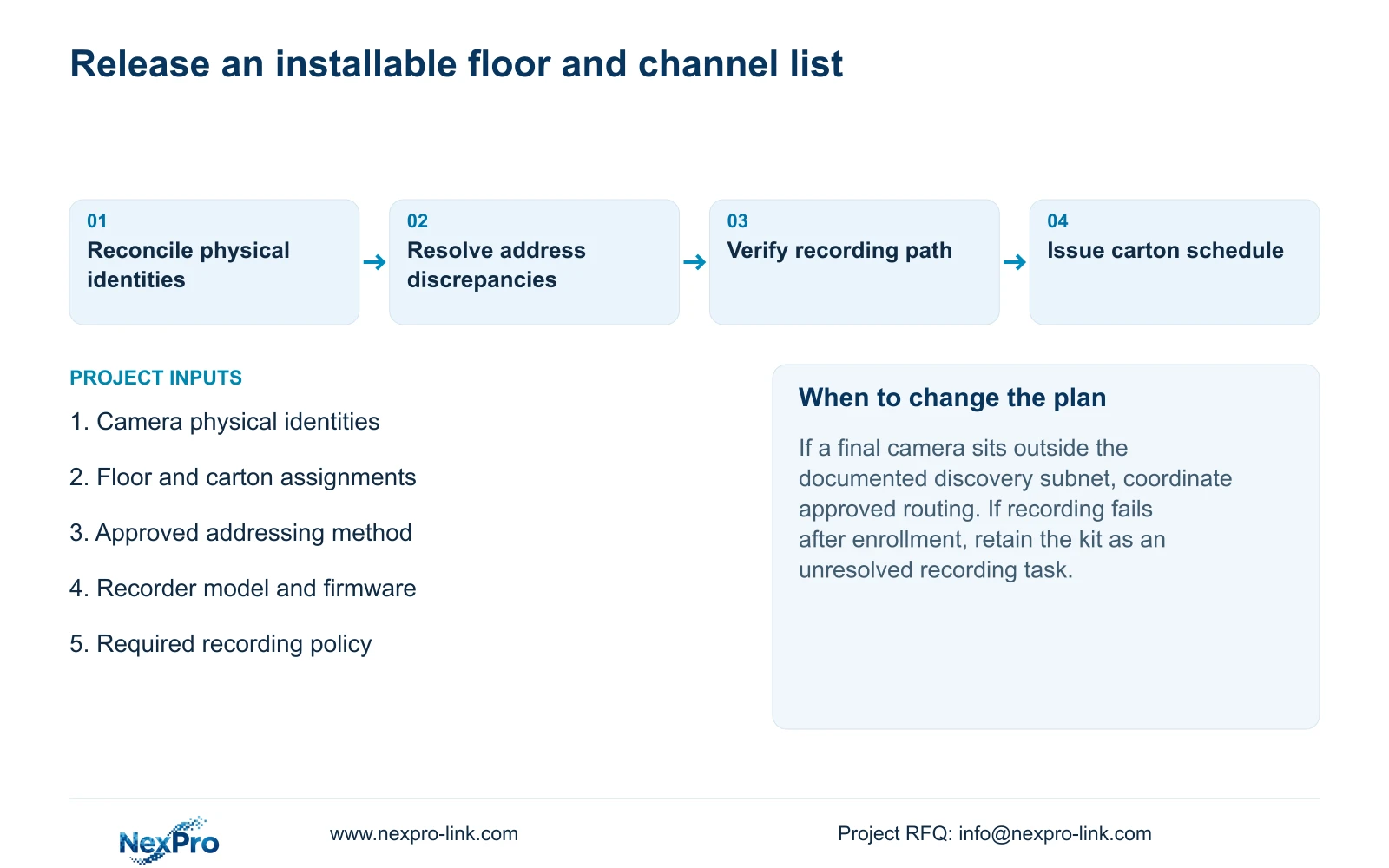
The installation list should state the camera-to-point and channel mapping, current approved address information, carton assignment and unfinished site checks. Bench preparation cannot complete the final framing, lighting or permanent-network acceptance.
If enrollment passes but recording fails, keep the kit's recording task open and record the failing stage. Do not release it as fully commissioned simply because every camera has an address.
Section 08
Apply the mapping to separate floor cartons
Illustrative project scenario: A contractor prepares sixteen cameras for two floors with separate installation cartons. The contractor maps each physical unit before addressing, uses the approved destination network plan and verifies its assigned recorder channel. The source gives no camera split or subnet values, so these remain buyer inputs. Carton release follows the mapped results and identified remaining site tasks.
Section 09
Does a separate floor carton require a separate subnet?
No such network requirement follows from the carton grouping. Use the approved site design and check the actual discovery boundary.
Section 10
Provide the approved kit mapping
Send NexPro-Link the camera-to-floor and carton schedule, approved addressing method and recorder model and firmware at info@nexpro-link.com.
Engineering references
These sources support the general planning principles. Always use the selected product's current datasheet and applicable project standards for final design.


