

Set a shift-desk locking procedure that operators can repeat, with separate checks for account permissions, visible pictures and remote credential ownership.
Section 01
Choose the session state for a short absence
Protect a shared control-room desk by agreeing what happens during a short absence and at shift transfer. Use a session-locking method documented for the actual recorder. Consider pattern unlock only if the installed model and firmware provide it with applicable enrollment and recovery instructions; otherwise retain an authorized supported resumption method. Check screen visibility separately from control locking, and leave remote accounts and camera credentials outside the local-pattern claim. Keep administration out of routine shift use and verify that footage remains retrievable across the handover.
Identify whether the operator is leaving briefly or ending the shift. A short absence and a transfer to another user need different responsibility records, even if both leave the desk protected. Agree which supported session action applies to each situation and who verifies the result.
The manual separates logout, automatic locking, shutdown and restart. Logout ends an operating session; shutdown changes the recorder's operating state. Do not stop recording to secure an unattended desk. Any planned shutdown requires authorization, preservation of relevant data and an agreed interruption. Check an identified recording period before and after the session test.
Section 02
Check the unlock method against the intended account
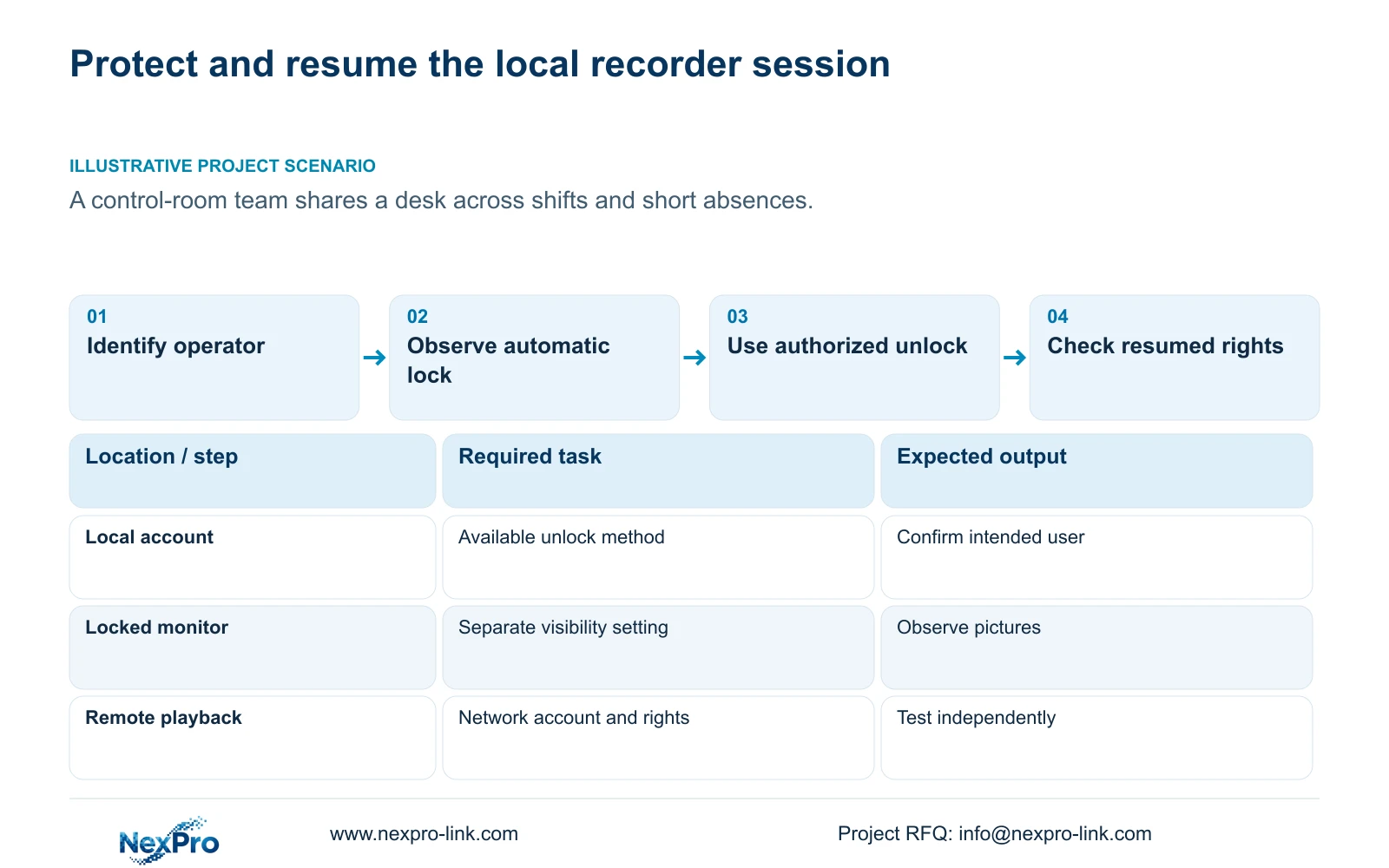
Inspect the account-related pattern options available on the installed unit. Record which account the test concerns and what the interface actually permits. The supplied evidence supports an account and permission review, but does not provide a universal pattern-enrollment sequence, reset method or recovery procedure.
If the expected option is absent, preserve that difference and obtain the applicable device instructions. Do not replace the missing step with an undocumented gesture or assume that another NVR4.0 interface behaves identically. If the option is present, test the approved unlock method through normal authorized operation, then confirm the resumed account's permitted tasks.
Section 4.12.3 distinguishes local and network rights. Successful local unlocking does not demonstrate network playback access. Test an allowed local task and a prohibited task under the intended operator account, and treat any required remote task as a separate test. The remote-upgrade row has inconsistent descriptive text, so it cannot establish that permission's behavior by itself.
| Desk requirement | Check | Decision |
|---|---|---|
| Protect controls during a short absence | Observe automatic locking and authorized resumption | Retain the setting only when the required session behavior passes |
| Use a local pattern | Confirm the option and account on the installed firmware | If absent or unclear, obtain applicable instructions |
| Hide pictures while unattended | Observe the separate before-login preview behavior | Revise visibility configuration if prohibited pictures remain |
| Permit remote incident review | Test network playback with the intended account | Approve separately from local unlock |
Section 03
Inspect the pictures that remain while locked
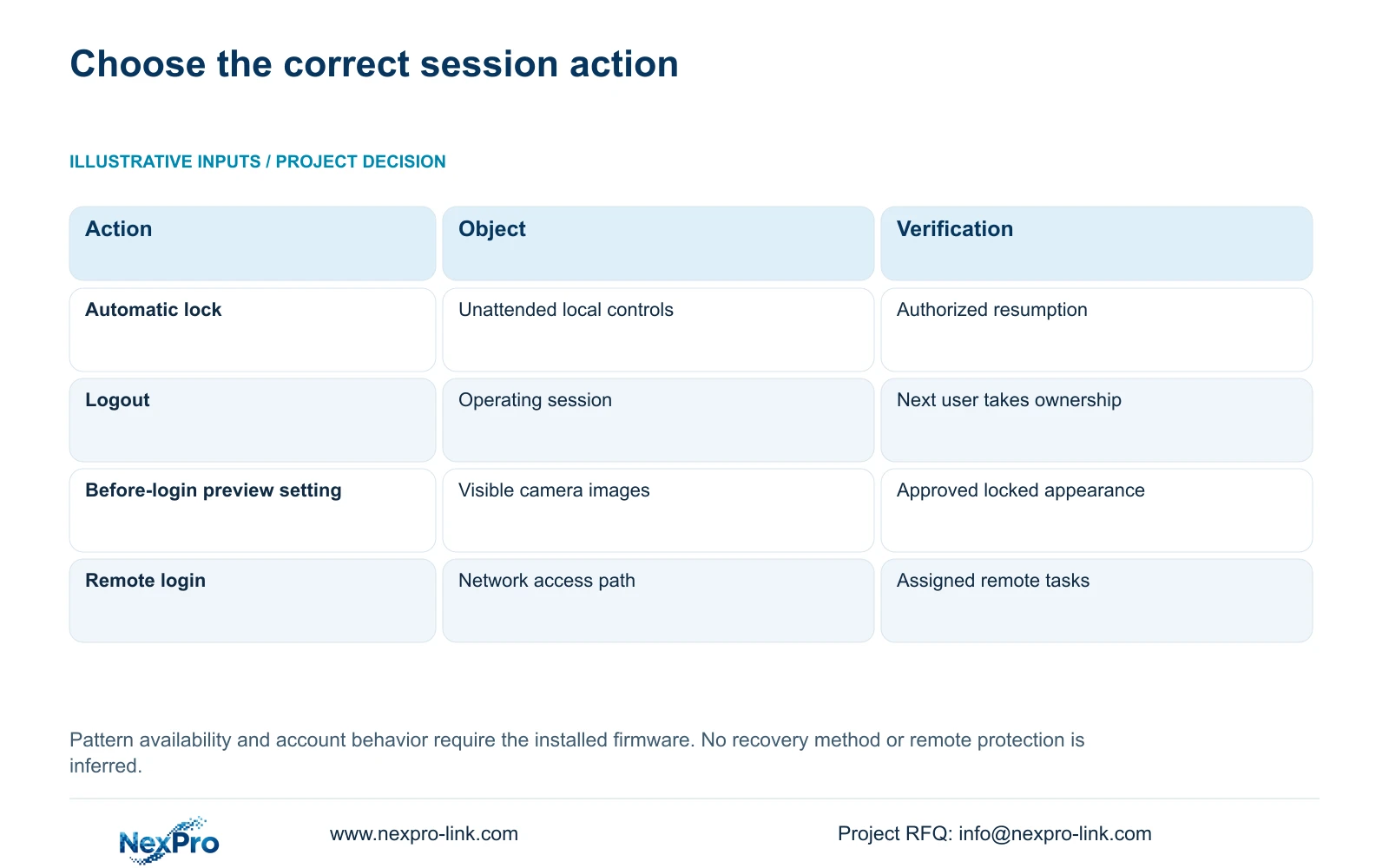
Stand at the normal operator position and any adjacent position from which other people can see the monitor. Observe the screen after automatic locking, then after logout. Record whether the expected camera views remain visible and whether that meets the room's agreed operating policy.
Section 4.12.5 includes an option to prohibit preview by users who are not logged in. Automatic locking and picture visibility therefore need independent acceptance. A control room may require ongoing situational awareness while controls are locked, whereas a desk accessible to visitors may require a different result.
If the pictures conflict with the approved policy, examine the visibility setting before altering account permissions. Change the relevant variable and repeat the observation. Retain a clear record of which session state was tested so the next shift does not interpret a login prompt as proof that all images are concealed.
Section 04
Reserve administration for controlled work
The supplied manual states that admin cannot be disabled or deleted and always retains all permissions. Daily desk operation should use appropriate separate accounts whose rights follow the actual shift duties. A convenient unlock method does not reduce the unrestricted administrator's authority.
Assign a responsible owner for administrative use and define when an operator should request assistance. For example, routine viewing and an authorized review task can be assigned separately from system configuration. Use the available permission fields and test the resulting account instead of treating its role name as proof of restriction.
If an operator repeatedly needs a prohibited task, review the job requirement with the owner. Do not resolve the issue by leaving the desk in an administrator session. Account creation and controlled ownership also do not, by themselves, establish compliance with an enterprise certification or access-control standard.
Section 05
Keep remote and camera credentials under their own owners
List the credential objects involved in the installation: local recorder users, the relevant network access accounts, camera connection credentials and any third-party cloud account. Treat them separately unless the exact product workflow establishes a relationship. A local unlock pattern should not be recorded as a replacement for those credentials.
Editing a channel's connection username and password authenticates the camera. It does not establish that every recorder user or remote application has changed. Keep a responsibility record showing who owns each object and which dependent connection needs attention after an approved change.
The record should contain ownership and change status, without plaintext passwords in the equipment schedule or a general project email. Seetong client tasks also require their own object identification: PC local recording and recorder disk footage are different storage destinations.
Section 06
Write a procedure that the next shift can repeat
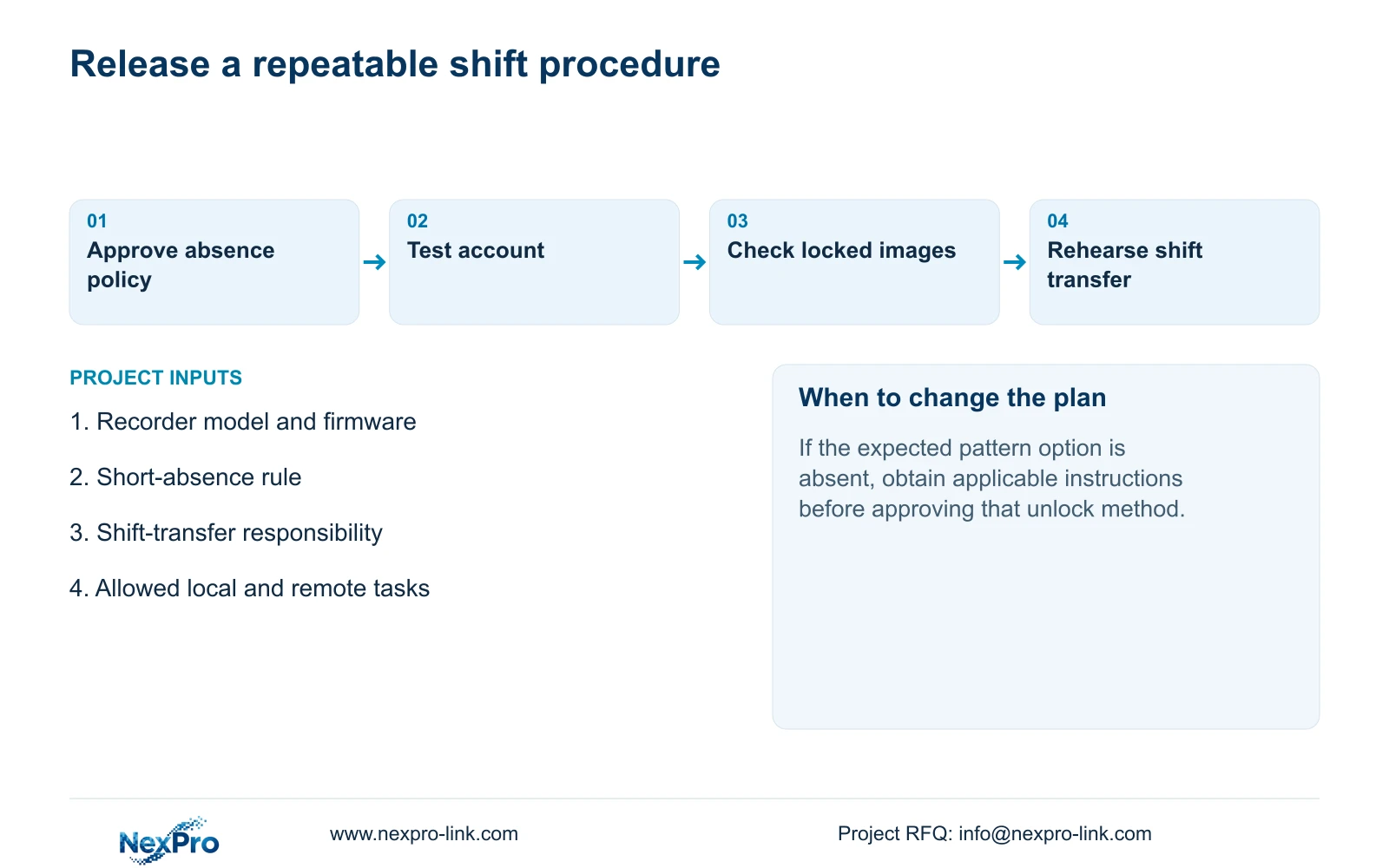
Illustrative project scenario: A control-room team shares a desk across shifts and wants it protected during short absences. The owner approves the unattended state and the local resumption method. Each shift then demonstrates the required account tasks without inheriting administrative ownership.
Keep the procedure short enough to use at the desk: identify the active account, use the approved session action, observe the required screen state, and have the returning or incoming operator resume through the authorized route. For a shift transfer, record unresolved operating issues and the responsible support contact.
Retain the recorder identity, applicable versions, configuration-backup location and maintenance responsibilities with the procedure. The owner should also be able to identify a channel, retrieve an agreed period and export a playable sample under the appropriate role. These checks connect the locking policy to usable recording rather than accepting the unlock screen alone.
The operating basis is the private supplied NVR4.0 user manual CH_V2.4.doc, with V2.2 in its body, particularly sections 4.1, 4.1.4, 4.1.5, 4.3.1, 4.12.1, 4.12.3 and 4.12.5. Handover recommendations extend the functions in sections 4.11 and 4.12.17 through 4.12.19.
Section 07
Does a local pattern secure remote playback?
That relationship is not established. Verify the remote account and its network playback permission separately.
Section 08
What if the expected pattern option is missing?
Record the model, firmware and missing option, then obtain the applicable instructions. Do not assume a hidden enrollment or recovery method.
Section 09
Define the shift-desk policy
Send NexPro-Link the required short-absence and shift-transfer behavior, with the recorder model and firmware, at info@nexpro-link.com.
Engineering references
These sources support the general planning principles. Always use the selected product's current datasheet and applicable project standards for final design.


