

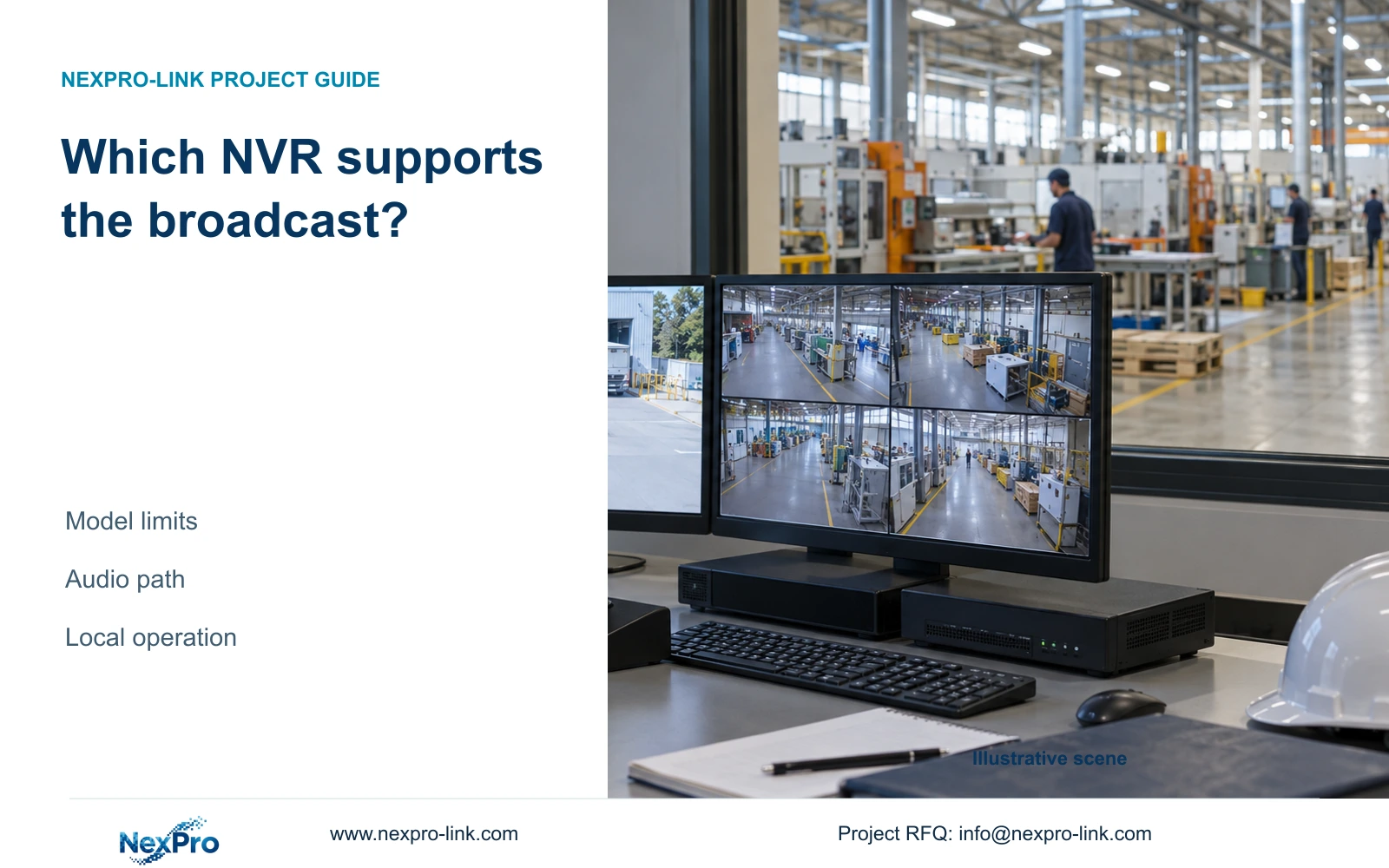
The supplied manual restricts documented talkback and broadcast functions by recorder model. Verify the complete local audio path before promising the same workflow at a factory and branch.
Section 01
Qualify each recorder for the broadcast task
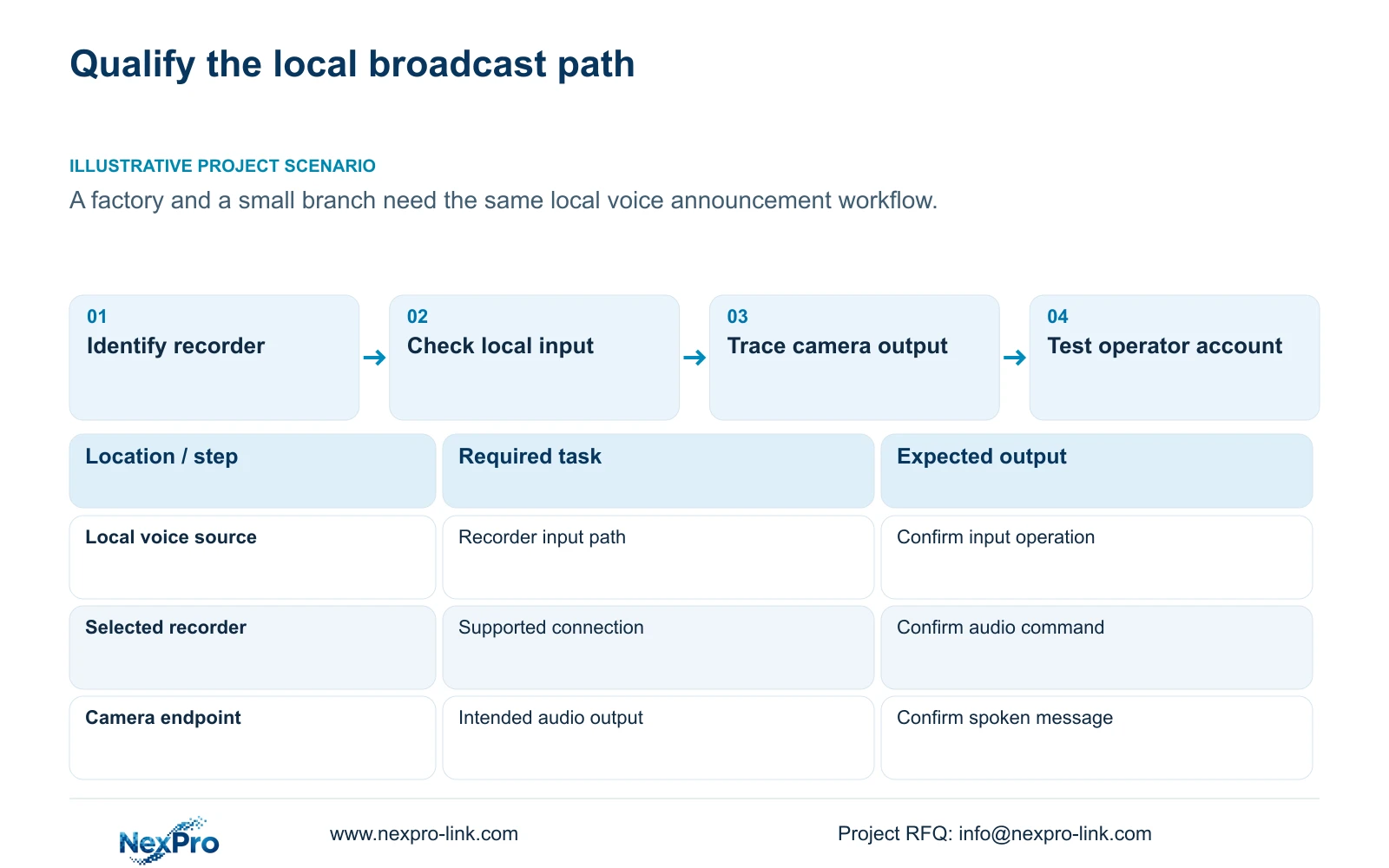
Approve a local voice-broadcast workflow only after checking the exact recorder, audio interfaces, camera capabilities, connection method and operating account. The supplied NVR4.0 manual restricts particular talkback and broadcast functions to stated models, with several descriptions referring to 32- or 36-channel units. Its model table also distinguishes supported and unsupported talkback rows. A small branch recorder cannot inherit the factory recorder's audio capability from a shared menu or family description. Verify the complete path from the local voice input to the intended camera-side output, then record which functions can genuinely be repeated at both sites and which require a different arrangement.
Begin the equipment schedule with a separate audio entry for each recorder. Include its model and applicable firmware, the intended local operating path, and the function being requested. Receiving live sound, speaking to a camera and broadcasting are different tasks. Mark each as documented, unsupported or requiring confirmation instead of using one broad audio checkbox.
The private operating source is NVR4.0 user manual CH_V2.4.doc; its body states V2.2. Sections 1.2 and 5.2 establish family and model scope, while 2.3.3 and 2.4.4 describe audio states. The manual does not establish a mapping from TS identities to NexPro-Link commercial SKUs.
Section 02
Check local interfaces against the model row
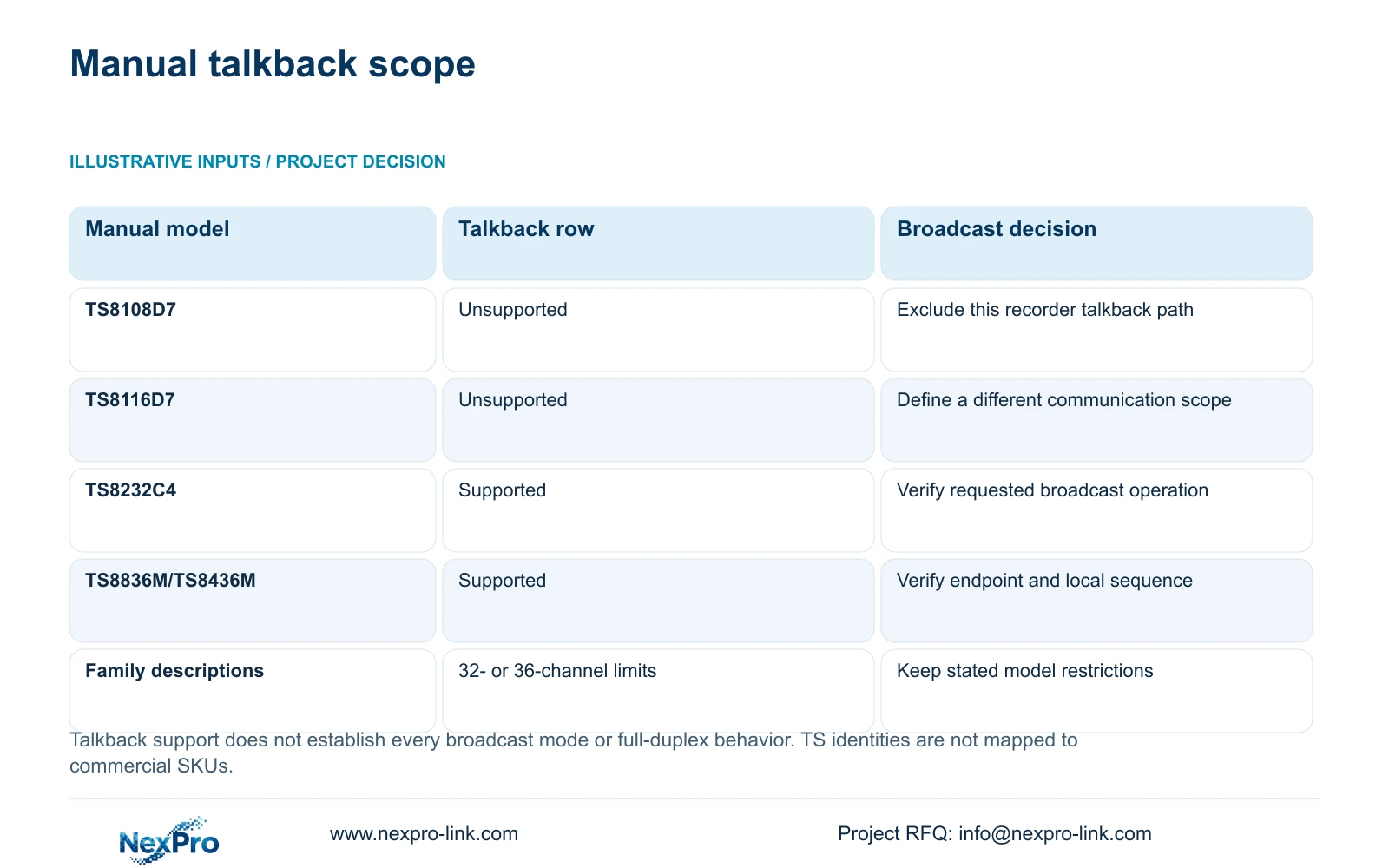
The appendix lists TS8108D7 and TS8116D7 without talkback support. TS8232C4 and TS8836M/TS8436M are listed with talkback support. Those entries are useful boundaries, but a supported talkback row still needs the requested broadcast path checked against the relevant instructions and equipment.
Inspect the identified recorder's local input and output arrangement using its applicable documentation. Describe which device supplies the operator's voice and where the intended listener receives it. Do not assume connector types or electrical requirements from a family illustration, and do not treat a visible socket as proof that every audio workflow is supported.
The status descriptions distinguish input waiting and output states. Preserve that distinction in the operating procedure. A camera advertised with two-way audio does not establish simultaneous full-duplex operation through every recorder, nor does it establish the same local broadcast procedure on a smaller model.
| Manual object | Supported evidence | Next action |
|---|---|---|
| TS8108D7 | Talkback listed as unsupported | Do not specify the documented recorder talkback path for this model. |
| TS8116D7 | Talkback listed as unsupported | Separate branch recording needs from its voice communication requirement. |
| TS8232C4 | Talkback listed as supported | Verify the requested local broadcast interfaces and camera path. |
| TS8836M/TS8436M | Talkback listed as supported | Check the actual model, firmware and operating sequence. |
| Family broadcast description | Several sections refer to 32- or 36-channel models | Apply the stated scope; do not extend it to every recorder. |
Section 03
Confirm the camera-side receiving path
For each intended endpoint, identify whether the camera has the audio capability needed for the selected task. Hearing sound from a camera proves a receiving observation at the operator position; it does not prove that the camera can reproduce an operator's announcement. Check the sending and receiving directions separately.
Test an identifiable spoken message on a selected camera before extending the proposed workflow to other endpoints. Have an authorized person confirm whether the intended output reproduces it. Record the camera identity and operating path with the observation. If the endpoint remains silent, keep source input, recorder operation and camera output as separate test branches.
Recording is another branch. Sections 4.4.6, 4.11.3 and 4.11.4 describe audio and playback functions, but successful live communication does not establish that speech was stored. If recorded audio is required, verify the relevant recording and export separately. Enabling audio later cannot restore sound missing from an earlier file.
Section 04
Match the connection and client to the operation
Record the camera connection method and test the audio command on that path. Basic video can work while another function is unavailable. The recorder can use only operations that the camera and connection expose and accept, so a successful live picture is insufficient evidence for a broadcast requirement.
Use the public ONVIF Profiles reference to discuss function scope without converting a protocol label into a universal interoperability promise. For a third-party camera, obtain the applicable evidence and demonstrate the requested audio operation. A grey control should prompt a capability, permission or interface check before a hardware diagnosis.
Keep recorder-local operation separate from a Seetong PC workflow. A client function does not automatically exist in the NVR local interface. Likewise, a PC-local recording is a different storage object from footage held on recorder disks. Specify which path the operator will actually use during an announcement.
Section 05
Validate the actual operator account
Section 4.12.3 separates local and network permissions and distinguishes preview, playback, settings and other tasks. Test the intended broadcast operation with the assigned operator account on the intended interface. An administrator's demonstration does not establish that the branch operator can repeat it.
Include an allowed task and a task that the account should be denied. This checks both usability and the intended access boundary. A successful local preview does not prove remote playback rights. The manual's remote-upgrade permission description is inconsistent, so it should not be used to infer unrelated permission behavior.
If the required operation fails, record the account role and observable result without sharing credentials. Compare the same camera and connection under the approved test arrangement. Do not solve a restricted workflow by granting broad access unrelated to the operator's duties.
Section 06
Document differences between the factory and branch
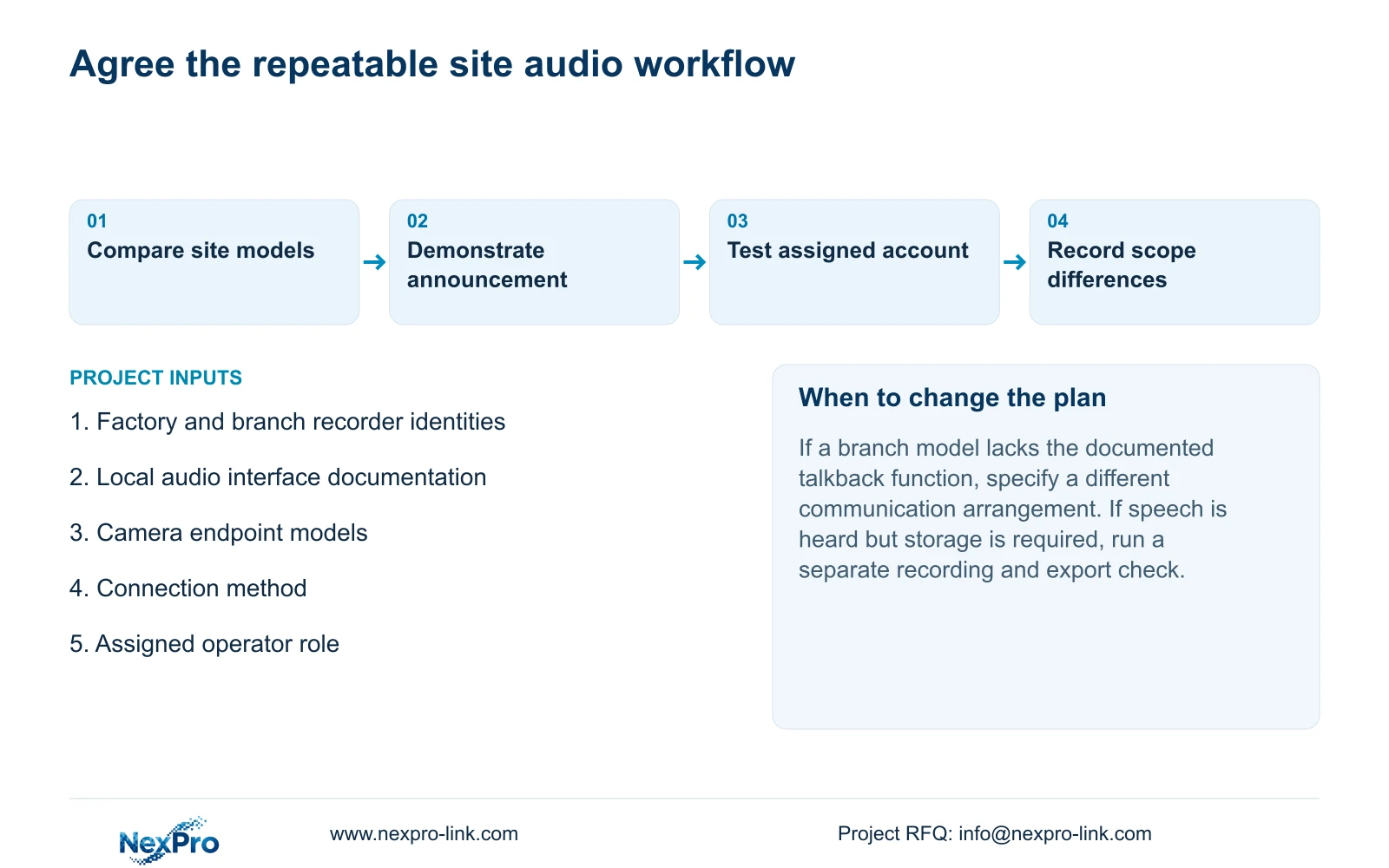
Illustrative project scenario: An integrator wants the same local voice-broadcast workflow at a large factory and a small branch. The factory and branch recorder identities are checked separately. A supported factory demonstration cannot qualify an unsupported branch model, even if both show similar controls.
The resulting proposal should identify the shared recording tasks and any different voice communication arrangement. Where the branch path lacks support, retain that difference in the BOQ and acceptance scope. Do not conceal it behind a general two-way-audio description or assume a recorder replacement is automatically necessary.
NexPro-Link's BOQ and tender support provides a project discussion route for this model-specific scope. The useful deliverable is a recorder and endpoint schedule tied to the required announcement task, with unresolved functions identified before ordering.
Section 07
Does a supported talkback row prove every broadcast function?
No. It establishes the listed model capability. Confirm the particular broadcast operation, interfaces, camera endpoints and applicable firmware before adding that workflow to the specification.
Section 08
Does an audible announcement prove that it was recorded?
No. Check the recording source, playback audio and an actual exported segment if stored sound forms part of the project requirement.
Section 09
Request a model-specific audio comparison
Send the factory and branch recorder models and the intended camera-side announcement path to info@nexpro-link.com so NexPro-Link can discuss the relevant equipment scope.
Engineering references
These sources support the general planning principles. Always use the selected product's current datasheet and applicable project standards for final design.


