

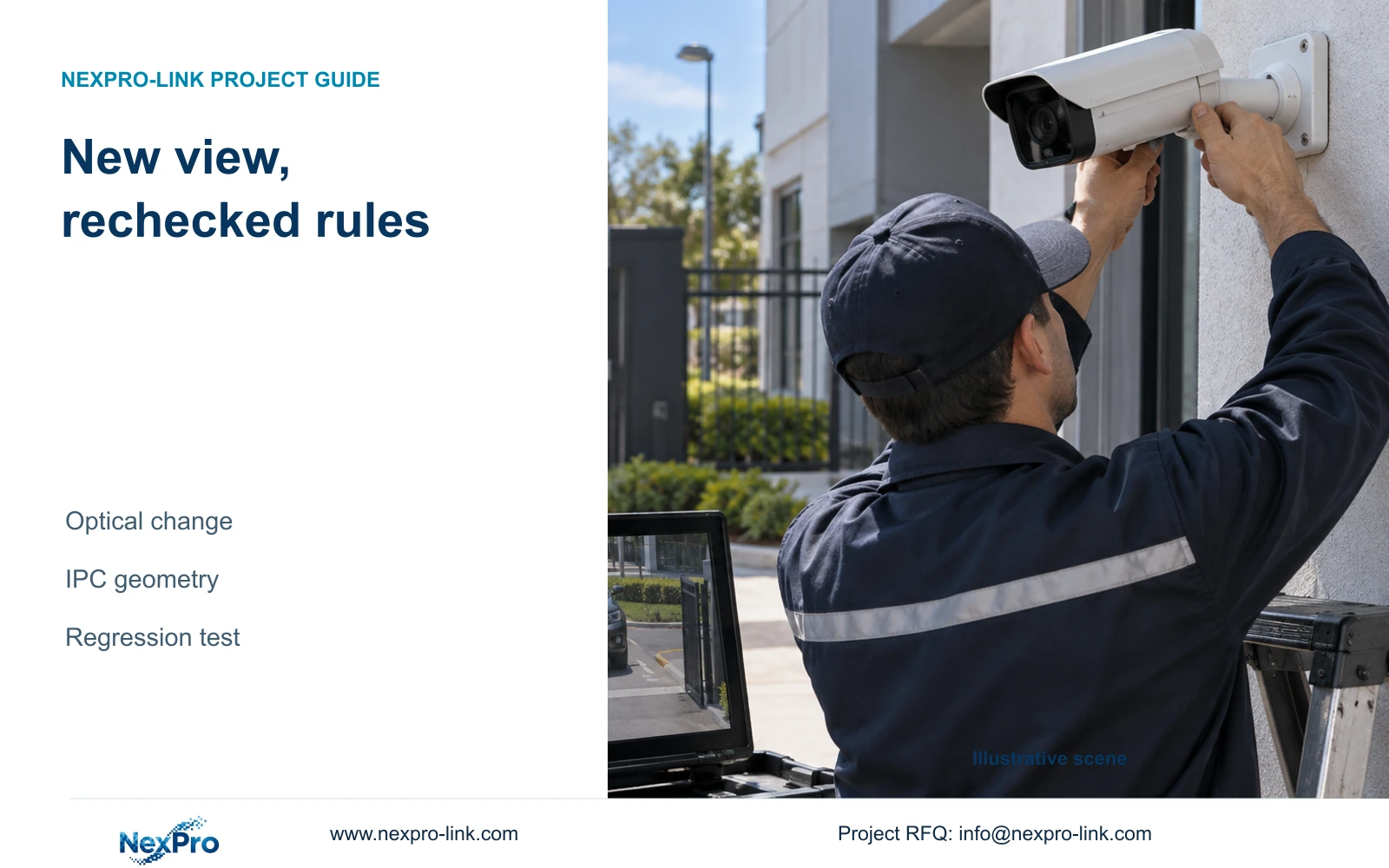
A sharper entrance view can leave an accepted crossing rule misplaced. Record the image change, remap the physical boundary and retest notification and footage.
Section 01
Recheck the protected route in the revised view
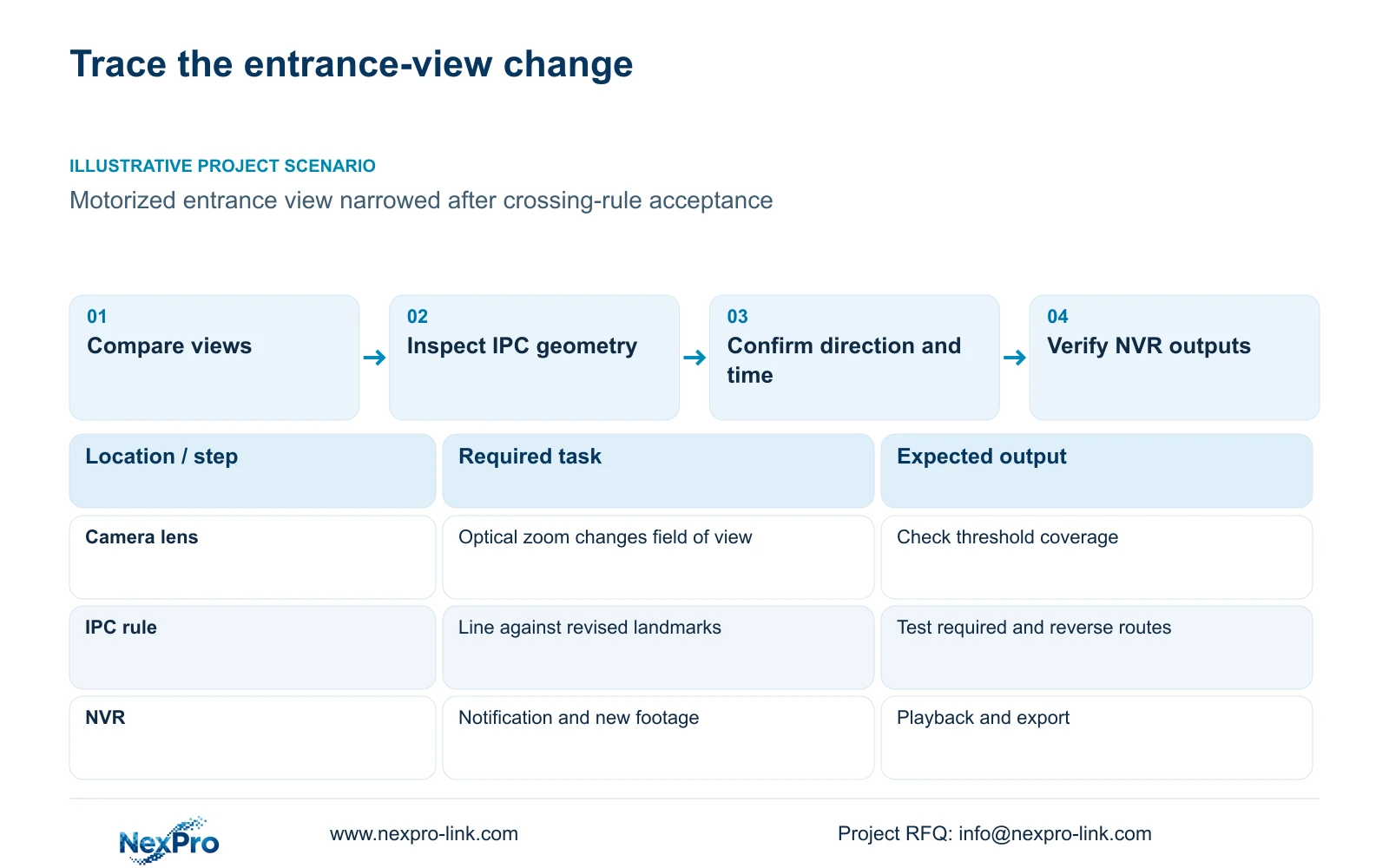
After a camera moves or optical zoom changes its field of view, recheck the intrusion region or crossing line against the physical route before accepting the new image. Record what changed, distinguish camera movement from lens adjustment and electronic enlargement, then inspect the applicable IPC geometry. Confirm direction and arming, trigger an approved test and verify the recorder's required outputs. A clearer entrance image can coexist with a rule that no longer covers the agreed threshold. Acceptance therefore needs both usable framing and a working event task. Keep the earlier configuration record available so the team can identify the changed variable and any unresolved result.
This guide follows the supplied private NVR4.0 user manual CH_V2.4.doc, with V2.2 in its body. Sections 4.4.3 and 4.10 distinguish capture and PTZ controls; section 4.12.15 covers analytic geometry and display. Sections 4.11 and 4.12.17 through 4.12.20 support the post-change operating checks. Use section references before page numbers.
Record the affected channel and compare the view before and after adjustment using recognizable entrance landmarks. State whether the doorway edges, approach route or protected threshold moved within the image. The comparison should explain the effect on coverage, not merely report that the picture looks better.
Section 02
Identify the control that changed the scene
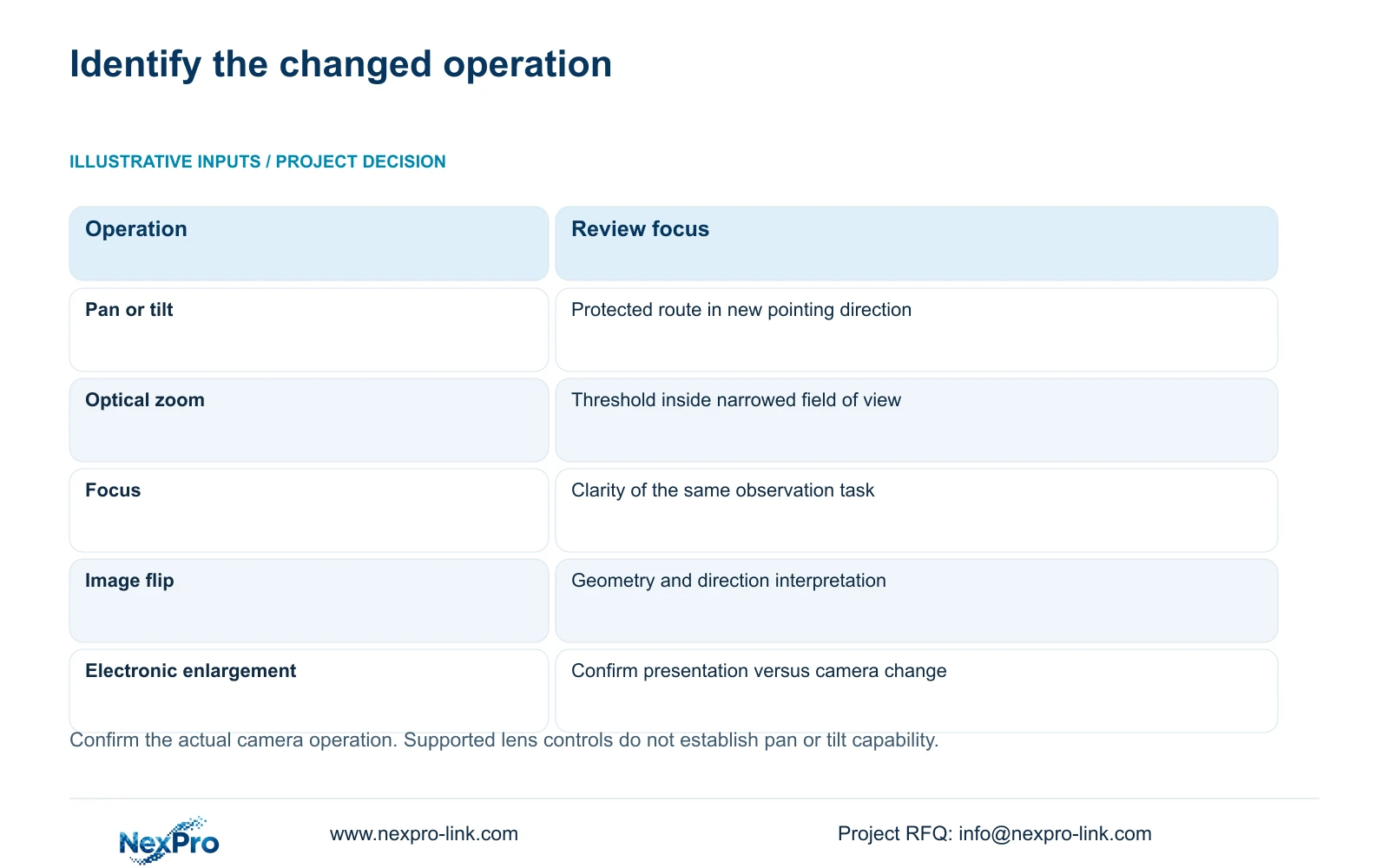
Physical pan or tilt changes where the camera points. Optical zoom changes its field of view, while focus adjusts image clarity. Electronic enlargement is a separate viewing capability and must not be recorded as proof that the camera physically moved or optically zoomed. Check the actual operation used before deciding which geometry needs review.
Section 4.10 requires an IPC that supports PTZ configuration. A fixed motorized-varifocal camera may expose zoom and focus without pan or tilt. Visible PTZ buttons do not establish those missing movements. Confirm the selected camera and protocol support each requested operation.
Section 4.4.3 lists brightness, saturation, sharpness, contrast, image flips and supported processing modes, including digital wide dynamic range, starlight and corridor mode. These are camera capture controls, separate from monitor-output adjustment. When investigating a changed image, identify the specific supported control and avoid adding several adjustments before retesting.
| Change | Question to resolve | Next check |
|---|---|---|
| Physical camera movement | Does the view still cover the protected route? | Remap region or line to site landmarks |
| Optical zoom adjustment | Does the narrowed view retain the required threshold? | Inspect boundary coverage and repeat crossings |
| Image flip or framing-related capture change | Are geometry and direction still interpreted correctly? | Compare the current view with the accepted route |
| Electronic enlargement | Was only the viewing presentation changed? | Confirm the operation before revising camera geometry |
Section 03
Reconnect the IPC geometry to the site boundary
Open the applicable analytics Front-end Settings and inspect the region or line against the revised image. The manual's workflow configures camera-side geometry after recorder-side enablement. Keeping the NVR checkbox enabled does not establish that the camera boundary still covers the intended route.
Use the original operating requirement to decide whether the rule can remain. If the threshold still matches the configured line and the required approach remains visible, verify it through testing. If the region or line now represents another part of the entrance, revise it against the current view before acceptance.
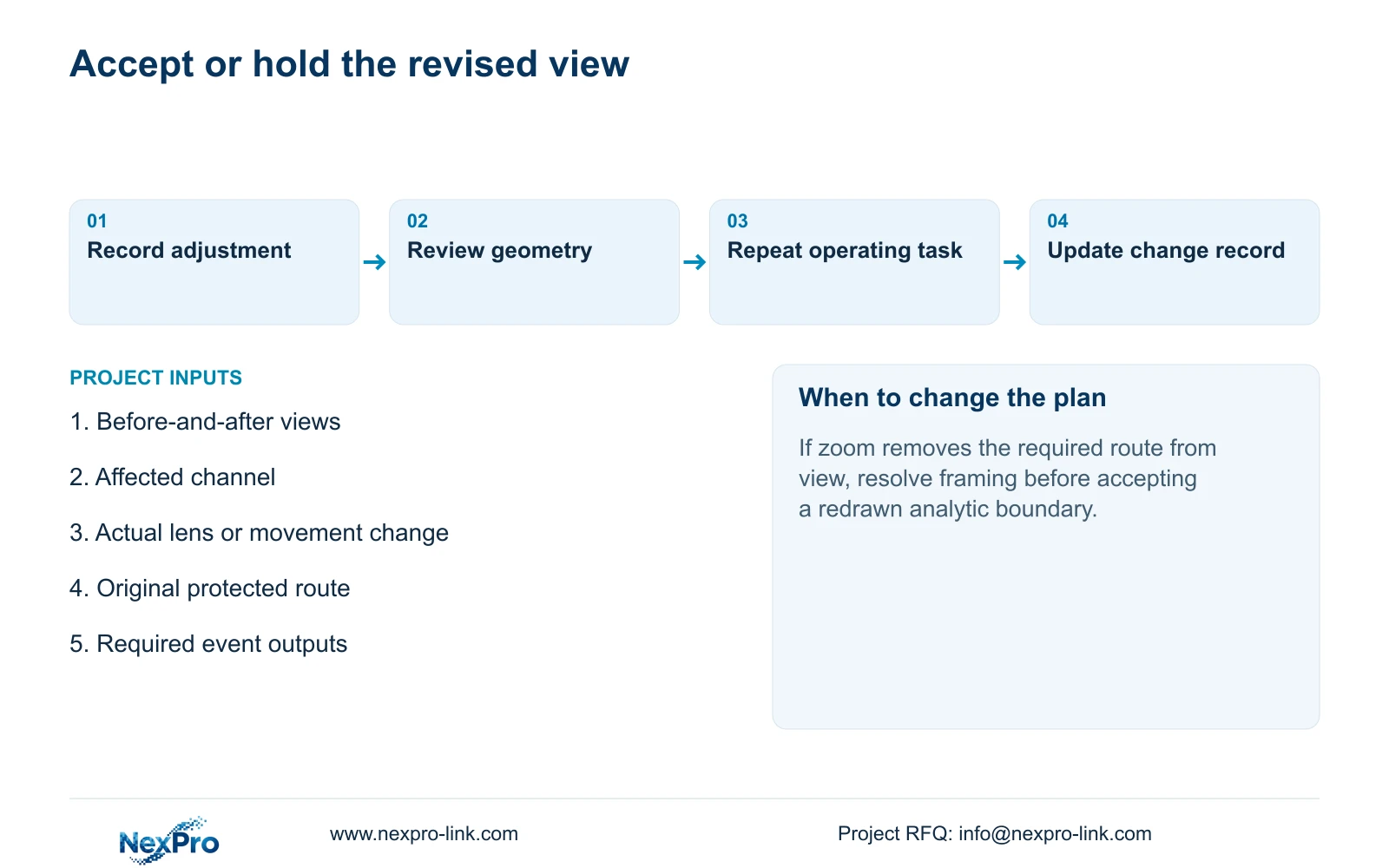
If zoom has removed the required route from the view, drawing a new line elsewhere cannot restore that coverage. Resolve the framing requirement with the responsible engineer. A change intended to improve detail should not silently abandon a previously accepted detection task.
Section 04
Confirm direction and the required trigger period
The manual distinguishes entry, exit and both for area intrusion, and one-way or two-way for line crossing. Interpret each choice against the revised physical view. After movement or an image flip, check the route using named site destinations so the displayed direction is not mistaken for a successful field result.
Reconfirm the required trigger period as part of the review. A route test outside the applicable arming period cannot demonstrate the expected armed response. Preserve the agreed period unless the owner has requested a timing change; the purpose of this review is to validate the image change without quietly altering the operating brief.
Test movement that should alarm and movement that should remain excluded. Record a failure by its observed layer: route coverage, event response, notification or recording. This gives the next correction a defined target instead of making every failed test a reason to redraw the region.
Section 05
Use warning lines to inspect geometry
Section 4.12.15 treats recognition-frame and warning-line display as controls separate from event enablement, direction, timing and actions. Displaying the revised boundary helps the team compare it with the entrance. It does not prove that the camera generated an event or that the NVR executed a response.
Keep separate observations for the visible drawing, the controlled movement and the resulting outputs. If the overlay is convincing but no required response occurs, inspect the active camera rule and applicable recorder linkage. If the response occurs on the wrong route, revisit the geometry and direction.
Do not infer human identification, vehicle classification or a plate database from an overlay or directional trigger. The post-change acceptance scope remains the particular intrusion or crossing task the equipment supports.
Section 06
Repeat the operating task and update the change record
Check live view and the correct time, then produce a known interval of new footage during the controlled route test. Verify the required notification at its intended destination and retrieve the recording from the affected channel. Export a suitable sample and confirm it plays on another device.
Also check relevant older footage, the intended accounts and any event functions included in the accepted task. This is an engineering regression workflow around the manual's operating functions. Network online status or a clear image cannot substitute for those results.
Update the record with the actual adjustment, revised geometry if any, test routes and unresolved outputs. If the new view fails the required coverage or event task, obtain the next supported action from the supplier or responsible engineer. Do not assume the recorder has an automatic rollback mechanism, and do not mark the change accepted while a required result remains unverified.
Section 07
Review a narrowed motorized entrance view
Illustrative project scenario: An installer narrows a motorized entrance view after the original crossing rule was accepted. The review identifies optical zoom as the change, compares the threshold and approach route with the previous view, and checks the camera-side line. Direction and timing remain tied to the original requirement. Fresh notification, playback and export checks determine whether the revised view is acceptable; no successful result is assumed.
Section 08
Does motorized zoom mean the camera can pan and tilt?
No. Lens controls and physical movement are separate capabilities. Confirm supported operations on the exact IPC and connection before assigning a PTZ movement task.
Section 09
Review the changed entrance coverage
Send NexPro-Link redacted before-and-after views with the protected route marked and the actual adjustment identified at info@nexpro-link.com.
Engineering references
These sources support the general planning principles. Always use the selected product's current datasheet and applicable project standards for final design.


