

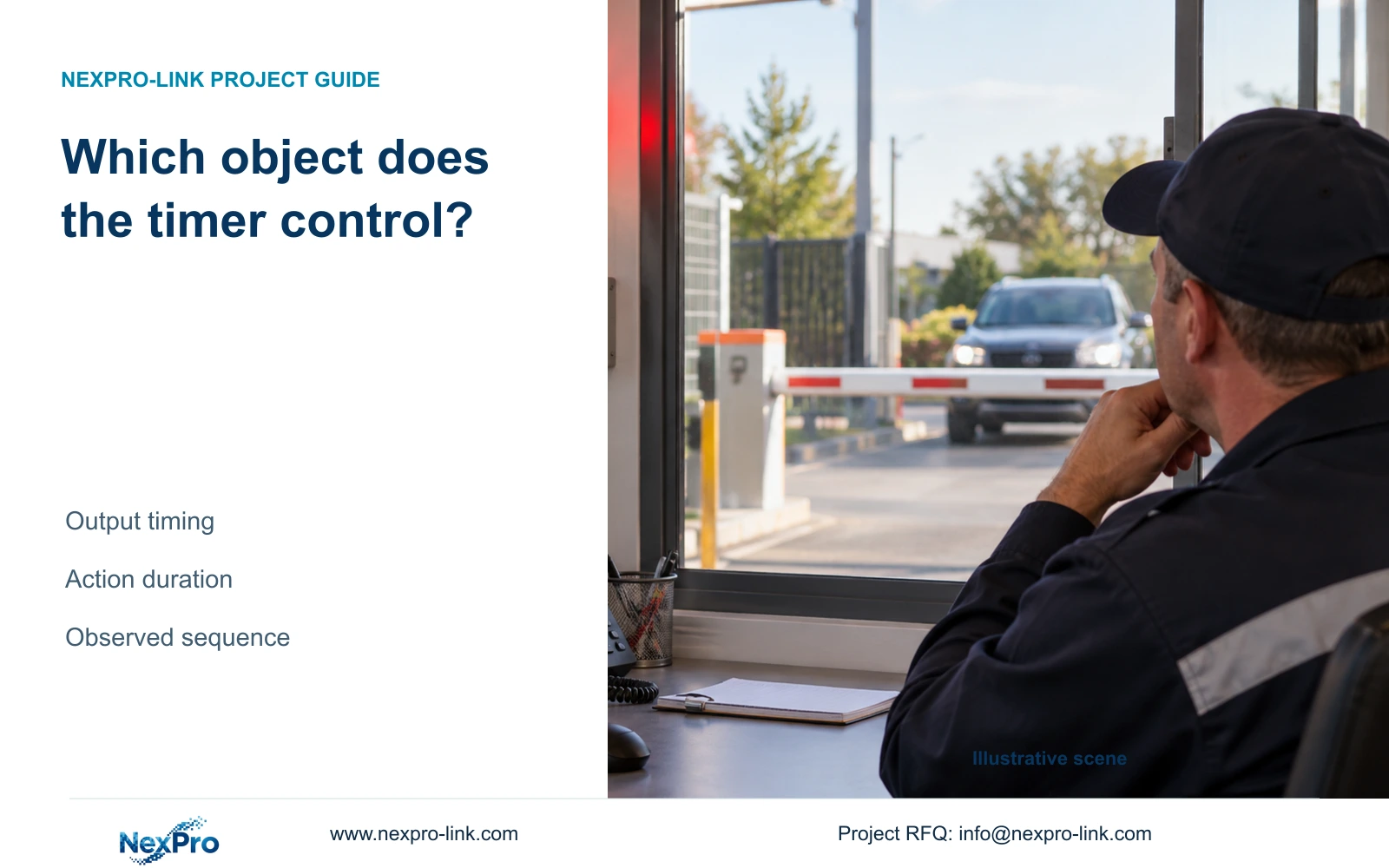
Identify the object controlled by each alarm timer before changing it. Use a contact-to-indicator timeline and separate checks for recording and notifications.
Section 01
Locate the timer on the contact-to-indicator timeline
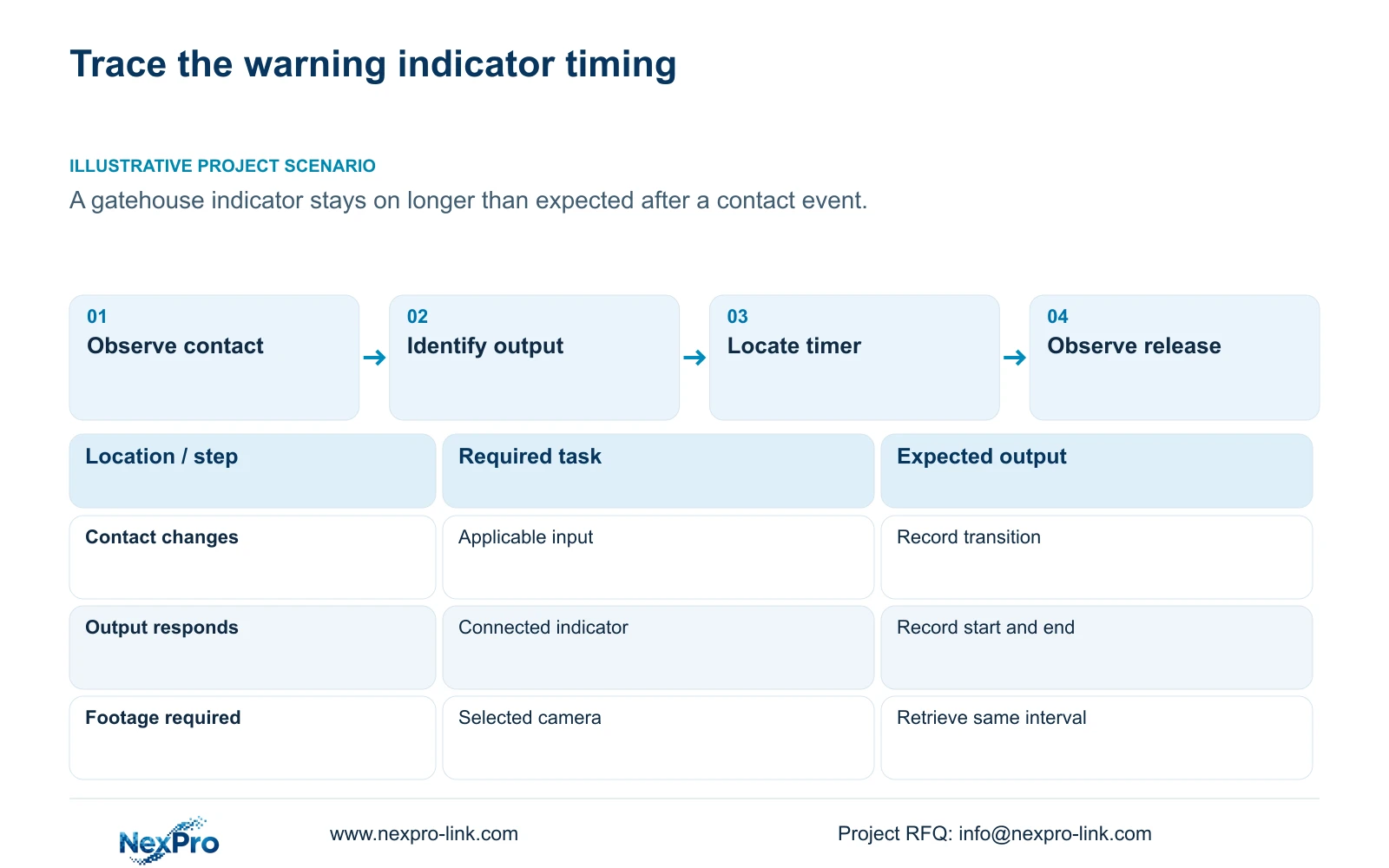
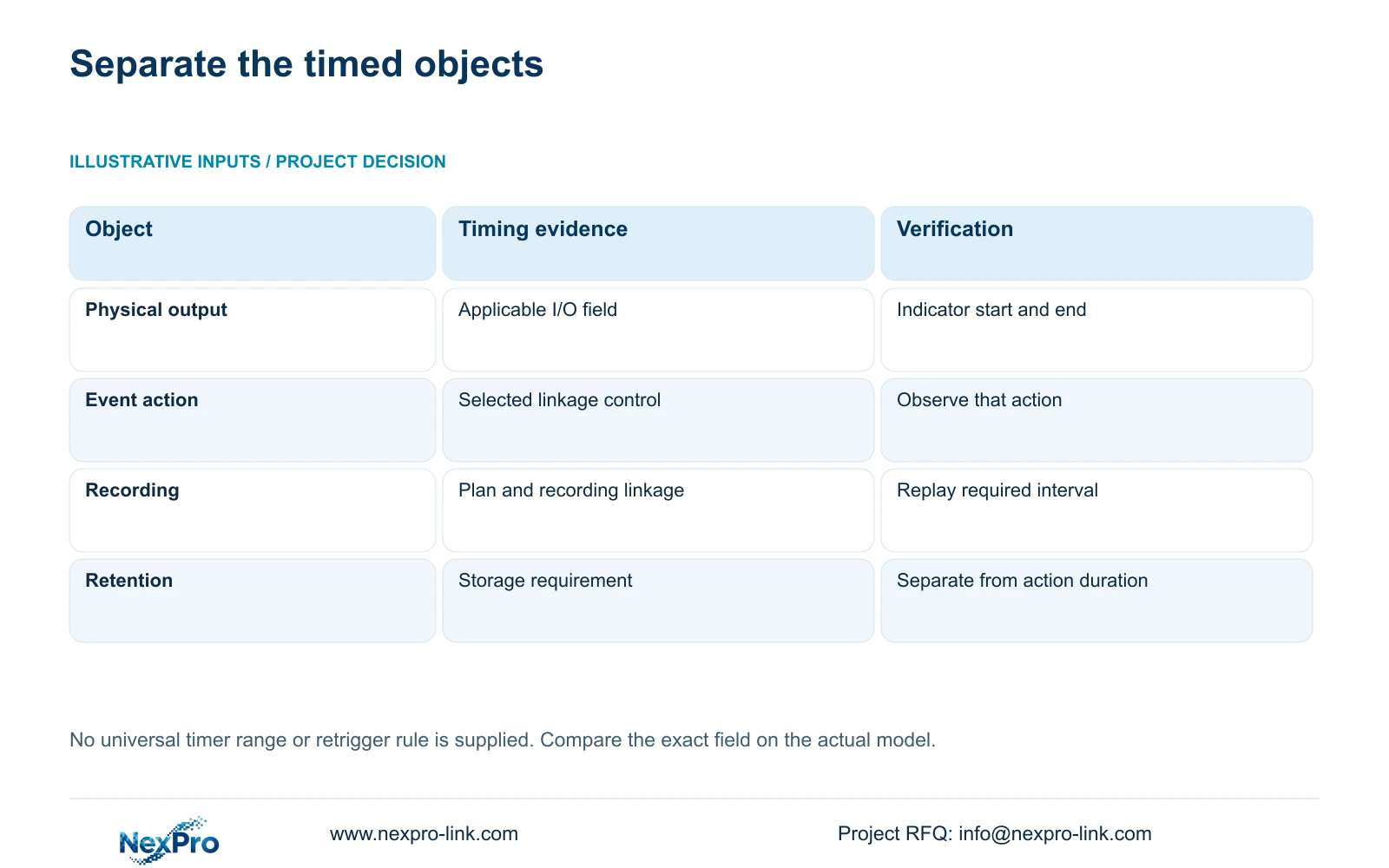
Identify which object an alarm timer controls before changing its value. The I/O output page and event-linkage page describe different timing controls, while recording has its own arrangement. For an indicator that remains on too long, record the contact's change and return, the output's observed response, and the indicator's start and end. Compare those observations with the exact field and applicable device instructions. The word delay alone does not establish whether a field affects activation, release or another part of the response. Confirm its behavior on the selected model instead of assuming that every alarm duration setting controls the physical indicator.
Trace the input owner first. Local I/O enters the recorder's applicable physical input; IPC I/O originates at a supporting camera. Keep the input identifier, output identifier and video channel separate when drawing the path.
The private NVR4.0 user manual CH_V2.4.doc has V2.2 in its body. Sections 4.12.13 and 4.12.14 cover I/O, and section 4.12.11 covers event actions. Section references take priority over page numbers. This guide supplies an observation workflow without inventing timer ranges or undocumented retrigger behavior.
Section 02
Check the contact and connected load before testing
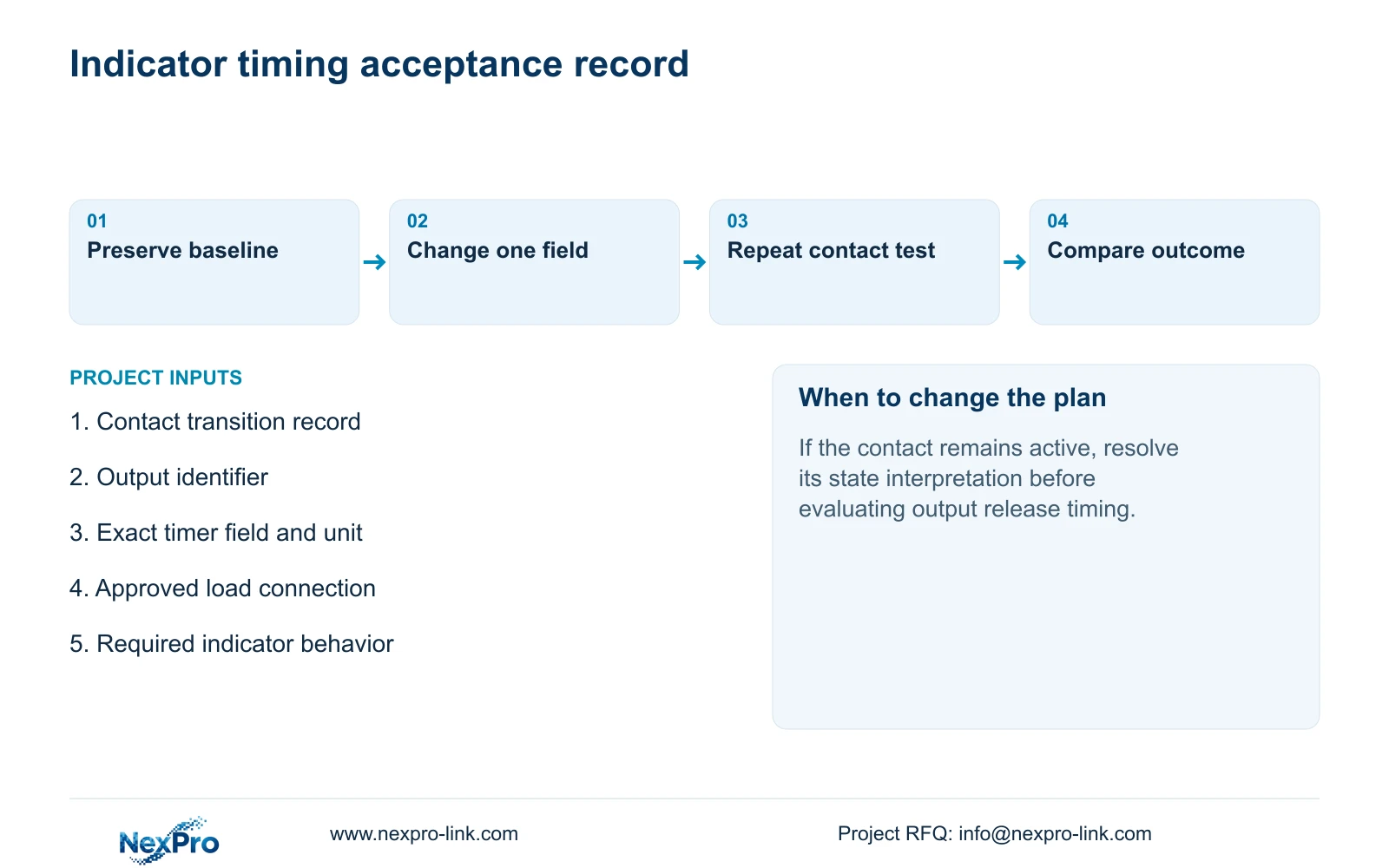
Confirm the approved normal and triggered contact states, then compare them with the NO or NC selection described in section 4.12.13. An input interpreted as continuously active can complicate the timing observation. Resolve that state mismatch before attributing a long indication to a duration field.
Have qualified site personnel check the actual output interface and indicator load against equipment documentation. The supplied manual does not provide every electrical rating or wiring design. A visible output menu cannot approve a powered indicator or lock connection.
If load compatibility is unknown, stop the physical test and obtain the missing information. Keep the timing investigation focused on an approved connection. Changing an electrical arrangement and a software timer together would make the result difficult to interpret.
Section 03
Record the field, page and action it affects
Before editing, record the exact timer label, its page, the selected output or action and the current setting with its displayed unit. Write the operator's expected indicator behavior separately. This exposes a common mismatch: the desired physical-output change is being attempted through an unrelated event action.
Section 4.12.11 lists popup, flashing border, buzzer, email, snapshot, screenshot sending, preset call, recording and app push separately. Their appearance in an event configuration does not make their timing interchangeable. Keep footage retention outside this comparison.
If the field's meaning remains unclear, obtain the applicable device instructions before choosing a value. Once its scope is known, change only that field through an authorised configuration process and repeat the same approved contact event.
| Observation | Check first | Avoid assuming |
|---|---|---|
| Indicator starts later than expected | Applicable output field and observed activation | Every delay field delays activation |
| Indicator remains on after contact returns | Input state, output field and observed release | The event-action timer owns the indicator |
| Popup ends while indicator stays on | Separate action and physical-output settings | All alarm effects share one timer |
| Indicator behaves correctly but footage is missing | Recording linkage, plan and retrieval | Output timing proves recording |
Section 04
Keep arming and recording conditions consistent
Compare timing under the same input logic, arming period and selected linkage. If one test occurs inside the armed period and another outside it, the difference may concern event availability rather than the changed timer.
Sections 4.11.1 and 4.12.11 distinguish recording plans from alarm enablement and arming. Check the relevant camera plan when footage is required, but do not alter it merely to shorten the warning indication. The indicator and recording outcomes need separate acceptance criteria.
Document whether the contact returned to its normal state and whether further events occurred during the observation. Those facts matter to interpretation, but the supplied material does not establish a universal rule for timer extension or retriggering. Use the observed sequence to request the correct model-specific explanation.
Section 05
Observe start and end times and preserve the log context
Record the contact transition, contact return, indicator activation and indicator release using the same observation reference. Include the selected configuration and the test conditions beside those observations. A statement that the lamp stayed on too long lacks the sequence needed to locate the discrepancy.
Section 4.12.17 describes a default current-day log search and type filtering. Check those filters before concluding that no related record exists. The manual also describes querying all logs when the date condition is not selected, viewing details and exporting text.
Use relevant log entries to support the event context. They do not necessarily contain every physical indicator transition, so retain the direct observation record as well. Text export does not establish unlimited retention, tamper-proof auditing or legal certification.
Preserve the original timing record and configuration before further changes. That allows the revised response to be compared with the baseline without relying on the operator's memory.
Section 06
Accept indicator behavior and footage as separate results
Acceptance should describe the required indicator start and end behavior, the conditions under which it was tested and the observed result. A screenshot of a timer field proves only the displayed configuration.
Where the door task also requires footage, identify the camera, observe recording status during a known interval, retrieve that interval and export it for playback on another device. Sections 4.3, 4.11 and 4.12.21 support this engineering workflow. A correct warning indication cannot substitute for usable recording.
Illustrative project scenario: A gatehouse warning indicator stays on longer than the operator expected after a contact event. Confirm that the input returned to normal, identify the physical output and inspect its applicable timing field. Keep the armed conditions unchanged during the next test. If the discrepancy persists, retain the event sequence and exact field details for model-specific review.
Section 07
Can the field name alone explain a long indication?
No. Confirm the controlled object, applicable instructions and observed sequence. The supplied source does not establish one universal activation, release or retrigger rule for every model.
Section 08
Provide the observed timing sequence
Send NexPro-Link the contact-to-indicator sequence and exact timer field, page, unit and recorder model at info@nexpro-link.com for a focused timing-scope review.
Engineering references
These sources support the general planning principles. Always use the selected product's current datasheet and applicable project standards for final design.


