

An alarm acceptance record connects a defined event to its armed conditions and observable outputs. Test expected and unwanted responses separately, then verify recorded footage and a playable export before handover.
Section 01
Define observable pass conditions for each alarm
Accept an NVR alarm system by defining the event, its enabled and armed conditions, and the outputs the operator must actually observe. For motion and video loss, test both a condition that should trigger the agreed response and a condition that should not. Observe popup, sound and remote notifications separately, then retrieve any required footage and verify an export on the receiving system. A selected checkbox or completed backup indicator is insufficient evidence for those tasks. Keep the tested recorder and camera identities with the results, restore any temporary controls, and hand over unresolved items with a responsible owner and a specific retest action.
Choose motion and video loss as separate test objects. Motion involves a configured detection area and period; video loss reports a missing expected picture. Their causes and acceptance observations differ, even when both use an alarm interface.
Section 02
Specify the motion event and its negative test
Section 4.12.11 separates enablement, arming period, detection area and linkage. Record the channel, configured area and test time before the approved movement occurs. The positive test should use movement inside the intended area during the required armed period. Its pass condition names the required action, not merely the presence of movement on screen.
Add a negative test tied to the configured rule, such as movement outside the selected area or a test outside the intended armed period. Decide in advance which alarm response should remain absent. Check recording separately because another recording policy may still produce footage when that alarm response is not required.
Ordinary motion detection does not establish human or vehicle classification. Do not turn a sensitivity value into an accuracy claim. If the negative test produces an unwanted response, inspect the applicable area or period and repeat the same test after a controlled correction.
Section 03
Approve a scoped video-loss simulation
Section 4.12.12 describes loss of expected video, not a root-cause diagnosis. For acceptance, agree a controlled interruption on an identified camera path with the responsible site team. Record the intended channel, permitted window, restoration owner and stop condition. Confirm that the chosen interruption will not unexpectedly remove a shared group needed for normal monitoring.
Preserve relevant records before the simulation and protect any footage required during the interruption. Do not stop a running recorder simply to prove one camera-loss alarm. If the approved method requires recorder stopping, obtain explicit authority, preserve required accessible data and arrange the interruption using its applicable procedure.
After restoring the path, check the picture and newly produced footage. The loss period may contain a recording gap; acceptance should not imply that an alarm can recover video the recorder never received.
Section 04
Write each output beside its observation point
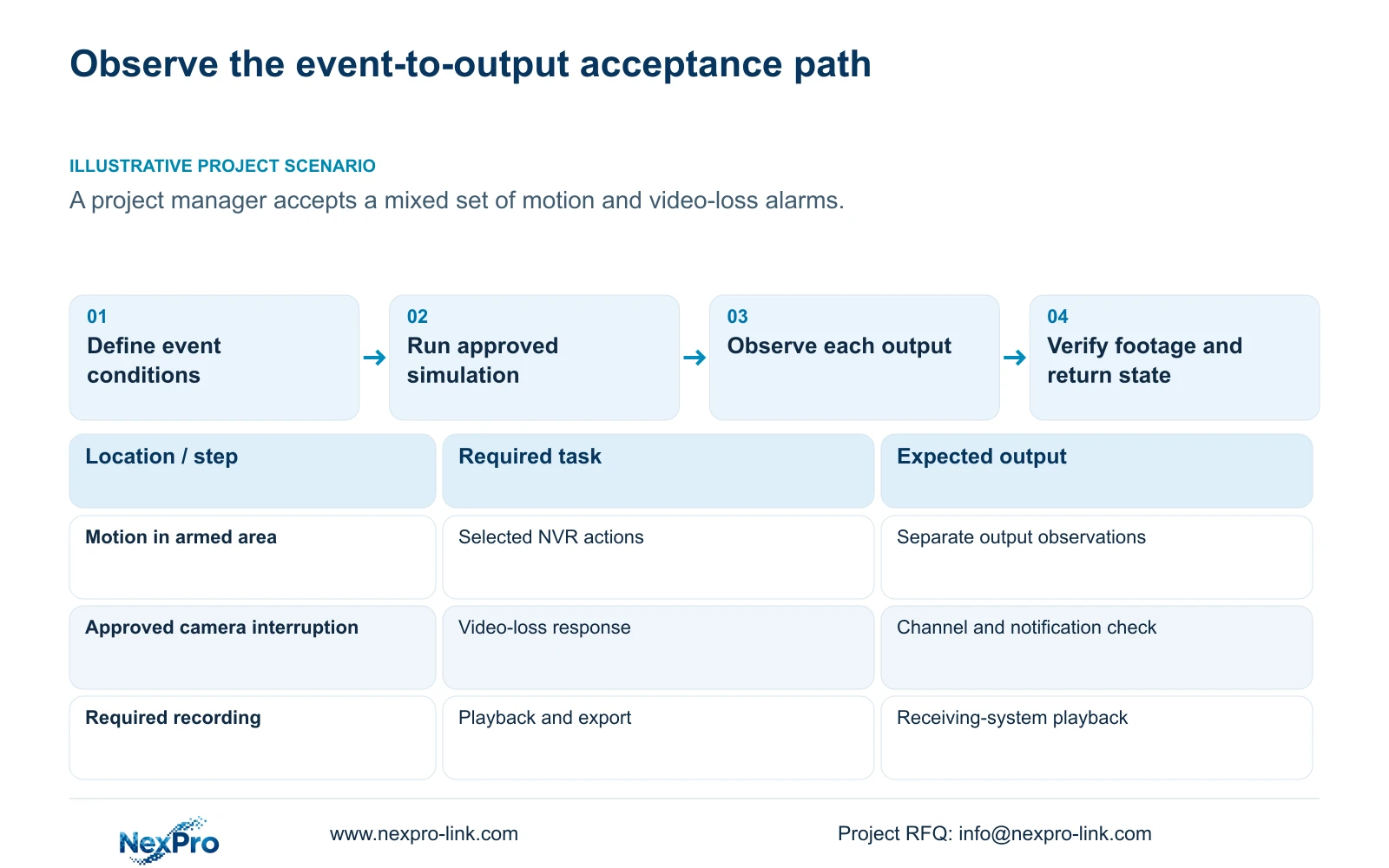
The manual lists popup, border flashing, buzzer, email, screenshot sending, snapshot, preset call, recording and app push as distinct actions. Include only the applicable required actions in the acceptance sheet. Specify where the observer checks each one: the recorder display, local audible position, intended recipient or recording timeline.
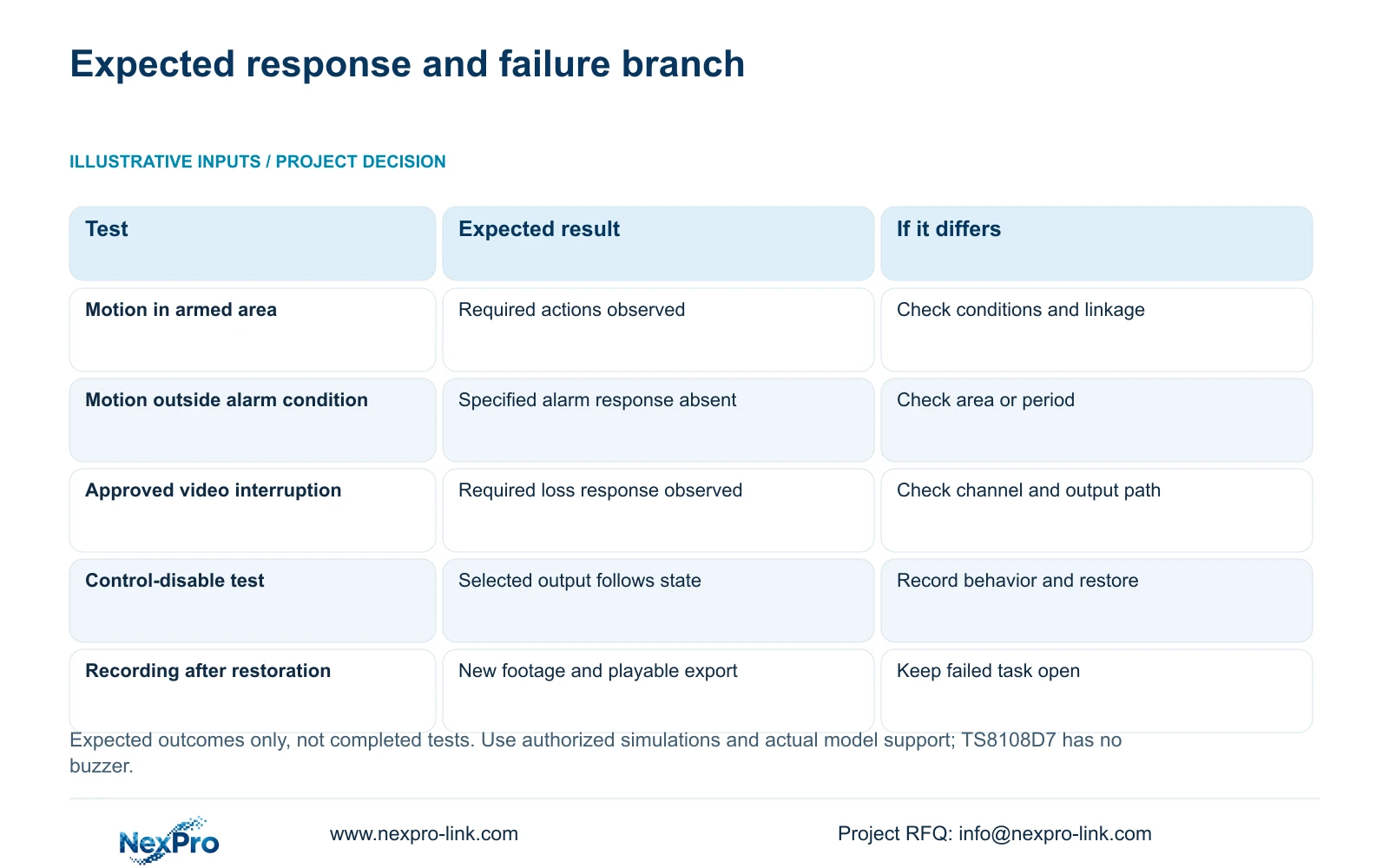
The populated matrix below defines useful test branches. It is an illustrative procedure with expected outcomes, not a completed site test. During commissioning, attach actual observations and failure details to each applicable row.
| Test condition | Expected result | Verification or failure branch |
|---|---|---|
| Motion inside the configured area and armed period | Selected motion actions occur | Observe each output; inspect missing linkage separately |
| Motion outside the intended alarm condition | The specified motion alarm response remains absent | If it appears, check the area or period and repeat |
| Approved interruption of the selected camera path | The required video-loss response occurs | Identify the affected channel and observe its selected notification |
| Controlled output-disable test | The selected output follows its applicable disabled state | Record actual behavior, restore the control and repeat the positive test |
| Path restored and recording required | New footage is retrievable and the export plays | If live view alone returns, keep recording acceptance open |
Section 05
Test common and event controls without widening the outage
Inspect the global alarm and buzzer controls in section 4.12.16 and the selected event's linkage. When testing their interaction, change one applicable control at a time under an approved test window. Record which response should be suppressed, what actually happens and the state restored afterward.
A global test can affect unrelated alarms. If that exposure is unacceptable on the operating system, arrange a suitable isolated demonstration or record the test as outstanding. Do not leave common alarms closed when testing finishes. Repeat the positive test after restoration so the returned state is demonstrated.
Confirm hardware before making sound a pass condition. Section 5.2 lists TS8108D7 without buzzer support. A visible buzzer control cannot satisfy an audible requirement on that model. Record an approved alternative or an unresolved equipment requirement rather than marking unsupported sound as a successful test.
Section 06
Verify recorded and exported footage independently
Where recording belongs to the selected event response, identify the channel and test interval, retrieve that period and inspect its contents. Keep the action duration separate from the retention target. A popup proves neither recorded video nor the owner's ability to retrieve it.
Section 4.11.4 describes video backup and mentions players such as VLC. Open a sample export on the intended receiving system and confirm its source channel, start and end period, actual playback and any required audio. Record the viewing method used; the manual does not guarantee every operating-system and codec combination.
Retain the original footage until the required copy is verified, and send it only to the authorized recipient. If a file completes export but cannot be used on the receiving path, record export usability as a failed task without assuming the original recording is also missing. Seetong PC local footage and recorder disk footage remain separate objects.
Section 07
Turn the test sheet into an operator handover
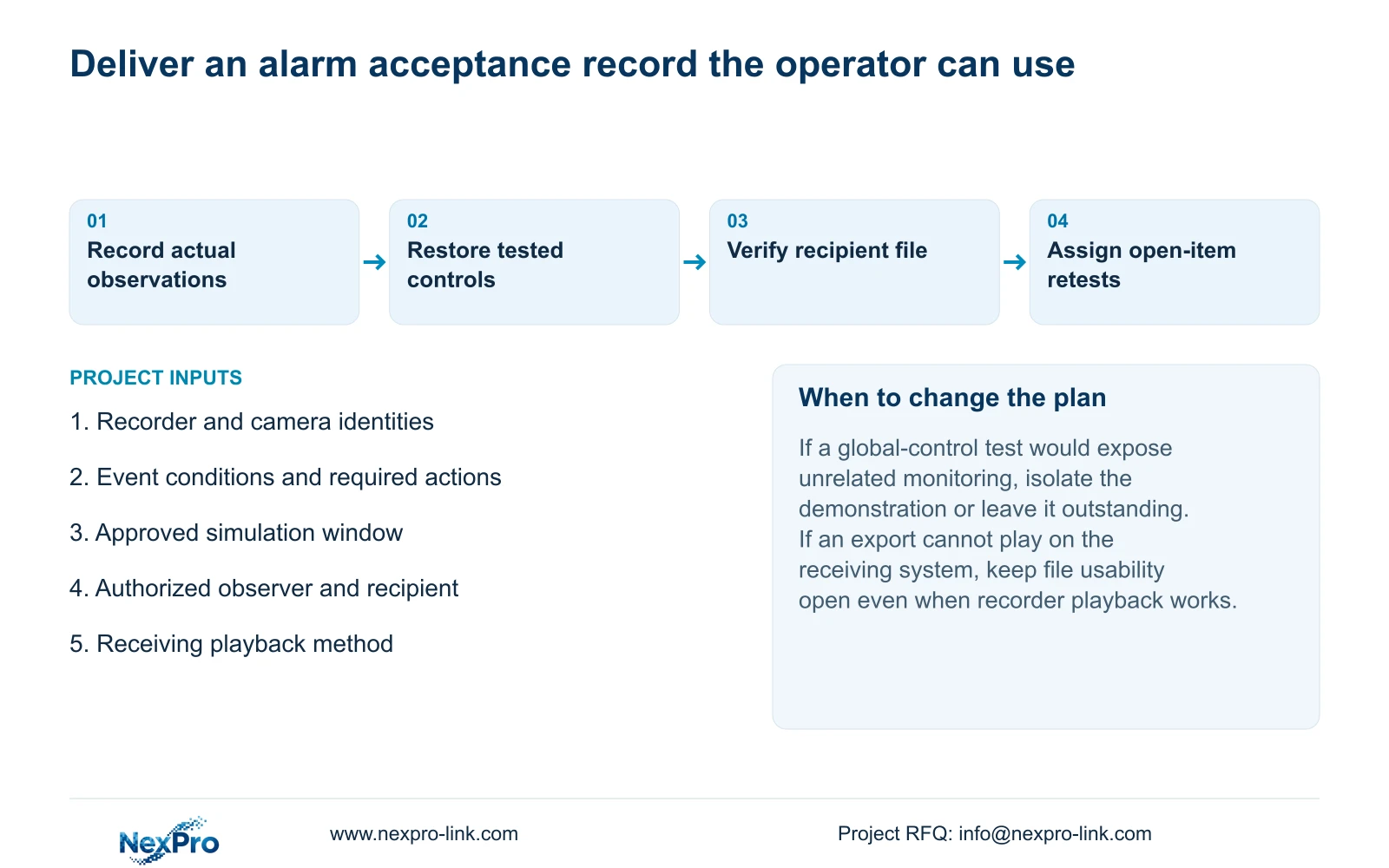
Illustrative project scenario: A project manager needs a short acceptance procedure for a mixed set of motion and video-loss alarms. The manager selects the critical channels, approves a bounded loss simulation and assigns observers to the required local and remote outputs. Positive and negative motion tests are recorded separately, followed by retrieval and export verification where required.
The handover lists passed tasks, failed tasks and untested requirements without assuming any result. Each open item has an affected channel, expected outcome, responsible party and retest condition. Include the applicable versions, configuration-backup location and support responsibility. Transfer credentials through the controlled site process.
Have the intended operator identify a channel, retrieve the relevant period and produce a usable export. Document receipt and demonstrated operation are separate acceptance outcomes. The private source is NVR4.0 user manual CH_V2.4.doc, with V2.2 in its body, principally sections 4.12.11, 4.12.12, 4.12.16, 5.2, 4.11.4, 4.12.3 and 4.12.17 through 4.12.19. This matrix is an engineering procedure, not a built-in certification feature.
Section 08
Can a successful alarm demonstration close every handover item?
Only the tasks actually demonstrated can be closed. Recipient delivery, recording retrieval, export usability and restored control states need their own observed results.
Section 09
Provide the required event-to-output rows
Send NexPro-Link the recorder and camera identities plus the required event-to-output matrix at info@nexpro-link.com.
Engineering references
These sources support the general planning principles. Always use the selected product's current datasheet and applicable project standards for final design.


