

An administrator password change needs a dependency record and task verification. Separate authentication failures from permission and workload problems before changing other settings.
Section 01
Identify which connections depend on the changed credential
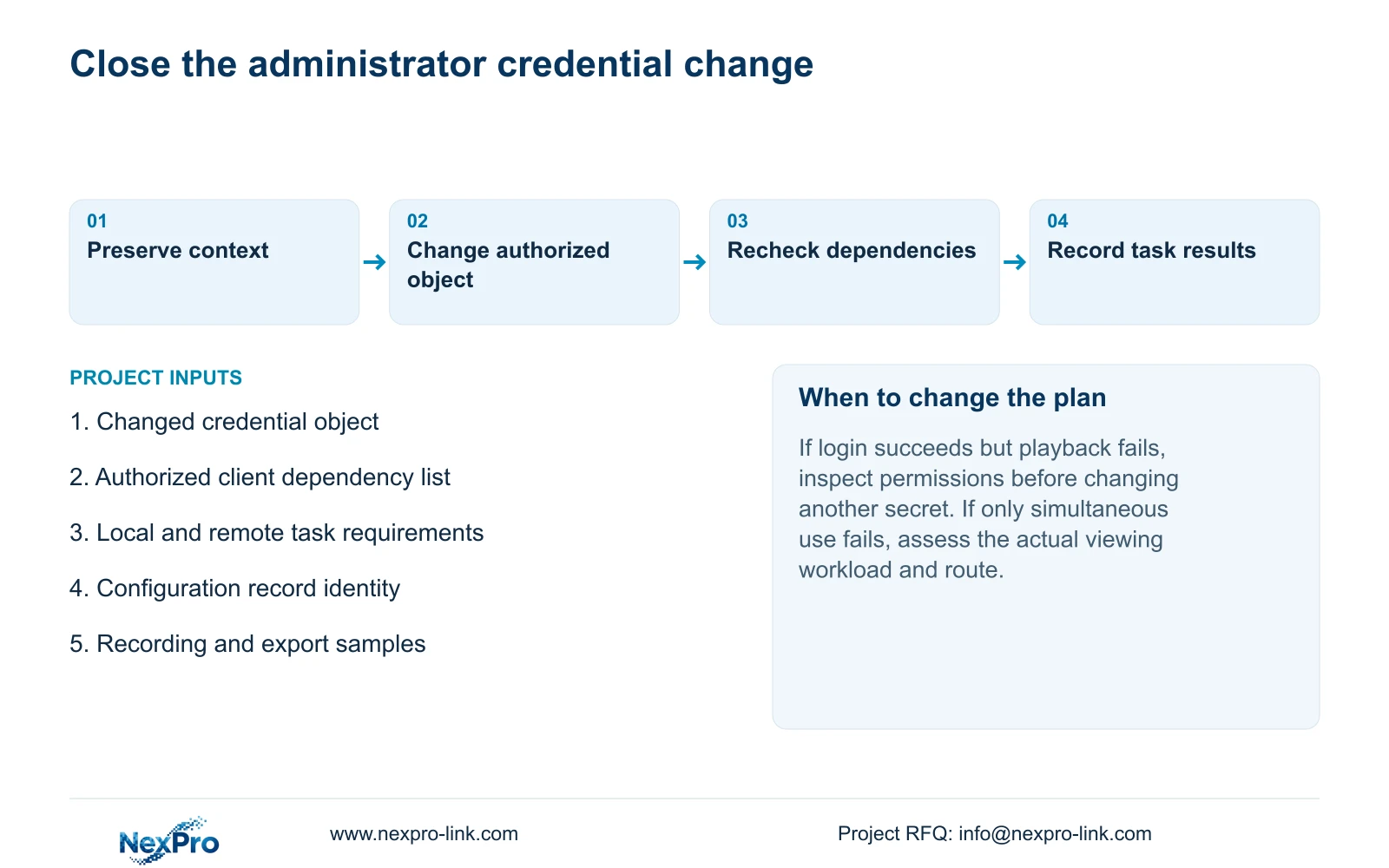
After changing an NVR administrator password, recheck the authorized connections that actually use that credential and verify the operating tasks they support. Identify the account object first: local recorder administration, camera authentication and third-party cloud access are separate relationships unless the applicable workflow establishes otherwise. Record affected clients before the change, keep administrative knowledge limited, and test local and remote permissions with the intended accounts. If a client fails afterward, distinguish authentication failure from denied permissions or concurrent viewing demand. Close the change only after relevant recording, playback and export checks pass, without assuming every saved session updates automatically.
This guide uses the supplied NVR4.0 user manual CH_V2.4.doc, with V2.2 in its body. Sections 4.1, 4.3.1 and 4.12.3 identify the relevant credentials and rights. The dependency record and acceptance sequence below are engineering procedures based on that scope.
Section 02
Keep the credential change limited to its intended object
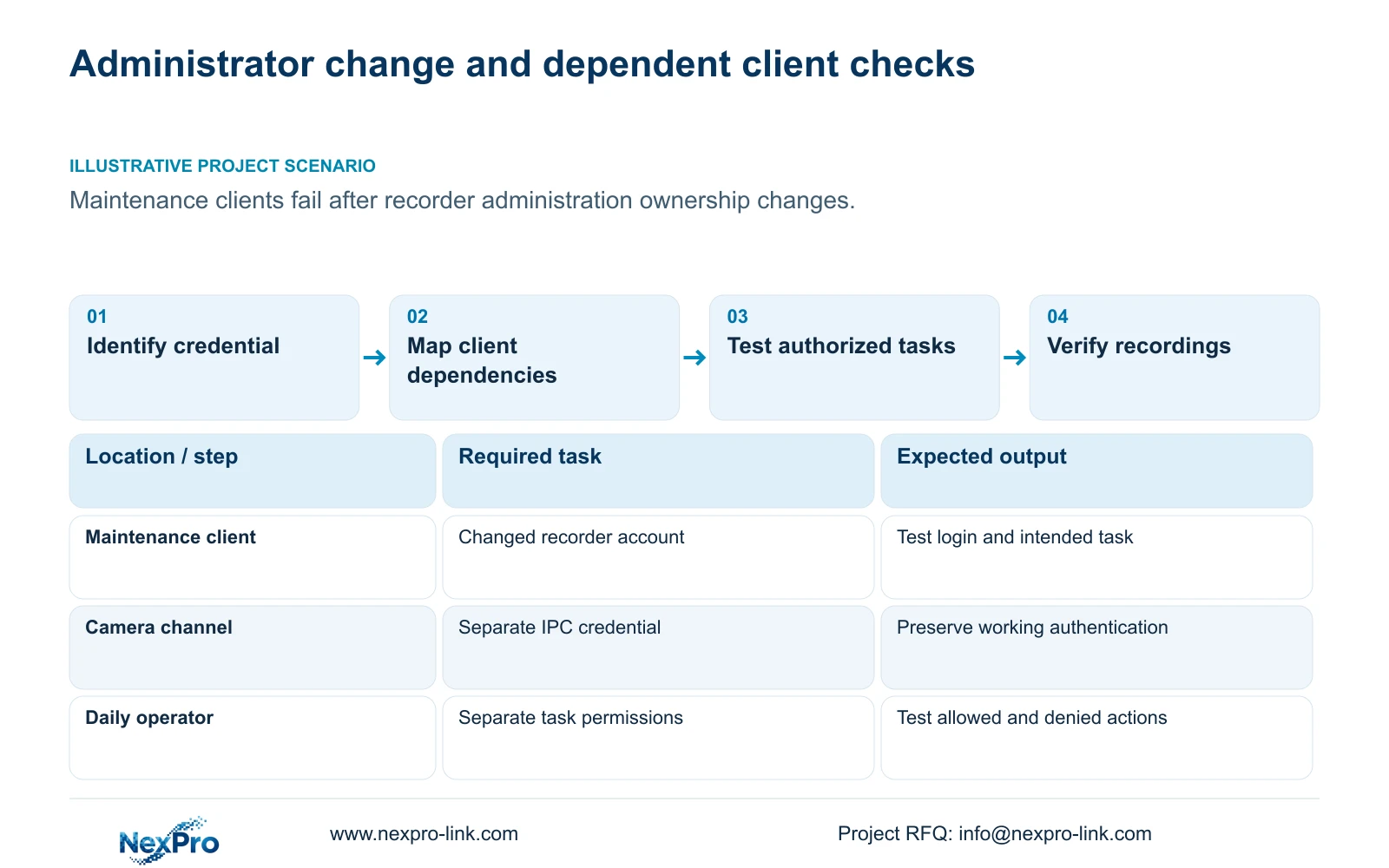
Write down which account is changing, who authorizes the change and which connection entries use it. Include local administration and authorized maintenance clients where applicable. Keep camera connection credentials and the third-party cloud account in separate entries so their status is not inferred from the administrator change.
Section 4.3.1 describes a channel's authentication details for its IPC. Editing those details does not change every device password. If a camera remains connected after the administrator change, preserve that working relationship. If a client stops connecting, compare its configured account object with the change record before modifying camera settings or another account.
Section 03
Test permissions separately from successful login
Section 4.12.3 separates local and network permissions, including preview, playback, system settings and PTZ. Local recording backup is another distinct permission. List each affected client's required action and access path before judging its post-change behavior.
A successful login followed by denied playback is a different observation from a failed login. Use both an allowed task and a prohibited task to verify the intended account. Local preview success cannot approve remote playback. If the maintenance scope involves remote upgrading, obtain applicable confirmation because the manual's permission row contains inconsistent descriptive text.
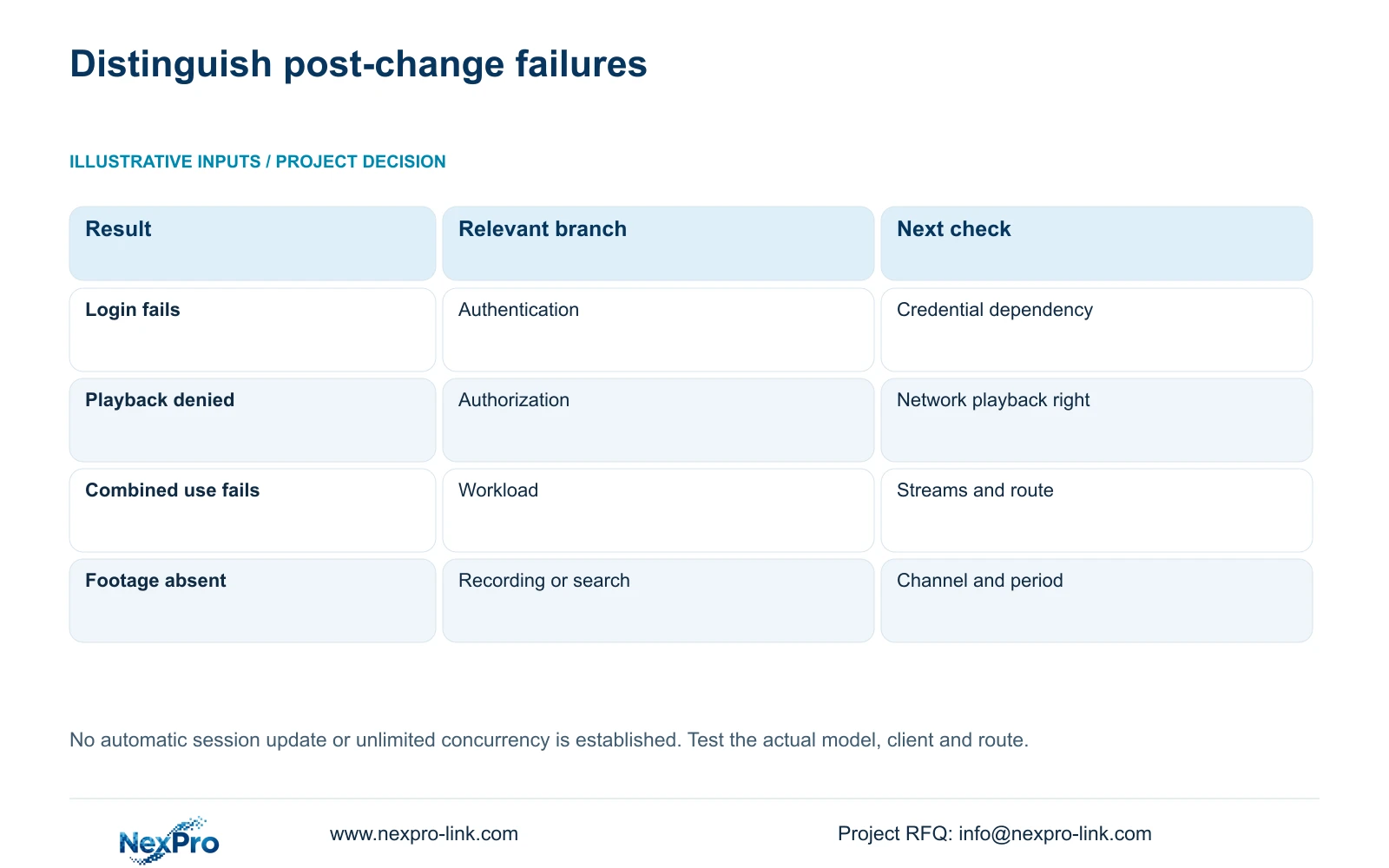
| Observation | Check first | Next action |
|---|---|---|
| Client login fails | Account object and saved connection details | Reconcile the authorized client with the changed credential. |
| Login works, playback is denied | Network playback permission | Test the account's required rights on that path. |
| Single-client task works, combined use fails | Simultaneous streams and access route | Review actual workload and constraints. |
| Live view works, requested footage is missing | Channel, search conditions and recording task | Verify retained footage separately from access. |
Section 04
Transfer administration without expanding daily privileges
The supplied manual says admin cannot be disabled or deleted and always retains all permissions. A change of administrative ownership therefore needs a controlled transfer to the nominated responsible person, rather than a plan that depends on removing that account.
Daily operators should retain the separate accounts and task permissions agreed for their work. Do not distribute the new administrator secret to every client user simply because one maintenance connection fails. Resolve that client's authorized access requirement and ownership first. Record who completed the change and who now controls administration, without writing the password into the ordinary service record.
Section 05
Preserve configuration context and footage as different records
Section 4.12.18 covers configuration export, while section 4.11.4 covers video backup. Configuration files, logs and footage have different purposes. Name them separately and keep the model and version context with the applicable record. A configuration export is not a disk image or a backup of incident video.
Before the planned change, confirm that the relevant configuration record can be identified and that required footage is preserved through its own workflow. The manual does not guarantee universal cross-model configuration import. Store exported files through the approved private process; do not assume their contents are suitable for public distribution or add plaintext secrets to the accompanying change summary.
Section 06
Reintroduce authorized clients with their actual viewing tasks
Sections 1.2 and 4.3.3.3 support multiple remote users without promising unlimited concurrency. For each authorized client, list the channels opened simultaneously, requested stream type and whether the task is live viewing, playback or download. Identify the actual direct or forwarded route carrying that traffic.
Verify a client's intended task before repeating the agreed simultaneous workload. If individual tasks succeed but combined use fails, the dependency review must include network and recorder constraints. When bitrate inputs are available, total requested traffic is the sum of the streams carried on the relevant path. This topic supplies no bitrate example, so no numerical capacity result can be assigned. Cloud reachability alone cannot approve concurrent viewing capacity.
Section 07
Close the change against recorded operating results
Illustrative project scenario: A facility changes recorder administration ownership and several maintenance clients stop connecting. The project team identifies which clients depended on the changed account, checks their authorized connection details, and separates login failures from denied tasks. It then repeats the required operating checks before accepting the new ownership arrangement.
Recheck live view and time, newly generated recordings, relevant older footage, export, intended accounts and required events. Keep the changed credential object and every failed task in the change record. A client marked online is insufficient if the owner cannot retrieve its required period.
If a task remains unresolved, preserve its symptom and configuration context for the responsible support party. Do not assume an automatic rollback mechanism exists. NexPro-Link's project-support route can help define the configuration or service scope when responsibility for a dependent client remains unclear.
Section 08
Must every camera password change with the administrator password?
No such dependency is established by the supplied manual. Camera authentication and recorder administration are separate objects. Change the camera credential only when that is part of the authorized task.
Section 09
Can saved maintenance sessions be assumed to update automatically?
No. Verify each authorized dependent connection and its task. The source does not establish a universal automatic update or session-invalidation behavior.
Section 10
Provide the failed dependency record
Send NexPro-Link the password-free client dependency list and each failed post-change task at info@nexpro-link.com to discuss the remaining connection issue.
Engineering references
These sources support the general planning principles. Always use the selected product's current datasheet and applicable project standards for final design.


