

The supplied manual protects the unrestricted admin account. Separate daily operator access from administrative ownership and document the selection-policy mismatch.
Section 01
Record the administrator limitation before approval
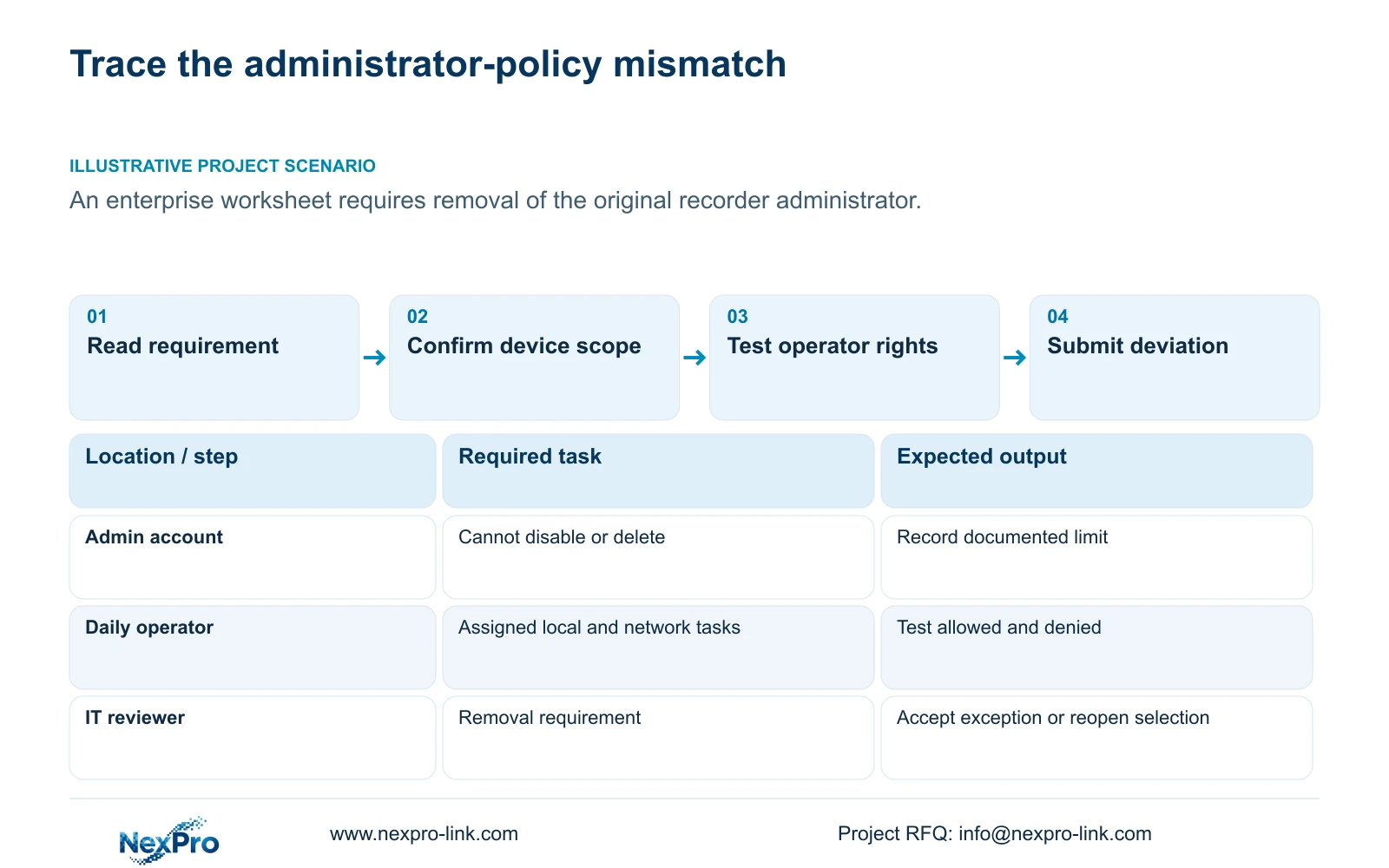
The supplied NVR4.0 manual states that admin cannot be disabled or deleted and always retains all permissions. Plan everyday operation through separate users, with administrative ownership controlled by the owner. If an enterprise worksheet requires removal of the original administrator, record the mismatch explicitly and submit it for IT review. An operator account can limit routine tasks, but it does not make the protected administrator removable. Confirm the actual recorder and firmware before applying the manual's statement to a proposed purchase. Where administrator removal is mandatory and no approved exception exists, keep the equipment selection open instead of promising an undocumented workaround.
Preserve the requirement's wording and the manual's supported answer in the review record. Do not mark a removal requirement as passed because staff will normally use another account. Those are different conditions: one concerns the existence of the administrator, while the other concerns daily use.
The manual gives the account behavior, but does not explain the underlying design reason. Do not invent a security architecture to justify it. The useful next step is to identify the owner of the requirement and determine whether it permits a documented exception or requires another verified candidate.
Section 02
Attach the finding to the actual recorder identity
Use the private supplied NVR4.0 user manual CH_V2.4.doc, whose body identifies V2.2, with section 4.12.3 for the administrator statement. Sections 1.2 and 5.2 establish the family and model-specific scope. Section references take priority over old page numbers.
The manual includes TS8104A3, TS8108A3, TS8216A3, TS8232C4, TS8108D7, TS8116D7, TS8836M and TS8436M. It does not establish a one-to-one mapping between these identities and NexPro-Link commercial SKUs. Record the proposed unit's identity and applicable firmware, then obtain confirmation that the cited behavior applies.
Family menus also do not establish identical hardware capabilities. Section 5.2 separately describes preview, local playback, buzzer and talkback differences. Keep those limits in their own selection fields instead of treating a familiar interface as proof that all functions are available.
If the offered unit differs from the reviewed sample, reopen the affected checks. Retain both identities in the selection history so procurement can see which finding belongs to which candidate. A model-specific limitation should neither be hidden nor expanded into a claim about every recorder on the market.
Section 03
Define routine rights without using admin
Translate each daily role into actions. A guard may need approved live views, while an investigator may need playback and separately authorized export. IT configuration duties should remain under the responsible administrative process. These are proposed role boundaries, subject to the owner's actual operating requirements.
Section 4.12.3 separates local and network permissions for tasks such as preview, playback, system settings and PTZ. Local recording backup has its own permission. Build the account around the required actions and paths, then demonstrate both an allowed operation and a prohibited operation.
If local preview succeeds but remote playback fails, inspect the network permission and intended access path before broadening the account. The manual's remote-upgrade description is inconsistent, so its text alone cannot approve that capability. Preserve uncertain items for device-specific confirmation.
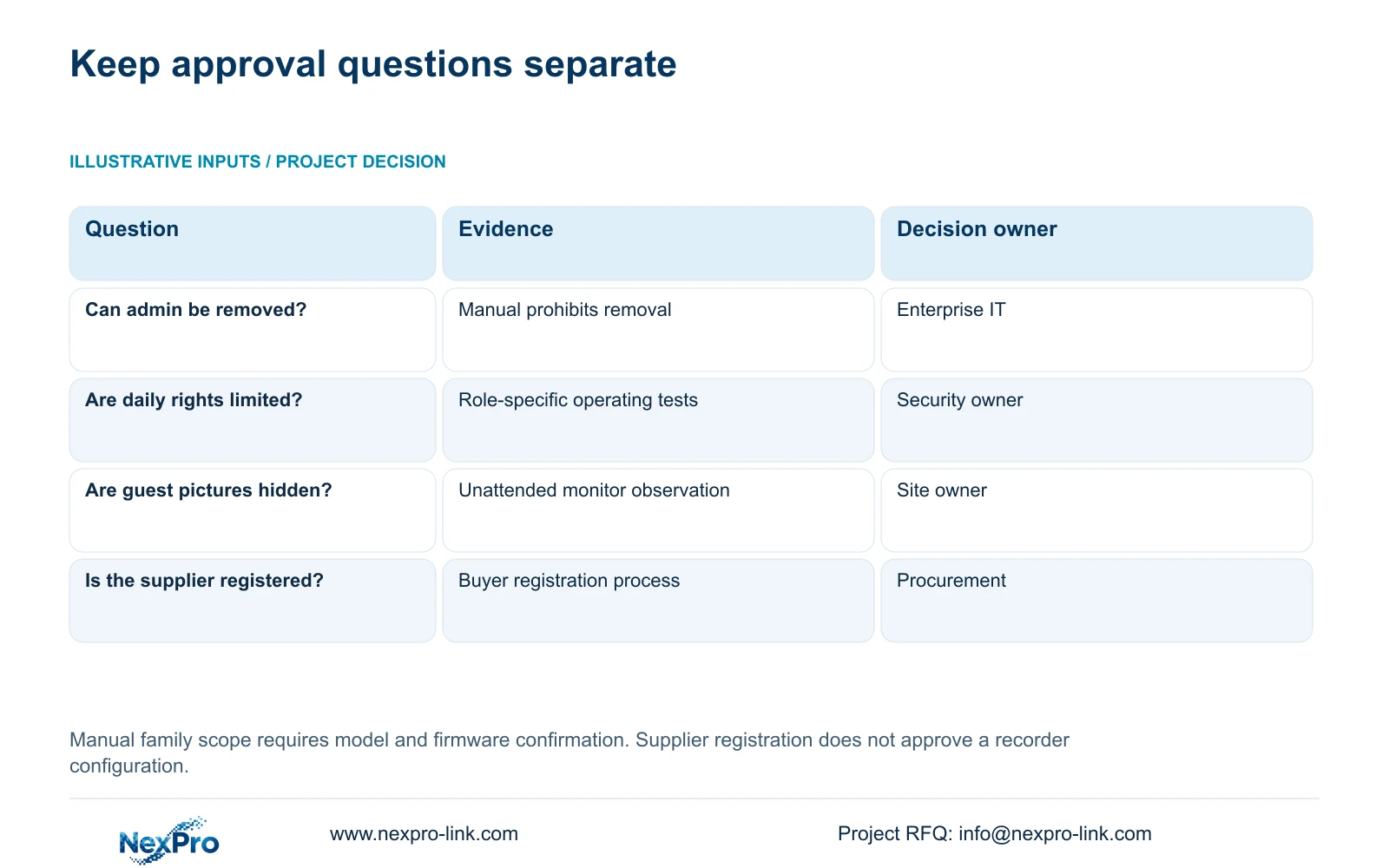
| Requirement or observation | Supported finding | Review action |
|---|---|---|
| Original administrator must be removed | The supplied manual prohibits deletion and disabling | Submit a deviation; keep selection open if no exception is permitted |
| Routine staff need limited operation | Separate local and network task permissions are described | Create the approved role and test allowed and denied actions |
| Unattended pictures must be hidden | Before-login preview has a separate setting | Test picture visibility independently of account restrictions |
| Supplier registration is complete | Registration does not approve the selected recorder | Retain the product-specific technical review |
Section 04
Test the unattended viewing policy
After verifying the routine account, observe the recorder without a logged-in user and after automatic locking. Section 4.12.5 provides a separate option to prohibit before-login preview. Blocking configuration access does not establish that pictures are hidden.
Ask the owner whether the desk may continue displaying camera images while unattended. Record that choice and check the actual monitor from the relevant viewing positions. If sensitive pictures remain visible against policy, review the visibility setting and repeat the test.
Keep this finding separate from the administrator deviation. A successful locked-screen test does not remove admin, while the presence of admin does not determine whether guest pictures are visible. Combining these findings into one general security checkbox would conceal a failed requirement.
Section 05
Let IT assess the policy difference
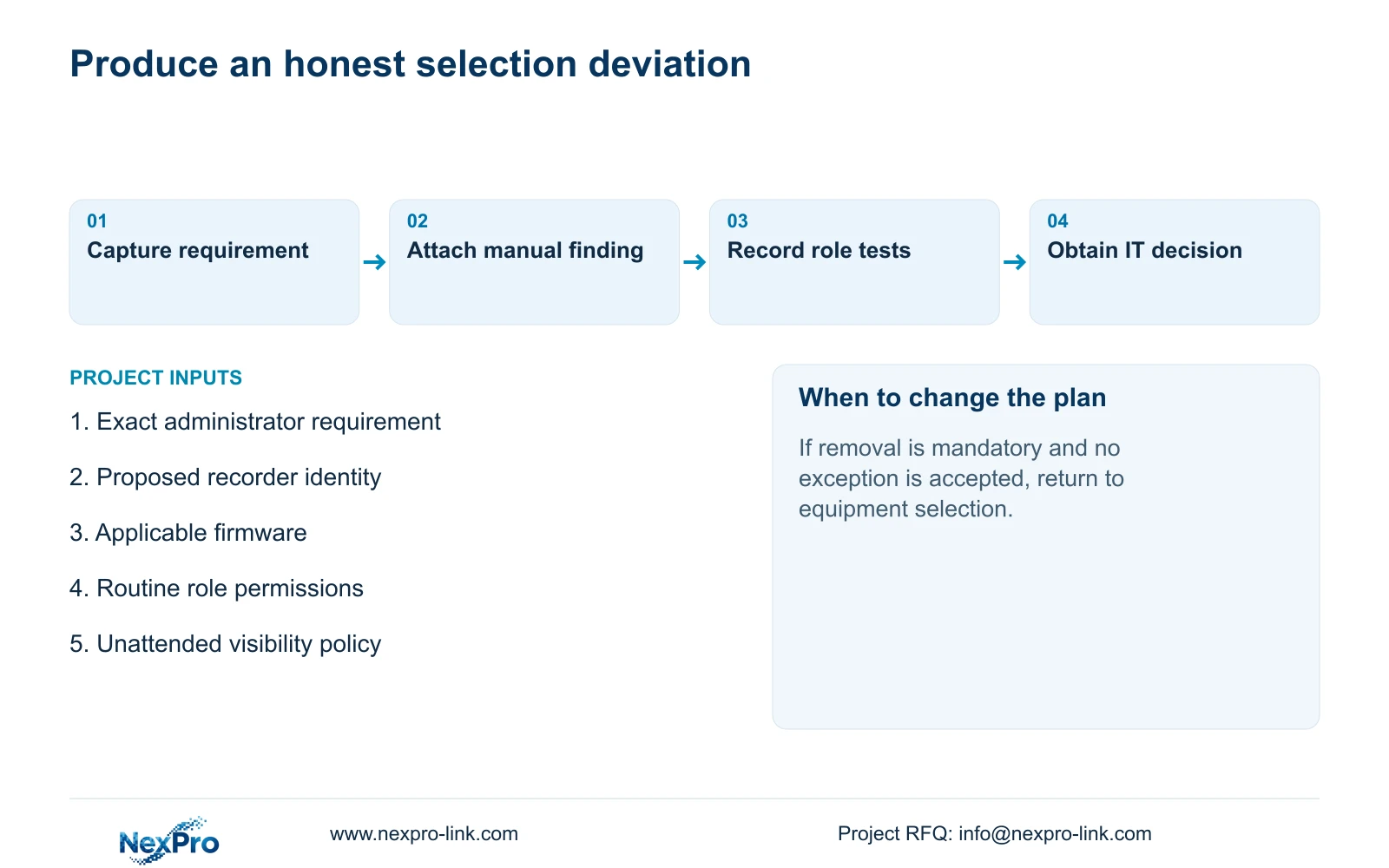
Present IT with the requirement, device identity, manual statement, proposed daily account arrangement and observed visibility results. Ask for a decision on that defined difference. The review should state whether selection can proceed under an accepted exception or must return to model matching.
Sections 4.3.3 and 4.12.8 describe network functions, but recorder configuration does not override site network policy. When a required remote task fails, use authorized diagnosis to distinguish the local path, remote route, DNS, activation, authentication and service issues.
Any network change should address a confirmed requirement and receive IT approval. Opening unrestricted public access is not a remedy for a protected administrator. Support discussions can use symptoms and redacted configuration context without public passwords or unrestricted credentials.
If IT requires a control the supplied evidence cannot establish, leave that item unresolved. A vendor statement about routine operator accounts should not be substituted for proof of the requested administrator behavior.
Section 06
Carry the deviation into the procurement decision
Illustrative project scenario: An enterprise wants to approve a recorder but its standard worksheet assumes the original administrator can be removed. The engineer records the documented restriction, tests the proposed daily roles and sends the mismatch to IT. Approval remains conditional on the enterprise's decision.
Retain the exact requirement, supported response, applicable identity and decision owner in the technical submission. Include unresolved functions and the agreed support boundary. If an exception is accepted, preserve its scope with the selected configuration instead of describing the device as universally compliant.
Company registration, purchasing-category approval, brand acceptance and approval of a particular equipment configuration are separate decisions. NexPro-Link's BOQ and tender support can help organize model information and project requirements, but document completion cannot guarantee supplier listing, consultant acceptance or an order.
Use the buyer's existing worksheet where possible. An honest deviation entry gives the reviewer a usable decision; an unsupported promise postpones the same issue until commissioning.
Section 07
Does the manual explain why admin is protected?
It establishes the account restriction, without supplying a design explanation. Keep the review focused on the documented behavior and its policy impact.
Section 08
Can separate operators satisfy a removal requirement?
They address routine permissions. Only the enterprise can decide whether that arrangement supports an exception to its separate removal requirement.
Section 09
Submit the exact approval requirement
Send NexPro-Link the administrator-related worksheet requirement and proposed recorder identity at info@nexpro-link.com for a scoped technical response.
Engineering references
These sources support the general planning principles. Always use the selected product's current datasheet and applicable project standards for final design.


