

Thirty-second jumps can carry an operator past a short incident. Confirm the recording source, narrow the timeline and review the intermediate footage before reporting a recording gap.
Section 01
Review the footage between navigation stops
Use thirty-second jumps to locate a likely incident period, then return to continuous playback before deciding that a short event is absent. An operator who checks only the landing positions can miss movement recorded between them. Confirm the camera, date and recording-type filters first, narrow the timeline around the suspected period, and inspect that interval at normal speed. If the event appears, retain enough surrounding footage to explain its sequence and verify the exported copy. If it remains absent, document the exact interval actually reviewed. A jump-based search alone cannot establish that the NVR failed to record.
The operating source is the supplied private file NVR4.0 user manual CH_V2.4.doc, whose body identifies V2.2. Sections 4.11.2 through 4.11.4 describe calendar selection, playback controls and backup. Section references take priority over page numbers. These instructions concern the applicable recorder interface, not Seetong PC local recording.
Section 02
Calculate what endpoint-only inspection leaves unseen
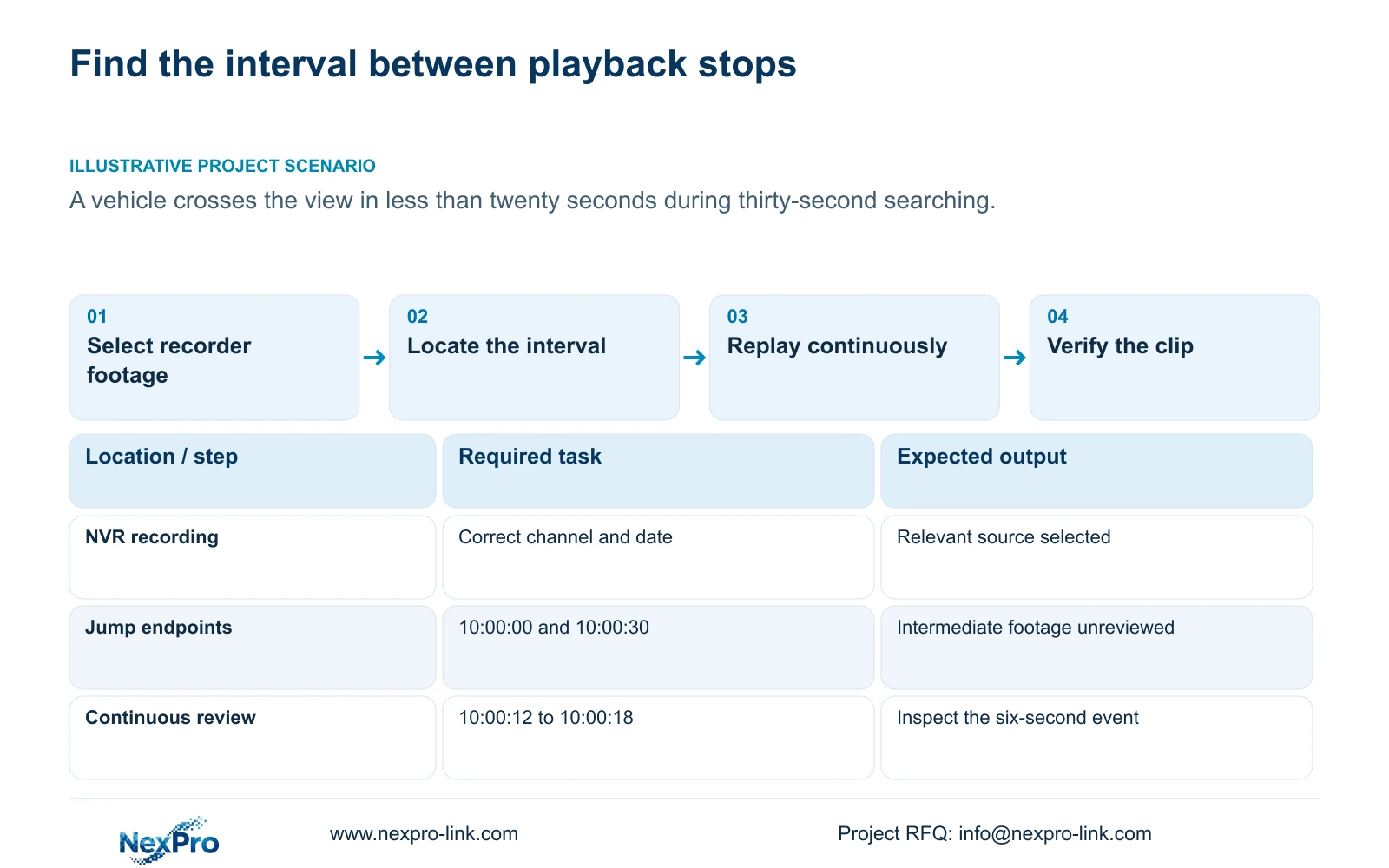
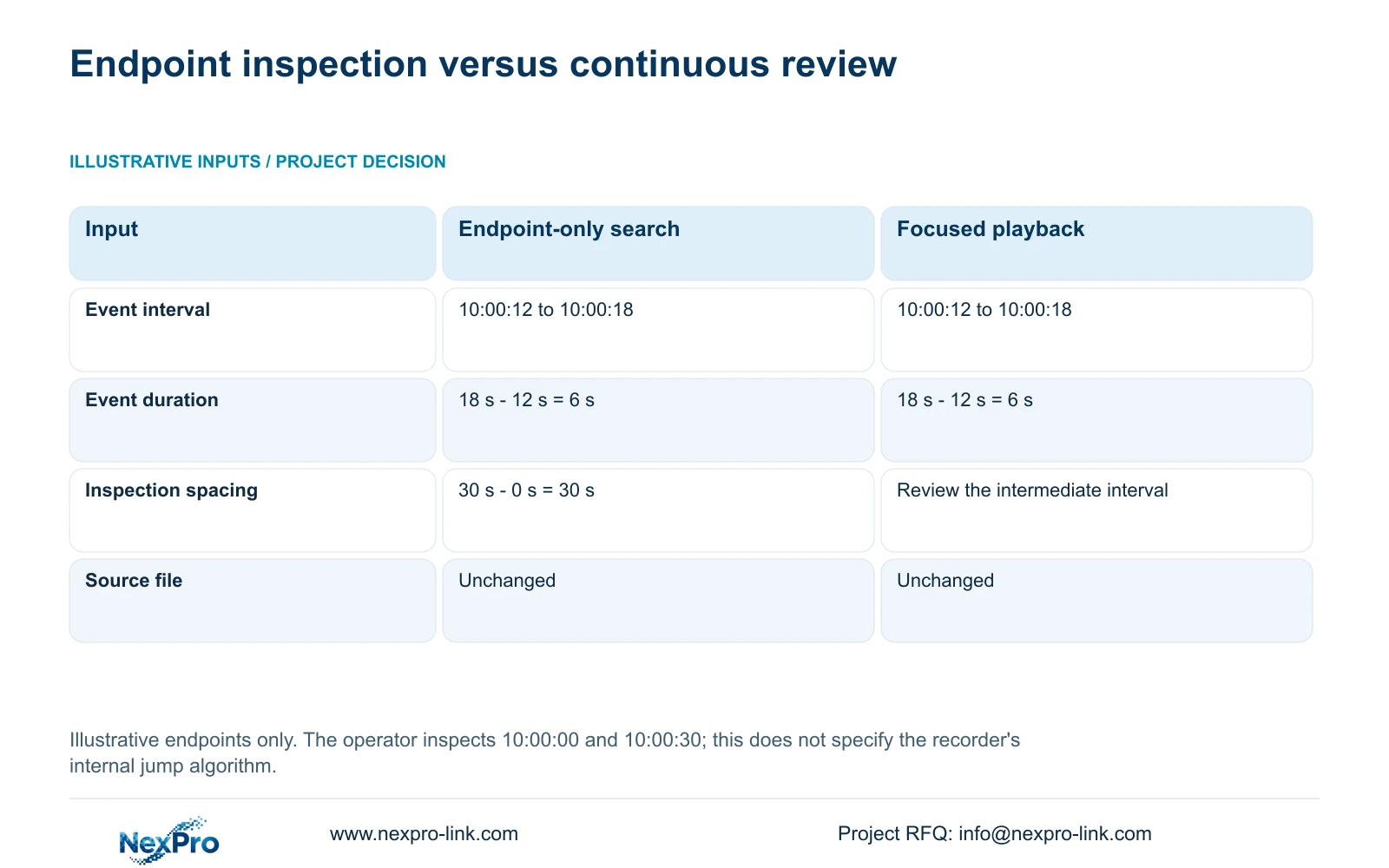
The supplied teaching example places an event from 10:00:12 to 10:00:18. The operator stops to inspect footage at 10:00:00 and 10:00:30 after a thirty-second jump. Event duration = end time minus start time = 18 s minus 12 s = 6 s. Inspection-position spacing = 30 s minus 0 s = 30 s. Both inspected positions fall outside the six-second event.
This arithmetic explains a search omission under the stated behavior. It does not describe the recorder's internal jump algorithm or prove anything about frames displayed while a control is used. If the operator watches only those endpoints, the intermediate event can remain unseen even when the source recording contains it.
Return to the earlier position and play through the interval. Timeline zoom helps select time more precisely; electronic picture enlargement helps inspect existing image pixels. Enlarging the picture cannot recover a period that the operator has not yet opened.
| Observation | What it establishes | Next action |
|---|---|---|
| Only 10:00:00 and 10:00:30 inspected | Neither endpoint shows the event | Play continuously through the intermediate interval |
| Event appears during continuous review | The reviewed source contains that event | Select a contextual clip and verify its export |
| Event absent after focused review | The inspected interval does not show it | Record search conditions before investigating recording availability |
Section 03
Confirm the date, channel and recording types
Section 4.11.2 says playback entry defaults to the channel selected in preview. Check that selection explicitly. A familiar calendar can belong to a different camera from the one covering the vehicle route, especially after the operator has moved between live views.
The documented calendar uses orange for a date with recordings and grey for a date without recordings. Orange establishes recording presence in that workflow; it does not establish uninterrupted coverage throughout the day. Select the incident date and inspect the relevant time range with the ordinary, alarm and motion filters considered.
If an alarm-only search returns nothing, check whether the required interval exists as ordinary footage. Change the search condition and repeat the same time query so the effect is visible. If the camera or date was wrong, correct that first instead of treating the empty result as a storage fault.
Section 04
Replace the initial playback position with the incident time
Section 4.11.3 describes an initial-play option that starts playback ten minutes before the current time when entering the playback page. That landing position may be unrelated to the event under investigation. Confirm the displayed date and time, then position playback at the actual incident interval.
The ten-minute offset is a navigation behavior. It does not establish ten minutes of alarm pre-recording. For an older incident, repeatedly jumping from the initial position adds unnecessary navigation and can leave the operator reviewing the wrong period.
Keep the reported incident time separate from the current recorder time. If the incident reference is uncertain, retain that uncertainty in the review record and search the corresponding broader period before narrowing the timeline.
Section 05
Slow the relevant interval before making a finding
Smart fast-forward in section 4.11.3 assigns different playback speeds to ordinary and alarm footage. It uses existing recording classifications to guide browsing. The description does not establish retrospective face, plate or object detection.
Use faster browsing to reach the likely period, then review the short interval at normal speed. If movement is difficult to follow, narrow the time selection and repeat the sequence rather than continuing to skip forward. A recording classified as ordinary can still contain the vehicle movement relevant to the investigation.
Illustrative project scenario: A vehicle crosses a camera view in less than twenty seconds while the operator searches in thirty-second steps. The operator should first confirm the vehicle camera and date, then replay the intermediate footage continuously. The six-second teaching example above shows how an event fitting this scenario can lie between inspected endpoints; no delivered project outcome is implied.
Section 06
Preserve the sequence and test the copied clip
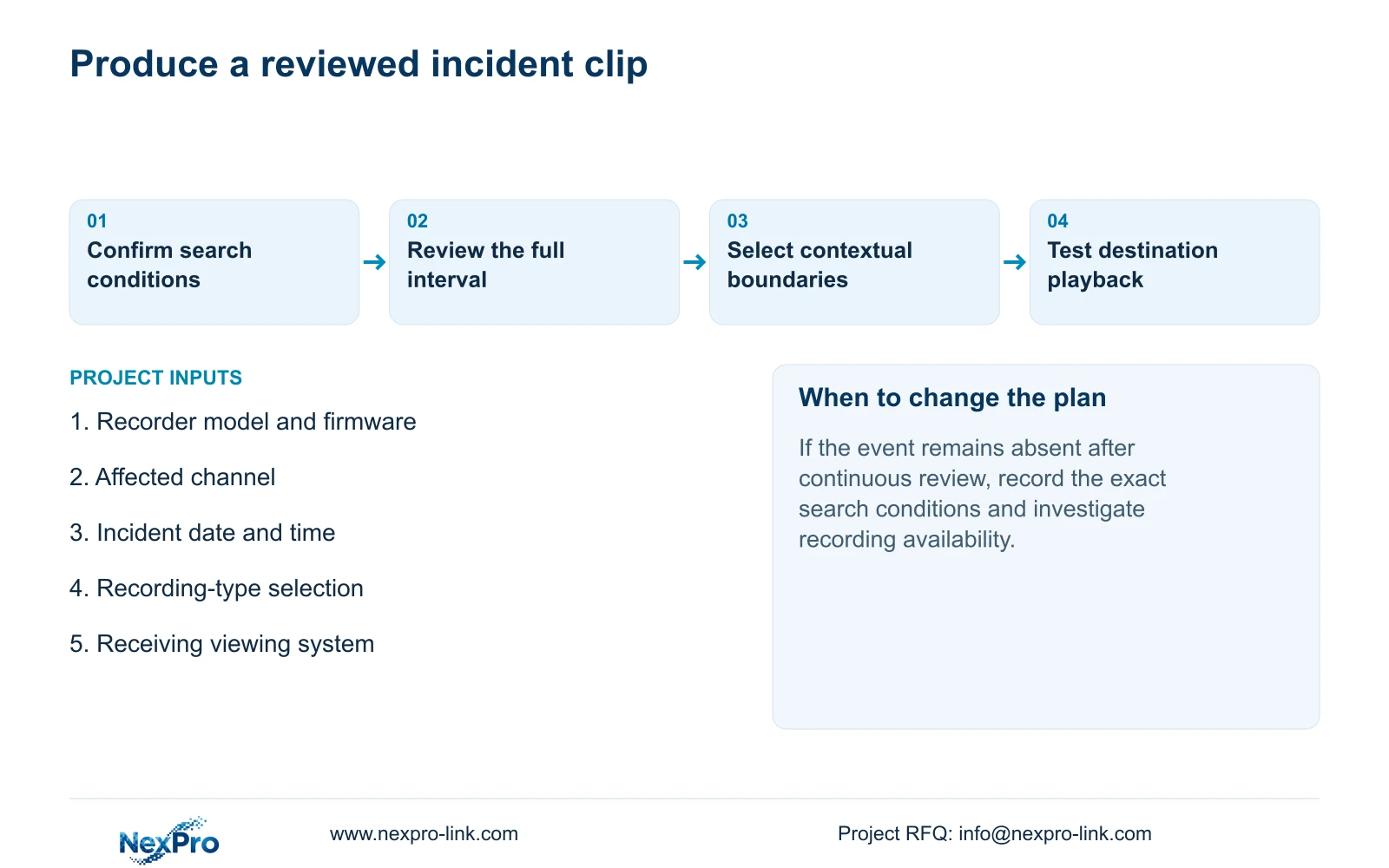
Once the movement is found, include sufficient footage before entry and after departure to explain what happened. Set those boundaries from the observed sequence rather than exporting only a still frame or the instant at which the vehicle is most visible.
Section 4.11.4 describes selecting format, recording types, channels and start/end times, updating the capacity estimate, detecting USB storage and starting backup. Open the resulting clip on the intended receiving system. Check the camera identity, requested period, actual playback and any required audio.
The manual mentions players such as VLC, without guaranteeing every operating-system and codec combination. Record the viewing method used and preserve the original footage until the required copy has been verified. Successful copying and successful incident review are separate checks.
Section 07
Report the interval reviewed and the result observed
Write the finding around observable facts: the selected channel, date, filters, reviewed interval and whether continuous playback showed the event. If only jump endpoints were inspected, describe the search as incomplete.
If focused review still does not reveal the incident, preserve those observations and take the next controlled diagnostic step using the applicable device documentation. The diagnostic approach in sections 4.3.3 and 5.3 supports separating symptoms from proposed causes. An empty search result does not by itself identify a disk failure.
Section 08
Does a playback jump remove the intervening footage?
The documented control is a navigation aid. In the teaching comparison, both search methods use the unchanged source file. Failure to inspect the intermediate period is not evidence that it was deleted.
Section 09
Can an orange date settle a missing-event complaint?
No. It establishes recording presence for that date in the documented workflow. The correct camera, recording types and incident interval still need review.
Section 10
Provide the unresolved search interval
Send NexPro-Link the affected channel and incident interval, recorder model and firmware, and whether continuous review was completed at info@nexpro-link.com.
Engineering references
These sources support the general planning principles. Always use the selected product's current datasheet and applicable project standards for final design.


