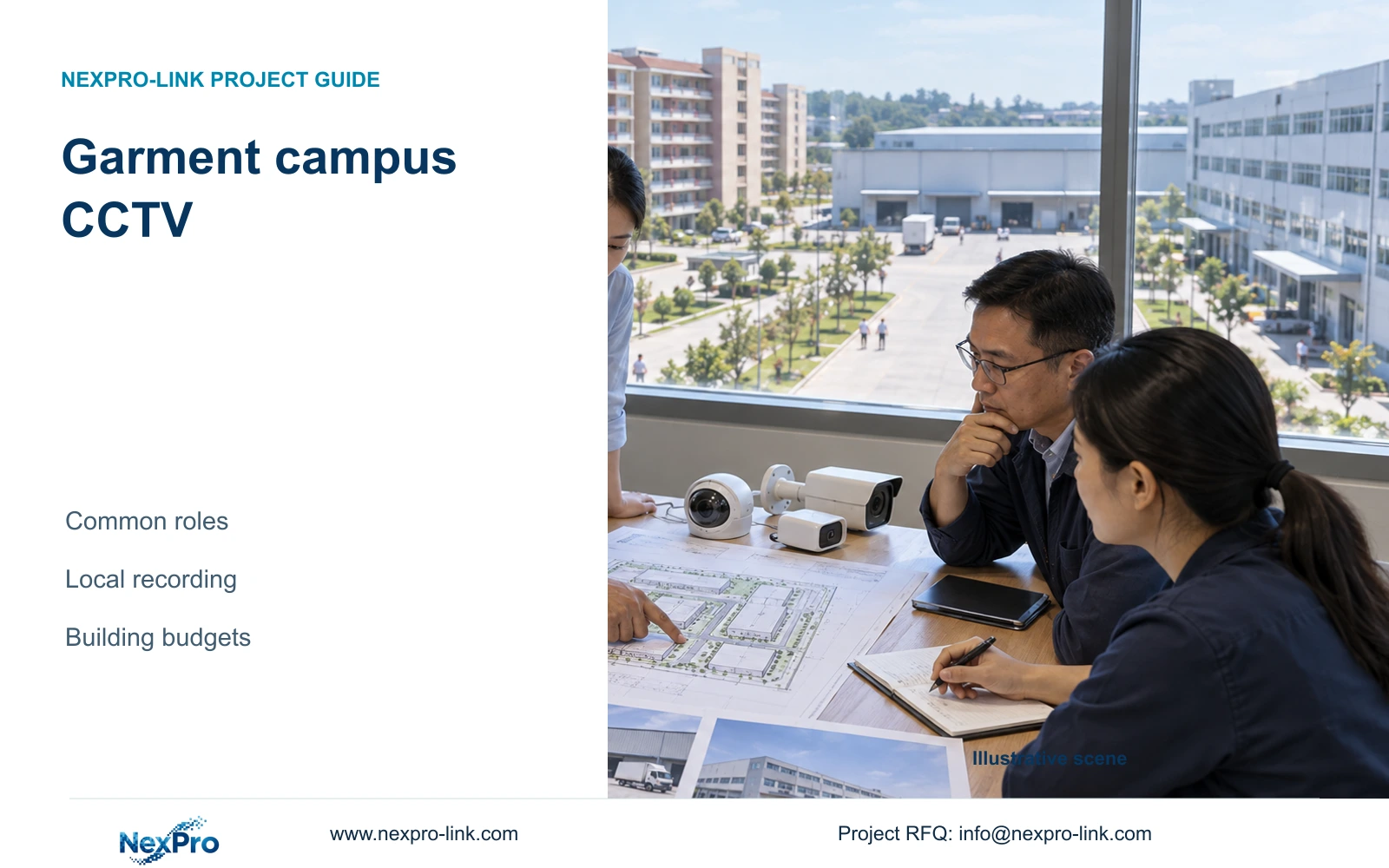
A common garment-campus camera family can simplify procurement, but each building still needs its own recording, cable and power budget. Separate local evidence capture from campus-wide viewing traffic.
Section 01
Standardize viewing roles before repeating equipment
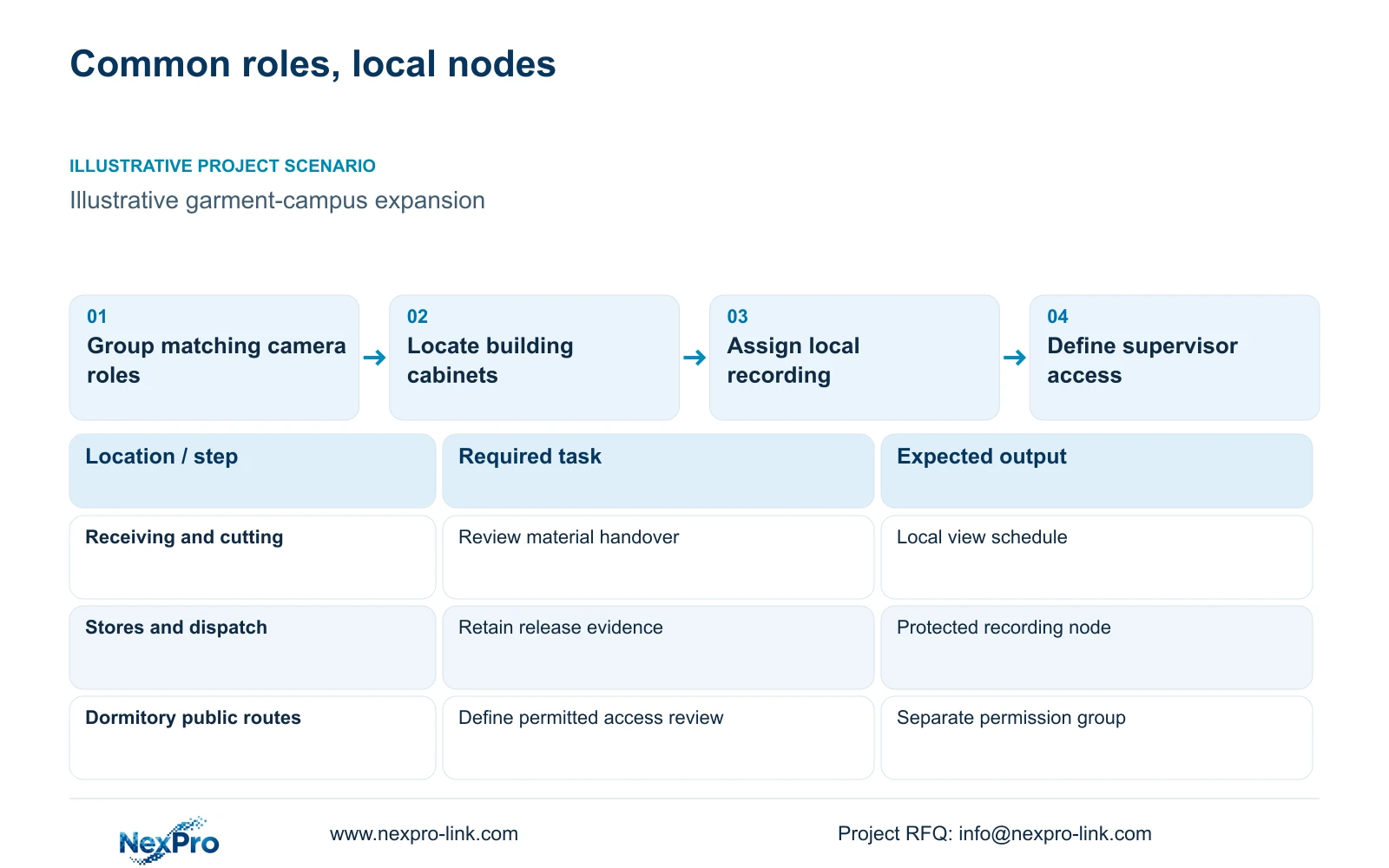
For a multi building garment campus, reuse camera roles where the viewing task and environment match, then size recording, links and protected power separately for each building. This gives the quantity surveyor a repeatable equipment basis without hiding local infrastructure differences. Standardization should preserve an accepted view, mounting arrangement and service method, rather than require every location to use an identical configuration.
Illustrative project scenario: A garment campus adds dormitory public routes, warehouses and production buildings under one procurement programme. Assume material-handover views and permitted public-route security are scheduled separately, with access rights reflecting those purposes. CASE04 supplies the numerical reference for four operational buildings with 20 cameras each; it does not assign extra cameras to the dormitory extension.
Develop an overview role for material routes and a closer role for issue or transfer points. Compare stack height, lint, humidity and night lighting before repeating a model. The BL2812M55 bullet and DM2812M55 Dome references list 2.8–12mm motorized lenses and 2880×1620 output in their 5MP specifications. Their housing descriptions do not establish impact resistance or suitability for every campus position.
Section 02
Locate cabinets by cable routes and protected loads
Place each cabinet where camera routes, electrical supply and maintenance access can be served without putting recorders or batteries into unsuitable production conditions. A convenient plan location may become impractical when trays, stored fabric or restricted access are considered. Have the engineer mark cabinet positions and actual routes before the quantity surveyor treats a repeated building package as complete.
CASE04 assumes 80 new copper links totalling 4,520m, with individual continuous lengths from 41m to 76m. Its verified feasible cutting arrangement uses sixteen 305m reels, although total metres alone suggest a fifteen-reel lower bound. The distinction matters to procurement: continuous cuts must fit available reels. The six metres of service and termination allowance per link is a declared case input, not a universal installation rule.
Keep inter-building fibre, optics and civil work separate from the copper reel allowance. Fluke Networks guidance distinguishes a typical 90m copper permanent link from a 100m complete channel; the selected termination and test method still govern acceptance. Protected power must also reach each local switch and recorder. A central UPS does not supply remote cabinets merely because they share the data backbone.
Section 03
Choose the recording failure boundary building by building
Use local recording as the initial basis where each building must retain evidence during a backbone interruption. In CASE04, each 20-camera building records locally at an assumed 4 Mbps per camera, giving 80 Mbps input and 25.92 TB over 30 continuous days. Authorised supervisors retrieve selected events across the backbone. Continued local capture depends on the local cameras, switches, recorder and power remaining operational.
Each illustrative recorder has four 12 TB drives: 48 TB raw × 0.95 × 0.80 = 36.48 TB recording budget. That exceeds the 25.92 TB video requirement at that node. Spare capacity in another building does not repair an undersized local budget. NexPro-NVR4449-4K is a 320 Mbps, four-bay reference; its summary distinguishes 49×5MP and 9×4K modes. Neither bays nor channel count proves RAID or concurrent decode performance.
Central recording may suit a project requiring a specified shared platform or consolidated maintenance arrangement, but it changes which backbone paths must carry recording traffic and which failures interrupt capture. Price those links and recovery requirements explicitly. Keep cross-building search, playback and export as acceptance tasks, and verify the exact device, client and firmware combination rather than assuming full functionality from basic connectivity.
Section 04
Budget recording and operator traffic on their actual paths
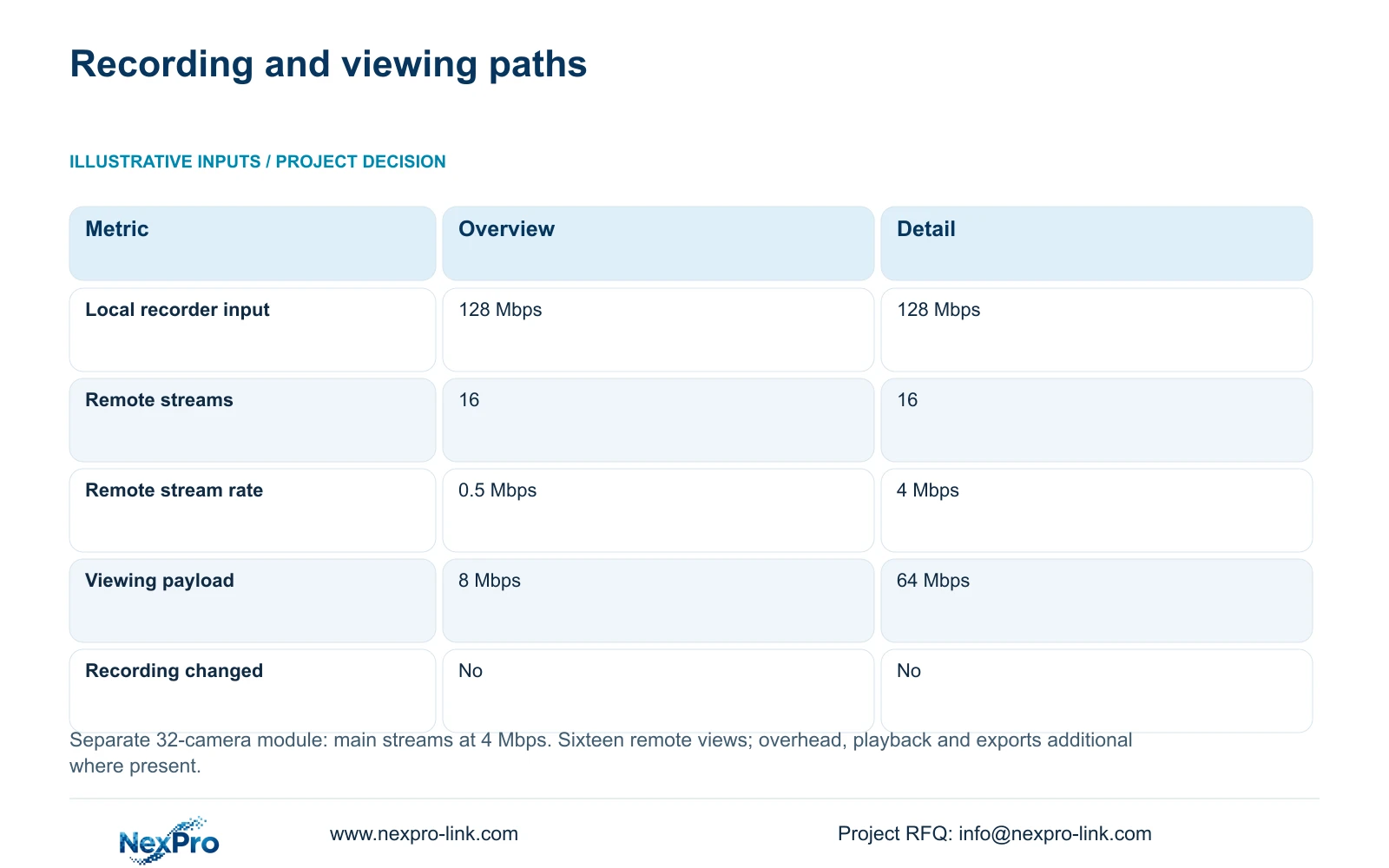
The separate teaching module assumes 32 local main streams at 4 Mbps and sixteen cameras viewed remotely at once. Recorder_Mbps = 32 × 4 = 128 Mbps in both options. Viewing_Mbps = 16 × stream_Mbps gives 8 Mbps for a 0.5 Mbps overview stream or 64 Mbps for a 4 Mbps detail stream. These payload figures exclude protocol overhead and other traffic.
The decisive difference is the remote viewing stream, while local recording retains its assumed main-stream quality. An accepted overview layout can reduce routine viewing traffic, with detail requested when an operator investigates. This requires compatible stream selection and a tested client workflow; it is not a guarantee of WAN performance or universal substream support.
Trace each flow before adding its demand to an interface. A camera-to-local-recorder flow need not cross the inter-building backbone. Remote playback, exports and other users must be added wherever they do cross it. The 128 Mbps module is independent of CASE04's 80 Mbps per building and 320 Mbps campus recording sum; none is a blanket allowance to copy onto every uplink.
| Metric | Option A: overview | Option B: detail |
|---|---|---|
| Local recorder input | 128 Mbps | 128 Mbps |
| Concurrent remote streams | 16 | 16 |
| Remote bitrate per stream | 0.5 Mbps | 4 Mbps |
| Remote viewing payload | 8 Mbps | 64 Mbps |
| Local recording quality changed | No | No |
Section 05
Compare repeated kits with building-specific exceptions
Recommend a common camera-role schedule with local recording and an approved low-bandwidth overview workflow for routine campus supervision. Retain higher-detail viewing where operators genuinely need it. Change the architecture when mandatory platform functions, recovery objectives or the practical maintenance arrangement require central services. Common branding and a repeated camera list do not resolve those operating differences.
For protected power, CASE04's recording-priority load is 488.2963W at node 1 and 423.2963W at each other node. These are assumed complete AC loads, including switch inputs that already contain camera power. SP1KR(S), rated 1kVA/900W, is a capacity reference, not a 30-minute runtime promise. The battery configuration and actual local load require confirmation before purchase.
Keep optional displays separately priced. CASE04 adds four LCD panels and a decoder at node 1 using assumed loads totalling 580W, raising that node to 1,068.2963W and changing its capacity candidate to SP2KR(S), rated 2kVA/1800W. The other nodes remain unchanged. An ordinary retrieval screen can remain the baseline; a display wall needs an operator task, supported decoding and its own electrical scope.
Section 06
Release building packages with explicit interface ownership
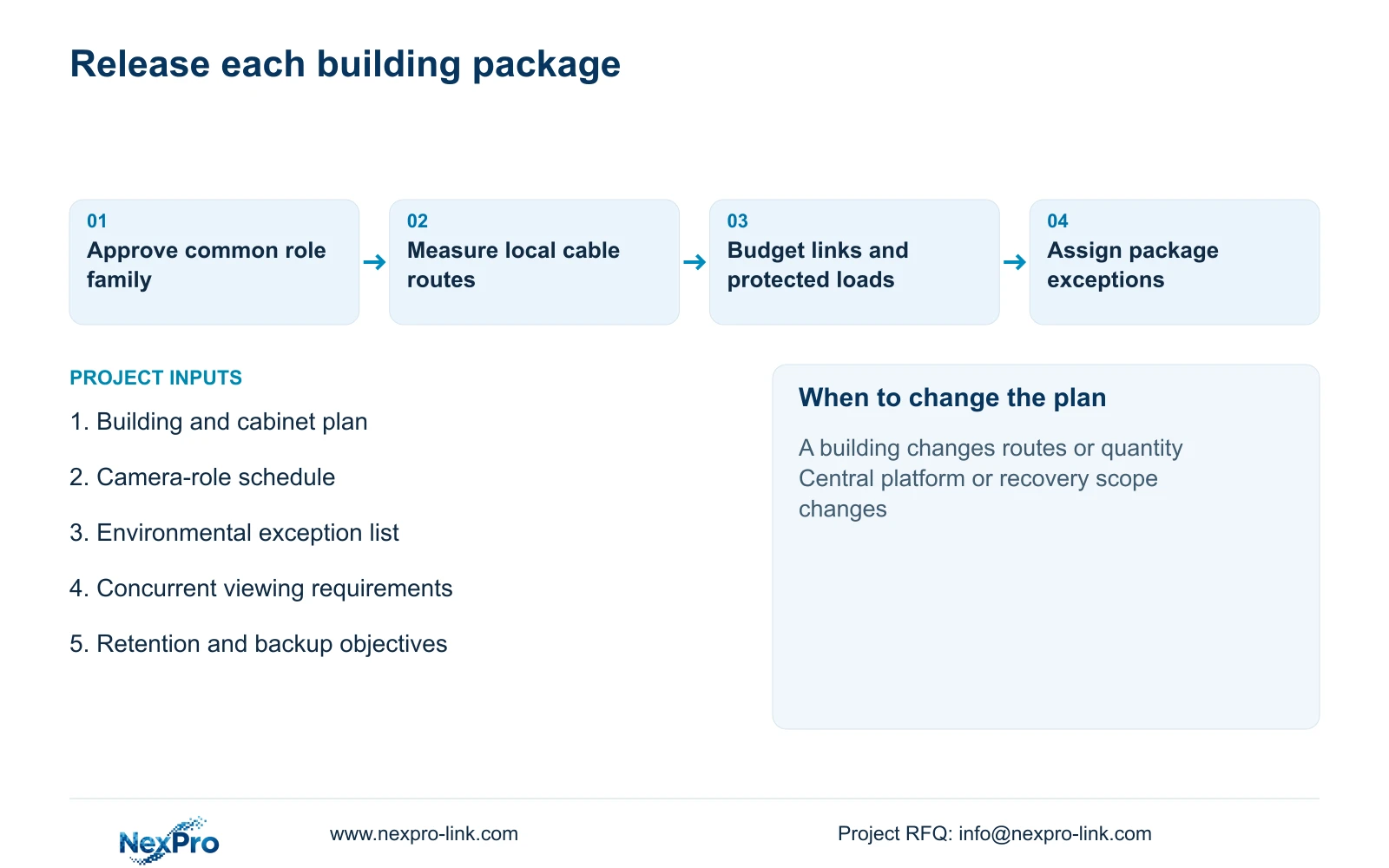
Build the procurement schedule around building and cabinet identifiers. Mark cameras, recorders and disks as new equipment; identify any retained backbone only after its condition and capacity are approved; list a wall display as optional. Assign local mains, cabinet ventilation, fibre installation and cable testing to named project parties. Unallocated work should remain visible in the cost plan rather than disappear inside a general system description.
NexPro-Link's factory project and BOQ support can help map the approved roles to models, technical documents and building-labelled equipment lists. Project packing should preserve the camera-to-location mapping and distinguish common items from exceptions. Release a changed building package separately when its routes, lighting or camera count changes, so an approved kit for another building is not silently altered.
Acceptance should include a selected cross-building search and export, a controlled backbone-loss recording check and the agreed local power test. Keep permissions for dormitory public routes separate from material-handling review. The finished handover needs a role-based camera map and service-access arrangement that operators and maintenance staff can use without treating every campus view as equally accessible.
Section 07
Buyer questions
Does local recording provide automatic recorder failover? No. It can preserve a building's capture during a backbone interruption if its local equipment remains operational. Recorder failure recovery, disk tolerance and cross-node failover require separately supported functions and an approved recovery design.
Can one common spare-camera pool serve all buildings? It can serve positions sharing an approved model, firmware and mounting arrangement. Keep exceptions identifiable, and document which settings must be restored when a spare is assigned. A matching carton or logo is insufficient evidence of a technical match.
Should the sixteen cable reels be ordered for any 80-camera campus? No. That quantity belongs to CASE04's specified continuous lengths and cutting arrangement. Replace those lengths with surveyed routes and recalculate reel allocation. Inter-building fibre and any independently approved spare stock are additional scope.
Section 08
Prepare the building-level cost schedule
Send the campus plan with proposed cabinet locations, the camera-role schedule including environmental exceptions, the backbone and concurrent-viewing requirements, and each building's retention and backup objective to info@nexpro-link.com to discuss a coordinated equipment schedule.
Engineering references
These sources support the general planning principles. Always use the selected product's current datasheet and applicable project standards for final design.