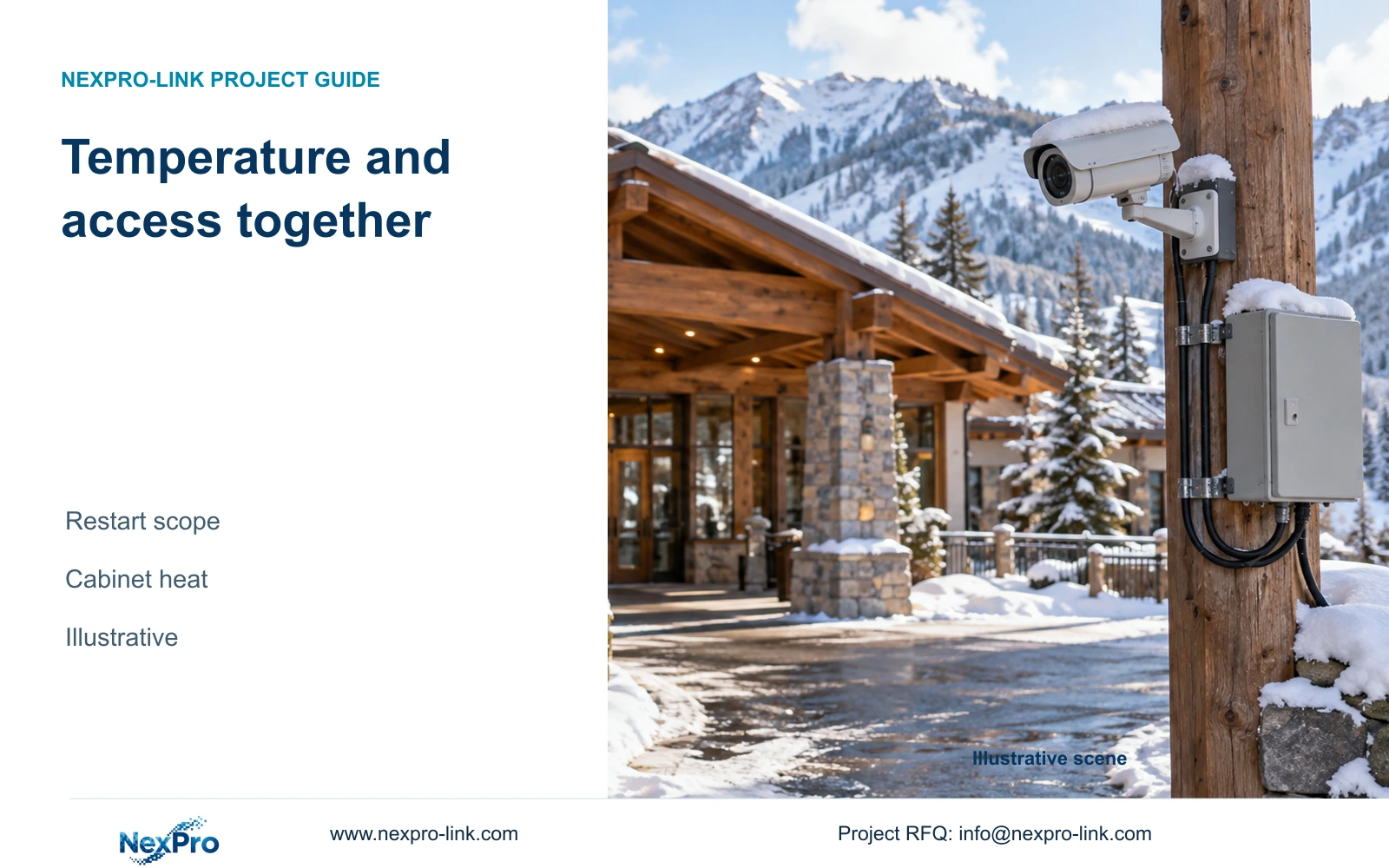
Select mountain resort CCTV against its startup conditions, operating environment and reachable service locations. A published temperature range leaves other design questions unresolved.
Section 01
Define cold startup and normal operation separately
Select standard CCTV equipment only where the documented environmental scope covers the intended operating location and the required restart conditions have been addressed. Move supporting electronics into a suitable accessible space where practical. Seek a specialist configuration when exposed conditions or recovery requirements exceed the standard equipment evidence.
List the expected conditions at each camera and cabinet, including the state after a prolonged loss of power. Separate continuous operation from restarting equipment that has cooled while unpowered. A published operating range does not, by itself, provide evidence of every cold-start sequence or the environmental performance of accompanying switches and batteries.
The supplied BL2812M camera PDF lists minus 20 to plus 60 degrees Celsius and IP66 for NexPro-BL2812M55-5MP-DIC-AI. Use those fields within their stated scope. The PDF does not establish operation below minus 20 degrees Celsius, a separate cold-start rating or a complete mountain installation's environmental suitability.
| Required task | Given information | Decision still needed |
|---|---|---|
| Continuous capture | Camera operating range stated | Conditions at installed position |
| Restart after outage | Operating range alone | Supported startup conditions |
| Keep remote node available | Cabinet location proposed | Electronics, battery and supply environment |
Section 02
Identify moisture transitions during service
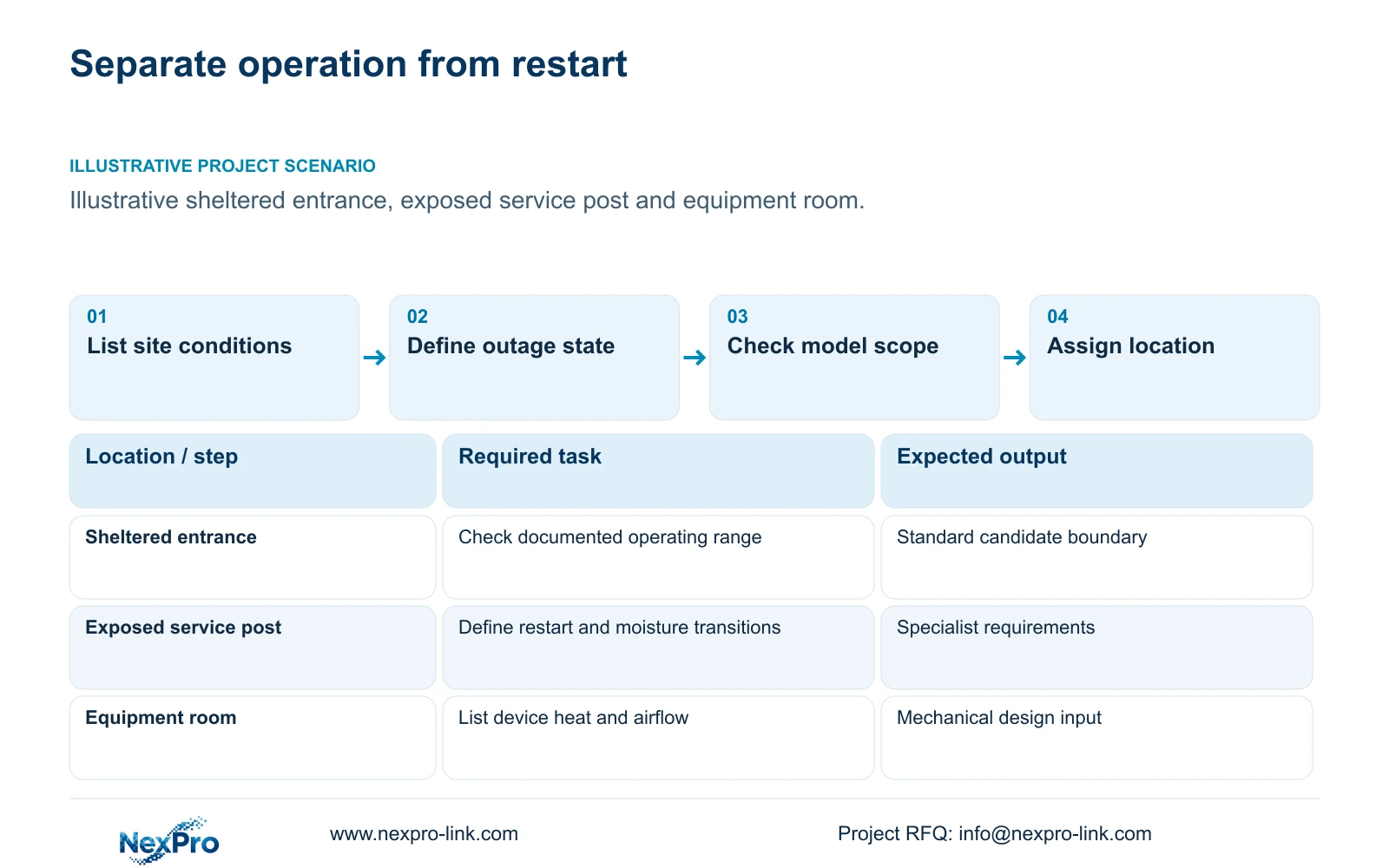
Record transitions between exposed outdoor positions, sheltered entrances and warmer equipment rooms. Include the conditions during cabinet opening and component replacement. These transitions need an agreed handling method because a temperature label and an ingress rating do not settle the complete moisture-management design.
Compare retaining electronics in an exposed cabinet with relocating them to a suitable indoor space. Relocation changes cable routes, access and thermal responsibilities. If an exposed location is necessary, specify the environmental requirements of the enclosure and every installed device instead of assuming the camera's IP66 field applies to the whole assembly.
Keep proposed measures tied to supported equipment and local professional design. Do not prescribe improvised heaters or sealing changes from an article-level calculation. The service team needs to know when equipment may be opened or restarted, who authorizes that action, and which manufacturer's handling conditions apply.
| Item | Exposed cabinet | Suitable indoor space | Task effect |
|---|---|---|---|
| Environment | Site exposure must be specified | Room conditions must be specified | Verify every device |
| Service opening | Weather affects access | Controlled access possible | Define handling method |
| Equipment heat | Enclosure design required | Room load input required | Heat changes location |
Section 03
Separate standard locations from specialist locations
Classify each position by its actual exposure and access conditions. A sheltered public entrance and a remote perimeter post need not use the same environmental solution. Keep the approved observation task fixed while comparing a different mount, a different equipment location or a specialist device.
For a standard camera candidate, confirm that the position stays within the supported environmental scope and that the image task remains achievable. Where the source does not cover the required condition, retain that condition in the RFQ and request an appropriate alternative. A similar housing or lens range cannot close the evidence gap.
CASE04 illustrates distributed local recording across resort buildings. It supplies an architectural context, not a mountain-temperature test. Its equipment and power totals are independent of the thermal example below. Use the distributed arrangement only where each local node has suitable environmental conditions, protected supply and a service route.
Section 04
Keep electronics within a designed thermal boundary
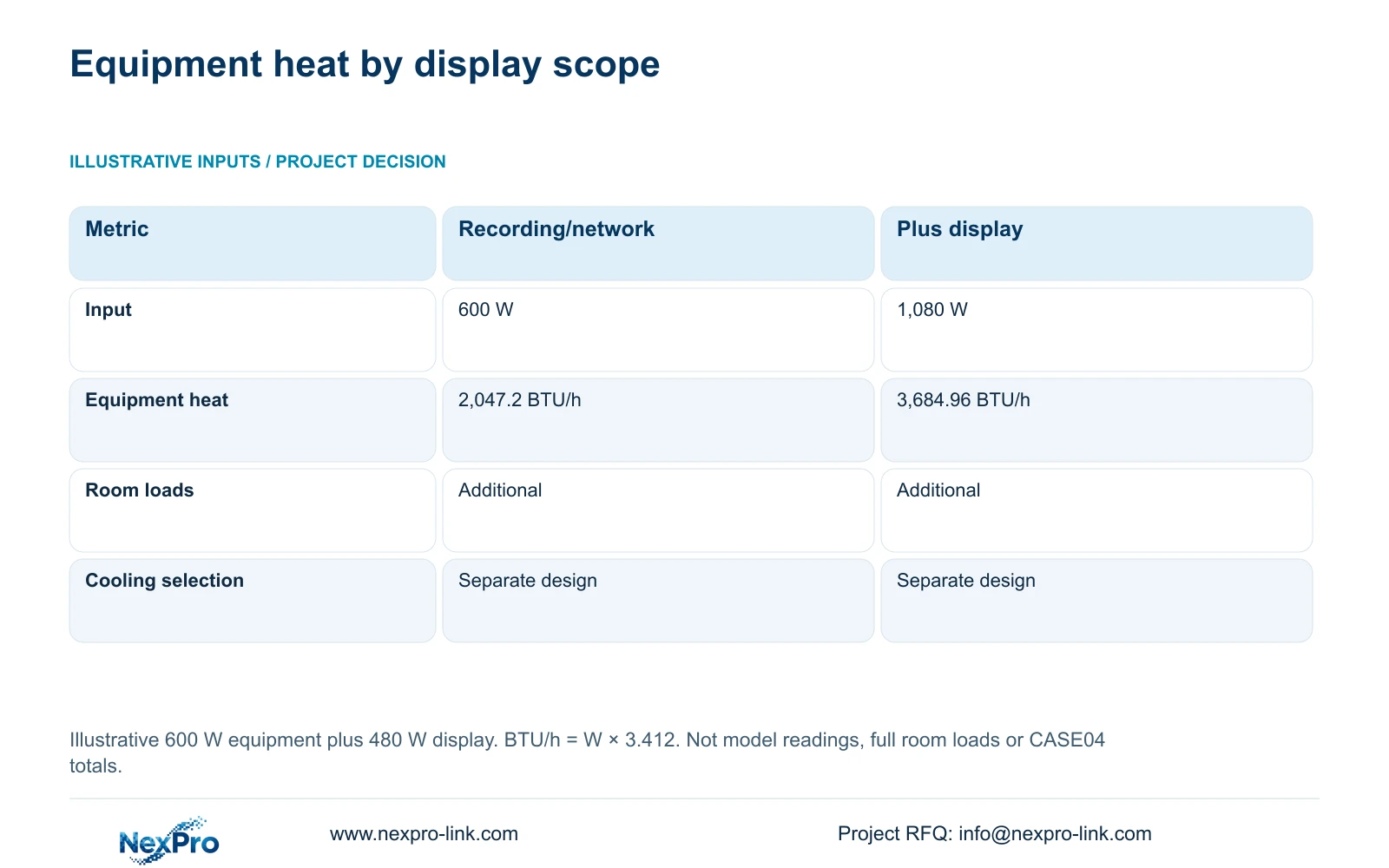
Provide the mechanical designer with actual equipment input watts for the selected operating state and a layout showing airflow and service clearances. For illustration, assume 600 W for recording and networking, with another 480 W for optional display equipment. These are teaching inputs, not nameplate readings for NX-VP-5535.
Equipment heat in BTU/h is approximately electrical input watts × 3.412. The two scenarios therefore give 600 × 3.412 = 2,047.2 BTU/h and 1,080 × 3.412 = 3,684.96 BTU/h. The calculation estimates equipment heat only; it does not select cooling equipment or establish the cabinet temperature. The coefficient uses the International Table Btu. For a remote enclosure, count heat released there; power delivered by PoE to outdoor cameras belongs at those camera locations, not wholly inside the cabinet.
Include room envelope, occupants, lighting, moisture loads and outdoor conditions in the separate room design. Account for UPS conversion losses without counting downstream heat twice. Moving the optional display elsewhere transfers its power and thermal load. Recommend the recording-and-network arrangement where it meets the operational task; add display equipment only after its location and additional load are resolved.
| Metric / condition | Recording and network only | Same equipment plus display |
|---|---|---|
| Equipment electrical input | 600 W | 1,080 W |
| Equipment heat estimate | 2,047.2 BTU/h | 3,684.96 BTU/h |
| Room cooling design | Additional room loads required | Additional room loads required |
Section 05
Estimate the work needed to reach equipment
Build the maintenance allowance from the actual journey and permitted work method. Identify the route to each camera or cabinet, access authorization, equipment needed to reach it and any seasonal restriction. Price a service visit on that basis without assigning an invented failure frequency.
Compare moving a cabinet nearer a service building with retaining the original location. Include the changed data route, local power and installation work. A more accessible cabinet is useful only if it still serves the required recording group and can accommodate the selected equipment safely.
Keep equipment supply, site labor and recurring service as separate cost lines. Remove duplicated accessories or work already included in a package. A proposed local spare needs a supported replacement scope and a place to store it within its required conditions. Stock availability cannot eliminate the journey or configuration work needed to restore service.
Section 06
Define seasonal service and recovery tasks
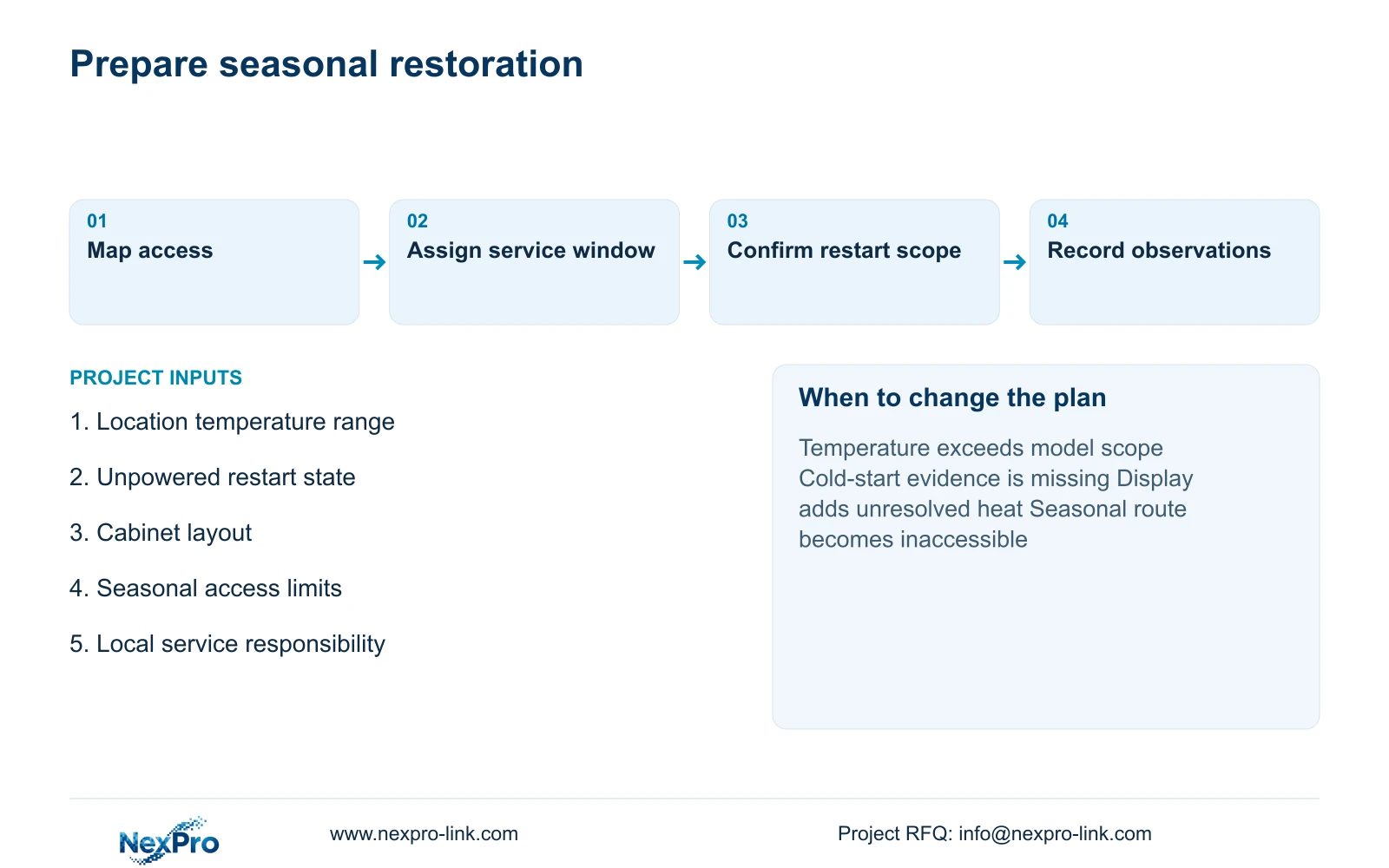
Assign checks before the period when access becomes difficult. The scope can include image review at the approved public routes, recorder retrieval, cabinet airflow inspection and confirmation of the selected protected-power state. Record observations and corrective work against the installed equipment identities; do not describe a proposed check as a completed test.
Agree who responds after an outage and what conditions permit a safe restart or visit. SP2KR(S) lists 2 kVA / 1800 W, but its battery configuration and actual runtime need separate confirmation. Its rating supplies no evidence of suitability for an unconditioned remote cabinet.
The supplied policy record gives applicable main equipment a 24-month limited hardware baseline from receipt, subject to controlling order terms. Batteries, disks, cable and site costs need their own scope. Send location temperatures, restart requirements, cabinet layout and seasonal access restrictions to info@nexpro-link.com. NexPro-Link can support model matching and coordinated supply; local environmental design and site service responsibilities remain explicit project inputs.
Section 07
Buyer questions
Does IP66 establish cold-start performance? No separate cold-start performance follows from that field. Request the exact model's supported startup conditions and identify the equipment state after the anticipated outage.
Can the heat table size the air conditioner? It supplies an equipment-only planning input. The responsible designer must add room and environmental loads, assess airflow and use the actual selected equipment's operating power.
What makes a maintenance quotation comparable? Use the same equipment locations, access method, seasonal restrictions and included work. Separate travel, site labor, spare supply and return transport instead of comparing an unexplained annual total.
Engineering references
These sources support the general planning principles. Always use the selected product's current datasheet and applicable project standards for final design.