

Have an operator move from a specific overview tile to its correct detail source and then to the corresponding recorded interval. Record any manual stream or source selection the actual client requires.
Section 01
Protect recording quality while simplifying the overview
Have an operator move from a specific overview tile to its correct detail source and then to the corresponding recorded interval. Record any manual stream or source selection the actual client requires. If enlargement retains insufficient detail, keep that limit visible instead of describing a larger tile as a main-stream switch.
Use supported substreams for a factory wall's overview when they show the activity operators must notice, while retaining the required main-stream recording. Provide a verified path to higher-detail live viewing or recorded playback. Estimate the viewing workload separately from recorder input, because reducing a mosaic's demand need not change what the system records.
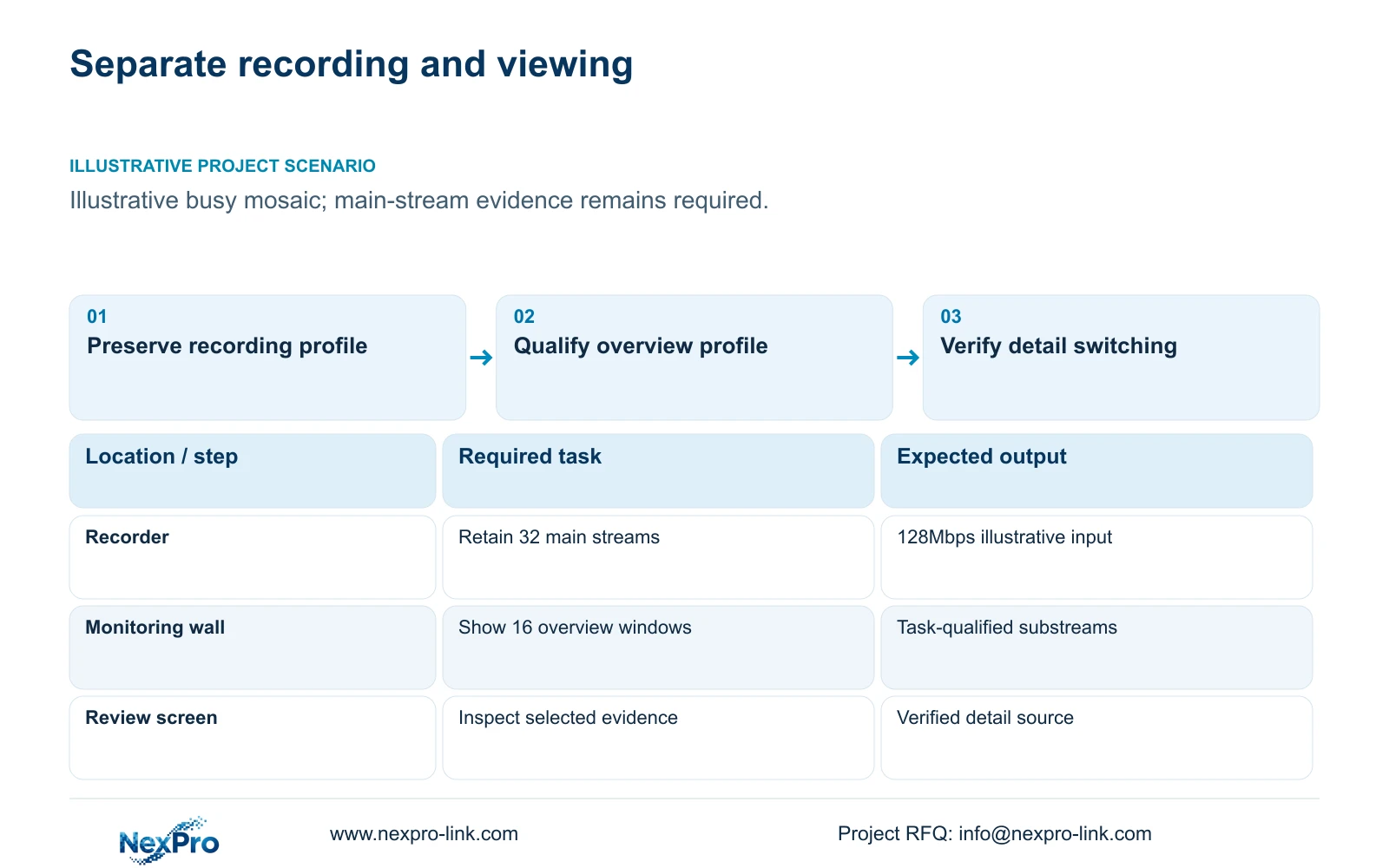
Illustrative project scenario: A large live mosaic consumes more client resources than expected. The supplied CASE01 background has 32 cameras recording continuously for 30 days at an assumed average 4Mbps each. For this display decision, assume sixteen cameras appear simultaneously and operators can select a view for closer inspection. These are planning conditions, not measured client performance.
Record the current recording profile before adjusting the display. The camera, recorder and viewing client may expose separate settings, so verify which stream each function uses. A change made to improve the overview should be followed by a check of newly recorded footage. Otherwise, an apparently smoother wall could conceal an unintended loss of evidence detail.
Section 02
Choose an overview profile that still reveals the required event
Define the overview task for each view: noticing a vehicle arriving, a door opening or a transfer starting. Select a supported stream profile against that task, rather than applying one low-resolution setting to every camera. A critical issue counter may need different presentation from a broad circulation route even when both occupy small windows.
The supplied 5MP bullet and Dome specifications list 2880×1620 output; preserve that field when documenting main-stream references. No exact substream dimensions or bitrate are supplied here. Obtain the available profiles from the actual camera and firmware, then check codec and profile support in the selected client or decoder.
Test the overview during representative activity and lighting. Ask operators to notice the agreed event from their intended seat, without immediately enlarging every tile. If a supported substream cannot serve that task, use a better profile, fewer windows or a dedicated view. A lighter stream is useful only when the required observation survives the change.
Section 03
Make detail selection an explicit operating state
Specify what happens when an operator enlarges a tile. The client might continue showing the same substream or request a main stream; either behavior needs to be identified. Verify the resulting image, the switching behavior and the return to overview. Digital enlargement of a small source cannot recover image information that the stream did not carry.
Keep recorded incident review distinct from live enlargement. Operators may need to inspect an earlier handover while other views remain live. Assign that task to a review screen or a supported concurrent wall layout, with the appropriate account permissions. Include playback and export in the qualification if they are part of the owner's normal work.
For purchasing, define an overview state and a detail state rather than requesting an unspecified fast client. NX-VD-4K16 is a decoding reference, but the supplied model name does not establish the required stream switching or concurrent workload. The proposed client or decoder should demonstrate these states using the selected camera profiles before volume equipment is approved.
Section 04
Relate stream choice to the actual window allocation
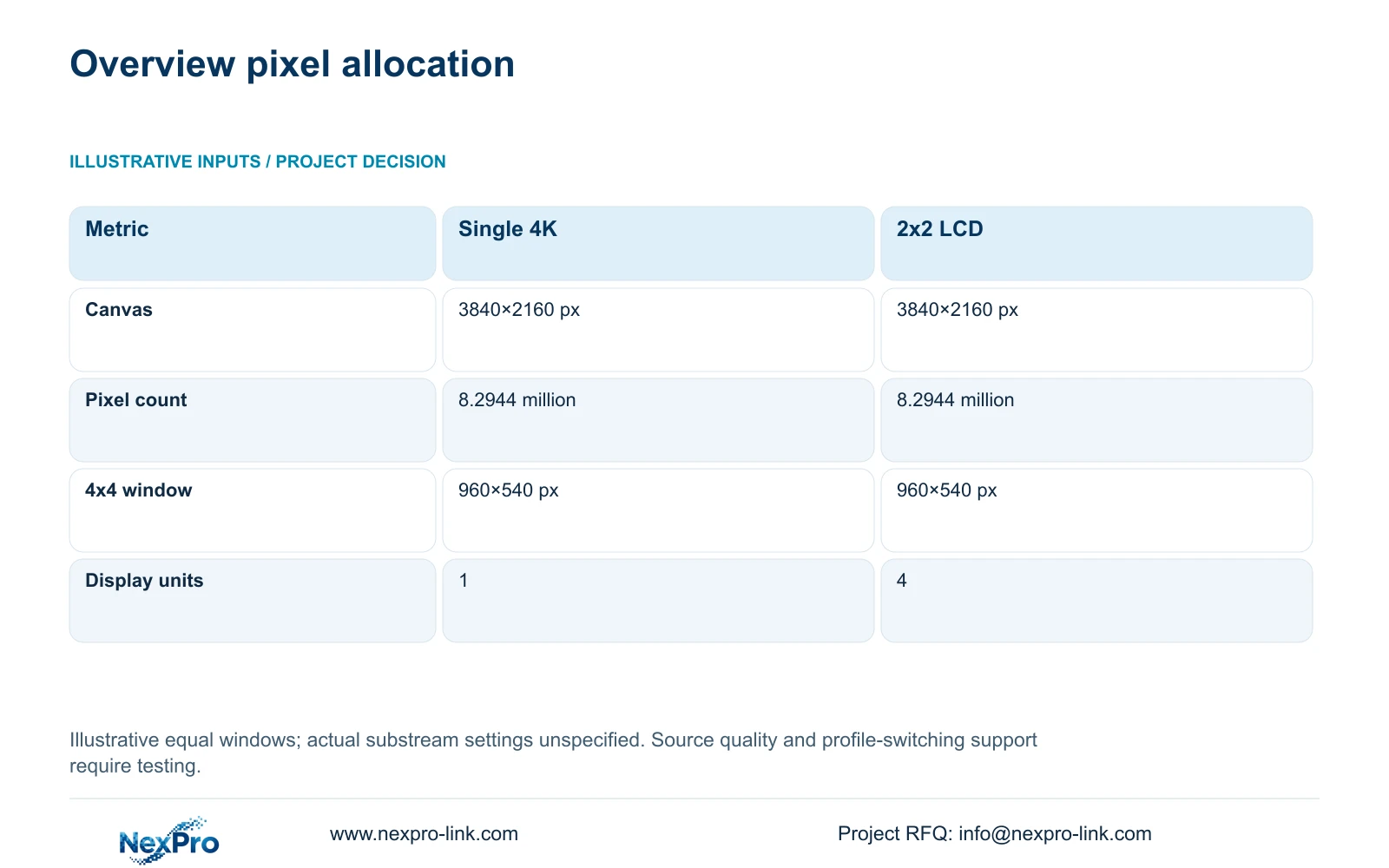
The illustrative display inputs are one 3840×2160 screen or a 2x2 array of 1920×1080 LCD panels treated as one canvas. Use canvas = (columns × panel_width_px, rows × panel_height_px). Both arrangements produce 3840×2160 pixels, with 8.2944 million pixels overall.
For a 4×4 equal-window layout, nominal_window_px = canvas_px / (4,4) = 960×540 pixels per window. That allocation helps explain why decoding every large main stream may provide limited additional visible detail in an overview tile. It does not prove any particular substream is sufficient, since motion, compression, labels and the observation task also affect usefulness.
The table's decisive result is that replacing one screen with four full-HD panels does not change the nominal per-window allocation under this layout. Source selection still needs a separate decision. A physically larger tile may be easier to see from further away, while a selected detail view requires a suitable larger source and supported processing. NX-VP-5535 is an LCD reference, not a direct-view LED display.
| Metric | Single 4K screen | 2x2 full-HD LCD |
|---|---|---|
| Canvas | 3840×2160 px | 3840×2160 px |
| Total pixels | 8.2944 million | 8.2944 million |
| 4x4 window | 960×540 px | 960×540 px |
| Physical units | 1 | 4 |
| Overview profile | Qualify per task | Qualify per task |
Section 05
Budget viewing traffic without subtracting it from recording
CASE01's recording input is 32 × 4Mbps = 128Mbps. Its illustrative video quantity remains 41.472TB for 30 days if the recording assumptions are unchanged. Display traffic should be mapped separately. Identify whether it originates at cameras or recorders and whether each additional desk requests its own sessions before assigning load to individual network links.
For a preliminary overview estimate, use display_Mbps = sum(selected viewing stream Mbps). If all sixteen tiles use the same assumed overview rate s Mbps, the viewing estimate is 16s Mbps. No numerical substream rate is supplied, so keep s unresolved until the actual profiles are selected. Add legitimate detail and playback traffic for the busiest accepted state.
Recommend qualified overview streams with main-stream recording retained. Change that recommendation where a critical overview task needs a better source or where the chosen client cannot reliably switch profiles. Compare the cost of processing upgrades with layout changes using matched demonstrations. Lower display bitrate alone does not establish a proportional reduction in workstation watts or UPS requirements.
Section 06
Handover stream policies that operators can verify
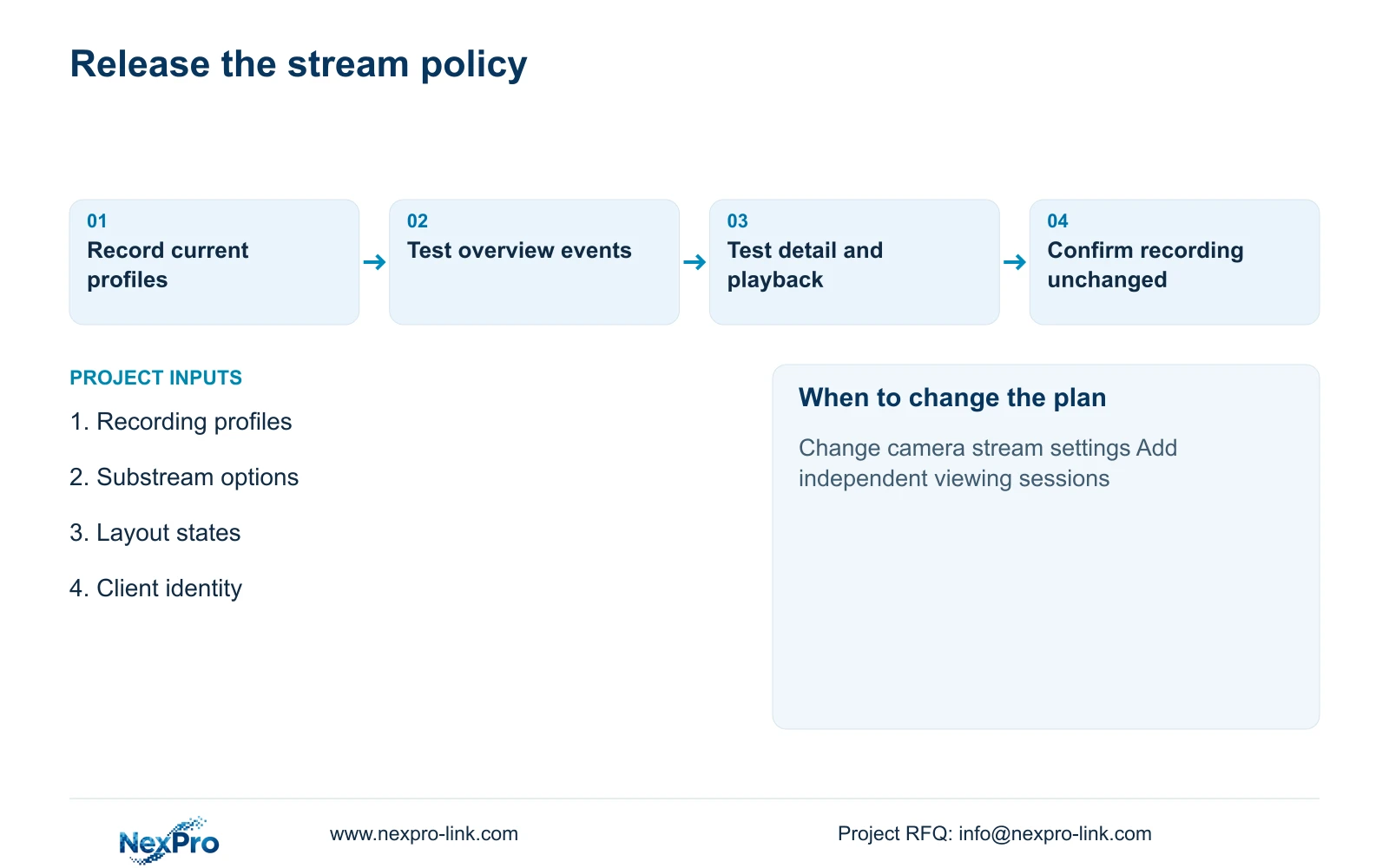
The equipment schedule should identify recording profiles, overview profiles and detail-selection behavior separately. Record firmware, client version and the origin of each viewing session. Include retained cameras and recorders, the supplied display processor and any installer-provided network changes. That documentation allows a later fault to be traced without guessing which profile the screen is using.
NexPro-Link can discuss camera references, recorder selection and display-processing scope through its BOQ support. The useful output for this topic is a qualified display policy with explicit added equipment, traffic and power boundaries. Preserve required existing software where it supports the owner's workflow; the policy should not imply universal mixed-brand feature support.
At handover, demonstrate the busiest overview, select a detail view, retrieve recorded footage and confirm that recording quality stayed as approved. Repeat after any camera-profile or client change that affects these functions. Keep an operator instruction showing how to reach detail and restore the normal layout, so the lighter overview does not become a permanent limitation during an investigation.
Section 07
Buyer questions
Will using substreams automatically reduce disk consumption? Not when the recorder continues using the unchanged main streams. Disk demand changes only if recording settings, hours, retained streams or retention change.
Can an enlarged tile remain on the substream? Yes, depending on the client configuration. Confirm the selected source after enlargement and test whether it supplies the detail needed for that task.
What if only some cameras have useful substreams? Use a mixed viewing policy and qualify its complete workload. Keep suitable overview profiles for ordinary tiles and stronger profiles for the views whose tasks require them.
Section 08
Separate your recording and display profiles
Send your current recording profiles, available substream settings, overview/detail layouts and client or decoder identity to info@nexpro-link.com to discuss a qualified factory-wall viewing scope.
Engineering references
These sources support the general planning principles. Always use the selected product's current datasheet and applicable project standards for final design.


