

Ask each bidder to describe the supported service task, required access and display interruption for its exact assembly. Compare those operations against the control room's permitted downtime and alternate viewing route.
Section 01
Select the technology from readable operator information
Ask each bidder to describe the supported service task, required access and display interruption for its exact assembly. Compare those operations against the control room's permitted downtime and alternate viewing route. Keep an unverified modular-repair claim open; native pixel calculations cannot establish service availability or maintenance cost.
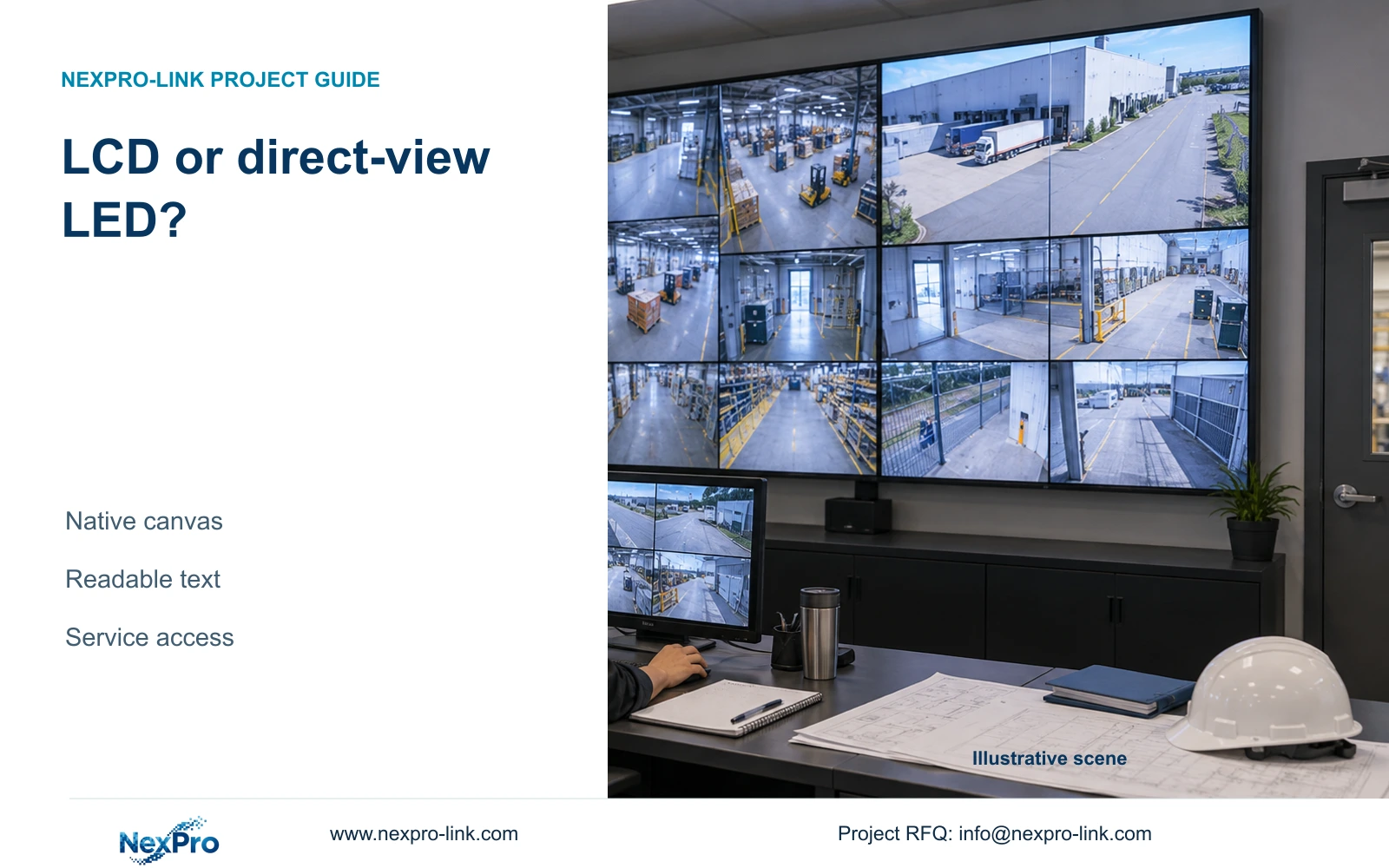
For a compact factory security room, start with an LCD proposal that meets the required window layout and viewing positions. Consider direct-view LED when a continuous shared image provides a useful operating benefit and its native resolution, service arrangement and full infrastructure fit the room. Neither technology should be approved from physical size or a sales label alone.
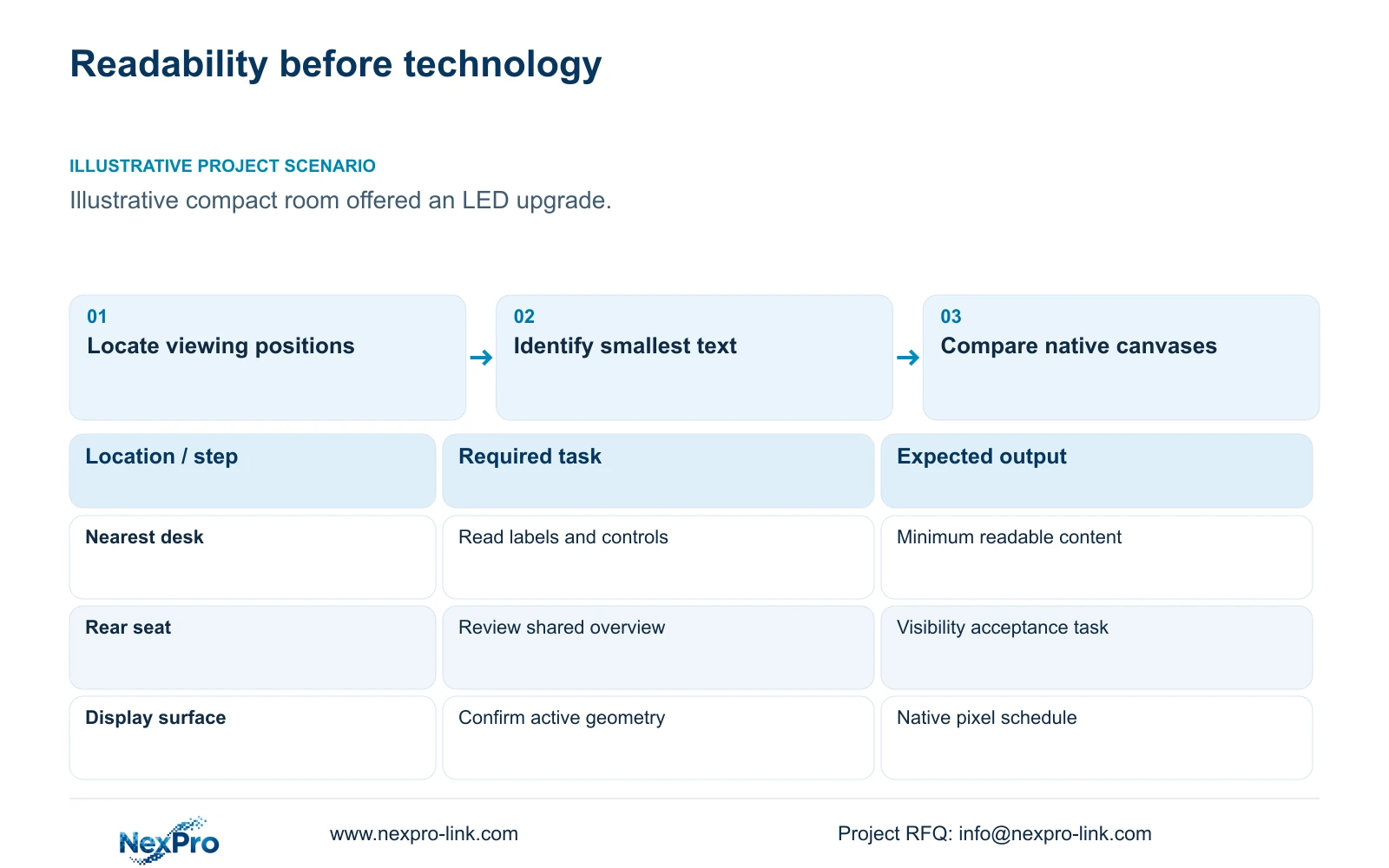
Illustrative project scenario: A compact factory room is offered a fine-pitch LED wall as a default upgrade. The planning comparison uses a proposed LED area 3.84m wide by 2.16m high, with 1.5mm and 2.0mm pitch alternatives. The supplied 32-camera CNC reference supplies the recording context; these LED dimensions are hypothetical design inputs.
Ask the owner to identify the smallest information operators must read: camera names, timestamps, access-route activity or selected playback controls. Map those tasks to the nearest and furthest seats. Keep detailed investigation on a suitable review display if the shared wall is intended primarily for overview. This establishes a testable requirement before selecting pitch or panel count.
Section 02
Distinguish native pixels from accepted input resolution
A processor's ability to accept a 4K signal does not establish a native 4K display surface. Trace the picture through source decoding, composition, output processing and the physical pixel array. Each stage can scale the image. The design schedule should therefore state both the accepted signal formats and the native canvas dimensions.
For an LCD comparison, NX-VP-5535 is listed as a 55-inch 1920×1080 LCD, with a 3.5mm seam/bezel field and 400nit typical brightness. Four panels arranged 2x2 have a nominal 3840×2160 canvas when treated as one display surface. This product is LCD; it must not be renamed direct-view LED in a proposal.
Use the same camera layout and application interface on each candidate. A seamless image may help when footage spans the whole surface, while panel-aligned windows can reduce the practical effect of LCD seams. Text size and viewing comfort must still be checked in the room. Nominal pixel totals cannot determine whether an operator can read a camera label from a particular seat.
Section 03
Include maintenance space and processing equipment
Require a drawing showing the proposed mounting structure, access direction and replacement path. For an LCD wall, identify how a panel can be removed without dismantling unrelated room equipment. For LED, obtain the selected cabinet and module geometry, service access requirements and replacement procedure. These are supplier-specific inputs, not properties established by the generic pitch calculation.
Assign the display supplier responsibility for the complete processing path and the local contractor responsibility for agreed mounting and electrical work. Retained recorders and viewing clients should remain clearly identified. NX-VD-4K16 can be discussed as a network decoding reference, but its model name does not establish the actual codec concurrency or every output combination.
Include normal and protected-power scope separately. CASE01 assumes a 580W increment for four LCD panels and a decoder; that figure is not an LED load estimate. Obtain operating and maximum-demand information for the actual LED assembly, processor and accessories. Cooling consequences and electrical protection belong in the room design even if those services are priced by another party.
Section 04
Calculate the proposed LED canvas before calling it 4K
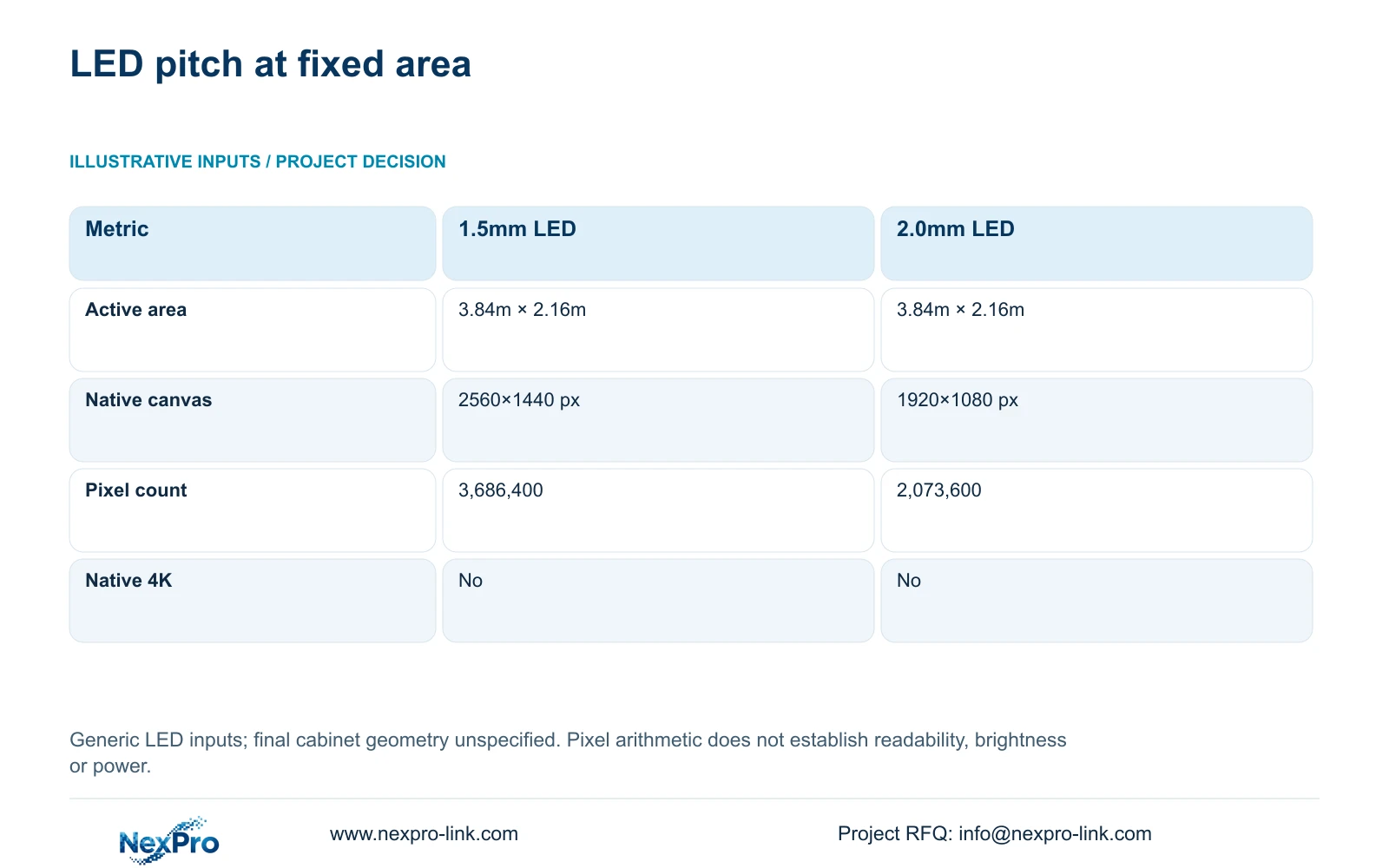
For the illustrative 3.84m × 2.16m area, use width_px = width_m × 1000 / pitch_mm and height_px = height_m × 1000 / pitch_mm. At 1.5mm pitch, the calculations are 3.84 × 1000 / 1.5 = 2560 pixels and 2.16 × 1000 / 1.5 = 1440 pixels. Multiplication gives 3,686,400 pixels.
At 2.0mm pitch, the same area gives 1920×1080 pixels and 2,073,600 pixels in total. Neither option reaches the 3840×2160 native canvas associated with the single-4K or nominal 2x2 full-HD arrangement. The 1.5mm option gives more native samples within the stated physical area, but that result alone does not settle readability or project value.
The table exposes a decisive procurement distinction: buying a large LED surface can still mean accepting fewer native pixels than the LCD arrangement under comparison. Final cabinets and modules must form a feasible geometry, so replace the assumed area with the supplier's actual assembled dimensions before approval. No NexPro-Link LED SKU, brightness measurement or power result is supplied by this calculation.
| Metric | 1.5mm pitch | 2.0mm pitch |
|---|---|---|
| Pitch | 1.5 mm | 2.0 mm |
| Native width | 2,560 px | 1,920 px |
| Native height | 1,440 px | 1,080 px |
| Pixel count | 3,686,400 | 2,073,600 |
| Native 3840×2160 | No | No |
Section 05
Approve LED only when its operating benefit survives comparison
Keep LCD as the initial option where panel-contained views and a separate review screen meet the owner's work. Evaluate LED when a seamless shared image is required, when the proposed physical format better fits the room, or when representative content demonstrates a meaningful visibility advantage. Record the specific benefit in the design decision so later substitutions preserve it.
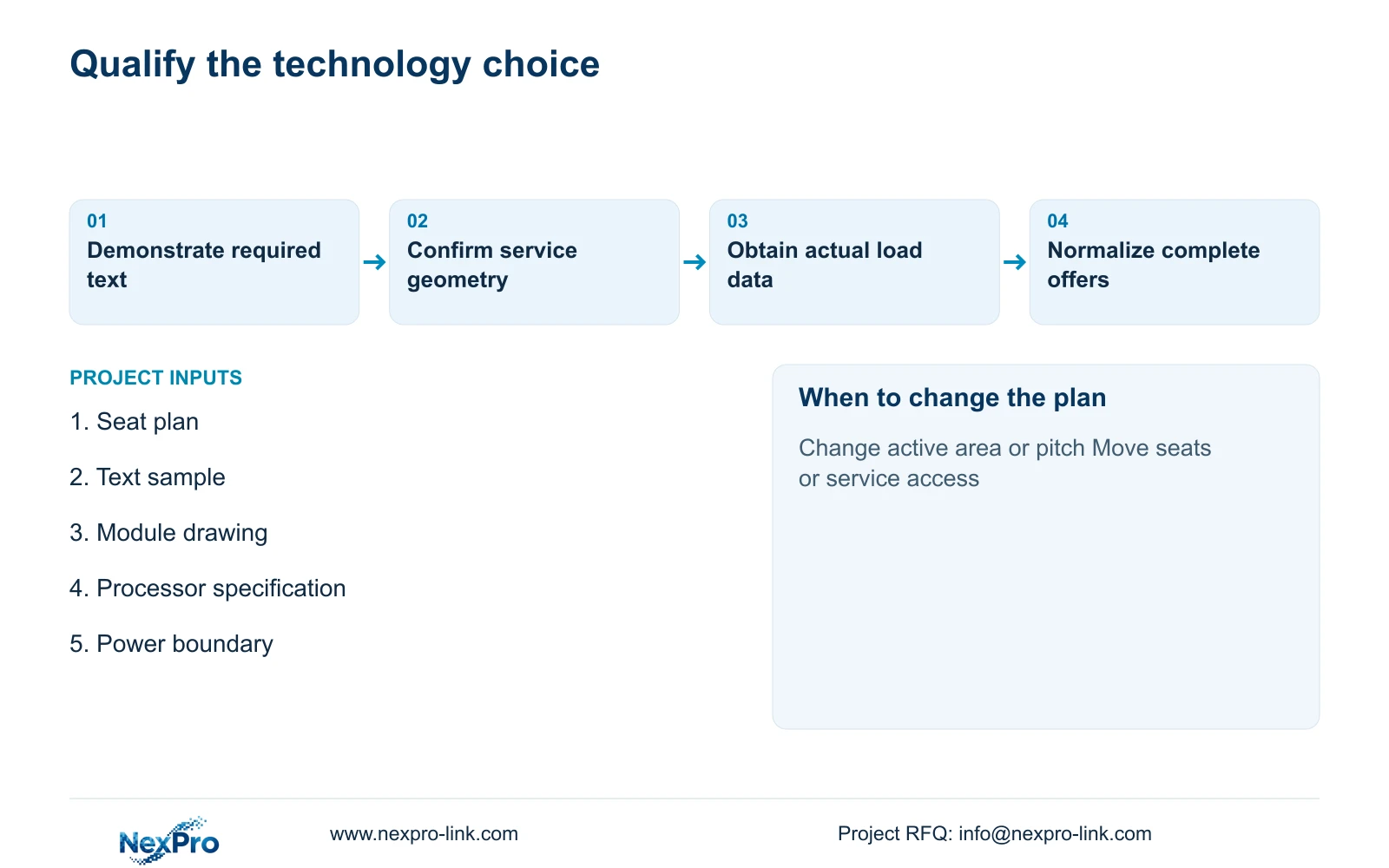
For the illustrated LED choices, request a demonstration using the actual smallest text and busiest overview layout. If 2.0mm pitch cannot meet that task, reject it for that application; do not compensate by calling the incoming signal 4K. If 1.5mm also falls short, reconsider native resolution, physical geometry or the division between overview and desk review.
The cost team should compare complete packages including processing, structure, power distribution, commissioning, spares and service responsibilities. Unknown items remain unresolved quotation inputs rather than zero-cost entries. Keep required software integration or owner-mandated equipment in both offers. There is no matched quotation here that establishes one technology or supplier as universally cheaper.
Section 06
Write a technology-specific acceptance and supply schedule
The tender schedule should identify the selected technology, native canvas, accepted inputs, approved layouts and viewing positions. Include any content that must cross the full display surface and the detail-review tasks assigned elsewhere. For LED, append the proposed module and cabinet drawing; for LCD, append panel positions and seam-aware layouts.
NexPro-Link can discuss its LCD references, related decoding requirements and BOQ alignment within the documented project scope. A separate direct-view LED offer needs an identified product and full supporting specification. Coordinated equipment supply does not establish that every display category is manufactured in-house or that all processing interfaces are automatically compatible.
During acceptance, demonstrate readability from each agreed seat, source switching and recovery of the approved layout after interruption. Check the service path against the installed room, not only the equipment drawing. Keep recording available independently of the display test. A successful presentation check should be recorded separately from any required electrical, structural or cooling approval.
Section 07
Buyer questions
Is a seamless LED wall automatically better for camera mosaics? No. If each camera occupies a panel-contained window, LCD seams may have little effect on the required overview. Compare actual content, readable labels and detail-review tasks before paying for seamless presentation.
Can the CASE01 LCD power allowance be used for LED? No. The four 120W panels and 100W decoder are illustrative LCD-option inputs. The proposed LED assembly needs its own processor, display and accessory load information.
What if the supplied LED dimensions differ from the concept drawing? Recalculate native resolution using the actual active area and pitch, then repeat the layout and seating review. Cabinet geometry can change both the physical fit and the pixel allocation.
Section 08
Define a readable display comparison
Send your viewing positions, smallest required text sample, proposed active display dimensions and backup-power boundary to info@nexpro-link.com to discuss an LCD scope and the requirements for a comparable LED offer.
Engineering references
These sources support the general planning principles. Always use the selected product's current datasheet and applicable project standards for final design.


