

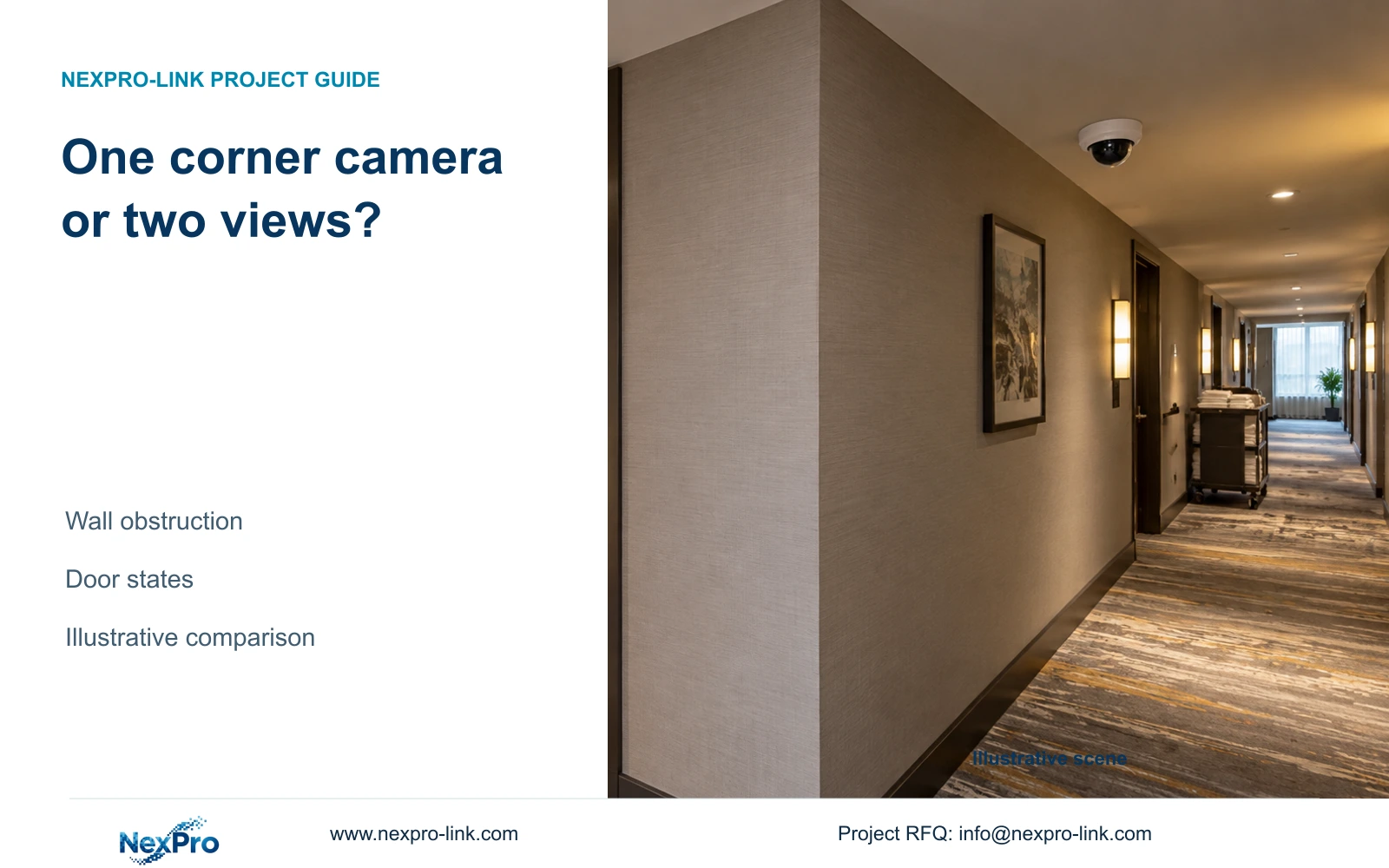
Choose two views when the corner or an operating door hides a required corridor task. A single position is suitable only when both arms remain visibly useful.
Section 01
Plot both corridor axes
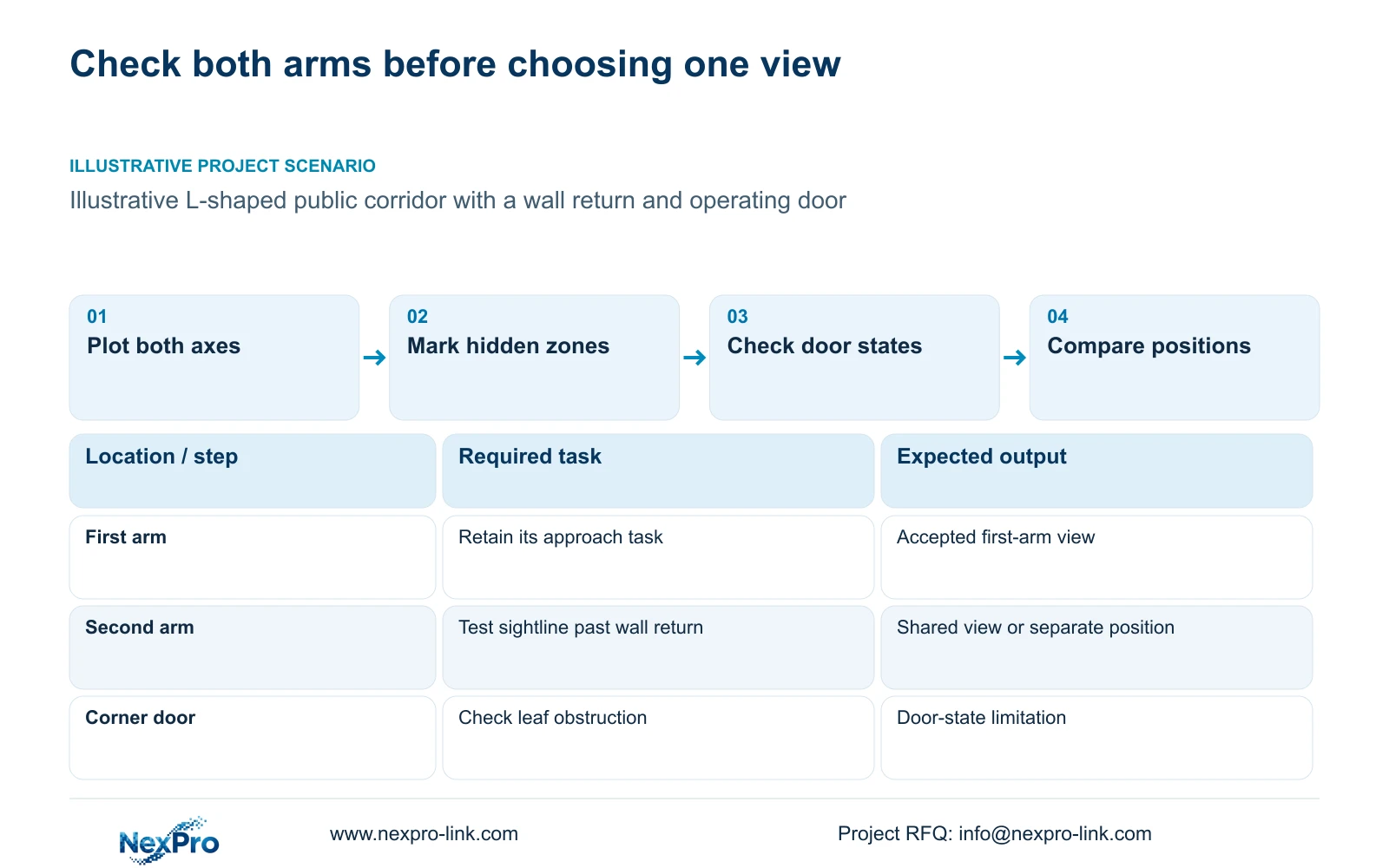
Choose separate views when a wall corner or operating door prevents one position from seeing the required tasks on both corridor arms. Retain one corner camera only when its proposed location provides useful visibility along both axes under the agreed door conditions. A wide-angle description cannot resolve a blocked sightline.
Draw each arm as its own public movement route, with the turn connecting them. Mark the required observation points before locating equipment. The hotel may need to follow movement through the turn, observe an approach to a service door, or preserve detail near a lift lobby. These duties can demand different framing even within the same small area.
Assign an overview or detail purpose to each observation point. One view can carry multiple duties only if the content remains usable across its frame. Bedroom numbers do not determine this arrangement. In an illustrative guest-floor layout, the relevant quantity comes from the visible route tasks and permitted boundaries on the drawing.
| Required task | Given information | Decision still needed |
|---|---|---|
| Follow movement through the turn | Two corridor axes | Continuity across the corner |
| Observe the second-arm endpoint | Endpoint beyond wall return | Independent sightline or shared view |
| Avoid private openings | Guest doors along both arms | Permitted framing on each axis |
Section 02
Check the corner obstruction
Plot sightlines from the proposed lens position, including its offset from the wall return. A camera symbol placed at the junction does not show whether the lens can see around the structure. Mark the portions hidden by the wall separately from areas that are visible but lack sufficient detail.
Compare moving the camera toward a permitted open position with adding a view on the second arm. Relocation may expose both routes, but it can create an unsuitable angle at the far endpoint or bring guest openings into the frame. A second position may retain the first arm's framing while resolving the obstructed task.
Document the obstruction boundary on the plan instead of accepting a general claim of corner coverage. Resolution and optical adjustment affect visible information. Neither lets an ordinary camera see through a wall. If the task remains hidden from every acceptable single mounting point, carry two views into the equipment comparison.
| Item | One corner position | Two arm-specific views | Effect on task |
|---|---|---|---|
| Wall return | May conceal the second arm | Each view faces its arm | Hidden route can be addressed |
| Framing | Shared between both arms | Set independently | Different detail tasks can be retained |
| Installation scope | One endpoint if accepted | Additional endpoint and link | Infrastructure cost must be included |
Section 03
Compare focused and panoramic options
Compare focused and panoramic proposals against the same visible targets. A broad overview may show the turn and circulation context; a focused view can allocate more of the image to a required approach. Any panoramic proposal needs its actual model, image mapping and recording requirements. The supplied DM2812M candidates are not documented as panoramic devices.
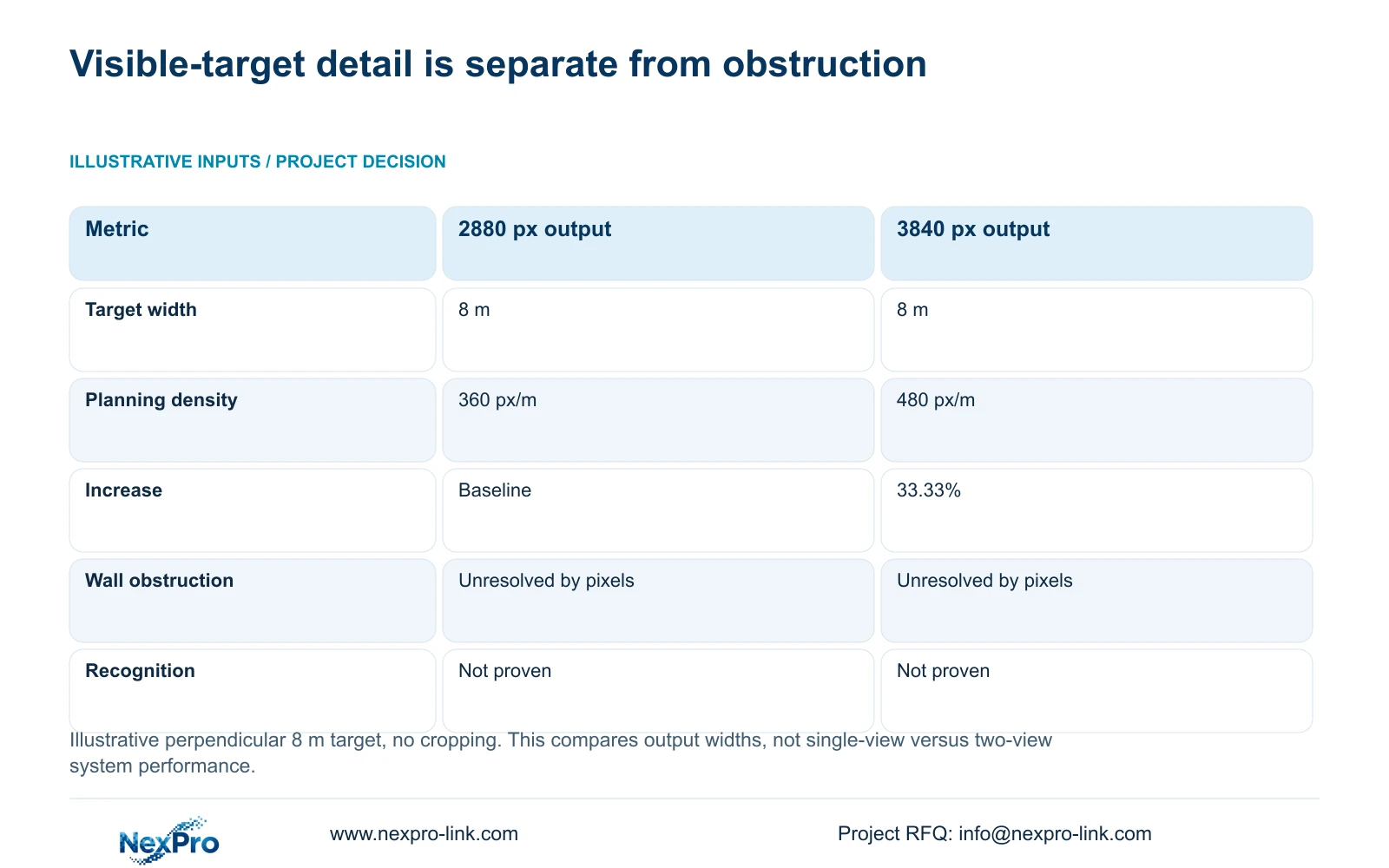
The independent teaching comparison uses a perpendicular 8 m target plane without cropping. Planning density equals horizontal output pixels divided by target width: 2880 ÷ 8 = 360 px/m and 3840 ÷ 8 = 480 px/m. The increase is 33.33%. These numbers compare output modes at equal width, not one-camera and two-camera system performance.
The supplied PDF lists NexPro-DM2812M55-5MP-DIC-AI with a 2880×1620 main-stream mode and NexPro-DM2812M88-8MP-DIC-AI with 3840×2160 at 25 fps. Their 2.8-12 mm lens ranges do not establish an exact corner field of view or PTZ capability. If a visible endpoint lacks detail, assess framing and resolution; if the endpoint is hidden, change the sightline.
| Metric / condition | Documented 2880 px output | Documented 3840 px output |
|---|---|---|
| Output width (px) | 2880 | 3840 |
| Same target width (m) | 8 | 8 |
| Planning pixel density (px/m) | 360 | 480 |
| Increase relative to A | Baseline | 33.33% |
| What is not proven | Recognition / night performance | Recognition / night performance |
Section 04
Review opened-door conditions
Review the corner with doors in their relevant operating states. A fire door or service-door leaf may interrupt the connection between the arms or block the proposed camera. Guest doors can expose private interiors. Mark the obstruction and exclusion effects individually so a solution to one does not create the other.
Keep video observation separate from door control. Any requested association between access events and recordings needs an identified controller, software version and supported interface. Buying door hardware and cameras together establishes no automatic PMS or event integration. Local specialists retain responsibility for safe door operation and emergency egress.
Do not alter a door's approved operation to preserve a convenient camera angle. Revise mounting or add a permitted view if the normal door state blocks a required public task. Check recorded movement around the turn with those states reproduced. The 360 and 480 px/m budgets remain relevant only to target areas actually visible in the accepted arrangement.
Section 05
Calculate added infrastructure
Compare complete endpoint scope when deciding whether a second view is worth buying. Include its cable route, switch assignment and recording stream. Confirm camera peak power separately from assumed planning watts, then check the connected switch's simultaneous output budget. Additional recording capacity follows the selected bitrate and retention policy, not a fixed amount per camera.
NexPro SW-POE1618G has 16 PoE access ports and two uplinks in the supplied record. Its access-port speed descriptions conflict, and numerical total PoE power is absent. It can remain an inquiry candidate, but spare ports do not establish spare power or a confirmed network match.
CASE03 provides a separate illustrative 48-camera hotel system. Its recorder and power totals are not the increment for this corner. Use the accepted floor schedule to determine whether an existing port and supported recorder channel can be reused or whether the change crosses a capacity boundary. Ask for scope-matched quotations without assigning invented prices to either option.
| Retained outcome | Extra scope | Worth buying when | Counter-condition |
|---|---|---|---|
| Visible second arm | Camera, cable and switch port | Wall return hides its required task | Relocation exposes both tasks |
| Independent detail framing | Additional recording stream | Shared overview loses required detail | Single view meets accepted detail |
| Outage continuity | Protected access-node power | New view uses an unprotected node | Existing protected path is sufficient |
Section 06
Document the accepted blind-zone boundary
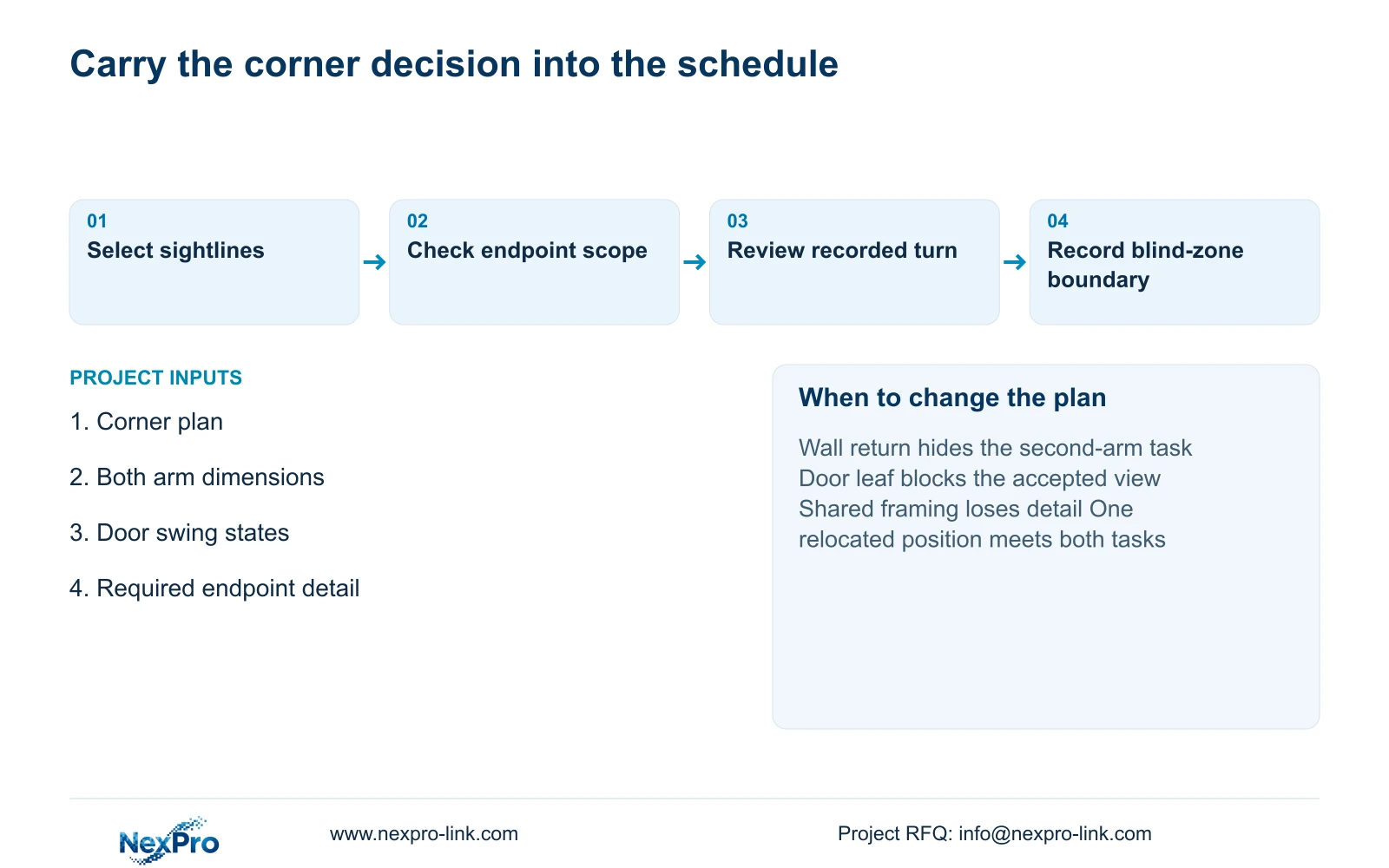
The accepted drawing should distinguish required visible areas, deliberate private-space exclusions and any residual public blind zone. Give the responsible hotel representative a task-based description of the residual limitation. A general coverage percentage would obscure whether the missing area contains the very approach the system is intended to observe.
Attach each accepted view to a camera tag, model candidate and recording configuration. Review the turn in both directions, then retrieve the footage through the intended operator workflow. Record actual observations and unresolved items. A sample check of one corner does not establish coverage for corners with different door or wall geometry.
Use two views where an acceptable single position cannot retain both arm-specific tasks. Reduce to one only after geometry and recorded task checks support that choice. Send a corner plan, both arm dimensions, relevant door swings and permitted capture boundaries to info@nexpro-link.com. NexPro-Link can discuss model matching and coordinated BOQ scope; the proposal should name local installation and acceptance responsibilities.
Section 07
Buyer questions
Can a higher-resolution corner camera replace the second view? Only if the second view addresses insufficient detail in an already visible area. If a wall or door conceals the task, higher resolution leaves the obstruction unchanged. Compare a different mounting position before deleting the second endpoint.
What evidence should support acceptance of one corner camera? Request a marked view boundary and recorded route checks for both arms under relevant door states. Include the task limits and stream settings in the handover, rather than accepting a catalogue field-of-view label.
Can NexPro-Link compare a mandatory-brand proposal with an alternative? Yes, within an allowed alternative scope. Supply the representative corner task and required recording workflow. The comparison should retain those outcomes and identify deviations; supplier support does not guarantee operator or consultant approval.
Engineering references
These sources support the general planning principles. Always use the selected product's current datasheet and applicable project standards for final design.


