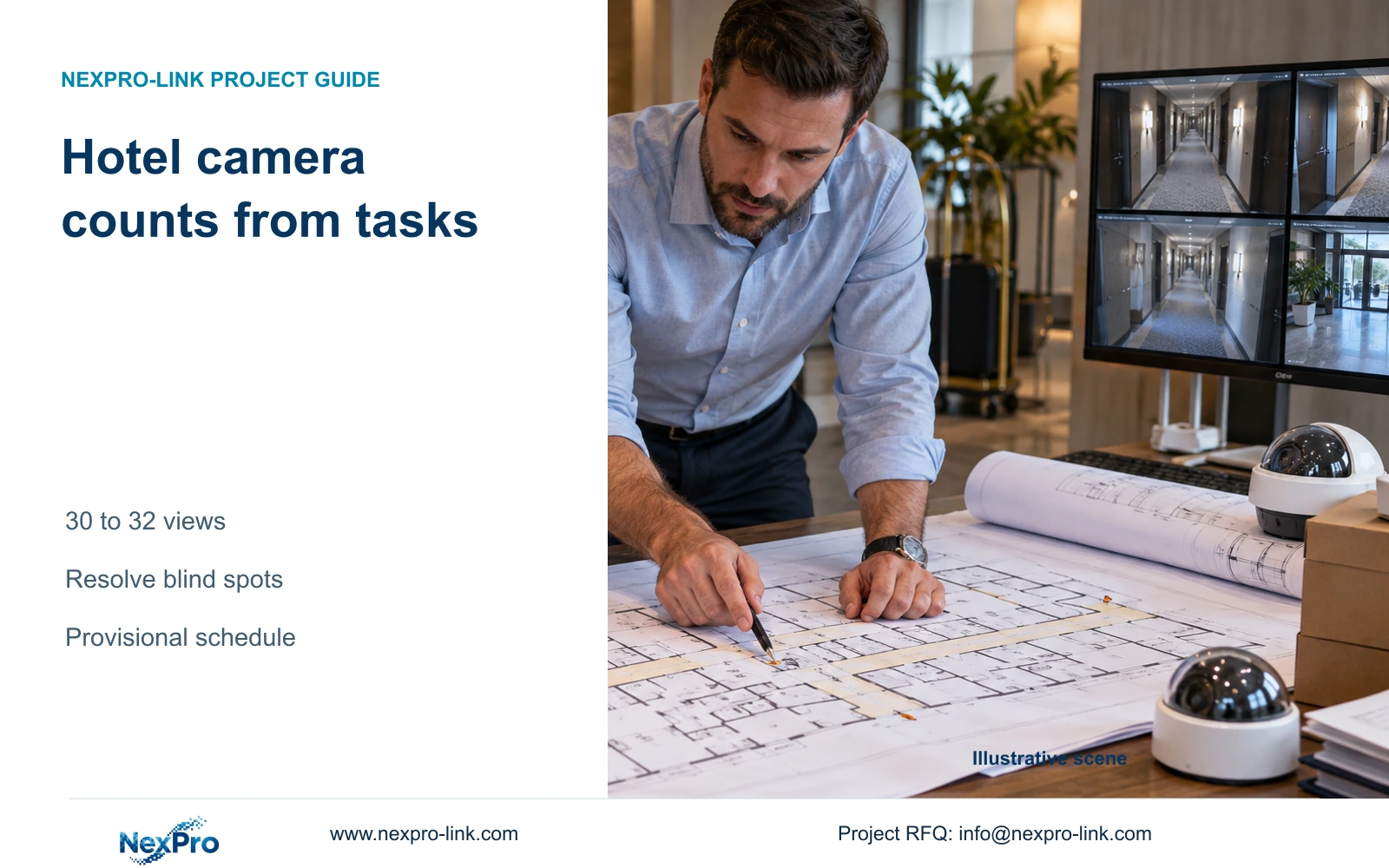
Use task-based quantity scenarios while drawings are incomplete. The illustrative schedule changes from 30 to 32 views when two corridor endpoints require separate coverage.
Section 01
Count tasks rather than bedrooms
Use bounded public-zone camera schedules when final drawings are unavailable, and keep the quantity provisional until sight lines and positions are resolved. If the only information is room count and floor area, request an entrance and circulation sketch before issuing a purchase quantity. Neither input identifies the number of necessary views.
Start with the actions that need to remain visible. An entrance crossing, reception handover and corridor endpoint can require different framing. Record each task separately, then assess whether one camera can satisfy more than one task. Counting every task as a separate device can overstate quantities; combining them without checking visibility can omit required detail.
For an early estimate, identify known tasks and unresolved geometry. This gives the cost manager a reason for the quantity range and gives the designer a route to narrow it. The count should change when a documented layout or observation requirement changes, rather than when an arbitrary camera allowance per bedroom changes.
| Required task | Given information | Decision still needed |
|---|---|---|
| Entrance crossing | Door location on sketch | Target width and camera position |
| Public-route endpoint | Route identified | Corner visibility and obstruction |
| Reception handover | Counter location | Overview and detail boundaries |
Section 02
List entrances and transition points
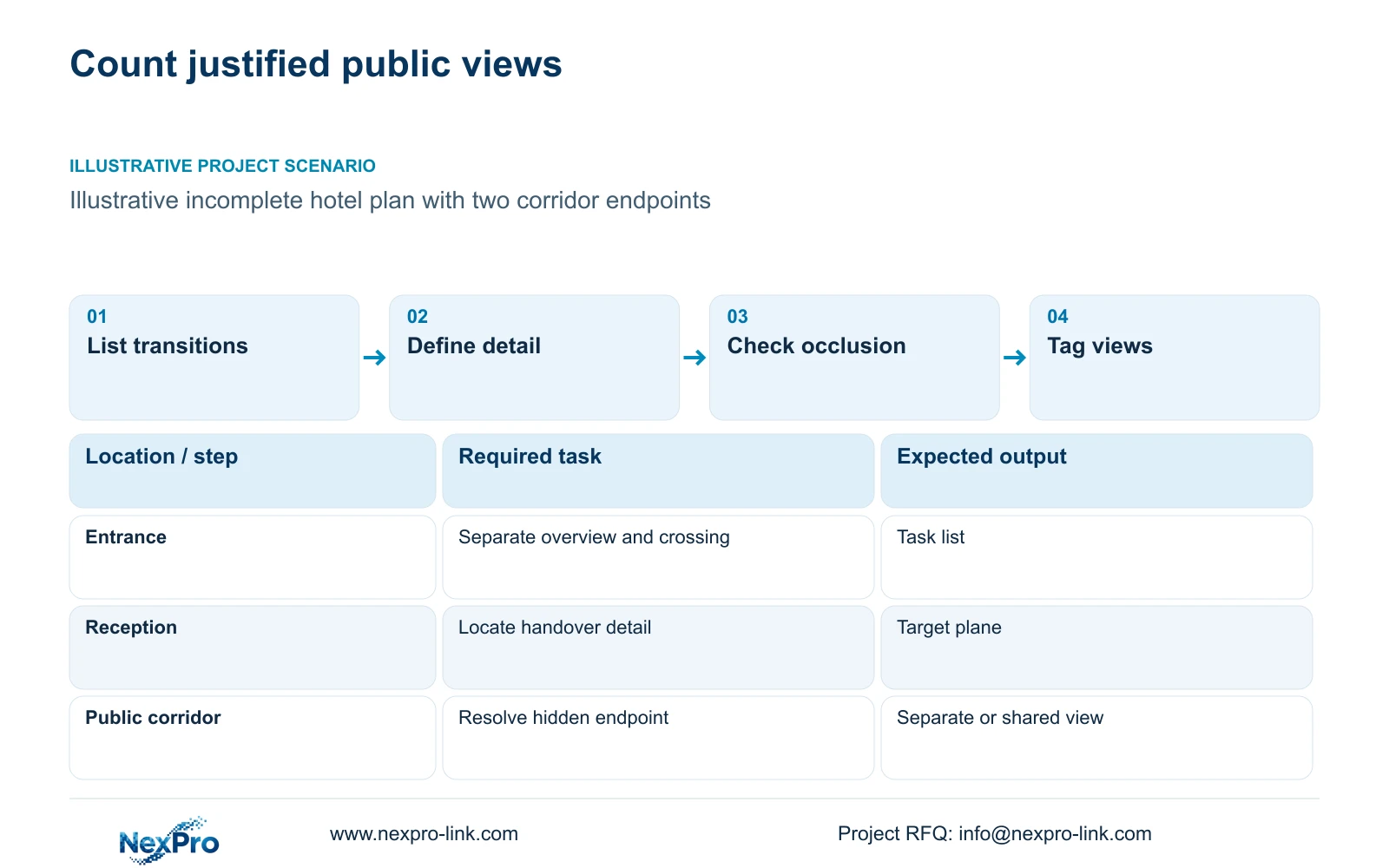
Walk the plan through the public arrival route, reception and circulation transitions, then examine authorized back-of-house and exterior tasks. At each transition, identify what must be visible and where that action occurs. A door symbol alone does not show whether the camera can see a person approaching, crossing or leaving the opening.
Doors, signs, furniture and changes in corridor direction can obstruct the intended view. Keep these as explicit layout questions. An entrance overview may show movement across a broad area while losing the detail needed at the actual crossing point. A reception camera may cover the queue but have a poor view of the relevant counter task.
Assess compatible tasks together before adding devices. Moving a position may preserve both tasks, while a tighter view may improve detail and remove part of the overview. The quantity decision should record that effect so a reduction remains understandable to the owner and the eventual installer.
| Item | Option A | Option B | Effect on task |
|---|---|---|---|
| Entrance | Broad approach view | Separate crossing detail | Additional view justified if detail is lost |
| Corridor corner | Retain initial position | Reposition for endpoint | May avoid another camera if both tasks remain visible |
Section 03
Separate overview from detail views
Describe the target plane and its width before comparing image detail. Planning pixel density is horizontal output pixels divided by target-plane width in metres. Floor area cannot substitute for that width, and a sloping view or obstruction can make the simple geometric estimate less representative of the recorded task.
The supplied DM2812M Series product PDF lists 2880 × 1620 for the 5MP mode and 3840 × 2160 for the 8MP model. At an illustrative equal 12 m target width, the horizontal budgets are 240 and 320 px/m. These figures do not establish recognition performance. Exposure, angle and movement still affect the result.
NexPro-DM2812M55-5MP-DIC-AI and NexPro-DM2812M88-8MP-DIC-AI are motorized-lens candidates with a supplied 2.8-12 mm range. That range does not establish an exact field of view without the necessary optical information, and motorized zoom does not make either a PTZ camera. Digital enlargement also cannot recover detail absent from the original image.
Section 04
Build three bounded camera schedules
Create a low scenario only where compatible tasks can share verified sight lines. Use a working scenario for the current layout, and a high scenario for identified obstructions or unresolved separate-view tasks. Each scenario should name the condition that produces it. An unexplained percentage added to the count gives the team no way to remove that allowance later.
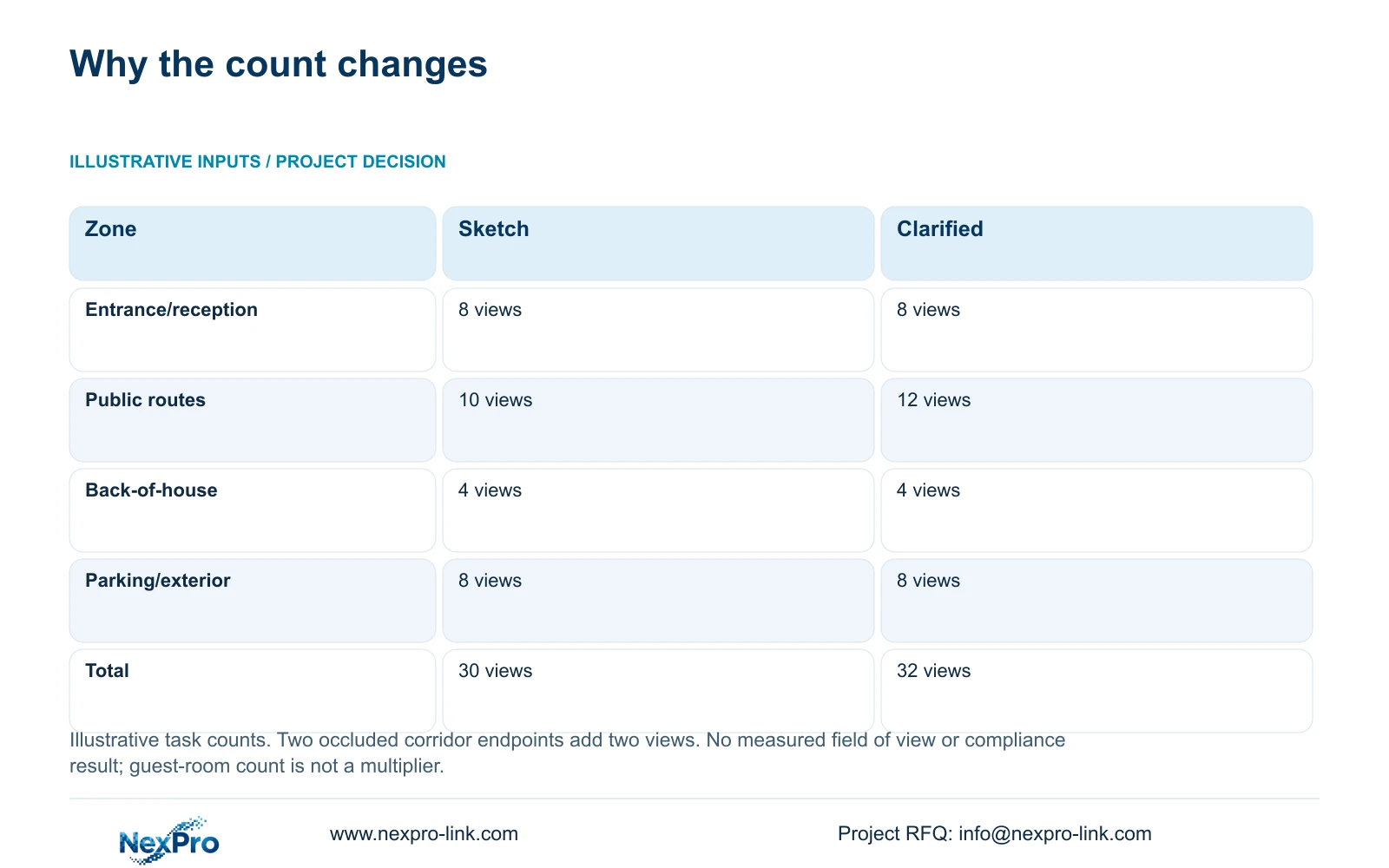
The supplied numerical comparison has two defined states. Entrance and reception, back-of-house and exterior tasks remain unchanged. Clarifying two occluded public-corridor endpoints increases that group from 10 to 12 views and the total from 30 to 32. This is a task-count calculation, with total views equal to the sum of assigned zone tasks.
The table does not supply a third numerical total. Keep the low scenario conditional until a drawing supports task consolidation; do not manufacture a lower number merely to complete three columns. In this illustration, use 30 to 32 as the documented comparison and resolve the two endpoints before purchasing. Both states still require lens, position and permitted-view design.
| Zone / condition | Initial sketch | Clarified routes |
|---|---|---|
| Entrance and reception views | 8 | 8 |
| Guest-floor public-route views | 10 | 12 |
| Back-of-house views | 4 | 4 |
| Parking and exterior-service views | 8 | 8 |
| Total planning views | 30 | 32 |
| Reason for change | Initial task sketch | Two occluded corridor endpoints need separate views |
Section 05
Identify drawings that narrow the range
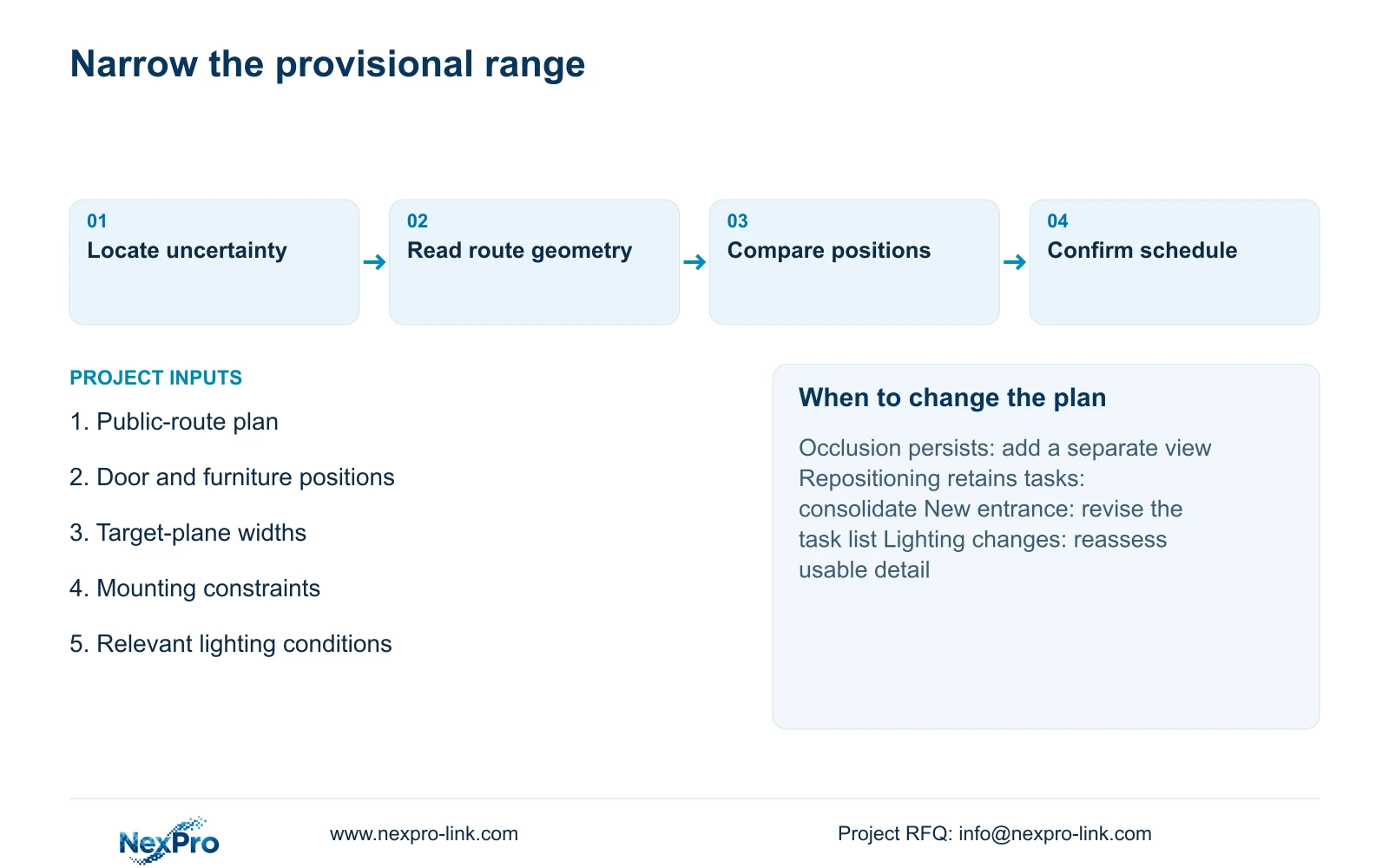
Request the drawings that answer the remaining quantity questions. Public-area plans establish route geometry. Door and furniture information exposes changing obstructions. Ceiling and mounting information identifies usable positions and maintenance access. Lighting information helps determine whether the proposed view can retain the required task under the relevant operating conditions.
For the two endpoints in the example, compare a repositioned view with two added positions. Repositioning is useful only if it preserves the already assigned tasks. Adding cameras is justified when the required endpoints remain hidden or when solving them would remove needed detail elsewhere. Compare the full installed effect, including route access and the network connections, rather than camera prices alone.
Once the views are accepted, give them stable tags and connect the schedule to recording, PoE ports, power and cable quantities. The independent CASE01 reference also has 32 cameras, but that matching total does not authorize copying its cable cuts or power assumptions into this hotel.
| Retained outcome | Extra scope | Worth selecting when | Counter-condition |
|---|---|---|---|
| Existing route views | Repositioning work | One position retains all assigned tasks | Another task becomes hidden |
| Both endpoint views | Two added positions | Occlusion persists after position review | Supported consolidation resolves the task |
Section 06
Explain what remains provisional
Label a planning view count as an allowance, and distinguish it from a confirmed device quantity. State the current drawing basis and the unresolved tasks beside the number. The count alone does not confirm night performance, cable lengths, recorder modes or the installed cost. Those depend on the accepted positions and configuration.
Ask suppliers to price against the same working schedule and show the cost of the documented alternate scenario separately. Keep confirmed items, provisional quantities and risk allowances distinct. A larger camera count may cross a recorder, switch or protected-power threshold, so the installed difference need not equal two camera unit prices.
Send relevant public-area plans, intended observation tasks and the unresolved endpoint or entrance details to info@nexpro-link.com, with project stage and destination. NexPro-Link can discuss camera candidates, BOQ matching and coordinated equipment supply. Retain the provisional range until sight-line analysis supports a purchase schedule; revise it when the actual route, lighting or operator requirement changes.
Section 07
Buyer questions
Can a supplier give an exact count from the number of guest rooms? Room count provides project context but does not establish entrances, corridor geometry or required detail. Request a task-based allowance with named unresolved conditions. Do not treat that allowance as a final procurement quantity.
Can 8MP cameras reduce the number of required positions? Only where the same position can retain the required tasks with adequate detail. More output pixels cannot reveal an occluded endpoint. Compare the actual view geometry before using resolution to justify consolidation.
What should a pre-tender supplier return? Request a tagged provisional camera schedule, the conditions behind its alternate quantity, relevant model candidates and a quotation boundary covering recording, network, power and site exclusions. This lets the team update quantities without losing the original task basis.
Engineering references
These sources support the general planning principles. Always use the selected product's current datasheet and applicable project standards for final design.