

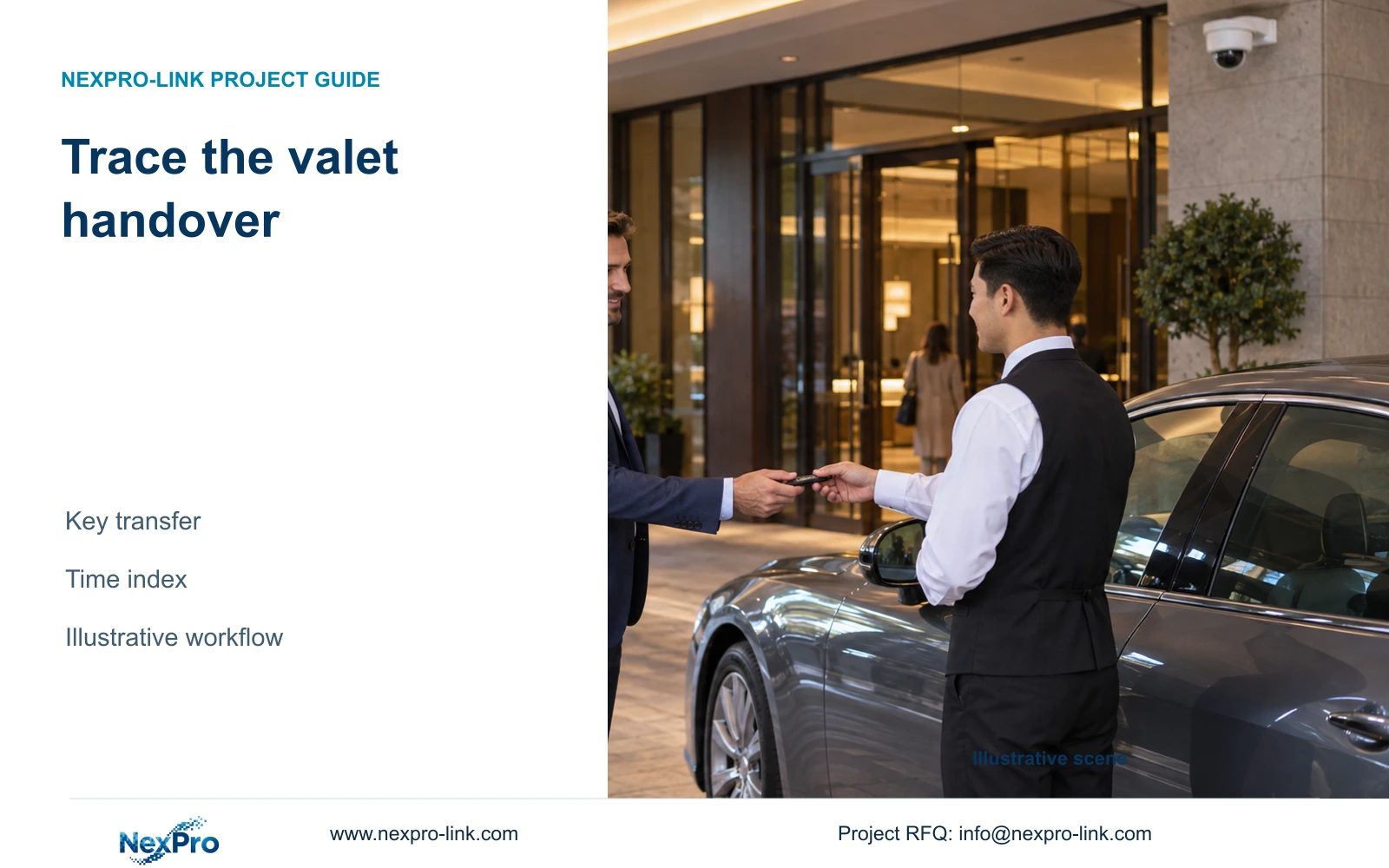
Build a point-and-time index for valet handovers before buying integration features. The chosen workflow should let authorized staff connect the vehicle, key and relevant recording through supported records.
Section 01
Map the valet handover sequence
Choose a handover-point and timestamp index as the starting scope for valet CCTV. Add automatic links to valet business records only when the exact systems and interfaces support them. The purchase decision should follow a representative retrieval task: an authorized user starts with a handover record and finds the relevant vehicle and key-transfer footage.
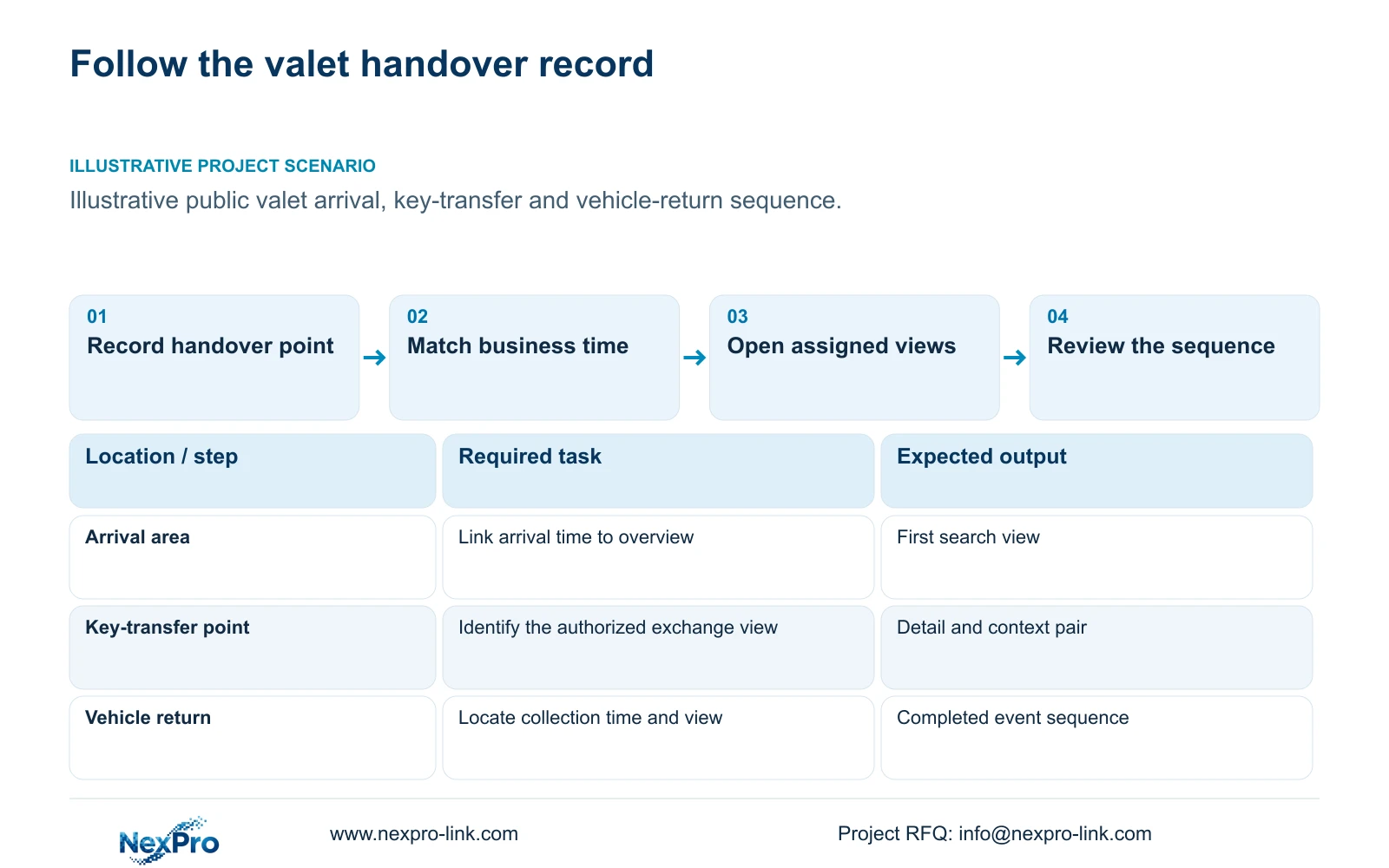
Map arrival, receipt of the key, vehicle movement into parking, retrieval and return to the guest. These activities can occur at different locations and involve different staff. Assign each step a location reference, relevant camera view and responsible record owner. A camera schedule organized only by floor number gives the operator little help when tracing a sequence.
Keep observation responsibilities separate from lane control. Entrance video can show surrounding activity, while plate recognition and barrier decisions require their dedicated supported systems. CASE09 illustrates a 16-camera parking annex with separate ANPR scope; it does not establish a delivered valet integration or prescribe the camera count for another hotel.
| Required task | Given information | Decision still needed |
|---|---|---|
| Find arrival handover | Arrival time and reception point | Assigned overview and detail views |
| Trace key transfer | Authorized handover reference | Record owner and camera-time index |
| Review vehicle return | Collection time and return area | Permitted search and export role |
Section 02
Choose detail and overview positions
Assign overview views to show the vehicle's approach and the people involved in the handover. Where the approved task requires closer detail of an exchange, assess a separate detail view at the actual transfer point. A broad view can retain context while leaving the key-transfer action too small or obstructed to review.
Coordinate positions with the valet operating layout. A counter, parked vehicle or staff member may block the exchange from one direction. Record the target plane and expected movement, then check the permitted installation position and lighting. Changing the camera location may solve an obstruction more effectively than increasing output resolution.
The BL2812M and DM2812M product PDFs provide motorized-lens candidates, but a lens range does not establish a precise field of view at an unmeasured handover point. Optical framing and recorded movement need confirmation. Audio is a separate authorized decision; a camera's microphone or two-way audio feature does not justify recording every conversation around the valet desk.
Section 03
Align timestamps with the business record
Use the business record as a search input, with a location reference and a time basis that the CCTV operator can interpret. Specify the applicable time zone and how the relevant equipment maintains time where supported. If the valet record and video use different clocks, establish and document the difference during the agreed demonstration.
An illustrative retrieval starts with a handover reference and recorded arrival time, identifies the arrival camera, and follows the vehicle to the next assigned view. This is a workflow model without an invented retrieval duration. CCTV should not be described as automatically understanding ticket numbers, key custody or business ownership unless a supported interface actually provides that relationship.
Define the exception path when the record is incomplete or remote access is unavailable. Authorized local search may remain possible if the local recording and required network path continue operating. A working remote application does not prove local continuity, and a local recording service does not guarantee that an off-site user can reach it during a WAN outage.
Section 04
Compare event retrieval workflows
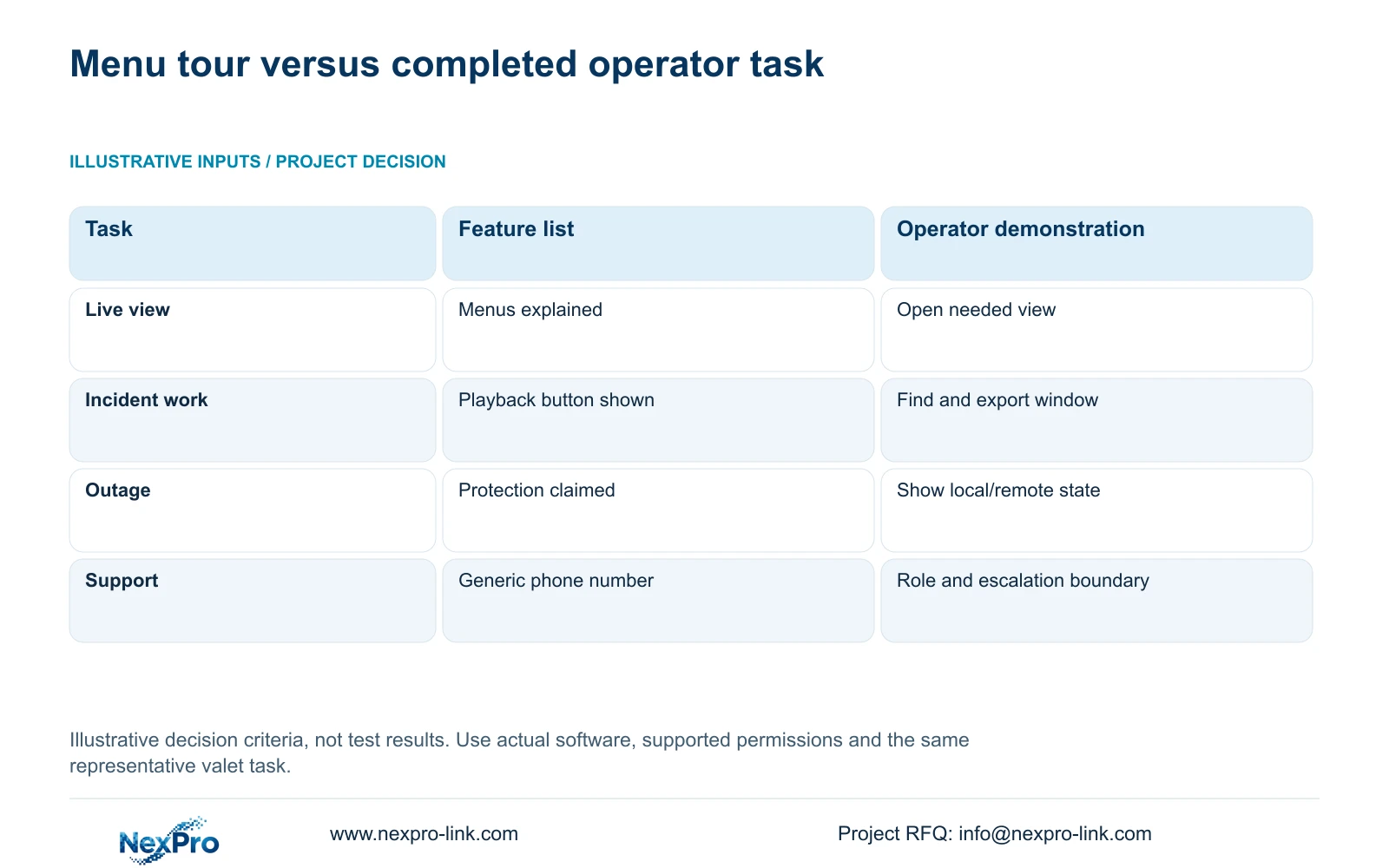
Evaluate a feature-list handover against a task-based operator handover using the same valet event. The table sets observable criteria rather than reporting test results. A supplier showing the playback menu has demonstrated a control; the hotel user still needs to show that the assigned permissions and camera index support the complete retrieval.
Run the task using the delivered software version and the user's intended role. Start with the business time reference, open the relevant view, review the defined window and prepare an authorized export. Record any failed step with its configuration and responsible party. Do not turn an unperformed exercise into a pass or claim average time savings without measured records.
Include a selected fault state in the comparison. The operator should know whether a lost display, unavailable remote client or recording failure requires a different action. Support instructions need a named responsibility and escalation boundary. A general contact number does not explain whether hotel IT, the local installer or equipment support should respond first.
| Metric / condition | Feature-list handover | Task-based operator handover |
|---|---|---|
| Live view | Menus explained | Authorized user opens the needed view |
| Incident work | Playback button shown | Find and export a defined time window |
| Outage | All equipment called protected | Demonstrate the selected local/remote state |
| Support | Generic phone number | Correct role, contact and escalation boundary |
Section 05
Define authorized export and receiving access
Separate routine valet operation from investigation and disclosure. The staff member handling keys may need no export permission. Hotel security may need playback, while another authorized person decides whether footage can leave the system. Match those tasks to actual device and client capabilities instead of assigning a shared administrator account.
Define an export package around the relevant handover stages and time window. Preserve enough context to understand the sequence, identify the source camera and retain the time information. Verify playback at the receiving end before relying on the exported copy. Limit recipients and transfer paths according to the hotel's authorized procedure.
Manual correlation can remain a suitable baseline where a small authorized team can complete the task. Buy additional workflow integration when the representative task exposes a supported need for it, and price software, implementation and training together. ONVIF profile matching is a function-checking starting point; it does not prove ticket search, advanced event correlation or third-party application binding.
Section 06
Prepare a role-specific staff demonstration
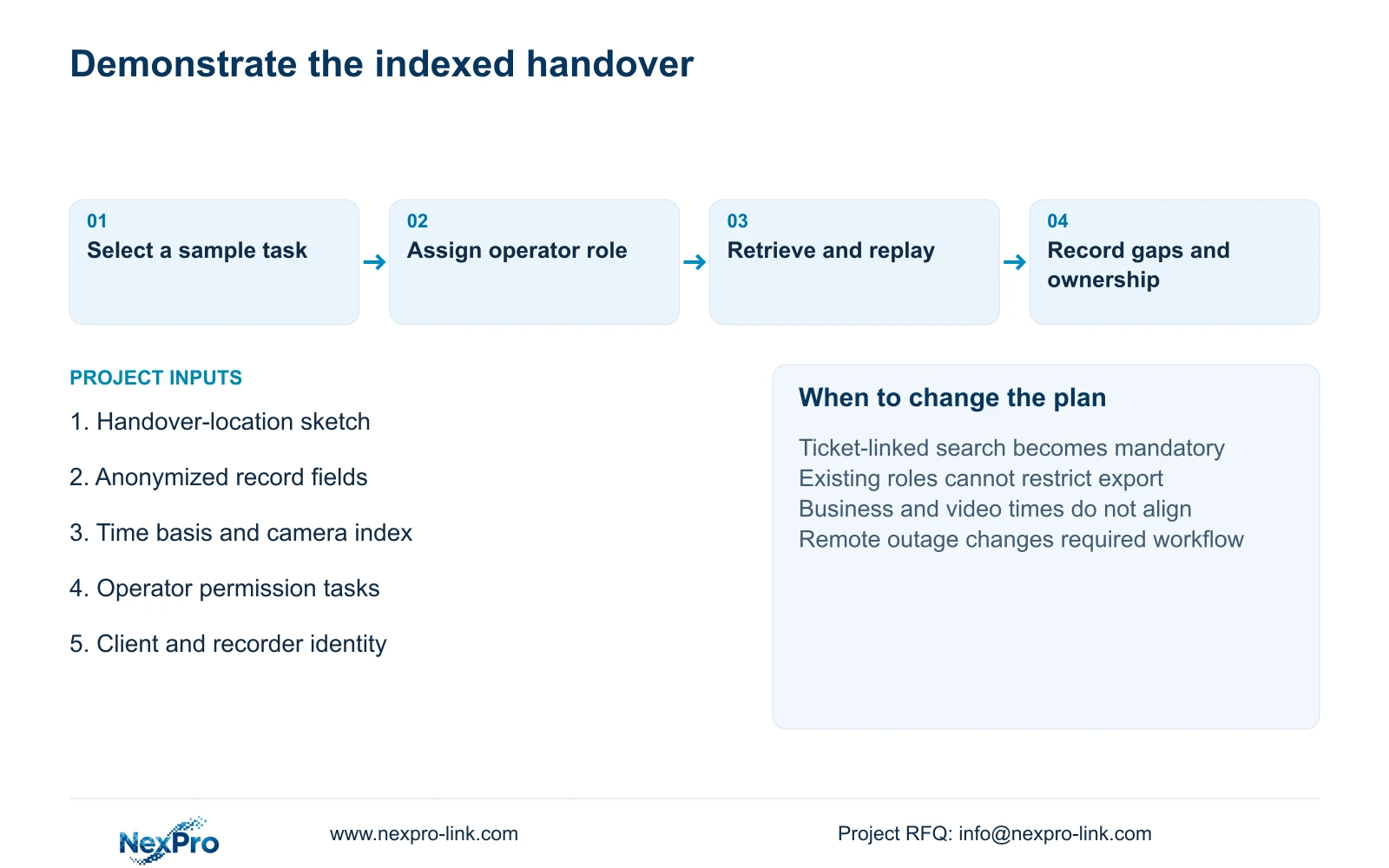
Recommend task-based handover with a documented point-and-time index where the hotel can retrieve the required sequence using supported local tools. Change the proposal if the operator requires ticket-linked search, several sites share investigations or the existing platform cannot provide the necessary permissions. Those conditions need a defined interface and software scope, not an assumed feature.
Prepare a representative handover exercise with authorized material and assigned roles. Have the intended operator complete live viewing, retrieval and the permitted export without relying on the supplier to perform every action. Keep instructions matched to the delivered configuration, including the support contact and information needed to report a fault. Refresh the exercise when roles or software change.
Send a valet handover sketch, an anonymized business-record field list and the intended operator roles to info@nexpro-link.com, together with the existing CCTV client identity and destination. NexPro-Link's hotel project equipment support can discuss camera schedules and coordinated supply; BOQ and tender support can identify interface allowances and exclusions. Local installation and third-party business integration require their own stated responsibilities.
Section 07
Buyer questions
Do we need an automatic valet software integration? Only if the required retrieval task needs it and the exact interface is supported. An indexed manual workflow may be adequate; test that workflow with the actual authorized role before pricing integration.
What can we send without sharing guest records? Send an anonymized list of business-record fields, a handover-location sketch and the required search sequence. Passwords, guest footage and live access credentials are unnecessary for an initial scope discussion.
Does one demonstration cover every staff role? No. Demonstrate the tasks assigned to valet operations, security and IT separately. A security administrator completing export does not establish that a restricted operator can perform their intended task.
Engineering references
These sources support the general planning principles. Always use the selected product's current datasheet and applicable project standards for final design.


