Buy remote UPS monitoring around the alarms hotel staff can act on. Confirm the exact interface and notification route, then demonstrate local and remote responses under the agreed conditions.
Section 01
Choose actionable conditions
Specify remote UPS monitoring only after assigning a response to each required alarm. Start with mains loss, battery condition, overload and equipment fault, then identify the supported card, network route and recipient workflow. Choose the arrangement that lets the hotel act when recording is at risk. If the required interface or delivery path is unsupported, revise the monitoring proposal instead of treating a dashboard as a completed service.
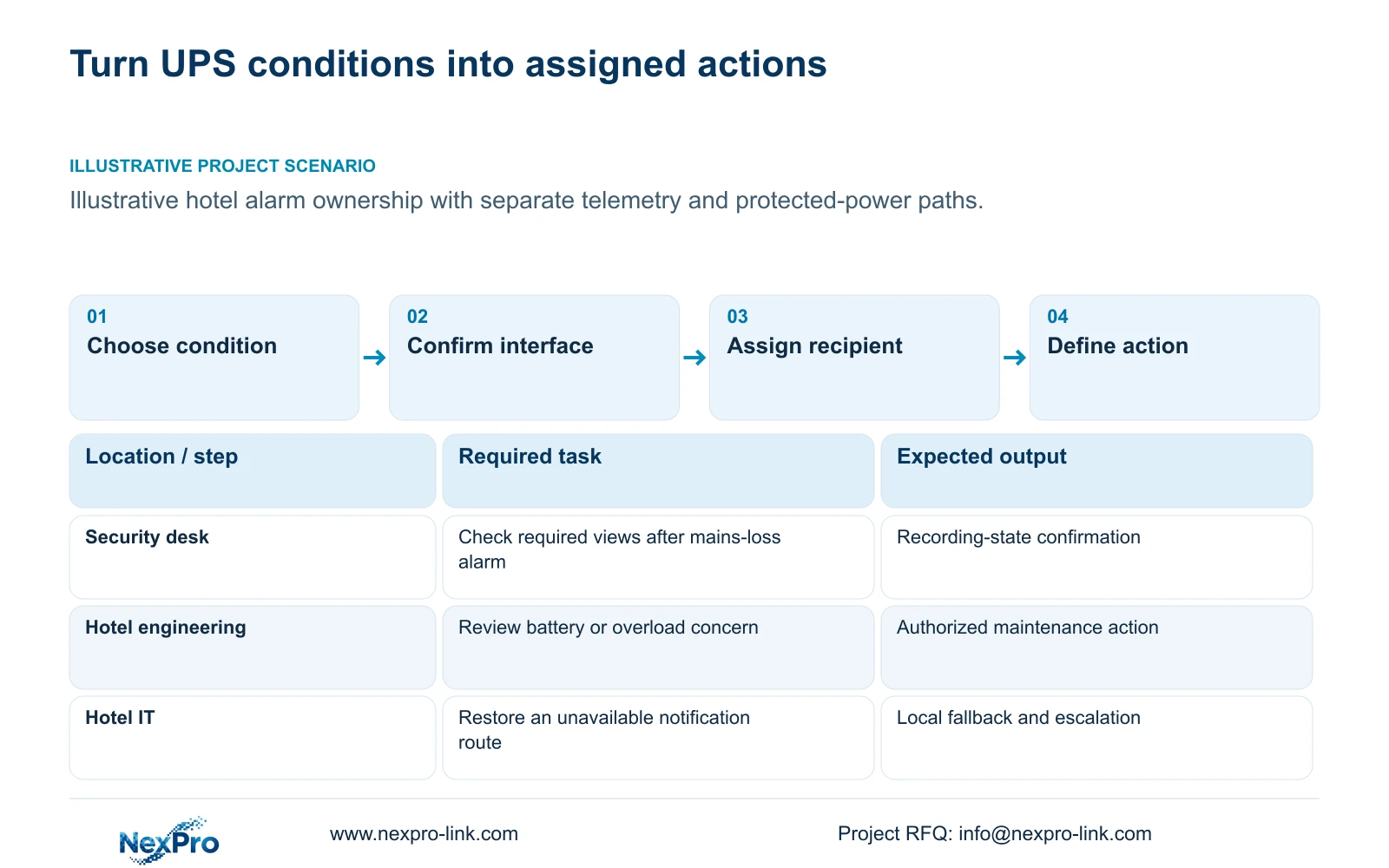
For each condition, describe the action and the person authorized to perform it. Security staff may need to confirm whether entrance recording remains available. Hotel engineering may need to investigate the power state. IT may need to restore the notification path. These responsibilities should be agreed for the project; access to the same screen does not give every user the same authority.
Separate an alarm requiring intervention from a status item retained for reference. The operating team needs an understandable indication of the affected power zone and its consequences. A generic fault message that cannot be connected to a camera branch gives staff little basis for deciding what to check first.
| Condition | Required response | Decision to confirm |
|---|---|---|
| Mains loss | Confirm selected recording state | Security and engineering handoff |
| Battery concern | Review runtime and maintenance evidence | Supported indication and service owner |
| Overload or fault | Identify affected protected zone | Authorized local response |
| Notification unavailable | Use agreed local fallback | IT owner and escalation route |
Section 02
Identify supported interfaces
Request documentation for the exact UPS, management accessory and relevant software version. Confirm which required conditions are available and how the chosen receiving system obtains them. The supplied rack and tower product records support their stated capacity fields, but do not establish a particular SNMP card, protocol version, alarm set or notification integration.
Keep monitoring, acknowledgment and equipment control as separate requirements. Receiving a low-battery indication does not establish that an NVR can accept a shutdown command. A management interface may satisfy a viewing task while leaving another control task unsupported. The quotation should identify those limits before the hotel evaluates additional software or accessories.
Map the interface through the actual network. Name the local receiving system and any remote delivery dependency without publishing sensitive settings. If a message must cross a WAN connection, show what happens when that connection is unavailable. The required network nodes need their own resolved power boundary; a working UPS cannot send through an unpowered intermediate node.
Section 03
Map message recipients
Create a recipient map by role and power zone. Each alarm needs an initial owner, an alternate route when that person is unavailable and a defined point for specialist support. Include the task that closes the event. Message delivery, acknowledgment and restoration are separate observations, and the record should make it possible to distinguish them.
Match the information to the recipient's job. An operator checking current camera availability needs the affected branch and approved view. A maintenance provider needs equipment identity, relevant configuration and symptoms. Initial support information should avoid guest footage and privileged credentials. Additional access can follow the hotel's approved process if the specific task requires it.
Use actual roles and supported interfaces as the inputs to the handover comparison. No response-time formula or invented efficiency score is needed. The decision is whether authorized staff can carry out the required task under the proposed configuration. Keep untested notification and escalation steps open in the acceptance record.
Section 04
Compare local and remote response workflows
A local workflow should describe what staff can observe and do if remote notification is unavailable. A remote workflow should identify which information remains accessible and who can arrange local action. Compare both during normal operation and the agreed outage state. Local recording, remote access and display operation can have different dependencies.
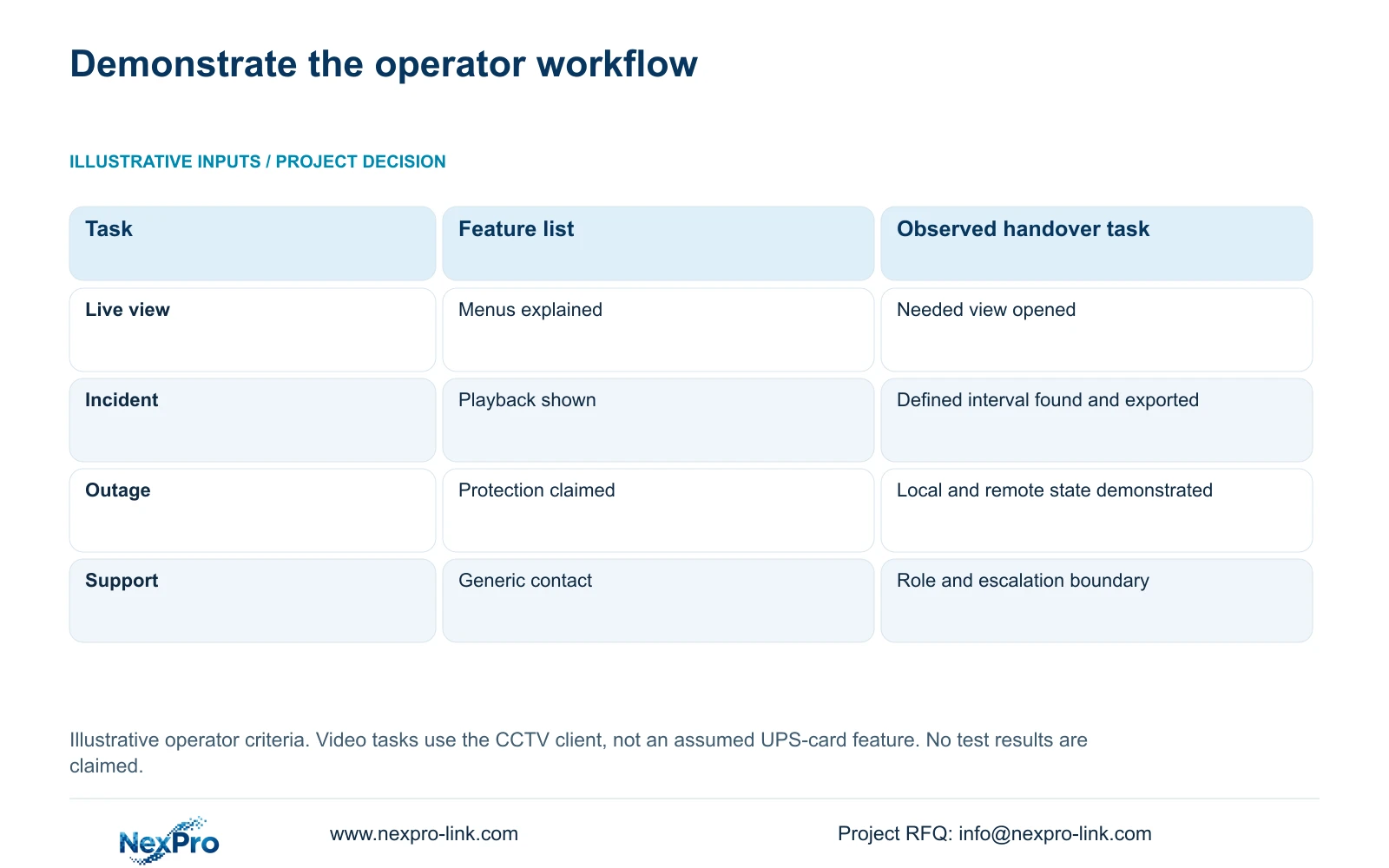
The supplied operator matrix links alarm response to the CCTV tasks it supports. Finding and exporting a defined interval can help the authorized team examine an outage's effect on recording. It is a handover criterion, not a claim that the UPS management card provides video playback. Each task stays with its actual device or client.
Prefer task-based handover when it demonstrates the assigned workflow. If the proposed remote route disappears during the outage, retain a supported local response or revise the protected network scope. Adding a larger dashboard without resolving the lost message path would leave the same operational limitation.
| Metric / condition | Feature-list handover | Task-based operator handover |
|---|---|---|
| Live view | Menus explained | Authorized user opens the needed view |
| Incident work | Playback button shown | Find and export a defined time window |
| Outage | All equipment called protected | Demonstrate the selected local/remote state |
| Support | Generic phone number | Correct role, contact and escalation boundary |
Section 05
Secure management access
Define account ownership and permitted tasks before handing over management access. Routine viewing, configuration changes and remote technical support require different authorization decisions. Confirm that the selected hardware and software actually support the intended separation. A role matrix cannot create permissions that the equipment does not implement.
Remote support should use a hotel-approved path with access limited to the authorized task. Keep passwords out of drawings, public diagrams and commercial inquiries. Include the process for transferring ownership or removing access when a staff member or service provider changes. The operational record should identify the responsible hotel role without exposing its credentials.
Compare the full management scope when evaluating proposals. Accessories, network changes, software and ongoing support may carry separate commercial requirements. Request actual terms; the available records do not establish that all monitoring services are included or permanently free. A coordinated equipment order also does not imply unrestricted local service or native integration with every hotel platform.
Section 06
Test the escalation path
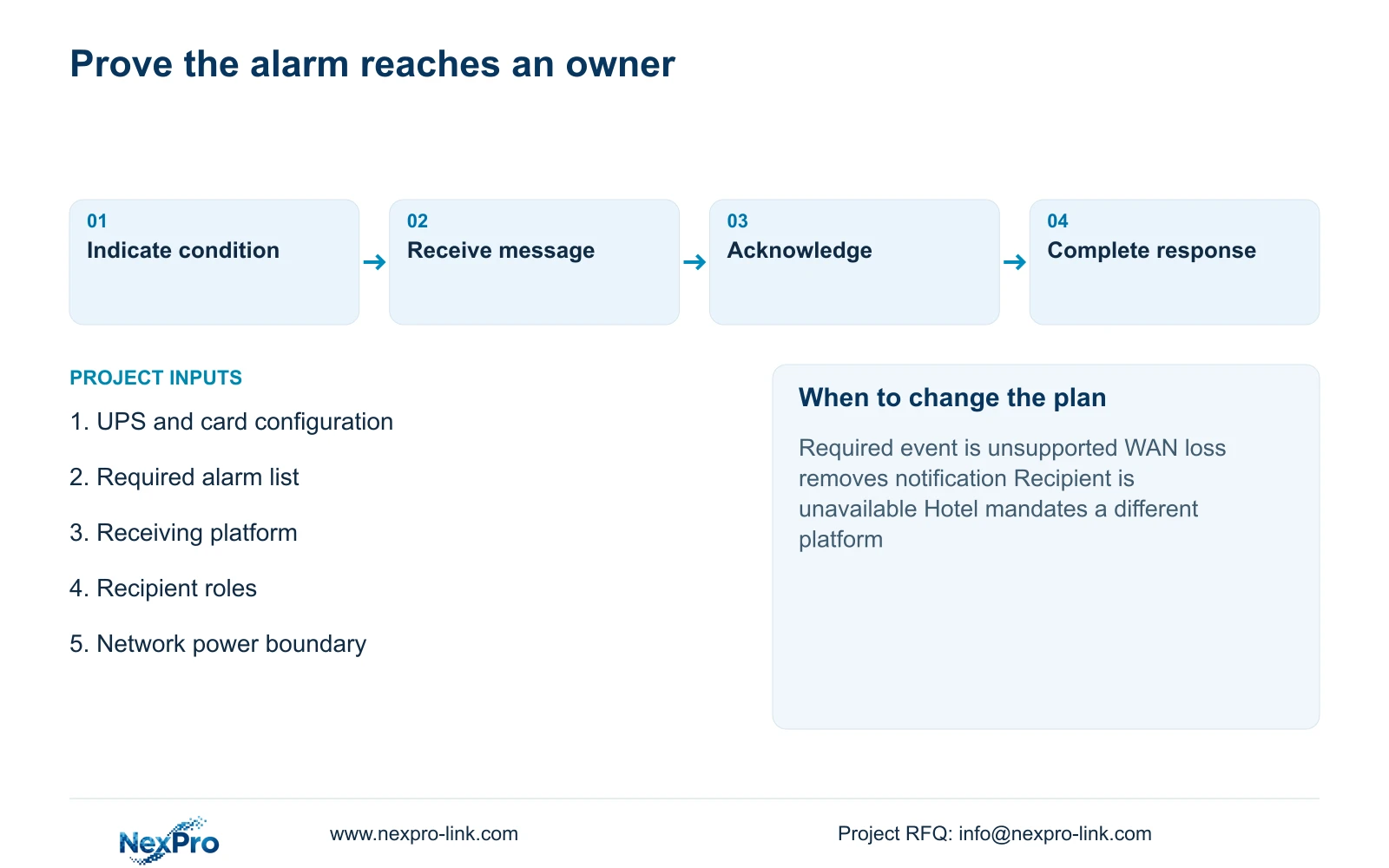
Use an approved demonstration to follow a required condition through indication, receipt, acknowledgment and the assigned response. Record the exact model, accessory and software configuration. Include an exception path such as an unavailable recipient or WAN route where that state belongs in the hotel's requirements. Use supported test methods without disrupting essential safety functions.
Acceptance should record what staff completed and what remained unresolved. A representative demonstration cannot establish an average response-time saving without actual records. Refresh the task instructions when recipients, equipment or interfaces change. The supplied 32-camera reference provides a useful distributed-network context, but it contains no verified remote UPS monitoring integration.
Recommend the smallest supported monitoring arrangement that delivers the required alarms to accountable staff and retains an agreed fallback. Change the proposal if a mandatory hotel platform, unsupported event or unprotected notification dependency prevents that result. Send info@nexpro-link.com the exact UPS configuration, required alarm list, intended receiving system and local or remote response roles. Hotel project equipment support can discuss the equipment boundary; BOQ support can separate required interfaces from optional presentation features.
Section 07
Buyer questions
Does buying an SNMP card prove that low-battery shutdown is available? No. Monitoring and shutdown are separate functions. Require support for the complete signal, receiving software and controlled device workflow before listing shutdown as automatic. The supplied product records do not establish that integration.
What should remain usable if remote notification fails? The agreed local operating task and fallback response should remain clear. Specify whether staff can check the power state and required recording locally, then name the person who investigates the notification path. Do not assume WAN loss also means local recording has stopped.
What belongs in a first monitoring RFQ? Provide the UPS and accessory identities, required conditions, receiving platform and response roles, plus the relevant outage target. Identify mandatory interfaces and whether alternatives are allowed. Detailed credentials and guest footage are unnecessary for the initial scope review.
Engineering references
These sources support the general planning principles. Always use the selected product's current datasheet and applicable project standards for final design.