

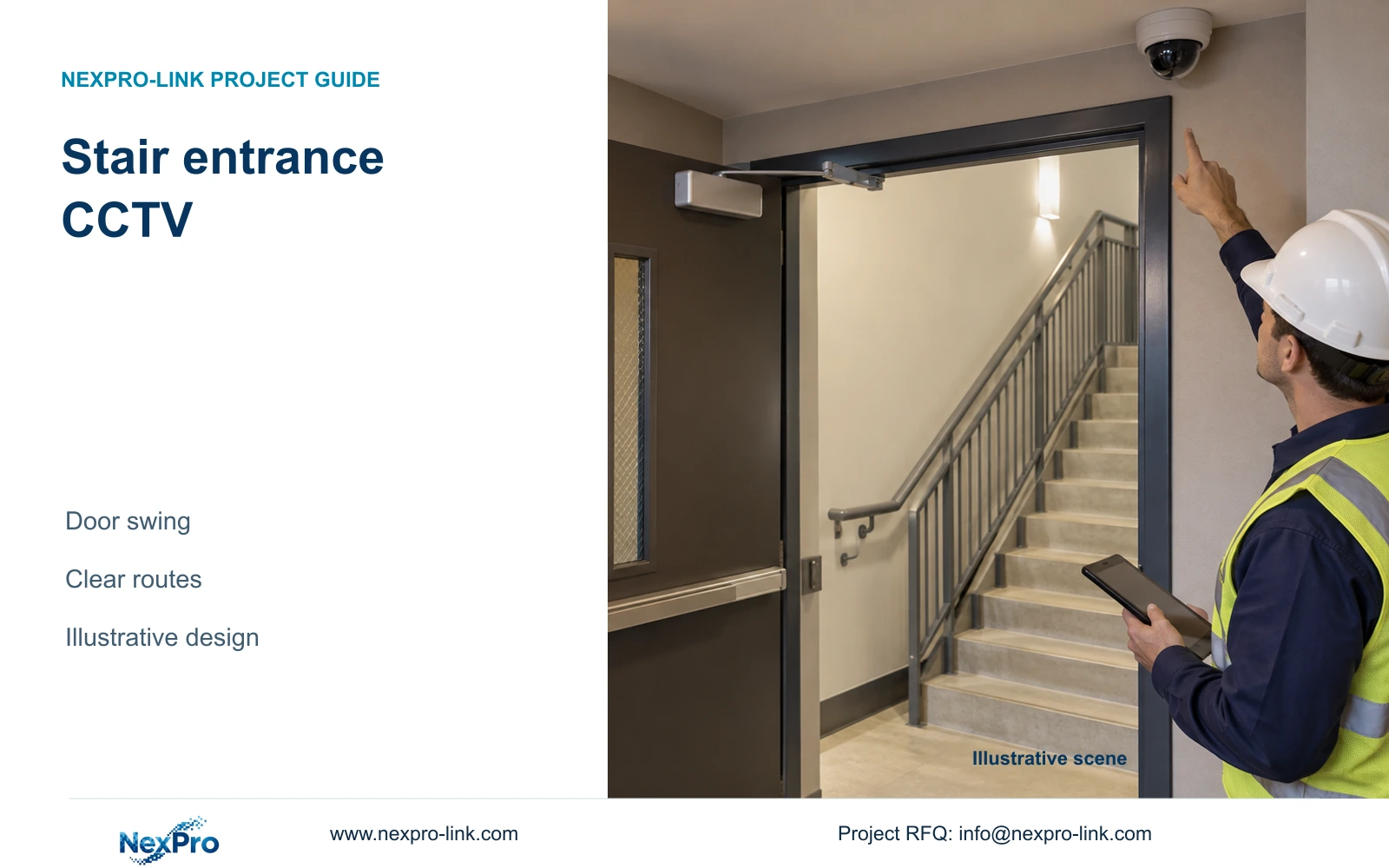
Place stairwell cameras only where they deliver the approved entrance view without obstructing door movement or circulation. Coordinate mounting and cable routes separately from escape-route controls.
Section 01
Define the stair door observation task
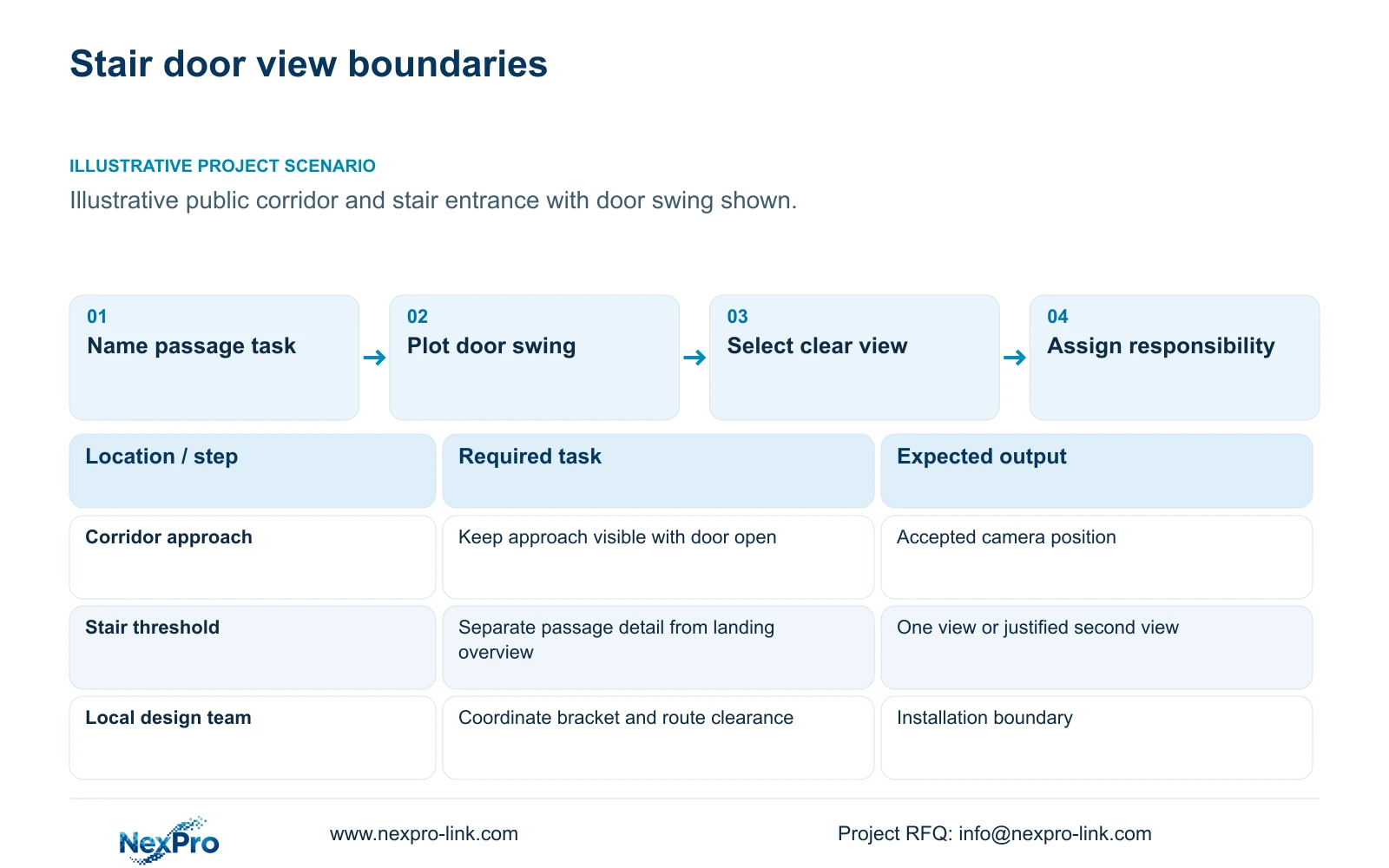
Choose a stairwell entrance camera position that records the approved public-door task while leaving door movement, circulation and maintenance access clear. If a proposed bracket or cable route conflicts with those requirements, revise the installation position before selecting a higher-resolution camera. Ordinary CCTV supplies observation and recording; the project team must coordinate escape-route requirements through the responsible building and safety disciplines.
Start with the door schedule and the adjacent floor plan. Record the door purpose, opening direction and relevant hardware, then identify the action the image must show. A corridor-side view of people approaching the stair door differs from a landing overview. Combining those tasks is reasonable only when the same position retains the required detail through relevant door states.
Keep guest-room interiors outside the intended view, including when nearby doors open. Give each proposed camera a task tag that can follow through the Camera Schedule, network allocation and quotation. The following illustrative task table identifies decisions that need layout information; it does not prescribe a camera count.
| Required task | Given information | Decision still needed |
|---|---|---|
| Observe approach to stair door | Public corridor and door location | Position that retains approach through door movement |
| Record passage at the threshold | Opening direction and door hardware | Whether one view covers passage without obstruction |
Section 02
Keep escape-route functions separate
Show the CCTV arrangement and door operating functions as separate responsibilities. A camera may record activity near a stair entrance, but that does not establish any supported function for safe release, evacuation control or emergency communication. The responsible local specialist must define those functions and their interfaces for the particular project.
This separation also applies to power. A PoE camera receives power through its network arrangement; a door controller or lock can have a different supply and backup boundary. A shared equipment order does not make those circuits interchangeable. Document the required camera-to-recorder path and identify every active network node that must remain operating during the selected outage state.
Direct copper access can avoid an additional remote active node when the route is suitable. A fibre backbone with a local switch introduces a remote power and maintenance dependency. Fibre carries data and does not automatically power the camera. Compare those arrangements against the actual building route before treating either as the simpler installation.
Section 03
Compare mounting positions and useful detail
Compare corridor-side and landing-side positions using the same observation task. Check the open door, nearby signage and the maintenance approach in each view. A position that gives a clear closed-door preview can lose the threshold when the door moves. Changing the position or optical framing may recover the task without adding another camera.
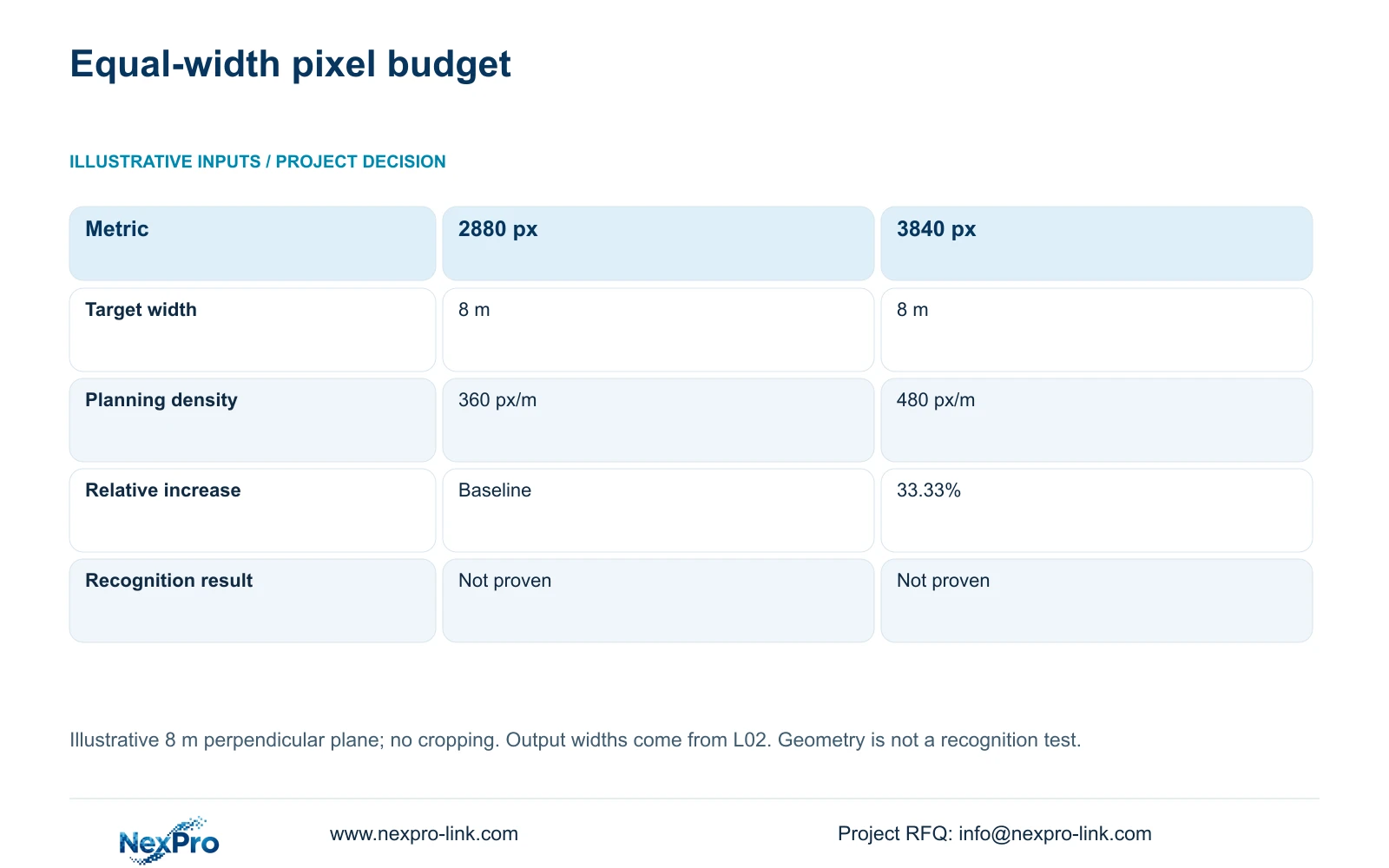
The supplied DM2812M product PDF lists 2880×1620 among the main-stream modes for NexPro-DM2812M55-5MP-DIC-AI and 3840×2160 at 25 fps for NexPro-DM2812M88-8MP-DIC-AI. For an illustrative perpendicular target plane 8 m wide, planning pixel density equals horizontal output pixels divided by target width in metres.
The calculation gives 360 versus 480 px/m, a 33.33% geometric increase. It does not establish identification or night performance. Select the higher output when the approved detail task requires more image sampling and the recording system supports the resulting profile. If obstruction or an unsuitable angle causes the loss, correct that geometry first. The documented 2.8–12 mm lens range does not establish an exact field of view or imply PTZ operation.
| Metric / condition | Documented 2880 px output | Documented 3840 px output |
|---|---|---|
| Output width (px) | 2880 | 3840 |
| Same target width (m) | 8 | 8 |
| Planning pixel density (px/m) | 360 | 480 |
| Increase relative to A | Baseline | 33.33% |
| What is not proven | Recognition / night performance | Recognition / night performance |
Section 04
Check cable routing constraints
Trace the installable route from the proposed camera to its termination. Include horizontal travel, risers, detours and explicit termination allowances. A short line on the floor plan can conceal a much longer installed route. Coordinate cable supports and any required building interfaces with the responsible installation disciplines so that the camera solution does not create a circulation conflict.
The supplied Fluke Networks source describes the typical 90 m permanent-link and 100 m channel bases. The project must still define category, connection arrangement and testing requirements. If the selected camera position produces an unsuitable route, compare moving the termination point with introducing a remote switch. Include local power and access in that comparison.
A 305 m reel is a purchasing assumption only when that length is specified. Prepare continuous cuts from the actual route list; scattered tails cannot be combined casually to complete a run. SP5648 is a Cat6 patch panel and DT968MX is a Cat6 module. Neither identifies the bulk cable or proves the performance of the installed channel.
Section 05
Include only necessary local interfaces
Translate accepted views into interface requirements: camera tag, network destination, recording profile and the operator task. Add a door-event association only when the hotel requires it and the exact controller, recorder or platform supports it. ONVIF profile matching is a starting point for relevant interoperability checks; it does not prove every event, audio or retrieval function.
A second view is justified when a documented obstruction prevents the first from retaining an approved task. Its cost includes the additional port, cable route and recording demand. Relocating one camera can avoid those additions, although the revised position may require different mounting work. Compare complete installed scope while preserving the same observation outcome.
NexPro SW-POE1618G can enter an equipment enquiry as a 16-PoE-port candidate. Its supplied source has conflicting access-port speed descriptions and does not state total PoE wattage. Require an explicit response to the actual port-speed and power needs before treating it as suitable. Camera maximum wattage is also absent from the supplied DM2812M PDF.
Section 06
Set the inspection and supply handoff
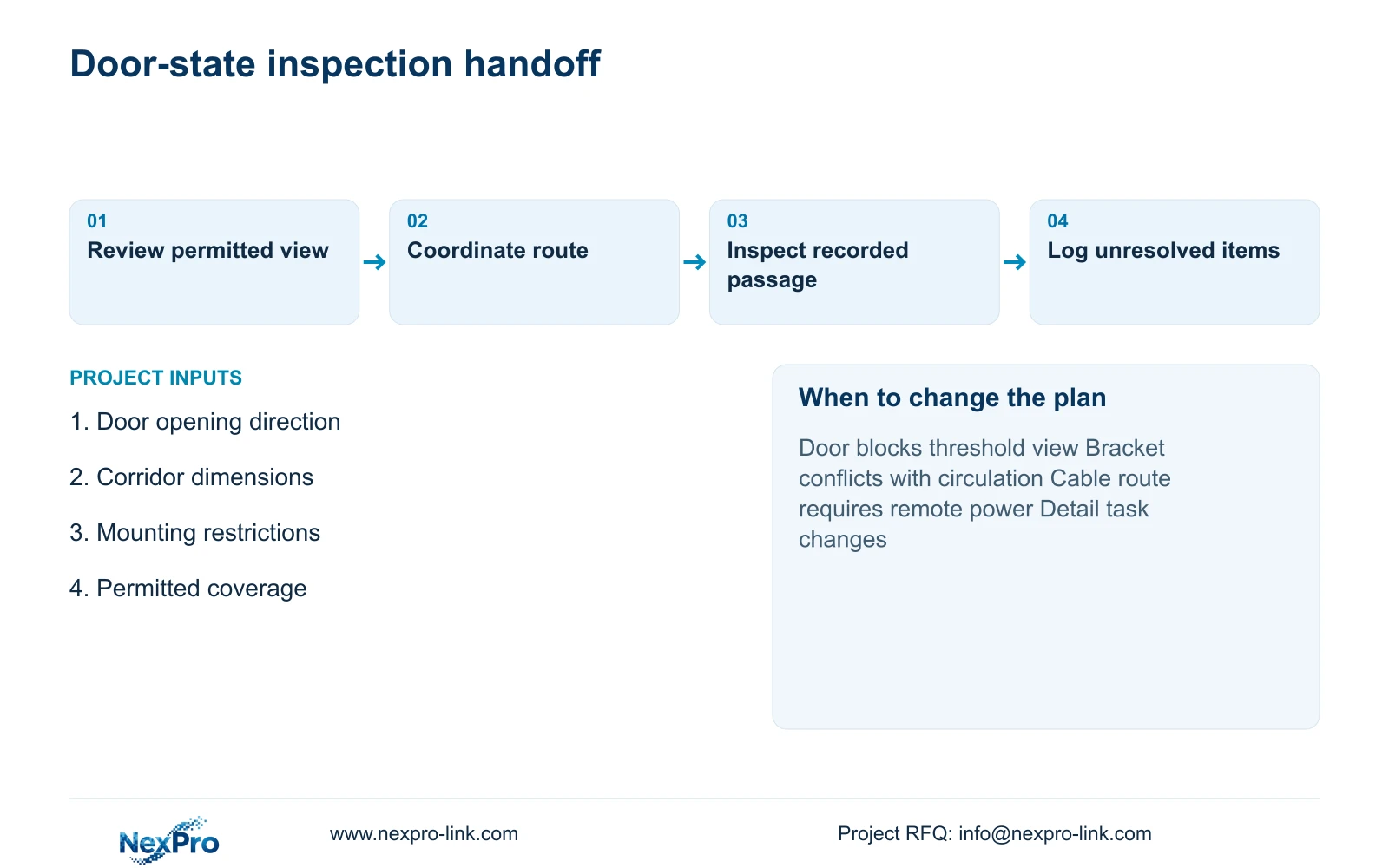
Inspect the installed view through relevant door states and review recorded movement at the agreed threshold. Confirm playback and the required export task, then record any obscured area against the camera tag. Separately hand mounting, cable-route and door-function matters to the responsible local disciplines. A successful image demonstration does not approve the escape-route installation.
Use one coordinated entrance view when it retains the agreed task and has an acceptable mounting and cable route. Change to another position or a separate detail view when door movement, an obstruction or an altered task prevents that outcome. Preserve the reason for the change in the schedule so that procurement quantities remain traceable.
For equipment discussion, send one typical floor plan showing stair doors and opening directions, corridor dimensions, permitted coverage and mounting restrictions to info@nexpro-link.com. NexPro-Link can support model matching, BOQ inputs and coordinated equipment supply through the hotel project and tender-support routes. Its CCTV manufacturing core and ancillary supply coordination do not imply that local installation or safety design is included.
Section 07
Buyer questions
Does a dome housing establish impact resistance? No. The supplied DM2812M PDF identifies a Dome series, but that name does not establish an IK rating. If the mounting location needs a particular impact rating, make it an explicit model requirement.
Can one camera cover both sides of the stair door? Only if the agreed tasks remain visible through the relevant door states. Assess the threshold and approach separately; a view interrupted by the door may need relocation or an additional camera.
Can the camera also control emergency door release? Ordinary CCTV should not be assigned that responsibility. Define release functions through the responsible local specialist and verify any requested event association as a separate system interface.
Engineering references
These sources support the general planning principles. Always use the selected product's current datasheet and applicable project standards for final design.


