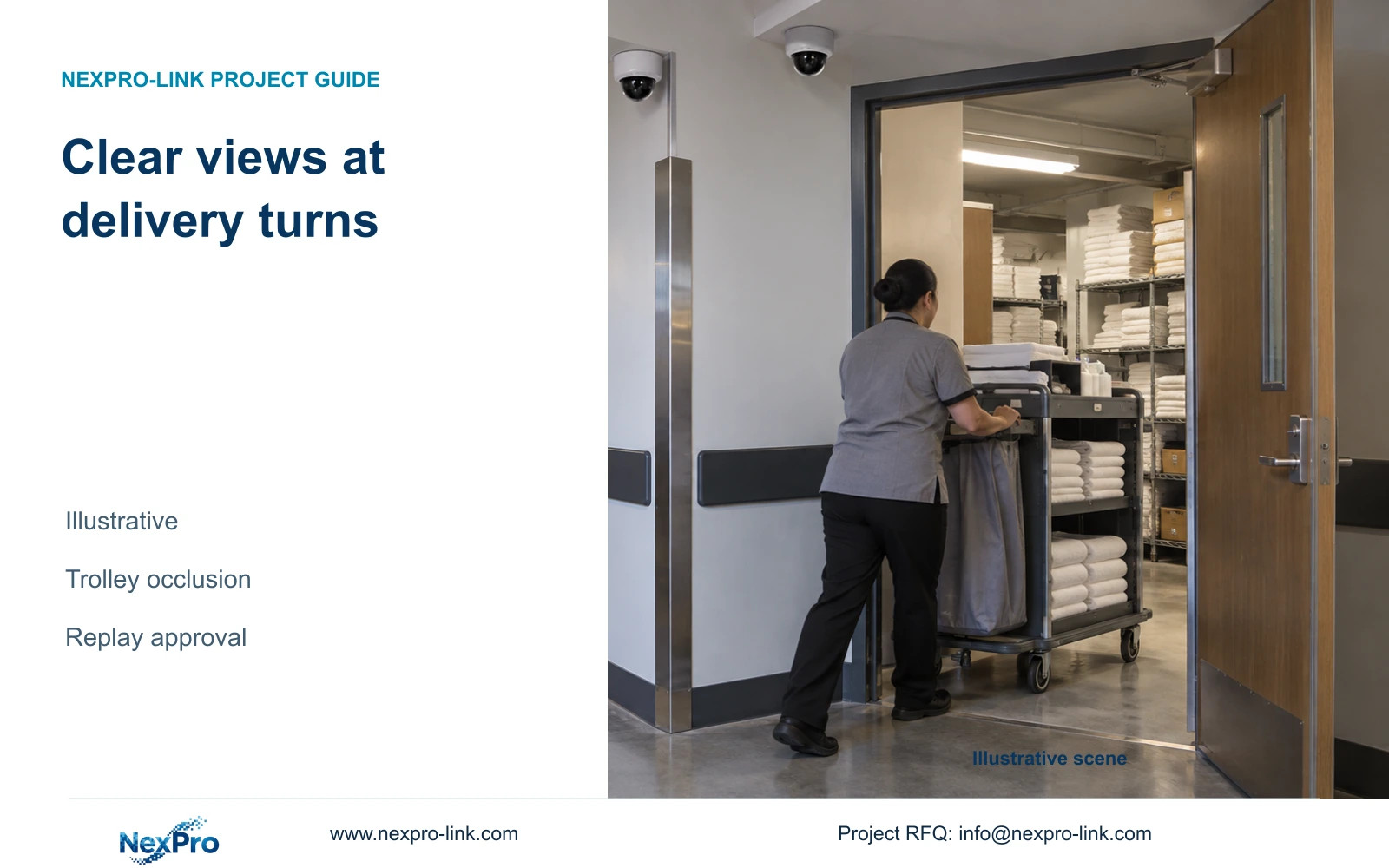
Position service-corridor cameras around the actual trolley route, door swings and transfer points. Verify visible handover detail and recording continuity by replay.
Section 01
Draw the trolley route and transfer points
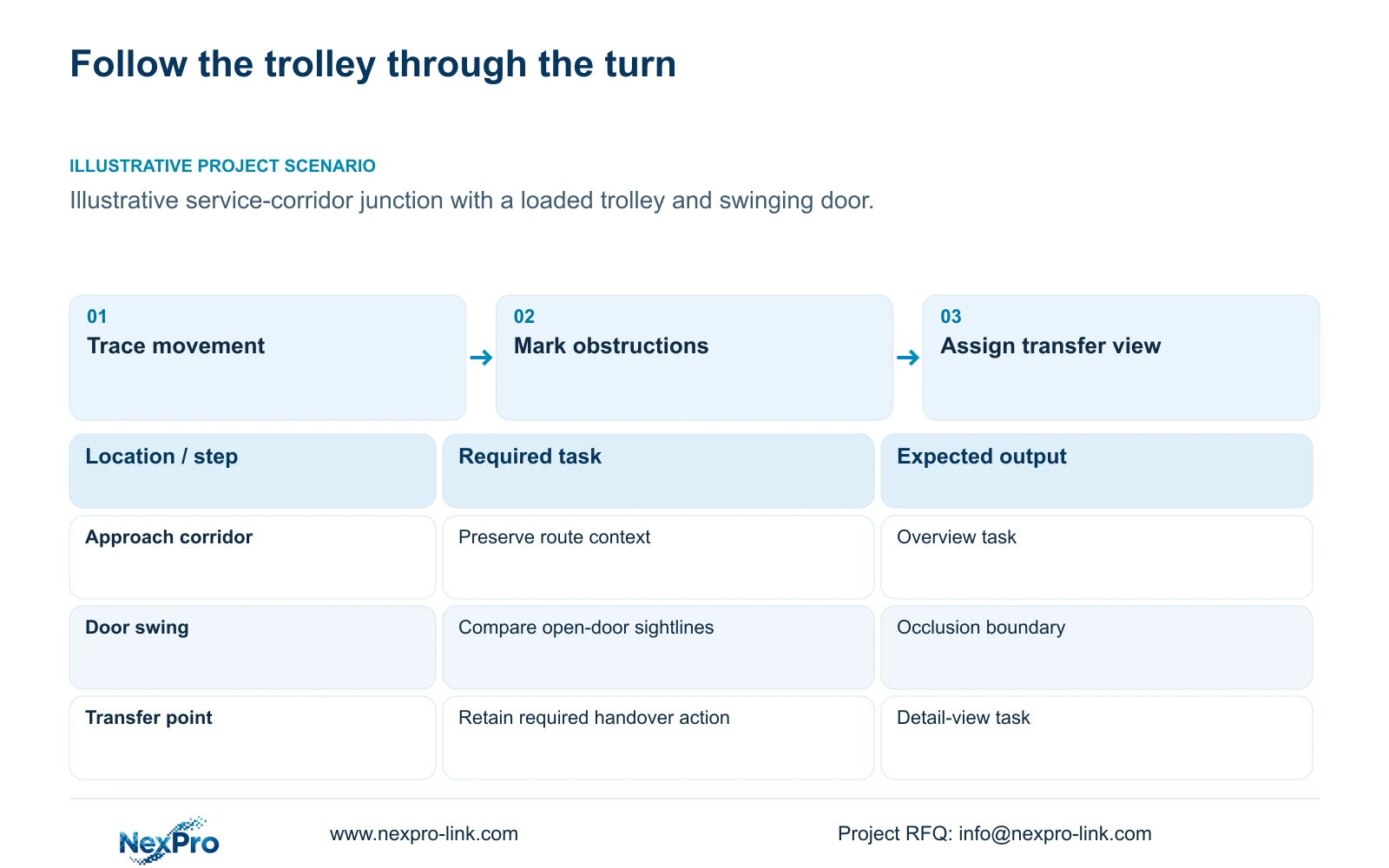
Arrange service-corridor views around loaded trolley heights, door swings and the actions at delivery turns. Retain a high overview where it supplies useful route context, then reposition or add a transfer view when that overview loses the required action. Increase resolution only after confirming that the action is actually visible.
Trace the route from receiving to the relevant store, kitchen approach or laundry connection. Mark turns, waiting positions and handover points. The important output is a sequence of observation tasks, not a camera count derived from hotel room numbers. One route may need both an overview and a detail task, while another can satisfy compatible tasks from a single position.
Keep the movement route distinct from cable and power routes. Camera tags should connect the accepted views to their serving nodes and installable cable paths. A short line on a floor plan can omit risers or detours. Before procurement, the project manager needs both a defensible view layout and a physical connection plan that local installers can implement.
| Required task | Given information | Decision still needed |
|---|---|---|
| Observe movement through a turn | Trolley route and corridor junction | View side and expected obstructions |
| Record a transfer action | Approved handover point | Target plane, detail and replay task |
Section 02
Model door and load obstructions
Add the door swing and representative loaded trolley envelope to the view study. Review the route with doors closed, open and in the position used during a transfer. A view that appears clear on an empty corridor plan may lose the required action when a loaded trolley stops beside the door. Identify the object blocking the sightline before changing equipment.
Compare a view from the approach side with one covering the receiving side of the turn. Both may show movement, but their useful handover context can differ. The hotel should identify which action must be recoverable during an investigation. Do not promise that a second angle will expose detail hidden from both cameras by the same load.
Camera coordination must preserve the door's required operation and local safety arrangements. CCTV is not a substitute for access-control or life-safety design, and it does not justify changing a door's operation merely to improve a picture. Where an event interface is requested, identify the actual controller and software instead of assuming integration from a shared supply order.
Section 03
Compare camera elevations
Use an elevation or section to compare the mounting point, trolley load and target action. A higher view may retain route context over an obstruction while presenting the transfer action at an unhelpful angle. A lower or offset view may improve that action but need different protection and maintenance access. Select the arrangement against the task rather than a universal mounting height.
The supplied DM2812M PDF lists NexPro-DM2812M55-5MP-DIC-AI and NexPro-DM2812M88-8MP-DIC-AI with 2.8-12 mm lenses. Motorized adjustment can help establish framing where supported, but it does not create a PTZ patrol function. The source's Dome naming does not prove IK10 impact resistance. Confirm the bracket and location against the actual environment.
Compare repositioning and optical framing before adding another point. Tightening a view can improve the pixel budget at the transfer plane while losing approach context; retaining both tasks may then require another camera. Record that trade-off on the schedule. Fewer units are acceptable when the same necessary actions remain visible and recorded under the relevant door and load conditions.
Section 04
Calculate detail at transfer points
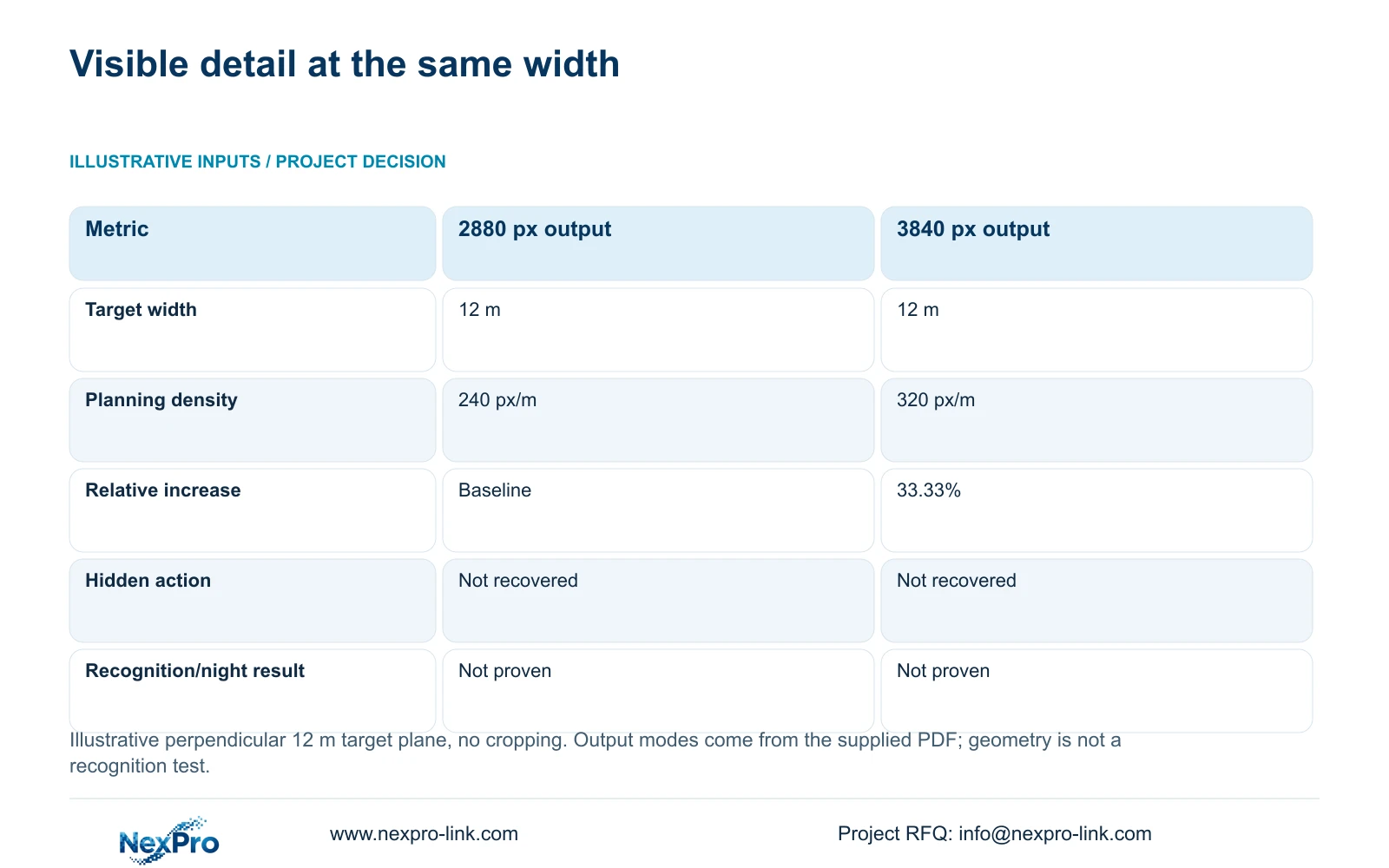
The illustrative comparison uses the documented horizontal outputs of 2880 and 3840 pixels across the same 12 m target-plane width. It assumes no cropping and a perpendicular target plane. Planning pixel density = horizontal output pixels ÷ target width in metres, giving 240 px/m and 320 px/m respectively.
The 3840-pixel output provides a 33.33% increase in this geometric budget. The supplied 5MP mode retains its documented 2880 × 1620 output; it should not be silently changed to another resolution. The 8MP candidate lists 3840 × 2160 at 25 fps. Neither those modes nor the lens range establishes a particular field of view or identification result.
Use the calculation to compare two views of an unobstructed action. A pixel increase cannot recover an action hidden behind a trolley or door. Keep the 2880-pixel option where recorded review satisfies the approved detail task. Choose the higher-output option or revise framing when visible detail remains insufficient, then reassess bitrate, recorder mode and storage using the selected recording profile.
| Metric / condition | Documented 2880 px output | Documented 3840 px output |
|---|---|---|
| Output width (px) | 2880 | 3840 |
| Same target width (m) | 12 | 12 |
| Planning pixel density (px/m) | 240 | 320 |
| Increase relative to A | Baseline | 33.33% |
| What is not proven | Recognition / night performance | Recognition / night performance |
Section 05
Check recording continuity
Follow a representative trolley movement through the accepted views. Confirm that an operator can understand the transition at the turn and retrieve the relevant handover interval. Continuity does not require every part of the route to use the same framing, but it does require enough recorded context to follow the defined task without an unexplained gap.
Check both observation and system dependencies. An unobstructed view is still unusable for retrieval if its footage is absent. Connect the camera tags to recording settings, available channels, network paths and any required backup zones. CASE01 illustrates a complete 32-camera system independently; its point count and storage totals are not quantities for this corridor layout.
Compare one revised view with an additional view using complete incremental scope. An extra camera can add mounting, cable, PoE and recording requirements, with shared resources checked separately. If repositioning preserves the route and detail tasks, it may avoid that scope. Do not infer a cost saving until both installation arrangements have been priced on the same boundary.
Section 06
Approve the route by replay
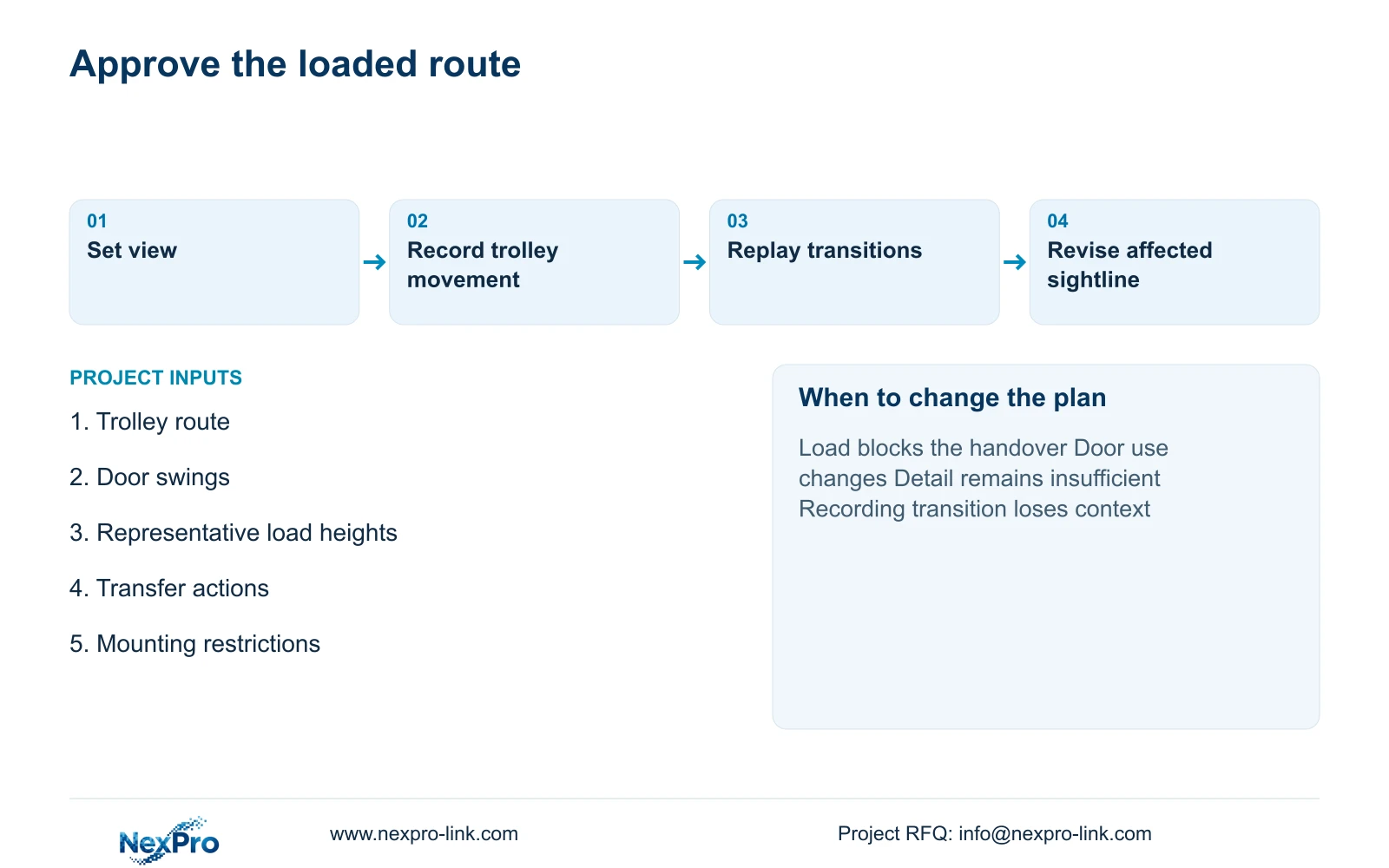
Approve the layout using recorded movement under representative load and door conditions. An empty-corridor still image does not demonstrate the transfer task. Record the camera tag, position, lens setting, recording mode and relevant operating conditions with each observation. Repeat the affected route after a change so the decision remains traceable.
Recommend overview plus a separately justified transfer view where ordinary trolley or door obstructions prevent one camera from retaining both tasks. Change to a single revised position when replay proves it can preserve the necessary context and detail. Reconsider the arrangement if load height, door use, transfer location or lighting changes. A completed demonstration supports the observed conditions without establishing a universal recognition rate.
Email info@nexpro-link.com with the service-route plan, door swings, representative load heights and the handover actions that need recording. Include target widths and mounting restrictions if available. NexPro-Link can discuss model matching and a position-linked BOQ, while local installation and safety coordination remain explicit. An initial inquiry needs no guest footage or account credentials.
Section 07
Buyer questions
Will an 8MP camera remove a blind spot behind a trolley? No pixel-density calculation resolves physical obstruction. First change the sightline or add a justified angle. Higher output becomes relevant when the required action is visible but its recorded detail remains insufficient.
Can the drawing establish the final lens setting? It can define the intended target plane and view. The supplied focal-length range does not provide an exact field-of-view result for every position. Confirm framing on the actual installation and retain the setting in the accepted configuration record.
What makes replay approval more useful than a live preview? Replay checks the stored profile, route transitions and retrieval workflow together. It can reveal that a usable live view was recorded differently or that the operator cannot recover the relevant interval.
Engineering references
These sources support the general planning principles. Always use the selected product's current datasheet and applicable project standards for final design.