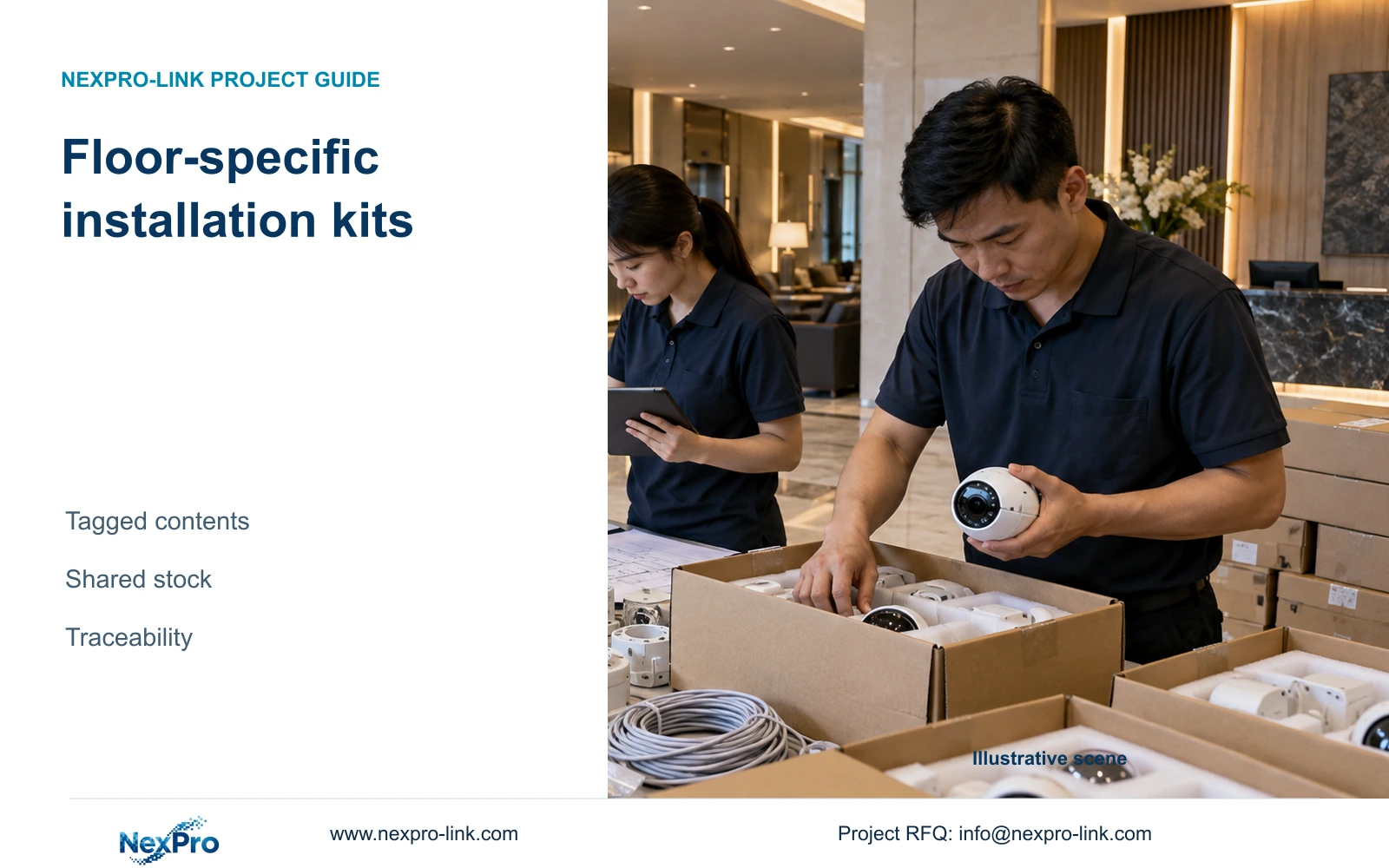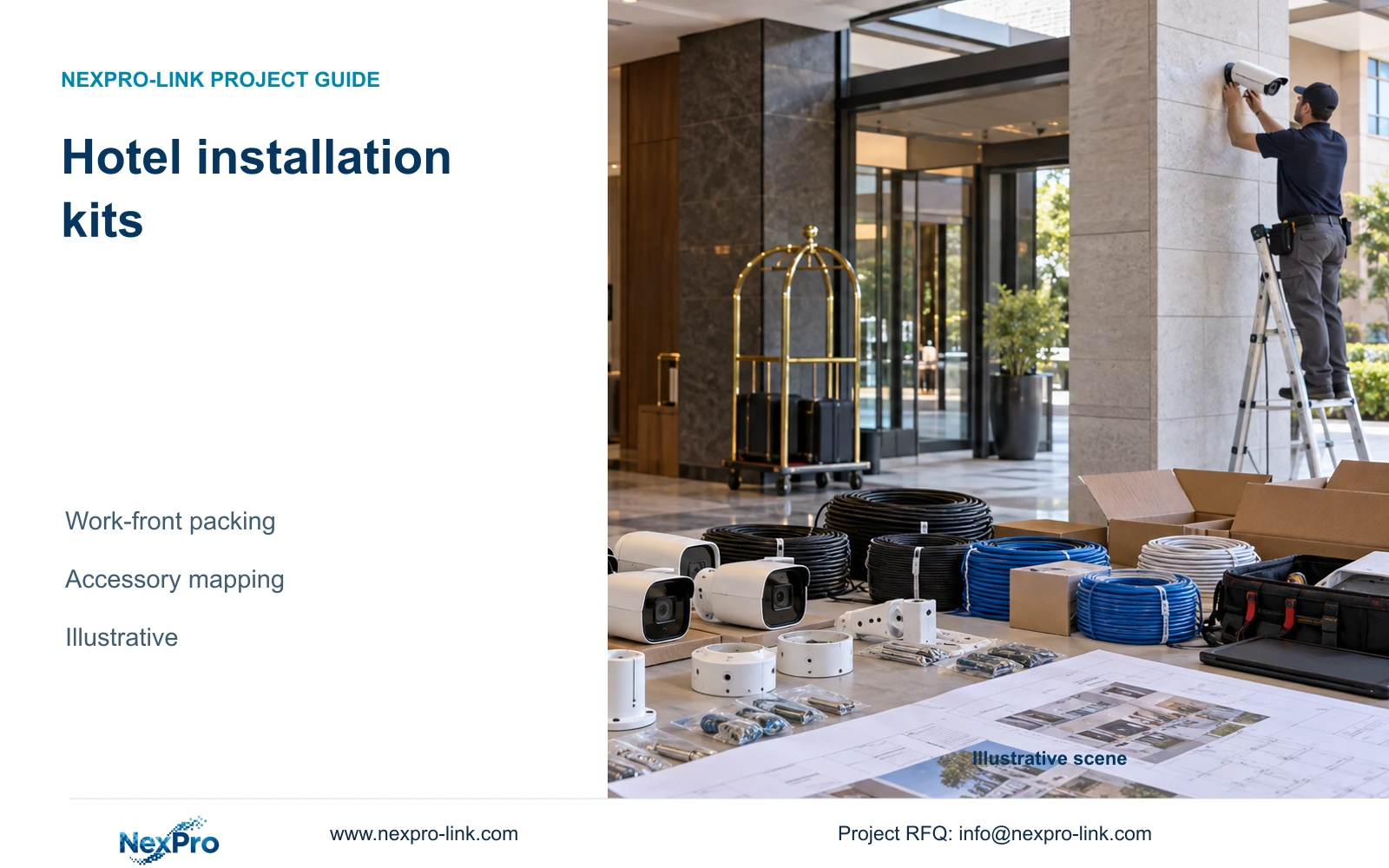
Receiving by carton count leaves installation readiness unclear. Link each carton to models, accessories and work fronts, with separate exception records.
Section 01
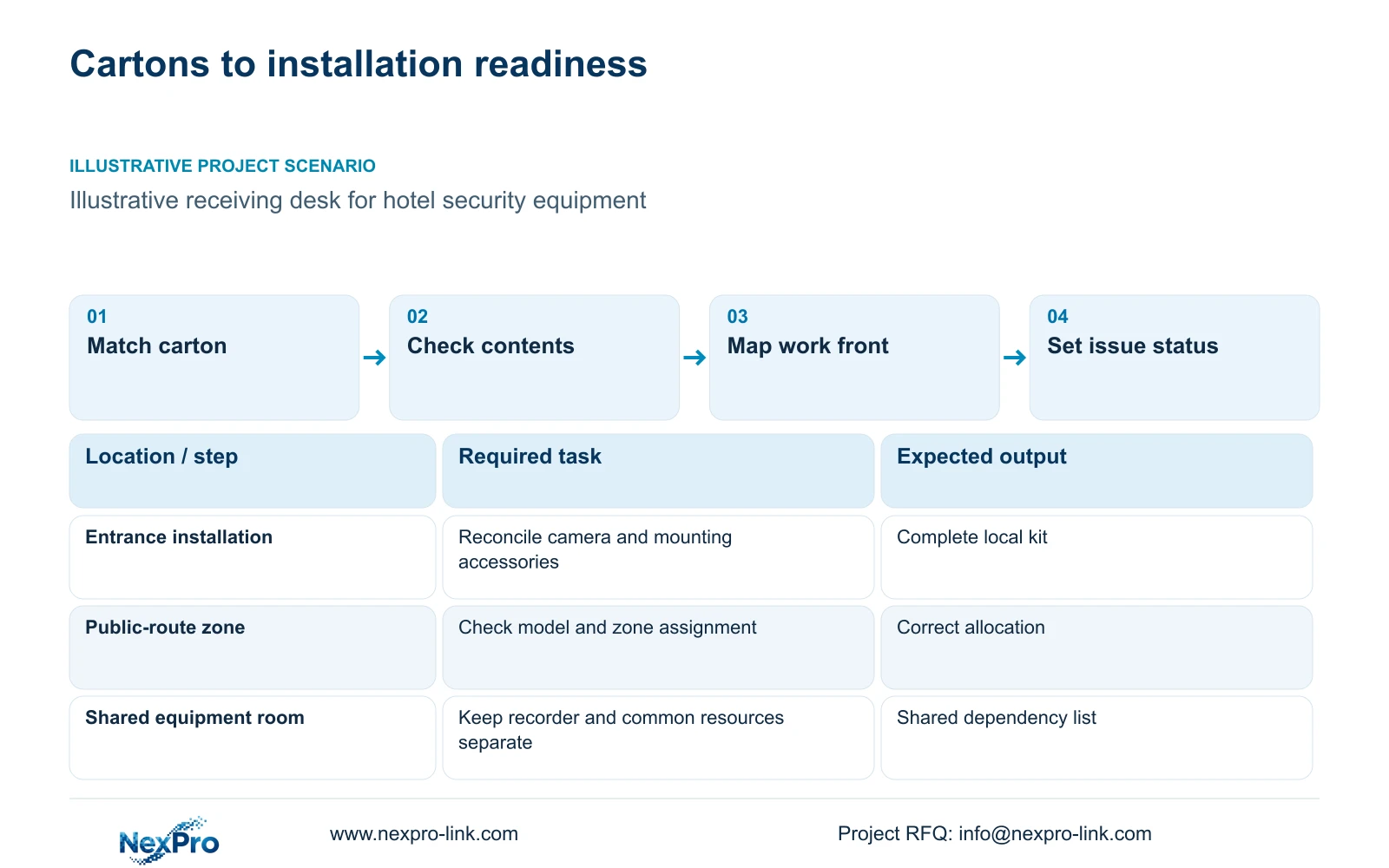
Map the packing list to work fronts
Receive hotel security equipment against a carton-to-work-front map, then release packages whose devices and required accessories are complete. Keep damage, shortage and waiting-for-installation states separate. If work fronts change after packing, update the allocation record before crews remove equipment from the receiving area.
A carton count answers how many packages arrived. It does not show which public corridor, entrance or equipment room has a complete installation package. Connect carton references to the approved schedule lines and the relevant zones. Shared equipment needs its own allocation so each floor is not incorrectly marked short.
Project labels should sit alongside exact models and serial references where applicable. Preserve necessary equipment markings and use authorized artwork for any customer branding. NexPro-Link's OEM scope supports discussion of labels and project packing, while the actual surface process and carton arrangement require agreement for the order.
| Required task | Given information | Decision still needed |
|---|---|---|
| Release entrance installation package | Carton and camera schedule references | Device, mounting-item and accessory completeness |
| Allocate public-route equipment | Zone label and approved model | Correct work front and quantity |
| Receive shared recording equipment | Central equipment schedule | Shared owner and dependent zones |
Section 02
Check identity quantity and condition
Use the accepted order and packing-list revision as the receiving baseline. Compare delivered model identities with the approved lines before counting them as available stock. Similar packaging or housing does not establish the same lens, power arrangement or configuration.
Record expected quantity and received quantity separately, then inspect the observable condition of the equipment and packaging. A device can be present but damaged; another can be intact but allocated to a different zone. Neither should disappear into a single checked box labelled received.
Keep accessories visible. Reconcile mounting components, approved cables and other included items against the agreed package contents. Avoid assuming that every product carton contains the same accessory set. A main device can be correct while its assigned installation kit remains incomplete.
Receiving checks do not replace operational acceptance. An intact device with the right identity still needs configuration and task-based testing under the approved installation process. Record only the condition actually observed, and leave unperformed checks distinguishable from completed ones.
Section 04
Compare received and expected kits
Build readiness from the contents needed for the approved installation activity. Show whether devices and their assigned accessories are complete, then identify shared dependencies separately. A zone package can be ready for mounting while network or recording commissioning remains outstanding.
Reconcile each installation kit against its approved schedule revision, model identity and expected contents. Record received, usable and missing quantities separately; a sealed carton or a mounting-ready camera does not prove that the network and recording package is complete.
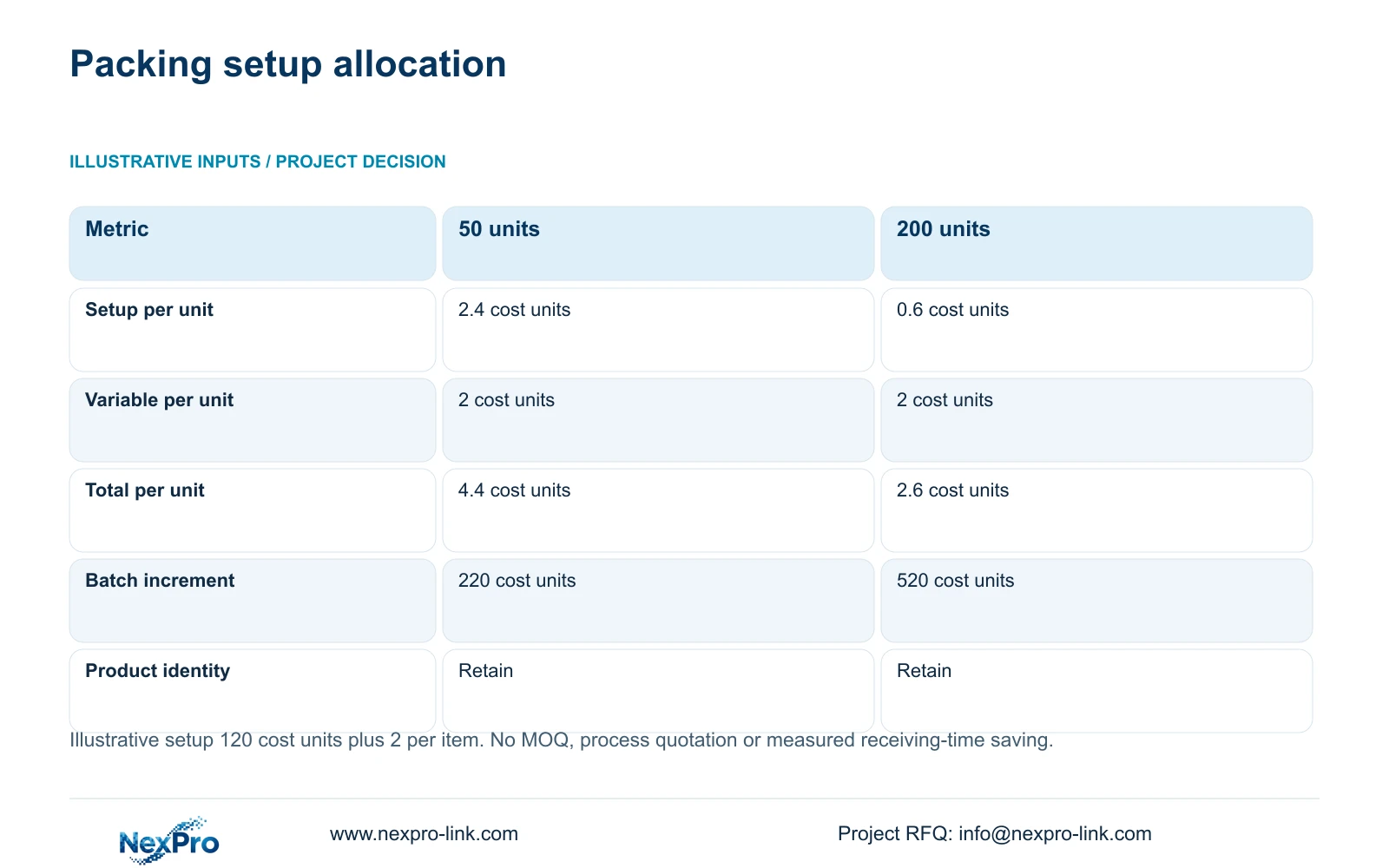
The retained image is only a packing-cost illustration: 120 / Q + 2 gives increments of 4.4 per unit (220 per batch) at Q = 50 and 2.6 (520 per batch) at Q = 200. Those quantities do not describe this hotel's delivery and cannot establish kit completeness.
Choose labels and grouping that help reconcile installation packages. Add more elaborate branding only when the project needs it and its actual quotation is acceptable. Keep the model, serial and required markings traceable in either option.
| Kit field | Compare expected with received | Result and next owner |
|---|---|---|
| Controlled schedule | Order line, revision, model and assigned work front | Record mismatch without silently substituting |
| Quantity and condition | Expected, received, visibly damaged and usable counts | Photograph relevant condition through the approved process |
| Accessories | Named mounts, connections and assigned package contents | Missing items block the affected mounting task |
| Shared dependencies | Network, recorder, storage and protected-power package | Mark mounting and commissioning readiness separately |
| Issue closure | Discrepancy, responsible party and authorized remedy | Do not mark usable merely because a claim was acknowledged |
Section 05
Record exceptions with usable references
Attach every exception to a carton reference and an order line. Include the exact model, affected quantity and observed issue, with a serial reference where relevant. Distinguish a damaged carton from observed device damage, and an absent item from an item still in another package.
Use photographs of the equipment and packaging when they clarify the exception, without adding guest images or access credentials. Preserve enough context to identify the affected item and work front. A report stating only that a floor package is wrong leaves the supplier and site team unable to reconcile it reliably.
Assign a responsible party and a next action, such as checking another carton or confirming a replacement scope. Keep items with unresolved suitability apart from ready stock. Close the exception only when its outcome is recorded against the same reference.
Do not treat every receiving discrepancy as a warranty conclusion. Short supply, transit condition and later hardware faults need their own handling paths. The supplied policy baseline applies to main-equipment limited hardware warranty from receipt, while accessory scope and transport costs follow the controlling records.
Section 06
Release complete packages to the crews
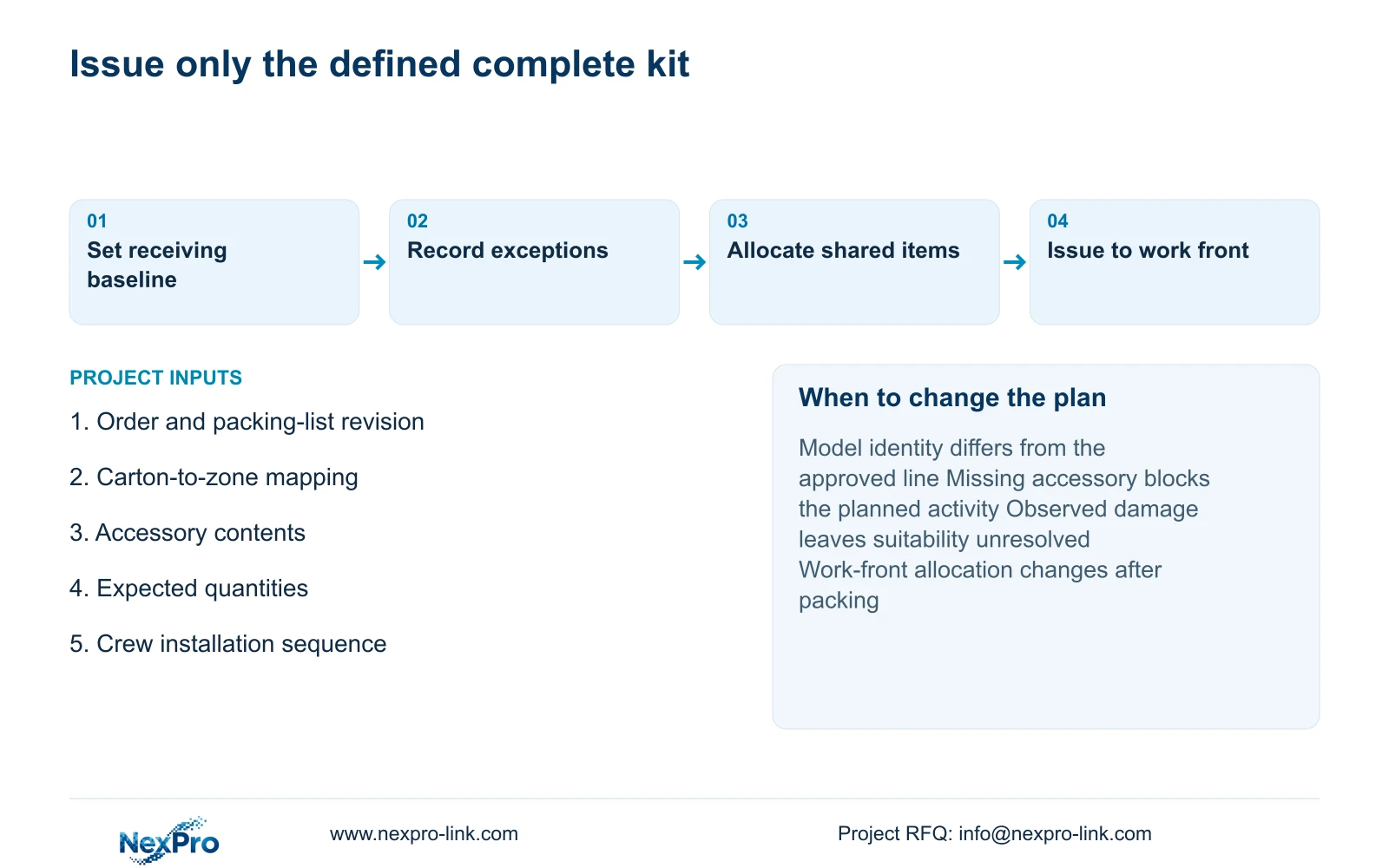
Release equipment against a documented work-front allocation. Record what leaves receiving, who receives it and which shared items remain elsewhere. If crews split cartons or transfer stock between zones, update the mapping so a later count does not misidentify an authorized transfer as a shortage.
Recommend functional project labels and carton grouping before retail-style presentation. Release complete installation packages when identity, contents and observed condition match the approved baseline. Hold the affected package when a missing accessory prevents its intended activity or a model mismatch remains unresolved.
Change the allocation plan when installation zones or sequence change. Reconcile replacement items to the same references and retain product identity for later service. An issue for mounting does not imply acceptance of night imagery, recording or the required outage state.
Send info@nexpro-link.com the approved schedule extract, preferred zone grouping, required label fields and accessory scope. For an existing discrepancy, include carton and order-line references with the affected quantities. NexPro-Link can discuss project packing and scoped equipment support without requiring unrelated confidential material.
Section 07
Buyer questions
Can a complete camera carton be released when shared recording equipment is still outstanding? It can be released for a defined mounting activity if its local kit is complete and the site permits the work. Keep recording commissioning and shared dependencies outstanding. Do not mark the zone as operational solely because its cameras were issued.
Does a larger batch make custom packing cheaper overall? Not in the supplied example. Per-unit increment falls from 4.4 to 2.6 cost units, but total batch increment rises from 220 to 520. Use the quantity the project needs and obtain an actual process quotation.
What should accompany a shortage report? Provide the order revision, carton reference, schedule line, exact model and expected versus received quantity. State whether the item was absent, damaged or allocated elsewhere, and identify the installation activity it blocks.
Engineering references
These sources support the general planning principles. Always use the selected product's current datasheet and applicable project standards for final design.