

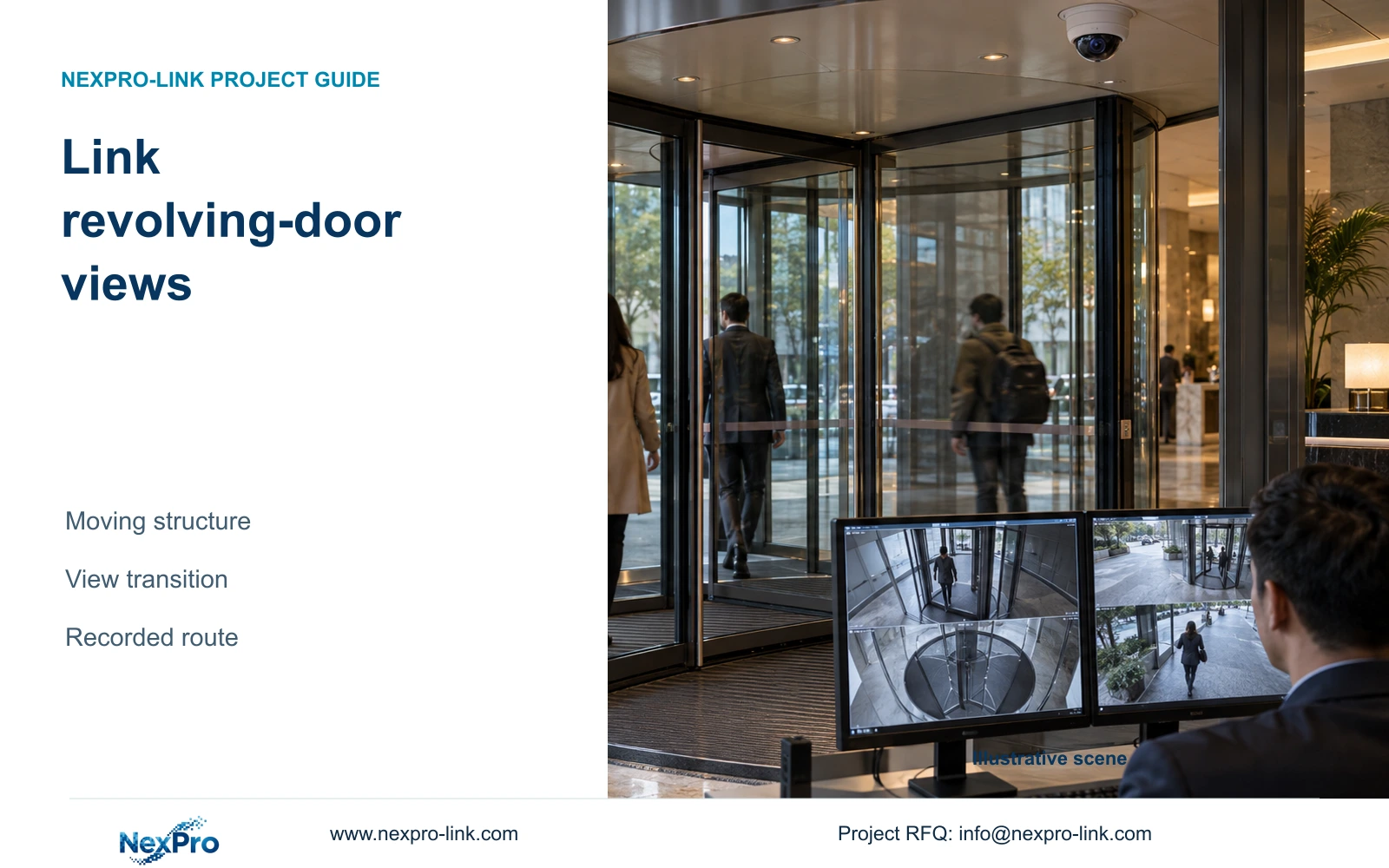
Link inside and outside views when revolving-door structure interrupts the required entrance route. Check recorded transitions through the door cycle before accepting a camera layout.
Section 01
Define the door movement envelope before placing cameras
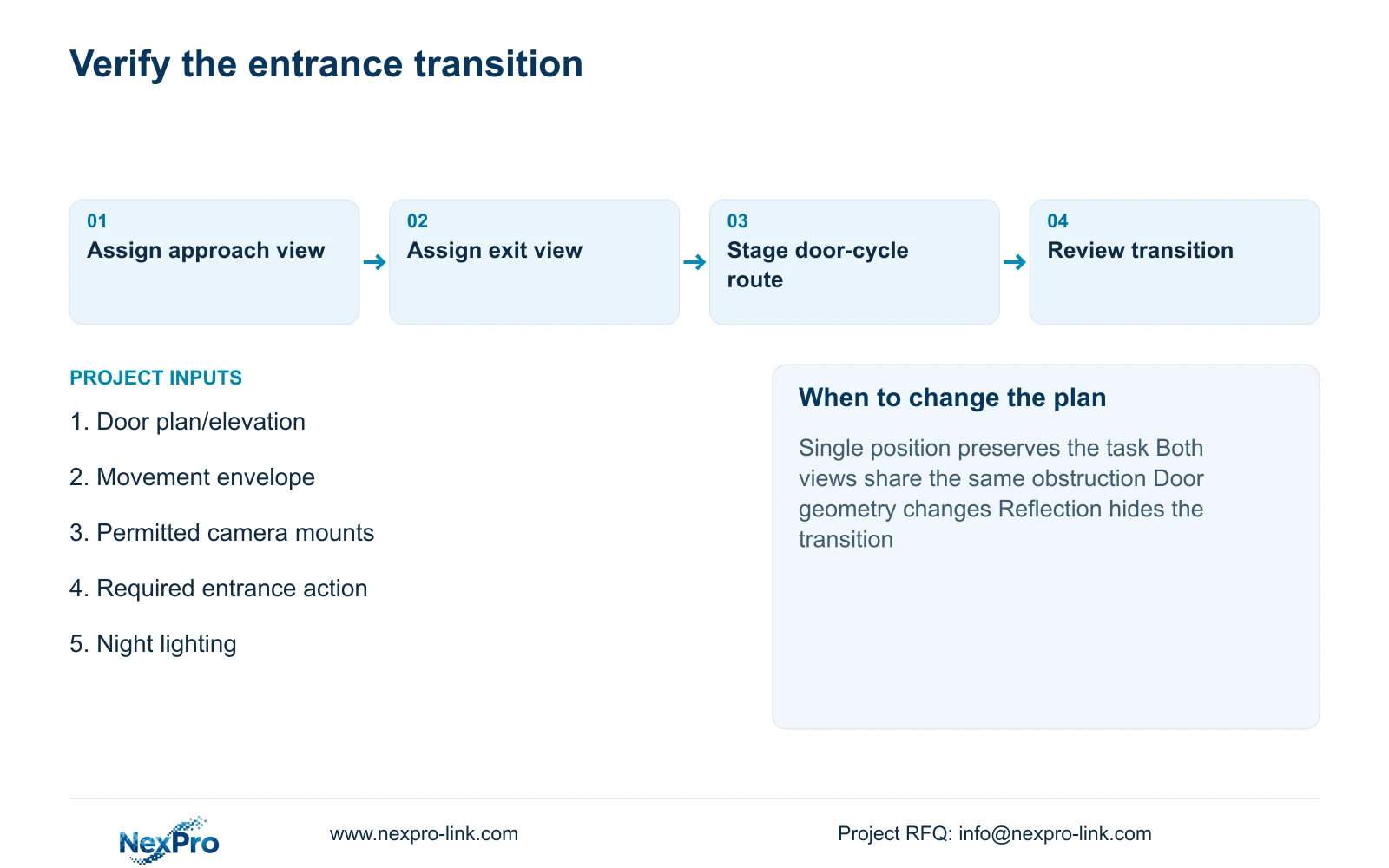
Link inside and outside views when the revolving door repeatedly hides the required entrance transition. Retain a single position only if recorded route testing shows that it preserves the approved task through relevant door positions. A clear frame at one moment cannot establish usable coverage throughout the door cycle.
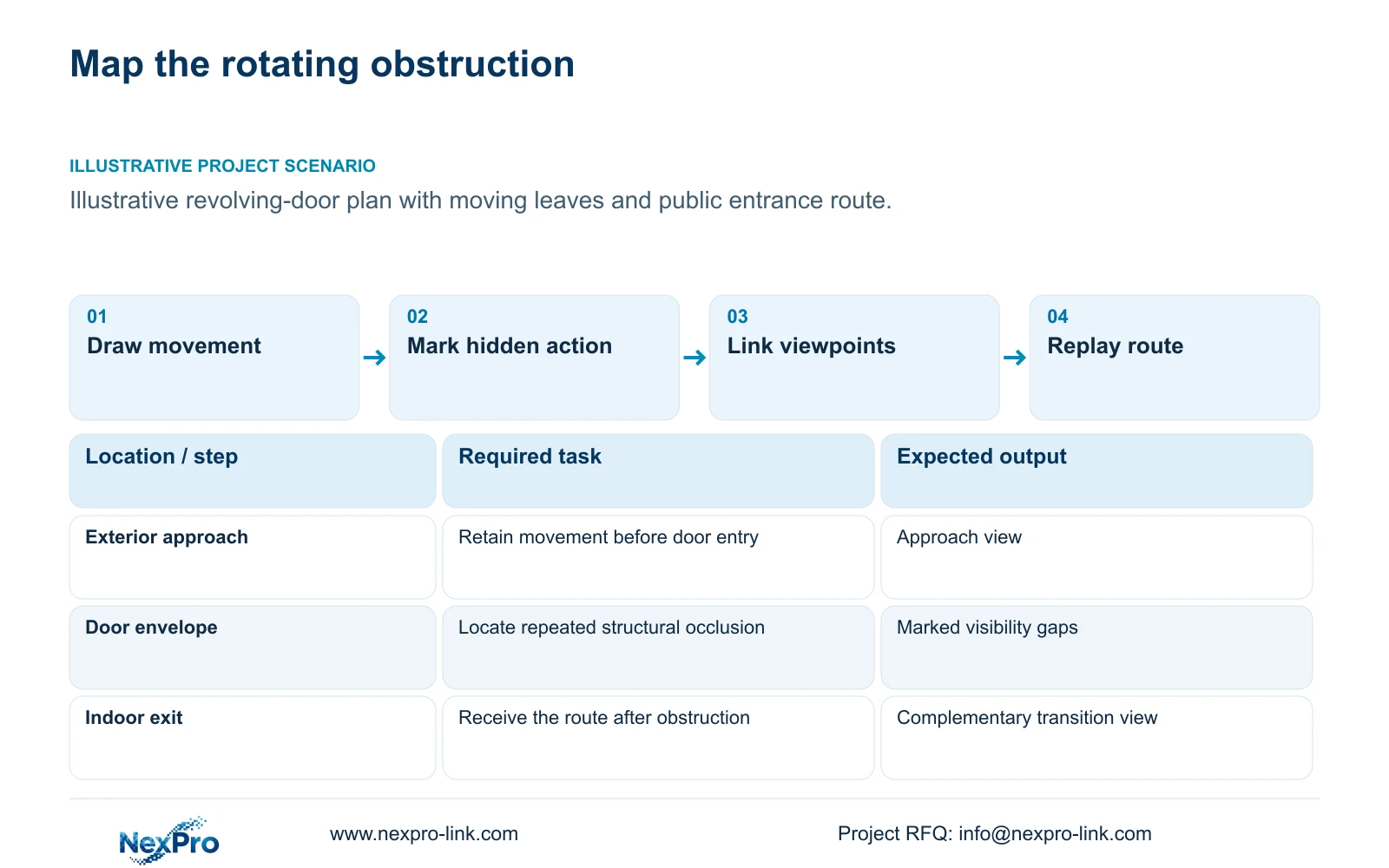
Use the door drawing to mark fixed structure, moving leaves and the route people follow. Include the approach and indoor exit, not only the circular footprint. The camera plan should identify where a subject can disappear behind the structure and where another view must pick up the action.
Keep door operation and CCTV responsibilities separate. The door schedule defines the actual construction and permitted operation; ordinary CCTV is not a life-safety controller. Mounting and access proposals must be coordinated with the responsible door and local installation specialists. Do not infer the door's power or safety arrangement from a hotel camera package.
| Required task | Given information | Decision still needed |
|---|---|---|
| Follow the exterior approach | Door structure and public route | Visible transition before entry |
| Follow the indoor exit | Moving-leaf envelope and lobby route | Position that receives the subject after occlusion |
Section 02
Mark repeatable occlusion
Distinguish structural blockage from temporary crowding. Fixed posts and moving leaves create repeatable changes in visibility, while other people or luggage add operating conditions. Mark the part of the required action that disappears in each case. This identifies whether the problem calls for relocation, another view or a narrower detail task.
Compare candidate positions through the door's movement rather than drawing a single unobstructed sightline. A wide lens may include more surrounding space, but it cannot establish useful detail behind an opaque obstruction. A second camera should view the affected transition from a useful different angle.
Count only justified views. A hotel with more rooms does not automatically require more revolving-door cameras, and the number of leaves alone is not a camera formula. Revise quantity when the documented route, obstruction or approved task changes. Keep the reason for each added position in the camera schedule so that a cost reduction can be assessed against the action it removes.
| Item | Option A | Option B | Effect on the hotel task |
|---|---|---|---|
| Door structure | One favourable sightline | Views checked through movement | Expose repeatable gaps |
| Second position | Similar blocked angle | Different transition angle | Add scope only where the route becomes visible |
Section 03
Compare inside and outside views
Assign the exterior view to the approach and the interior view to movement into the lobby. Define the transition that connects them. The operator should be able to follow the relevant action across the recordings without relying on an undocumented automated tracking function.
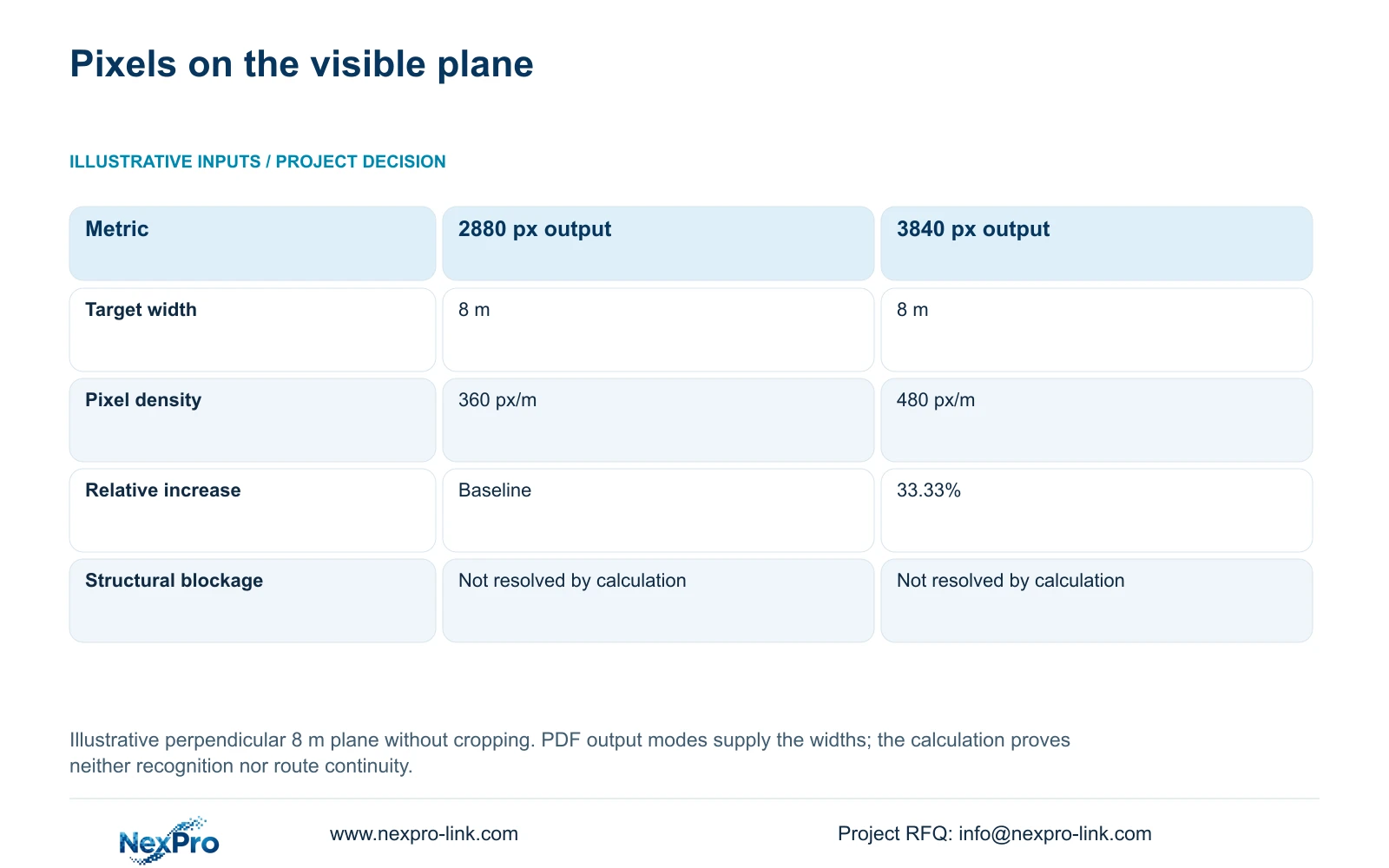
The illustrative geometry comparison uses an equal 8 m target plane, perpendicular to the view and without cropping. Planning pixel density equals horizontal output pixels divided by target width in metres. The supplied PDF modes give 2880 ÷ 8 = 360 px/m and 3840 ÷ 8 = 480 px/m, a 33.33% increase.
Use these figures only after establishing visibility. They describe the pixel budget across a visible plane; they do not show detail through the door frame or guarantee recognition. NexPro-DM2812M55-5MP-DIC-AI and NexPro-DM2812M88-8MP-DIC-AI provide the documented output examples. Their 2.8-12 mm lens ranges do not establish an exact installed field of view or PTZ capability.
| Metric / condition | Documented 2880 px output | Documented 3840 px output |
|---|---|---|
| Output width (px) | 2880 | 3840 |
| Same target width (m) | 8 | 8 |
| Planning pixel density (px/m) | 360 | 480 |
| Increase relative to A | Baseline | 33.33% |
| What is not proven | Recognition / night performance | Recognition / night performance |
Section 04
Check reflections and night light
Review glazing and reflective finishes from both positions under the lighting relevant to operation. An interior position looking towards the approach may face a different background from an exterior transition view. Record the actual route during light-mode changes, including the part that occurs behind or beside the moving leaves.
The 480 px/m option has more geometric detail than the 360 px/m option at the stated width, but neither calculation resolves a reflection or poor moving-subject exposure. Compare the same route and required action before using resolution to justify the upgrade. A position change may preserve more useful information than a higher-resolution camera at the blocked angle.
Infrared, visible light and event-triggered illumination are separate operating choices. Confirm the exact selected mode and consider spill towards guest accommodation. The supplied 8MP Dome record includes dual light, two-way audio, PoE and IP66. Those fields do not establish night recognition performance, permission to record audio or an impact-resistance rating.
Section 05
Budget the extra connection points
Price an additional entrance view as an installed recording point. Include the approved mount, actual cable route, network port and recorder stream. Check whether it crosses a shared-resource limit such as PoE output, recorder input or storage capacity. Adding one camera can require more than its individual unit price.
Use actual device power for the PoE calculation. The supplied camera PDFs do not state verified maximum watts, and NexPro SW-POE1618G remains a quotation candidate with unresolved port-rate wording and no stated total PoE budget. Its published 16 access ports and two uplinks therefore do not prove that an expanded entrance group has enough power.
Give suppliers the same route and recording outcome to price. NexPro-Link's BOQ support can separate extra quantity from a change in model or mounting scope. The 8 m comparison is an independent teaching example; CASE01's four entrance views and whole-system quantities should not be copied into the revolving-door bill without an actual layout assessment.
| Retained outcome | Extra scope | Worth buying when | Counter-condition |
|---|---|---|---|
| Follow the entrance transition | Second camera, cable and recording point | Structural blockage loses the required action | Repositioning one view meets the task |
| Usable visible detail | Higher-resolution profile | Visible target needs more recorded detail | Door structure remains the cause of loss |
Section 06
Test a continuous entrance route
Stage an authorized approach through the door and into the lobby. Review the full recorded sequence from both views, including the transition between them. Repeat relevant door positions and ordinary crowding conditions. Check camera names and time indications so that an operator can locate the same event without guesswork.
Choose linked views when they preserve the approved route better than a qualified single position. Change the proposal if reflections, movement or crowding still hide the required action, or if the door layout changes. Record the unresolved interval and responsible party, then repeat the same task after adjustment. A limited test supports only the conditions observed.
Send info@nexpro-link.com the revolving-door plan or elevation, movement envelope and permitted mounting positions. Add the required entrance action and relevant night-light restrictions. NexPro-Link can discuss a coordinated camera and connection proposal; door safety, structural mounting approval and local installation remain explicit project responsibilities.
Section 07
Buyer questions
Can a wider lens remove revolving-door blind spots? It may widen visible context, but it cannot establish detail behind opaque structure. Compare repositioning and a complementary view, then test the required route through the door's movement.
When is an outside camera necessary? When the interior view cannot preserve the required approach or transition and another permitted position does not solve that loss. Define its task and environment before choosing equipment; outside placement is not an automatic requirement.
What proves that two views work together? A recorded route review showing the required action before and after the transition, with usable time indications and camera identities. Two individually clear still images do not establish that continuity.
Engineering references
These sources support the general planning principles. Always use the selected product's current datasheet and applicable project standards for final design.


