

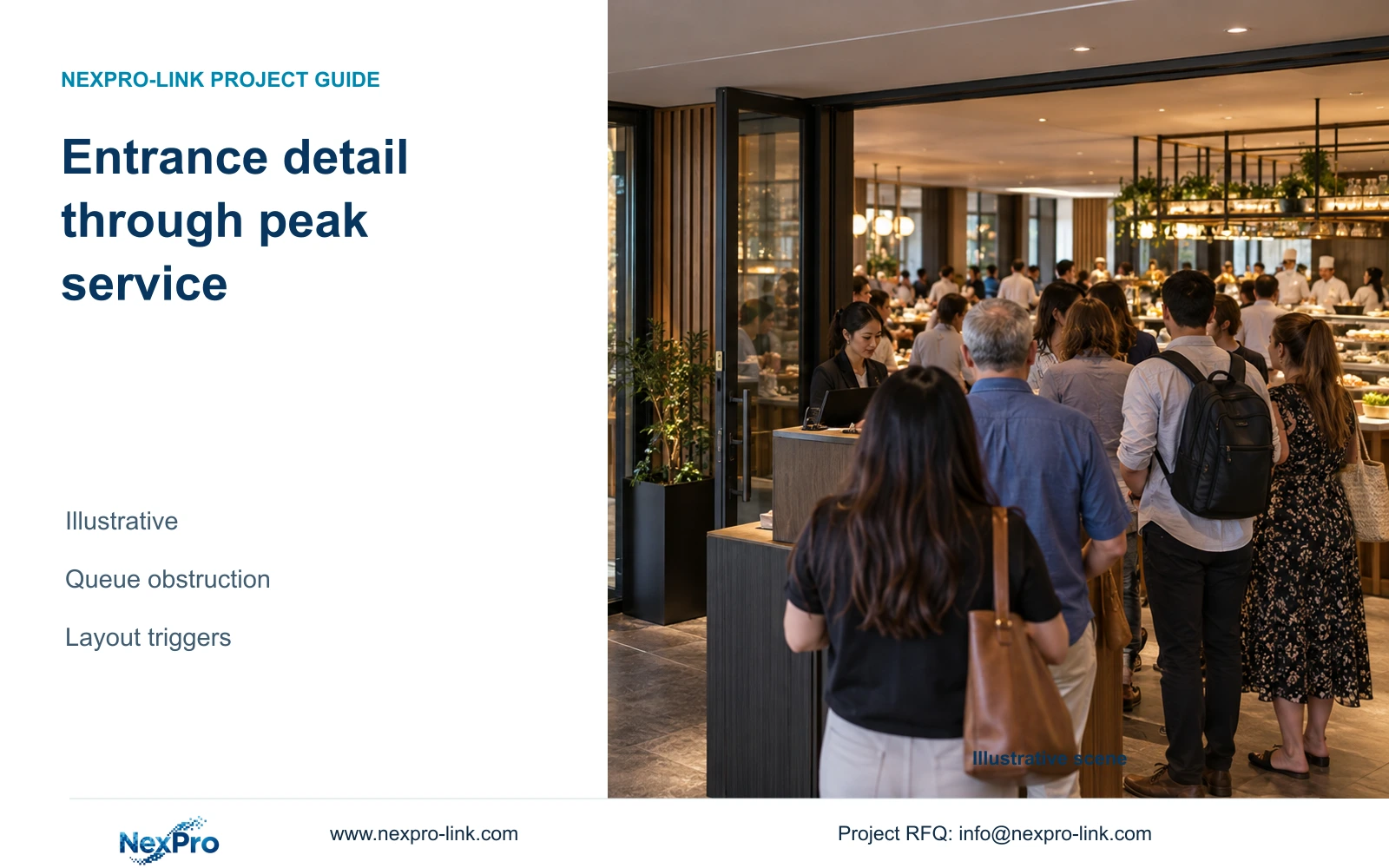
Before a special-event table layout opens, compare the entrance observation line with the approved queue and furniture envelope. Test the host-station crossing with normal service activity.
Section 01
Choose the entrance tasks that must remain visible
Before a special-event table layout opens, compare the entrance observation line with the approved queue and furniture envelope. Test the host-station crossing with normal service activity. If blocked, revise the permitted layout or qualified viewpoint. Keep the event arrangement's release separate from permanent restaurant approval; an earlier quiet-layout trial cannot cover it.
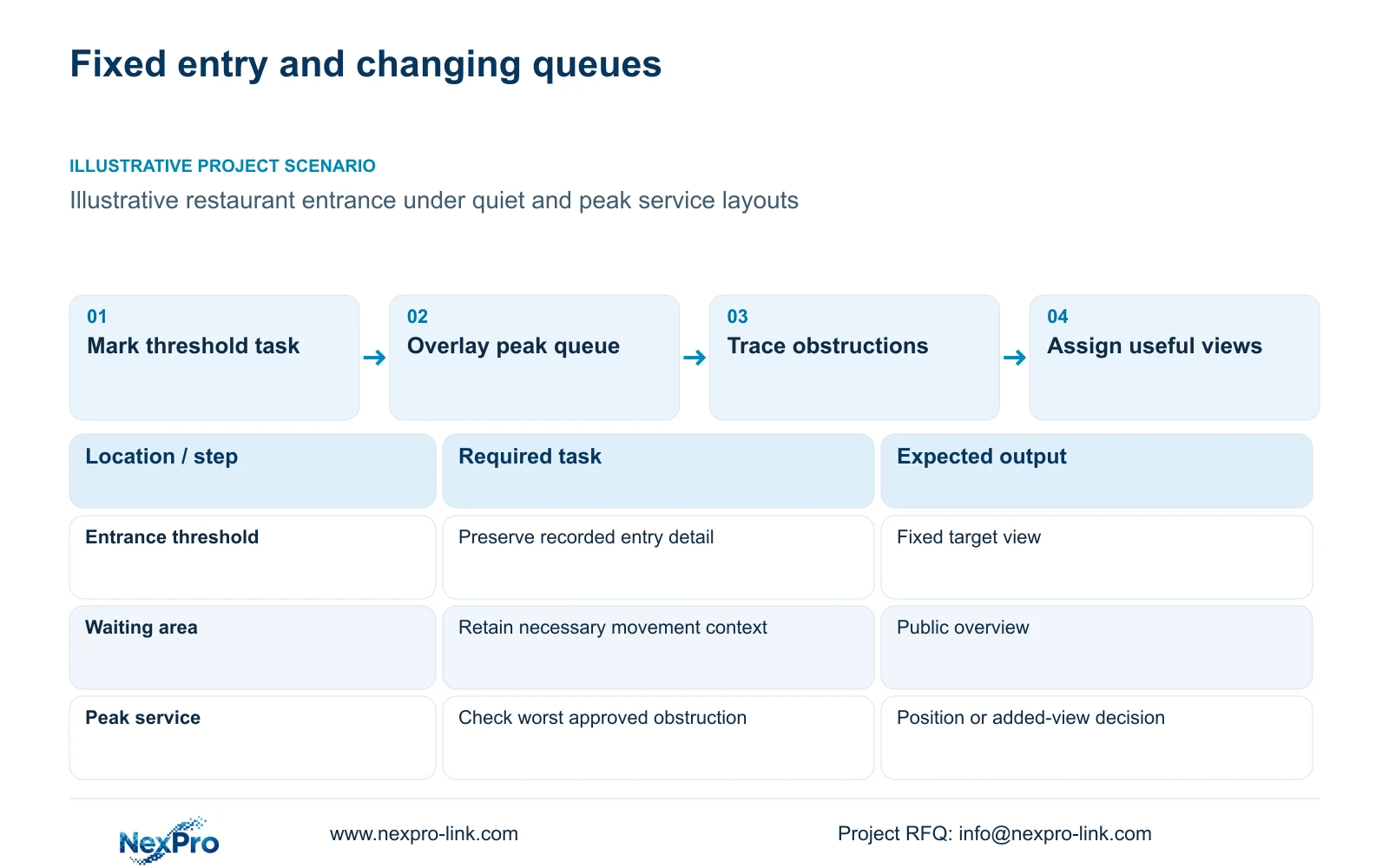
Give the fixed restaurant entrance its own recorded-detail task and treat the changing waiting area as a separate overview requirement. Combine them only when the view remains useful under the worst approved obstruction layout. If queues hide the entry target, change the position or add a justified view before increasing resolution.
Map the public entrance and any other access point included in the approved security scope. Mark where the target action occurs, such as crossing the threshold or moving from the waiting area into the restaurant. The relevant target plane may differ from the full floor area, so describe its width and direction of travel.
Assign a camera tag to each necessary task before counting equipment. A restaurant overview can explain the context around an event without providing the same detail as a dedicated entrance view. Two nearby tasks may share one position if framing and obstruction checks support it. Hotel bedroom count has no role in calculating these restaurant views.
| Required task | Given information | Decision still needed |
|---|---|---|
| Review threshold crossing | Fixed entrance position | Target width and recorded detail |
| Understand waiting-area movement | Queue and furniture plan | Useful overview boundary |
| Preserve view at peak service | Peak operating layout | Obstruction-resistant position |
Section 02
Compare quiet and peak service layouts
Use the same entrance task when reviewing quiet and peak layouts. Mark the host station, queue direction and approved table arrangement on each plan. Include temporary signs or partitions where the operator uses them. An empty-floor drawing cannot show whether the target remains visible when people stand in the waiting area.
Trace sightlines from each proposed mounting point. Distinguish an obstruction caused by furniture from one caused by people moving or waiting on the route. A position that sees over furniture can still produce an unsuitable angle for the required entry detail. Compare the recorded action, not merely the amount of floor visible.
Price relocation and an additional camera against the same retained outcome. Relocation may use an existing device but alter the cable and bracket scope. An extra position adds recording and power requirements. Choose the smaller scope only when it retains the approved entrance task and any essential overview in both operating layouts.
| Item | Quiet layout | Peak layout | Design consequence |
|---|---|---|---|
| Entrance target | May be unobstructed | Queue can interrupt sightline | Verify fixed detail task |
| Public overview | Open circulation visible | Waiting area occupies route | Recheck useful context |
| Camera quantity | Initial task schedule | Add only for unresolved tasks | No automatic count increase |
Section 03
Identify directions that collect unnecessary private detail
Define the permitted view before using a wide framing option. An entrance camera can include seated guests or look through a nearby private-space doorway even though its intended task is threshold movement. Identify those directions on the plan and consider whether the entry task can be retained with another angle.
Moving the camera, narrowing the view and supported masking produce different results. A narrower view can allocate more pixels to the entrance while losing the queue overview. Relocation may remove an unnecessary sightline entirely. If masking is used, verify its effect on the relevant live, recorded and exported outputs; do not assume every model implements it.
Audio needs a separate justified decision even when the selected hardware supports it. Retention and disclosure should follow the hotel's approved purpose and applicable requirements. The supplied ICO source is UK guidance under revision, not a universal restaurant rule. Keep the entrance's operational task distinct from general monitoring of dining activity.
Section 04
Calculate useful detail at the entry target
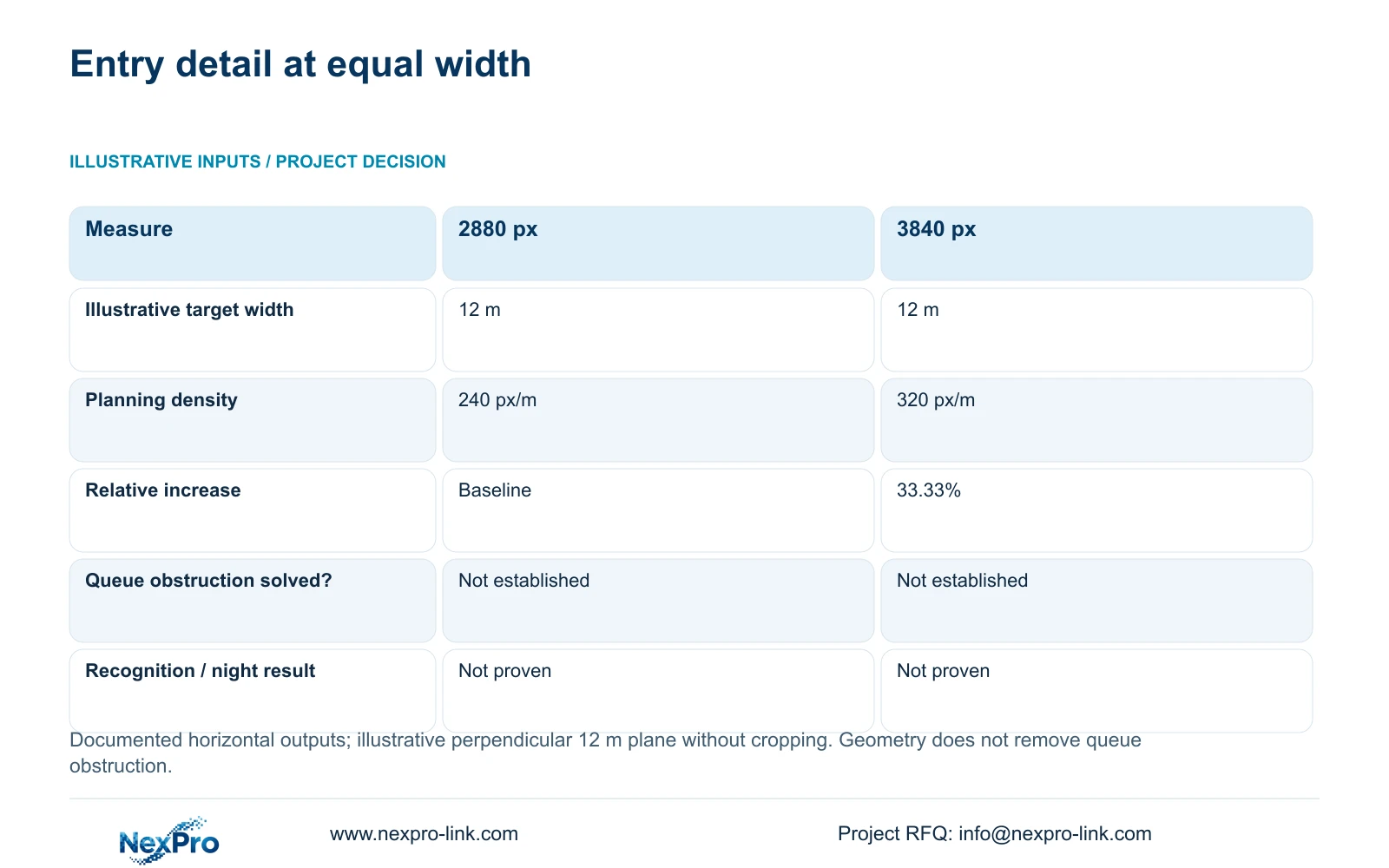
Compare output widths at the same target plane before deciding whether higher resolution addresses the problem. The supplied DM2812M Series PDF lists a 2880×1620 main-stream mode for NexPro-DM2812M55-5MP-DIC-AI and 3840×2160 at 25 fps for NexPro-DM2812M88-8MP-DIC-AI. Both are candidates to assess against the actual view, not guarantees of identification.
For an illustrative 12 m target width, planning density equals horizontal output pixels divided by metres. The resulting budgets are 240 px/m and 320 px/m. The 33.33% increase assumes no cropping and a perpendicular plane. The 12 m width is a teaching input, not a measured restaurant doorway.
The comparison supports choosing more output pixels when the visible task requires more detail and the recording system supports that mode. It does not support using 8MP to compensate for an obscured entrance. Check a narrower permitted framing or another position first. The documented 2.8–12 mm lens range does not supply an exact field-of-view angle or prove recognition, shutter performance or night quality.
| Metric / condition | Documented 2880 px output | Documented 3840 px output |
|---|---|---|
| Output width (px) | 2880 | 3840 |
| Same target width (m) | 12 | 12 |
| Planning pixel density (px/m) | 240 | 320 |
| Increase relative to first option | Baseline | 33.33% |
| What is not proven | Recognition / night performance | Recognition / night performance |
Section 05
Check movement through night and reflective conditions
Review the entrance under the lighting states the restaurant actually uses. Glass doors, mirrors and reflective finishes can affect the proposed view, while bright-to-dark transitions can change the recorded result as a person crosses the threshold. Keep the same target route when comparing camera positions and illumination modes.
Examine recorded movement and playback, not just a static preview. A subject that looks clear while standing still may not retain the required detail while walking. Record the relevant exposure and light-mode conditions so a repeat comparison uses the same basis. No supplied field test establishes a winning camera for this restaurant.
Visible camera illumination may help an approved task where the hotel permits it, but can conflict with the dining environment or spill towards accommodation. Compare a suitable supported infrared mode or a position change when visible light is restricted. Price any additional lighting and installation separately. Choose the added scope only when it restores the defined night task.
Section 06
Set a review trigger for furniture and queue changes
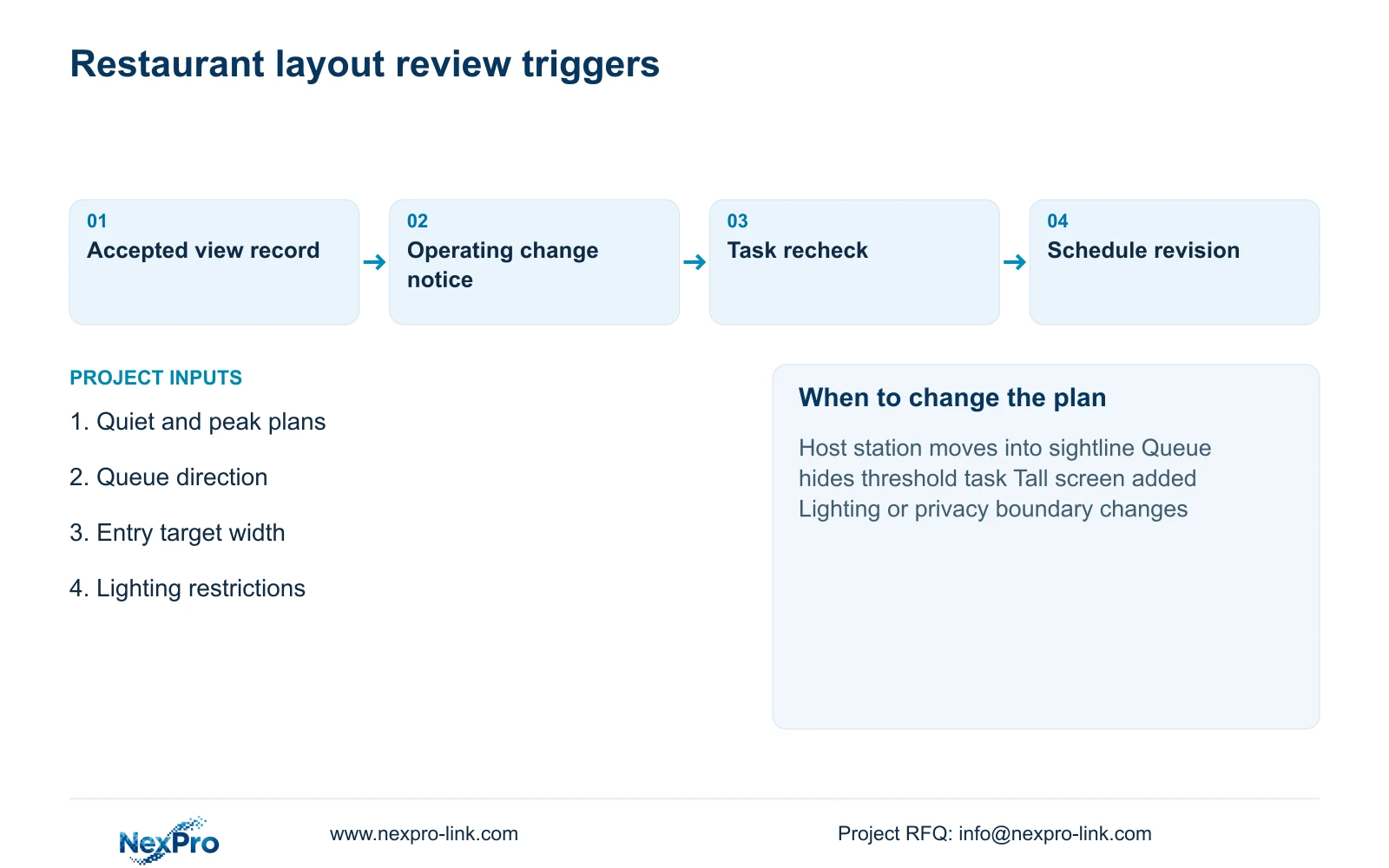
Give restaurant operations a short list of changes that require a coverage review: moving the host station, redirecting the queue, introducing a taller screen or changing entrance lighting. Minor table movement outside the accepted sightline need not trigger a redesign. Tie the trigger to a required task or privacy boundary that may change.
Keep the accepted quiet and peak views in the Camera Schedule with their camera tags and recording modes. When a change adds equipment, update the associated recorder, PoE and cable scope. Camera maximum power is absent from the supplied PDF and needs confirmation. Do not borrow totals from the independent 128-camera convention-hotel example to price this entrance.
Recommend fixed entry detail plus a justified public overview, verified in the most obstructed approved layout. Change framing or position when the entrance target is hidden; add a view when relocation cannot preserve all necessary tasks. Send the quiet and peak plans, queue direction, target width and lighting restrictions to info@nexpro-link.com. NexPro-Link can discuss model matching and a BOQ that separates reused equipment from added installation scope.
Section 07
Buyer questions
Will replacing a 5MP entrance camera with 8MP solve queue obstruction? More pixels do not reveal a blocked target. Check position and permitted framing first. Compare higher resolution only after the required entrance action is visible.
Can one camera provide entrance detail and a waiting-area overview? Yes, if the combined framing retains both tasks during peak operation. Request recorded checks for the accepted queue arrangement. Use separate views when combining them loses required detail.
Do we need to redesign after every table change? Review changes that affect the accepted sightline, target width, lighting or privacy boundary. Keep unaffected changes outside the trigger so the operator has a practical process.
Engineering references
These sources support the general planning principles. Always use the selected product's current datasheet and applicable project standards for final design.
- Published NexPro DM2812M series specification: model-specific fields
- Axis: exposure and motion principles, not a NexPro model test
- N01 | NexPro-Link Hotel & Hospitality Project Supply
- N02 | NexPro-Link BOQ & Tender Support
- O04 | ICO data protection principles and video surveillance, UK guidance under revision


