

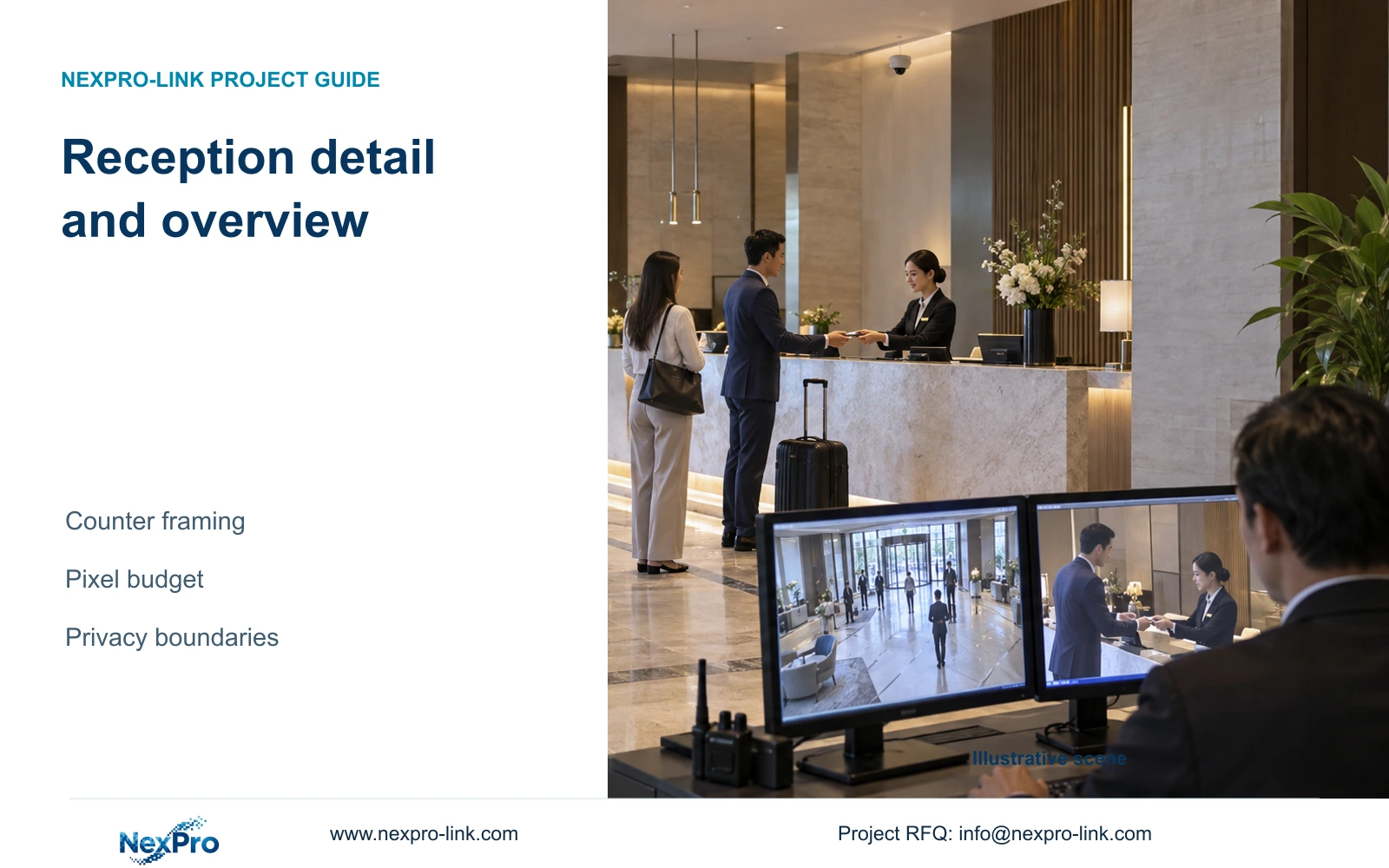
Use separate reception views when a wide lobby frame cannot preserve an authorized counter handover. Define sensitive exclusions before choosing resolution or adding cameras.
Section 01
Decide whether the counter needs its own view
Use a separate counter view when the lobby overview cannot retain the authorized handover detail. Keep one view only where the installed frame demonstrably meets both tasks under normal and crowded conditions. Do not make screens, identity documents or audio part of the recording scope by default.
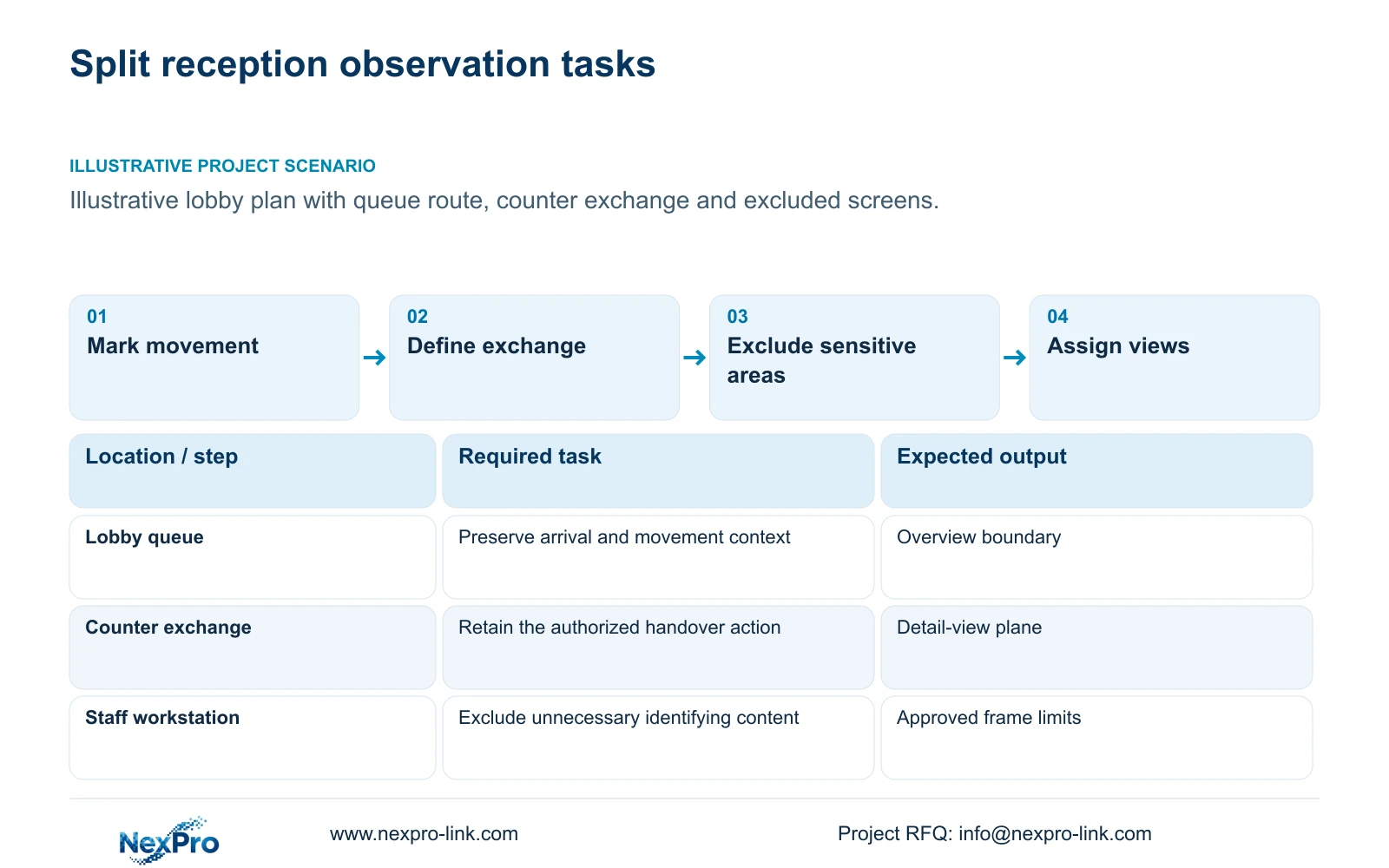
List the actions security staff need to review. Arrival direction and queue movement require context across the lobby. A luggage or item handover requires useful detail at a defined counter position. Calling both tasks 'reception coverage' hides the difference and can lead to an overly wide frame that performs neither task well.
Assign each view a purpose and a camera tag before counting equipment. Hotel room count does not determine reception camera quantity. The illustrative CASE01 assigns four lobby/reception views within its own 32-camera schedule, but that allocation is not a prescription for another reception layout. Your counter arrangement and observation tasks control the design.
| Required task | Given information | Decision still needed |
|---|---|---|
| Lobby movement | Entrance, queue and circulation layout | Required overview boundary |
| Counter handover | Authorized exchange location | Detail plane and sensitive exclusions |
Section 02
Identify sensitive counter areas
Mark staff screens, document handling positions and other unnecessary identifying content on the counter plan. A camera that preserves an item exchange need not also record the contents of a display. The hotel should define the purpose and responsible access roles before selecting a frame that includes these areas.
Compare position changes, narrower framing and supported privacy functions against the required handover task. Moving a camera may exclude a screen while preserving the exchange. A mask may also remove useful action if its boundary is poorly chosen. Verify its actual implementation in the selected configuration rather than assuming a general product description guarantees the required result.
Treat audio as a separate decision. Two-way audio capability does not establish permission for continuous recording. The supplied ICO guidance addresses purpose, access and retention in the United Kingdom and is identified as under revision. It supports a scoped design discussion, not a global hotel surveillance rule or a universal number of recording days.
| Item | Option A | Option B | Effect on the hotel task |
|---|---|---|---|
| Counter boundary | Whole workstation visible | Authorized exchange area framed | Reduce unnecessary screen and document capture |
| Audio | Enabled with hardware | Separately justified and authorized | Keep sound outside the default scope |
Section 03
Calculate the detail-view width
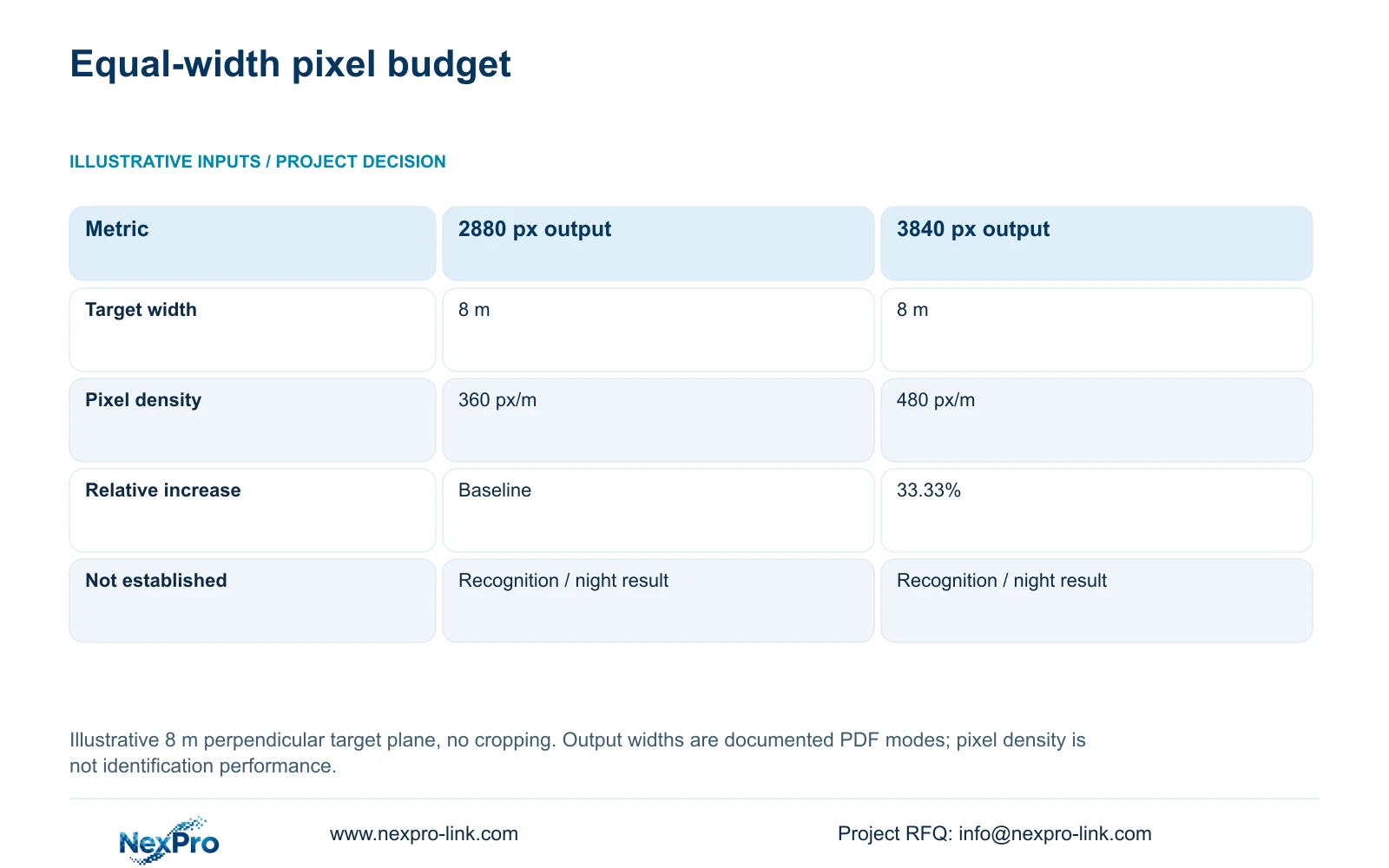
Measure width at the plane where detail is required. The illustrative comparison uses the same 8 m target-plane width for both outputs, assumes a perpendicular plane and excludes cropping. Divide horizontal output pixels by width in metres to obtain planning pixel density in pixels per metre.
The supplied DM2812M PDF lists 2880×1620 for a 5MP main-stream mode and 3840×2160 for the 8MP mode. At 8 m, 2880 ÷ 8 gives 360 px/m and 3840 ÷ 8 gives 480 px/m. The latter has a 33.33% greater geometric pixel budget at that identical width.
This calculation does not establish recognition or night performance. Camera angle, exposure and obstruction still affect the usable image. It also does not supply the focal length needed to achieve the width. The documented 2.8-12 mm lens range supports framing adjustment, but an exact field of view requires appropriate model data or confirmation of the installed view.
| Metric / condition | Documented 2880 px output | Documented 3840 px output |
|---|---|---|
| Output width (px) | 2880 | 3840 |
| Same target width (m) | 8 | 8 |
| Planning pixel density (px/m) | 360 | 480 |
| Increase relative to A | Baseline | 33.33% |
| What is not proven | Recognition / night performance | Recognition / night performance |
Section 04
Compare one and two-view designs
Evaluate the one-camera option against both outcomes without changing their definition. A wide frame can preserve queue context while allocating limited pixels to the exchange. Narrowing it can improve the counter detail but remove arrival context. The pixel-density comparison helps describe that trade-off; it cannot determine whether a second viewpoint is necessary.
A two-view design gives the overview and handover separate framing decisions. It also creates another connection, recording stream and maintenance task. Justify that scope by showing the required action lost in the single-view option, including obstruction by guests, staff or luggage. Two cameras aimed through the same obstruction may provide little useful improvement.
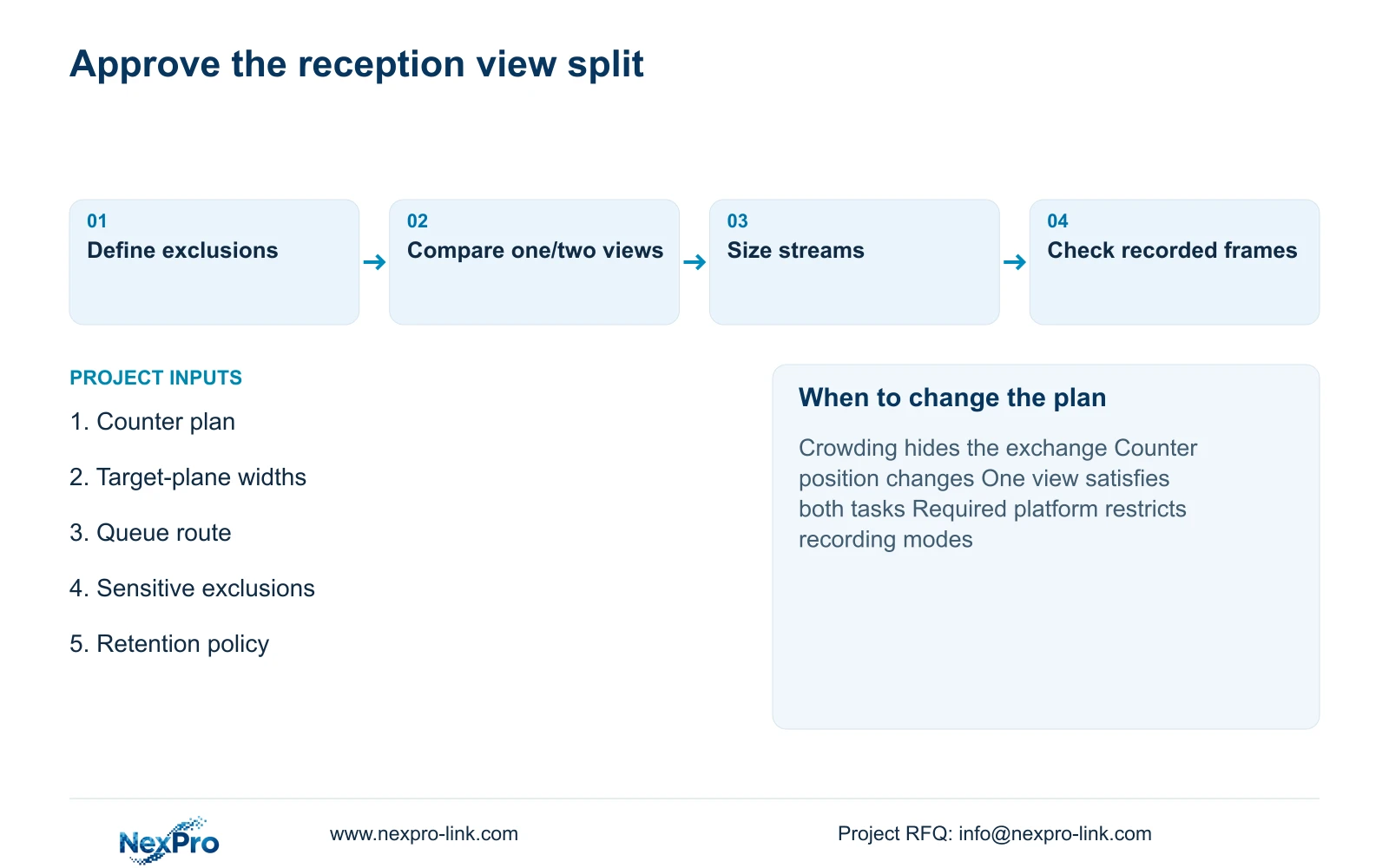
Review the proposed frames with ordinary queue conditions and the furniture layout expected at opening. Retain one camera where it meets both approved tasks and sensitive exclusions. Add a separate view when a required action remains hidden or too small after reasonable position and lens adjustment. Reassess the choice if the counter or queue arrangement changes.
Section 05
Size the recorded streams
Turn the accepted views into a recording schedule with exact resolution, frame rate and average bitrate assumptions. The 360 and 480 px/m figures do not specify Mbps. Each stream needs its own configuration, and any additional view must appear in the recorder input, storage and network calculations.
For context, the independent CASE01 assumes 32 streams averaging 4 Mbps, continuous recording and 30 days. Its input is 128 Mbps, video data is 41.472 decimal TB and required usable capacity is 51.84 TB with 20% free. Those are whole-case assumptions, not measured reception loads, and the 8 m geometry comparison must not be added to them as another system total.
If NexPro-NVR2232-4K is considered, its 32 channels and two SATA positions do not settle disk capacity. The supplied page record contains conflicting 2×8 TB and 2×18 TB statements, with playback differences as well. Resolve the offered disk and recording configuration before procurement instead of selecting the more favourable value.
| Retained outcome | Extra scope | Worth buying when | Counter-condition |
|---|---|---|---|
| Overview plus handover detail | Separate stream and connection | Single frame loses an approved action | One frame already meets both tasks |
| Greater geometric detail | Higher-resolution recording profile | Recorded task needs the additional detail | Obstruction or exposure remains the limiting factor |
Section 06
Agree on privacy-aware framing
Approve the recorded frame alongside its purpose, retention and access scope. The drawing should distinguish permitted handover detail from excluded workstation content. A later lens adjustment or counter relocation should trigger another framing check because it can change both task performance and unnecessary capture.
NexPro-DM2812M55-5MP-DIC-AI and NexPro-DM2812M88-8MP-DIC-AI are documented candidates for the geometry comparison. The supplied Dome naming does not establish IK10, and the lens range does not imply PTZ operation. Model choice should follow the accepted image task and installation conditions, including any mandatory operator platform.
Send info@nexpro-link.com a reception plan, counter target widths and the required exchange actions, with marked screen/document exclusions. Include the intended recording policy and whether a separate view is permitted. NexPro-Link can discuss camera scheduling, model matching and coordinated supply; local installation and jurisdiction-specific privacy decisions remain separately assigned.
Section 07
Buyer questions
Does an 8MP camera remove the need for a counter view? Only if the accepted frame meets both the overview and handover tasks. The equal-width example gives 480 versus 360 px/m, but additional pixels cannot establish visibility through an obstruction or authorize recording sensitive content.
Should the quotation include microphones? Identify audio capability separately from the approved recording scope. Ask for the required operating configuration, with sound excluded unless the hotel has specifically justified and authorized it.
Can the first proposal use an unfinished lobby plan? Yes. Mark provisional counter positions, intended queue routes and sensitive exclusions. The proposal can distinguish firm tasks from quantities that change with the final layout, without presenting a provisional camera count as a delivery commitment.
Engineering references
These sources support the general planning principles. Always use the selected product's current datasheet and applicable project standards for final design.


