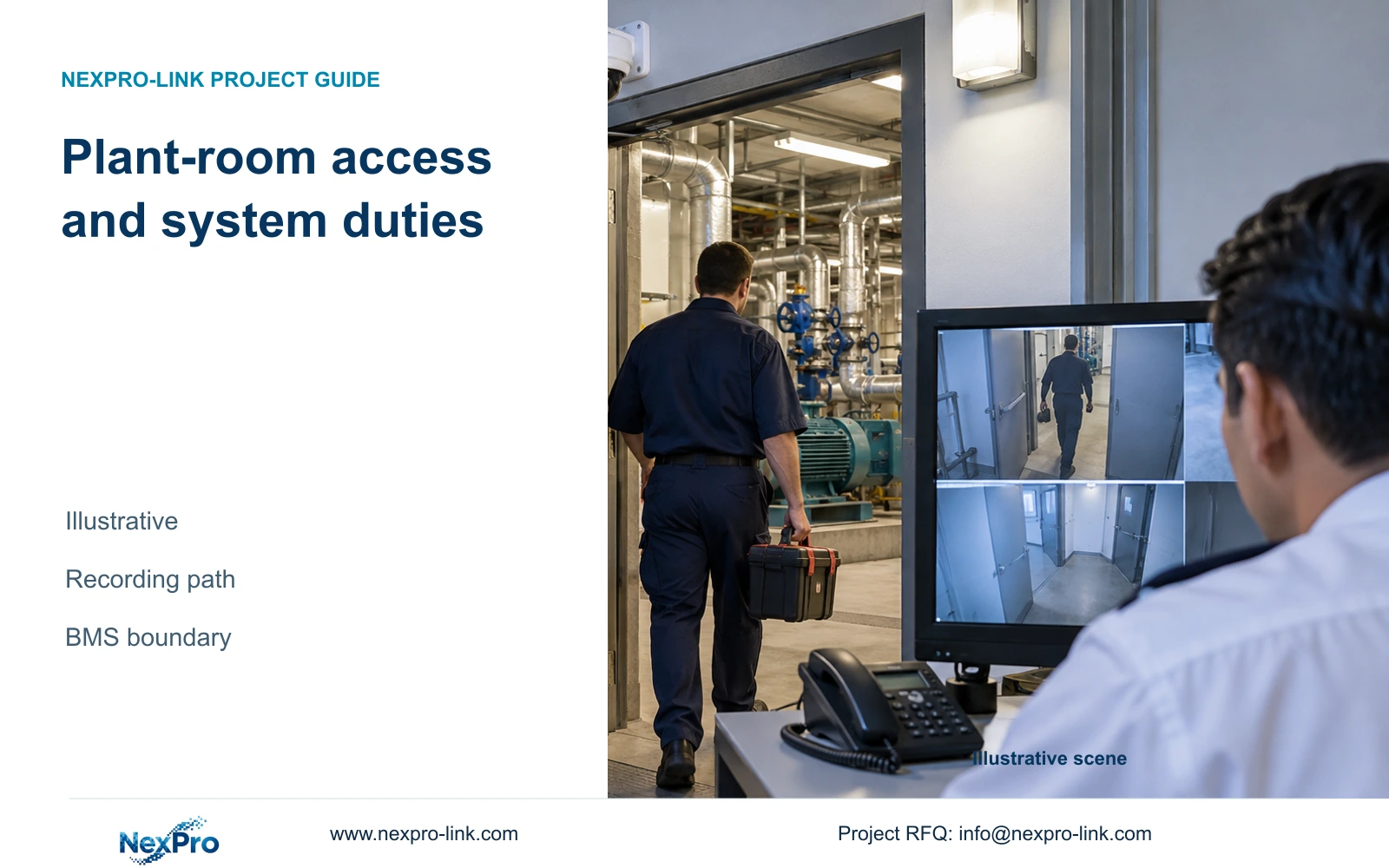
Map an authorized plant-room service visit to entry, departure and the separate maintenance record. Keep machinery status and safe-work permission with the responsible engineering team.
Section 01
Define the access observation task
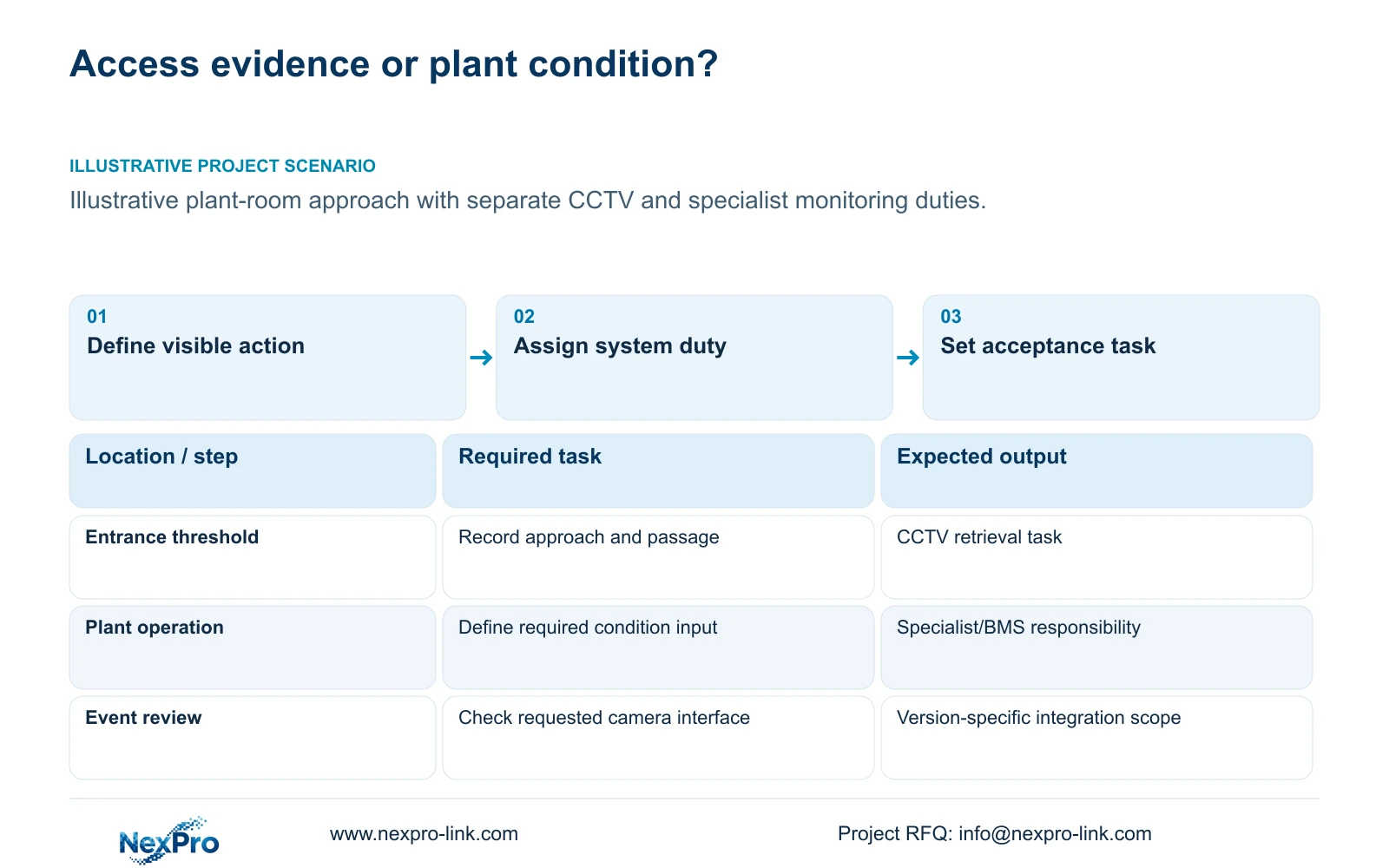
Map an authorized plant-room service visit to entry, departure and the separate maintenance record. Keep machinery status and safe-work permission with the responsible engineering team. If an alarm timestamp anchors retrieval, confirm its meaning rather than assuming automatic BMS integration. A visible contractor visit cannot establish that maintenance or safety checks were completed.
Use CCTV to record agreed entrance activity, and assign machinery condition monitoring to the appropriate specialist system. Choose a recording-first package when the hotel needs access traceability. Add remote viewing or display scope only when it serves an identified operating duty. If the requirement includes judging safe machinery operation, expand the specialist scope instead of attributing that function to an ordinary camera.
Describe the visible event at each entrance: approach, passage through the threshold or an authorized equipment handover. Identify the interval the operator must later retrieve and the conditions in which recording must continue. A camera count follows these tasks and the layout; the number of hotel rooms does not establish how many plant-room entrance views are needed.
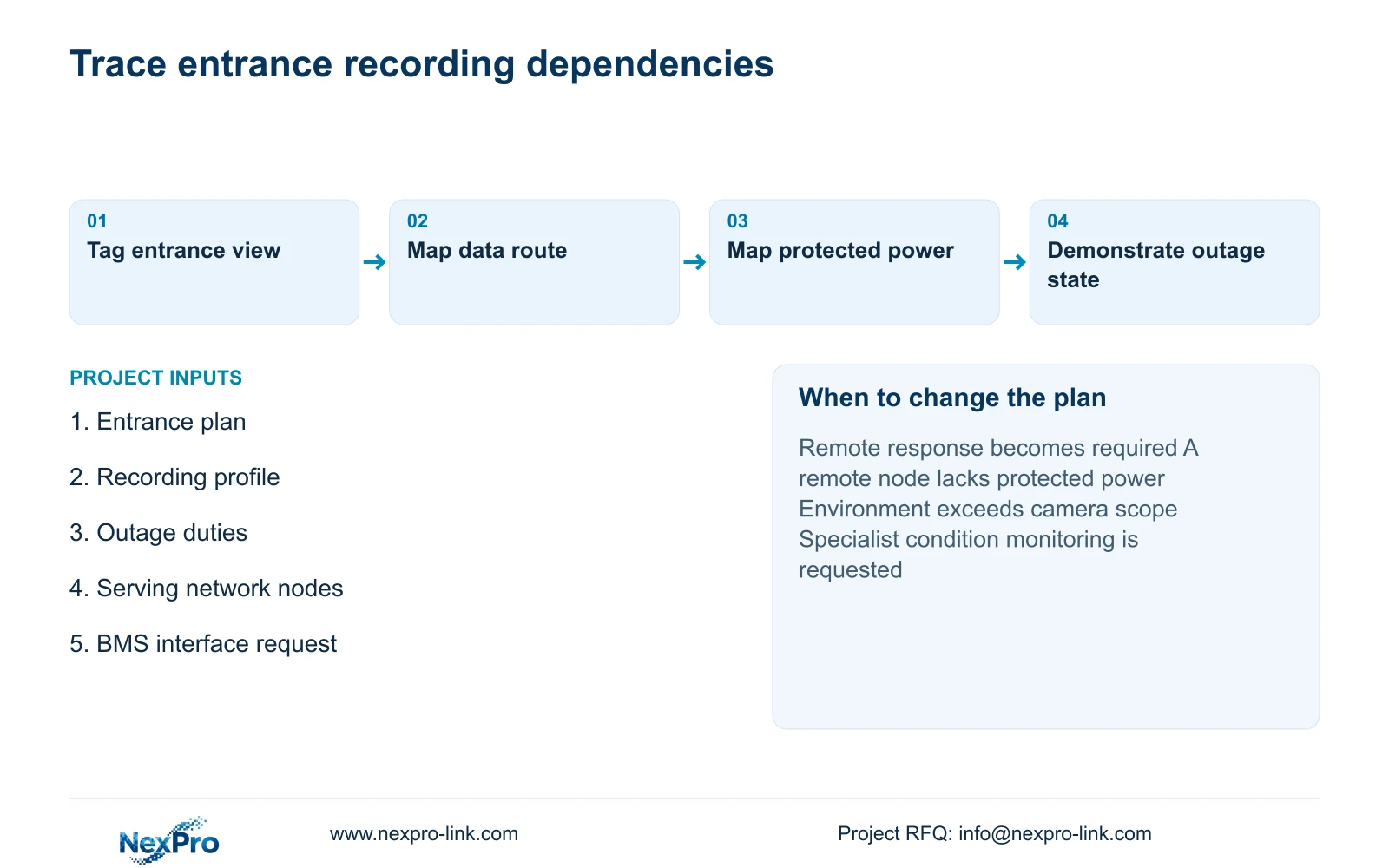
Turn the approved tasks into camera tags and interfaces. Each tag should lead to a recording profile, network connection and power boundary. Keep any requested interior or equipment view separately justified. A useful access record provides context for an investigation, but footage of a person entering cannot by itself establish permission or the condition of the equipment inside.
| Required task | Given information | Decision still needed |
|---|---|---|
| Retrieve entrance activity | Plant-room door and approach | View, recording period and authorized role |
| Review an equipment concern | Owner requests condition information | Specialist sensor or BMS scope |
Section 02
Separate BMS and CCTV roles
Write distinct acceptance requirements for visual access recording and the building management system. CCTV acceptance can address whether the required entrance action is recorded and retrievable. Machinery monitoring needs the relevant specialist to define the condition, input and response. A clear camera image does not demonstrate pressure, temperature, electrical protection or any other unprovided monitoring function.
If an operator wants to open a camera view in response to a BMS event, treat that as an interface requirement. Name the systems, versions and responsible integrator, then verify the actual workflow. Coordinated purchasing does not establish native integration. The BMS event and the associated footage should retain their separate meanings even when an operator reviews them together.
Compare a standalone entrance-recording package with a separately specified event-viewing interface. The interface is worth including when it supports a defined investigation or response and the proposed versions support it. If that function is unnecessary, keep the CCTV scope simpler. Any life-safety or machinery-control duty must remain with its designated design and commissioning responsibility.
Section 03
Select reachable camera positions
Choose a position that preserves the entrance task when the door is open and equipment is being moved. Check the wall or ceiling surface, approach angle and maintenance route. The camera should be reachable for agreed cleaning and adjustment without creating an undefined need to work around operating plant. Have the appropriate local team resolve safe access and installation constraints.
NexPro-BL2812M55-5MP-DIC-AI is a possible visual-task candidate from the supplied PDF, with a 2.8-12 mm motorized lens, PoE, IP66 and a stated temperature range of -20 to +60 degrees C. These fields do not establish suitability for every plant-room environment, impact resistance or specialist detection. Its maximum power is absent from the supplied specification.
Changing a mounting point changes the installable cable route and sometimes the serving network node. Record horizontal and vertical runs, detours and termination allowance. Keep physical cable planning connected to the camera tag, while calculating video input and storage from the recording profile. Neither a convenient bracket nor a suitable pixel count completes the installation scope.
Section 04
Map the protected network path
Draw the data path from camera to access switch, backbone and recorder. Draw protected power separately. Every required active node needs an appropriate power arrangement for the agreed outage state. A fibre backbone transports data without automatically powering a remote switch. The display is a viewing endpoint and should not be drawn as a necessary recording node.
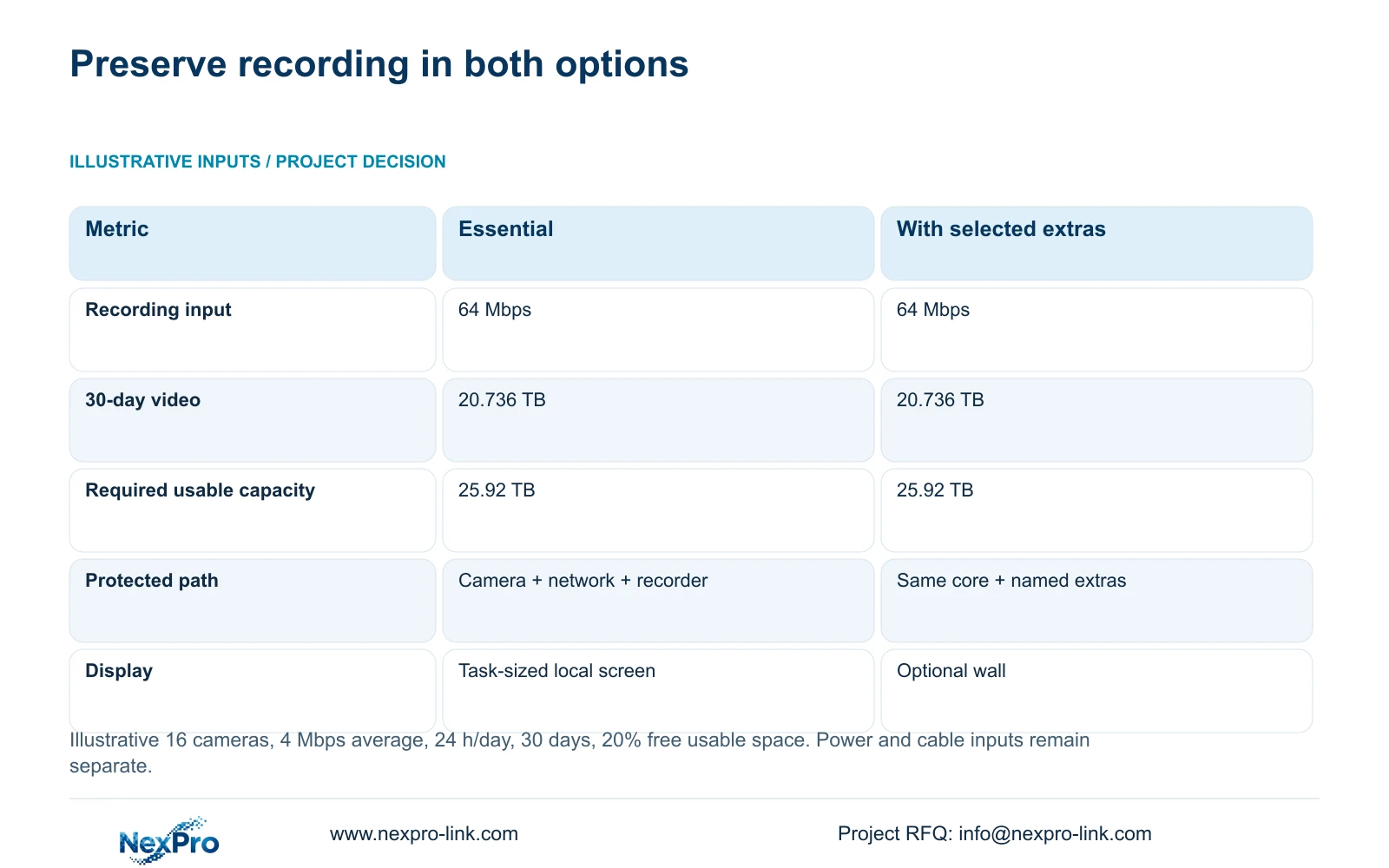
The independent teaching example uses 16 cameras at an assumed average 4 Mbps each, recording 24 hours per day for 30 days. Input = 16 × 4 = 64 Mbps. Video volume = 0.0108 × 16 × 4 × 30 = 20.736 decimal TB. Dividing by 0.80 to retain 20% free usable space gives 25.92 TB.
Both options retain those recording requirements. The enhanced option adds only explicitly selected display or recovery scope. These values are not CASE01's 32-camera totals and do not determine UPS size. Calculate actual per-node PoE and protected W/VA separately. NexPro SW-POE1618G remains an inquiry candidate because its source has conflicting access-port speed descriptions and no stated total PoE budget.
| Metric / condition | Essential recording-first package | Same core plus optional scope |
|---|---|---|
| Recording input (Mbps) | 64 | 64 |
| 30-day video data (TB) | 20.736 | 20.736 |
| Required usable capacity (TB) | 25.92 | 25.92 |
| Protected path | Cameras + network + recording | Same plus explicitly selected extras |
| Operator display | Task-sized monitor/workstation | Optional wall; independent recording |
| Cost comparison | Complete scope quotation required | Add only documented incremental scope |
Section 05
Compare local and remote viewing
Start with the authorized local operator's task: open the entrance view, retrieve an interval and export approved footage. Add remote viewing when a named role needs it through a hotel-approved path. Distinguish local recording, remote access and cloud storage in the proposal. The existence of an app does not establish cloud retention or every enterprise-management function.
Compare normal operation with loss of the WAN. If the local camera-to-recorder path and its power remain available, local recording should be assessed independently of the remote client's availability. Demonstrate the intended states on the selected configuration. A remote duty that must continue during an outage introduces additional network and power dependencies that need separate design.
A larger display is justified by sustained observation or multiple operator positions, not by the plant-room label. NX-VP-5535 is a 55-inch Full HD LCD candidate; it is not direct-view LED. Add the actual signal, decoding, installation and power scope if a wall is selected. The model name NX-VD-4K16 does not prove any requested simultaneous decoding workload.
Section 06
State unprovided specialist functions
List specialist functions that remain outside the entrance CCTV package, including any requested machinery diagnostics, thermal measurement or control interfaces without an identified supporting product and integration scope. Use the same boundary in the equipment schedule and acceptance record. General human or vehicle detection must not be expanded into machinery analysis or safe-operation certification.
Recommend the essential recording-first package where local access review meets the hotel's duty. Change to an enhanced arrangement when approved remote response, a supported BMS interface or a specific recovery requirement creates a genuine need. NexPro-NVR4449-4K lists 49 channels, 320 Mbps input and four SATA bays, but recording modes, playback and disks still need configuration checks. Its channel count does not prove unrestricted 8MP operation.
Email info@nexpro-link.com with the entrance-plan extract, required visual actions, recording period and outage functions. Include existing BMS/client identities and the division of local installation responsibilities. NexPro-Link can discuss CCTV model matching and coordinated network, recording and power supply. Battery runtime must come from the selected UPS configuration and load curve, not from this storage calculation.
Section 07
Buyer questions
Can the camera verify that machinery is operating safely? The supplied ordinary CCTV specifications establish visual capabilities, not machinery safety monitoring. Ask the responsible specialist to specify the necessary sensing and control functions, then define any useful CCTV context separately.
Does remote viewing need the same backup boundary as recording? Only the components required by the agreed outage task belong in that boundary. Remote access may require additional routing and external connectivity. Identify those dependencies explicitly instead of assuming NVR backup protects the entire remote workflow.
Should an existing local recording system be replaced for a video wall? First verify its recording and interface capabilities against the required tasks. A display upgrade can be assessed separately; it should not force replacement of suitable recording equipment without a documented compatibility or operating reason.
Engineering references
These sources support the general planning principles. Always use the selected product's current datasheet and applicable project standards for final design.
- Published NexPro BL2812M series specification: model-specific fields
- NX-VP-5535: documented LCD display identity
- NX-VD-4K16: decoder record, not a sixteen-stream 4K guarantee
- N01: Hotel & Hospitality Project Supply
- N02: BOQ & Tender Support
- N04: NexPro-NVR4449-4K
- N05: NexPro SW-POE1618G source limitations
- N09: Rack online UPS configuration scope
- N10: Video wall and decoder system