

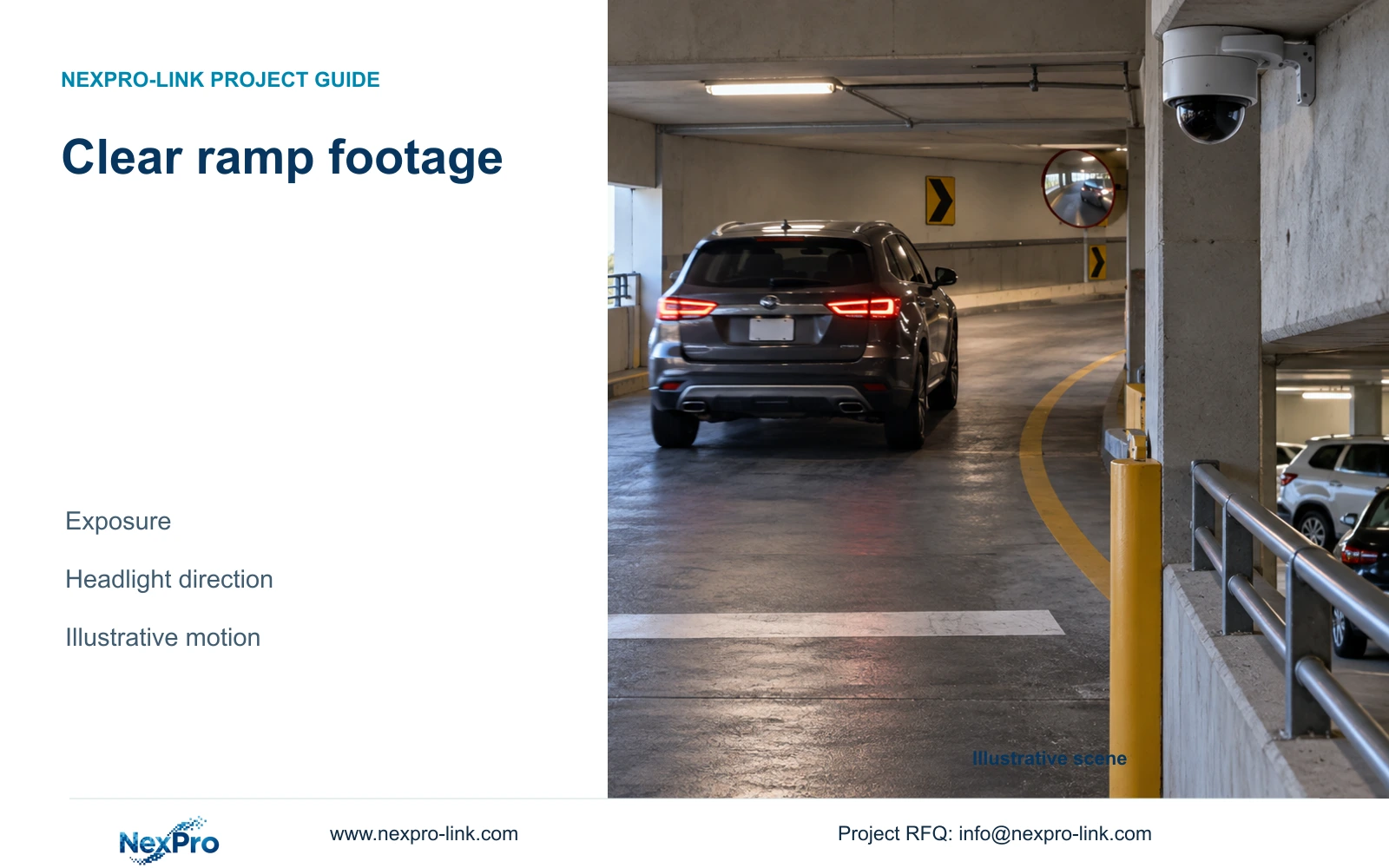
Choose the ramp observation point before selecting exposure or camera resolution. Compare recorded vehicle passes at the required speed and light conditions.
Section 01
Set the vehicle observation point first
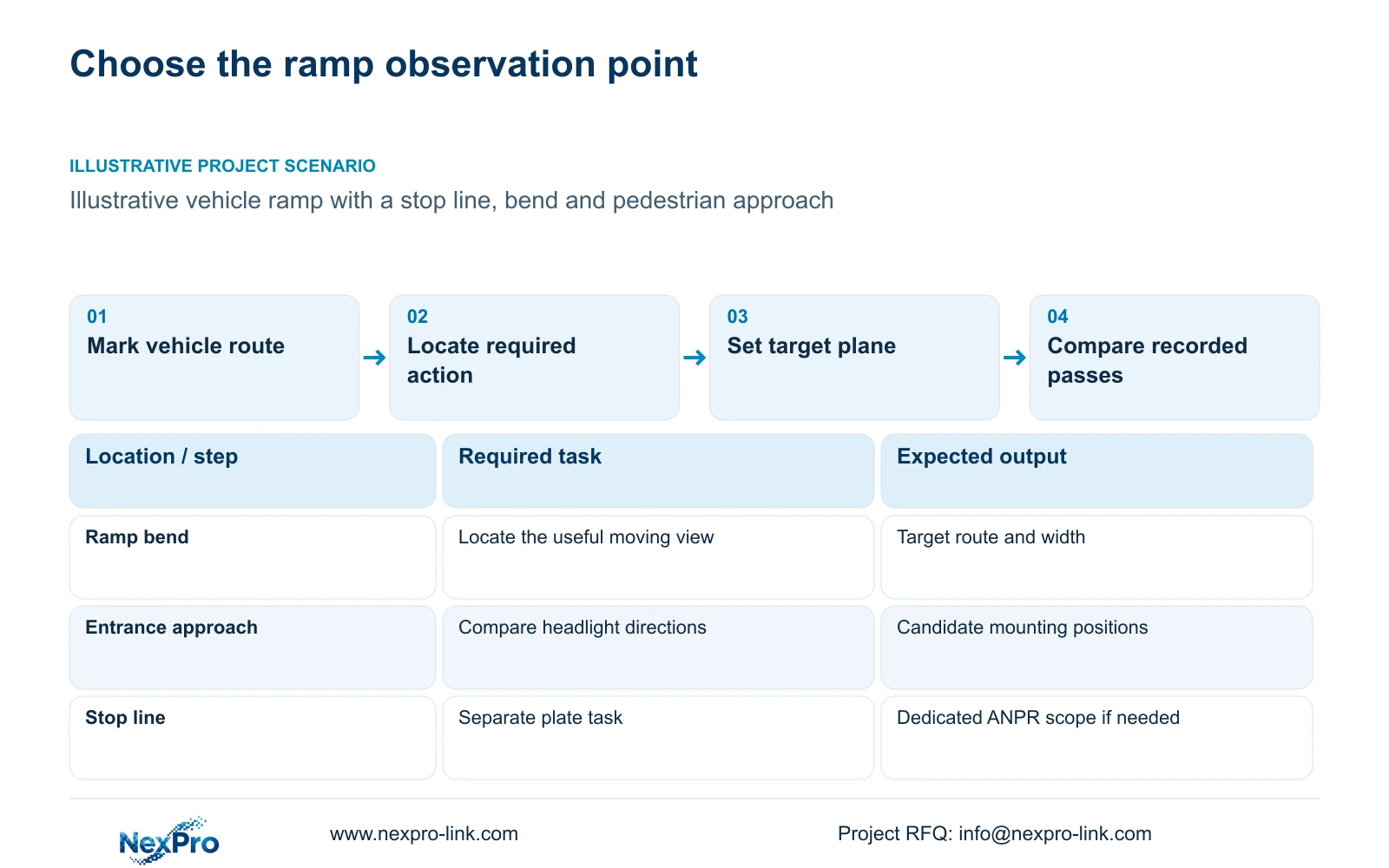
Choose the vehicle observation point from the measured lane geometry and required recorded action. Then select exposure and lighting that preserve that action during movement. Use a shorter exposure when recorded detail smears, provided the resulting light and noise balance remains acceptable. Change the position or lighting if a faster shutter alone cannot deliver the required footage.
A ramp overview might need to show a vehicle crossing a pedestrian route, approaching a barrier or passing another vehicle. Each task places the useful target at a different point. Mark the target plane, approach direction and permitted mounting positions on the plan. Include the expected vehicle path through bends and changes in gradient.
Separate stopped-vehicle and moving-vehicle tasks. A clear image at the stop line does not demonstrate useful footage farther down the ramp. The camera schedule should name the point where detail is required and the action security staff must interpret. This gives the installer a framing objective and gives the buyer a basis for comparing proposed equipment.
| Required task | Given information | Decision still needed |
|---|---|---|
| Record movement on the ramp | Vehicle route and direction | Capture point, target width and relevant speed |
| Preserve entrance context | Barrier and pedestrian approach positions | Overview framing without losing the required action |
| Read plates automatically | Separate vehicle-access requirement | Dedicated ANPR model and capture conditions |
Section 02
Estimate exposure travel separately from frame spacing
Frame rate determines how often the system samples a moving target. Exposure time determines how far that target travels during one image. Raising frame rate does not, by itself, shorten the exposure. A procurement requirement of 25 fps therefore needs a separate recorded-motion requirement.
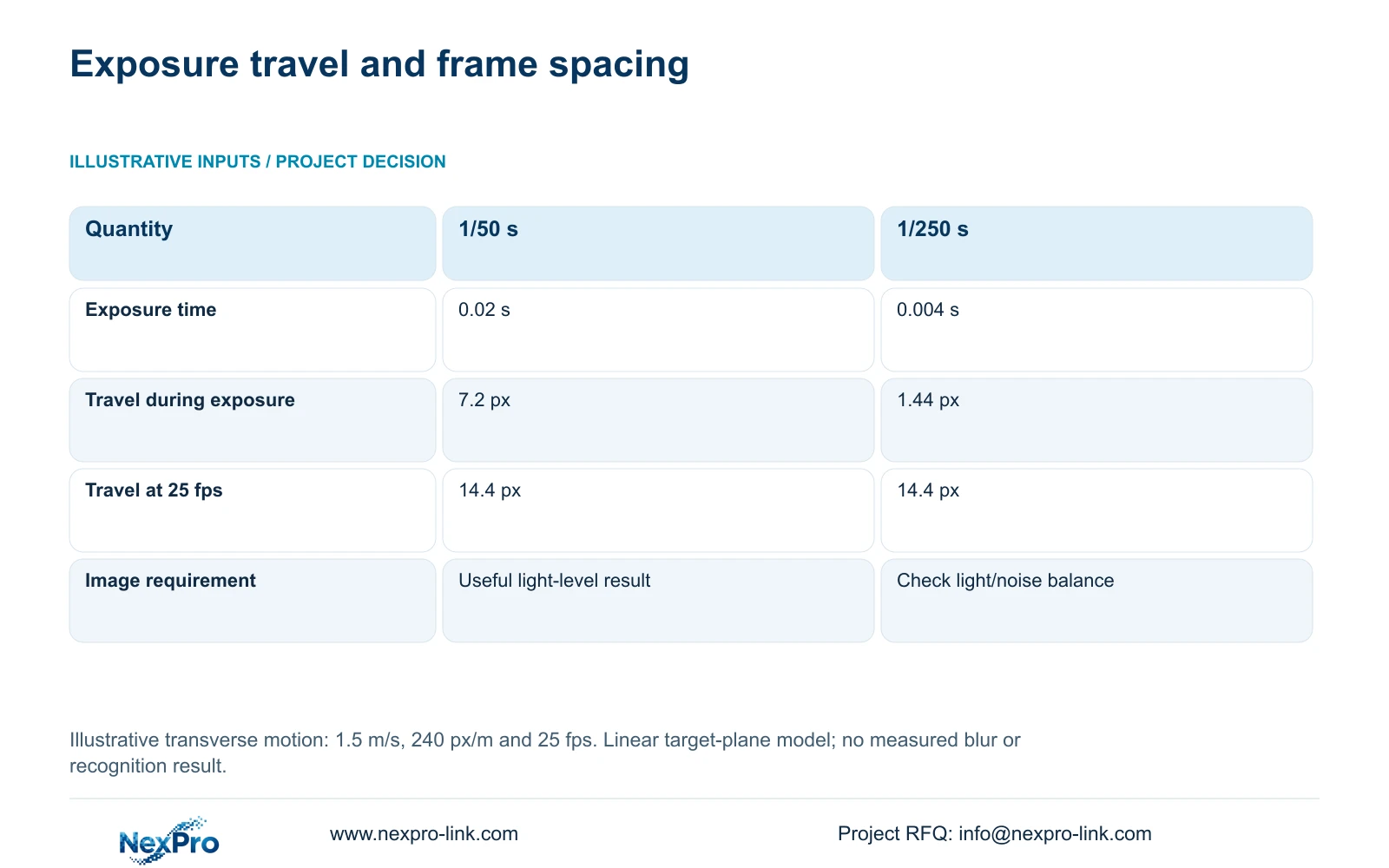
The illustrative model assumes transverse motion of 1.5 m/s at a planning density of 240 pixels per metre. Exposure travel equals speed × exposure seconds × pixel density. At 1/50 s, 1.5 × 0.02 × 240 = 7.2 pixels. At 1/250 s, the corresponding result is 1.44 pixels. Frame-to-frame travel at 25 fps is 1.5 ÷ 25 × 240 = 14.4 pixels in both cases.
These results describe a simplified linear movement across the image plane. They are not a vehicle-speed limit, a measured blur result or a plate-recognition guarantee. The shorter exposure is a useful candidate for reducing motion smear, but its recorded output must remain usable at the relevant light level.
| Metric or condition | 1/50 s exposure | 1/250 s exposure |
|---|---|---|
| Exposure seconds | 0.02 s | 0.004 s |
| Transverse travel during exposure | 7.2 px | 1.44 px |
| Frame-to-frame travel at 25 fps | 14.4 px | 14.4 px |
| Additional requirement | Suitable image quality at the light level | Usually needs a different light/noise balance |
Section 03
Compare viewing directions on the same vehicle route
Use the motion estimate to compare feasible positions, not to prescribe one mounting angle for every ramp. A change in direction alters the target's movement across the image and the visibility of its required surfaces. A position that reduces transverse motion may introduce an obstruction or lose the context needed for incident review.
For a sloping or turning ramp, mark the intended capture point on both the plan and a ramp section. Check the sightline at the approach, bend and gradient transition, not just at the stop line. Use the relevant vehicle heights and pedestrian path as survey inputs: a view that retains a plate surface at one point may lose the surrounding action at another. If no permitted position serves both tasks, retain a separate overview rather than widening the capture view until neither task is useful. These are design checks, not a prediction of performance at an unsurveyed ramp.
Compare the proposed views using the same vehicle route and relevant speed. Mark where the vehicle first becomes useful in the recording and where it leaves the required target area. For a turning ramp, inspect the sequence through the bend. One favorable frame near the camera should not determine the result for the entire observation task.
The supplied BL2812M PDF lists 2.8-12 mm motorized lenses for NexPro-BL2812M55-5MP-DIC-AI and NexPro-BL2812M88-8MP-DIC-AI. Optical adjustment can change the framing, but those lens ranges do not establish exact viewing angles. Motorized zoom also does not make either camera a PTZ. Keep positioning, lens adjustment and exposure as separate design choices.
Section 04
Check headlights and changes in ambient light
Evaluate approaching headlights with the surrounding surfaces included. Glass, reflective finishes and nearby walls can affect the useful view. If a reflection crosses the required target area, compare another mounting position before increasing resolution. Where illumination reaches guest accommodation, its permitted direction and operation need separate attention.
Design the comparison around recorded passes in daylight, the relevant night condition and the transition between them. Keep the target route and recording objective consistent. Record the selected illumination mode and trigger behavior, including whether useful movement occurs before or after supplementary light activates. A color image after the vehicle stops does not demonstrate clear moving detail.
The simple model's reduction from 7.2 to 1.44 planning pixels supports testing the shorter exposure. It does not show that the darker or noisier image will be acceptable. Compare motion detail and required overview information together. If the shorter exposure loses necessary information, revise the light arrangement or capture geometry and repeat the same pass.
Section 05
Keep plate recognition separate from ramp overview
Specify dedicated ANPR when the lane operation requires automatic plate recognition. The supplied camera documents support ordinary imaging and relevant detection functions, but vehicle detection does not establish plate reading or a plate database. Barrier authorization also needs its own supported controller interface.
The 5MP camera document lists a 2880 × 1620 main-stream mode and 25 fps at 5MP. The 8MP model lists 3840 × 2160 at 25 fps with a 1/1.8-inch sensor. Those facts can inform an overview comparison; they do not establish equivalent night performance or recognition results. No uniform recognition percentage follows from either pixel count.
Keep the recorded overview if a narrow plate-capture view omits pedestrians, vehicle interactions or the barrier context. Price the dedicated capture and integration scope as additions where required. After selecting the actual recording profile, recalculate input bandwidth and storage. CASE09's separate 16-camera, 4 Mbps planning profile is not a measured bitrate for these ramp settings.
| Retained outcome | Additional scope | Purchase condition |
|---|---|---|
| Ramp incident context | Dedicated ANPR capture and interface | Automatic authorized plate workflow is required |
| Useful moving overview | Revised position or lighting | Exposure change leaves necessary detail unusable |
| Recorded footage for review | Higher recorded profile | Task comparison demonstrates a detail need; recalculate resources |
Section 06
Define repeatable recorded passes before selection
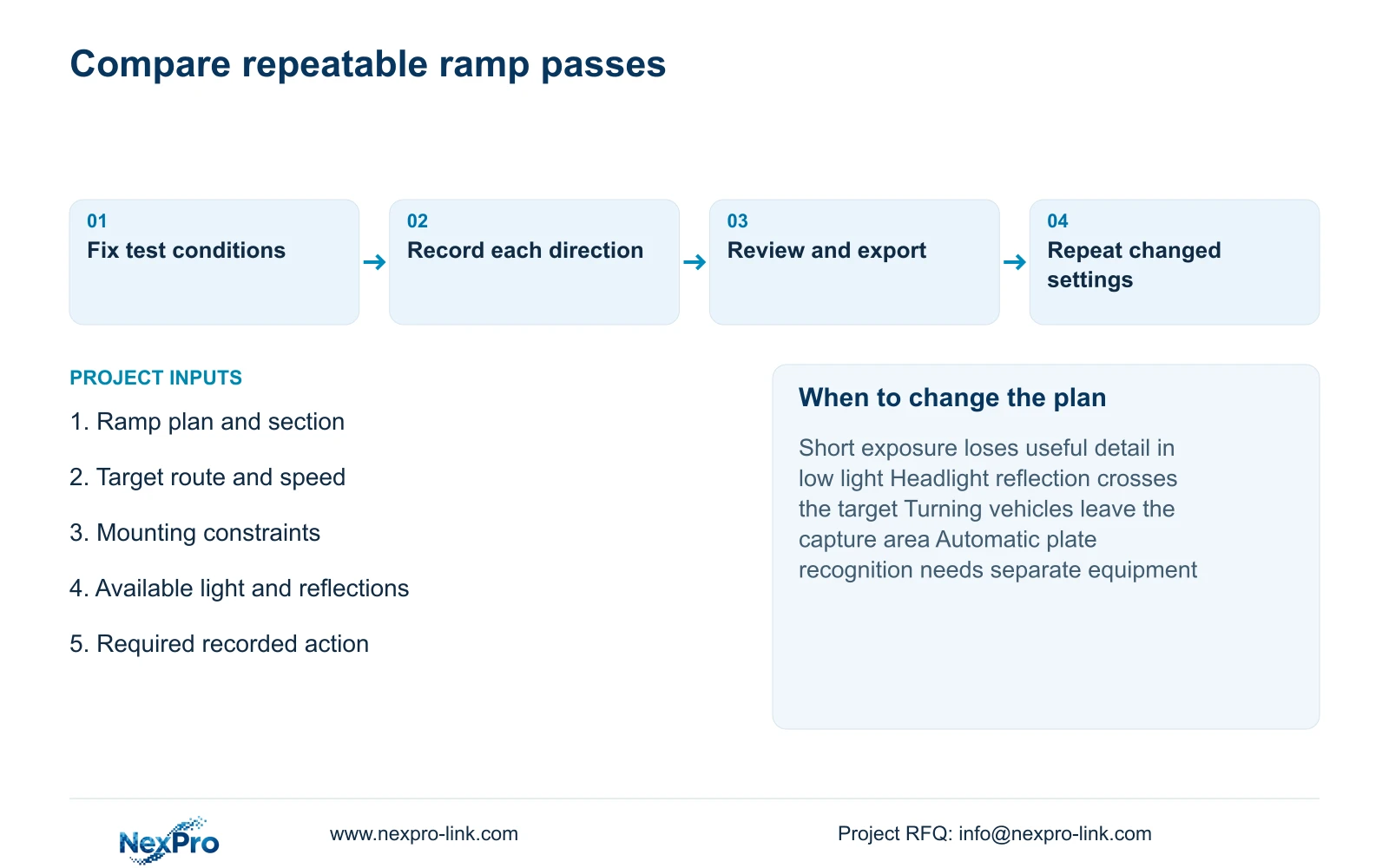
Use a test record that names the camera, firmware, mounting position, target route and recording settings. Separate expected outcomes from actual observations. Compare repeated passes under the same relevant conditions, then retain clips that allow the buyer to inspect the required action at the agreed observation point.
Acceptance should include replay and an authorized export of the selected sequence. A live preview can differ from the footage available for later investigation. If a problem requires a revised position, exposure or light mode, repeat the affected conditions and keep the revision attached to the result. A limited sample supports only the conditions observed.
Start with a task-framed overview candidate and compare 1/250 s against 1/50 s where movement detail is inadequate. Retain the shorter setting only if the relevant light condition supports usable recorded information. Send a ramp plan with a section or mounting constraints, the required vehicle route and speed, and available lighting information to info@nexpro-link.com. Include dedicated ANPR requirements when applicable so NexPro-Link can separate camera selection from recognition and controller supply.
Section 07
Buyer questions
Is 25 fps enough to ensure a sharp vehicle image? No. It describes sampling frequency. Require the quotation and test record to identify exposure and the relevant light condition as well. The illustrative calculation holds 25 fps constant while exposure travel changes from 7.2 to 1.44 planning pixels.
Should we order the 8MP camera before testing the ramp? Only when its documented output and proposed view address a defined detail requirement. More output pixels do not remove glare, obstruction or exposure smear. First compare the geometry and recorded passes, then check the selected recording and network configuration.
Can NexPro-Link compare ramp options from preliminary drawings? A preliminary comparison can use a marked vehicle path, likely mounting positions and a description of the difficult light condition. State what is measured and what remains provisional. Final framing and recorded performance still need the actual site conditions.
Engineering references
These sources support the general planning principles. Always use the selected product's current datasheet and applicable project standards for final design.


