Adding disk labels gives physical raw capacity. A hotel recording proposal must also identify the supported disk mode, spare allocation, filesystem space and recording reserve.
Section 01
Choose the disk mode before adding capacities
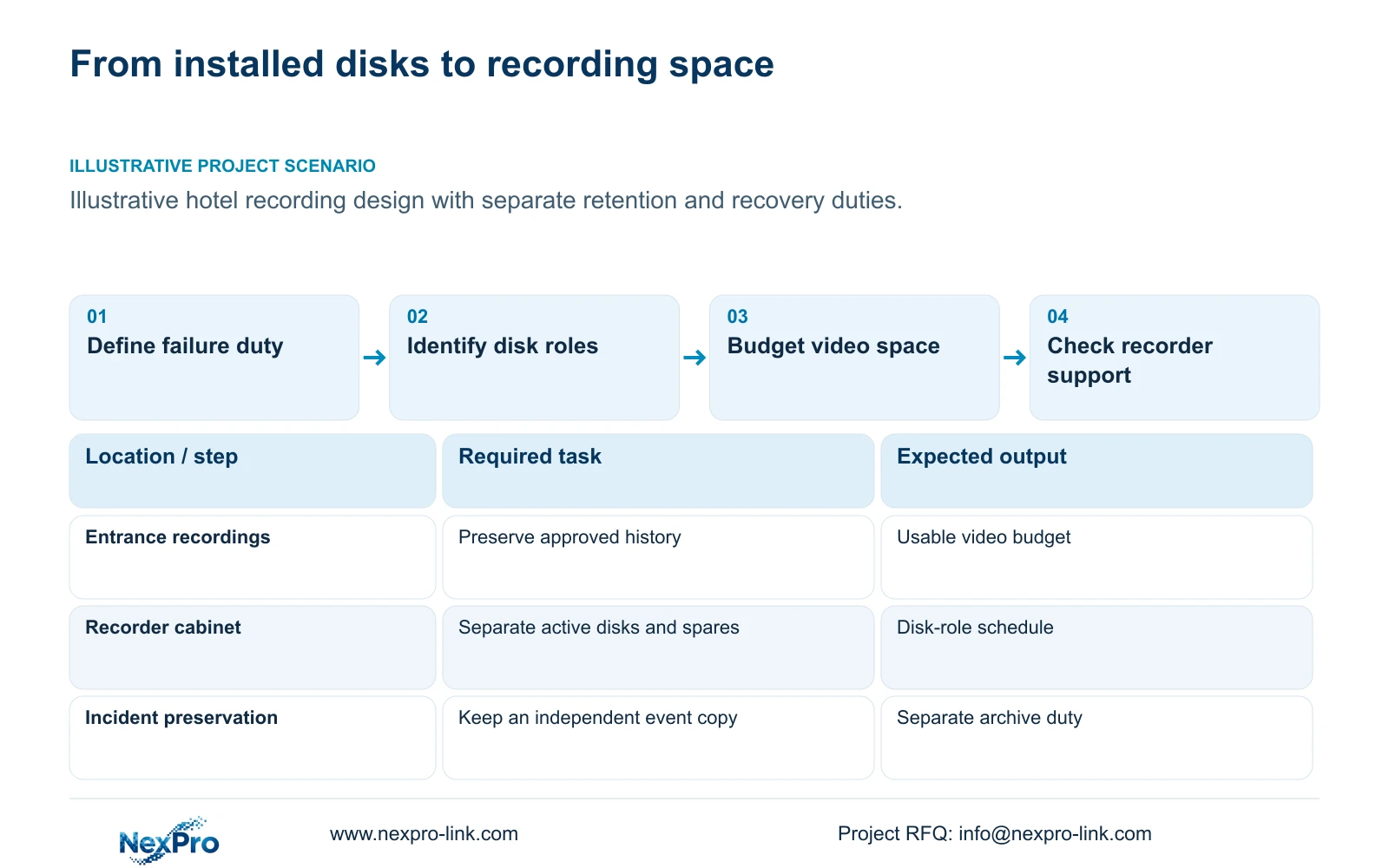
Choose a disk layout only after defining the required retention and disk-failure response. Four disk capacities can be added to describe physical raw storage, but that sum does not establish the space available for hotel recordings. Specify independent disks or an explicitly supported array, identify any dedicated spare, then allow for filesystem use and the agreed free-space reserve. If the recorder does not document the required array mode, change the recorder or recovery strategy.
Retention describes how much historical footage the hotel needs. Disk fault tolerance describes what the storage arrangement can withstand when drives fail. Independent event preservation keeps selected material outside the routine recording cycle. An array can contribute to fault tolerance without satisfying the other requirements. Keep these outcomes on separate lines in the equipment schedule so a larger disk total cannot conceal an unmet recovery requirement.
For entrance and reception recordings, the design engineer should establish whether a failed disk may interrupt retrieval and who restores the service. The buyer can then compare proposals against that operating requirement. A description such as 'four HDDs included' leaves the disk mode, recording budget and restoration responsibility unresolved.
| Required task | Given information | Decision still needed |
|---|---|---|
| Routine retention | Camera groups and retention target | Recording capacity after all allowances |
| Disk-failure response | Installed disk count | Supported mode and restoration process |
| Event preservation | Selected incident footage | Independent destination and access owner |
Section 02
Calculate the physical disk total
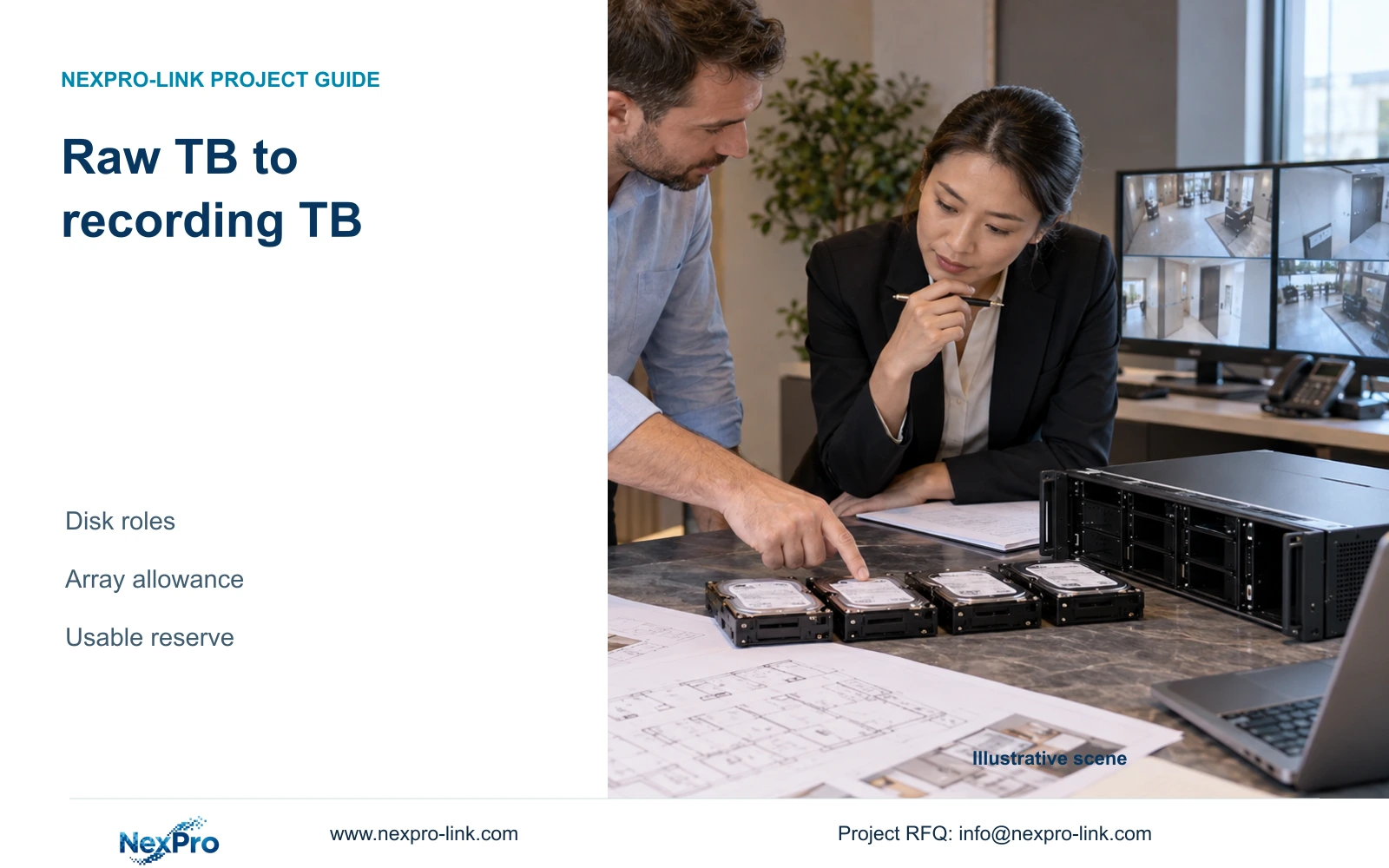
Record the number and decimal TB capacity of each installed disk. Eight equal 12 TB disks provide 96 TB of physical raw capacity. This is the starting inventory for the illustrative array comparison below. It includes every installed drive before parity allocation, filesystem overhead or recording reserve. Mixed capacities require a layout-specific calculation; their labels alone cannot establish the usable result.
The separate 32-camera hotel reference uses four 16 TB disks, giving 64 TB raw. It assumes independent disk capacity without RAID loss and a 95% formatting allowance, producing 60.8 TB usable. Those assumptions belong to that reference case. They cannot be applied silently to the eight-drive example, and the reference's disk arrangement does not demonstrate array support.
Show physical capacity and recording capacity as different quotation fields. This lets the cost manager distinguish an added disk from a changed storage service. A proposal with more physical TB may devote more space to redundancy or spares, leaving less recording space than another proposal with the same installed total.
Section 03
Compare redundancy with the same drive inputs
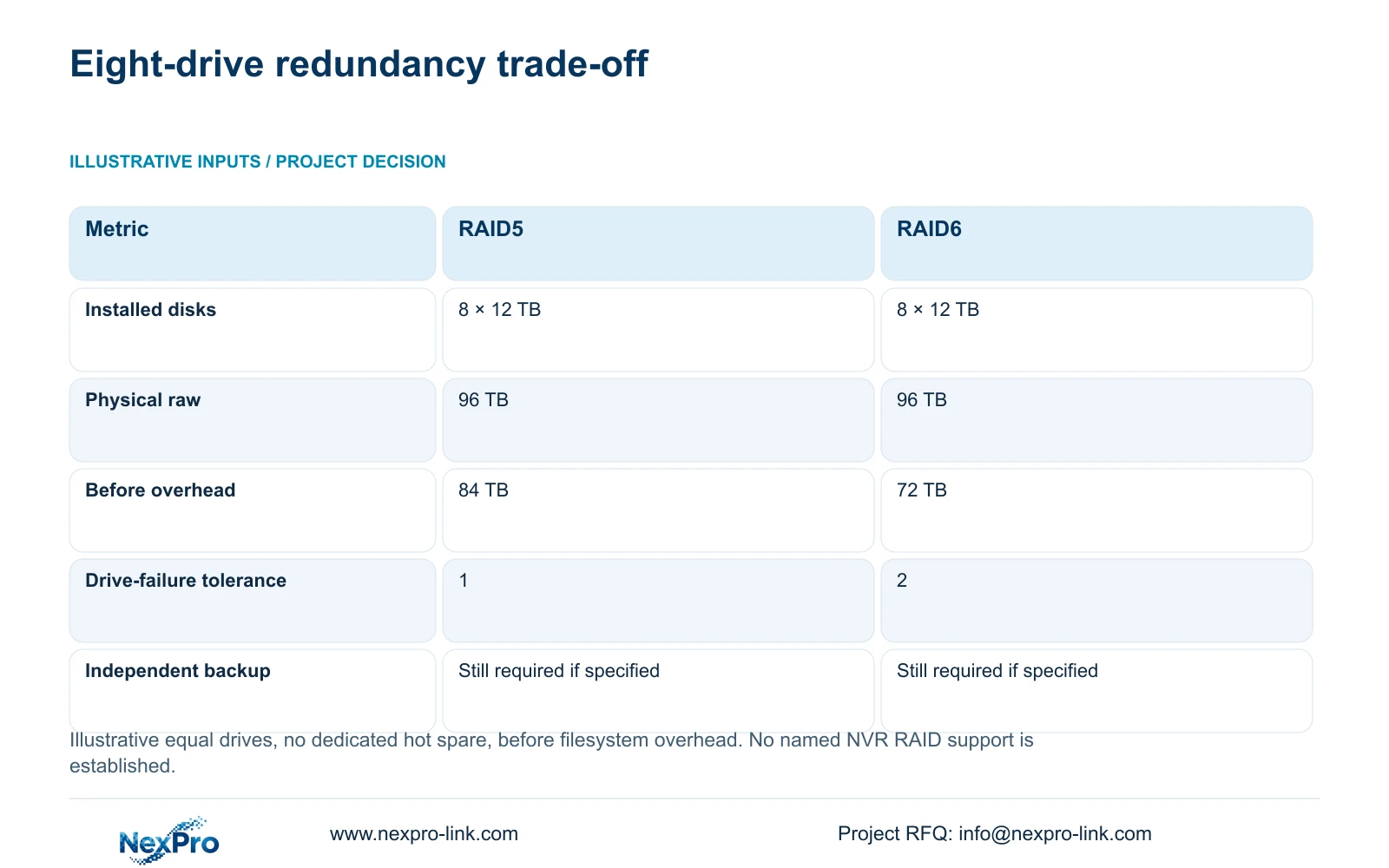
The following generic example assumes eight equal 12 TB drives and no dedicated hot spare. RAID5 array capacity before overhead is (n minus 1) × drive TB: 7 × 12 = 84 TB. RAID6 uses (n minus 2) × drive TB: 6 × 12 = 72 TB. These formulas describe the stated arrangements, not a declared feature of any named NexPro-Link recorder. Dell's generic RAID explanation supports this parity-capacity method; it does not qualify RAID support on a NexPro-Link recorder.
RAID6 gives up 12 TB of pre-filesystem capacity in this comparison for the stated tolerance of two drive failures instead of one. Choose that arrangement only when the approved failure requirement calls for it and the selected controller supports it. If one-drive tolerance satisfies the requirement, RAID5 remains a candidate subject to recording and recovery checks.
Ask how recording, retrieval and export behave during degraded operation and rebuilding. Normal capacity does not establish performance in those states. The sources provide no universal rebuild duration or reliability percentage. Neither arrangement replaces independent preservation of important events or protects against every deletion, corruption or recorder failure.
| Metric / condition | Illustrative RAID5 | Illustrative RAID6 |
|---|---|---|
| Installed drives | 8 × 12 TB | 8 × 12 TB |
| Physical raw capacity | 96 TB | 96 TB |
| Array capacity before overhead | 84 TB | 72 TB |
| Generic drive-failure tolerance | 1 drive | 2 drives |
| Independent incident backup | Not replaced by array | Not replaced by array |
Section 04
Keep hot spares outside the video budget
A dedicated hot spare cannot also count as an active recording disk. The 84 TB and 72 TB results assume no such spare. Introducing one changes the active drive arrangement and requires a new calculation for the supported mode. Keep installed disks, active array members and dedicated spares visible as separate quantities.
A shelf spare has a different role. It provides a replacement that a responsible technician can install, but it adds no current recording capacity. Compare its usefulness against local service availability and replenishment arrangements. Confirm the replacement's supported capacity and identity; a matching connector or similar appearance does not establish suitability.
The spare schedule should include the recorder configuration and replacement responsibility. Storage coverage and return handling also need their own terms. The supplied current policy states a 24-month limited hardware baseline for applicable main equipment from receipt, while disks and other accessories follow their specific scope and written order. Before any return, obtain authorization and address footage and credentials through the hotel's approved process.
Section 05
Deduct overhead and preserve the approved reserve
Carry the storage calculation through successive boundaries: physical disks, array capacity, filesystem-usable capacity and the portion budgeted for video. Apply each allowance once. A 20% free-space target means video may use 80% of usable storage, so required usable capacity equals video data divided by 0.80. Multiplying video data by 1.20 does not retain that target.
In the separate hotel reference, 32 assumed streams at 4 Mbps, recording continuously for 30 days, produce 41.472 TB of video and require 51.84 TB usable with that reserve. Its assumed 60.8 TB usable provides a 48.64 TB video budget after reserving 20%. This illustrates the calculation sequence without converting its formatting assumption into a product specification.
Longer available capacity does not authorize longer retention. Keep the approved purpose and access rules separate from the disk ceiling. Additional redundancy is worth buying when the failure requirement justifies it and the remaining video budget still meets retention. Otherwise, increase supported capacity or revise the architecture without silently shortening the required history.
Section 06
Select a layout the recorder explicitly supports
NexPro-NVR4449-4K lists four SATA positions, 18 TB per disk and 320 Mbps input. Its summary lists 49 × 5MP or 9 × 4K, so channel count alone does not prove every resolution combination. NexPro-NVR8864-4K lists eight SATA positions, 18 TB per disk and 320 Mbps input. Neither set of fields establishes the RAID mode needed for the generic comparison.
NexPro-NVR2232-4K has conflicting published disk fields: the summary states 2 × 8 TB, while the detailed table states 2 × 18 TB, with playback differences also recorded. Do not use the larger field as a settled procurement limit. Recommend a supported independent-disk layout when it meets the approved service; change to an explicitly supported array solution when fault tolerance is required.
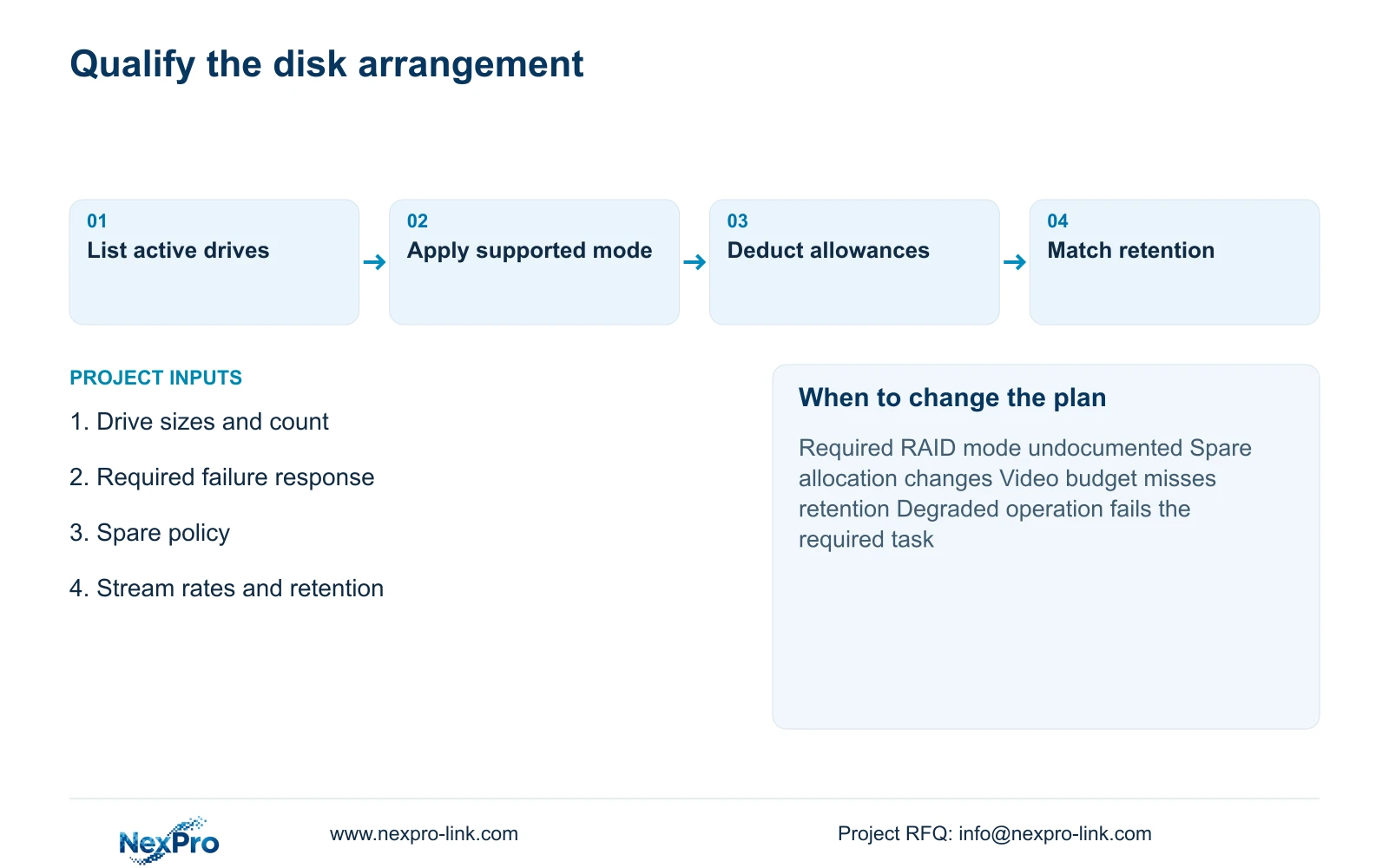
Send the intended disk mode, drive sizes, spare policy, camera-group bitrates and approved retention to info@nexpro-link.com. NexPro-Link's hotel project and BOQ support can help match the equipment and document the supply boundary. Local restoration work and any independent archive remain named project responsibilities.
Section 07
Buyer questions
Does an eight-bay NVR prove RAID6 support? No. Bay count establishes disk positions. Request explicit support for the intended array mode, compatible drive arrangement and required operation during degradation before specifying RAID6.
Should the spare disk appear in the quoted capacity? It may appear in installed raw capacity, but its spare role must be stated. Exclude it from active video capacity and show the resulting recording budget separately.
What should a storage quotation state beyond TB? Ask for disk mode, exact drive quantities, usable-capacity assumptions, recording reserve and recovery responsibilities. Include the stream profile so the proposed retention can be recalculated.
Engineering references
These sources support the general planning principles. Always use the selected product's current datasheet and applicable project standards for final design.