

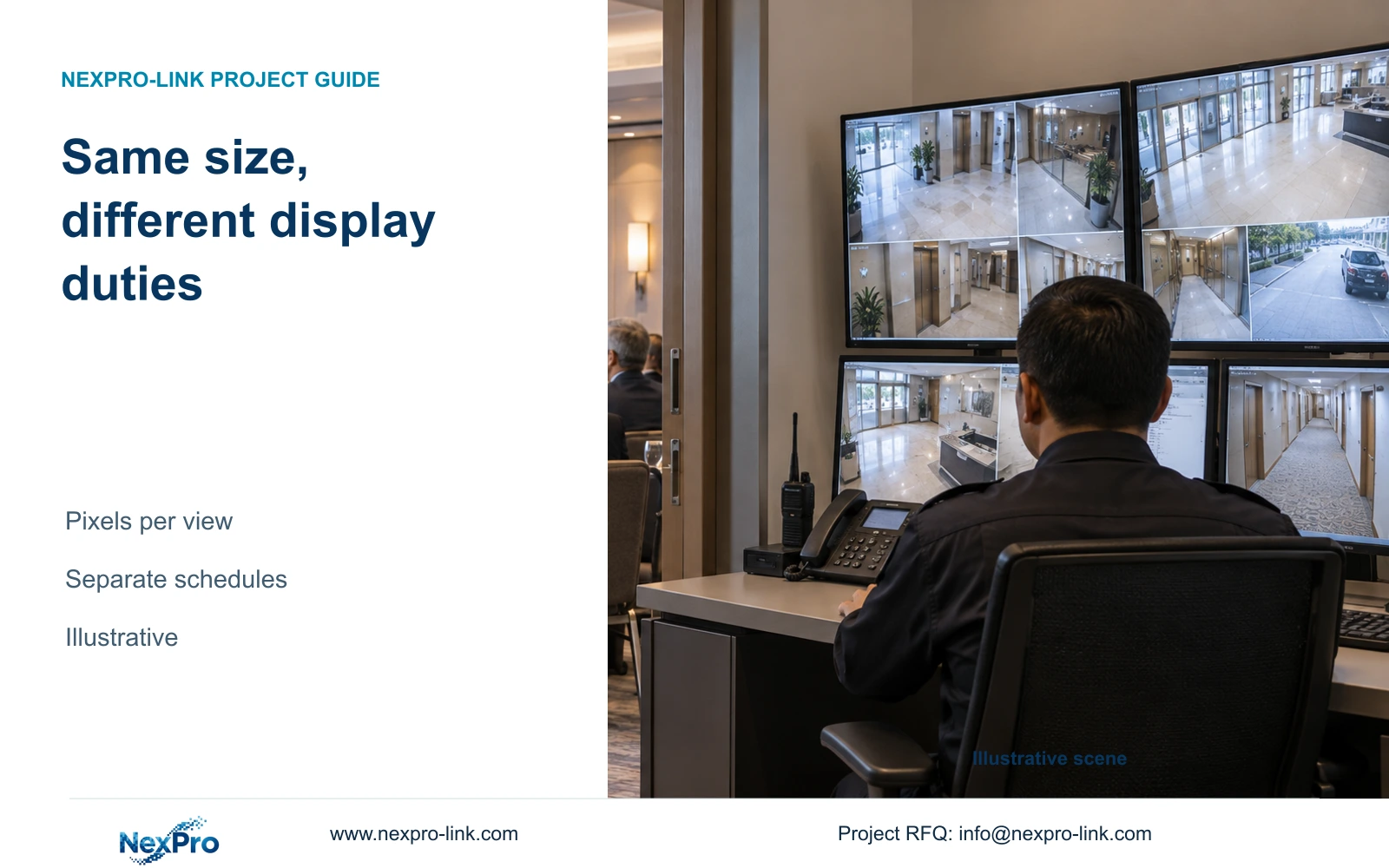
Specify meeting-room displays and security monitors by their different operating tasks. Equal diagonal size does not establish equal inputs, useful camera detail or continuous-use suitability.
Section 01
Decide whether the two display roles can share equipment
Keep meeting-room displays and security monitors on separate technical purchase schedules unless their operating hours, inputs and access arrangements genuinely permit sharing. Start with the simplest security display that supports the operator's grid and event enlargement. Add a wall when seating and simultaneous observation justify it, with a qualified signal path and maintenance scope.
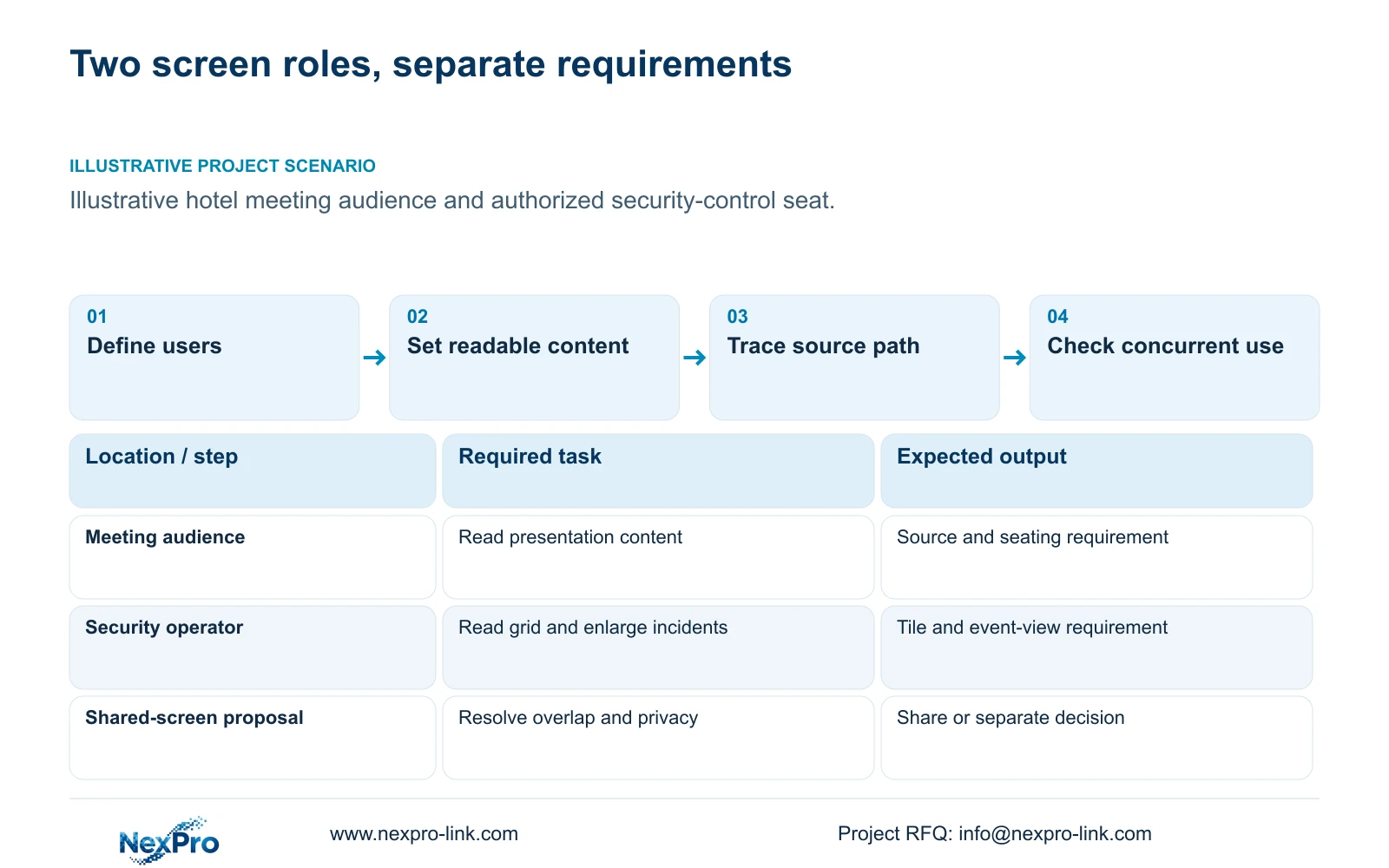
A meeting display presents event content to an audience. A security monitor supports authorized observation, incident retrieval and response. Define the seats, viewing distances and material each user must read before comparing screen size. A matching 55-inch diagonal leaves these duties unresolved.
If one screen is proposed for both uses, define who controls it and what happens during overlapping demand. Public meeting presentations must not expose security footage. Identify a separate security viewing option during meetings and preserve recording independently of the display's power or selected input.
| Required task | Given information | Decision still needed |
|---|---|---|
| Show meeting content | Audience layout and event use | Readable content and presentation input |
| Review public-zone CCTV | Authorized operator and usual grid | Tile detail, event enlargement and availability |
Section 02
Compare resolution and window requirements
Specify the normal camera grid and the enlarged incident view separately. A high-resolution source inside a small tile does not appear at its full recorded detail. The viewing arrangement should allow an operator to move from overview to the relevant event without changing the recording profile.
NX-VP-5535 is listed as a 55-inch 1920×1080 LCD panel, with a 3.5 mm seam field and 400 nit typical brightness. It is not direct-view LED. Four such Full HD panels can form a nominal 3840×2160 canvas in a 2×2 arrangement when the actual signal system addresses that complete canvas.
A single 4K monitor can have the same nominal pixel canvas while providing a different physical viewing area and no internal panel seams. Evaluate that distinction from the actual seat. Screen area, brightness and seam location affect usefulness, but none supplies an automatic answer about readable text or visible incident detail.
| Item | Meeting display | Security display | Effect on procurement |
|---|---|---|---|
| Normal content | Presentation layout | Camera grid and event enlargement | Specify separate readable-content tasks |
| Control | Event presenter | Authorized security operator | Define input switching and access responsibility |
Section 03
Check the input and control path to the complete canvas
Trace the selected source through its output, any decoder or controller, and the final display inputs. A panel's pixel count does not establish that the connected recorder or workstation produces the required canvas. Four panels displaying duplicated Full HD content do not deliver four independently useful portions of a 4K workspace.
For meeting use, identify the actual presentation sources and switching responsibility. For security use, identify the recorder or client, stream formats and simultaneous decoding tasks. Keep decoded input workload, display output resolution and controller window capability as separate checks.
NX-VD-4K16 is a modular network decoder candidate described with a 5U chassis. Its name does not prove simultaneous decoding of 16 full 4K streams. Obtain the supported input/output and concurrent workload configuration before selecting it. The same discipline applies to workstation performance and cross-platform audio or alarm functions, which require their actual version and configuration.
Section 04
Calculate the useful pixels in each camera tile
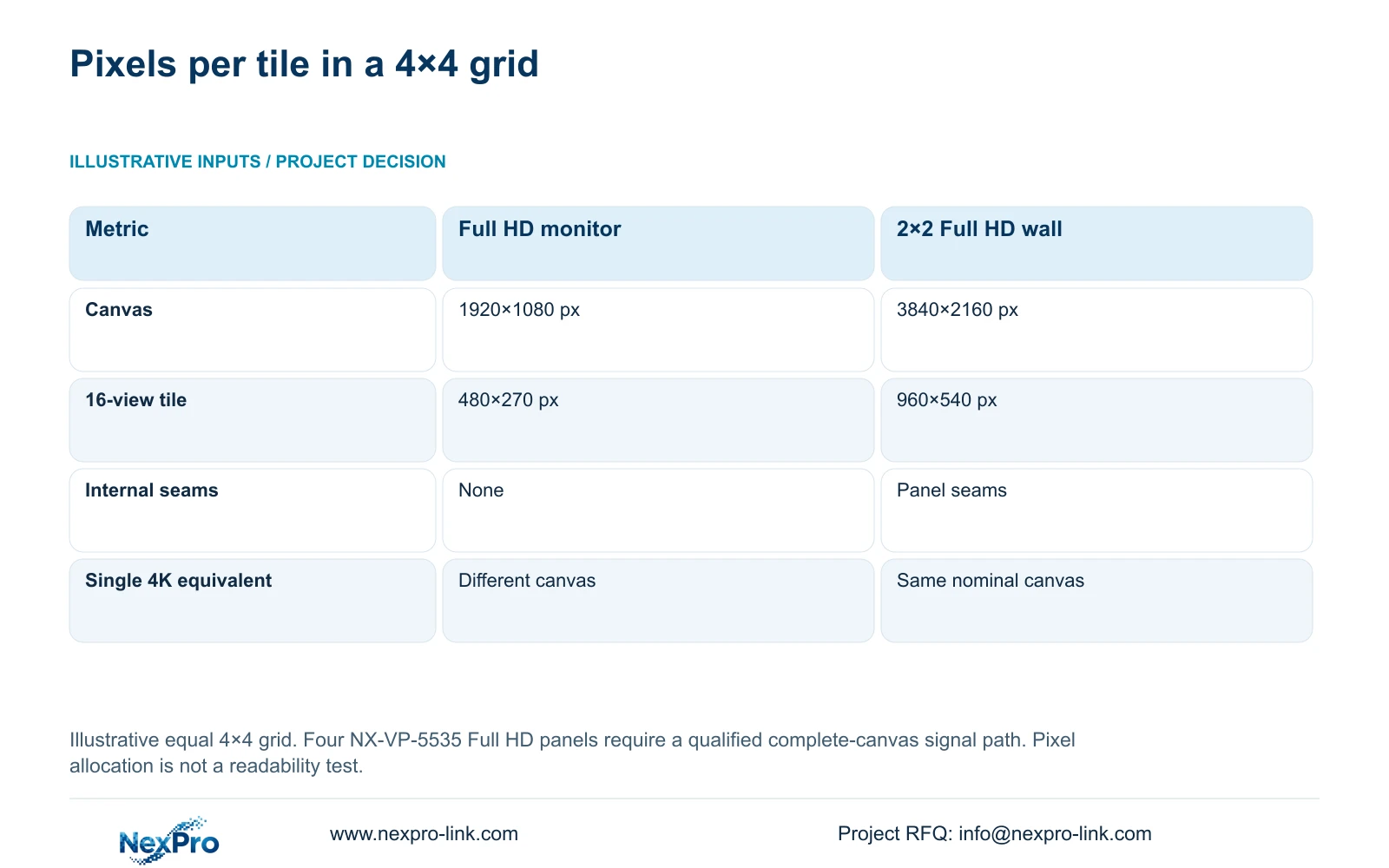
The illustrative comparison uses the same 4×4 camera grid on a single Full HD monitor and a 2×2 Full HD panel canvas. Calculate canvas width and height by multiplying panel pixels by the horizontal and vertical panel count. Divide each canvas dimension by four to obtain the nominal grid tile.
The single 1920×1080 screen provides 1920 ÷ 4 by 1080 ÷ 4, or 480×270 pixels per tile. The four-panel 3840×2160 canvas provides 960×540 per tile. These are layout allocations before any interface borders or other practical display constraints, not a measurement of visible recognition detail.
The wall offers more pixels per tile than the Full HD option, but a single 4K monitor has the same nominal total canvas as the wall. Choose between those two using viewing distance, physical arrangement and maintenance needs. When detailed inspection is occasional, event enlargement may satisfy the task without purchasing a larger permanent grid.
| Metric / condition | One 1920×1080 monitor | 2×2 Full HD LCD canvas |
|---|---|---|
| Canvas (px) | 1920 × 1080 | 3840 × 2160 |
| 16-grid tile (px) | 480 × 270 | 960 × 540 |
| Physical seams | No internal seams | Panel seams exist |
| Single 4K monitor comparison | Different pixel canvas | Same nominal canvas, different physical layout |
Section 05
Evaluate operating duty and support boundaries
State the required operating hours for each role and obtain model-specific suitability for that duty. A wall product name or screen photograph does not establish a continuous-use rating. Use actual dimensions, mounting requirements and power data when evaluating installation, cooling and optional backup.
Keep display power outside essential recording dependency unless the operator's outage task explicitly requires it. If protection is requested, add the selected display and signal equipment to the real W/VA and battery-runtime assessment. Pixel-canvas arithmetic cannot supply electrical load or endurance.
Provide task-based handover for the authorized users, including input recovery, incident enlargement and support escalation. The supplied policy record states a 24-month limited hardware baseline from receipt for applicable main equipment, subject to controlling order terms. Component scope and local labour remain separate. Continuing technical support does not establish unlimited free repairs, site attendance or a longer warranty.
| Retained outcome | Extra scope | Worth buying when | Counter-condition |
|---|---|---|---|
| Incident inspection | Event enlargement workflow | Detail is needed intermittently | Several seats need continuous simultaneous detail |
| Shared continuous observation | Wall, control path and service access | Actual seating and duty justify the arrangement | A qualified single screen meets the same task |
Section 06
Separate the technical schedules and release milestones
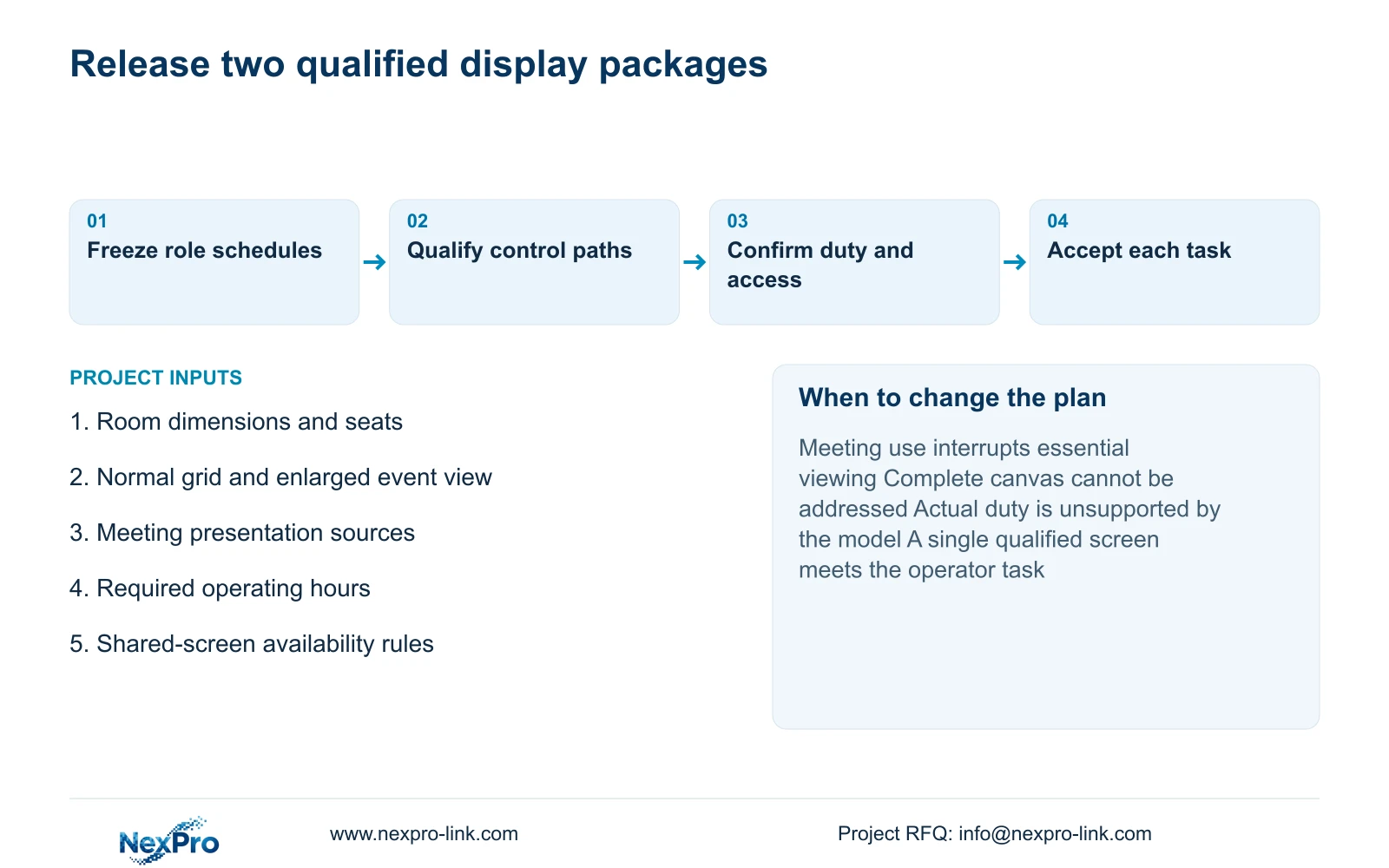
Give the meeting and security packages distinct schedule entries, responsible teams and acceptance tasks. They may share a commercial order when convenient, but each line should identify its input path, mount and service scope. Any common controller, cable or installation item needs one allocation to avoid duplicate charging.
Work backwards from the date each function must operate. Technical approval, equipment arrival, installation and usable acceptance are separate milestones. Independent package preparation can proceed in parallel only after its dependencies are resolved. A delayed meeting input decision should not hold essential security viewing when the packages are genuinely independent.
Send room dimensions and seating distances, normal camera-grid and event-view requirements, presentation sources and required operating hours to info@nexpro-link.com. NexPro-Link can discuss model matching and coordinated BOQ support. Keep the two specifications separate; approve shared equipment only after concurrent use, privacy and switching recovery are demonstrated for the intended configuration.
Section 07
Buyer questions
Does a four-panel Full HD wall provide more pixels than one 4K monitor? A 2×2 Full HD arrangement and a 3840×2160 monitor have the same nominal canvas. Their physical size, seams and maintenance arrangement differ, so compare the actual seats and tasks before choosing.
Can a 55-inch meeting screen replace a security monitor? Only after its actual inputs, operating duty, authorized viewing and availability meet the security requirement. If meeting use interrupts necessary security viewing, provide a separate screen or another qualified viewing position.
What should a combined display quotation keep separate? Separate presentation sources, CCTV decoding, display hardware, mounting, control responsibility and acceptance. Identify genuinely shared items once, and state local installation and support costs independently.
Engineering references
These sources support the general planning principles. Always use the selected product's current datasheet and applicable project standards for final design.


