

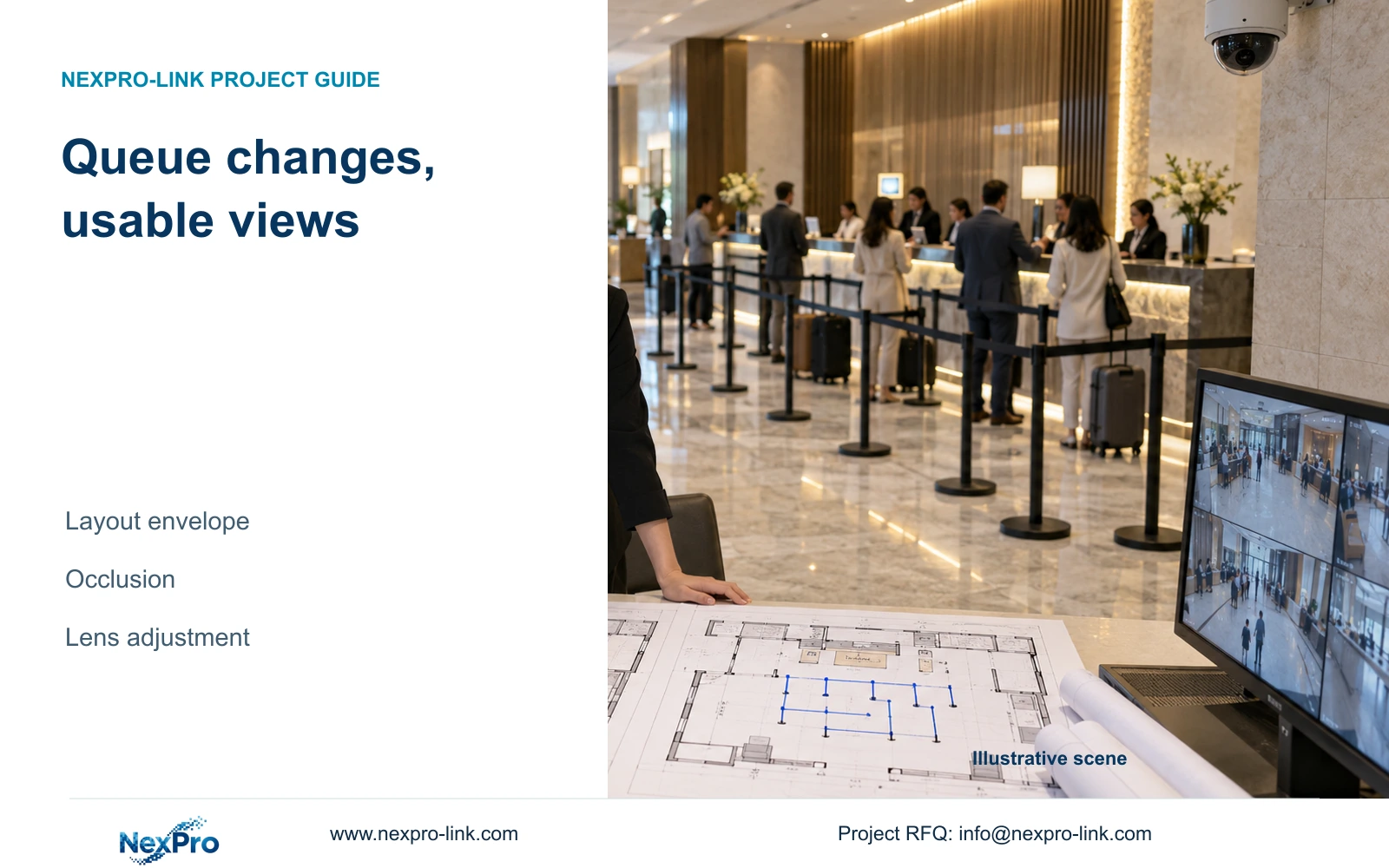
Design reception CCTV around fixed observation tasks and approved furniture envelopes, then verify both normal and peak queue arrangements before adding cameras.
Section 01
Choose the normal and peak layouts to protect
Define the movable furniture area and fixed circulation tasks before freezing camera positions. Keep lens adjustment available where it can accommodate approved layouts. Add a view only when relocation or reframing cannot preserve a required task in both arrangements. A temporary quiet-period queue should not become the sole basis for a permanent installation.
Place the minimum and peak queue arrangements on the same lobby plan. Mark barriers, seating and permitted luggage positions, together with entry movement and the public approach to reception. Distinguish the queue overview from a specific handover view. These tasks can share a camera only when the required information remains visible.
Use the hotel's operational layouts as design inputs, not an assumed camera count derived from guest rooms. Identify who can change the barrier arrangement and which furniture positions are fixed. The resulting design boundary lets reception staff understand which changes fit the approved layout and which need a camera review.
| Required task | Given information | Decision still needed |
|---|---|---|
| Queue overview | Minimum and peak barrier plans | Which movable items can obstruct the route? |
| Counter handover | Defined public handover point | Can detail remain visible in both layouts? |
| Entrance movement | Fixed arrival route | Does peak queuing obscure the observation line? |
Section 02
Mark fixed observation lines through the movable area
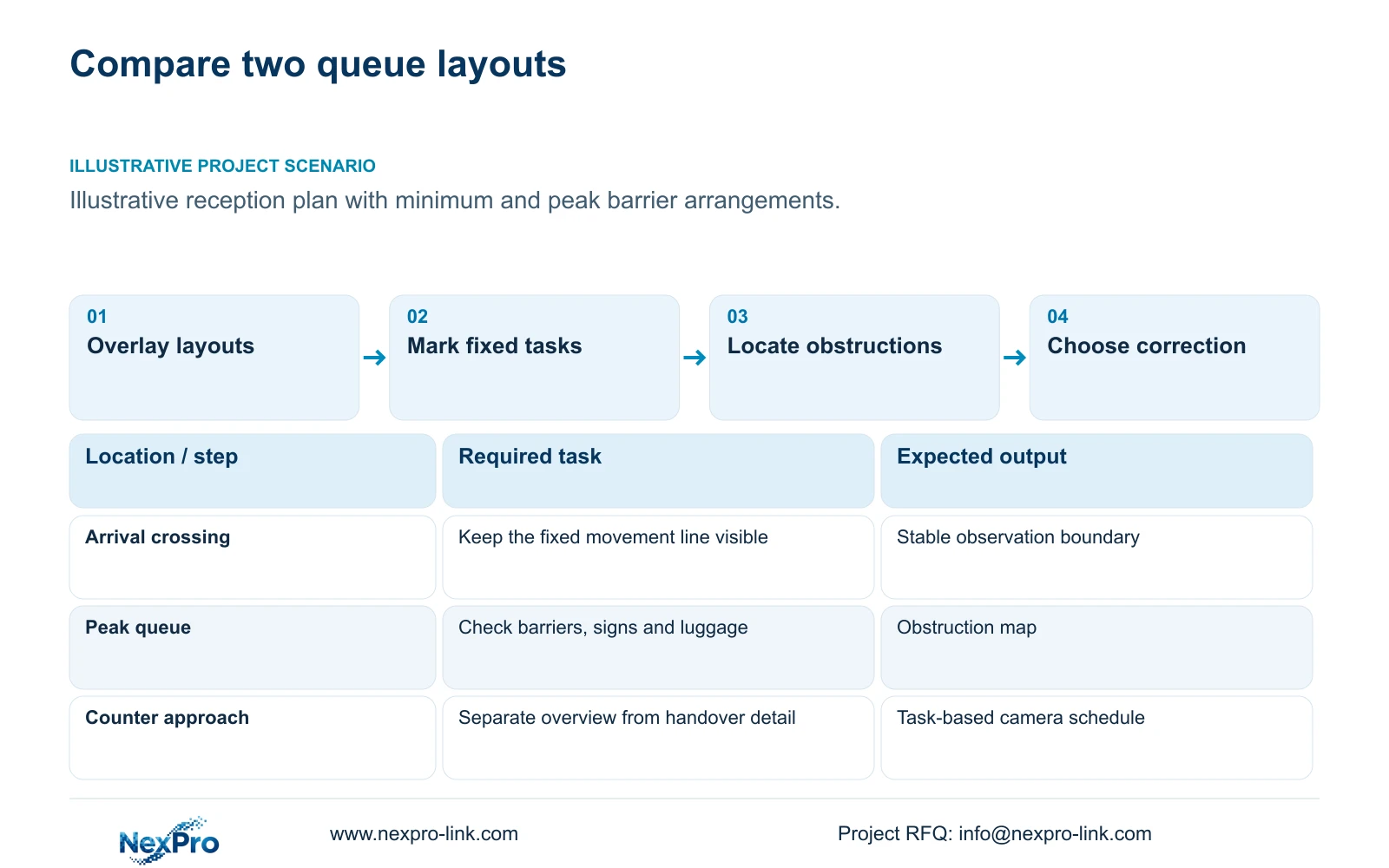
Anchor the camera schedule to tasks that remain meaningful when furniture moves: the arrival crossing, approach to the counter and passage towards the lift lobby. Draw each target plane and permitted viewing boundary. The width used for detail planning should represent the observed plane, rather than the total floor area of reception.
Compare a stable circulation view with a view aimed mainly at the current queue shape. The stable view can preserve movement context as barriers change; the queue-specific view may provide useful detail but needs a documented adjustment boundary. Neither arrangement automatically covers counter handovers hidden by people or objects.
Keep private spaces outside the ordinary scope and avoid widening the image simply to accommodate every possible layout. A broader view spreads available pixels across more scene width. Where overview and detail requirements conflict, record that conflict explicitly so the buyer can compare a revised position with an additional task-specific camera.
| Item | Current queue view | Fixed circulation view | Effect on the hotel task |
|---|---|---|---|
| Barrier changes | May require reframing | Task remains at the fixed route | Changes the adjustment burden |
| Counter detail | Check crowd obstruction | Overview may lack required detail | May justify a separate handover view |
Section 03
Compare obstructions before increasing resolution
Check the required views in both layouts with furniture and representative occupancy in place. Identify where a person, sign or luggage position blocks the target. Resolution cannot recover a target hidden behind an obstruction. Compare moving the camera, changing the permitted furniture envelope and adding another view before treating more pixels as the remedy.
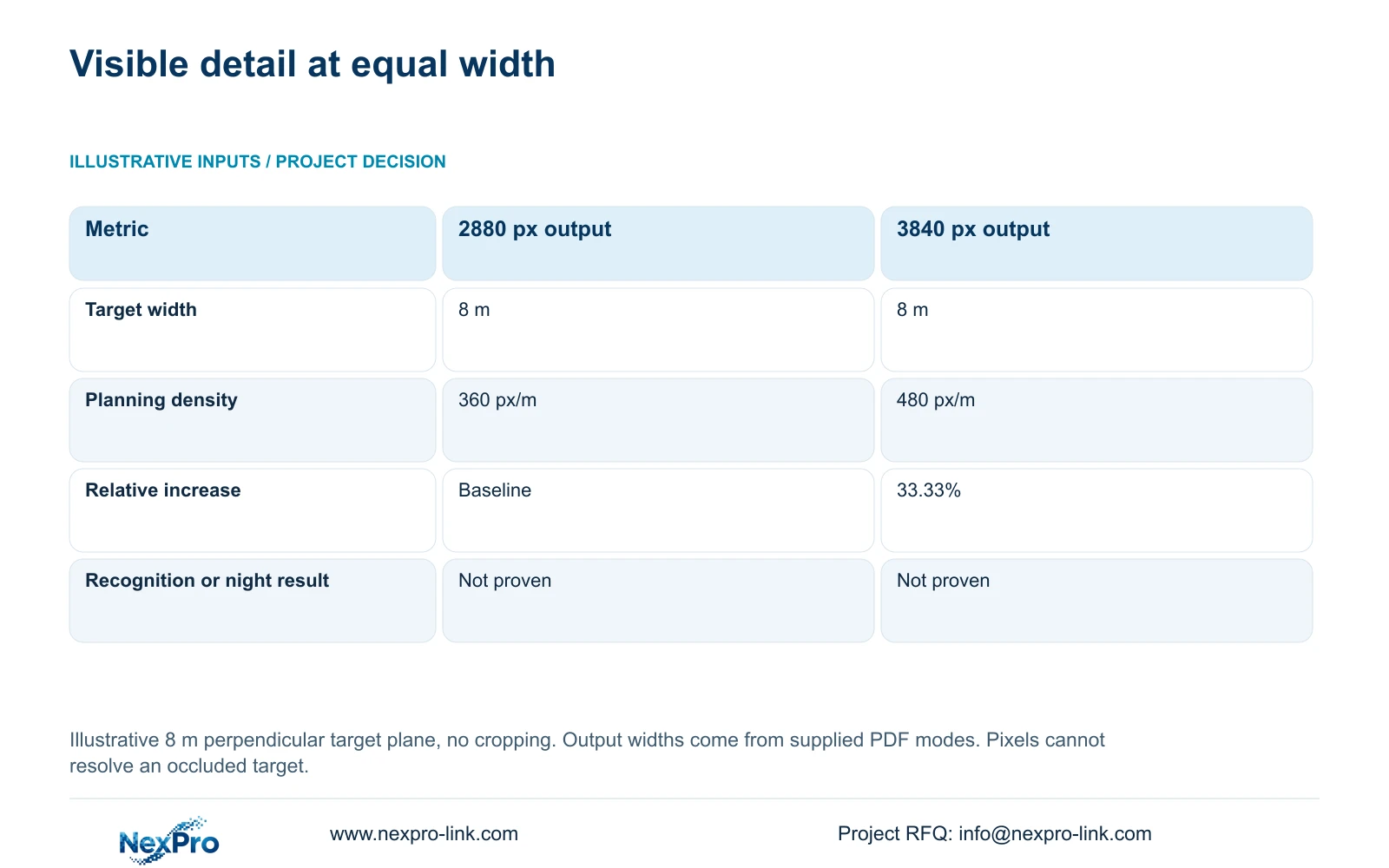
For a separate illustrative geometry comparison, assume an equal 8 m target-plane width, no cropping and a perpendicular plane. The supplied camera PDFs document horizontal output modes of 2880 and 3840 pixels. Planning pixel density equals horizontal output pixels divided by target-plane width in metres. The 8 m width is hypothetical, not a measured lobby dimension.
The results are 360 and 480 px/m, a 33.33% increase relative to the 2880-pixel option. This describes the geometric budget of visible detail. It does not establish identification, night performance or the view angle at a particular focal length. Use the comparison after the obstruction problem has been addressed.
| Metric / condition | Option A | Option B |
|---|---|---|
| Output width (px) | 2880 | 3840 |
| Same target width (m) | 8 | 8 |
| Planning pixel density (px/m) | 360 | 480 |
| Increase relative to A | Baseline | 33.33% |
| What is not proven | Recognition / night performance | Recognition / night performance |
Section 04
Use motorized adjustment within a defined view boundary
A motorized lens is useful when the mounting position remains suitable and the required framing changes within its supported optical range. NexPro-DM2812M55-5MP-DIC-AI and NexPro-DM2812M88-8MP-DIC-AI have documented 2.8-12 mm lenses in the supplied DM2812M Series PDF. That range does not provide an exact field of view without the necessary optical information.
The documented 5MP-series mode includes 2880×1620, while the 8MP model lists 3840×2160 at 25 fps. The pixel-density comparison therefore uses actual output fields with a hypothetical width. Preserve those source values. The Dome series name does not establish IK10 protection, and motorized zoom does not make either model a PTZ camera.
For each approved queue layout, record the required framing and verify the stored result after adjustment. Digital enlargement cannot create original image detail. If an obstruction requires a different viewing direction that lens adjustment cannot provide from the fixed position, revise the mount or add a justified view instead of promising remote zoom will solve it.
Section 05
Calculate the resources behind every added view
An added camera needs a recorder channel, an access port and a supported power budget, together with a complete cable route. Calculate the actual stream contribution and retention requirement separately. Changing an existing lens setting does not automatically add these resources, although a revised recording profile can still change storage demand.
For each affected camera group, calculate video data from camera count, average Mbps, recording hours and retention days, converting bits to bytes and using decimal TB. If 20% of usable capacity must remain free, divide the video requirement by 0.80. Raw disk capacity, array capacity and filesystem-usable space remain separate figures.
Do not import whole-hotel totals from CASE01 into this 8 m geometry example. For procurement, NexPro SW-POE1618G remains a candidate with unresolved access-port speed fields and no stated total PoE wattage. NexPro-NVR2232-4K has conflicting 2×8 TB and 2×18 TB capacity descriptions plus playback differences. Neither uncertainty can be resolved by selecting the more favourable field.
| Retained outcome | Extra scope | Purchase condition | Counter-condition |
|---|---|---|---|
| Both queue layouts visible | Lens adjustment and recorded verification | Same mount preserves every required task | A fixed obstruction still hides the target |
| Previously hidden task visible | Camera, port, power, cable and storage | Another position resolves the blind area | Existing views already meet the task |
Section 06
Record the procedure for changing the queue layout
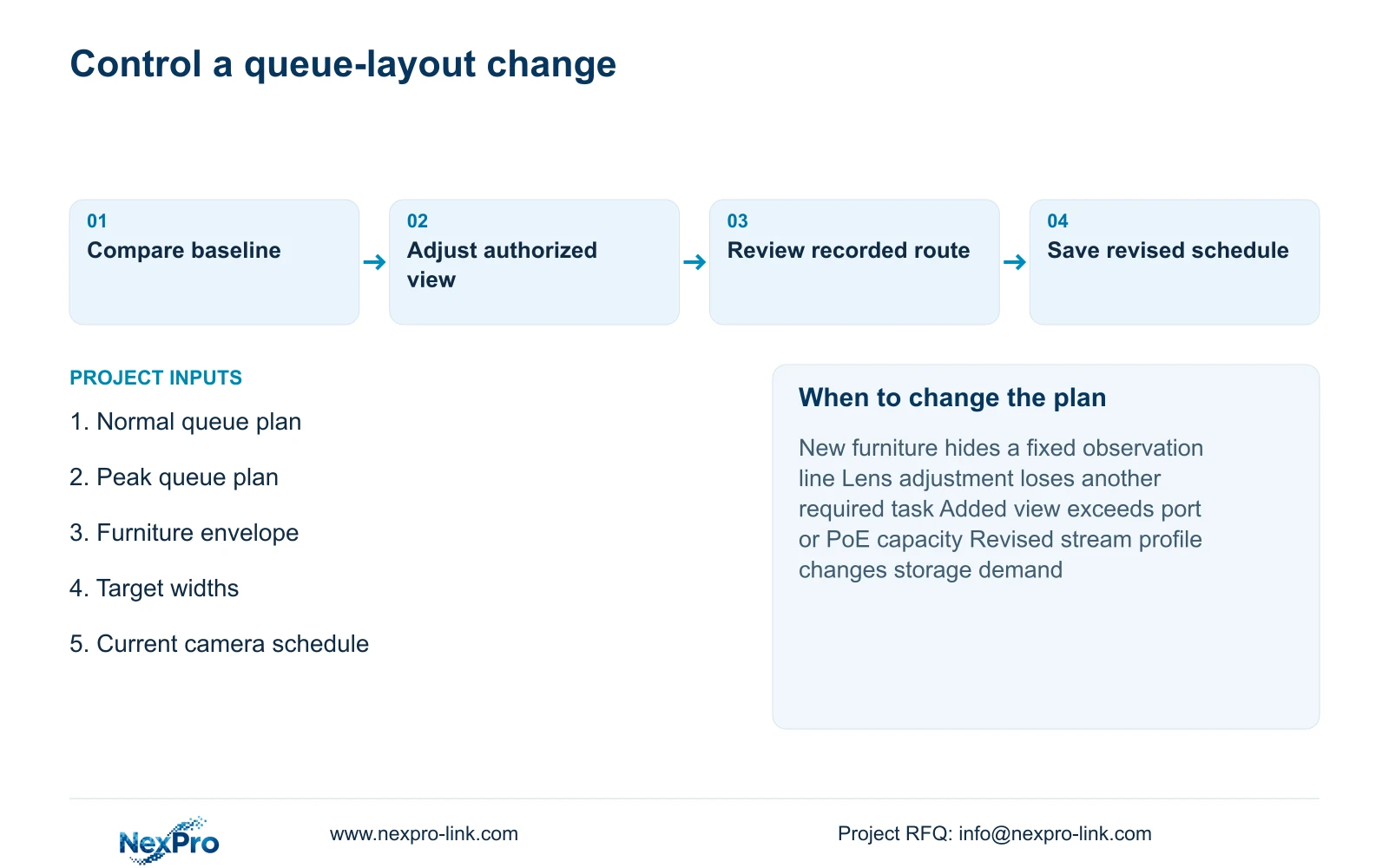
Keep a dated layout baseline linked to camera names and their observation tasks. When barriers or furniture change, the hotel should compare the new arrangement with that baseline, inspect the affected views and review recorded movement. Assign camera adjustment to an authorized role, with the resulting configuration recorded.
Prefer a maintainable fixed position with documented motorized adjustment where both approved layouts remain usable. Change the proposal when a new barrier envelope hides a required task, when the counter task moves or when the required detail cannot be retained at the wider view. Explain quantity changes and shared-resource upgrades separately in the revised BOQ.
Send normal and peak queue plans, target widths and the current camera schedule to info@nexpro-link.com. Include the movable-furniture limits and mandatory platform requirements. NexPro-Link can discuss model matching and coordinated supply through hotel project equipment support and BOQ support; local adjustment and acceptance responsibilities should remain explicit.
Section 07
Buyer questions
Should an 8MP camera replace a blocked 5MP view? Only if the target is visible and the additional pixel budget addresses the required detail. A blocked line of sight needs a layout or position correction before resolution can contribute.
Can reception staff change the lens whenever barriers move? Define an authorized adjustment role and approved framing for each layout. After a change, verify recorded coverage and preserve the revised configuration so the next shift can understand the view.
Does a spare switch port prove that another camera can be added? No. Check per-port capability and remaining total PoE output, then recorder input, storage and the cable route. Available port count is only one resource.
Engineering references
These sources support the general planning principles. Always use the selected product's current datasheet and applicable project standards for final design.


