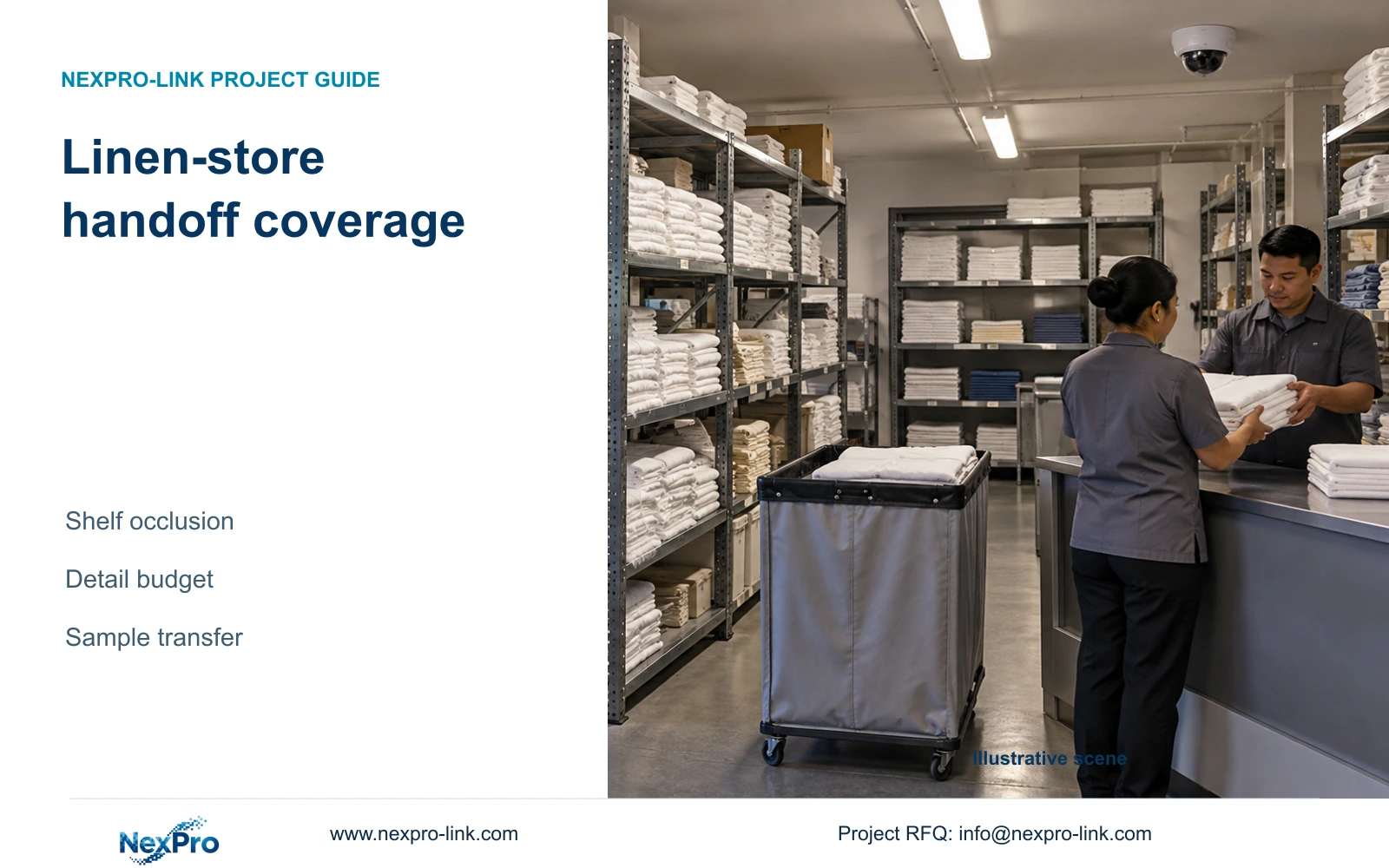
Start linen-store coverage with the transfer event and shelf layout. Extra cameras or pixels help only when they preserve the necessary handoff and retrieval context.
Section 01
Define the inventory handoff that needs a record
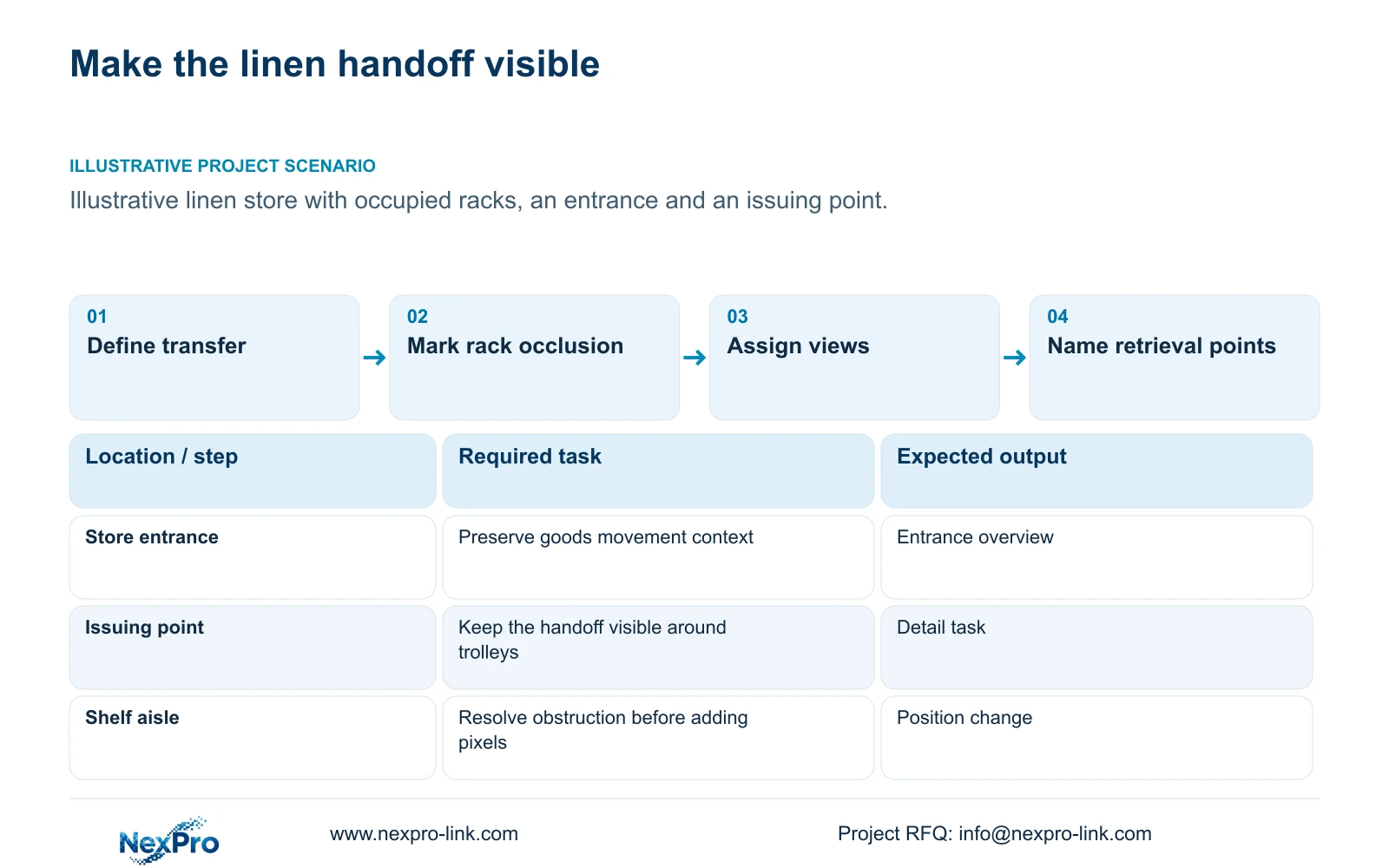
Prioritize the linen-store entrance handoff and an inventory-area overview. Add coverage only when a defined action remains unseen after position and framing are reviewed. Shelf obstruction should first trigger a layout or camera-position review; increasing resolution does not reveal goods hidden behind a rack.
Describe the event the hotel needs to reconstruct: linen arrives, waits at a transfer point and moves into or out of storage. Identify where the receiving or issuing record is made and which visible action supplies useful context. CCTV does not automatically count the contents of closed bundles or establish inventory accuracy. Keep those requirements with the hotel's inventory process unless a separately supported system is specified.
Count observation tasks from the store layout, not guest-room numbers. One entrance may need an overview and transfer detail, while another compact layout may permit a shared view. Exclude unrelated staff activity from the stated purpose. This article concerns asset movement and authorized access, without extending coverage into guest rooms or sensitive private spaces.
| Required task | Given information | Decision still needed |
|---|---|---|
| Review goods entering | Entrance and transfer point | Visible handoff action |
| Understand storage movement | Shelf and trolley layout | Useful overview without blocked aisles |
| Find a disputed issue | Inventory record reference | Camera name and matching time basis |
Section 02
Map access and shelf views
Draw the entrance, shelf rows and normal trolley path before selecting positions. Mark sightlines with the racks occupied and doors in their relevant operating positions. An empty-room view can conceal the obstruction created by normal stock. The target is the point where the required action occurs, not the largest possible visible floor area.
Separate overview and detail on the camera schedule. The overview can show movement from the door toward storage; the detail view can cover the handoff at the issuing point. Two nearby views can be combined if the required actions remain visible in recorded samples. Conversely, one wide view may lose useful detail even when it includes the whole store.
Record what would change the count, such as a moved transfer desk or a shelf row blocking the exit route. Link each justified view to its installation point and maintenance access. This gives the cost manager a traceable quantity basis and prevents network or recorder capacity from driving an unjustified camera count.
| Item | Single wide view | Task-separated views | Effect |
|---|---|---|---|
| Entrance context | Included if unobstructed | Dedicated entrance coverage | Preserve movement sequence |
| Transfer detail | Smaller target in frame | Dedicated target plane | Review the agreed handoff |
| Shelf obstruction | May hide task | Positioned around obstruction | Layout remains a design input |
Section 03
Calculate target detail
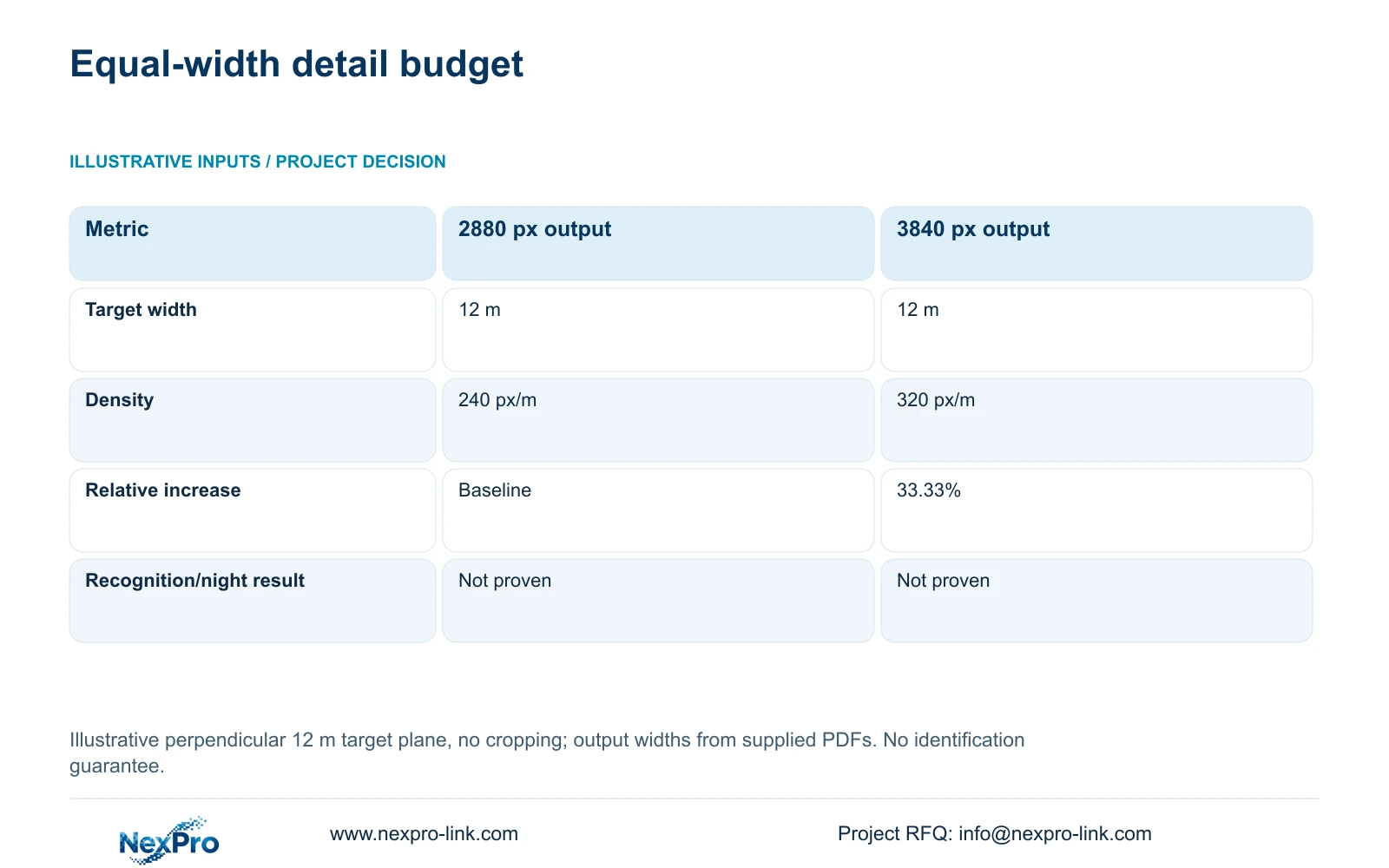
Compare source output widths at the same target-plane width. The supplied DM2812M PDF lists 2880×1620 among the 5MP model's main outputs and 3840×2160 for the 8MP model. The independent illustration assumes a perpendicular 12 m target plane with no cropping. Planning pixel density equals horizontal output pixels divided by target-plane width in metres.
Dividing 2880 by 12 gives 240 px/m; 3840 divided by 12 gives 320 px/m. The latter is 33.33% higher relative to the former. This is a geometric detail budget, not an identification guarantee or a measured improvement in night footage. Angle, exposure and occlusion still affect the recorded task.
Use the comparison to decide whether framing needs more attention before buying an output upgrade. If the target is blocked, resolve position first. If the action is visible but its recorded detail remains insufficient, compare a tighter view or the higher output using the same handoff. The 2.8 to 12 mm lens range does not establish an exact field of view without the relevant geometry and product information.
| Metric / condition | Documented 2880 px output | Documented 3840 px output |
|---|---|---|
| Output width (px) | 2880 | 3840 |
| Same target width (m) | 12 | 12 |
| Planning pixel density (px/m) | 240 | 320 |
| Increase relative to A | Baseline | 33.33% |
| What is not proven | Recognition / night performance | Recognition / night performance |
Section 04
Compare single and paired views
Keep a single view when it preserves both entrance context and the required transfer detail under representative conditions. Use paired views when the wide overview and close handoff cannot share a useful framing, or when normal rack and trolley positions obscure the action. Fewer devices are equivalent only if the same required outcome remains available.
NexPro-DM2812M55-5MP-DIC-AI and NexPro-DM2812M88-8MP-DIC-AI are sourced motorized-lens candidates for this comparison. The PDF names them as Dome-series products; the name does not establish IK10 or PTZ operation. Choose the exact recording mode with the recorder requirements in view. An output change requires a fresh stream and recording-mode check.
Paired views add ports, cable and recording streams, while relocation may add different mounting or route work. Compare those complete increments instead of camera price alone. CASE01's 32-camera hotel illustrates whole-system coordination but does not prescribe the linen-store quantity. Its teaching power and cable totals must not be attached to this independent 12 m geometry example.
Section 05
Specify timestamps and names
Use camera names that distinguish the linen-store entrance from the issuing point and shelf overview. Match those names to the equipment schedule and operator instructions. A numeric channel reference alone can become confusing when channels are reassigned; the project needs a maintained mapping between the physical task and the search location.
Specify a common date, time-zone and clock basis for footage and inventory records. Identify whether the inventory timestamp represents the transfer itself or later data entry. A manual reference-to-video search may be sufficient, but its procedure should acknowledge that difference. Automatic inventory linkage requires a supported interface and explicit responsibility.
Turn the accepted views into network, storage and cable quantities. Record any extra scope needed for naming, clock configuration or an approved integration separately. Do not present an unexplained equipment increase as the only route to better retrieval. The cost comparison should preserve the same handoff task and distinguish a revised view from a new platform function.
| Retained outcome | Extra scope | When useful | Counter-condition |
|---|---|---|---|
| Find transfer footage | Task names and time configuration | Required for the selected workflow | Names do not match installed views |
| Open video from inventory event | Supported interface and ownership | Hotel requires linked retrieval | Interface is unconfirmed |
| Preserve entrance context | Second justified recording view | Single framing loses detail | Relocation meets both tasks |
Section 06
Validate a sample handover
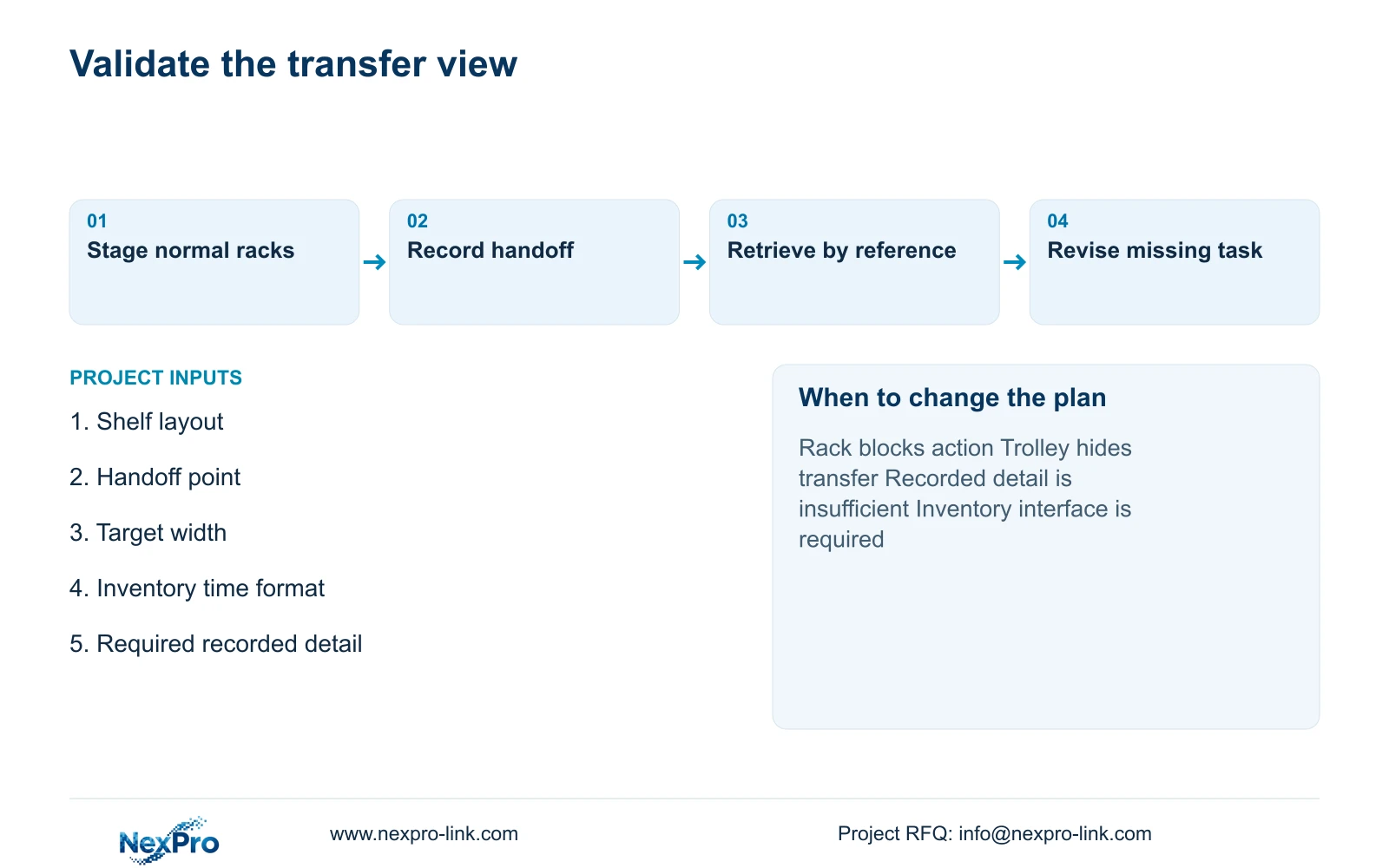
Demonstrate an authorized representative transfer with normal racks, doors and trolleys in place. Review the recording, then ask the authorized user to locate it from the corresponding inventory reference and export the agreed interval. Record the camera model, selected mode and relevant configuration with the observations. Leave outcomes open until the task has actually been performed.
Recommend entrance handoff coverage with the minimum useful inventory overview. Add a paired view or revise output only if the representative recording leaves a required action obscured or insufficiently detailed. Retest after shelf-layout changes. A successful sample supports that observed arrangement, without establishing universal performance or a zero-defect claim.
Send the linen-store shelf plan, handoff location, target-plane width and inventory timestamp format to info@nexpro-link.com. Include the recording requirement and delivery destination. NexPro-Link's hotel project and BOQ support can match models and coordinate the equipment scope, while inventory integration, local mounting and acceptance responsibilities remain explicitly assigned.
Section 07
Buyer questions
Will the 8MP option read every linen label across the store? The 320 px/m illustration does not establish label readability. Define the actual label task, target distance and view width, then review recorded samples. Shelf obstruction and moving trolleys must be included.
When should the camera count be revised? Revise it when a documented layout or task change removes a required view, such as a new rack blocking the transfer point. Compare relocation and framing first, then account for any justified additional stream and cable.
Can NexPro-Link quote from a provisional shelf plan? Yes. Mark provisional racks and the handoff point so the response can distinguish fixed requirements from placement-dependent quantities. State whether the inventory interface is required or only a possible later addition.
Engineering references
These sources support the general planning principles. Always use the selected product's current datasheet and applicable project standards for final design.