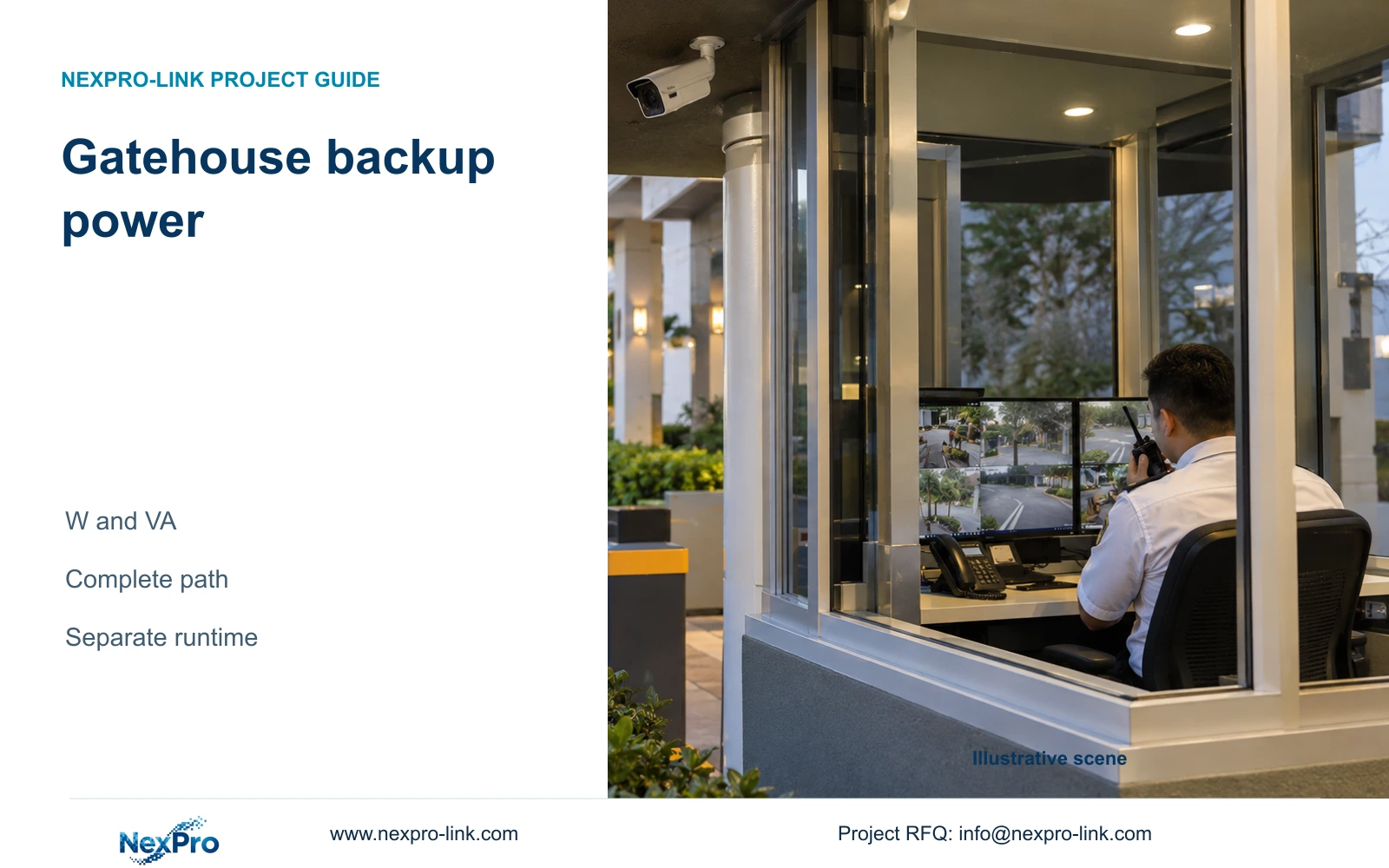
Protect every powered dependency needed for the agreed gatehouse service. Compare UPS watts and VA, then select a supported battery configuration for runtime.
Section 01
Name the gatehouse functions that must continue
Size the gatehouse UPS around the complete recording and authorized-control tasks that must survive an outage. Include their essential network and PoE dependencies. For the illustrative 750 W load at power factor 0.9, choose SP2KR(S) over SP1KR(S) when the project requires 20% reserve in both watts and VA. Battery runtime remains a separate selection.
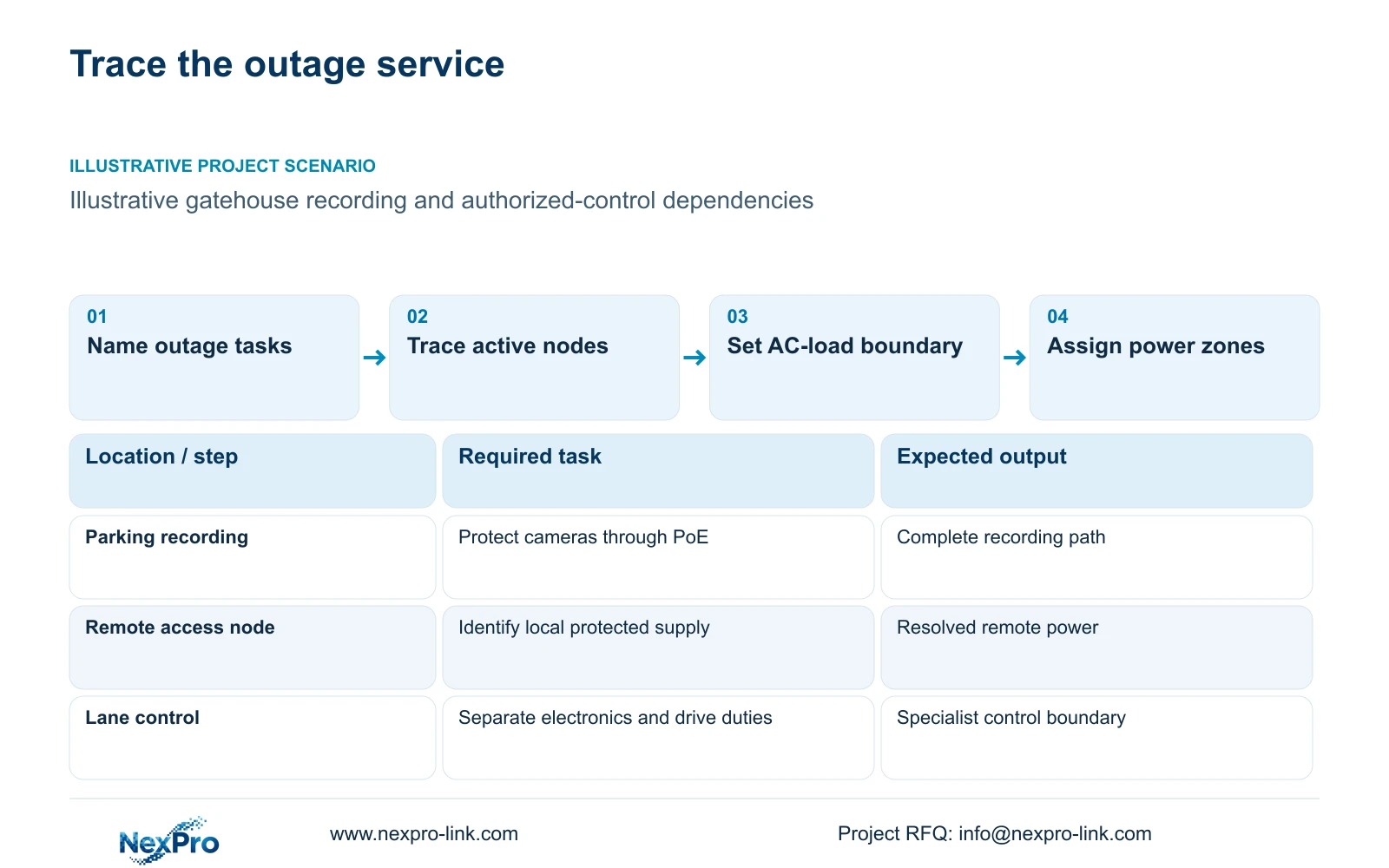
Define the outage state before assembling the load schedule. Continuing local recording, keeping an operator view available and retaining an authorized lane-control workflow can require different powered equipment. An illuminated NVR does not demonstrate continued recording when its cameras or intermediate switches have stopped.
Write an observable outcome for each selected service and locate every dependency. Keep barrier motors and life-safety circuits outside a small IT UPS allowance unless the appropriate specialist defines and supports their inclusion. The CCTV supplier's equipment calculation cannot decide the safe behavior of the vehicle-access system.
| Required task | Given dependency | Decision still needed |
|---|---|---|
| Continue local recording | Cameras, PoE network and recorder | Protect every active node on the recording path |
| Keep operator viewing | Client, display and relevant network | Include only if required during the outage |
| Retain authorized lane workflow | Supported recognition and control components | Assign safe behavior and specialist power scope |
Section 02
List powered dependencies at a consistent boundary
Use an AC-load schedule for the UPS calculation. Identify measured operating loads, typical planning values and nameplate maxima separately. For each item, record its location, W and VA information, and whether it remains active in the selected outage state. Distributed gatehouse and annex loads need an actual protected supply at each location.
A complete PoE switch AC input already includes the power delivered to its downstream cameras. If that input is used in the UPS schedule, do not add the same camera watts again. If estimating from camera load, account separately for delivery losses, switch conversion and the switch's own consumption, with every assumption visible.
The supplied camera PDFs do not state maximum watts. CASE09's 12 W camera peaks and switch assumptions are illustrative inputs, not product ratings. NexPro SW-POE1618G also lacks a stated total PoE budget and has conflicting access-port speed descriptions. It can remain an inquiry candidate, but it cannot be declared adequate from its port count alone.
Section 03
Calculate watts and VA against both UPS limits
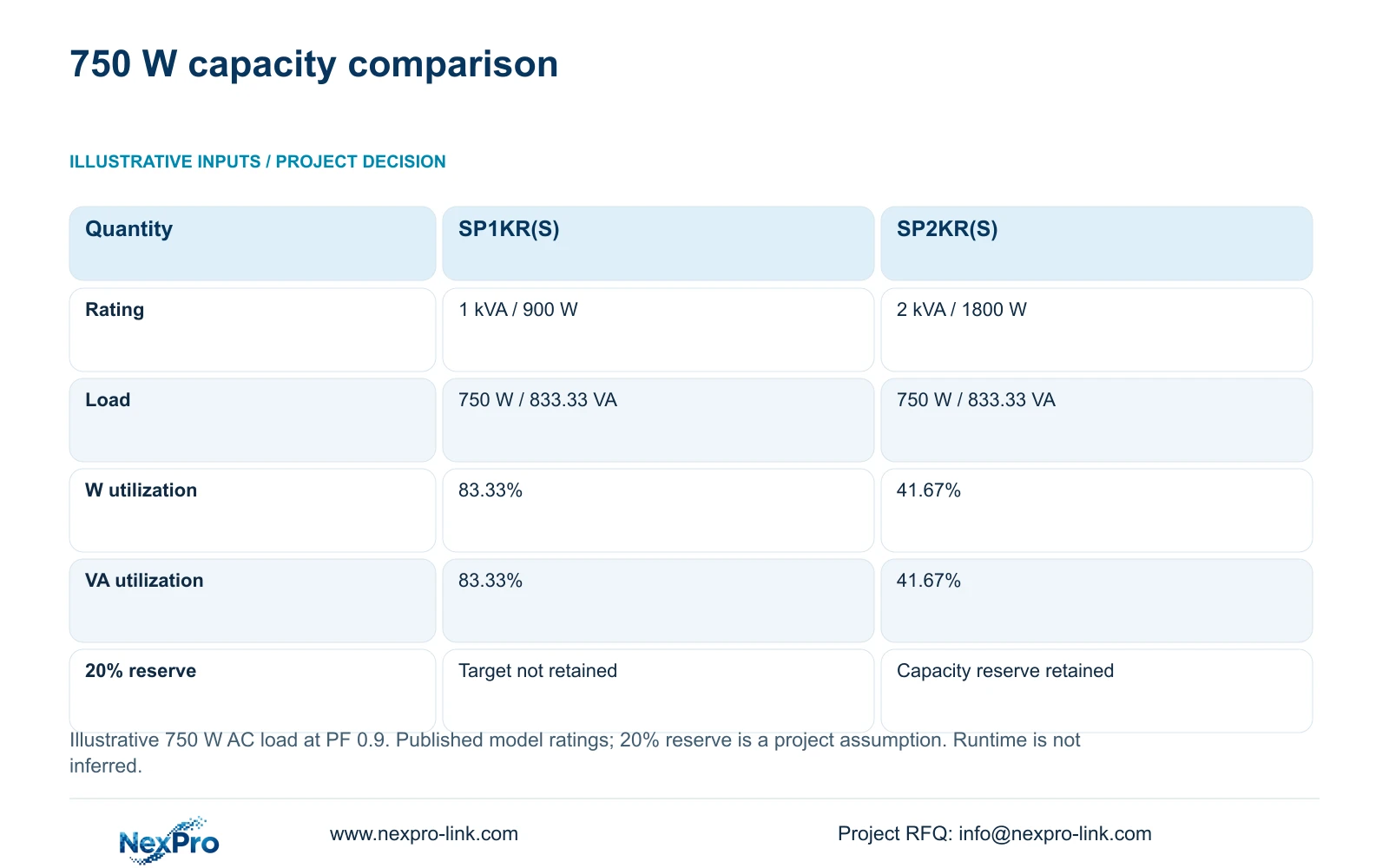
This article's independent capacity example assumes a protected AC load of 750 W and aggregate power factor of 0.9. Apparent load is W ÷ PF, giving 750 ÷ 0.9 = 833.33 VA. Compare real-power utilization as load W ÷ rated W and apparent-power utilization as load VA ÷ rated VA.
The published rack ratings are SP1KR(S) at 1 kVA/900 W and SP2KR(S) at 2 kVA/1800 W. Both exceed the illustrative steady load. SP1KR(S) operates at 83.33% of each limit, leaving less than the stated 20% reserve. SP2KR(S) operates at 41.67% of each limit and retains that capacity reserve.
The reserve is a project assumption, not a universal requirement. Select SP2KR(S) for this load when it applies; reconsider the candidate when actual W, VA or required operating conditions change. SP2K(S), the separate tower model, is rated 2 kVA/2000 W. Its rating must not be substituted for the rack model, and neither rating establishes minutes of battery operation.
| Metric or condition | SP1KR(S) | SP2KR(S) |
|---|---|---|
| Model rating | 1 kVA / 900 W | 2 kVA / 1800 W |
| Protected load | 750 W / 833.33 VA | 750 W / 833.33 VA |
| W utilization | 83.33% | 41.67% |
| VA utilization | 83.33% | 41.67% |
| 20% W and VA reserve | Does not retain target reserve | Retains capacity reserve |
| Battery runtime | Configured load curve needed | Configured load curve needed |
Section 04
Compare selective backup with added operating loads
Selective backup should retain every device necessary for the approved service. Excluding a required access switch to save battery capacity breaks that service. Excluding an optional wall display may be reasonable when local recording continues and the hotel accepts the reduced viewing arrangement.
CASE09 provides a separate illustration of this choice. Its base load, including access nodes, recorder, core and ordinary screen, totals 391.88 W. Adding an assumed 580 W of wall-display and decoder load raises the total to 971.88 W. Those figures belong to that case and must not be added to this article's independent 750 W example or treated as measured display consumption.
Compare the operating benefit with the added UPS and battery scope. Protect a display when staff require it for the agreed outage task. Use separate or revised capacity where required, and recalculate runtime. A combined hotel load total is insufficient for choosing one central UPS if the actual equipment occupies separately powered locations.
Section 05
Select battery energy and runtime separately
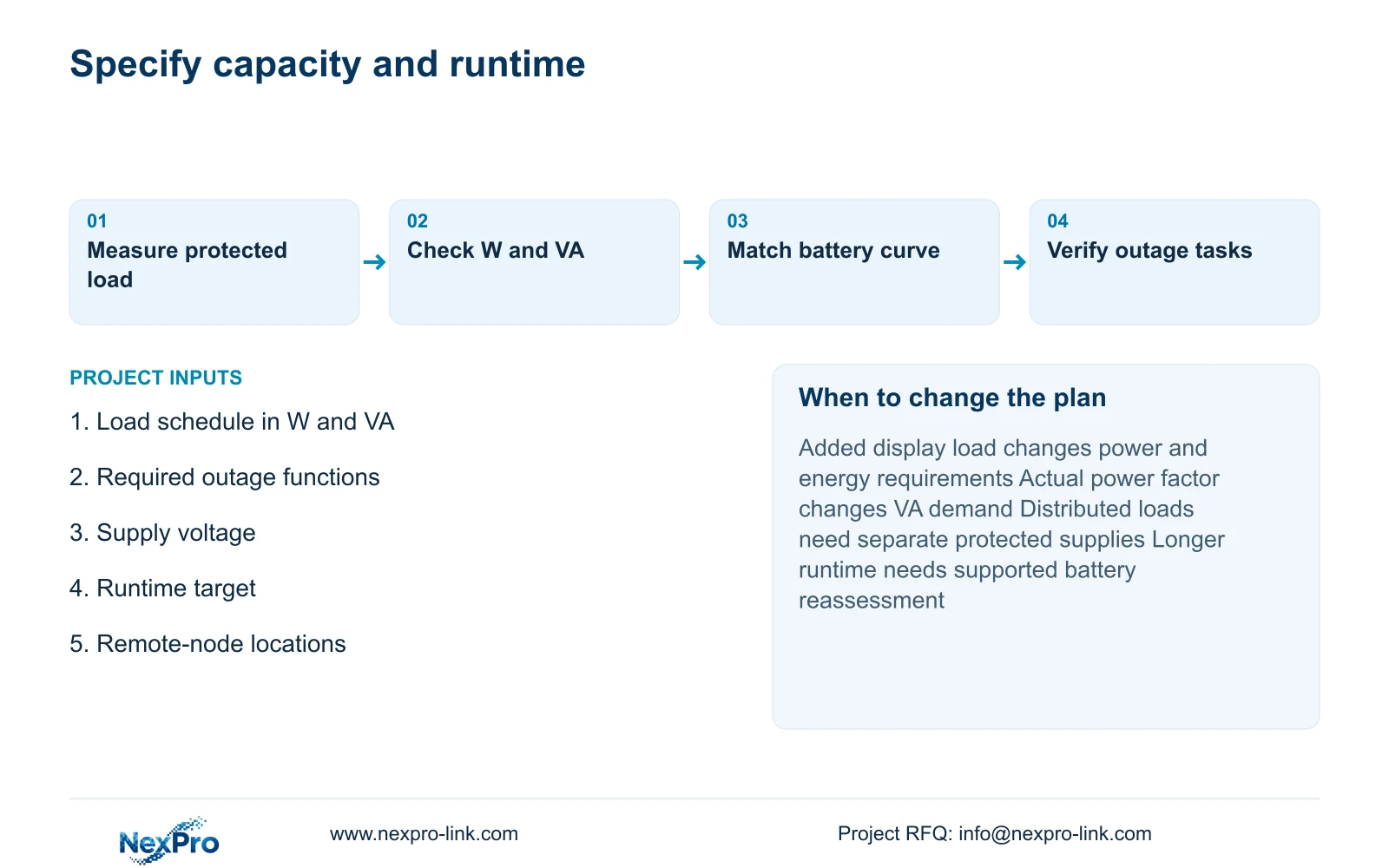
After qualifying the UPS power capacity, request a supported battery configuration and a runtime curve at the selected protected load. Specify the required duration and operating conditions. The APC buying-guide scope supplied with this package supports checking both W and VA and matching runtime to the actual battery configuration.
A separate teaching example shows the energy distinction: 600 W for 30 minutes requires 300 Wh at the output; 60 minutes requires 600 Wh. With assumed 90% inverter efficiency and 80% usable energy, nominal planning requirements are 416.67 Wh and 833.33 Wh. These values are not battery specifications for SP1KR(S) or SP2KR(S).
Battery temperature, condition, discharge behavior and protection thresholds affect actual duration. Do not transfer the default selected model's battery Wh field to another model. External batteries need supported voltage, charging and BMS arrangements. A larger kVA nameplate may qualify power conversion while leaving the required runtime unresolved.
| Quantity | 30-minute target | 60-minute target |
|---|---|---|
| Illustrative output load | 600 W | 600 W |
| Output energy | 300 Wh | 600 Wh |
| Nominal planning energy | 416.67 Wh | 833.33 Wh |
| Actual runtime | Supported configuration and validation required | Supported configuration and validation required |
Section 06
Document power and safe-control responsibilities
The equipment proposal should state protected locations, W/VA requirements, battery configuration and the service expected during loss and restoration of mains power. Local electrical installation, protection and changeover testing belong to the appropriate professionals. Recognition and barrier behavior require the responsible access-system specialist.
Verify the selected path through observable tasks: continuing camera recording, reaching the required local view, and completing the authorized control workflow where included. Record actual results without prefilled passes. Remote technical support is a separate service boundary from local attendance and electrical work.
Use SP2KR(S) as the capacity candidate for the stated 750 W/PF 0.9 load with 20% reserve, subject to actual installation and battery requirements. Change the proposal for added loads, a different power factor or distributed supply. Send the W/VA load schedule, required outage behavior, supply voltage and runtime target to info@nexpro-link.com. Applicable main-equipment warranty has a supplied 24-month baseline from receipt; batteries and project service costs follow their written scope.
Section 07
Buyer questions
Can a 2 kVA UPS guarantee one hour of gatehouse operation? No. The rating establishes a power limit. Require runtime information for the exact supported battery configuration at the protected load, including the specified operating conditions. A battery estimate and a supplier curve are different evidence.
Should barrier motors be included in the CCTV UPS quotation? Keep them separately identified. Their power and safe-operating requirements need the responsible barrier and electrical specialists. Do not assume that an IT UPS selected for recording electronics also supports the drive or safety circuits.
What should a supplier return with the UPS proposal? Request the exact model, its W and VA ratings, the supported battery arrangement, load-matched runtime information and the protected-device list. The response should identify local installation exclusions and any unresolved remote-node supply.
Engineering references
These sources support the general planning principles. Always use the selected product's current datasheet and applicable project standards for final design.