

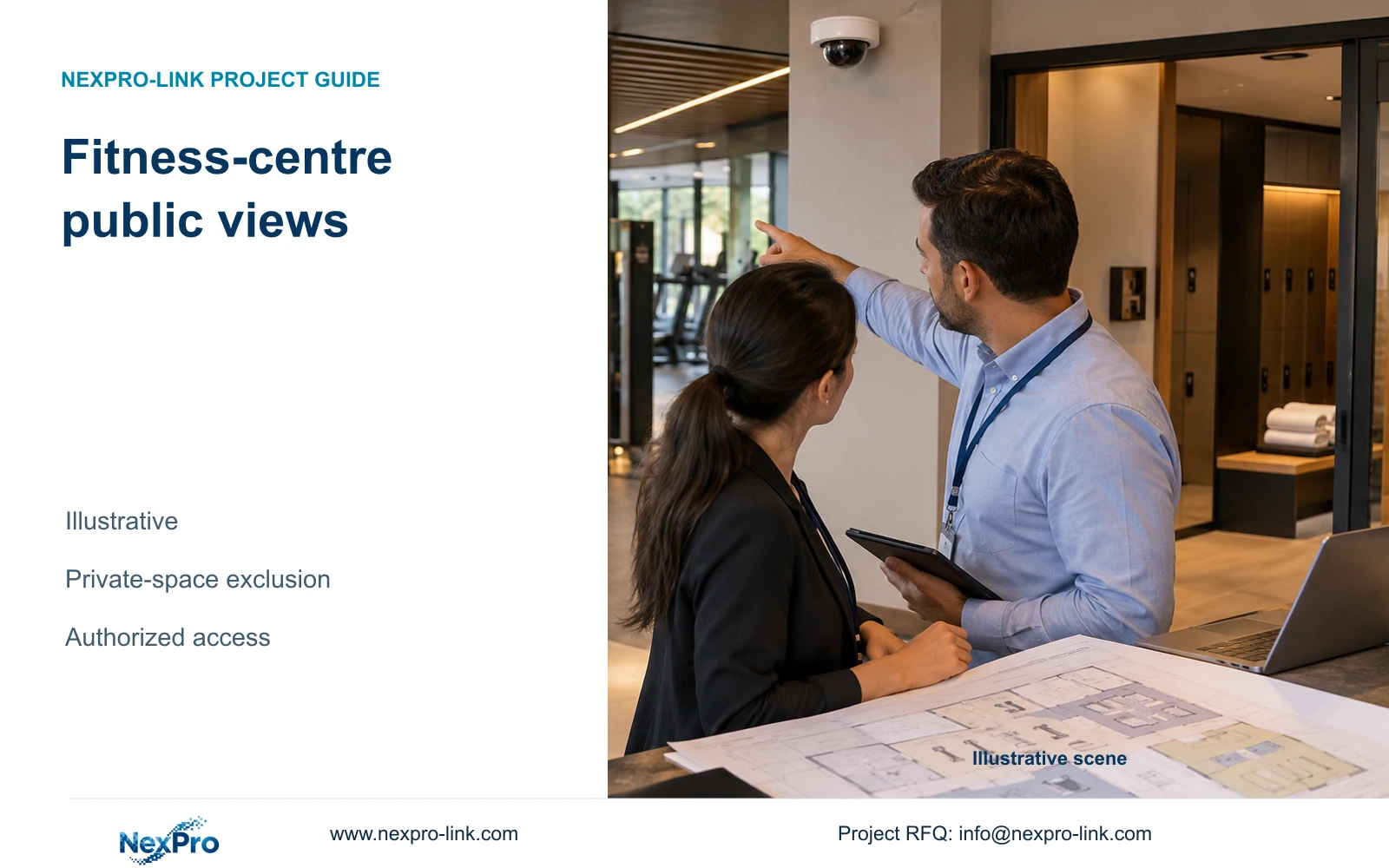
Repeat the privacy sightline review after mirrors, doors or equipment move. Check representative open-door and reflected views from the actual camera, including recorded and exported output where controls are proposed.
Section 01
Approve the public tasks before drawing camera views
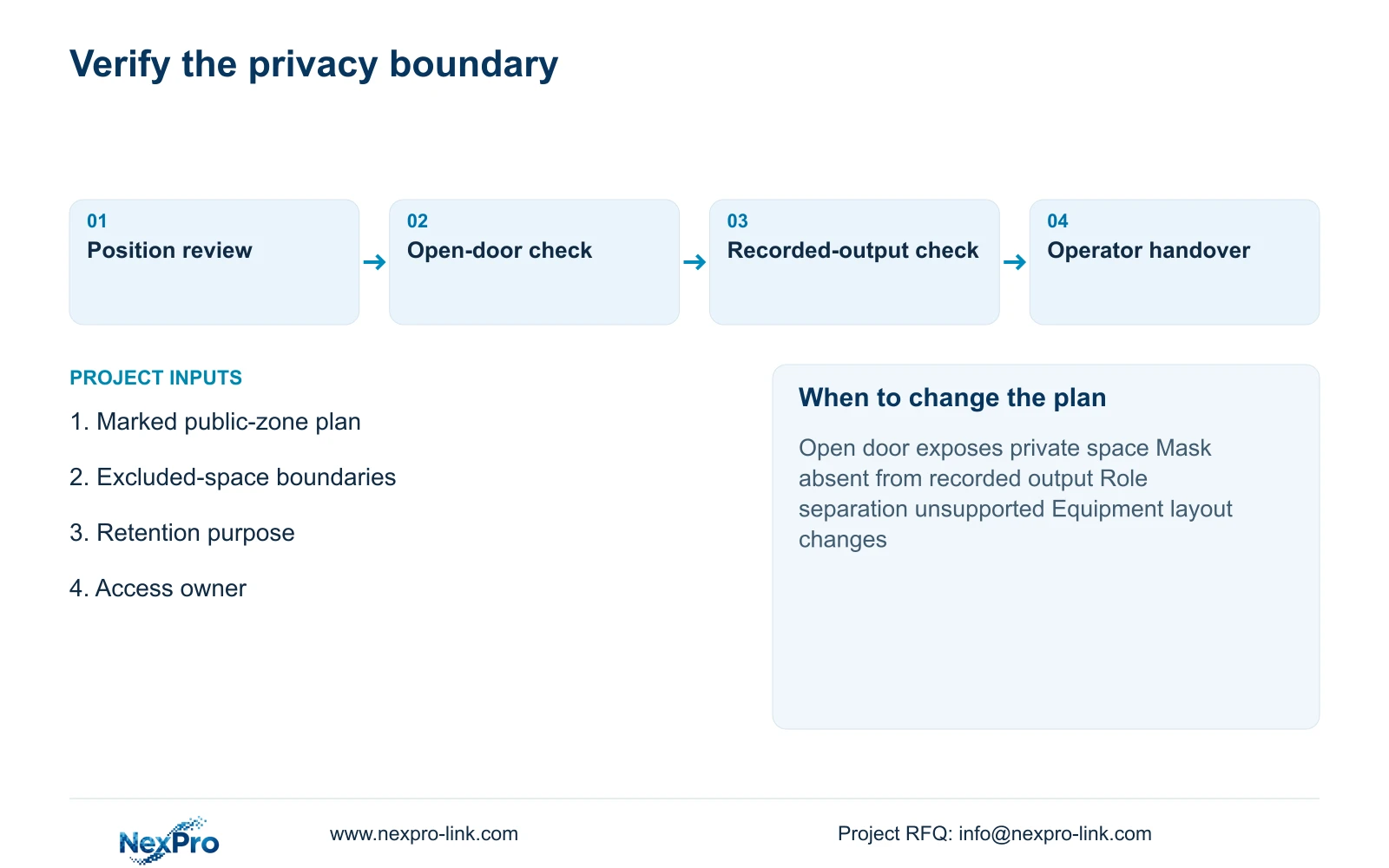
Repeat the privacy sightline review after mirrors, doors or equipment move. Check representative open-door and reflected views from the actual camera, including recorded and exported output where controls are proposed. Suspend the affected view under hotel policy if private activity enters it. Public mounting coordinates do not preserve privacy after refurbishment.
Choose the minimum public-area views needed for the hotel's approved security purpose. Keep changing rooms, toilets and other private spaces outside routine coverage. If an entrance view includes a private-space sightline, reposition or narrow it before relying on masking. The hotel must confirm the applicable policy and local requirements.
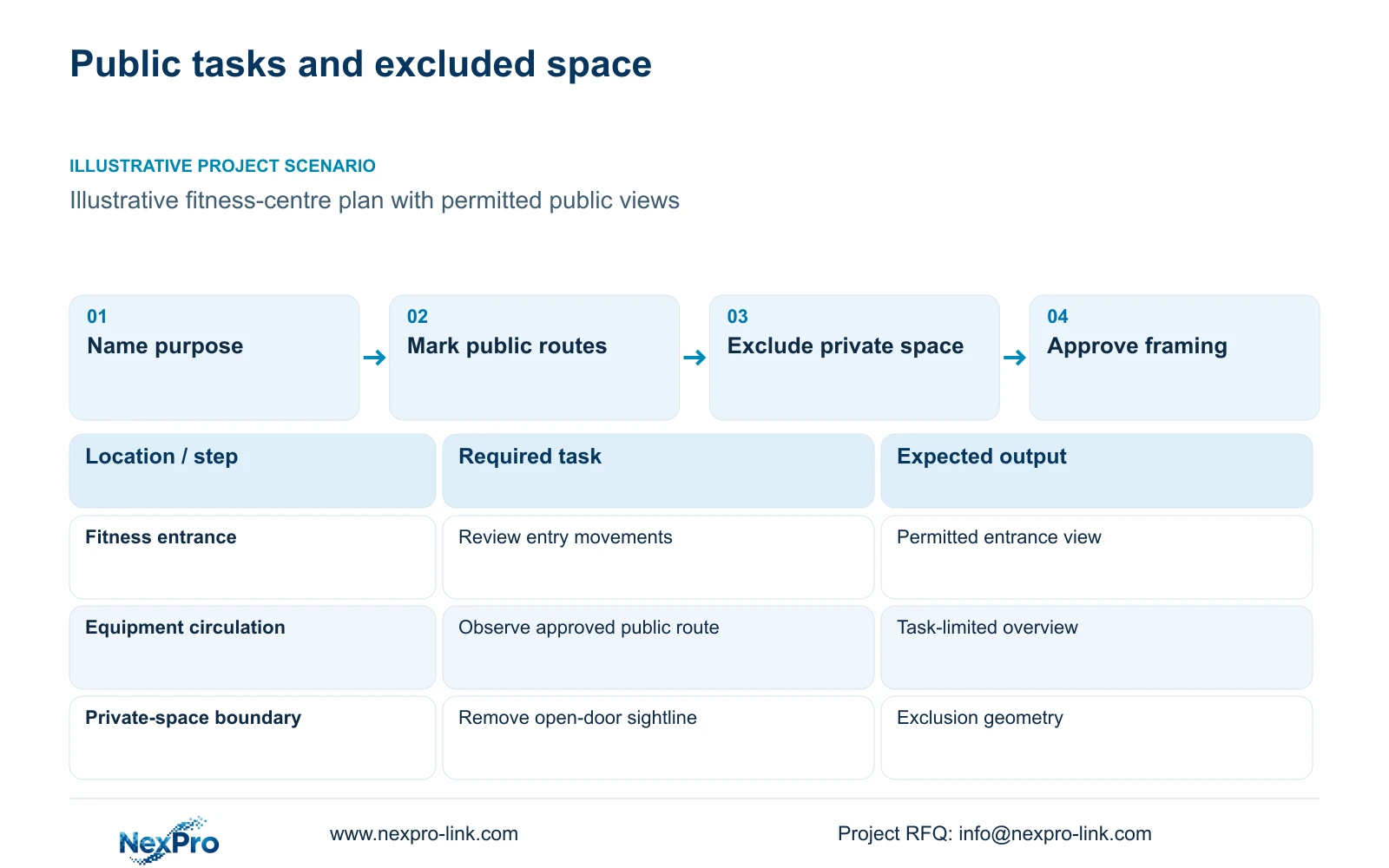
Start with a purpose map showing the fitness-centre entrance, authorized public circulation and any equipment-area task the operator has approved. Describe the incident or movement each proposed view should help staff review. A request to see the entire facility is too broad to determine useful camera positions or necessary recorded detail.
The operator owns the monitoring-purpose decision; the engineer translates it into permitted views. Supplier registration and camera-model approval are separate procurement steps. NexPro-Link can support CCTV matching and coordinate associated equipment, but a product submission does not establish permission to monitor a particular space. Record those boundaries before quantities enter the BOQ.
| Required task | Given information | Decision still needed |
|---|---|---|
| Review entry movements | Fitness entrance plan | Permitted view and required detail |
| Observe an approved public route | Equipment and circulation layout | Necessary coverage boundary |
| Exclude private spaces | Changing-room access positions | View with doors open |
Section 02
Exclude private changing areas from the viewing geometry
An exclusion boundary must account for what the camera sees when doors open. A camera mounted in a public corridor can still look into a changing area. Mark the doorway and the possible internal sightline on the drawing, then assess it from the actual proposed camera position.
Compare relocation with narrower framing. Relocation can remove the private sightline while retaining the approach route, but may require a new bracket or cable route. Narrower framing can preserve an existing mounting point while losing part of the circulation overview. Evaluate the security task left visible in each option instead of accepting either change solely because it is cheaper.
Keep guest-room interiors and private changing activity outside the design. A model's ability to capture more detail does not broaden the approved purpose. Mirrors, open access doors and later furniture changes belong in the review because the permitted view can change without any adjustment to the camera itself.
| Option | Useful task retained | Additional scope | Condition |
|---|---|---|---|
| Move camera | Public approach from another angle | Mounting and route review | New position avoids private view |
| Narrow framing | Selected entrance detail | Recheck lost overview | Remaining public task sufficient |
| Supported masking | Visible unmasked route | Capability and recorded-output checks | Geometry alone cannot resolve boundary |
Section 03
Compare physical framing with supported masking
Assess masking as a specific equipment function. Confirm where the mask is applied and examine the recorded result, playback and authorized export. Do not assume that a display-only cover removes information from every recorded or transmitted stream. The selected model and software must support the required outcome.
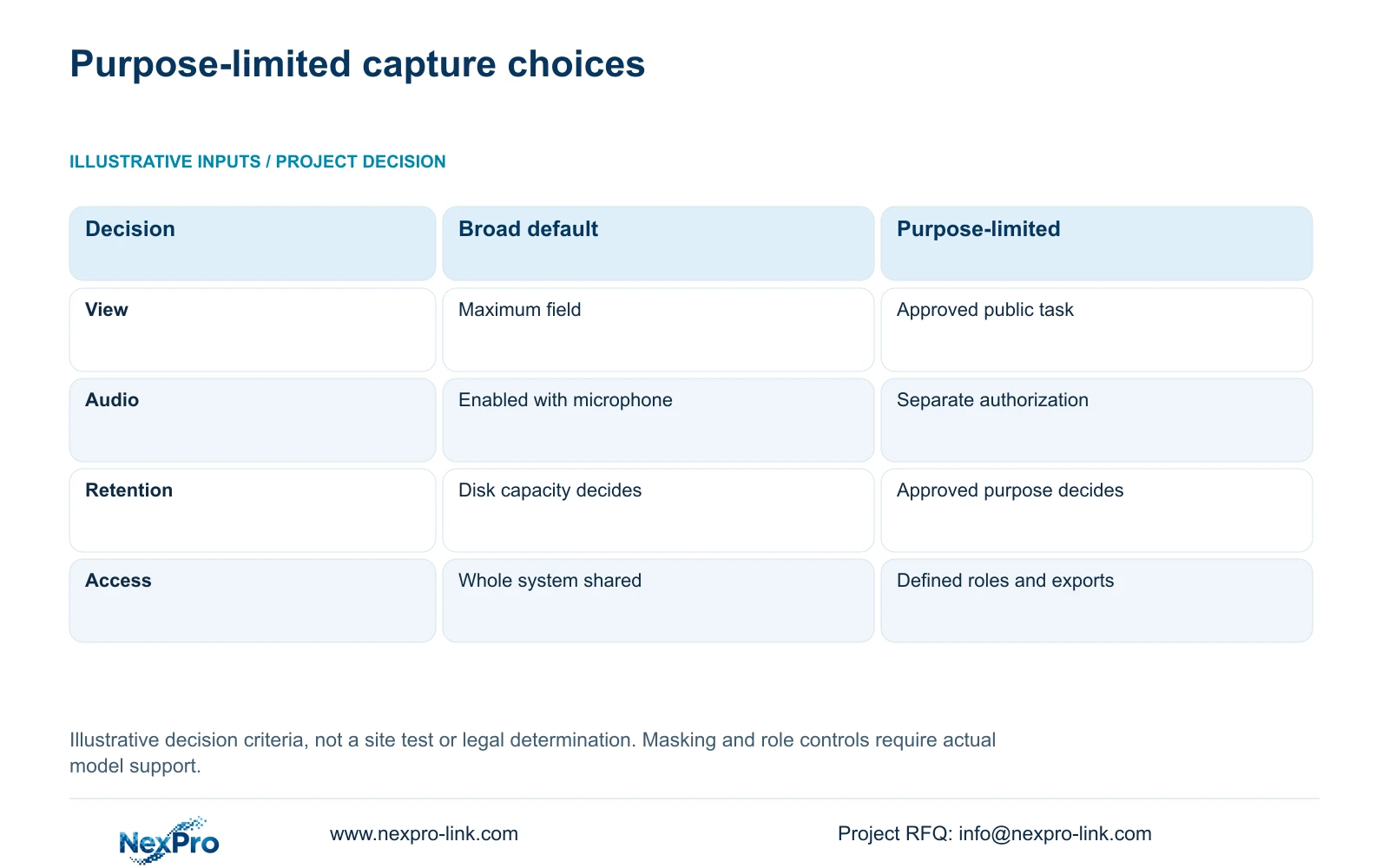
The decision matrix below uses illustrative planning criteria, not measurements or a legal determination. It compares broad capture by default with a purpose-limited design. Its inputs are the approved view, separate audio decision, retention purpose and recipients. No invented privacy score or performance percentage is needed to make the procurement difference clear.
Select the purpose-limited option because it identifies what the system must collect and who may use it. Prefer physical positioning where it can remove unnecessary capture without losing the required public task. Use verified masking for a remaining defined boundary, and reassess it whenever framing changes. Hardware with a microphone does not authorize continuous audio recording; intercom use and recording require separate decisions.
| Metric / condition | Broad capture by default | Purpose-limited design |
|---|---|---|
| View boundary | Maximum field regardless of purpose | Required public task; excluded private space |
| Audio | Enabled because hardware includes a mic | Separate justified and authorized decision |
| Retention | Longest disk can hold | Approved purpose and applicable requirements |
| Access | Whole system shared | Defined recipients, roles and export scope |
Section 04
Limit viewing and export to authorized roles
Describe access through actual jobs. Fitness staff may need a defined live view, while authorized security personnel may need incident retrieval. Export and external disclosure are additional tasks with their own recipients and approval route. Giving every user one administrator account obscures those distinctions.
Check the controls supported by the selected recorder and client before promising separate privileges. Account ownership, network access and device binding can involve different settings. If the proposed system cannot enforce the required separation, change the platform or restrict the workflow using an approved arrangement; do not present unsupported roles as a delivered feature.
Specify the camera range and time window for an authorized export. Keep unrelated fitness users out of the copied material where the approved process permits that limitation. Remote technical support should use a limited, hotel-approved task and a defined revocation step. Initial procurement correspondence needs layout and policy inputs, not passwords or guest recordings.
Section 05
Set retention from the approved purpose
Ask the hotel to define why footage is retained and how that purpose translates into a recording period. Thirty, sixty and ninety days are possible scenario inputs, not universal hotel requirements. The supplied ICO guidance concerns the United Kingdom and is identified as under revision; it cannot establish the rules for every destination.
After the policy is approved, calculate capacity from the camera groups, actual average bitrate and recording hours. Activity and lighting can change bitrate, so a fixed saving attributed to a codec is not an adequate storage basis. Reducing bitrate is acceptable only if the recorded task still works.
Separate longer routine retention from authorized incident preservation. Additional storage may be justified when the approved purpose changes, but unused disk space does not authorize keeping all footage longer. Confirm that the recorder supports any required per-camera policy. The independent convention-hotel reference case does not establish a fitness-centre retention period or camera allocation.
Section 06
Review the installed boundary with the operator
Review the proposed views with the hotel operator using the normal equipment arrangement and relevant changed layouts. Include open doors and reflective surfaces. Confirm that staff can complete the public-route task while excluded spaces remain outside the accepted view. Record observations without pre-filling a pass or claiming a measured efficiency improvement.
Handover should demonstrate authorized viewing, incident retrieval and the agreed export route on the delivered software version. Explain who can change framing or masking and what triggers another review. Instructions should retain the real equipment identity so support personnel can identify the configuration when a view or access problem occurs.
Recommend purpose-limited entrance and circulation coverage. Reposition or change equipment when an open door exposes private space, a required mask is unsupported or access separation cannot be achieved. Send the marked fitness-centre plan, excluded boundaries, approved purpose and access owner to info@nexpro-link.com. NexPro-Link can discuss equipment and BOQ scope while the hotel resolves its local policy assessment.
Section 07
Buyer questions
Is a privacy mask enough for a changing-room doorway? First try to remove the sightline through positioning or framing. If masking remains necessary, verify its effect on recording and export as well as live viewing. It does not replace the hotel's purpose and local assessment.
Must every fitness-centre camera retain footage for the same period? A common period is not assumed. Define the purpose for each group and confirm the recorder supports the required policy. A calculated grouping does not establish software support.
Can we request a proposal without sending guest footage? Yes. A marked plan, permitted tasks, excluded areas and policy requirements provide the relevant initial inputs. Identify delivery destination and any mandatory platform without sharing credentials or personal imagery.
Engineering references
These sources support the general planning principles. Always use the selected product's current datasheet and applicable project standards for final design.


