

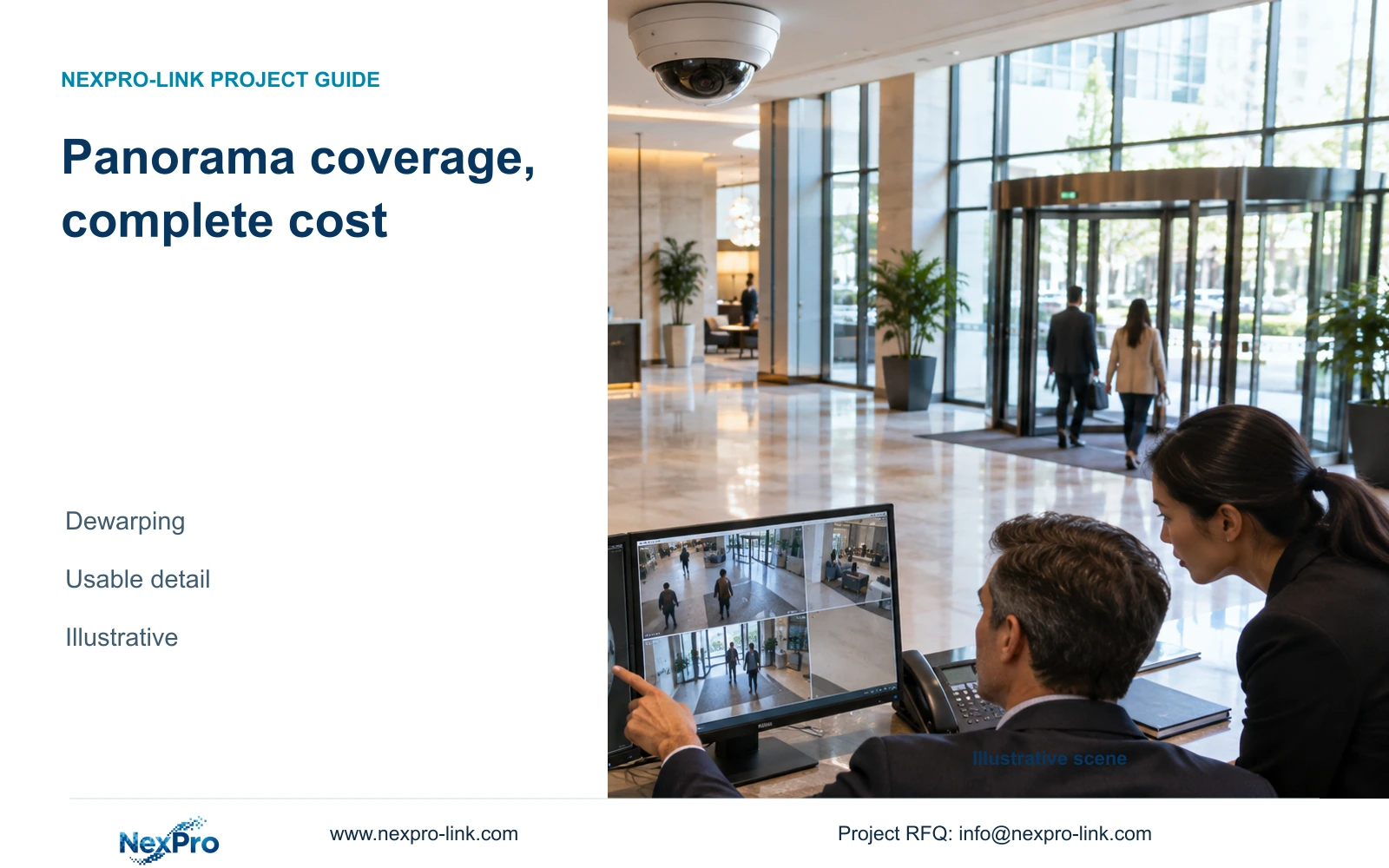
Choose a hotel fisheye camera for a defined panoramic task only after checking useful detail, dewarping and retrieval. Fewer camera bodies do not establish a lower installed cost.
Section 01
Define the public area that needs a panorama
Choose a fisheye camera when a permitted panoramic view supports the hotel's observation task and the selected recording workflow preserves usable detail. Prefer focused cameras, or a panorama with focused companions, when critical actions remain too small or obstructed. A 360-degree coverage description cannot establish recognition in every direction or prove a lower installed cost.
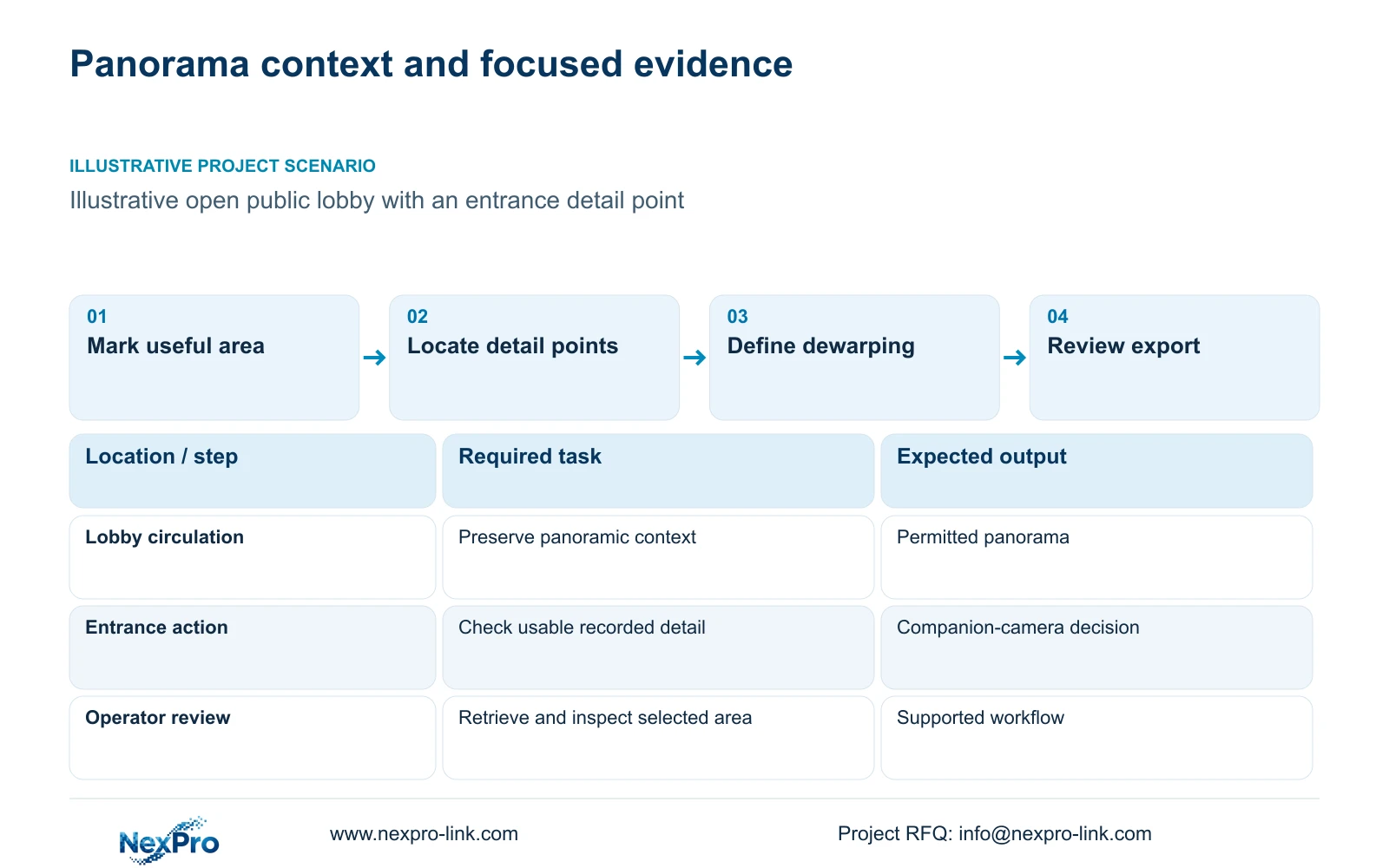
Mark the useful public area on the plan, including where an operator needs movement context and where a specific action needs detail. An open lobby circulation area may suit a panoramic task. A counter or entrance can require a different angle. Exclude private areas and unnecessary views beyond the hotel's defined purpose.
Connect the capture task to the operator's normal display. A panorama can be available in a small grid tile yet difficult to inspect until enlarged or dewarped. Identify the usual layout and event-review sequence before selecting a wall or workstation. The number of cameras alone does not establish the display arrangement.
| Required task | Given information | Decision still needed |
|---|---|---|
| Follow public lobby movement | Open area needs context | Useful unobstructed panoramic boundary |
| Review an entrance action | Detail needed at a specific point | Panorama detail or focused companion |
| Inspect an event | Operator uses a monitoring grid | Dewarping and enlargement workflow |
Section 02
Separate the stored image from dewarped views
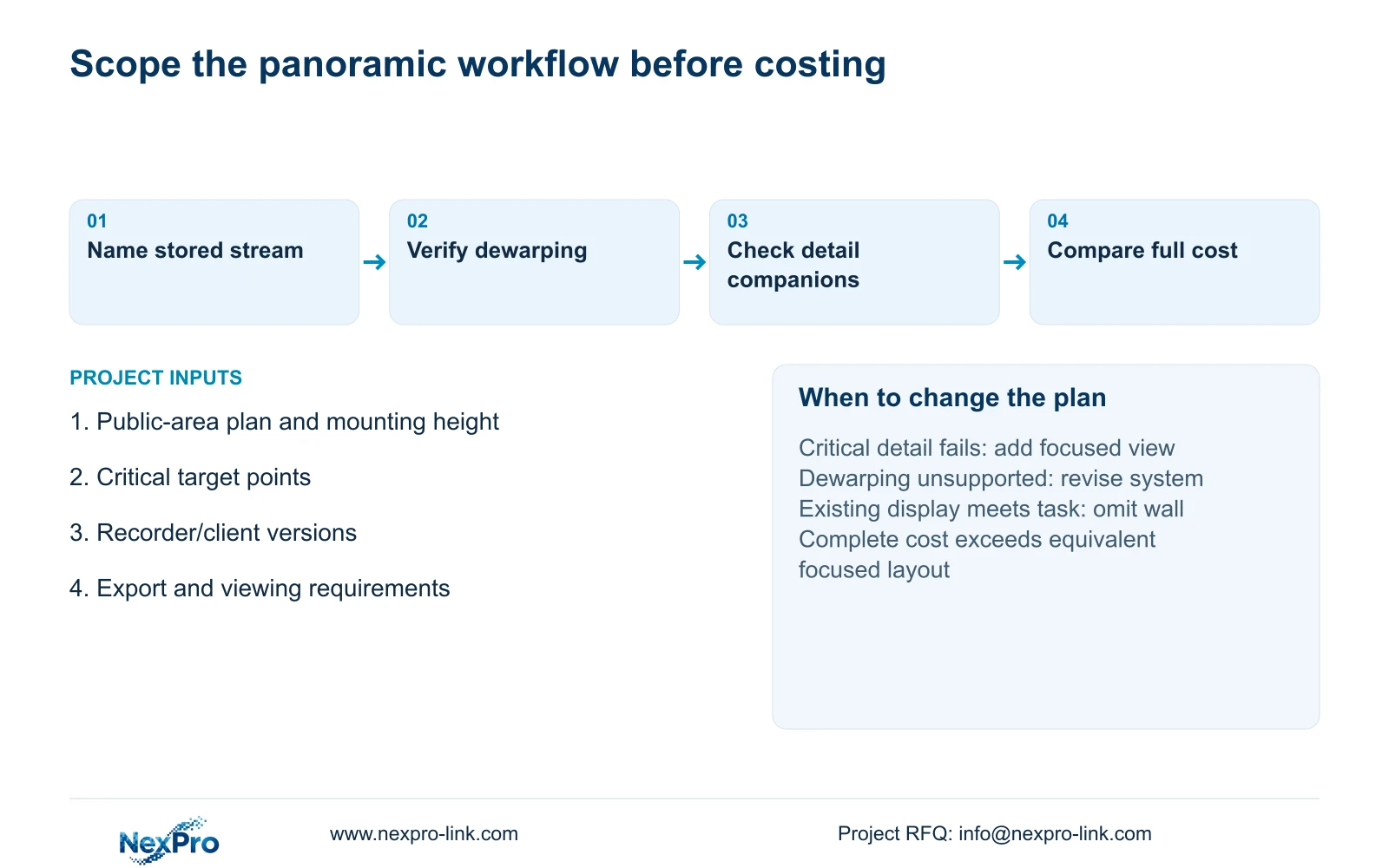
A raw fisheye image and its dewarped viewing windows are different representations. Ask where dewarping occurs: in the selected camera, recorder or client. Then identify which stream is stored. A useful live view does not establish that the same representation can be retrieved from recorded footage or opened after export.
Record the required workflow explicitly. The operator should be able to find a time interval, inspect the relevant part of the panorama and export a usable record through the authorized method. Determine whether the receiver needs a specified player or whether an agreed dewarped output can be produced. Keep the original and derived-view requirements separate.
Do not count every dewarped window as a separate camera or assume each requires its own recording channel. Conversely, do not assume all windows are free of processing or licensing consequences. Request the actual model, edition and stream arrangement, then use those facts to populate the BOQ. No confirmed fisheye SKU or dewarping implementation is supplied in this evidence package.
Section 03
Assess capture geometry and display pixels separately
Check mounting height, target locations and obstructions for the selected panoramic model. The total megapixel figure does not state how much usable detail reaches each dewarped target. Request an image or recording comparison at the intended geometry. The supplied display calculation cannot establish fisheye capture density because it describes pixels allocated to viewing tiles.
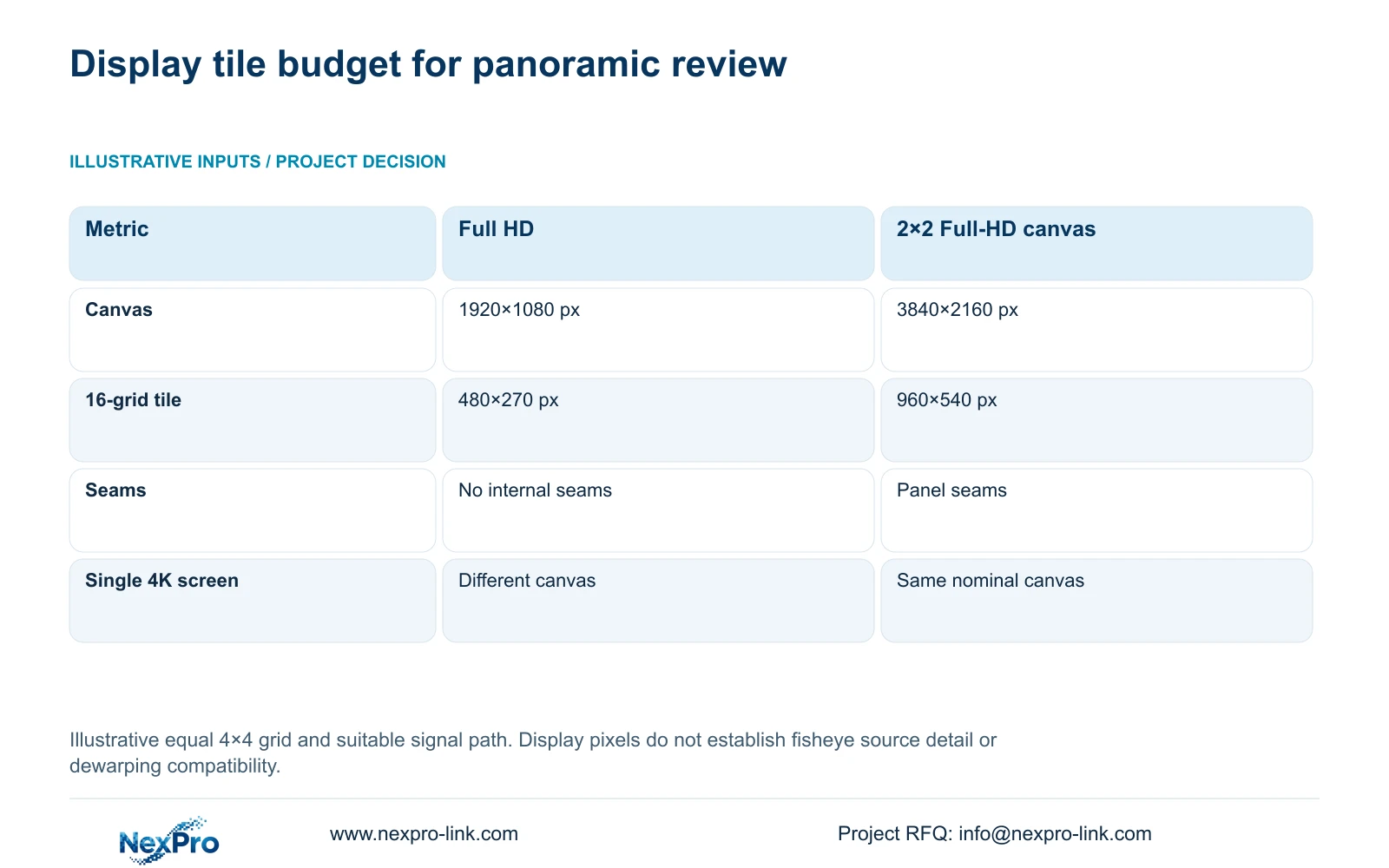
For an illustrative equal 4×4 grid, divide the display's horizontal and vertical canvas by four. One 1920×1080 monitor allocates 480×270 pixels per tile. Four Full-HD panels in a suitable 2×2 signal arrangement create a nominal 3840×2160 canvas and allocate 960×540 pixels per tile.
NX-VP-5535 is a 55-inch 1920×1080 LCD panel with a stated 3.5 mm seam field, not direct-view LED. The four-panel calculation assumes the signal and control path can address the complete canvas. A single 4K monitor has the same nominal canvas as that wall but a different physical layout.
Use the calculation to choose how an operator reviews panoramic detail. A larger tile can show more of a detailed source, but it cannot recover detail missing from the recording. Compare event enlargement, seating distance and seams before adding a wall solely to make a panorama appear usable.
| Metric / condition | One Full-HD monitor | 2×2 Full-HD LCD canvas |
|---|---|---|
| Canvas (px) | 1920 × 1080 | 3840 × 2160 |
| 16-grid tile (px) | 480 × 270 | 960 × 540 |
| Physical seams | No internal seams | Panel seams exist |
| Single 4K monitor comparison | Different pixel canvas | Same nominal canvas, different physical layout |
Section 04
Verify dewarping on the intended client and recorder
Check stream acceptance, live dewarping, recorded playback and export as separate functions. A recorder may accept a video stream while the chosen client lacks the required dewarping controls. Use exact camera and software versions in the comparison. ONVIF support is a relevant verification starting point, not proof of all panoramic functions or third-party account workflows.
NX-VD-4K16 is a modular network-decoder candidate described with a 5U chassis. Its name does not prove 16 simultaneous 4K decodes or fisheye dewarping. Ask for the supported input formats, simultaneous workload and intended output layout before adding it to a panoramic proposal. Separate decoder processing from panel resolution and controller window limits.
Size recording from the actual stored profiles and approved retention. Client-side viewing choices should not silently reduce the main recording requirement. If the system uses central or distributed recording, identify where each panorama remains available during the failure under consideration. Ordinary recording should not depend on an optional wall remaining powered.
Section 05
Compare complete installed and operating scope
Normalize quotations to the same useful public-area tasks. Include camera bodies and mounts, network and power connections, recorder and disks, required software and the operator display. Add commissioning and local installation scope explicitly. Any focused companion needed to preserve entrance detail belongs in the panoramic option's total.
Show the differences by cost layer without assigning invented prices. Fewer cable routes may reduce one part of the scope, while additional client capability or a detail camera may add another. A panorama is economically preferable only when its complete evaluated cost is lower while the required tasks remain equal. Neither camera count nor a product image establishes that result.
Include replacement and support arrangements. Similar housing does not establish interchangeable lens, power or firmware behaviour. The supplied warranty record states a 24-month limited hardware baseline from receipt for applicable main equipment, subject to controlling written terms. Batteries, storage, cables and OEM scope require their own terms; remote support does not automatically include local labour or return freight.
| Retained outcome | Extra scope to check | Purchase condition |
|---|---|---|
| Panoramic movement context | Supported dewarping and retrieval | Workflow works in the selected versions |
| Critical entrance detail | Focused companion and connection | Panorama fails the agreed target task |
| Readable event inspection | Display or client capability | Existing arrangement cannot show usable detail |
Section 06
Select a panorama only when its workflow is usable
Select a panorama for a defined context task when the permitted area is visible and operators can retrieve and inspect it through the supported system. Keep focused cameras for detail points that fail that review. Change to a focused layout when obstructions, mounting geometry or unsupported dewarping remove the panorama's intended benefit.
Begin with the simplest display that supports the operator's task. Reconsider a larger canvas when the normal layout and seating genuinely need it, after confirming the client and signal path. The identical nominal pixel count of a single 4K monitor and a four-panel Full-HD wall prevents screen quantity from becoming the sole purchasing argument.
Send the public-area plan, proposed mounting height, critical detail points and intended recorder/client versions to info@nexpro-link.com. Include the normal viewing layout and any requirement for exported dewarped footage. NexPro-Link can discuss a scoped equipment and BOQ comparison through its hotel project support, with confirmed model capabilities and local installation responsibilities identified separately.
Section 07
Buyer questions
Is a fisheye quote comparable with a multi-dome quote by camera count? No. Match the required public-area tasks, recorded detail and retrieval workflow first. Include any focused companions, dewarping capability and installation differences before comparing evaluated totals.
Does a larger video wall solve weak panoramic detail? It can increase the pixels available to a displayed tile, but cannot add detail absent from the stored image. Review the source recording and event enlargement before buying display capacity.
What should the supplier demonstrate for dewarped exports? Use the exact proposed camera, recorder and client versions to retrieve an agreed interval and inspect the exported result through the intended playback method. Record any required player or edition; a live-view demonstration alone is insufficient.
Engineering references
These sources support the general planning principles. Always use the selected product's current datasheet and applicable project standards for final design.
- NX-VP-5535 exact LCD panel specification
- NX-VD-4K16 exact decoder specification; workload confirmation still required
- N10: LCD panel and decoder specifications
- O01: ONVIF profile-specific compatibility
- N01: Hotel project equipment support
- N02: BOQ and technical comparison support
- N14: Scoped limited hardware warranty policy


