

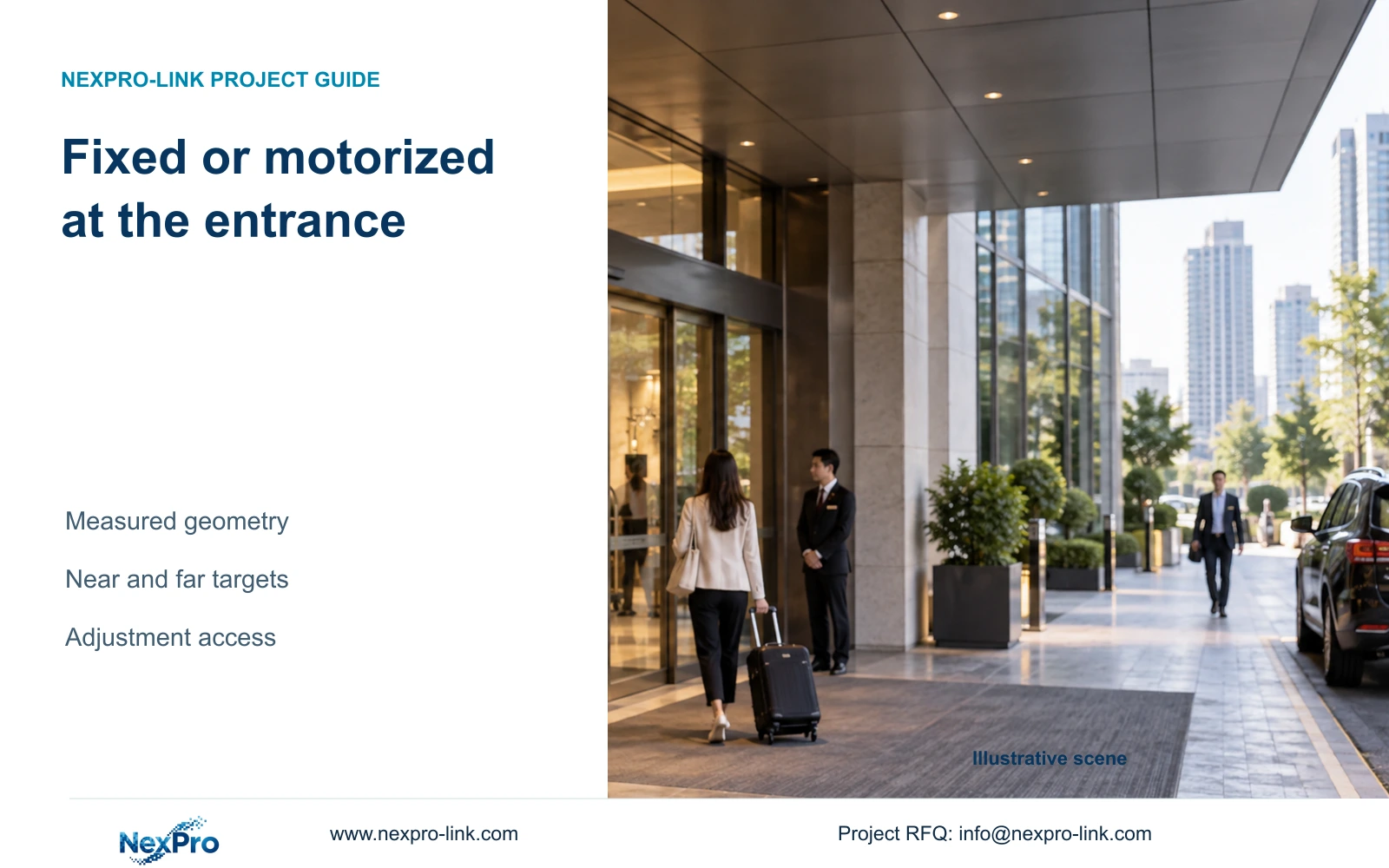
Use an appropriate fixed lens where the entrance view is measured and settled. Consider motorized adjustment where commissioning must resolve framing, while retaining near and far target detail.
Section 01
Measure the entrance before selecting the lens
Choose an appropriate fixed lens when the entrance target and mounting geometry are measured and settled. Discuss a 2.8-12mm motorized candidate when commissioning must resolve the field of view or physical adjustment is difficult. Change that choice if the required near and far targets cannot share an acceptable view. A focal-length label alone cannot establish the entrance coverage.
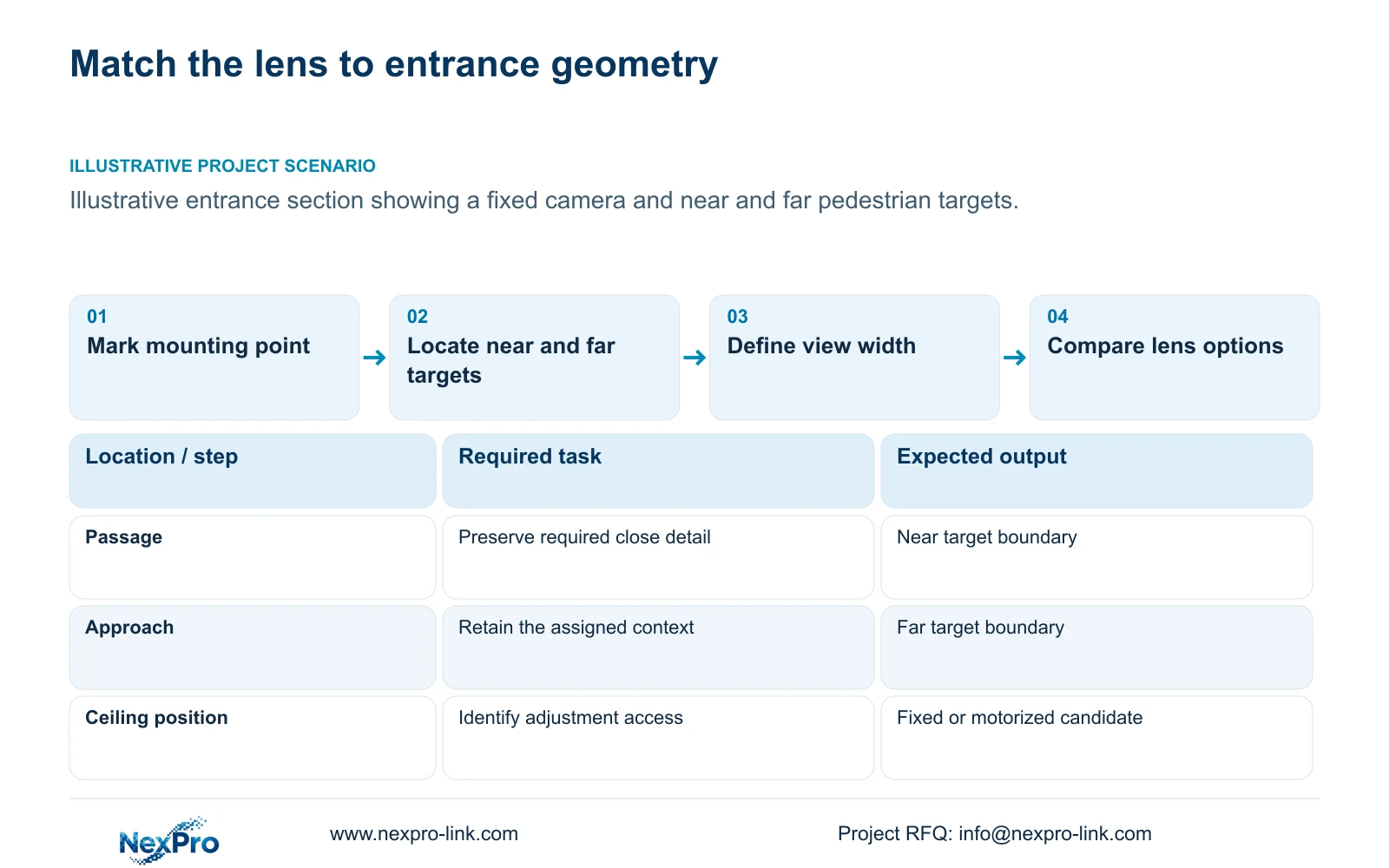
Mark the doorway, approach route and permitted mounting point on the plan. Record target distance, required view width and mounting height. The required view may cover the passage itself, the approach or an overview of both. Those are different tasks, and the lens decision must retain the one assigned to that camera.
In an illustrative hotel entrance, a fixed mounting position can see pedestrians at several distances. Define where useful detail is required before choosing the widest view. Include door movement and the public-space boundary. A lens selected against the doorway alone may exclude an approach task; a lens selected against the whole lobby may allocate too little detail to the passage.
| Required task | Given information | Decision still needed |
|---|---|---|
| Detail at passage | Mounting point fixed | Target distance and framed width |
| Approach context | Pedestrian route marked | Whether one view retains near and far tasks |
Section 02
Compare model-specific fields of view
Treat 2.8mm and 4mm as lens options to evaluate on complete camera models. Their usefulness depends on the sensor and selected view, so a focal-length label from one model is insufficient to predict another model's coverage. Request the official field-of-view information for the exact variant or validate the framing at the proposed position.
The supplied DM2812M PDF documents 2.8-12mm motorized lenses for NexPro-DM2812M55-5MP-DIC-AI and NexPro-DM2812M88-8MP-DIC-AI. It does not establish exact viewing angles throughout that range. No specific fixed-lens NexPro-Link SKU is supplied here, so a 2.8mm or 4mm fixed candidate needs its own model reference and supporting specification.
Compare the permitted view boundaries alongside the lens options. Optical adjustment changes the framing captured by the camera. Digital enlargement changes how existing pixels are displayed and cannot restore detail absent from the original recording. A fixed-position motorized camera also remains distinct from a PTZ that can change viewing direction.
Section 03
Use the motorized range to resolve framing uncertainty
Specify why adjustment is needed. An entrance whose final door surround or mounting position remains provisional may benefit from optical adjustment during commissioning. Define the required final view, then use the supported range to obtain it. Leaving the requirement as 'adjustable lens' gives the installer no basis for deciding when the view is complete.
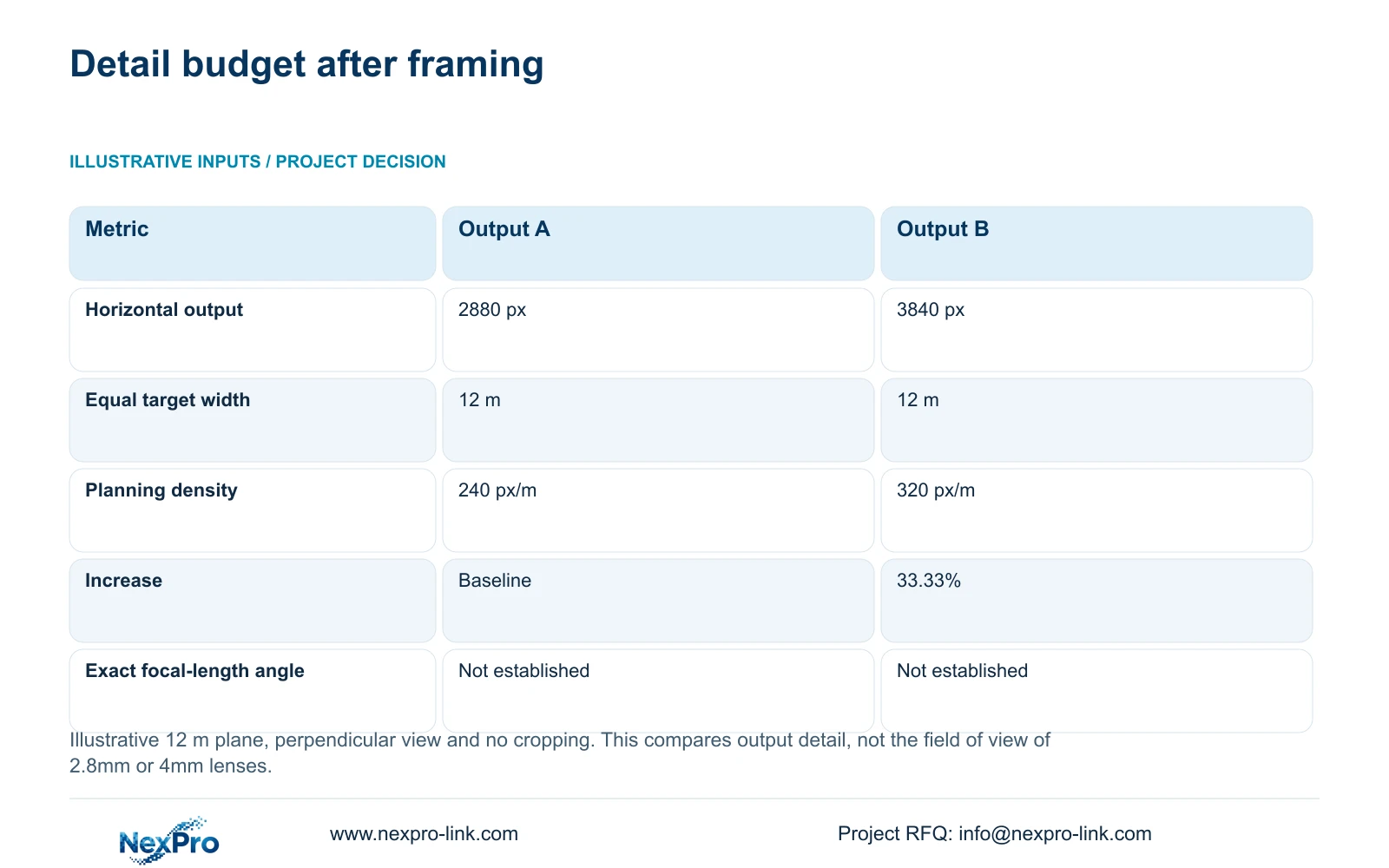
A useful comparison holds the target width equal while checking output detail. Planning pixel density is horizontal output pixels divided by width in metres. Here, the documented PDF widths are 2880 and 3840 pixels; 12 m is an illustrative target width. The calculation assumes no cropping and a perpendicular plane.
This calculation does not tell the buyer which focal length will produce 12 m coverage at a given distance. That requires model-specific geometry or a framing check. It supplies a detail budget once the width is known, allowing the team to discuss whether optical adjustment or an output change addresses the remaining requirement.
Ask which approved device or client provides the adjustment workflow. A general interface claim should not be used as proof that every third-party recorder exposes the same controls.
Section 04
Check both near and far targets in the selected view
The equal-width example gives 240 px/m for 2880 horizontal pixels and 320 px/m for 3840, a 33.33% increase. These results are geometric planning values. Neither establishes an identification rate or proves that every pedestrian distance is acceptably represented.
Check the near passage and the far approach separately after selecting the framing. A view that supplies useful detail at one location may allocate fewer pixels per metre elsewhere because the framed scene changes with depth. Review focus and exposure with the relevant lighting, including the transition between a bright exterior and the interior entrance.
If narrowing the view improves passage detail but removes required approach context, retain the overview through another justified position. If the view is already settled and both tasks are met, motorized adjustment may add little to the purchase decision. Record the accepted near and far tasks so later changes do not reopen the lens choice without a reason.
| Metric / condition | Documented 2880 px output | Documented 3840 px output |
|---|---|---|
| Output width (px) | 2880 | 3840 |
| Same target width (m) | 12 | 12 |
| Planning pixel density (px/m) | 240 | 320 |
| Increase relative to A | Baseline | 33.33% |
| What is not proven | Recognition / night performance | Recognition / night performance |
Section 05
Include adjustment access in the evaluated cost
Request device price and adjustment-related site work as separate quotation items. A ceiling position may require access equipment, a hotel-approved work period or removal of a finish before physical adjustment. Compare those actual inputs with the premium for the motorized option. No supplied evidence establishes a standard labour saving or price difference.
Motorized optics can be worth buying when framing uncertainty remains and the supported adjustment workflow reduces the need for physical lens access. Cleaning, replacement and mounting correction still require physical access. Keep those maintenance tasks in the comparison so the proposal does not treat remote optical adjustment as a complete service solution.
Select the lower evaluated cost only among options that preserve the required view. The recommendation changes when the fixed candidate needs additional visits or a second view to satisfy the same task. Conversely, a settled and accessible fixed view may remain economical. Use actual scope-matched quotations to resolve that choice instead of assigning hypothetical savings to a named model.
Section 06
Select and schedule lenses by entrance position
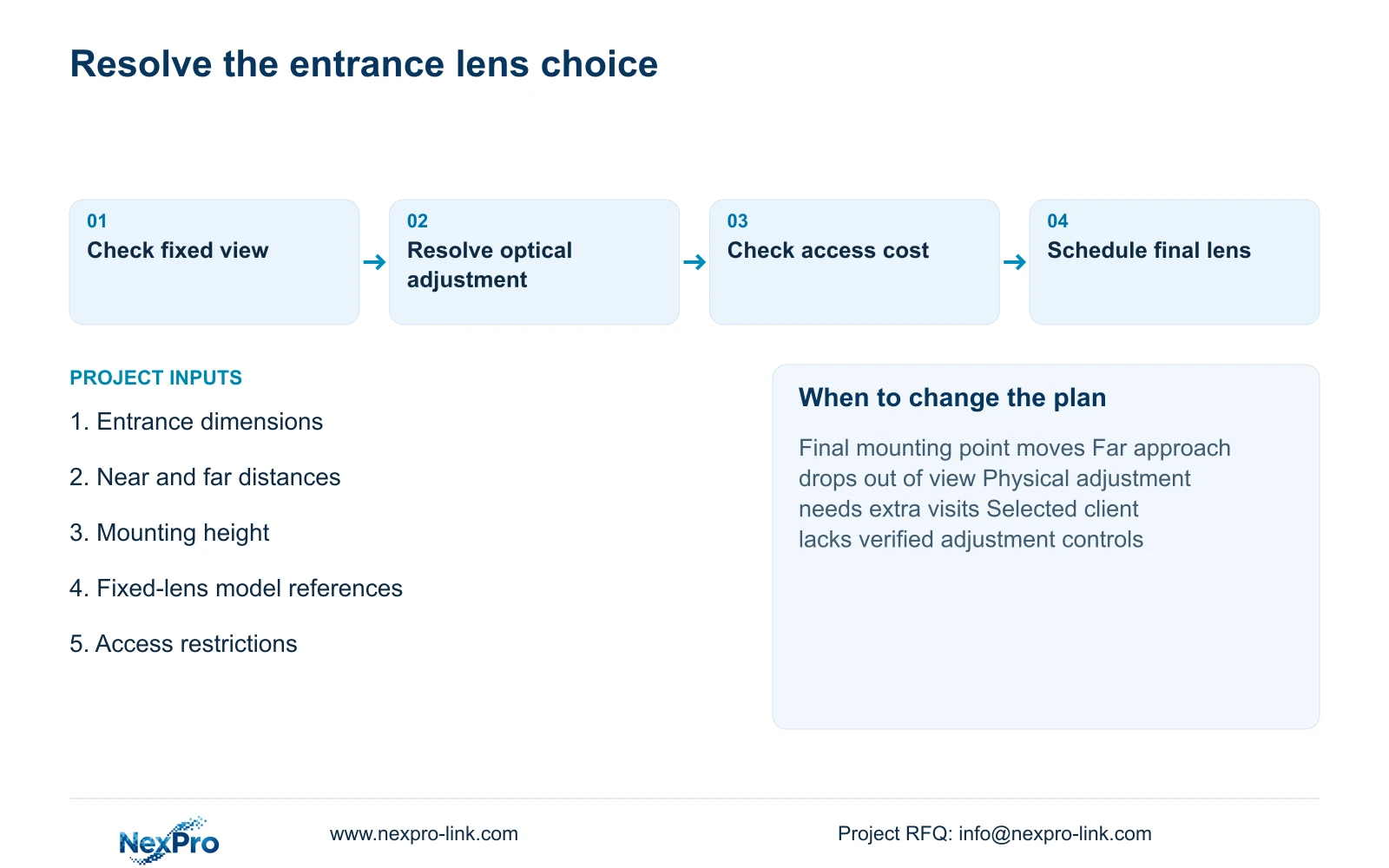
Use a mixed lens schedule where entrance conditions differ. Keep a qualified fixed candidate at a measured, stable view; reserve motorized candidates for positions that need useful commissioning adjustment. Revise the position or separate overview and detail when the range cannot preserve both assigned tasks. Do not apply one lens type to every entrance for purchasing convenience.
The schedule should identify the full camera model, permitted mounting point, target distances, accepted view width and adjustment responsibility. Record the selected output and recording profile too. A model replacement or changed output requires renewed checking of the view and recorder support, even when the lens range looks similar.
Send an entrance plan, near and far target distances, mounting height and any fixed-lens model references to info@nexpro-link.com. Identify whether alternatives are permitted. NexPro-Link's hotel and BOQ support routes can discuss model matching and coordinated supply; local access work and third-party control functions belong in the defined project scope.
Section 07
Buyer questions
Should every entrance use a motorized lens? No. A measured fixed view that retains the agreed near and far tasks can remain suitable. Buy adjustment where uncertainty or difficult access gives it a specific purpose, and identify the supported control workflow.
Can a 2.8-12mm camera patrol different entrance directions? The documented range describes optical framing adjustment. It does not establish PTZ movement. If patrol direction is required, treat that as a separate equipment function and request an explicitly supported model.
What information is enough for a first lens comparison? An entrance plan with mounting height, near and far distances and required width is a useful start. Include the complete existing camera reference if replacing equipment, plus any restriction on visible lighting or alternative brands.
Engineering references
These sources support the general planning principles. Always use the selected product's current datasheet and applicable project standards for final design.


