

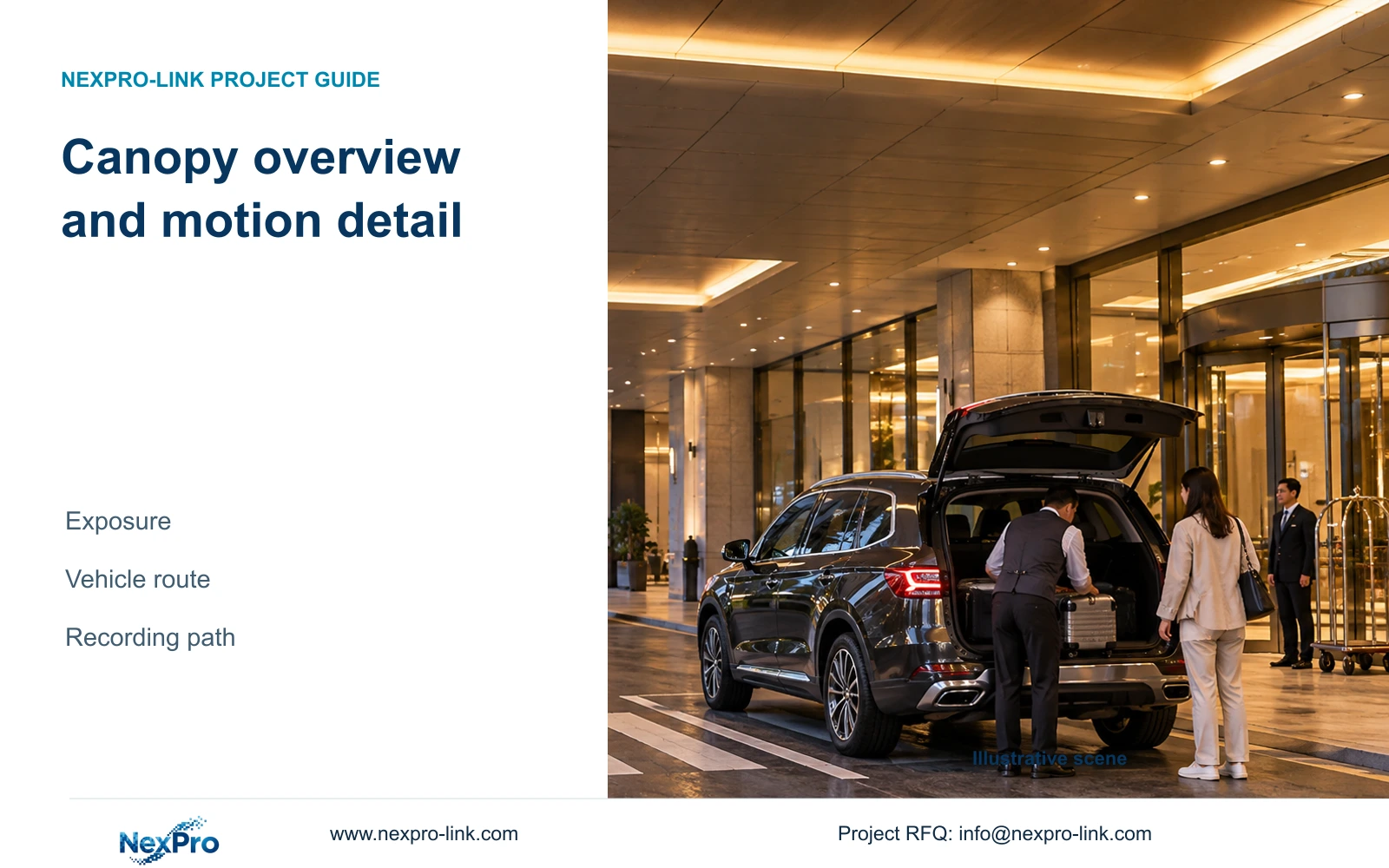
Keep a fixed canopy overview for pedestrian and vehicle movement. Specify any plate-reading task separately, then check motion, light transitions and the complete recording path.
Section 01
Separate pedestrian movement from vehicle detail
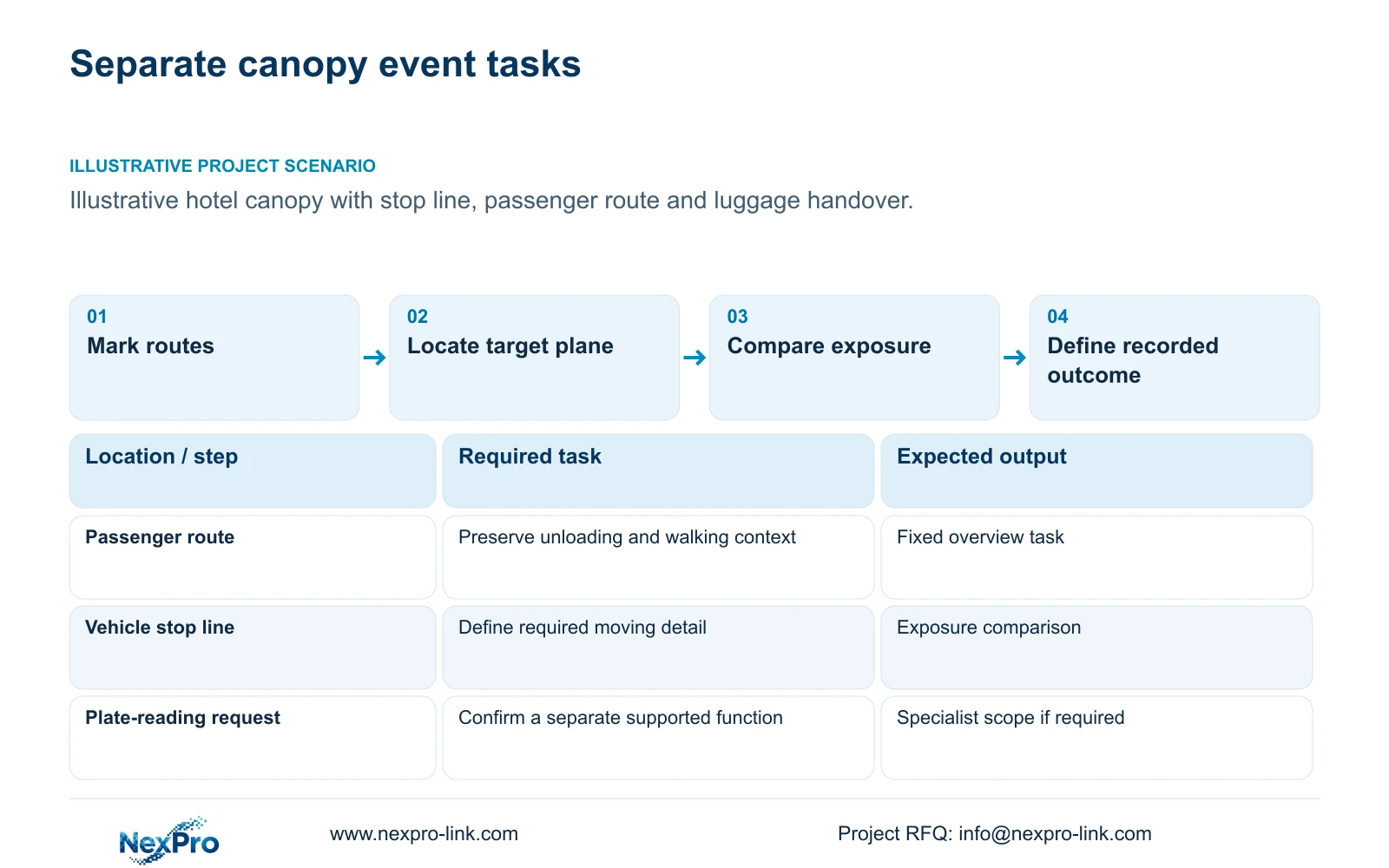
Keep a fixed overview of pedestrian and vehicle routes under the drop-off canopy. Add a separately defined detail view when the hotel needs an action or vehicle feature that the overview cannot preserve. A plate-reading requirement needs its own supported solution; ordinary person/vehicle detection is not evidence of ANPR capability.
Mark where passengers step out, where luggage is handled and where vehicles stop or move through. These actions occur at different planes and can obstruct one another. A view that explains a vehicle's route may not preserve a brief item exchange beside it. Assign each requested outcome to a visible location before selecting resolution or frame rate.
Describe target direction and approximate speed for each motion task. A stationary vehicle does not make every passenger or luggage movement stationary. Nominal 25 fps specifies how frequently images are sampled, while exposure affects movement within each image. The quotation should preserve both settings and the action they are intended to record.
| Required task | Given information | Decision still needed |
|---|---|---|
| Pedestrian and vehicle route | Canopy circulation and stopping locations | Fixed overview boundary |
| Vehicle or handover detail | Target plane and approximate motion | Required detail and supported specialist function |
Section 02
Estimate motion at the stop line
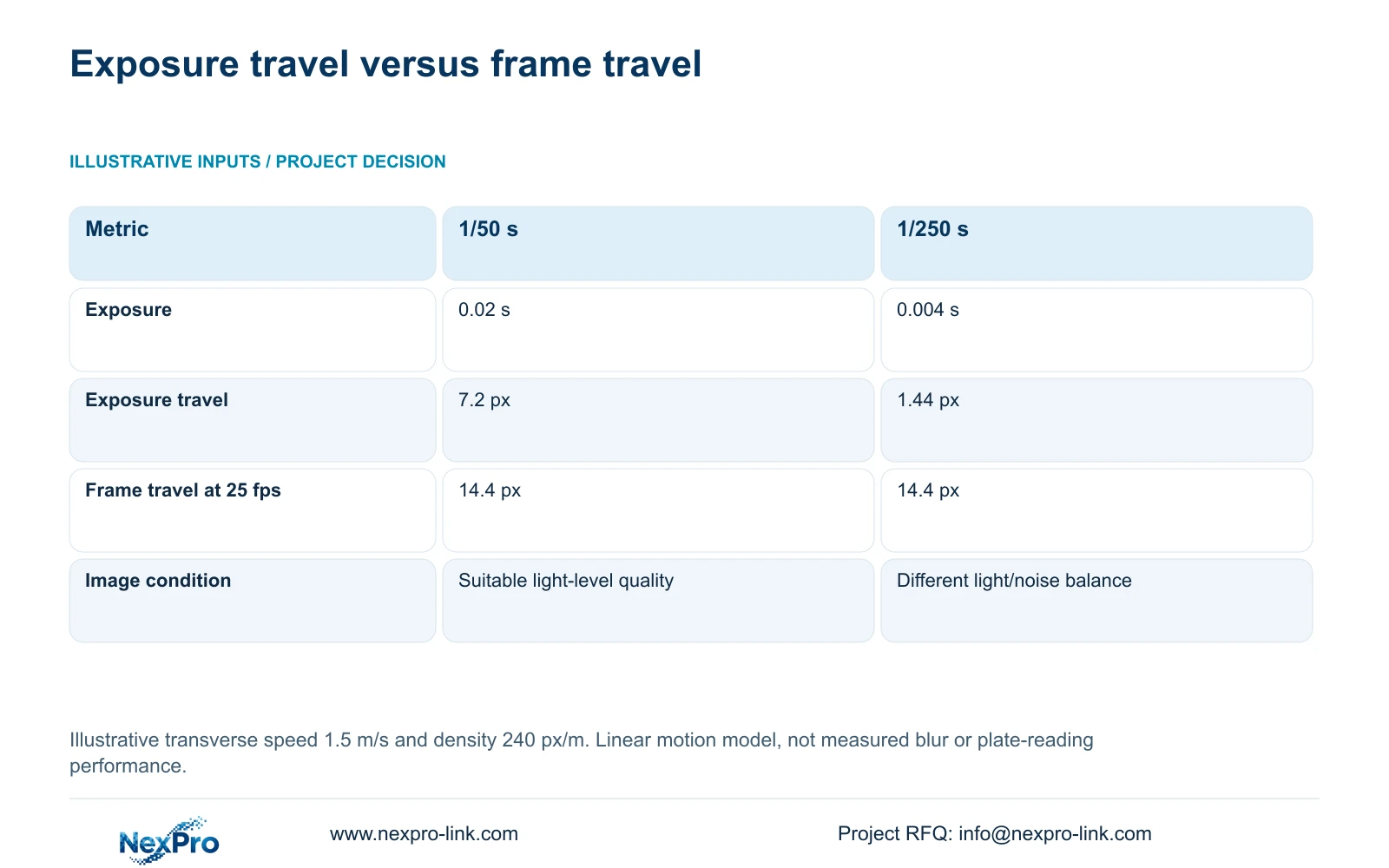
The illustrative motion model assumes transverse movement of 1.5 m/s at a planning density of 240 px/m. Compare exposure times of 1/50 s and 1/250 s while retaining 25 fps. These are teaching inputs, not a measured vehicle speed or a verified setting for a particular camera.
Exposure travel equals speed multiplied by exposure seconds and pixel density. The calculations are 1.5 × 0.02 × 240 = 7.2 px and 1.5 × 0.004 × 240 = 1.44 px. Frame-to-frame travel equals speed divided by frame rate and multiplied by density, giving 1.5 ÷ 25 × 240 = 14.4 px in both cases.
The shorter exposure reduces travel during the image while leaving the sampling interval unchanged. It usually requires a different light/noise balance, so it is a test candidate rather than an unconditional recommendation. This linear model does not establish real vehicle-detail or plate-reading performance.
| Metric / condition | 1/50 s exposure | 1/250 s exposure |
|---|---|---|
| Exposure seconds | 0.02 | 0.004 |
| Transverse image travel during exposure (px) | 7.2 | 1.44 |
| Frame-to-frame travel at 25 fps (px) | 14.4 | 14.4 |
| Additional requirement | Suitable image quality at the light level | Usually needs a different light/noise balance |
Section 03
Compare canopy and facade positions
Draw candidate canopy and facade positions against the same route and target plane. A sheltered location still needs a usable sightline around vehicles, luggage and structural elements. Compare the required action at the stopping location and during approach; a position selected from an empty-lane image may lose the task during ordinary unloading.
Apply the motion model to explain the settings comparison, not to award a winning mounting position. The assumed 240 px/m must be reconsidered when framing or target distance changes. Keep the route, approximate speed and required output consistent when reviewing recorded clips from the alternatives.
The supplied DM2812M PDF gives NexPro-DM2812M55-5MP-DIC-AI a 2880×1620 main-stream mode and NexPro-DM2812M88-8MP-DIC-AI a 3840×2160 mode at 25 fps. Both have a documented 2.8-12 mm lens range. Those specifications do not determine an exact view angle, maximum watts or plate-recognition capability. Use the actual location and task to qualify a candidate.
| Item | Canopy position | Facade position | Effect on the hotel task |
|---|---|---|---|
| View boundary | Check nearby structure and unloading | Check approach and target angle | Preserve the same required action |
| Access | Coordinate canopy mounting and service | Coordinate facade mounting and service | Include installation and maintenance scope |
Section 04
Check light transitions
Record movement from outside illumination into the canopy's covered area. Include the lighting state relevant to vehicle arrival and unloading. Review the action during the transition, not only after the vehicle stops. Headlights, reflected surfaces and luggage obstruction should remain part of the stated comparison conditions.
The model's reduction from 7.2 to 1.44 planning pixels explains why a shorter exposure is worth comparing for moving detail. It does not show that the darker or noisier recorded result will be acceptable. Keep the faster setting only when the actual light conditions allow the required action to remain interpretable.
Select infrared, visible light or event illumination according to the permitted task and exact camera mode. Consider light spill towards guest accommodation and avoid assuming a marketing family supplies identical control on every variant. Test mode changes on recorded clips. Colour in a stationary preview does not establish moving-detail quality during arrival.
Section 05
Connect the covered area to recording
Carry the accepted canopy view into the recorder schedule with its actual stream settings. Check recorder input, supported image modes and storage separately. A frame-rate change or added detail view must update the recording workload; the exposure calculation alone supplies no bitrate or retention capacity.
Trace data and power independently. If the route needs a remote switch, include its power and outage responsibility. Protect the camera-to-recorder path where continuity is required, and avoid assuming fibre supplies remote equipment power. The standalone CASE01 uses its own 32-camera, 4 Mbps and 30-day assumptions; its totals are not the canopy's measured requirements.
Before the PO, assign support and fault-handling boundaries. The supplied policy record gives applicable main equipment a 24-month limited hardware baseline from customer receipt, subject to controlling written terms. Batteries, storage, cable and OEM scope need their own applicable provisions. Keep site labour, return transport and authorized RMA instructions separate from technical guidance.
| Retained outcome | Extra scope | Worth buying when | Counter-condition |
|---|---|---|---|
| Canopy route overview | Required network and protected power | Recording must continue through the agreed outage | Remote nodes remain unprotected |
| Required vehicle detail | Separate qualified view and recording stream | Overview cannot retain the defined detail | Overview already meets the authorized task |
Section 06
Define the required event outcome
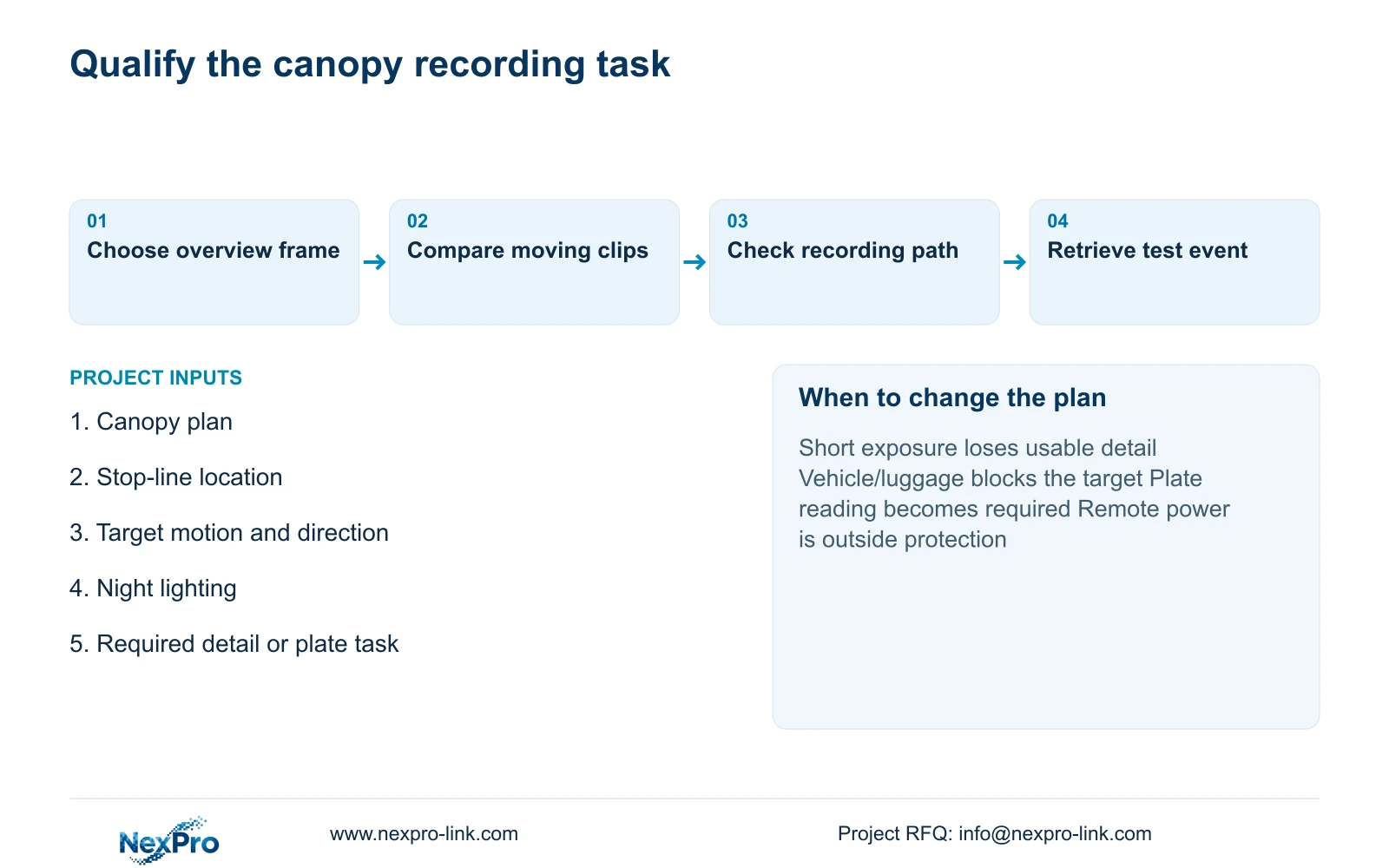
Write acceptance as an observable event: the authorized operator can retrieve the arrival interval and interpret the specified pedestrian or vehicle action. Add a distinct plate-reading outcome only where it is required and supported. Identify the route, lighting and recording settings used for the test, leaving results open until performed.
Choose the fixed overview first where the requirement is movement context. Compare a shorter exposure for a detail task when representative light supports it; change position or lighting if the recorded result fails. When plate reading is essential, revise the equipment and interface scope instead of extending an ordinary camera's unverified capabilities.
Send info@nexpro-link.com the canopy plan, stopping locations and permitted mounts, plus the required event detail and relevant night-light conditions. State explicitly whether plates must be read or vehicle movement merely reviewed. NexPro-Link can discuss camera matching, BOQ scope and coordinated supply, with local installation and any specialist integration separately defined.
Section 07
Buyer questions
Does 25 fps guarantee a sharp vehicle image? No. It defines sampling frequency. The illustrative model retains 14.4 px frame-to-frame travel at both exposures, while exposure travel changes from 7.2 to 1.44 px. Actual lighting and recorded image quality still require assessment.
Should every canopy camera use 1/250 s? Use it as a comparison setting for the defined moving-detail task. Keep it only when the representative recorded result remains useful at the permitted light level. An overview may have different requirements.
Is person/vehicle detection enough for plate reading? It does not establish ANPR. Specify the plate-reading location, motion and required output separately, then select a solution with documented support for that function and verify its configured workflow.
Engineering references
These sources support the general planning principles. Always use the selected product's current datasheet and applicable project standards for final design.


