

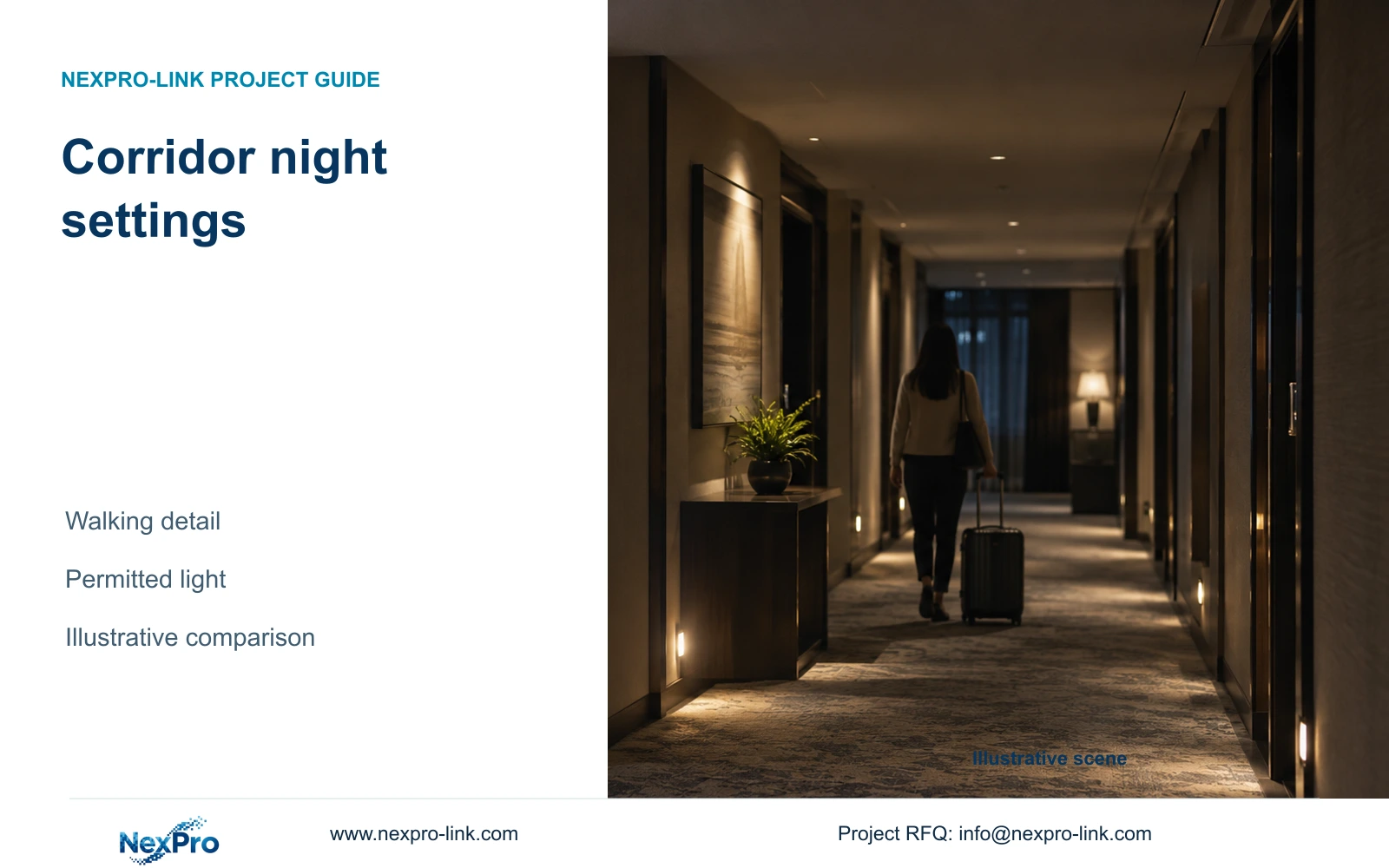
Start with the hotel's reduced-light conditions and required walking detail. Use a supported IR or ambient-light mode where it meets the task, adding visible light only where acceptable.
Section 01
Document the low-occupancy lighting state
Choose corridor night settings from recorded walking detail under the hotel's permitted reduced-light conditions. Start with a supported ambient-light or IR arrangement where it meets the task. Add visible illumination only where the hotel permits it and the recorded comparison shows a useful benefit. If acceptable lighting and framing cannot preserve the required detail, reconsider the position or equipment.
Record the lighting state that actually applies during low occupancy. Identify the corridor route, dimmed fittings and transitions near lift lobbies or service doors. Include the hotel's restrictions on light spilling towards guest accommodation. A comparison made with full daytime lighting cannot establish the behaviour expected after the lighting changes.
Separate the purpose of seeing a person move through the corridor from retaining colour or resolving a particular action. Those tasks place different demands on exposure and illumination. The initial task record should state which outcome is necessary at each public point, without widening the view into guest-room interiors when doors open.
| Required task | Given information | Decision still needed |
|---|---|---|
| Retain walking detail at corridor endpoint | Reduced-light operating state | Supported exposure and illumination combination |
| Retain required colour at public handover point | Visible-light limits near accommodation | Whether permitted lighting can meet the colour task |
Section 02
Define the moving target task
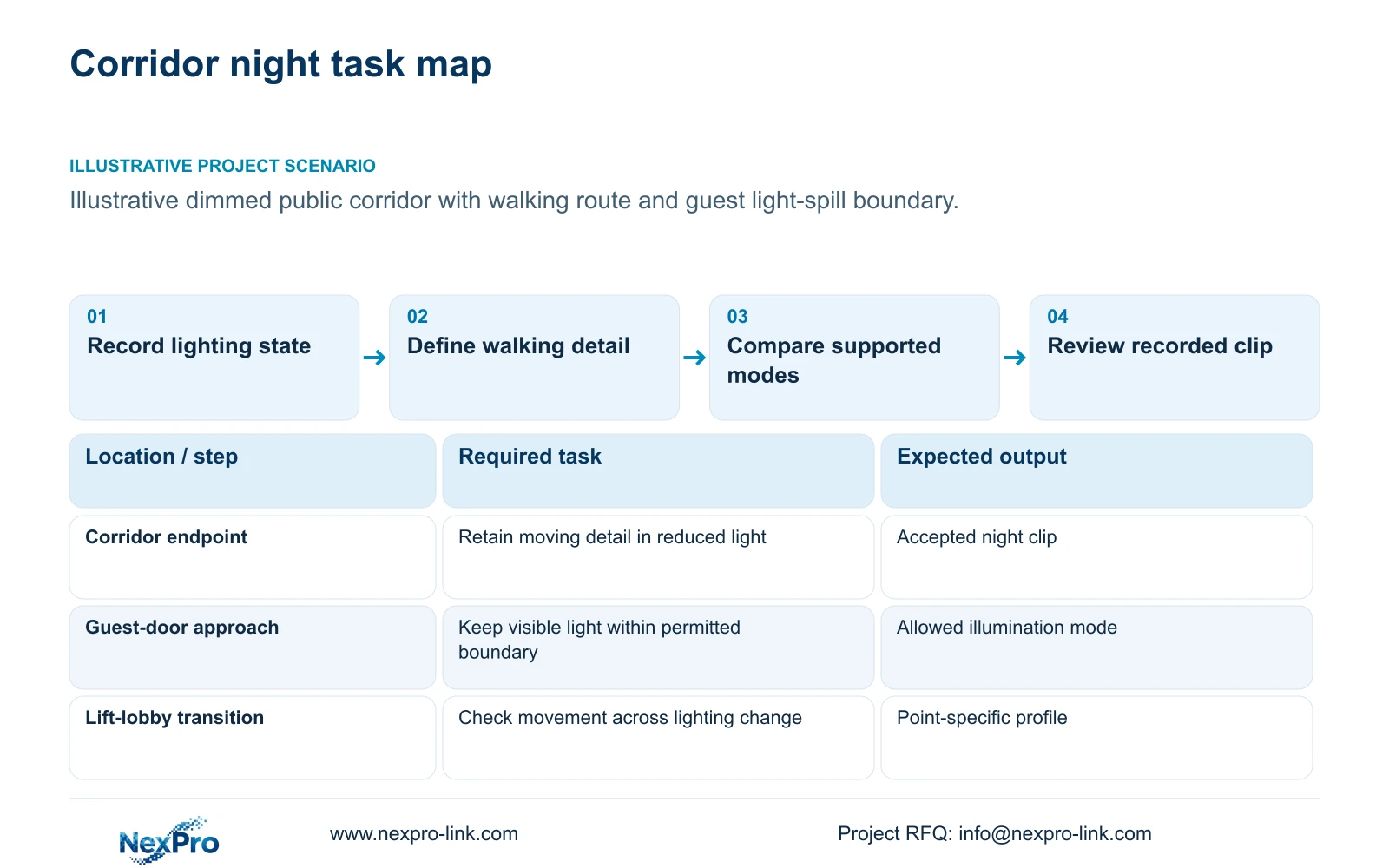
Use a consistent walking route and direction when comparing settings. State where the required detail must remain usable and review the recorded passage at that point. A stationary colour image can appear satisfactory even when movement loses the information needed for incident review. Keep the same task across the compared camera modes.
Frame rate and exposure have different effects. Frame-to-frame travel depends on target speed and sampling interval. Travel during an exposure also depends on shutter time and image scale. Increasing frame rate does not by itself establish that each frame contains clear moving detail.
The supplied DM2812M PDF lists 25 fps for the relevant camera modes, but that field is not a night-motion guarantee. NexPro-DM2812M55-5MP-DIC-AI has a documented 1/2.7-inch sensor and a main-stream mode including 2880×1620. NexPro-DM2812M88-8MP-DIC-AI lists a 1/1.8-inch sensor and 3840×2160 at 25 fps. Compare their exact settings and recorded tasks without treating sensor size or output resolution as a complete performance result.
Section 03
Compare IR and ambient-light modes
Compare supported ambient-light, IR and visible-light operation at the same permitted view. Record the illumination state, exposure settings and target route for each clip. Event-triggered illumination is another operating choice when the exact model and configuration support it; a dual-light description alone does not establish every switching option.
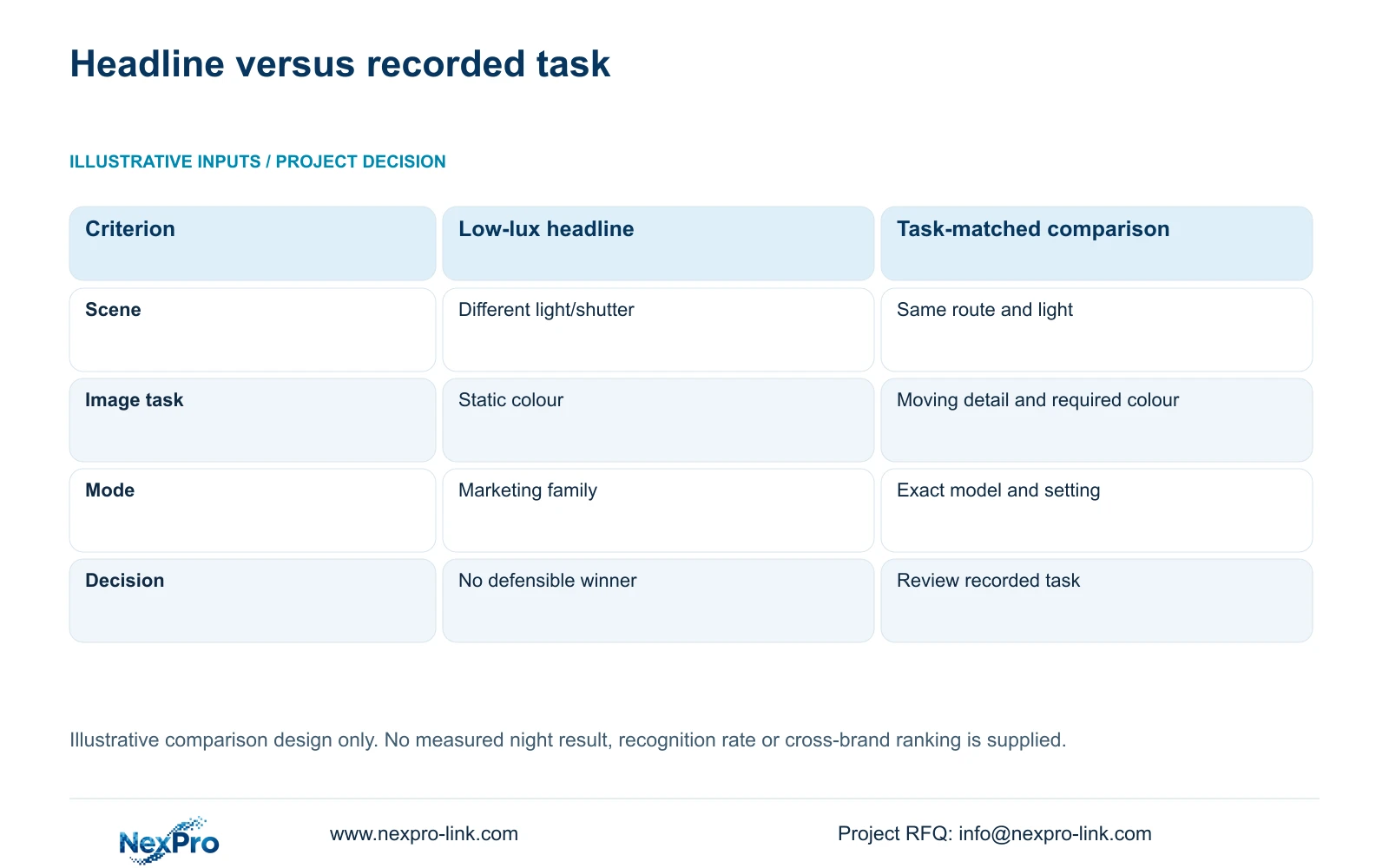
The matrix below sets the conditions for a useful comparison. It is an illustrative decision tool, not a field-test result. A minimum-lux headline with missing shutter, aperture or gain conditions cannot rank camera performance fairly. The task-matched option keeps the required movement and relevant lighting visible in the decision.
Shorter exposure can reduce motion smear but changes the required light and noise balance. Avoid selecting it solely from a menu value. Review the recorded result for the required action, then compare any additional illumination with the hotel's light-spill restrictions. Use a visible-light mode only when it meets both conditions; colour appearance alone is insufficient.
| Metric / condition | Single low-lux headline | Task-matched night comparison |
|---|---|---|
| Scene | Different light and shutter conditions | Same target route and relevant light |
| Image task | Static color appearance | Motion detail plus required color/overview |
| Light control | Assumed by marketing family | Exact model and selected mode |
| Decision | No defensible winner | Choose after recorded task comparison |
Section 04
Check reflections from walls and doors
Inspect the recorded route for reflections from nearby walls, glass and door finishes. Include relevant open-door states and movement through changes in lighting. A reflective surface close to the camera can affect the image differently from the person farther down the corridor, so assess the useful target area rather than the brightness of the whole preview.
Compare a revised camera position or optical framing before increasing output resolution. Moving the view away from an interfering surface can address a geometry problem that extra pixels would preserve. The documented 2.8–12 mm lens range supports adjustment as a candidate feature, but does not provide an exact field-of-view angle for every focal setting.
Review the source recording through a suitable event view, not only a small grid tile. Display layout and image capture are separate limits. Record the camera-side result and the viewing arrangement so that an operator's inability to inspect detail is not mistaken for a proven camera defect. After any position change, confirm that the approved public task and excluded private areas remain unchanged.
Section 05
Measure the resulting recording bitrate
Measure recording demand after selecting an acceptable night profile. Keep resolution, frame rate and encoding settings associated with the observation period. Reduced-light noise and activity can change the stream demand, so a planning average should be checked against representative operation. Do not assign a fixed bitrate from the 5MP or 8MP label.
For storage planning, sum camera-group bitrate multiplied by recording time and retention, convert bits to bytes, and state decimal TB. When 20% of usable space must remain free, divide the video-data requirement by 0.80. Multiplying by 1.20 gives a different reserve result. Raw disks, any array reduction and formatted usable space remain separate capacity stages.
CASE03 independently assumes 48 cameras at 4 Mbps for continuous 30-day recording. Its video data is 62.208 TB and its required usable capacity is 77.76 TB with the stated reserve. Those are teaching system inputs, not measured corridor bitrates. Recalculate the actual hotel using the selected profiles instead of importing that assumption. A lower stream rate is acceptable only when the recorded task still passes.
Section 06
Save a controlled night profile
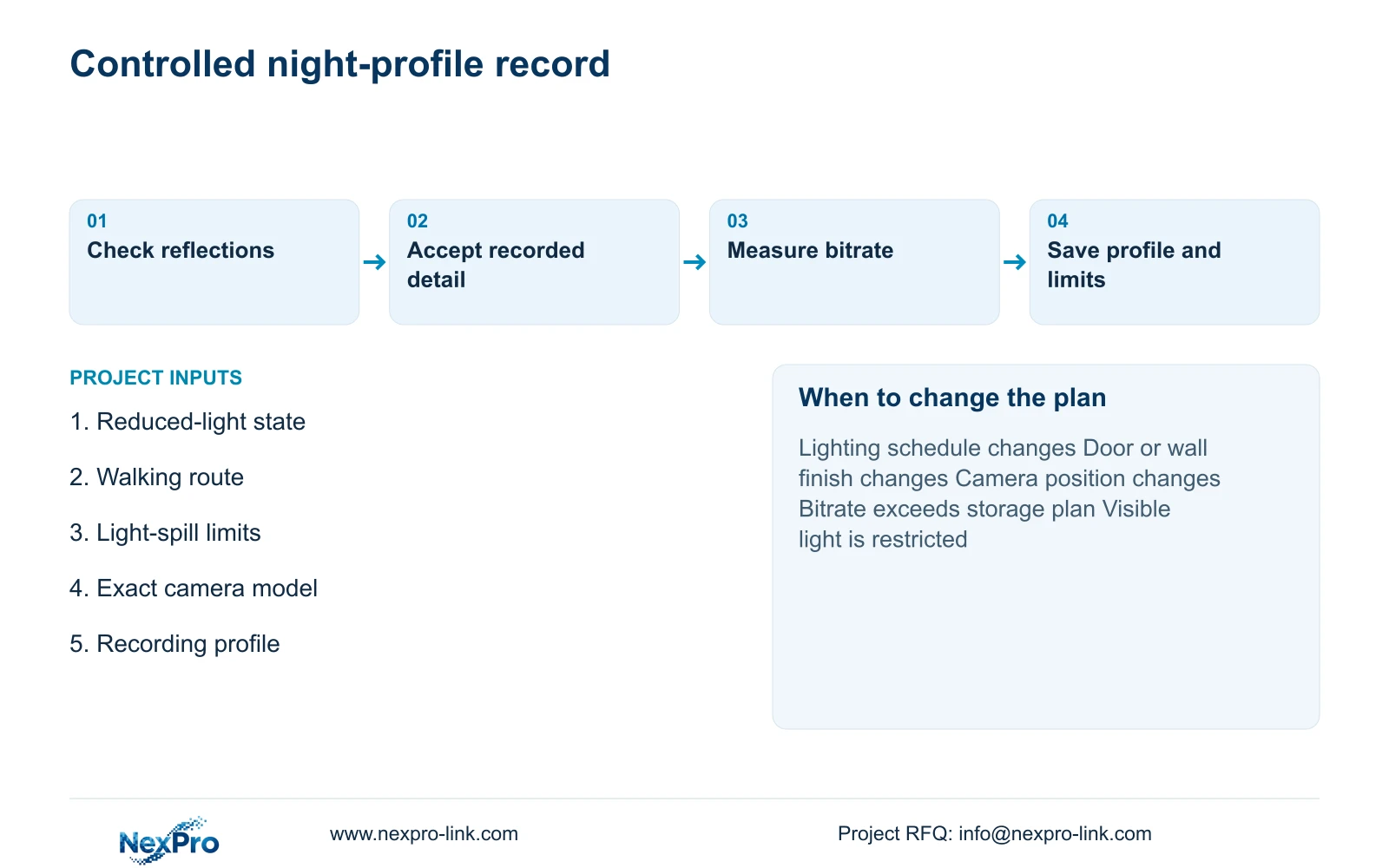
Keep the chosen profile with the camera tag, exact model and relevant software version. Record the tested lighting state, permitted framing and any supported illumination trigger. Store the observed limitations alongside the settings so that a later adjustment is judged against the same task. Saving a configuration does not establish that every corridor shares those conditions.
Use a supported ambient-light or IR profile for a light-sensitive point when it retains the required walking detail. Evaluate dual-light operation where visible illumination is acceptable and required colour or movement detail benefits from it. Reopen the selection when fittings, finishes, camera position or the observation task change. Ordinary optical cameras should not be described as thermal imaging equipment.
Send a typical corridor plan, reduced-light operating description, light-spill limits and exact camera models to info@nexpro-link.com. NexPro-Link can discuss model matching and recording-resource implications through its hotel project and BOQ support routes. The supplied product material does not provide a verified maximum camera wattage, so illumination-related PoE and backup requirements need an explicit model-specific response before procurement.
Section 07
Buyer questions
Does 25 fps guarantee clear walking footage? No. Exposure duration, target movement, image scale and available light also affect the recorded detail. Compare actual clips at the agreed task point with the relevant lighting state.
Should warm visible light be enabled on every corridor camera? No default is justified. Use it where the hotel permits the light and the recorded comparison supports the required task. A suitable supported IR or ambient-light arrangement may meet other points.
Can one approved night profile be copied across all floors? Reuse it only for genuinely matching conditions. Different finishes, dimming states or door geometry require another recorded check, even when the camera models match.
Can encoding savings offset increased night noise? No fixed saving is established by the supplied evidence. Measure the accepted recording profile and recheck usable capacity against the approved retention policy without sacrificing required detail.
Engineering references
These sources support the general planning principles. Always use the selected product's current datasheet and applicable project standards for final design.


