

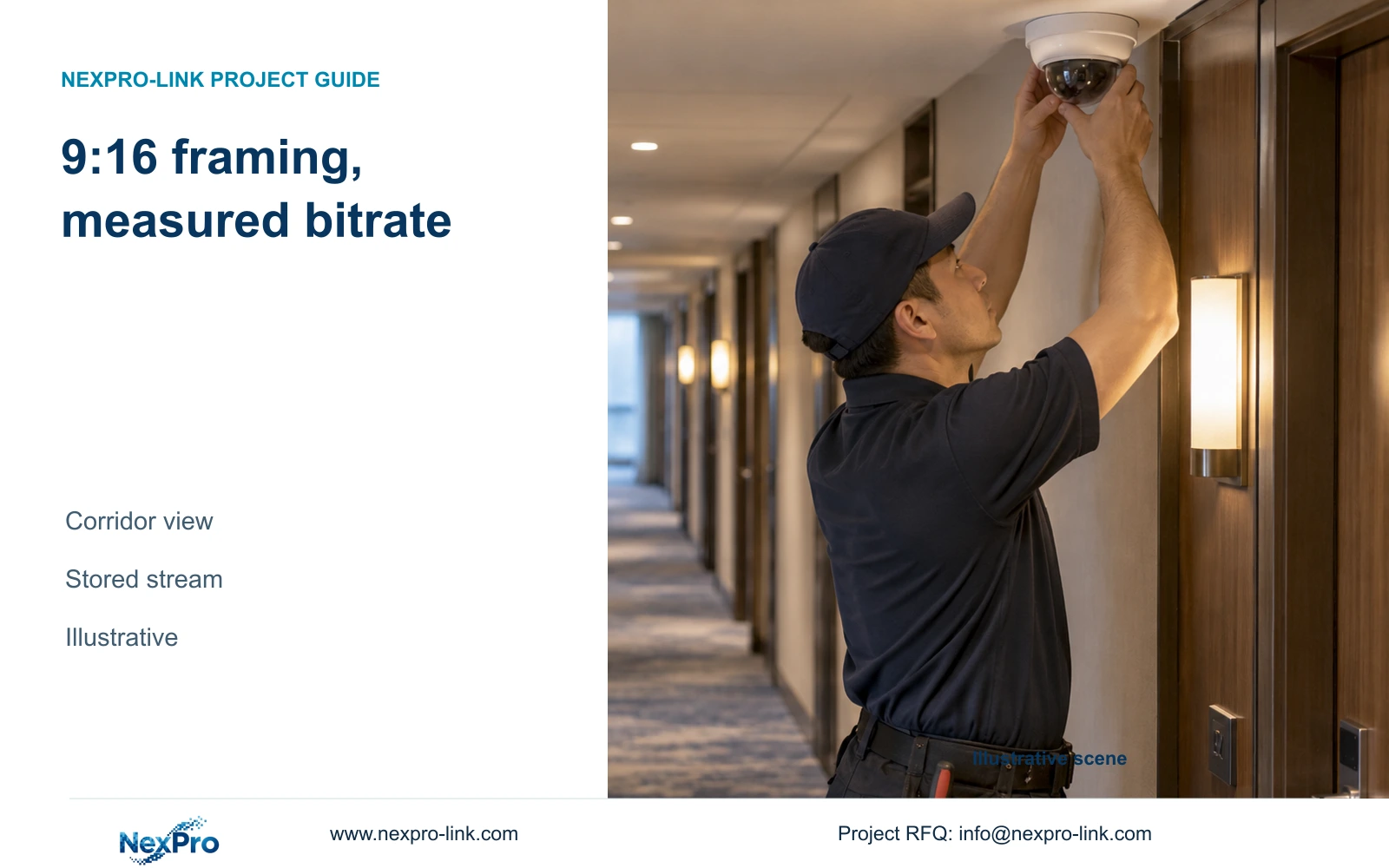
A portrait corridor view can improve framing, but rotation alone does not halve recording capacity. Size storage from the actual stored bitrate and approved retention.
Section 01
Choose the corridor task before changing orientation
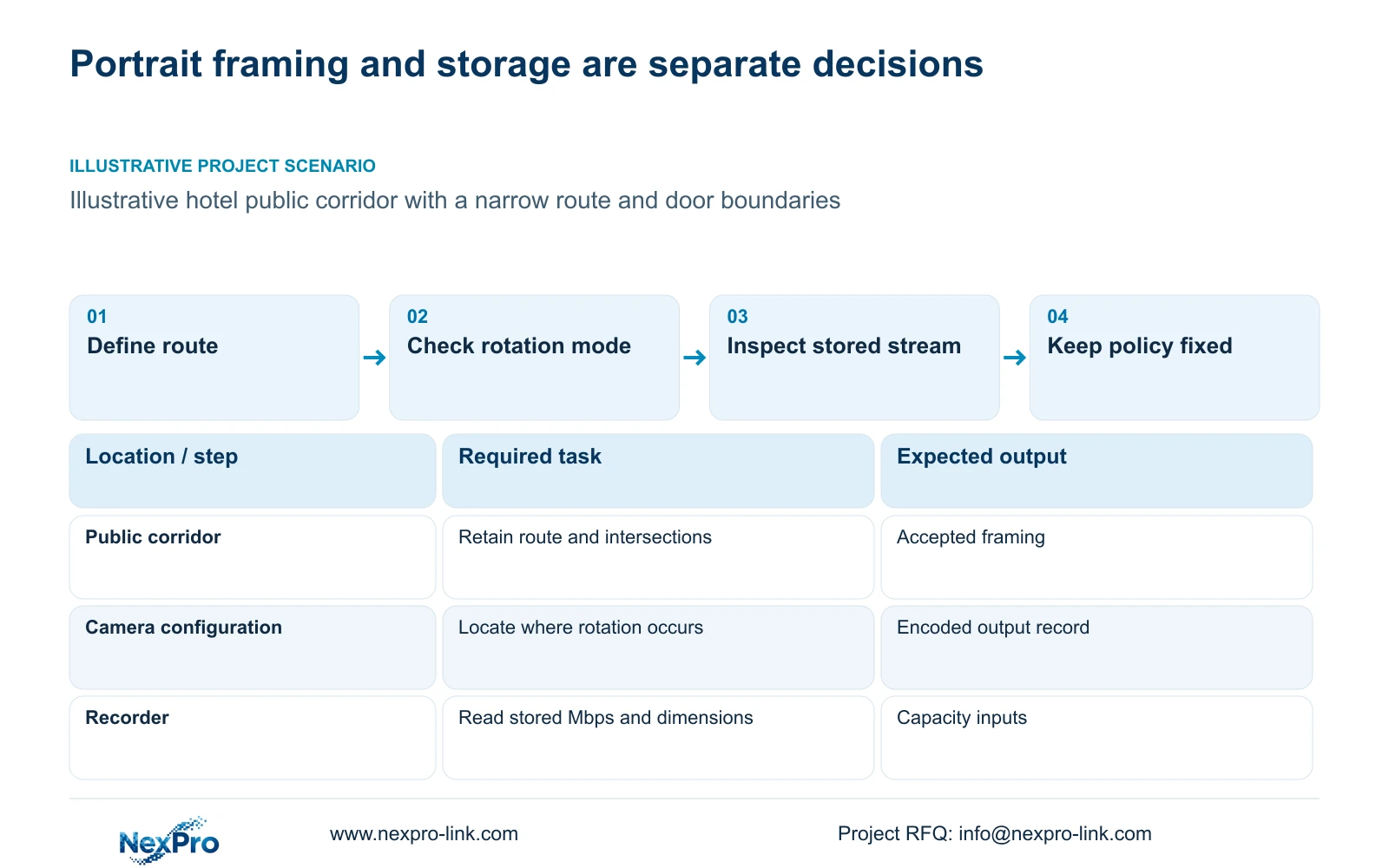
Use a portrait corridor view when the selected camera and recording system support it and the framing preserves the required public-route detail. Keep the storage allowance unchanged unless the actual stored bitrate, recording hours or retention policy changes. Rotating a view cannot by itself justify a claim that capacity halves or useful coverage doubles.
Define the public route and the event points that need review. A narrow corridor may have useful movement along its length and unnecessary wall area across its width. Portrait framing can be considered for that geometry, but doors, bends and intersections still need separate sightline checks. Exclude unnecessary views through open guest-room doors.
Create separate records for coverage and storage. The coverage record should identify target width, mounting position and permitted boundaries. The storage record should identify camera quantity by stream group, recorded bitrate and operating hours. Keeping these records separate allows a framing change to proceed without silently changing the hotel's retention requirement.
| Required task | Given information | Decision still needed |
|---|---|---|
| Follow the public route | Long, narrow corridor | Does portrait framing retain each event point? |
| Retain usable recordings | Approved recording policy | What bitrate does the accepted profile store? |
Section 02
Confirm how the selected camera implements rotation
Ask for the exact model, firmware and supported orientation mode. Physical mounting, an encoded portrait stream and rotation applied by a viewing client are different arrangements. The supplier should state where the transformation occurs and which recorded output the recorder receives. A portrait live preview alone does not answer that question.
The supplied BL2812M and DM2812M PDFs provide output modes and lens information, but the evidence package does not establish 9:16 support for those exact models. They therefore remain camera candidates subject to a specific rotation response. Do not assign the feature from their resolution, housing name or 2.8–12 mm lens range.
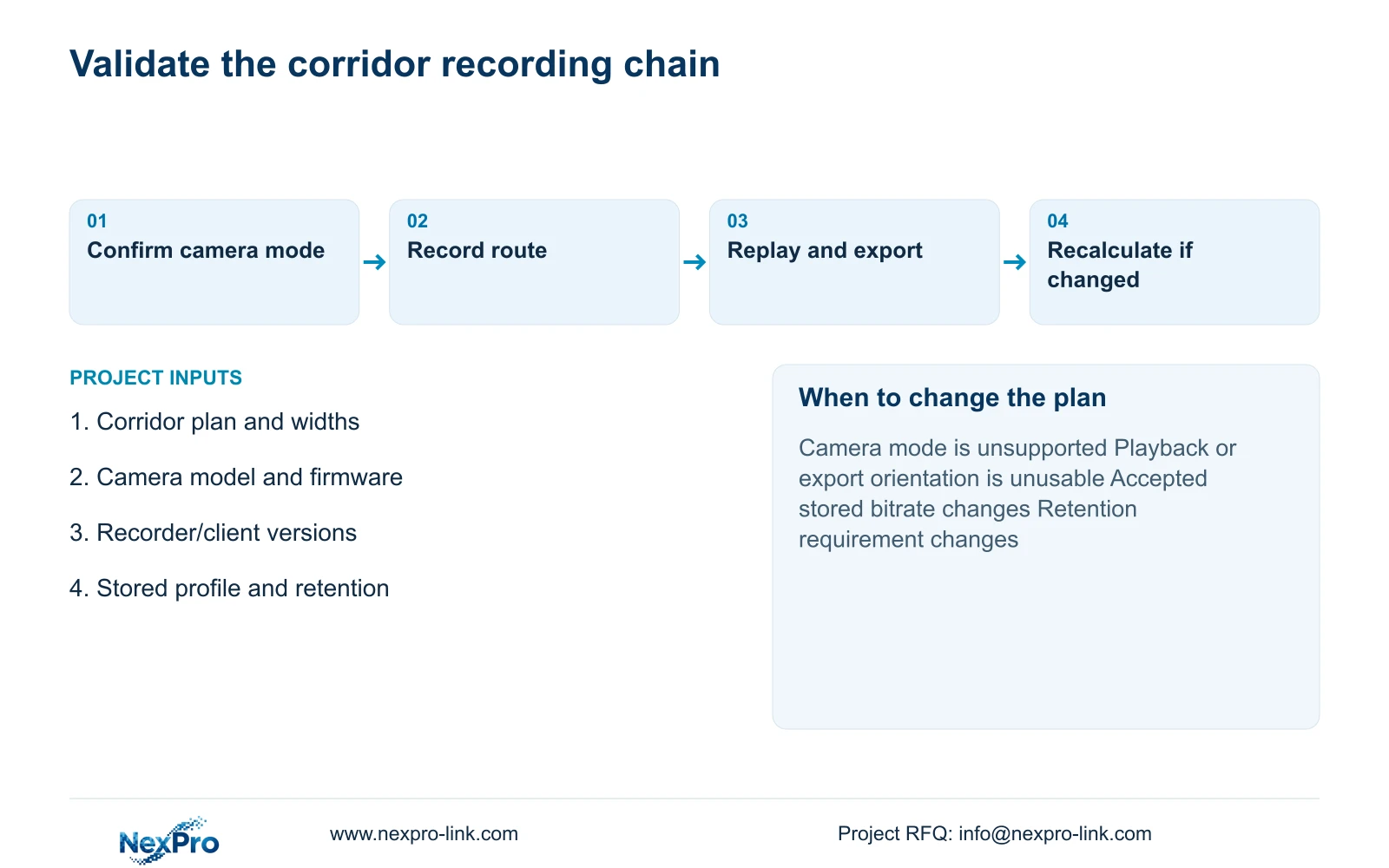
Make the proposed workflow observable: apply the supported setting, record the public-route test, retrieve it through the intended client and export it. Record the device identities and versions used. A planned demonstration is not a completed result, and a successful configuration should not be extended to another model or firmware without checking the affected workflow.
| Arrangement | What to inspect | Effect on the decision |
|---|---|---|
| Camera-side portrait output | Actual encoded dimensions and bitrate | Can change the received recording profile |
| Client-side rotation | Stored stream and client behaviour | Does not establish a lower storage requirement |
| Physical mounting change | Supported installation and resulting image | Must preserve the required route and orientation |
Section 03
Read the dimensions of the recorded stream
Inspect the main stream used for recording, including encoded width, height, frame rate and bitrate settings. Distinguish it from a substream used in the monitoring grid. A client can display a rotated or resized picture while the recorder continues storing a different profile, so the visible tile is insufficient evidence for a capacity revision.
Swapping horizontal and vertical dimensions leaves their product unchanged. That geometric observation does not establish the resulting encoded bitrate because compression and selected settings also matter. If rotation is accompanied by cropping, reduced output dimensions or a revised quality setting, list each change separately and verify that the accepted recording still preserves the target action.
The storage calculation uses stream groups, not an average inferred from the label 9:16. For each group, multiply camera count by stored Mbps, recording hours and days. Convert bits to bytes by dividing by eight, then use decimal TB consistently. Sum the groups only after each has been calculated in the same units.
Section 04
Calculate capacity from bitrate and retention
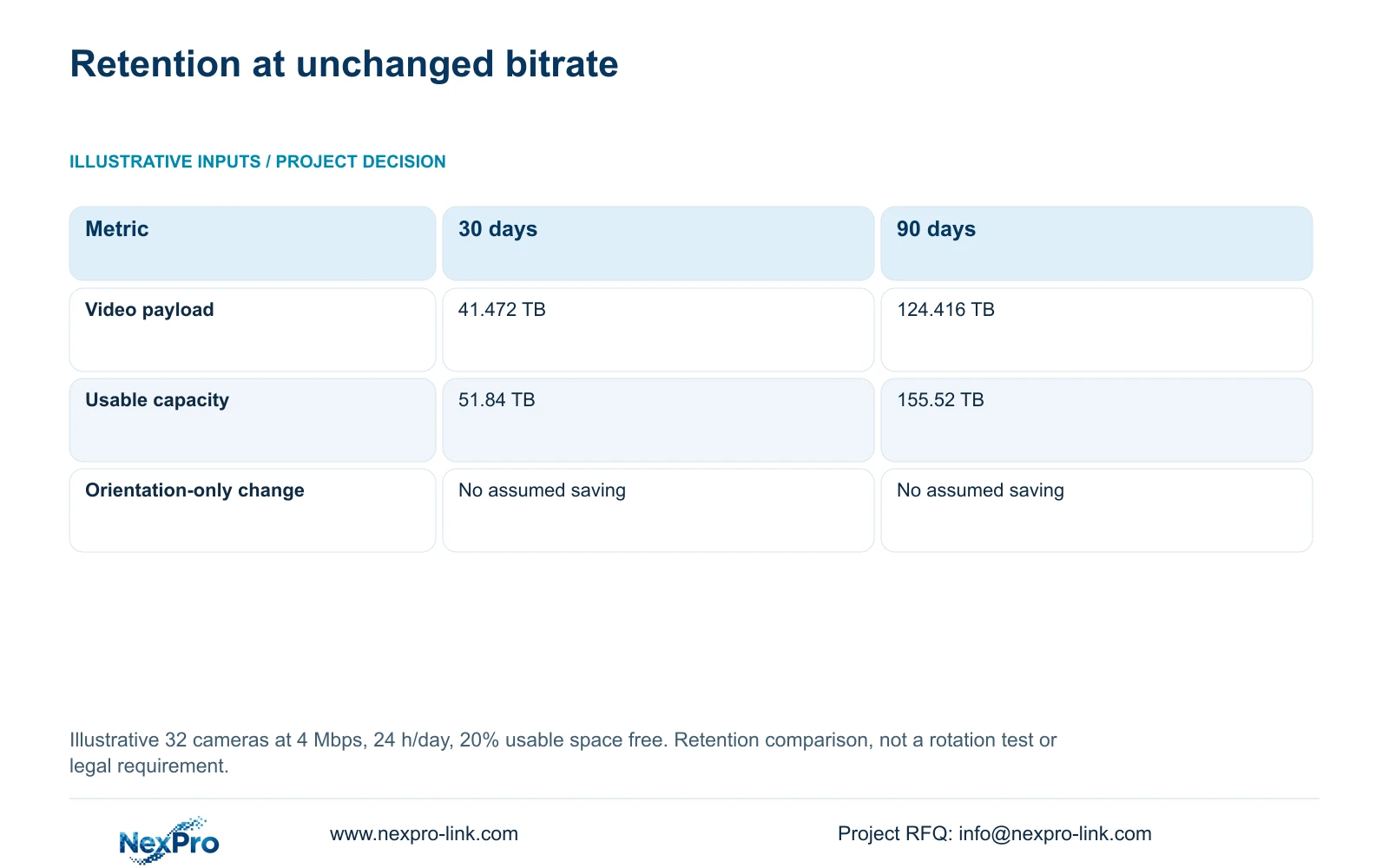
The illustrative comparison below assumes 32 cameras, each averaging 4 Mbps, recording 24 h/day. It compares 30 and 90 days of retention while keeping 20% of usable space free. These are planning inputs, not camera specifications or legal retention requirements. The table compares policies, not landscape and portrait performance.
Video TB equals the sum of cameras × Mbps × 10^6 × hours/day × 3600 × days, divided by 8 and by 10^12. Required usable capacity equals video TB divided by 0.80. A free-space target belongs in the denominator: multiplying the payload by 1.20 would not leave 20% of the resulting capacity free.
The results are 41.472 TB and 124.416 TB of video, requiring 51.84 TB and 155.52 TB of usable capacity respectively. With unchanged bitrate and recording policy, rotation does not alter either result. Revise the capacity only after the accepted stream profile supplies different inputs; include night activity and noise in any bitrate measurement plan.
Separate raw disks, array capacity and formatted usable capacity before applying the free-space target. The independent CASE01 reference uses the same 30-day payload but adds its own disk-layout assumptions. Its disk budget cannot be carried into the 90-day option or treated as evidence of corridor-format savings.
| Metric / condition | 30-day recording | 90-day recording |
|---|---|---|
| Video data (decimal TB) | 41.472 | 124.416 |
| Required usable TB with 20% free | 51.84 | 155.52 |
| Raw disk selection | Depends on supported layout and formatting | Depends on supported layout and formatting |
Section 05
Verify orientation through playback and display
Confirm live view, recording, playback and export separately on the intended recorder and client. The operator must be able to open the corridor view in a useful orientation, locate an event and review the exported recording. Check whether portrait tiles retain their proportions in the normal grid and whether event enlargement shows the required detail.
NexPro-NVR4449-4K lists 49 channels, 320 Mbps input and four SATA bays with an 18 TB per-drive field. Its summary lists 49×5MP/9×4K, so the channel count does not establish arbitrary 49-channel 8MP recording. NexPro-NVR8864-4K lists 64 channels, 320 Mbps input and eight SATA bays with an 18 TB per-drive field. Neither channel count establishes corridor orientation support or a particular array mode.
Choose the simplest display arrangement that supports retrieval and event review. A wall is optional scope, and its output canvas does not establish how a client handles portrait streams. Local recording should remain independent of whether the operator display is powered on.
Section 06
Accept better framing without assumed savings
Compare landscape and supported portrait configurations at the same route, lighting and recorded-detail requirement. Keep the retention policy fixed during that comparison. Select portrait framing if it makes the required corridor task more usable without losing intersections or introducing an unsupported retrieval workflow.
Change the recommendation when the exact camera lacks the required mode, the recorder cannot handle its output or the exported footage fails the agreed task. Reduce the storage allowance only when an accepted profile has a lower actual bitrate. A fixed percentage attributed to rotation or an intelligent codec name is not a substitute for those inputs.
For a scoped proposal, send corridor widths and mounting constraints, exact camera and recorder versions, intended stored profiles and approved retention to info@nexpro-link.com. NexPro-Link's hotel equipment and BOQ support can connect the accepted framing to recorder and disk choices. State the delivery destination and any mandatory platform restriction; guest images and passwords are unnecessary for the initial inquiry.
Section 07
Buyer questions
Can a portrait preview justify fewer hard drives? No. First establish what stream the recorder stores. Client rotation can change the displayed orientation without changing stored bitrate. A disk reduction needs an accepted recording profile and a recalculated usable-capacity requirement.
Is 9:16 confirmed for the supplied DM2812M cameras? The supplied evidence does not establish that feature for the exact models. Request a model-and-firmware-specific response covering encoded output, playback and export before including corridor rotation in the purchase specification.
Which information is enough for a first corridor proposal? Provide the relevant corridor plan, target widths, available mounting positions and intended recorder platform. Add the stream settings and retention policy if the decision includes storage. NexPro-Link can then identify the remaining model and configuration questions.
Engineering references
These sources support the general planning principles. Always use the selected product's current datasheet and applicable project standards for final design.


