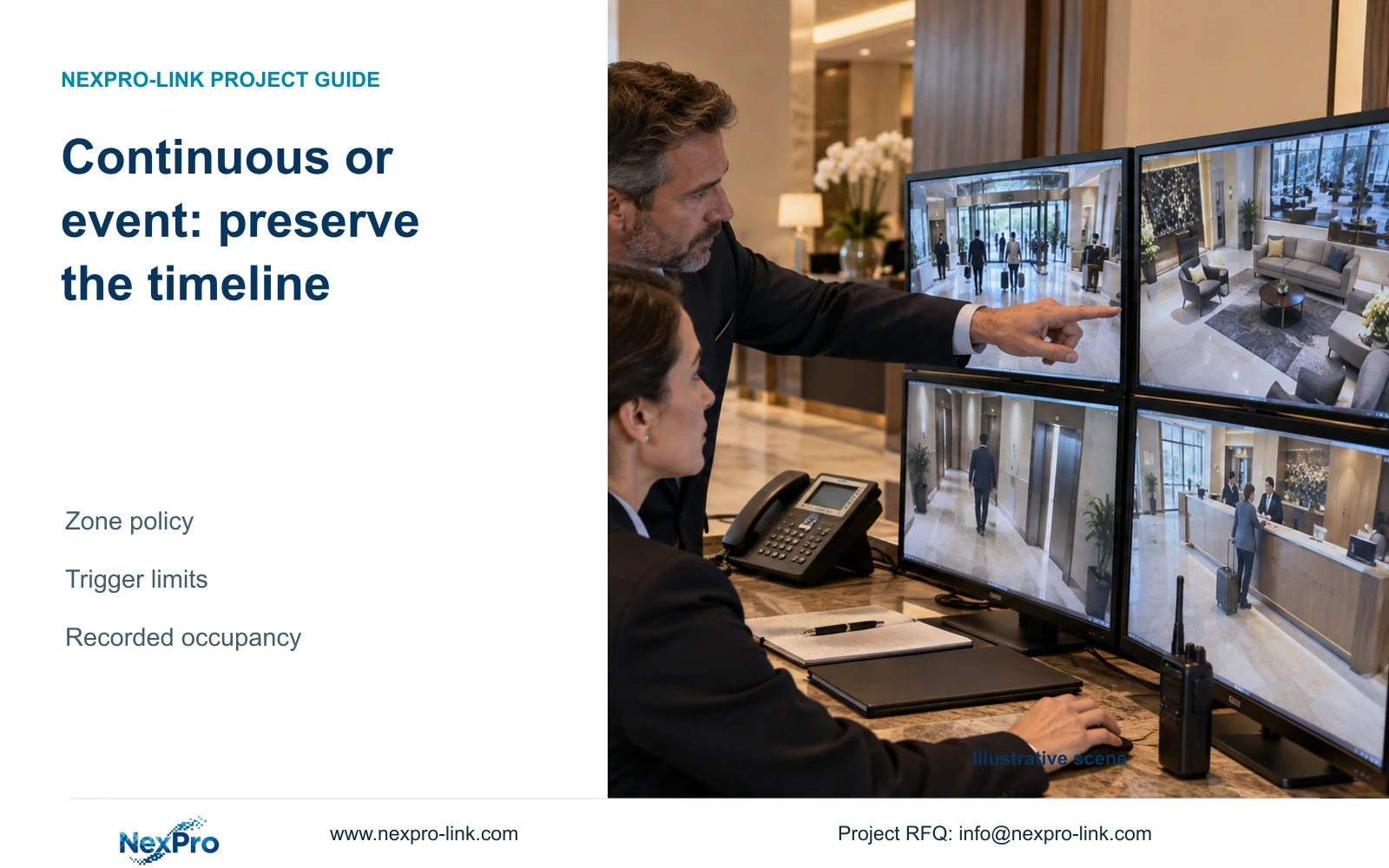
Keep continuous recording where a complete timeline is required. Event recording belongs only in approved zones where trigger behavior, recorded occupancy and retrieval limits have been demonstrated.
Section 01
Identify zones that require a continuous timeline
Keep continuous recording in hotel public zones where the approved task requires a complete timeline. Consider event recording only where gaps between triggers are acceptable and the exact trigger, recording and retrieval workflow has been demonstrated. Lower stored volume alone is insufficient justification for switching the whole hotel.
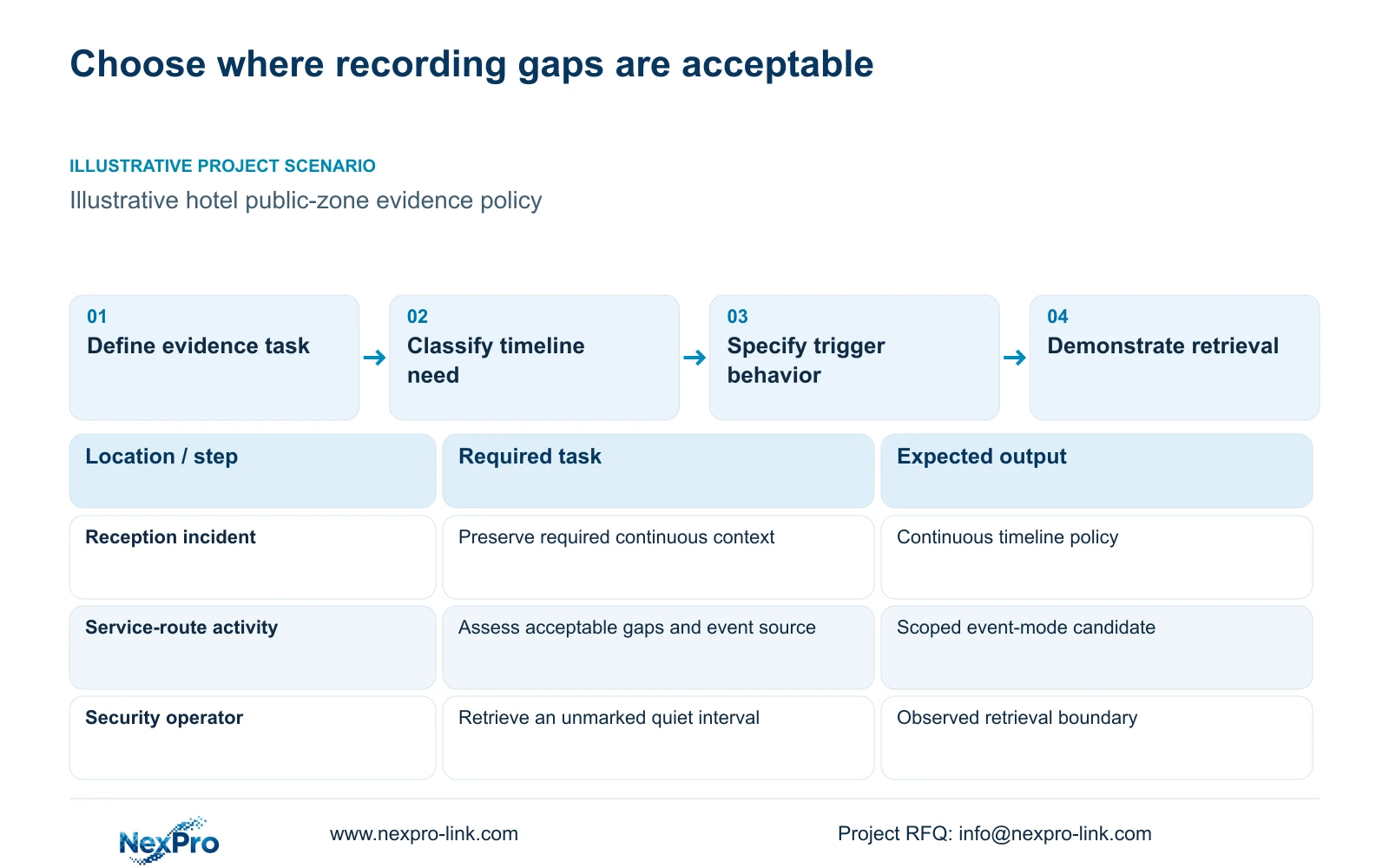
Classify the evidence task before choosing the mode. A reception dispute may require context before a visible action, while a restricted service-route task may focus on defined activity. The hotel should decide which missing intervals would prevent useful investigation and which are acceptable under its approved purpose.
Use camera identities and permitted public views to record that decision. Guest-room interiors, bathrooms and changing spaces are outside this series' routine coverage. A public corridor view should also avoid unnecessary private-space capture. Audio recording remains a separate authorized decision even when camera hardware includes audio features.
| Zone task | Required evidence | Policy decision |
|---|---|---|
| Reception incident review | Context across a continuous time window | Retain continuous recording when required |
| Public entrance sequence | Arrival and surrounding activity | Assess whether trigger gaps are acceptable |
| Service-route activity | Defined authorized observation task | Consider event mode after demonstration |
Section 02
Define the trigger and the recorded interval
Specify what starts recording and which component makes that decision. Generic motion detection, a supported person or vehicle event and another system's signal are different inputs. The required event must travel through the selected camera, recorder and software combination.
Document the supported pre-record interval, post-event recording behavior and handling of repeated triggers. Pre-recording should retain relevant context before activation; post-event recording should cover the required continuation. Their availability and exact behavior require confirmation for the selected configuration. No timing values are established for the named products in this article.
Separate an event marker from an event-only recording schedule. A system may use events to help search continuous footage without removing the intervening record. ONVIF Profile matching can support a function check, but an ONVIF claim alone does not prove event delivery, audio or advanced retrieval across every camera and client.
Section 03
Estimate the occupied recording time explicitly
Event occupancy is the fraction of the observation period actually retained under the selected event schedule. Calculate it from the union of recorded intervals, including supported pre-record and post-event extensions. Adding overlapping event durations independently would count some recorded time twice.
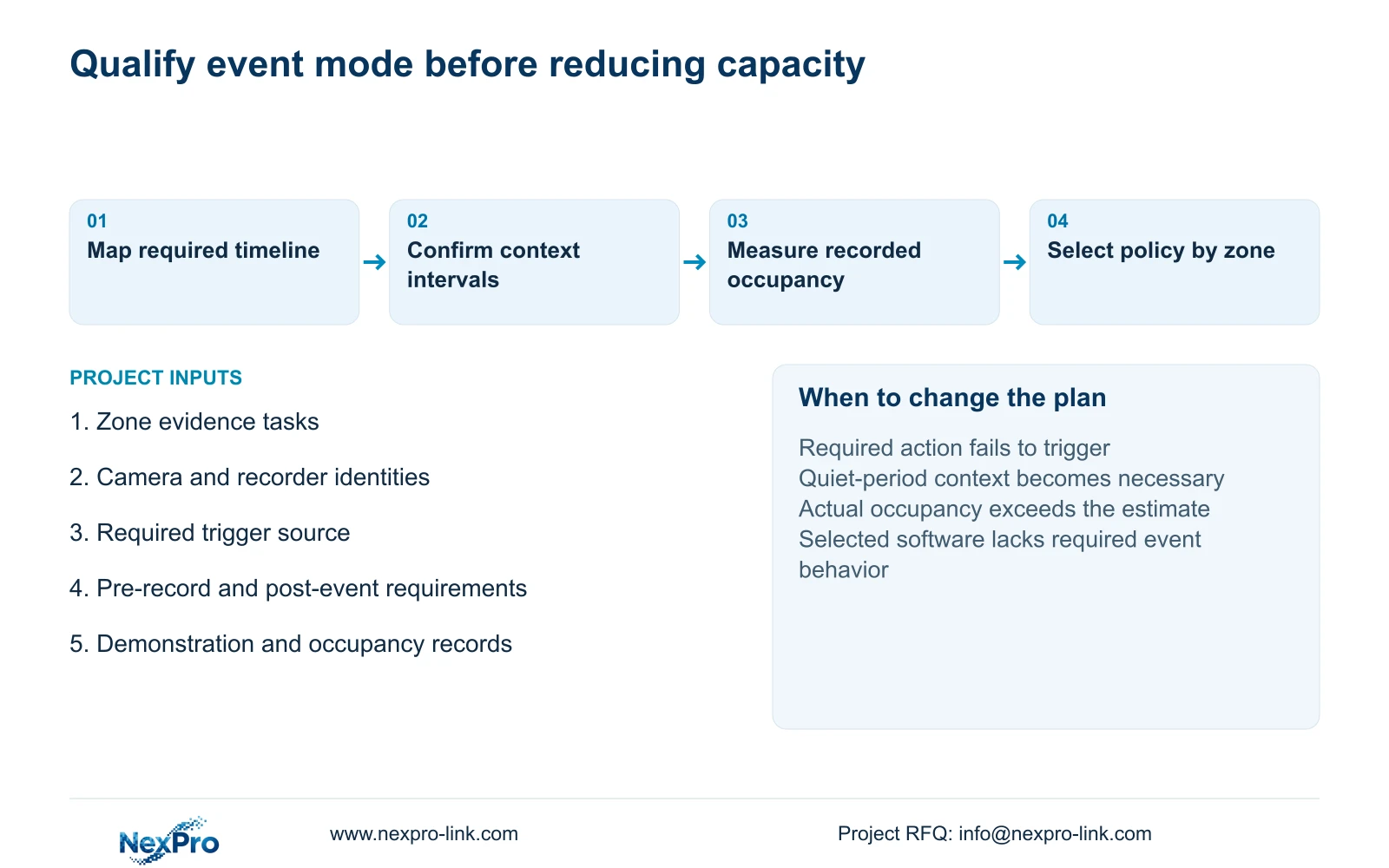
For each group, estimate video volume from its stored rate and actual recorded duration, then add the groups. If occupancy is unknown, retain the continuous-recording baseline for capacity planning and show any proposed reduction as unresolved. The supplied source contains no event-occupancy percentage, so it cannot support a numerical event-saving claim.
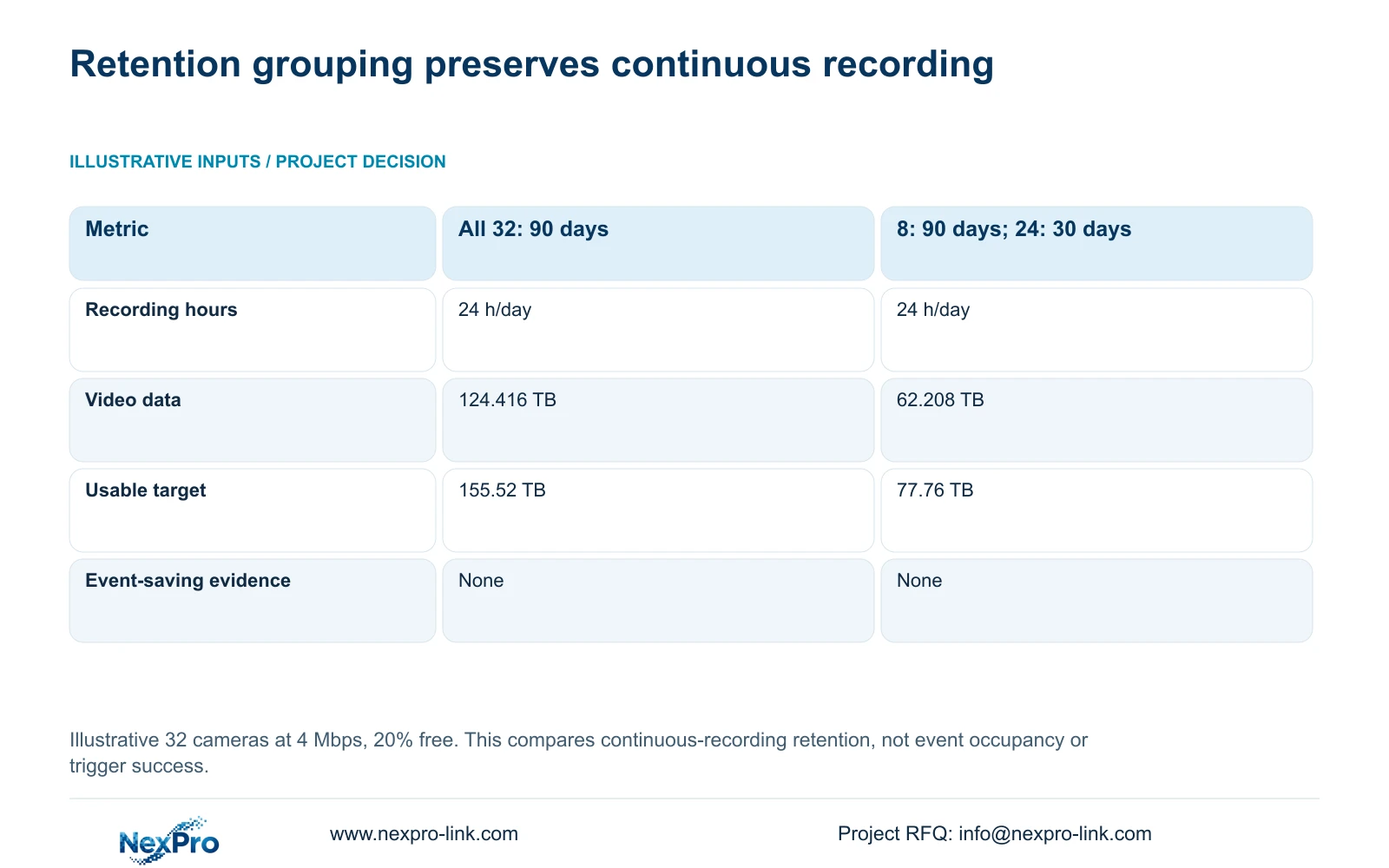
The exact table below compares retention periods while maintaining continuous 24-hour recording at an assumed 4 Mbps. Eight cameras for 90 days produce 31.104 TB; 24 cameras for 30 days produce another 31.104 TB. Their 62.208 TB total requires 77.76 TB usable with 20% free. This is a separate way to reduce a justified storage obligation, not evidence of event-trigger performance.
| Metric / condition | All 32 cameras: 90 days | 8 cameras: 90 days; 24: 30 days |
|---|---|---|
| Recording schedule | 24 h/day | 24 h/day |
| Video data, decimal TB | 124.416 | 62.208 |
| Required usable TB with 20% free | 155.52 | 77.76 |
| Raw disk selection | Supported layout and formatting required | Supported layout and formatting required |
Section 04
Compare data reduction with the consequence of missing footage
Assess the proposed event mode against the same investigation task as continuous recording. A smaller file set is useful only when it contains the required actions and context. If a relevant action does not trigger the system, footage that was never recorded cannot be recovered through a longer retention setting.
Recorded occupancy can also change with operating conditions. Repeated activity and extended recording windows may reduce the difference from continuous recording. Keep event-mode estimates separate from the retention comparison above, and preserve approved days for each group.
Recorder capacity and policy support remain purchase constraints. NexPro-NVR4449-4K lists four SATA positions, up to 18 TB per drive and 320 Mbps input. NexPro-NVR8864-4K lists eight SATA positions and the same input figure. These fields do not establish the required event workflow. Shorter occupied recording time also does not automatically reduce incoming network traffic if streams continue to reach the recorder.
| Decision | Continuous recording | Event recording |
|---|---|---|
| Timeline coverage | Includes configured recorded hours | Limited to successfully recorded intervals |
| Capacity basis | Rate × recorded hours × days | Rate × occupied recorded time × days |
| Quiet-period retrieval | Review the requested recorded window | Confirm whether a gap is expected |
| Purchase condition | Required complete timeline | Approved gaps and demonstrated trigger behavior |
Section 05
Demonstrate retrieval from quiet and missed-trigger conditions
Include retrieval tasks that begin without a convenient event marker. Ask the authorized operator to locate an agreed time window from a quiet public zone, then review what the selected mode actually retained. A blank interval should be distinguishable from a recording or connectivity fault in the supported workflow.
Demonstrate relevant actions under the selected lighting and trigger configuration. Check recorded context before and after activation, repeated-event behavior and export playback. Record observations against the exact equipment and software version; do not pre-fill successful outcomes.
When a required action is missing, assign the unresolved task to a responsible party and repeat the same assessment after changes. Limited demonstrations support only the observed conditions. They cannot prove a universal detection rate or eliminate every missed-event risk. Compare the cost of correcting the workflow with preserving continuous recording in that zone.
Section 06
Approve the recording policy for each zone
The final policy schedule should identify camera groups, recording mode, trigger source where applicable, supported context intervals, retention and responsible operator. Keep incident preservation separate from routine overwrite. Retention periods come from the approved purpose and applicable requirements; this article does not establish a universal hotel period.
Recommend continuous recording for complete-timeline tasks and a limited event-mode proposal for zones with acceptable gaps and demonstrated retrieval. Return a zone to continuous recording if required actions fail to trigger, quiet-period context is needed or the selected platform cannot implement the approved behavior. Recalculate storage when recorded occupancy or retention changes.
For a scoped equipment discussion, send info@nexpro-link.com the zone policy draft, camera and recorder identities, required event source and available demonstration findings. Hotel project equipment support can coordinate the relevant CCTV package and associated supply scope. Installation, third-party integration and local policy responsibilities should remain explicit; ordering several subsystems together does not establish native event integration.
Section 07
Buyer questions
Can events help searching while recording remains continuous? That is a useful requirement to assess. Confirm whether the exact configuration supports event markers within continuous recordings, including the authorized client's search workflow.
Can we buy fewer disks before event occupancy is measured? Use the continuous baseline unless the hotel accepts a clearly stated provisional capacity risk. No event percentage or saving is established by the supplied retention table.
Does person detection guarantee the required event will be recorded? No. Qualify the required action through the actual trigger and recording path. Detection labels do not establish all event behavior or eliminate missed footage.
Engineering references
These sources support the general planning principles. Always use the selected product's current datasheet and applicable project standards for final design.