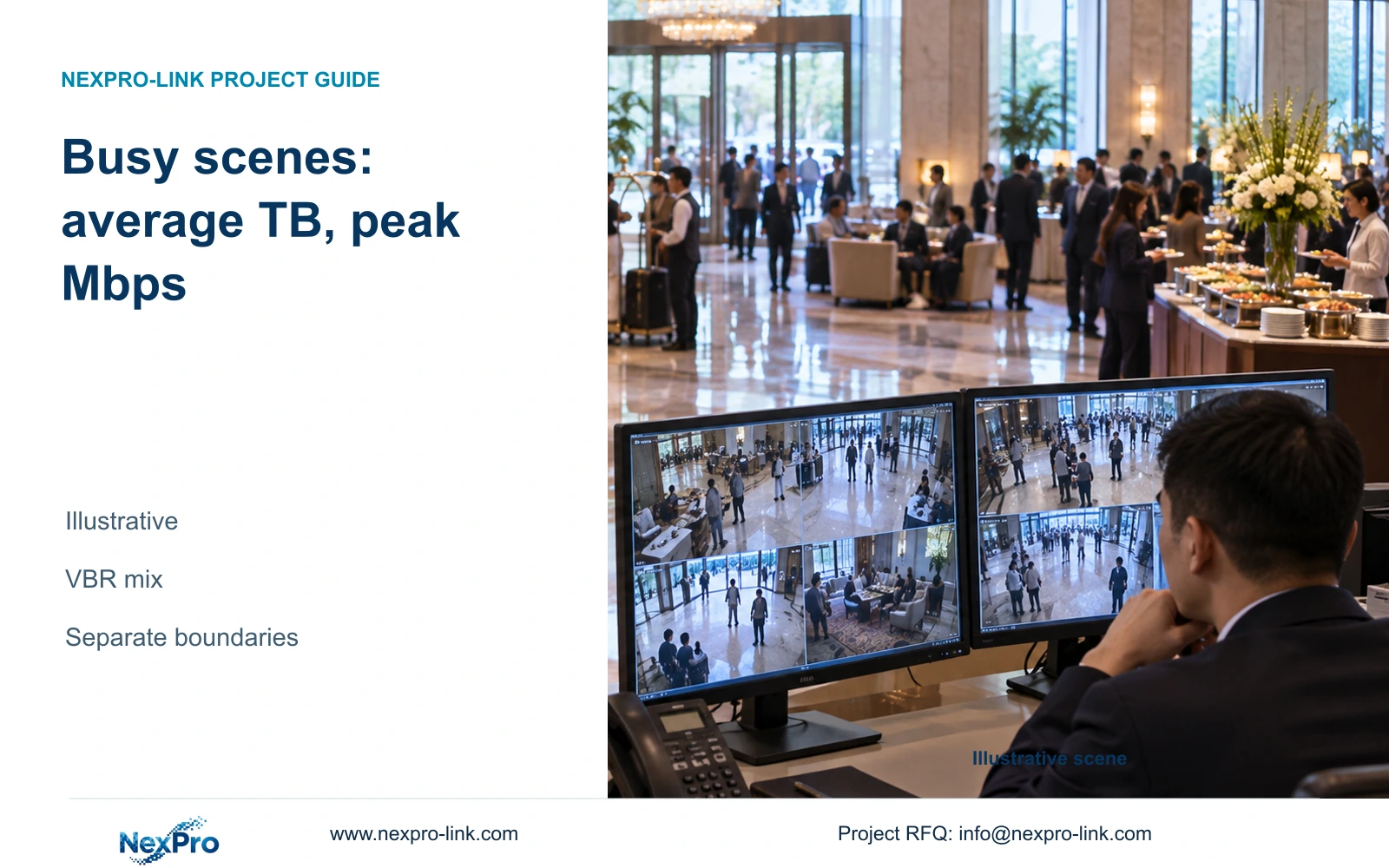
A quiet lobby sample cannot support a busy-season retention promise. Build a representative recording mix, use its average for storage and check simultaneous peaks on the actual data paths.
Section 01
Select busy and night scenes for the bitrate assessment
Do not freeze a hotel storage purchase from a low-occupancy recording sample alone. Use representative busy and night conditions to qualify the average stored volume, and assess simultaneous peaks separately for network and recorder input. Retain the provisional 4 Mbps storage allowance only while the measured operating mix supports it.
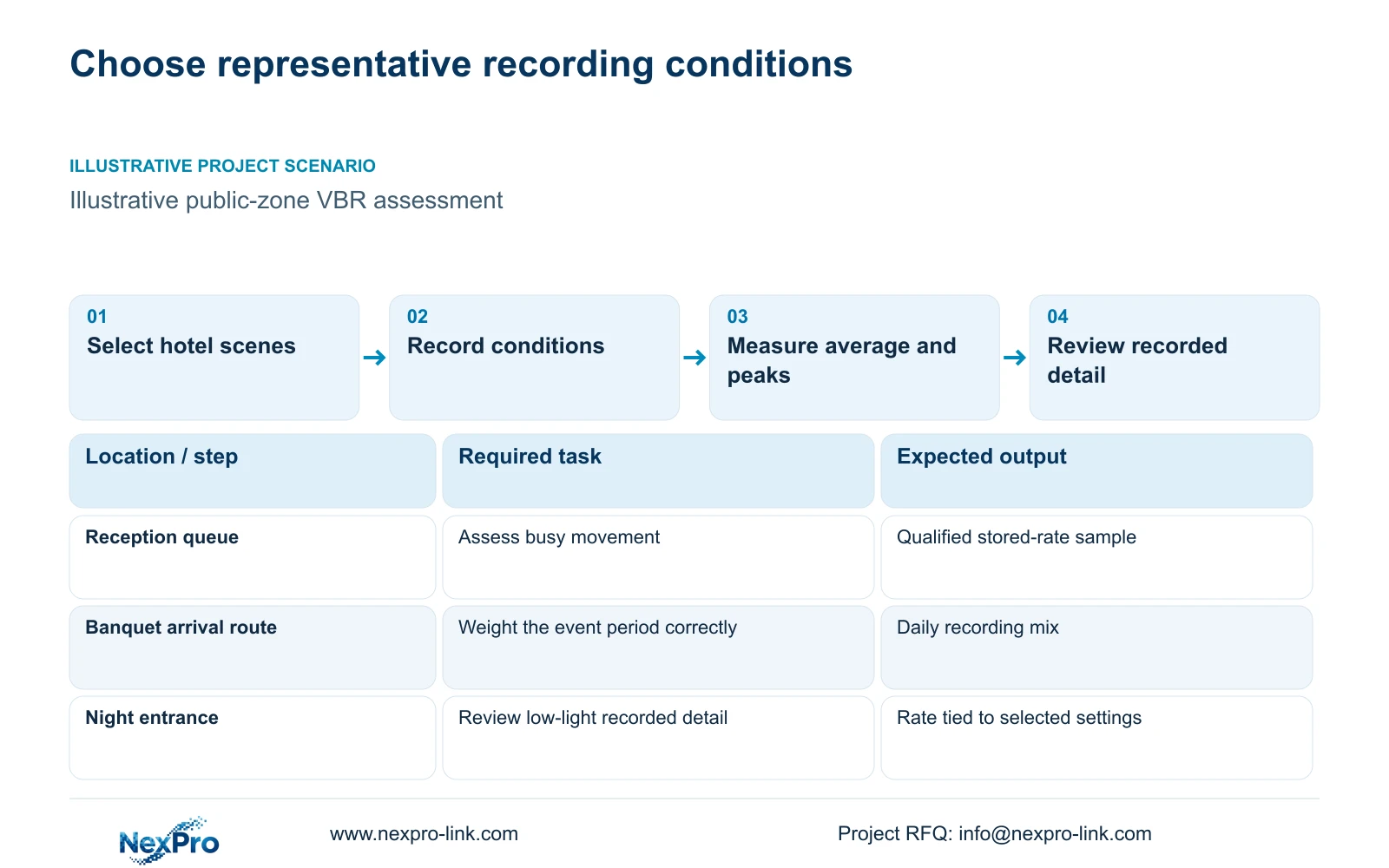
Reception queues and banquet arrival routes can have activity patterns that a quiet lobby does not represent. Select the public-zone scenes relevant to the hotel's intended operation and describe the action that must remain useful in playback. Include lighting transitions and relevant low-light conditions instead of relying on one attractive still image.
A pre-opening hotel may not yet have representative traffic. In that situation, keep provisional assumptions visible and define the conditions for updating them. The supplied camera PDFs establish image modes, but they do not supply a verified average VBR rate for a hotel's operating year.
| Scene | Assessment task | Useful output |
|---|---|---|
| Reception queue | Review recorded movement during busy operation | Stored average and relevant peaks |
| Banquet public arrival route | Assess activity during the defined event period | Duration-weighted group profile |
| Night entrance | Review detail under selected lighting settings | Qualified rate and playback result |
Section 02
Use average bitrate for volume and peaks for throughput
Storage accumulates the data actually recorded over time. A representative average rate therefore supports a volume estimate. Network links and recorder input must also accommodate the relevant simultaneous traffic conditions; a long-term average alone cannot establish that throughput requirement.
The illustrative storage profile of 32 cameras at 4 Mbps produces 128 Mbps average incoming video. It is not a peak measurement. Keep the measured average, configured rate limit and observed peak labeled separately, with the measurement interval and settings that produced each.
Draw the actual camera-to-recorder paths before adding traffic. A reception and banquet group can share an uplink, while other cameras may use another route. Viewing and export traffic belong only on links they traverse. NVR input bandwidth, switch forwarding and client decoding are separate constraints, so none should be inferred from a single total.
Section 03
Model the recording day with duration-weighted rates
For each camera group, list the recorded hours spent in each representative condition and its average stored rate. Multiply each rate by its duration, add those products and divide by the total recorded hours to obtain the group's duration-weighted average. Equal weighting of unequal sample lengths would distort the result.
Apply video TB = sum of camera count × average Mbps × 10^6 × hours per day × 3,600 × days ÷ 8 ÷ 10^12. For the supplied illustrative baseline, 32 cameras average 4 Mbps continuously. The table holds that average constant and changes only the retention period.
This comparison is not a banquet VBR test. It shows the capacity consequence once a qualified average has been chosen. If busy or night conditions change that average, replace it in the formula before selecting disks. Required usable capacity is video volume ÷ 0.80 for the stated 20% free-space target.
| Metric / condition | 30-day recording | 90-day recording |
|---|---|---|
| Average rate per camera | 4 Mbps assumed | 4 Mbps assumed |
| Video data, decimal TB | 41.472 | 124.416 |
| Required usable TB with 20% free | 51.84 | 155.52 |
| Raw disk selection | Supported layout and formatting required | Supported layout and formatting required |
Section 04
Compare optimistic and conservative averages at equal retention
An optimistic or conservative storage option should identify which average-rate assumption changes. The 30- versus 90-day table changes retention, so it cannot demonstrate VBR uncertainty by itself. Use a separate sensitivity comparison at the same recording period.
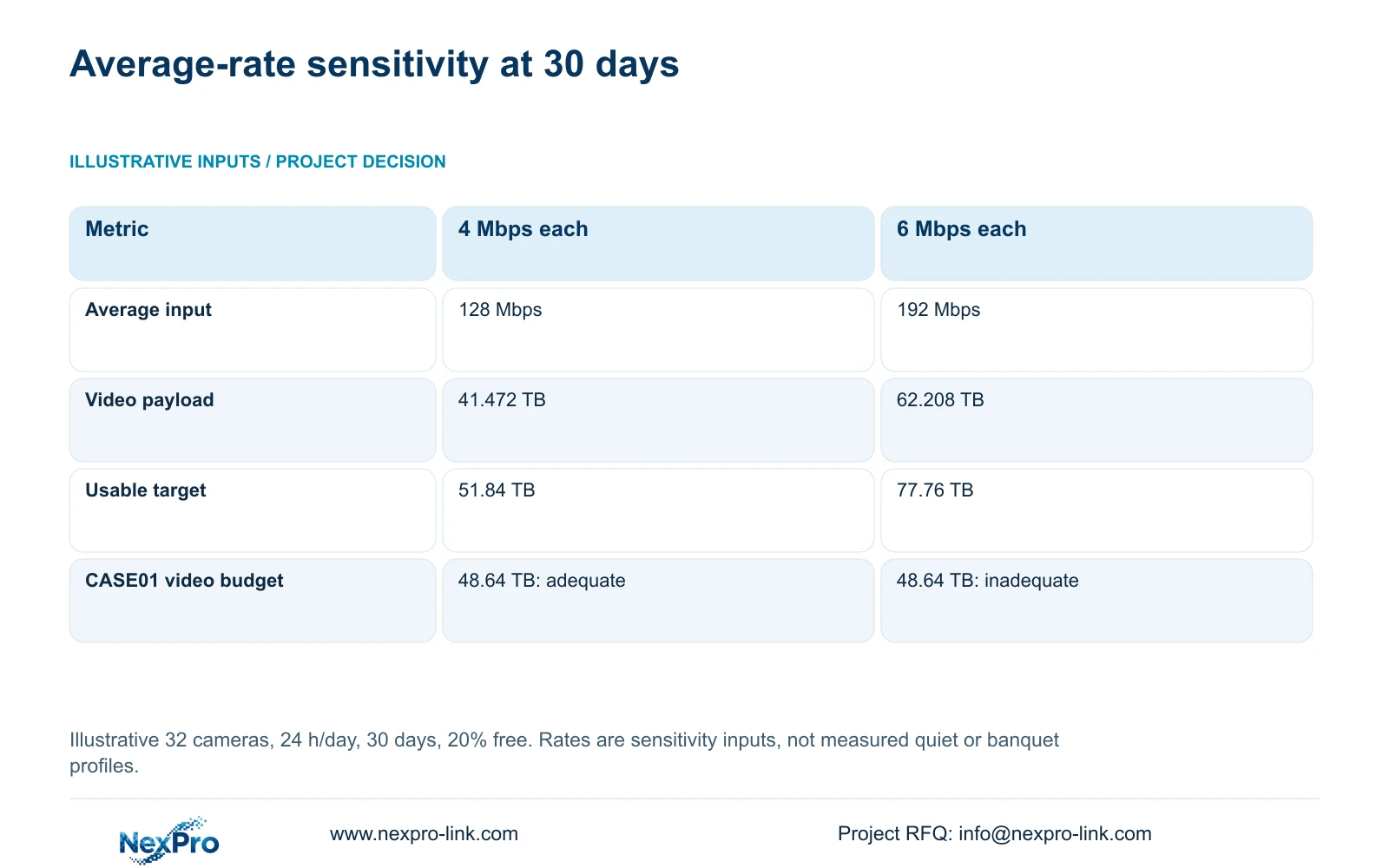
The supplied recorder calculation provides 4 and 6 Mbps teaching profiles for 32 cameras over 30 days. Their video volumes are 41.472 and 62.208 TB. Applying the same reserve definition gives 51.84 and 77.76 TB usable. The higher-rate profile increases both the stored volume and average incoming video, from 128 to 192 Mbps.
Neither profile is an observed quiet or banquet result. They show how a changed average can cross a hardware threshold. CASE01's separate four 16 TB layout provides a 48.64 TB video budget under its formatting and reserve assumptions. It covers the 4 Mbps payload but falls short at 6 Mbps, without any change to the approved 30-day period.
| Metric | 4 Mbps per camera | 6 Mbps per camera |
|---|---|---|
| Average input | 128 Mbps | 192 Mbps |
| 30-day video data | 41.472 TB | 62.208 TB |
| Usable capacity with 20% free | 51.84 TB | 77.76 TB |
| CASE01 video budget | 48.64 TB: adequate for payload | 48.64 TB: below payload |
Section 05
Measure the qualified profile before settings are frozen
Review representative recorded clips together with the rate measurements. Record the camera model, firmware, image mode, frame rate, codec and selected settings. Include the observation period and scene condition so a later comparison can reproduce the relevant setup.
If image settings change after the measurement, reassess the rate and playback result. A reduction that makes the capacity table fit is acceptable only when required movement detail remains useful. Encoding-family names do not justify a fixed compression-saving percentage.
NexPro-NVR4449-4K lists 320 Mbps input and four SATA positions with up to 18 TB per drive. NexPro-NVR8864-4K lists the same input figure and eight SATA positions. Those facts support preliminary screening, not a VBR peak or playback guarantee. Confirm exact recording modes, disks and concurrent tasks. The NVR4449 summary's 49 × 5MP and 9 × 4K distinction prevents using channel count as unrestricted resolution support.
Section 06
Carry the operating assumptions into the equipment proposal
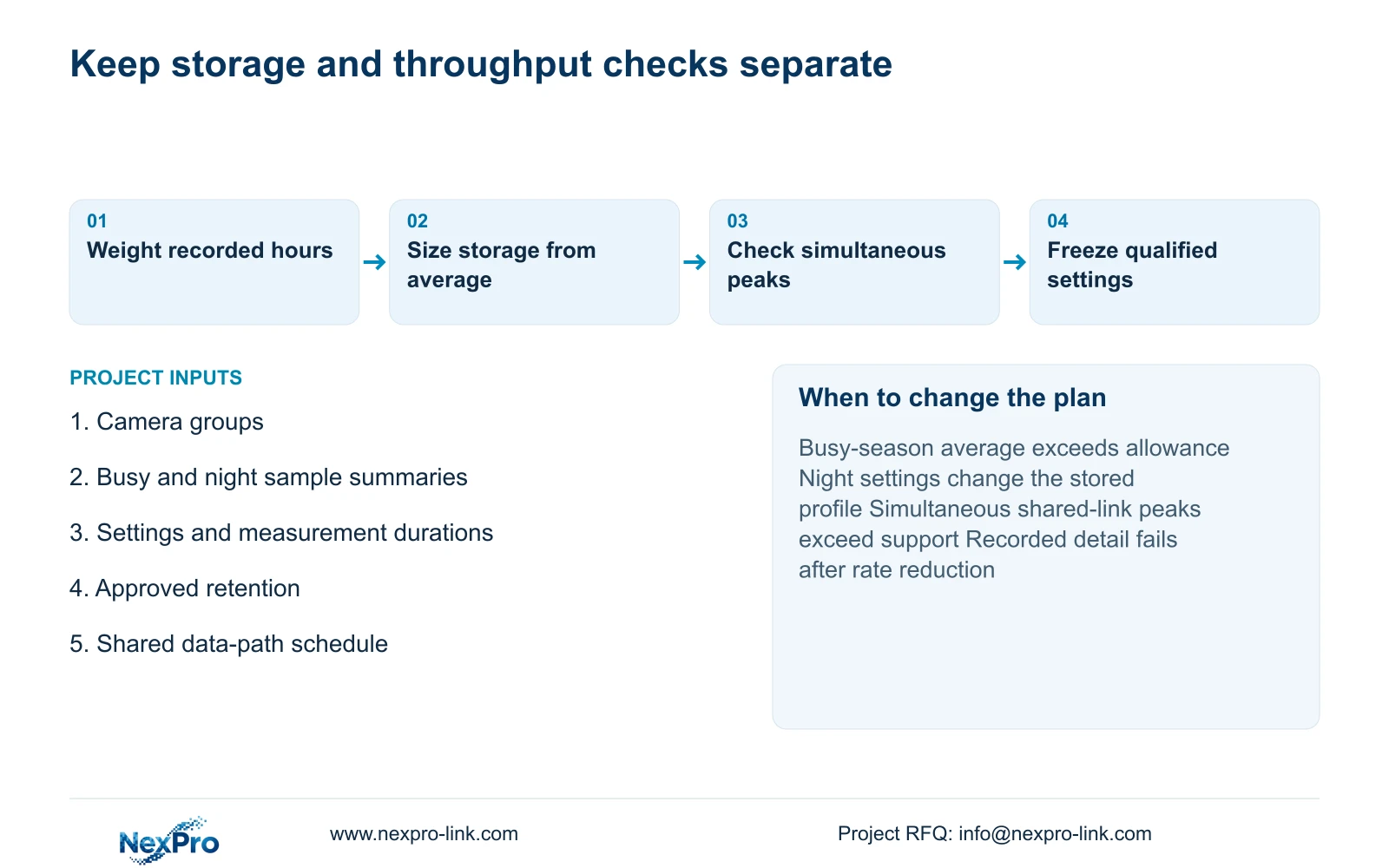
The capacity record should state the assumed or measured daily mix, recorded hours, approved retention and reserve basis. Keep throughput assumptions in a separate path schedule. If an exceptional operating condition is outside the assessed mix, identify it so the hotel can decide whether it must change the design.
Recommend supported capacity using a qualified representative average, with a separate allowance assessment for simultaneous peaks. Increase capacity or revise the qualified profile when busy-season measurements exceed the budget. Change the network or recorder configuration when the relevant simultaneous traffic exceeds its supported boundary.
For a useful comparison through Hotel project equipment support, email info@nexpro-link.com with camera groups, selected recording settings, the available busy and night measurement summaries, and approved retention. Include the existing recorder layout if it must remain. NexPro-Link can relate those inputs to model matching and a coordinated equipment scope without turning provisional VBR estimates into a guaranteed annual result.
Section 07
Buyer questions
Can a pre-opening lobby measurement be used for the order? It can be a labeled provisional input. State the missing operating conditions and the trigger for revising capacity after representative activity becomes available.
Should every camera's peak rate be used for the retention calculation? Use representative accumulated data or duration-weighted averages for volume. Assess relevant simultaneous peaks separately for throughput, with the actual shared paths identified.
What if the final average exceeds the storage allowance? Compare additional supported capacity with a revised recording profile that still meets the observation task. Do not shorten an approved period or lower useful detail silently.
Engineering references
These sources support the general planning principles. Always use the selected product's current datasheet and applicable project standards for final design.