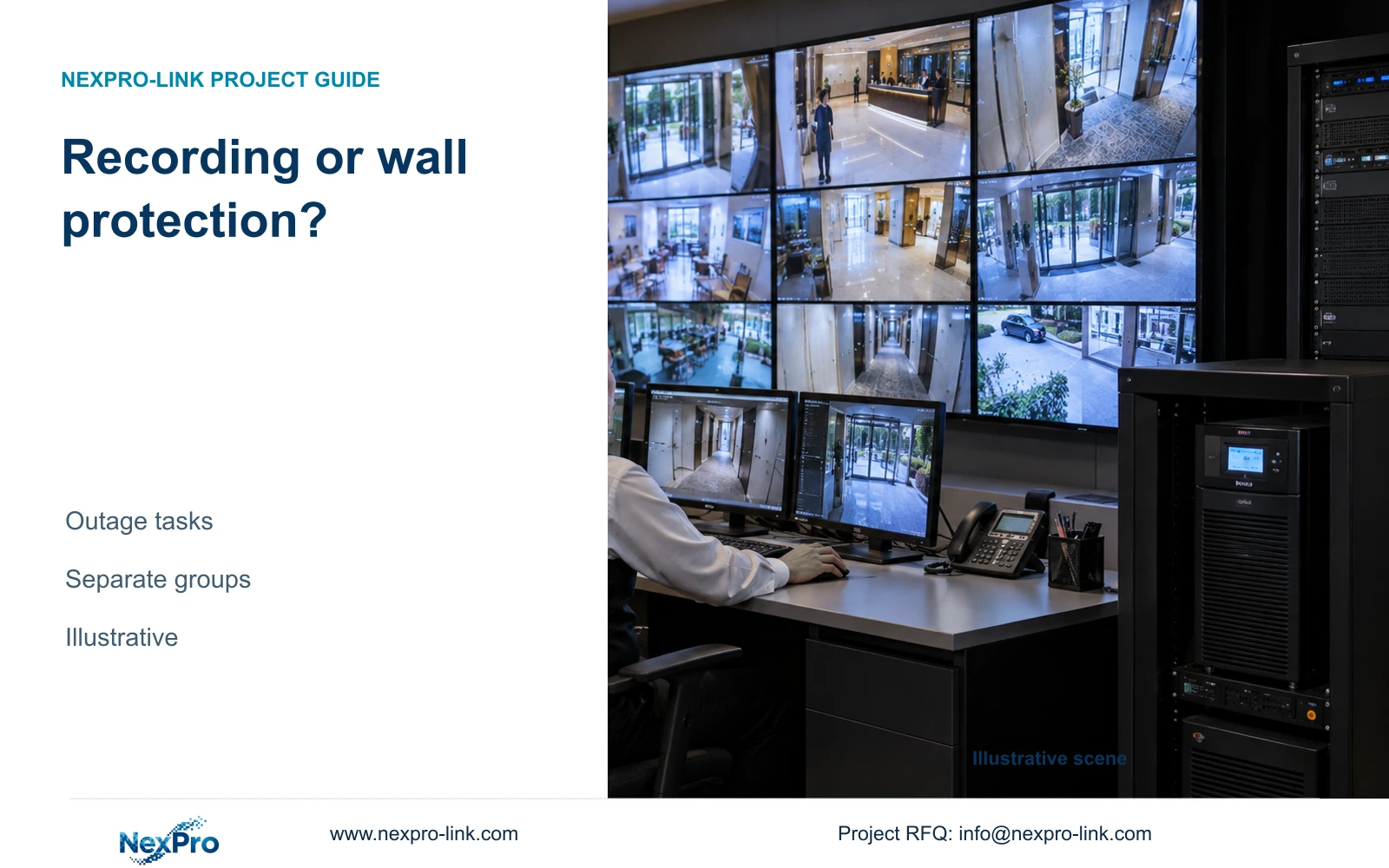
Protect recording first when a smaller viewing arrangement can meet the hotel's outage tasks. Keep the wall protected when sustained multi-view monitoring is an approved requirement.
Section 01
Decide what operators must do during the outage
Protect the complete recording path first when the hotel can meet its outage viewing duties through a smaller operator arrangement. Keep the video wall protected when sustained wall monitoring is an approved operating requirement. Decide from the staff task and duration, then calculate the additional capacity and battery scope.
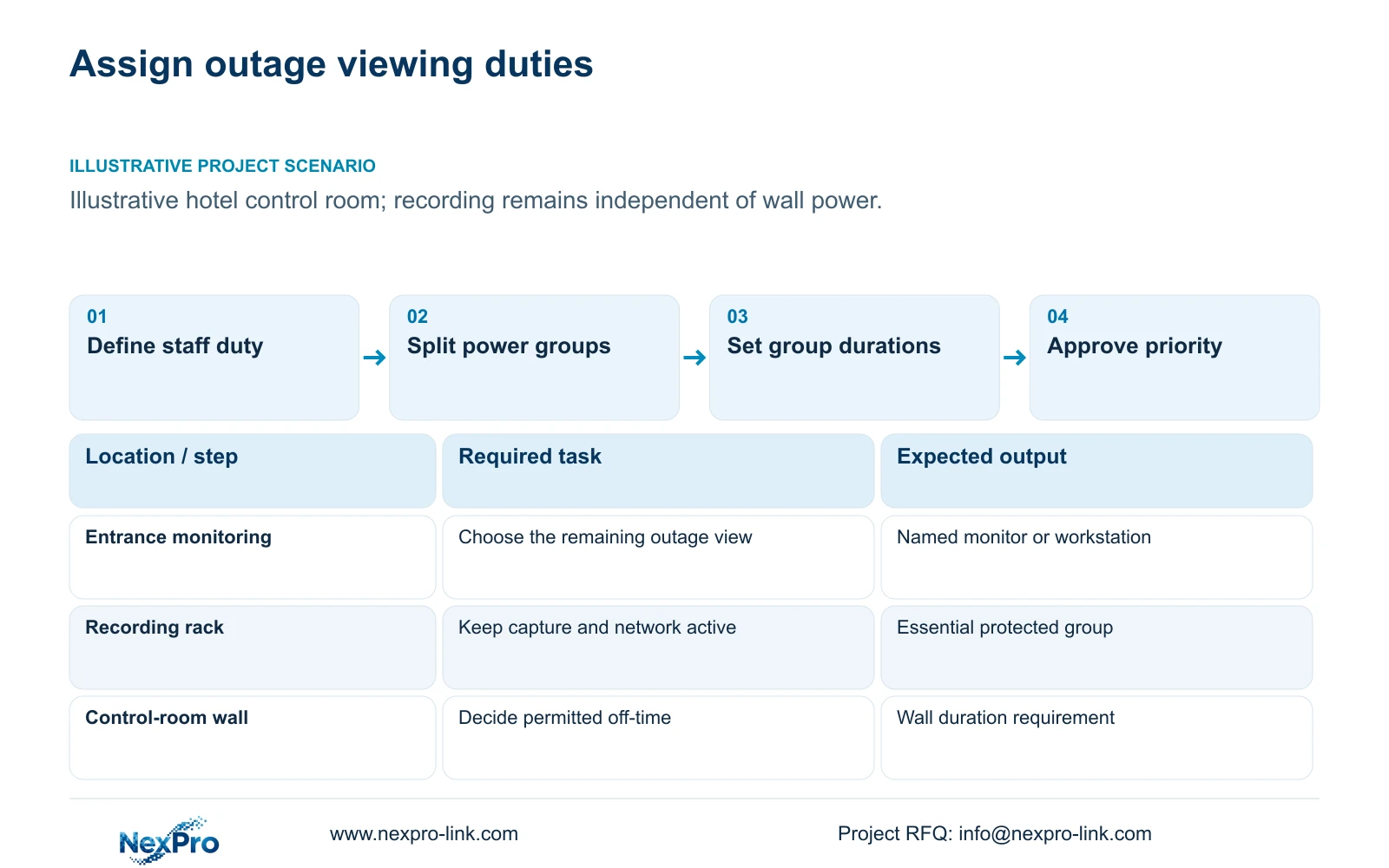
Write the outage state in operational terms. Staff may need to observe entrances, retrieve an incident or maintain recording while a generator becomes available. Those tasks require different equipment. A wall used for continuous observation can be necessary for a particular control room, while a decorative or optional overview need not share the full recording duration.
Assign a time requirement to recording and to each viewing task. Identify the operator responsible for any change of state. The design should explain what remains available when the wall is off, including the selected monitor or workstation and its supporting network. Do not assume staff can perform an outage task on equipment that has been excluded from protection.
| Required task | Given information | Decision still needed |
|---|---|---|
| Continue recording | Wall is not a recording dependency | Protect cameras, network and recorder |
| Observe entrances | A selected viewing device is needed | Specify view layout and duration |
| Sustain wall monitoring | Multiple simultaneous views may be required | Approve wall and decoder protection |
Section 02
Separate recording and display power groups
Place the cameras, required PoE switches, core connections and recorder in the essential group. Include the minimum operator equipment needed for the approved outage task. Put additional panels and their decoder in a separately identified group when their operation may be shortened or discontinued.
Keep data and power dependencies distinct. The authorized viewing client receives video from the recording system, but ordinary local recording should continue without a wall being on. Check the real topology before removing a decoder or workstation, since a shared equipment role may make an apparently optional device necessary for another approved task.
Use one AC boundary for each load. Complete PoE switch AC input includes its downstream cameras under the represented operating condition. Display and decoder AC inputs are separate. Record which devices share an outlet or supply so that any proposed load shedding can remove only the intended group.
Section 03
Calculate base and wall-protected loads separately
The supplied illustrative hotel reference offers a direct load comparison. Its base arrangement includes 543.77 W of estimated access-switch AC input, a 60 W recorder and 60 W for core network plus an ordinary monitor. The total is 663.77 W. Protecting the optional wall and decoder adds an assumed 580 W, producing 1243.77 W.
Using the displayed case totals and assumed PF 0.9, 663.77 / 0.9 rounds to 737.52 VA and 1243.77 / 0.9 to 1381.97 VA. Under the case's 20% capacity reserve, the base arrangement points to SP1KR(S), while the enhanced arrangement points to SP2KR(S). These are aggregate capacity candidates; actual distributed power zones still require their own selections. Keep the rounding basis visible when reconciling an unrounded source calculation.
The wall assumption is four panels at 120 W each plus 100 W for decoding. It is not a published consumption figure for NX-VP-5535 or NX-VD-4K16. NX-VP-5535 is a 55-inch Full HD LCD panel, not direct-view LED. The decoder's name does not establish arbitrary simultaneous 4K performance or its electrical load.
| Case load | Base arrangement | Wall also protected |
|---|---|---|
| Access-switch AC total | 543.77 W | 543.77 W |
| Recorder | 60 W | 60 W |
| Core and ordinary monitor | 60 W | 60 W |
| Additional wall and decoder | 0 W | 580 W assumed |
| Total | 663.77 W / 737.52 VA | 1243.77 W / 1381.97 VA |
| Capacity candidate with 20% reserve | SP1KR(S) | SP2KR(S) |
Section 04
Compare battery energy for the required durations
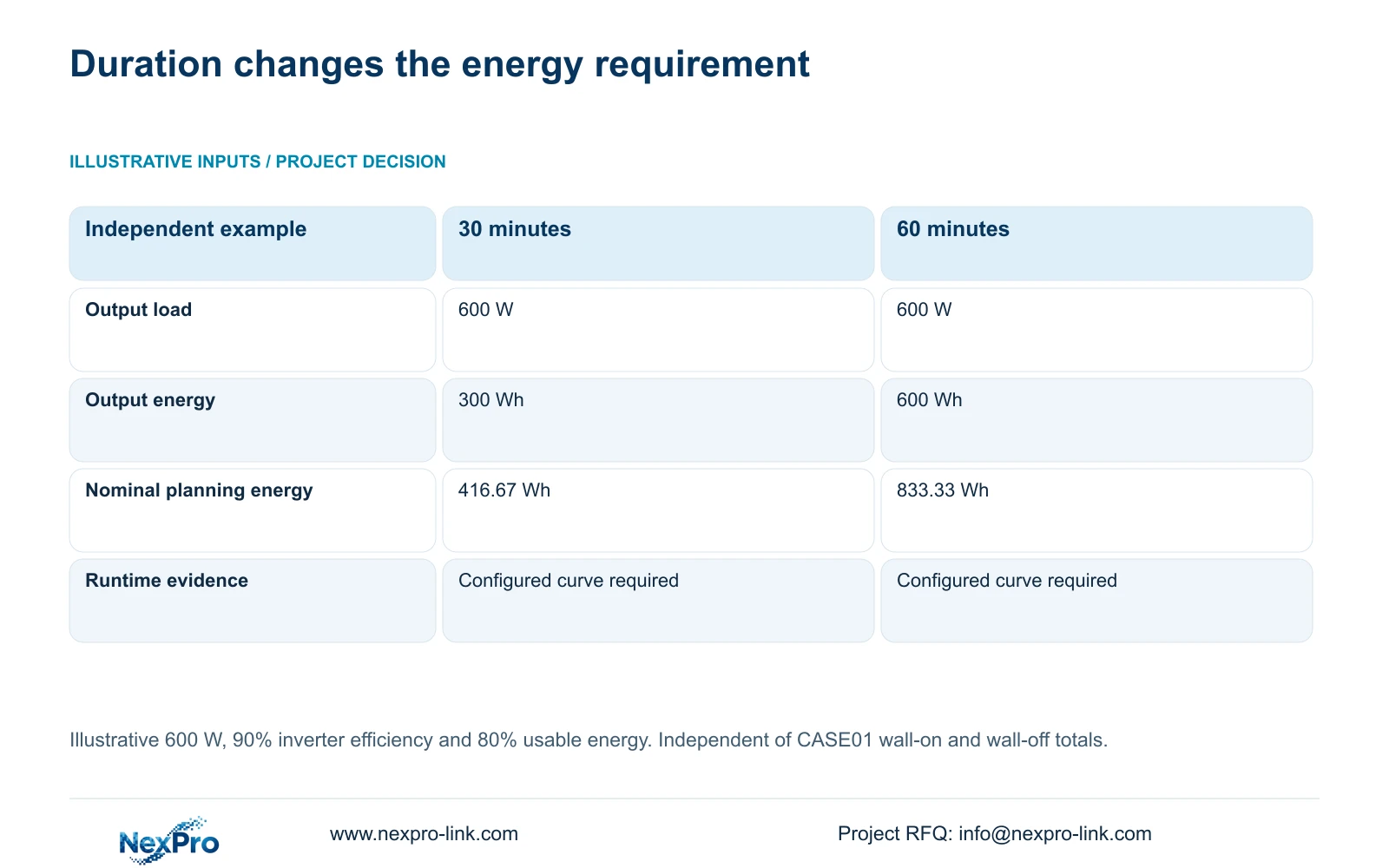
The separate topic calculation holds load at 600 W and compares 30 with 60 minutes. Output energy is W × minutes / 60. Nominal planning energy is output Wh / (0.90 × 0.80), using explicit assumptions for inverter efficiency and usable energy. These inputs do not represent either complete hotel case load.
Thirty minutes requires 300 Wh at the output and a simplified 416.67 Wh nominal budget. Sixty minutes requires 600 Wh and 833.33 Wh respectively. Doubling the time target doubles this simplified energy requirement at unchanged load. The table does not compare wall-on and wall-off loads, so its durations cannot be assigned directly to the case configurations.
With the same battery arrangement, additional display load increases energy demand and requires a revised runtime assessment. Use the actual combined load curve to establish minutes. Battery temperature, condition and protective thresholds matter, and a higher kVA rating alone does not resolve the additional energy requirement.
| Metric / condition | 30-minute window | 60-minute window |
|---|---|---|
| Illustrative output load | 600 W | 600 W |
| Time target | 30 minutes | 60 minutes |
| Output energy | 300 Wh | 600 Wh |
| Nominal planning energy | 416.67 Wh | 833.33 Wh |
| Actual runtime and switching | Configured system validation required | Configured system validation required |
Section 05
Define which display loads may be shed
Specify the permitted transition before selecting its control method. Identify whether the wall may turn off immediately, operate for a shorter interval or remain available throughout the outage. State which smaller viewing arrangement remains and which personnel can authorize the transition.
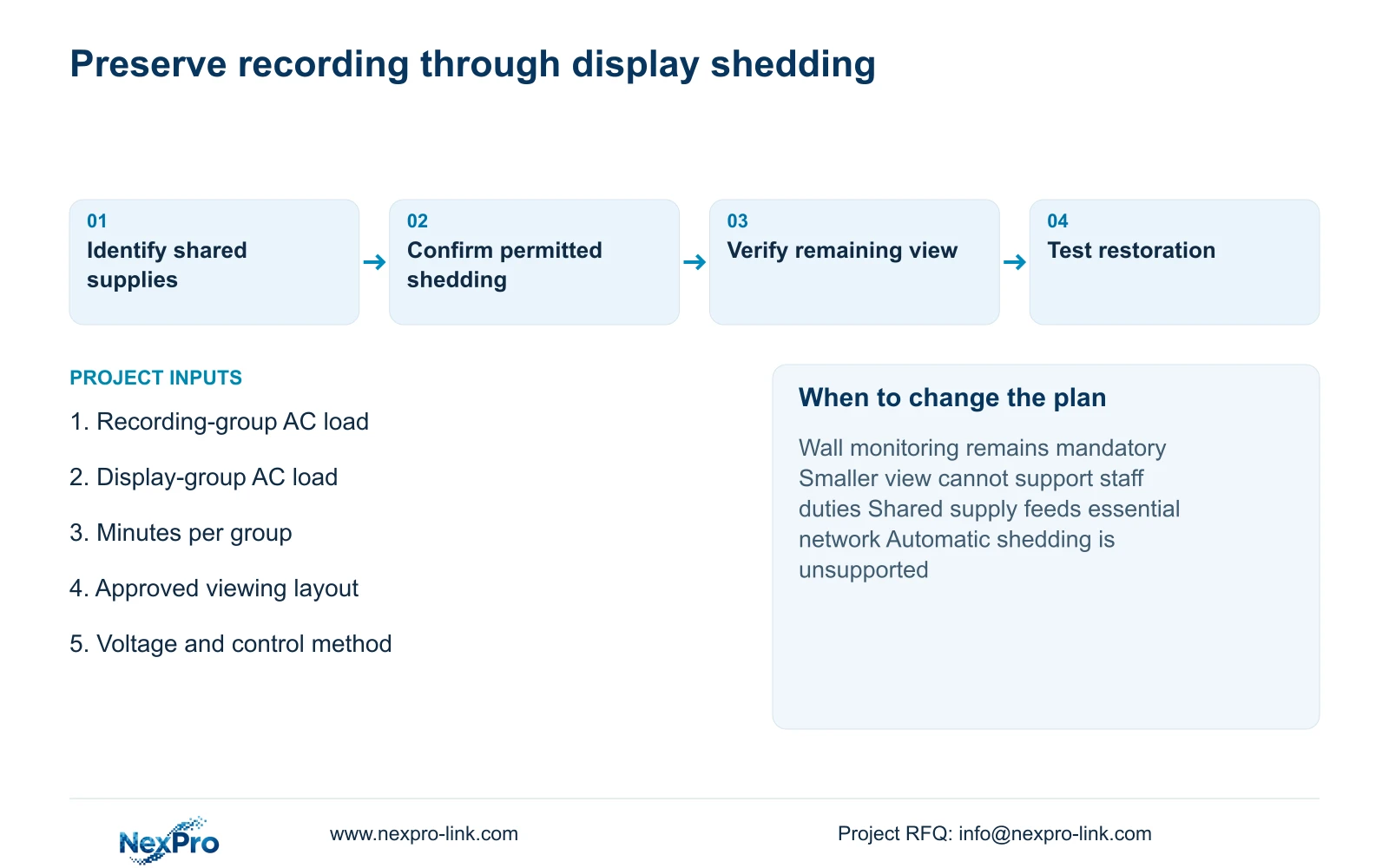
Do not assume automatic outlet control, timed shutdown or recorder integration exists on a candidate UPS. Confirm the actual supported mechanism and its effect on shared devices. Local professionals should design and test the electrical implementation. A general instruction to disconnect displays is insufficient when the same supply also feeds necessary network equipment.
For a staged arrangement, energy planning must represent the periods with and without the permitted display load. Capacity still has to cover the active state before shedding. Compare the extra battery and control scope against the operational value of keeping the wall available, using actual quotations instead of invented savings.
A supervised test should observe the intended transition, continued recording and the remaining operator view. Record the actual outcome without prefilling a pass. Restoration matters too: operators need a defined procedure for returning to the normal layout after acceptable power is available.
Section 06
Specify the owner's chosen outage priority
Choose recording-first protection with separately permitted display shedding when the approved operator task can continue on the smaller arrangement. Change to wall protection when the owner requires sustained multi-view observation or the smaller arrangement cannot support the stated duty. Recalculate capacity and runtime whenever that boundary changes.
Send info@nexpro-link.com the two load groups, required minutes for each, voltage and the outage viewing layout. Include the proposed shedding behavior and any generator dependency. NexPro-Link can coordinate CCTV equipment and supporting UPS/display supply through hotel project and BOQ support; local switching design remains separately scoped.
Ask the quotation to identify the selected UPS and supported battery configuration for every protection zone. The supplied policy's 24-month limited hardware baseline applies to eligible main equipment from receipt. Battery arrangements and site-service costs require explicit order terms; display prioritization does not expand that coverage.
Section 07
Buyer questions
Does a dark video wall mean recording has stopped? Not when the recording path remains independently powered and configured to operate without it. Verify that distinction on the actual system; panel status alone does not indicate recorder or camera continuity.
Can a larger UPS keep the same battery runtime after adding a wall? A larger W and VA rating can address capacity, but additional load requires a new runtime assessment. Obtain the supported battery curve for the combined load instead of retaining the previous minutes.
Can remote access replace the protected operator monitor? Only if it is an approved outage workflow and its required network and access dependencies remain available. Remote viewing and local recording have different dependencies and must be evaluated separately.
Engineering references
These sources support the general planning principles. Always use the selected product's current datasheet and applicable project standards for final design.